


Your personal X account has become part of your work. Maybe you use it to find clients, share your expertise, or promote a store. Or perhaps you’re managing several X accounts for different brands and wondering whether they should all be Professional Accounts.
The Twitter Professional Account vs Personal decision comes down to the tools you need and the identity your account represents.
A Professional Account gives eligible creators and businesses access to additional profile and work-focused features. A Personal Account can still be enough for posting, conversations, and building an audience.
The switch to Professional is free. But there’s an important distinction: X does not document an automatic increase in organic reach simply because you switch account types.
So, before changing anything, consider what the Professional features would do for your account.
Key takeaways
An X Professional Account is free. Eligible users can convert an existing account without paying for Professional status.
Creator and Business are two Professional Account options. Creator generally fits individual professionals, while Business fits companies and organizations.
Professional Accounts offer additional tools. These include professional categories, Professional Home, Profile Spotlights, and promotion options, subject to eligibility and availability.
Switching does not promise greater organic reach. X does not document an automatic reach advantage from choosing Professional, Creator, or Business.
Professional and X Premium are separate. Premium provides paid subscription benefits. Advertising also has its own verification and eligibility requirements.
Teams should choose account types individually. A creator-led client account and a company account may need different settings, even when the same agency manages both.
Personal vs Professional vs Premium
Personal Account: A standard X account without the Professional-specific profile and dashboard tools.
Creator Professional Account: A free Professional option for an individual creator or professional identity.
Business Professional Account: A free Professional option for a business, brand, or organization.
X Premium: A separate paid subscription offering features that vary by subscription tier. It is not an account type you must purchase to become Professional.
What is a Twitter Professional Account?
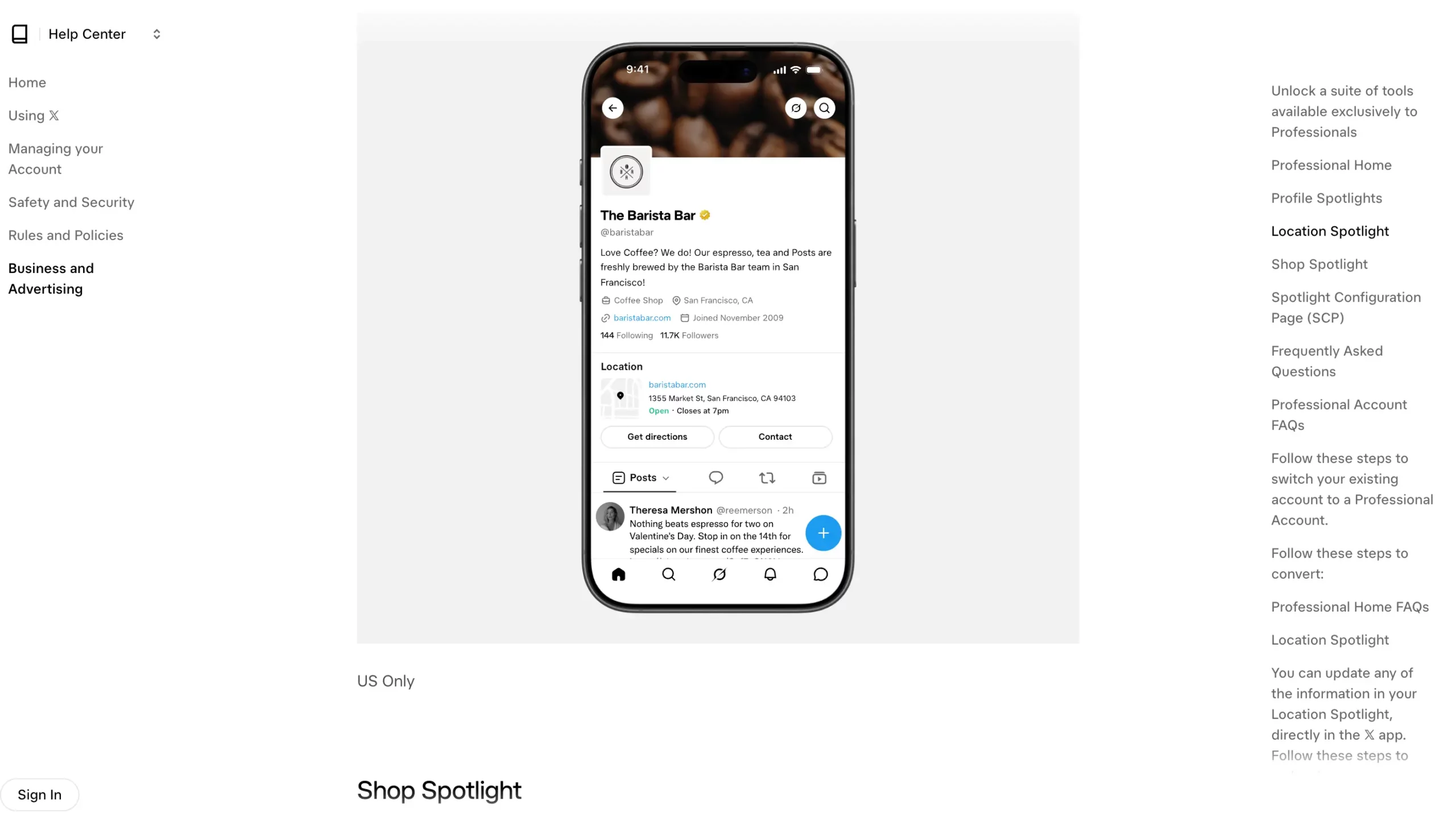
A Twitter Professional Account, officially called an X Professional Account, is a free account type for eligible people and organizations using X for professional purposes.
It allows businesses, brands, creators, and publishers to present their professional identity and access tools designed for work-related activity.
According to the official X Professional Accounts guide, these tools include:
Professional Category: Show visitors the type of professional or organization behind the account.
Professional Home: Access a dashboard with account analytics, professional resources, and available tools.
Profile Spotlights: Display eligible business details, such as a location, contact information, or relevant links.
Quick Promote: Access X’s post-promotion workflow, subject to advertising requirements.
X Shopping: Eligible retailers may be able to use shopping features. X documents Shop Spotlight as US-only and available to some qualifying accounts.
Availability matters here. Not every Professional Account receives every feature, and individual tools may have additional requirements or geographic restrictions.
For example, a business outside the US should not assume it can display a Shop Spotlight simply because it has converted to Professional.
Who can get an X Professional Account?
An existing X account can switch to Professional when it meets the platform’s eligibility requirements.
Under the X Professional Account Policy, an eligible account must:
Have a complete profile with an account name, bio, and profile picture.
Clearly represent an authentic identity without misleading impersonation.
Avoid a history of repeatedly violating X’s User Agreement.
Meet the additional requirements of any Professional features it wants to use.
X also states that parody and fan accounts are not eligible for Professional status.
You cannot create a separate Professional-only account directly. You first need an existing X account, which you can then convert.
Twitter Professional Account vs Personal: What changes?
The main difference between a Personal and a Professional X account is access to professional presentation and work-focused tools.
Your account does not suddenly become a different social network when you convert. You can still publish posts, reply to conversations, and interact with other users.
What changes are the additional functionalities available to eligible Professional Accounts.
| Feature | Personal Account | Creator Professional | Business Professional |
|---|---|---|---|
| Standard posting and replies | Yes | Yes | Yes |
| Cost of switching to Professional | Not applicable | Free | Free |
| Professional category on profile | No | Available | Available |
| Professional Home | No | Subject to availability | Subject to availability |
| Professional Profile Spotlights | No | Depends on eligibility | Depends on eligibility |
| Quick Promote through Professional tools | No Professional-specific access | Subject to requirements | Subject to requirements |
| Can begin X Ads setup | Yes | Yes | Yes |
| Verification needed to qualify for X Ads | Yes | Yes | Yes |
| X Premium included | No | No | No |
| Automatic organic-reach advantage | Not established | Not established | Not established |
| Best-fit identity | Personal presence | Individual professional or creator | Brand, business, or organization |
Sources: X Professional Accounts, Professional Account Policy, Getting started with X Ads, and X Ads eligibility.
Do you need a Professional Account to advertise on X?
No. X says both personal and business accounts can begin the advertising setup process. However, starting that process is different from meeting the requirements to run ads.
X’s advertising eligibility documentation requires advertisers to meet its verification, account-quality, and policy requirements.
For businesses and government entities, X directs advertisers toward its Verified Organizations program. For individuals, it refers to qualifying paid X subscription plans.
That means converting to a free Professional Account does not automatically qualify an account to run advertising campaigns.
If your only reason for switching is to advertise, review X’s advertising eligibility requirements before making the change.
Is a Professional Account the same as X Premium?
No. A Professional Account is an account type, while X Premium provides paid subscription benefits.
X describes Premium benefits under its paid subscription offering. Features vary by tier and may include longer posts, editing options, reply prioritization, and a verification checkmark for eligible subscribers on qualifying tiers.
These are not included simply because an account changes to Professional.
For example, a creator might choose a free Creator Professional Account to display their professional identity without subscribing to Premium.
A business might choose Business Professional and separately evaluate whether paid subscription or advertising features are necessary.
See X’s Premium documentation for current subscription benefits and eligibility conditions.
Should you choose Creator or Business on X?
Choose Creator when the account represents an individual professional, and Business when it represents a company, brand, or organization.
X asks users to select the option that most closely matches how they identify professionally. It does not establish that one option receives better organic distribution than the other.
The distinction is mainly about who is speaking through the account.
When should you choose Creator Professional?
Creator is generally the more suitable option when an individual’s identity is central to the account.
Consider Creator if you are:
A writer or journalist publishing under your own name.
A content creator sharing your videos, projects, or ideas.
A consultant building visibility around your expertise.
An independent professional whose personal reputation is closely connected to their work.
For example, imagine a freelance marketing consultant who shares campaign observations, answers questions, and publishes professional opinions.
People follow the consultant because of their expertise and personal voice. Creator Professional would be a reasonable choice.
This is an editorial recommendation based on account identity, not a promise of additional platform features or reach.
When should you choose Business Professional?
Business is generally more suitable when the account represents an organization rather than one individual.
Consider Business if the account belongs to:
An ecommerce store promoting its products.
A marketing agency publishing company updates.
A software company sharing product information.
A retail business communicating with customers.
An organization building an official presence on X.
A clothing retailer, for example, may use X for product announcements, customer conversations, and updates about its business.
Business Professional describes that identity more clearly than Creator.
Depending on eligibility, the business may also find Professional Profile features useful, such as displaying its location or other relevant information.
What if you are both a creator and a business owner?
Choose the option that best describes the account’s primary identity.
A consultant publishing under their own name may prefer Creator. The official account of that consultant’s agency may fit Business.
The same principle applies to ecommerce entrepreneurs.
An account sharing the founder’s experiences and professional opinions is different from an account speaking directly for the store.
For agencies, make this decision for each client rather than applying one setting to every account.
Which X Professional Account category should you choose?
Choose the X Professional Account category that most accurately describes the person, organization, or activity represented by the account.
A useful category helps visitors understand the account without having to investigate several posts first.
During conversion, X asks users to select a professional category. Its official instructions recommend searching when the most relevant category does not appear immediately.
X’s referenced help page does not provide a complete, verified list of every currently available category. For that reason, avoid relying on third-party lists that claim to contain every possible selection.
Instead, use the category selector itself.
How to select the right professional category
Start with these three questions.
1. What does the account represent?
Think about its main professional purpose.
A consultant should search for a category connected to their area of expertise. A retailer should look for a category that describes its commercial activity.
2. What would visitors expect from this account?
The category should support the identity presented in the name, bio, and posts.
For example, a person publishing professional photography work may want a category related to that activity rather than a broad label that says little about their role.
3. Will the category remain accurate?
Choose a label that reflects your current activity rather than a future ambition.
If the account changes direction later, review whether its category still matches what it represents.
These are examples of how to search for an appropriate category, not confirmed names from X’s current category list.
Can you change your Professional Account category?
Yes. X documents options for managing Professional Categories through Professional Profile settings.
After converting, return to your profile settings to review the category and whether it appears on the profile.
The important consideration is accuracy.
X’s approved documentation does not establish that choosing a particular Professional category automatically improves organic reach.
Does switching to a Professional Account affect reach or analytics?
X does not document an automatic increase in organic reach simply because an account switches from Personal to Professional.
Professional status provides access to additional tools. That should not be confused with evidence that the platform will distribute your posts more widely.
It helps to separate three different issues.
Does a Professional Account increase organic reach?
There is no verified basis in X’s Professional Account documentation for promising higher organic reach after conversion.
The same applies to selecting Creator instead of Business.
A change in account category does not establish that the account will gain more impressions, followers, or engagement.
If organic visibility is your main concern, review the content you’re publishing, the audience you’re addressing, and how people interact with your posts.
For additional context, see this Twitter SEO guide.
Does a Professional Account provide better analytics?
A Professional Account can provide access to Professional Home, which X describes as a dashboard containing account analytics and professional resources.
X’s official documentation describes an initial Professional Home analytics view covering the previous 28 days.
However, it also states that Professional Home has not reached every eligible account.
Two qualifications matter:
Professional status is required for Professional Home, but conversion does not guarantee immediate access to it.
Access to Professional Home should not be confused with a claim that Personal accounts have no way to review performance information.
For teams evaluating the switch, the useful question is whether the Professional dashboard available to their account provides information they need for reporting or decision-making.
Does X Premium improve reach?
X Premium is a separate paid subscription whose documented features include reply prioritization, with benefits depending on the subscription tier.
That is different from the free Professional Account conversion.
Do not use Premium’s documented subscription features as evidence that choosing Creator or Business changes organic reach.
If your team is assessing performance, keep these distinctions clear:
Organic performance: How unpaid posts perform.
Professional Home: The professional dashboard and resources available to eligible accounts.
Advertising performance: Results from paid campaigns, measured separately in X Ads Manager.
Premium benefits: Features provided under a paid subscription, according to its tier.
According to X’s advertising guide, Ads Manager tracks campaign results such as impressions, clicks, and conversions.
Those advertising results should not be presented as evidence of an organic-reach advantage from Professional status.
Is a Twitter Professional Account worth it?
A Twitter Professional Account is worth considering if you need its professional identity, profile presentation, or eligible dashboard features.
If you use X mainly to share thoughts, participate in conversations, and connect with people, a Personal Account may already do everything you need.
The free conversion makes Professional accessible, but the absence of a conversion fee is not, by itself, a reason to switch.
Consider the type of work you do.
| Your situation | Recommended account type | Why |
|---|---|---|
| You primarily use X for personal conversations | Personal | Professional-specific features may not be necessary |
| You publish content under your own professional identity | Creator Professional | Helps describe your role and professional presence |
| You operate an official store or company account | Business Professional | Better matches an organizational identity |
| You are an independent consultant with a personal brand | Usually Creator Professional | The individual is the main identity |
| You operate an agency’s official account | Usually Business Professional | The account represents the organization |
| You manage accounts for different clients | Match each client’s identity | One account-type choice may not fit every client |
| You only want additional organic reach | Do not switch for reach alone | No automatic advantage is documented |
These recommendations are editorial guidance, not account eligibility decisions or performance guarantees from X.
Here’s a useful way to decide.
Finish this sentence:
“We need a Professional Account because we want to ______.”
If the answer is to display a professional category, use an eligible Spotlight, or access Professional Home, you have identified a feature worth evaluating.
If the answer is simply to get more impressions, switching account types does not address a verified source of that problem.
How do you switch to a Twitter Professional Account?
You can convert an eligible existing X account to Professional through the account settings or the X for Professionals menu.
X provides the following conversion process in its official Help Center.
Open your X account and navigate to your profile settings or the app sidebar.
Select Switch to Professional or X for Professionals, depending on where you started.
Select Get Started.
Choose the professional category that best describes your account.
Select Business or Creator.
Complete the conversion and review the professional tools offered to your account.
X may present additional setup options, such as customizing the profile or reviewing promotional tools.
The options available after conversion depend on the account and feature eligibility.
For a client account, check the account’s profile information and eligibility before making changes.
Can you switch from Professional back to Personal?
Yes. X allows users to change their Professional Account type or return to Personal.
According to X’s documented process:
Go to your profile.
Select Edit Profile.
Open Edit Professional Profile.
Select Switch Account Type.
Choose the account type you want to use.
The availability of individual Professional features may change when the account type changes.
If you’re managing a client’s account, confirm the intended change with the account owner and review any professional features currently in use.
How should teams organize multiple client and brand X accounts?
Teams managing multiple X accounts should organize each legitimate account around its purpose, responsible owner, and daily workflow.
Choosing Personal, Creator, or Business describes the account’s identity. It does not automatically organize login environments, responsibilities, or reporting across several clients.
For an agency working with a retailer, a consultant, and a content creator, treating every account as if it serves the same purpose can make everyday management unnecessarily confusing.
Five practices can make that work more structured.
1. Assign each account a clear purpose and owner
Identify the brand, person, or organization represented by each X account.
Record who is responsible for publishing, responding to messages, and reviewing performance.
A client account should have a clear business or publishing purpose rather than existing only to repeat activity from another account.
2. Choose the account type for each identity
Review whether each account should remain Personal or use Creator or Business Professional.
A creator-led account may suit Creator. A company’s official account will generally suit Business.
Document the choice so another team member understands why it was made.
3. Separate account environments where appropriate
Different clients may require their own login sessions, app data, and browser environments.
For teams that need this arrangement, Multilogin is a cloud Android phone platform for multi-account management, with isolated browser profiles available for web-based work.
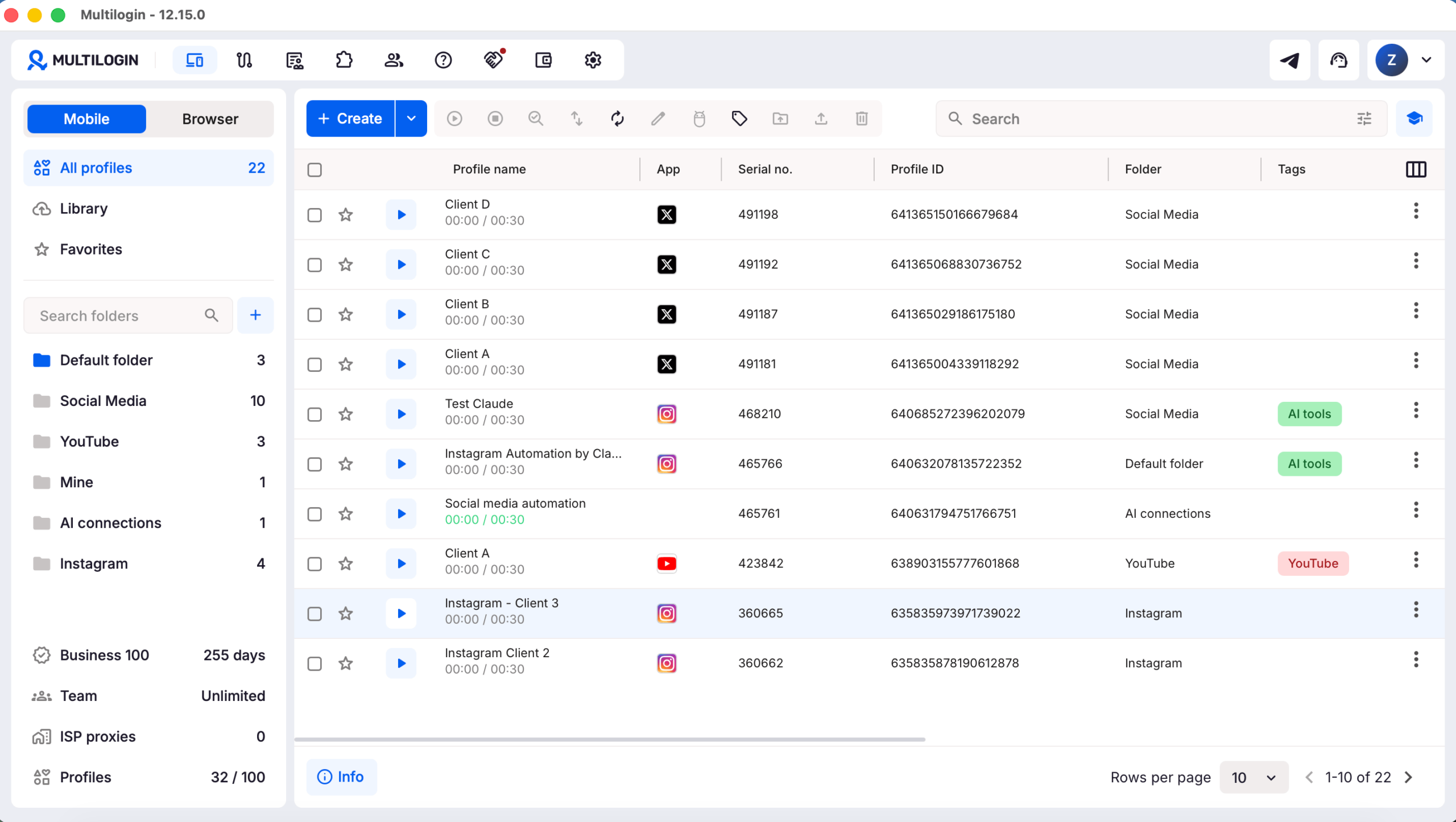
For native X mobile-app workflows, use one Android cloud phone per X account. Each cloud phone keeps its app data and login session in a separate Android environment.
For X web workflows, Multilogin provides isolated browser profiles with separate cookies and session data. Each profile’s IP address depends on its proxy configuration, so profiles may share an IP if they use the same connection.
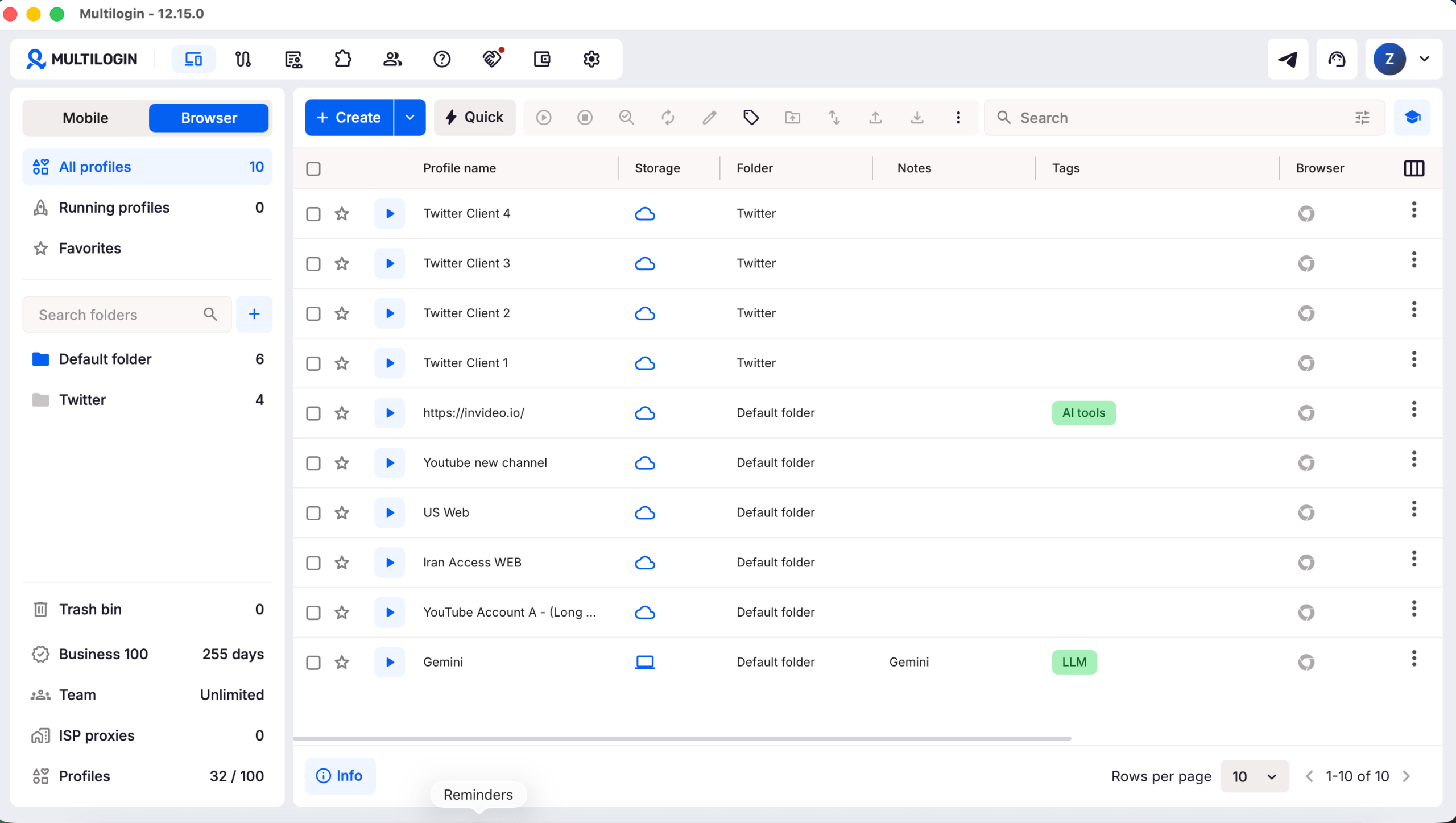
Both types of environments can be managed from one dashboard, with team access and permissions for coordinating responsibilities.
This distinction matters because an Android cloud phone and a browser profile serve different workflows. Not every account needs to run through a cloud phone.
Multilogin cloud phones do not provide phone numbers that can receive SMS or one-time text verification codes. Account owners must use their own eligible verification method when X requires one.
For practical setup instructions, see how to create Android cloud phones. For browser-based account work, the browser profile setup guide explains how to configure separate web environments.
For creator teams managing multiple brand or client profiles, Multilogin can help keep daily account work organized without turning your analytics workflow into a login mess.
4. Review X’s multiple-account and advertising policies
Operating several accounts is not permission to repeat the same activity across them.
Under the X Authenticity Policy, X allows people to create or operate up to ten accounts for different, non-duplicative purposes, subject to its technical limits.
The policy also recognizes legitimate management of accounts on behalf of third parties, including social media managers, provided the activity complies with X’s rules.
It prohibits coordinated inauthentic activity, including using multiple accounts to artificially amplify posts or repeatedly publish substantially similar content.
That distinction applies whether you’re using X’s normal account-switching tools or separate account environments.
If your team also runs paid campaigns, review the X Ads eligibility requirements for each relevant advertiser account. Professional status alone does not establish advertising eligibility.
5. Record how performance is measured
Keep reporting sources clear for every account.
If a client asks whether performance improved after a switch to Professional, compare relevant account metrics without assuming that the account-type change caused the result.
Separate organic activity from paid advertising results.
Multilogin offers a free plan with no time limit and paid plans from $7.08 per month. Teams needing separate Android cloud phones or browser profiles can compare Multilogin plans before choosing a setup.
Multilogin does not override X’s platform rules. Keep account activity legitimate and distinct, publish original content, and follow X’s policies when managing multiple accounts.
Final verdict: Which X account type should you use?
Choose Personal when standard posting and conversations meet your needs.
Choose Creator Professional when the account represents your work, expertise, or identity as an individual creator.
Choose Business Professional when the account officially represents a company, store, or organization.
For agencies managing several clients, make the decision separately for each account. A professional category and dashboard can be useful, but choosing Professional should not be treated as a shortcut to stronger organic reach.
The right account type is the one that supports what you already need to do on X.