


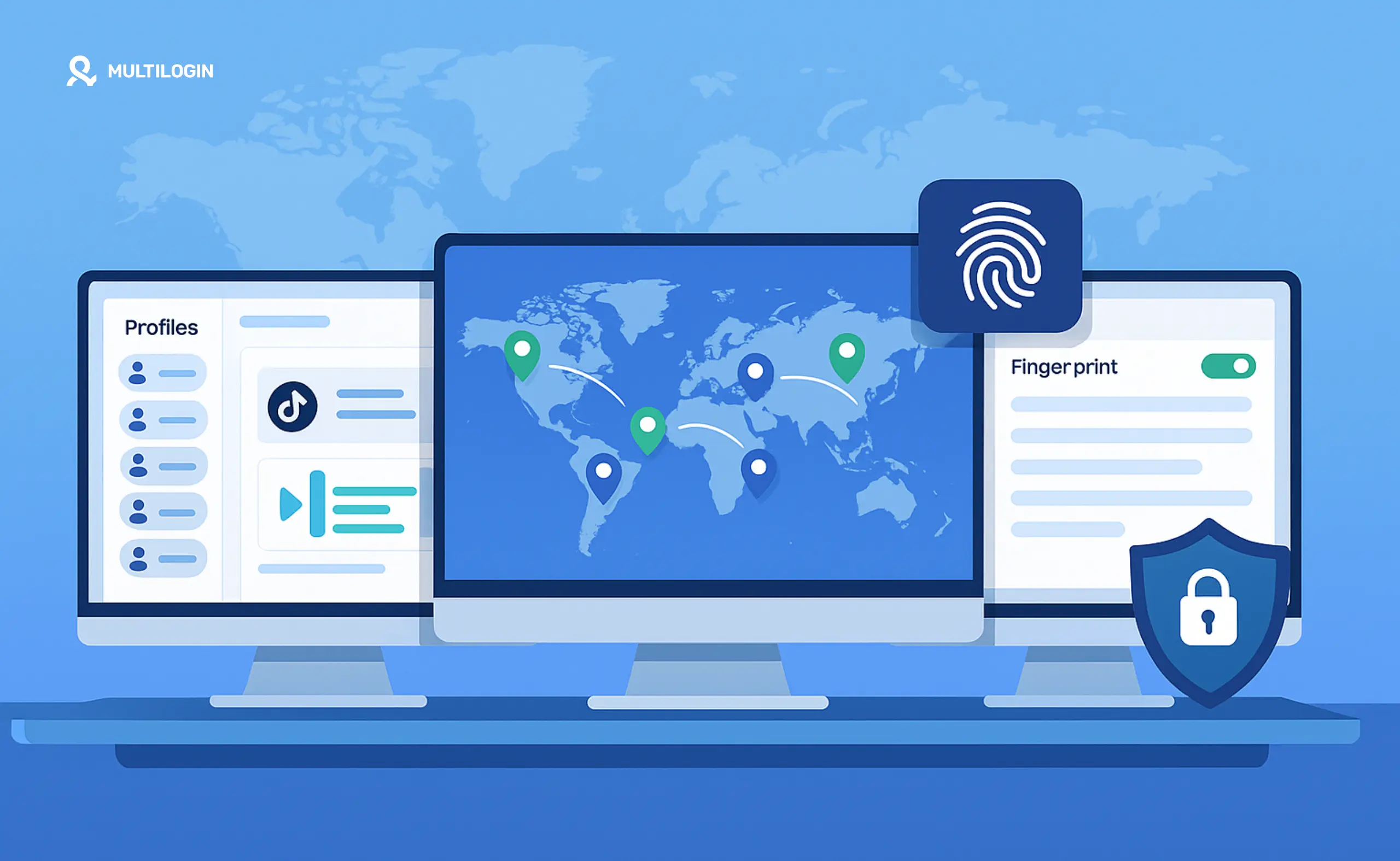



Being a digital nomad means working from changing locations without letting those changes disrupt your business. One month you may be managing client work from Lisbon. The next, you may be coordinating social media profiles from Bali or reviewing campaigns from a co-working space in Mexico.
The difficulty is that business accounts are expected to maintain consistent sessions, device data, and locations. Frequent changes can lead to login challenges, verification requests, or accidental crossovers between client accounts.
Digital nomads commonly deal with:
Public Wi-Fi in cafés, hotels, airports, and shared workspaces
Client accounts associated with different regions
Multiple social media, advertising, and e-commerce accounts
Mobile-first work that needs native Android apps
Browser-based work that needs separate cookies and sessions
Teams or AI agents that need controlled access to selected profiles
An IP address is only one part of this setup. Platforms may also consider session history, device characteristics, location consistency, app data, and behavioural patterns through their bot detection systems.
For web-based work, isolated browser profiles can keep cookies and browser fingerprints separate. For TikTok, Instagram, Facebook, and other mobile-first platforms, Android cloud phones add the native app environment that browser tools cannot provide.
Why Digital Nomads Need an Antidetect Browser
An antidetect browser, also called an anti detect browser or proxy browser, creates separate browser environments for different accounts.
Each profile can maintain its own cookies, storage, network settings, and digital fingerprint. This is useful when a digital nomad manages web accounts for several clients or businesses from one computer.
For digital nomads, separate environments support:
Consistent sessions while travelling: A profile retains its cookies, login state, language, timezone, and other settings instead of starting from a blank browser in every country.
Multiaccount management: Client and business accounts can be organised in separate browser or mobile environments.
Regional account workflows: A profile can use location-aligned network and device settings when authorised work must be completed in a particular market.
Cleaner account organisation: Separate cookies, storage, notes, tags, and permissions reduce accidental cross-logins.
Remote teamwork: Specific profiles can be assigned to team members without handing over an entire device or exposing unrelated accounts.
A browser profile is still only the web part of the workflow. TikTok and Instagram are built primarily around mobile apps. Their apps can assess mobile device data and behavioural signals that a browser cannot reproduce.
For those platforms, a cloud phone is usually the more suitable environment. Each social profile runs on its own Android device in the cloud, with separate app data, login history, location, and persistent account state.
Proxies and profile tools also do not replace normal public-network precautions. Use HTTPS, multi-factor authentication, updated software, and a trusted VPN when the local network itself cannot be trusted.
Top Antidetect Browsers for Digital Nomads
The following tools support separate browser profiles for location-independent work. Their mobile capabilities, proxy setup, collaboration options, pricing, and intended use cases differ.
1. Multilogin – Best Overall for Digital Nomads
Multilogin is now positioned as a cloud phone platform for social media marketers, agencies, creators, online businesses, and AI-driven workflows.
It combines Android cloud phones and browser profiles in one dashboard. Mobile social profiles can run inside native Android apps, while web accounts can use isolated browser environments with their own cookies, sessions, and network settings.
Best For: Digital nomads managing social profiles, client accounts, and mobile plus web workflows across regions
Starting Price: Free plan with no time limit. Paid plans start from $7.08 per month.
Key Features for Nomads:
Android cloud phones for TikTok, Instagram, Facebook, YouTube, and other native-app workflows
Browser profiles for Reddit, YouTube, advertising dashboards, e-commerce platforms, and other web-based work
Persistent app data, login history, cookies, and session state
Built-in residential proxies with location targeting
Cloud storage and local storage options, depending on the plan
Team permissions, profile sharing, folders, tags, notes, and custom organisation
API access and integrations with Selenium, Puppeteer, Playwright, Postman, and ADB
One dashboard for human-operated profiles and AI-agent workflows
24/7 support in five languages
The Stealthfox browser was Multilogin’s original Firefox-based browser core. It remains a ranked and recognised product term, but Multilogin’s current positioning is broader. The platform now leads with Android cloud phones and social profile management, with browser profiles available for web workflows.
Pros:
Combines real Android cloud phones and browser profiles in one subscription
Built-in proxy traffic and mobile minutes are included
Keeps mobile and web environments inside the same workspace
Supports people, distributed teams, automation tools, and AI agents
The Multilogin Free plan does not require a credit card and has no time limit
Founded in 2015, providing a longer operating history than many cloud phone entrants
Profiles can retain their settings and history while the user travels
Cons:
Cloud phones need a stable internet connection
First-time users may need a little time to understand profiles, proxies, permissions, and mobile minutes
Why Multilogin for Nomads?
Many digital nomads do not work only in a browser anymore. Social media managers may need Instagram and TikTok apps, while e-commerce operators may use web dashboards, and agencies may need both.
Multilogin provides a cloud phone for native Android work and a browser profile for web work from the same dashboard. Each social profile can maintain its own environment instead of being repeatedly logged into from the traveller’s current device.
The Free plan includes five total mobile and browser profiles, with up to one cloud phone profile, 30 one-time mobile minutes, and 200 MB of one-time premium proxy traffic. Profiles on the Free plan are deleted after seven consecutive days of inactivity, although the Free plan itself remains active. Paid plans start from $7.08 per month.
Start with Multilogin Free and test mobile and browser environments before choosing a paid plan.
2. Incogniton
Incogniton is a browser-profile tool for manual account management. It can suit freelancers who need separate web sessions but do not require native Android cloud phones inside the same platform.
Best For: Freelancers managing a limited number of browser-based client accounts
Starting Price: Free for 10 browser profiles during the first two months, then three profiles. Paid plans start from $13.99 per month.
Key Features for Nomads:
Free starter package
Local browser-profile storage
Proxy configuration for individual profiles
Cookie Collector on eligible plans
Synchronizer for repeated browser actions
Bulk profile creation
Paid team options
Pros:
Straightforward browser-profile interface
Free access for small browser-based workflows
Paid entry plan for 10 profiles
Suitable for basic web account organisation
Built-in proxy purchasing is available
Cons:
Focuses on browser environments rather than native Android cloud phones
Cloud collaboration and automation features depend on the selected plan
Users managing TikTok or Instagram app workflows need an additional mobile solution
Reality Check: Incogniton can be enough for a freelancer managing a few browser-based client accounts. A digital nomad who also needs native apps, mobile device environments, or one workspace for mobile and web may need a second tool.
Incogniton currently provides 10 free profiles for the first two months, followed by three free profiles. Its Starter Plus plan is listed from $13.99 per month.
Compare the two platforms in Multilogin vs Incogniton.
3. Kameleo
Kameleo focuses on browser automation, profile configuration, and mobile-profile emulation. It supports users working with Selenium, Puppeteer, Playwright, and other automation tools.
Best For: Digital nomads focused on browser automation or mobile browser profiles
Starting Price: Free plan with two concurrent browsers and 300 minutes of monthly browser use. Paid pricing starts from €59 per month on monthly billing.
Key Features for Nomads:
Two concurrent browsers on the Free plan
300 browser minutes on the Free plan
Local storage and 100 cloud profiles
Custom browser kernels
Selenium, Puppeteer, and Playwright support
Docker support
Mobile browser profiles
Team members included according to plan limits
Pros:
Strong focus on browser automation
Supports Windows, macOS, and Linux workflows
Offers a permanent Free tier
Includes local and cloud profile options
Suitable for users building browser-based automated processes
Cons:
Mobile profiles are not the same as dedicated Android cloud phones running native social apps
Paid plans have a higher starting price than several browser-profile competitors
Users looking for built-in cloud phones and proxy traffic may need additional tools
Use Case: Kameleo can be a practical option for automation-heavy browser work. For a nomad managing Instagram or TikTok through native apps, compare mobile browser emulation with a dedicated Android cloud phone before choosing.
Kameleo’s current Free plan lists two concurrent browsers, 300 minutes, 100 cloud profiles, and three team members. Its monthly Startup pricing begins at €59.
See Multilogin vs Kameleo for a comparison of cloud phones and mobile browser emulation.
4. AdsPower
AdsPower is a browser-profile platform with RPA, synchronisation, batch operations, and team-management features. Its cloud phone offering is provided through a separate DuoPlus connection.
Best For: Remote teams managing browser accounts with synchronisation or RPA requirements
Starting Price: Free for two profiles. Paid pricing depends on the selected number of profiles, members, and billing period.
Key Features for Nomads:
Two free browser profiles
Chromium and Firefox-based browser options
Multi-window synchronisation
RPA workflows
Local API
Batch profile management
Proxy marketplace
Team permissions on eligible plans
Pros:
Free entry point for two profiles
Useful synchronisation and browser automation features
Flexible profile and member selection
Suitable for distributed browser-based teams
Cons:
Native cloud phones are not part of the core AdsPower browser product
Mobile workflows may require DuoPlus as a separate service
Proxy costs and cloud phone costs may sit outside the browser subscription
RPA configuration can introduce a learning curve
Important Consideration: AdsPower is primarily a browser-profile product. A digital nomad who works in native social apps should account for the additional mobile product, proxy setup, billing, and workflow management required.
AdsPower’s official pricing page currently lists two free profiles and configurable Professional, Business, and Enterprise options.
See Multilogin vs AdsPower for a direct platform comparison.
5. GoLogin
GoLogin provides browser profiles, cloud launches, a web interface, proxy traffic, and mobile apps for accessing its browser-profile platform.
Best For: Solo users and small teams that want browser profiles with web-based access
Starting Price: Free for three browser profiles. New accounts can also test paid features for seven days. Paid plans start from $9 per month.
Key Features for Nomads:
Three-profile Free plan
Seven-day trial of paid features
Orbita browser environment
Cloud profile storage
Web-based access
iOS and Android companion apps
API access on paid plans
Residential proxy traffic on paid plans
Selenium, Puppeteer, and Playwright integrations
Pros:
Browser profiles can be accessed through a desktop app or web interface
Free plan supports three profiles
Paid entry tier starts with 10 profiles
API and cloud launches are available
Useful for browser-based work across changing computers
Cons:
The mobile apps provide access to browser profiles rather than dedicated Android cloud phones
Team-member access is unavailable on the Professional and Free plans
Native social app workflows need a different mobile environment
Free plan sharing and collaboration are limited
Reality Check: GoLogin is designed around browser profiles. That can work well for web-based multi-account management, but it does not replace a dedicated Android cloud phone when the work must happen inside the TikTok, Instagram, or Facebook app.
GoLogin currently lists three free profiles, a seven-day trial, and paid plans from $9 per month for new accounts registered under its 2026 pricing.
Compare the platforms in Multilogin vs GoLogin.
6. Dolphin Anty
Dolphin Anty is a browser-profile tool with a scenario builder, synchroniser, API access, and bulk profile features.
Best For: Solo operators using browser profiles for repetitive workflows
Starting Price: Free for five browser profiles. The Starter plan begins at $10 per month for 20 profiles.
Key Features for Nomads:
Five free browser profiles
Starter plans from 20 profiles
Scenario builder
Synchroniser
Browser-profile API
Bulk profile and proxy assignment
Profile import and export tools
Windows, macOS, and Linux support
Pros:
Permanent five-profile Free plan
Low-cost Starter plan
Browser automation and synchronisation options
Bulk actions for larger browser-profile collections
Cross-platform desktop support
Cons:
Free profiles do not include API access
Team members cannot be added to the Free or Starter plans
No integrated Android cloud phone layer
Native mobile-app work needs another service
Use Case: Dolphin Anty can suit a digital nomad testing browser-profile workflows or organising a small number of web accounts. It is less suitable when mobile apps are a central part of the daily workflow.
Dolphin Anty’s current pricing lists five free browser profiles and a $10 Starter plan for 20 profiles.
What to Look for in an Antidetect Browser as a Digital Nomad
A digital nomad needs more than a large profile allowance. The platform must fit the actual work, the devices being used, and the way access changes while travelling.
1. Cloud Profile Syncing
Cloud profile storage can help when you move between a laptop, desktop, or remote workstation.
Look for:
Persistent cookies and login sessions
Controlled access from different computers
Encrypted cloud storage
Local storage where required
Clear backup and recovery options
Permissions that prevent unrelated profiles from being exposed
Multilogin supports cloud profile storage across its plans, with local storage options available on eligible paid plans. Cloud phones also retain app data and login states between sessions.
2. Detection Resistance
No tool can guarantee that an account will never be restricted. Platforms assess more than browser configuration.
They may consider:
Device and browser consistency
IP and location changes
Session length
Posting times
Repeated actions
Content similarity
Account age
Warmup behaviour
Cross-account activity
A suitable platform should help create consistent environments without encouraging activity that breaks platform rules.
Multilogin separates browser profiles and Android cloud phones while preserving their session history. Users still need original content, reasonable activity patterns, and platform-compliant workflows.
3. Proxy Integration
A profile platform should make proxy management understandable.
Check whether it supports:
HTTP, HTTPS, and SOCKS5 connections
Country, region, or city targeting
Consistent IP assignment for long-term profiles
Third-party proxy configuration
Rotating IPs may suit data collection, while consistent IPs are generally more appropriate for persistent account sessions. The correct choice depends on the authorised workflow.
Multilogin includes premium residential proxy traffic and supports third-party proxy connections. Additional traffic starts from $3.50 per GB, and unused paid traffic rolls over.
4. Mobile Support
Mobile support should mean more than opening a mobile-sized webpage.
A mobile browser profile can be useful for testing websites. It does not provide the same environment as an Android phone running a native app.
For TikTok, Instagram, and Facebook app workflows, look for:
A genuine Android operating environment
Persistent app storage
Saved login state
Separate device identity
Location-aligned network settings
App installation through a store or APK
Remote control from a desktop
ADB or API access when automation is needed
Multilogin cloud phones run Android apps in dedicated cloud environments. Browser profiles remain available for Reddit, YouTube, Facebook web, advertising dashboards, and other web workflows.
Learn how browser-based mobile profiles differ from app environments in the guide to a mobile antidetect browser and device emulation.
5. Team Collaboration
Digital nomads often work with remote assistants, agency colleagues, clients, or contractors.
Useful collaboration controls include:
Role-based permissions
Profile assignment
Profile sharing
Folders, tags, colours, and notes
Access removal
Activity visibility
Clear separation between client workspaces
Multilogin supports team seats and profile permissions on paid plans. Business plans can include unlimited team seats for larger distributed operations.
6. Automation Support
Browser automation can reduce repetitive work, but it should match the platform and task.
Selenium, Puppeteer, Playwright, and Postman can connect to browser workflows. ADB and API access can support Android cloud phone workflows.
For a digital nomad, Selenium is not a replacement for a profile platform. It is an automation framework that can operate browser sessions. This distinction matters when evaluating a “nomad vs Selenium” query. One describes the remote worker and their workflow. The other is a tool that may be connected to that workflow.
Multilogin supports Selenium, Puppeteer, Playwright, Postman, API access, and ADB. Users can apply these tools to browser or mobile workflows without positioning automation as something reserved only for developers.
Common Digital Nomad Scenarios and Solutions
Scenario 1: Managing Client Facebook Ads Accounts from Different Countries
Problem: You travel from Thailand to Malaysia while managing a US client’s Facebook Ads account. A sudden location and device change leads to an additional verification request.
Solution: Keep the authorised client session in its own browser profile with persistent cookies and consistent location settings. A US residential proxy can align the connection with the client’s approved market when that setup is permitted.
Avoid changing the profile’s device, language, timezone, and IP without a business reason. Consistency is more useful than repeatedly generating new settings.
Scenario 2: Operating Multiple E-Commerce Stores While Traveling
Problem: You manage Amazon, eBay, or Shopify stores for separate businesses and need to prevent cookies, sessions, and team access from becoming mixed.
Solution: Assign each business its own browser profile, network setting, storage, and access permissions. This creates operational separation and reduces mistakes such as posting from the wrong store or exposing one client’s session to another.
Browser profiles can retain WebGL, canvas, font, timezone, cookies, and other profile settings between sessions.
Read more about managing multiple Amazon accounts and creating multiple Shopify stores.
Scenario 3: Accessing Geo-Restricted Tools from Anywhere
Problem: A client dashboard, reporting service, or business tool is available only to authorised users in a specific market.
Solution: Confirm that remote access is permitted. Then use a profile with consistent geolocation data, timezone, language, and network settings for that approved region.
Do not use geolocation spoofing to misrepresent eligibility, evade legal restrictions, or break a service’s terms.
Scenario 4: Working Securely on Public Wi-Fi
Problem: Café, hotel, and airport networks may be poorly configured or shared by many unknown users.
Solution: Use HTTPS websites, multi-factor authentication, an updated operating system, and a trusted VPN when appropriate. Do not assume that a browser profile or proxy encrypts every part of the local connection.
A proxy server can provide a different external IP or location, but it is not a complete substitute for normal network security.
Why Multilogin is the Top Choice for Serious Digital Nomads
Multilogin fits digital nomads whose work now crosses both mobile apps and browser dashboards. Instead of describing itself only as an antidetect browser, it provides social profile infrastructure for people, teams, and AI agents.
1. Proven Track Record
Multilogin was founded in 2015. It is incorporated in the UAE and operates under a GDPR-compliant data-protection framework.
That operating history matters when a digital nomad is choosing infrastructure for ongoing client work rather than testing a temporary browser extension.
2. Complete Solution
Multilogin combines:
Android cloud phones
Browser profiles
Built-in residential proxies
Mobile minutes
Persistent sessions
Cloud and local storage options
Team access and permissions
Profile folders, tags, colours, and notes
API and ADB access
Selenium, Puppeteer, Playwright, and Postman integrations
24/7 support in five languages
Mobile profiles can run TikTok, Instagram, Facebook, and other Android apps. Browser profiles support Reddit, YouTube, Facebook web, advertising dashboards, multiple social media accounts, e-commerce tools, and other websites.
Pre-made cookies remain available for browser workflows, but they should not be described as a way to create instant account trust. Long-term account history depends on consistent and legitimate use over time.
3. Investment Protection
The relevant cost is not only the subscription price. Digital nomads may otherwise pay separately for:
Browser-profile software
Cloud phones
Residential proxy traffic
Mobile runtime
Physical Android devices
Team-access tools
Remote-device software
Maintenance and replacement hardware
Multilogin puts the main mobile and browser workflow in one platform.
The Free plan has no time limit and does not require a credit card. Paid plans start from $7.08 per month. Additional premium proxy traffic starts from $3.50 per GB, and additional mobile runtime starts from $0.0073 per minute.
Review the current Multilogin pricing before selecting a plan.
4. Superior Detection Resistance
Consistent profile environments can reduce accidental mismatches, but no platform can promise superior detection resistance in every situation or guarantee that an account will remain active.
Multilogin supports stable browser and mobile environments by keeping profile data separate. Browser profiles maintain their own cookies, storage, network settings, and configurable browser parameters. Cloud phones maintain their own Android environment, app data, login state, and device identity.
The remaining signals still depend on how the accounts are operated. Repeating the same content, posting at unnatural volume, switching locations without reason, or breaking platform rules can lead to restrictions regardless of the tool being used.
5. True Freedom
Digital nomads need their work environment to travel without forcing every client account to inherit the settings of the current hotel, café, laptop, or country.
Multilogin lets each social profile maintain its own dedicated mobile or browser environment. A TikTok account can remain on its Android cloud phone. A Reddit profile can retain its browser session. A team member can access only the profiles assigned to them.
The result is a more organised operation with fewer device switches and fewer separate tools.
Ready to experience stealth like never before? Get Control With Multilogin
Start with the permanent Free plan and create up to five mobile and browser profiles. No credit card is required.
Ready to experience stealth like never before? Get Control With Multilogin
Frequently Asked Questions About Antidetect Browsers for Digital Nomads
No antidetect browser can guarantee account safety.
For client work, choose a platform with persistent sessions, profile separation, access permissions, built-in or supported proxies, and clear mobile capabilities. Multilogin combines Android cloud phones and browser profiles, making it suitable for agencies, e-commerce operators, affiliate marketers, and social media teams that work across mobile and web.
Use multi-factor authentication, follow client security policies, and stay within each platform’s rules.
It depends on the purpose.
A proxy controls the external IP used by an individual profile. A VPN can protect more of the connection between your device and the VPN provider, which may be useful on public Wi-Fi.
An antidetect browser or browser profile separates browser sessions. It does not automatically replace a VPN, endpoint protection, multi-factor authentication, or other security practices.
For profile-specific location settings, use a suitable residential proxy or another approved proxy type.
Yes, but the browser profile does not make an unsafe Wi-Fi network safe by itself.
Use HTTPS, multi-factor authentication, updated software, and a trusted VPN when needed. A profile-specific proxy can control the account’s external IP, but public-network protection should be handled separately.
Compare providers in the guide to residential proxy services.
An antidetect browser creates separate browser profiles with their own cookies, storage, network settings, and configurable browser fingerprints.
For digital nomads, these profiles can keep client and business sessions organised while the operator travels.
An antidetect browser is designed for web workflows. Native mobile-app workflows may require an Android cloud phone instead.
A VPN and an antidetect browser solve different parts of the workflow.
A VPN changes the network route and visible IP address. It does not create separate cookie stores, browser sessions, or profile settings for each client account.
An antidetect browser creates isolated browser profiles. Websites may still evaluate WebGL, canvas, fonts, timezone, IP, cookies, behaviour, and other device characteristics.
For native Android apps, neither a standard VPN nor a browser profile provides a dedicated cloud phone environment.
The best choice depends on the workflow.
Incogniton, AdsPower, GoLogin, Kameleo, and Dolphin Anty focus primarily on browser profiles. Multilogin combines browser profiles with Android cloud phones, built-in proxy traffic, mobile minutes, team features, and automation access.
That combination makes Multilogin a strong option for digital nomads managing TikTok, Instagram, Facebook, Reddit, YouTube, e-commerce dashboards, affiliate campaigns, and client accounts from one workspace.
Prices range from permanent free tiers to enterprise plans costing hundreds of dollars per month.
Current entry points include:
Multilogin: Free plan, with paid plans from $7.08 per month
Incogniton: Free tier, with paid plans from $13.99 per month
Kameleo: Free tier, with paid monthly plans from €59
AdsPower: Two free profiles, with configurable paid pricing
GoLogin: Three free profiles, with paid plans from $9 per month
Dolphin Anty: Five free profiles, with paid plans from $10 per month
Compare the full cost rather than only the browser-profile allowance. Cloud phone access, proxy traffic, mobile runtime, team seats, and collaboration may be billed separately by some providers.
Incognito mode mainly prevents the browser from saving local history, cookies, and form data after the private window is closed.
It does not create a separate long-term environment for each business account. Websites can still see the same IP address and many of the same browser and device properties.
An antidetect browser creates persistent profiles with separate cookies, storage, network settings, and configurable profile data. A cloud phone goes further for mobile workflows by giving a social profile its own Android environment and app data.
Conclusion – Work Anywhere Without Limits
The digital nomad lifestyle depends on portable systems, not only portable laptops. Browser profiles remain useful for Reddit, YouTube, advertising dashboards, online stores, analytics tools, and other web-based accounts. Android cloud phones are better suited to TikTok, Instagram, Facebook, and other workflows that take place inside native mobile apps.
The right platform should help you:
Keep client and business accounts organised
Maintain persistent sessions while travelling
Separate mobile and browser environments
Match authorised accounts with appropriate locations
Share selected profiles with remote team members
Connect automation tools and AI agents when needed
Work without maintaining a suitcase full of physical phones
Multilogin brings Android cloud phones, browser profiles, built-in proxies, mobile minutes, and team tools into one dashboard. The permanent Free plan provides a practical way to test the platform before moving to a paid plan.
Whether you manage multiple TikTok accounts, client social profiles, affiliate projects, online stores, or remote teams, keep each workflow in the environment that fits it. Use cloud phones for native mobile apps. Use browser profiles for web platforms. Keep the activity original, consistent, authorised, and compliant with platform rules.


