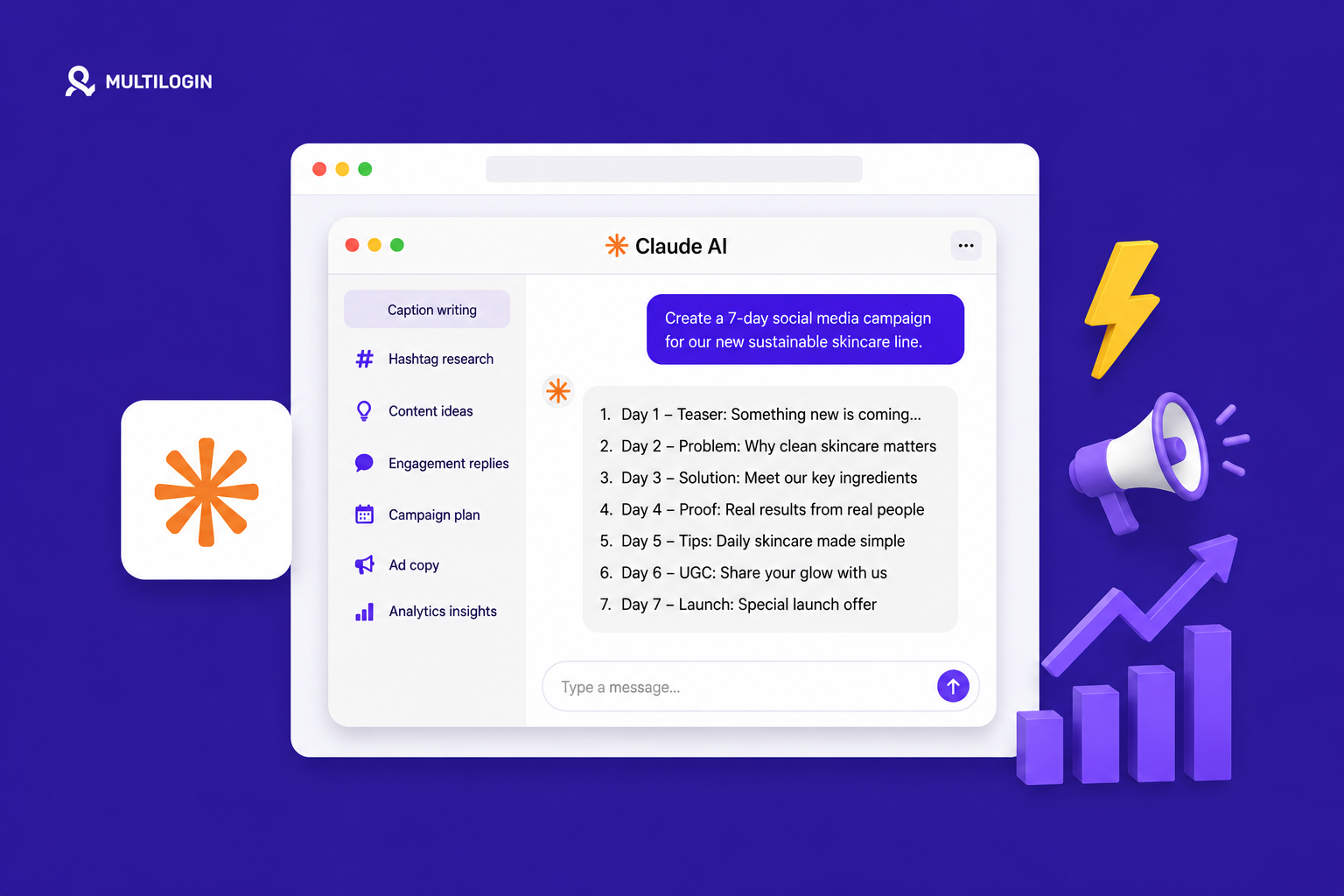



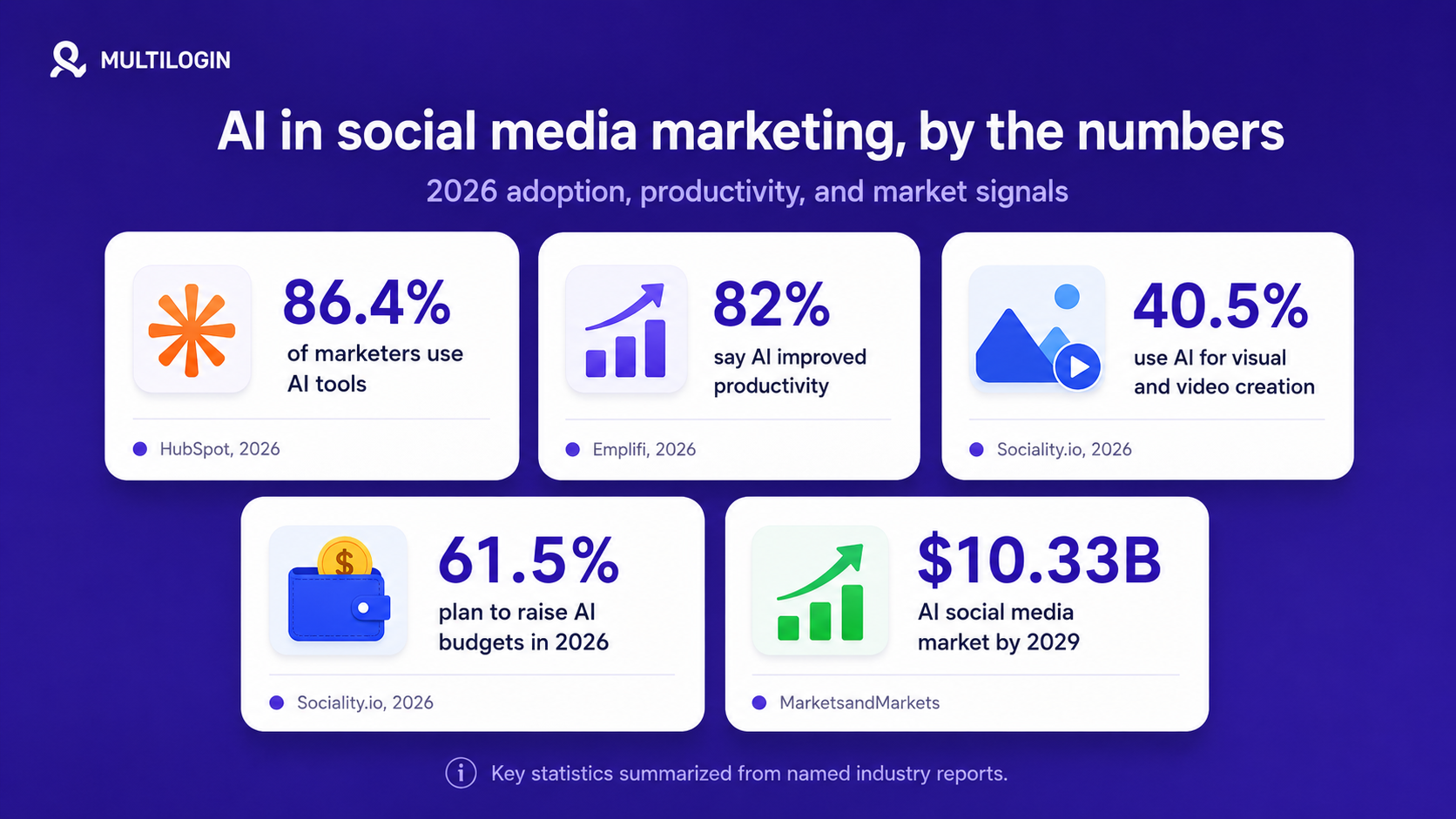
AI is now a normal part of social media marketing. HubSpot reports that 86.4% of marketers use AI tools, while its 2026 State of Marketing page says 80% use AI for content creation and 75% use AI for media production.
For social media teams, the real question is no longer “should we use AI?” The harder question is “which AI tool should handle each job: captions, visuals, video, scheduling, competitor analysis, reporting, SEO visibility, or AI search visibility”.
This guide compares the best AI tools for social media marketing in 2026 by use case. It also covers the gap most AI tool lists miss: AI can create content, but it does not keep multiple social media accounts separate.
What are AI tools for social media marketing?
AI tools for social media marketing are software products that use artificial intelligence to help teams plan, create, edit, publish, analyze, or optimize social content. In practice, they support jobs like caption writing, visual design, short-form video editing, social listening, competitor analysis, and AI search visibility tracking.
Most teams do not need one tool for everything. They need a stack. One tool can write drafts, another can create visuals, another can turn long videos into shorts, and another can track how the brand appears in Google, social platforms, and AI answers.
Quick comparison: best AI social media tools by use case
Here’s your table with the new row added at the top:
| Use case | Best tool | Why it fits | Pricing signal |
|---|---|---|---|
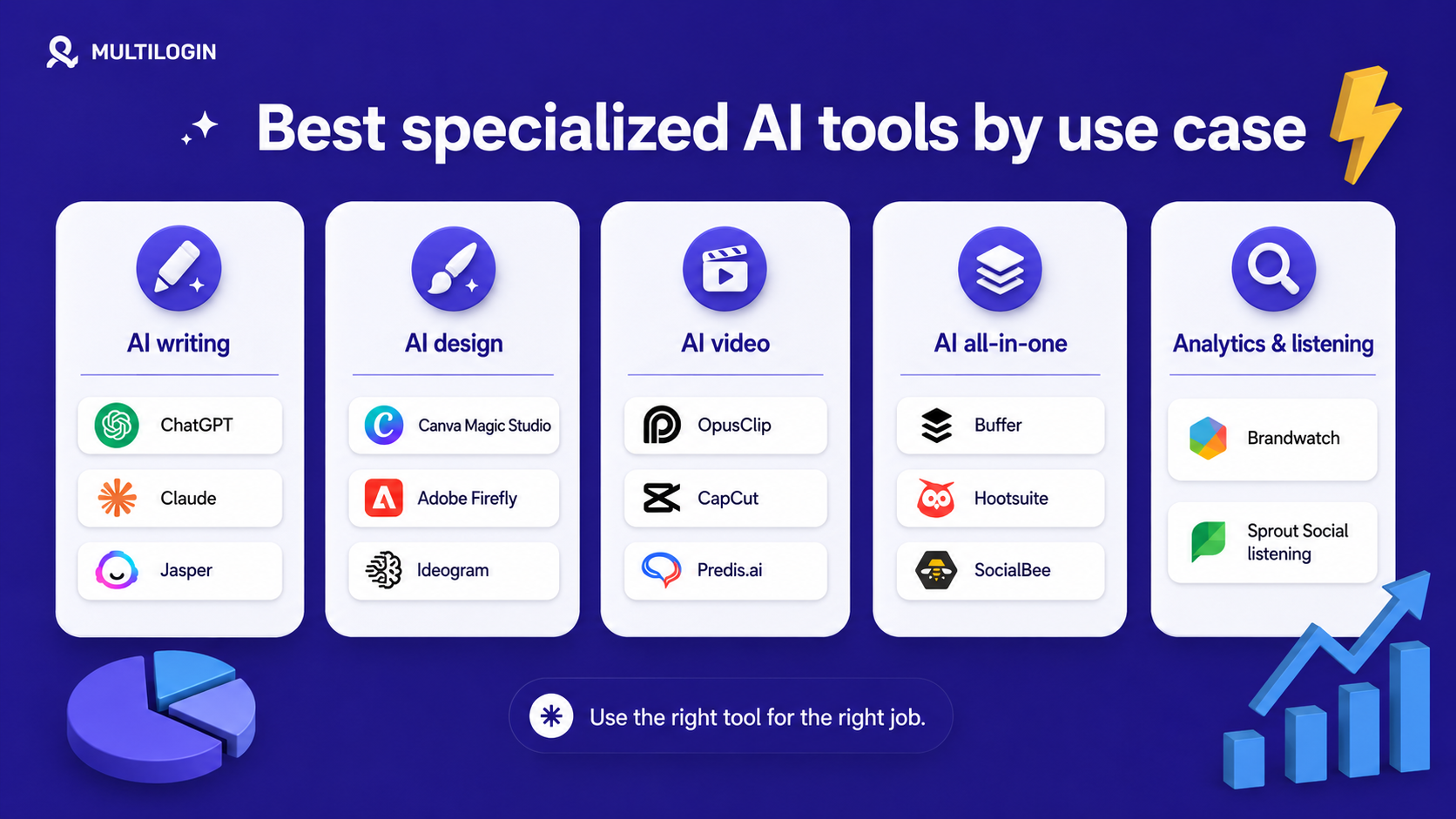
| High-level enterprise & agency multi-brand operations | Mydrop AI | Powerhouse tool that unifies content, AI, scheduling, approvals, publishing, inbox, reports, link-in-bio, and no-login portals all in one | Free and paid plans |
| Captions and ideation | ChatGPT | Flexible writing, research, content planning, and repurposing inside a general AI assistant | Free and paid plans |
| Longer copy and editing | Claude | Useful for long-form social posts, style rules, and human-sounding rewrites | Free and paid plans |
| Brand voice at scale | Jasper | Built for marketing teams with brand voice, tone, style, and visual guidelines | Paid |
| Free scheduling plus AI | Buffer | AI Assistant works inside the post composer and is available with a free Buffer account | Free and paid plans |
| Enterprise social ops | Hootsuite | Scheduling, content creation, analytics, listening, and AI assistance in one platform | Paid |
| Listening and reporting | Sprout Social | AI-powered social intelligence, publishing, engagement, analytics, and conversation monitoring | Paid |
| Budget AI planning | SocialBee | AI Copilot creates posting plans, content ideas, and ready-to-post content | Paid trial |
| Design and graphics | Canva AI | AI design, writing, brand, and creative tools inside Canva | Free and paid plans |
| Commercial-safe visuals | Adobe Firefly | Trained on licensed content and public-domain content where copyright expired | Free credits and paid plans |
| Text inside images | Ideogram | Strong typography and text rendering inside AI-generated visuals | Free and paid plans |
| Long video to shorts | OpusClip | Turns long videos into short clips and publishes to social platforms | Free and paid plans |
| Free short-form editing | CapCut | AI features include auto captions, background remover, and video editing tools | Free and paid plans |
| Competitor analysis | Predis.ai | Analyzes competitor content patterns, hashtags, and best or worst posts | Free and paid plans |
| AI search visibility | Semrush AI Visibility Toolkit | Tracks AI visibility, prompts, competitors, crawler blockers, and sentiment | Paid |
| LLM brand tracking | Ahrefs Brand Radar | Tracks brand mentions across AI answers and benchmarks competitors | Paid |
| Enterprise listening | Brandwatch | AI-powered consumer intelligence, social media management, and search intelligence | Enterprise |
| Agent-led social media management for small businesses | Velocity | Multi-agent AI for research, brand voice, content creation, scheduling, publishing, and analytics, with unlimited seats instead of per-seat pricing | Free trial; paid plans from $29/month |
How we chose the tools
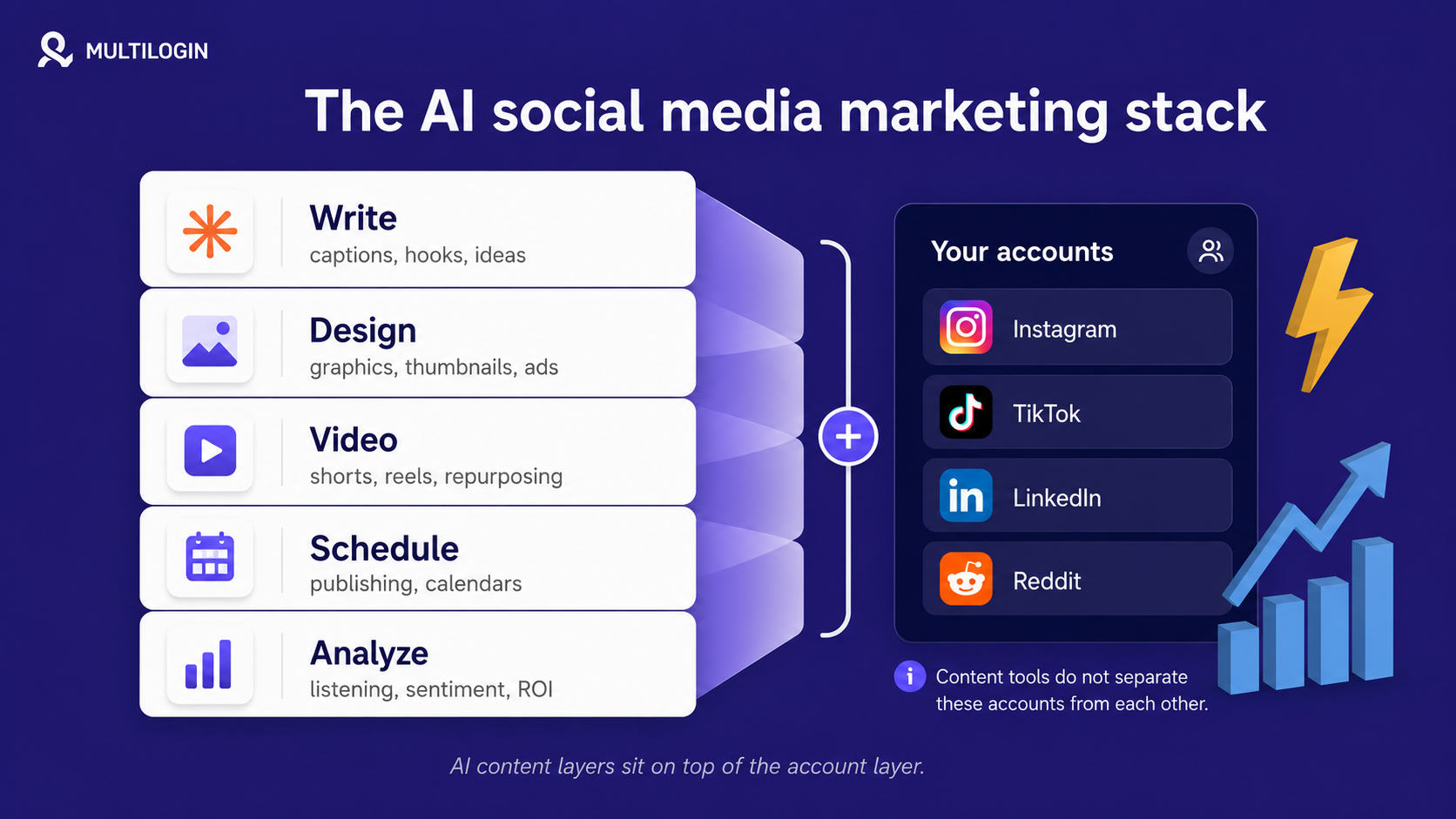
We chose tools by job fit, not hype. Social media marketers usually need five layers: write, design, video, schedule, and analyze. In 2026, many teams also need a sixth layer: search visibility across Google, AI Overviews, ChatGPT-style answers, and competitor mentions.
- The tool had to solve a clear social media job, such as captions, scheduling, design, video, listening, ads, competitor research, or AI search visibility.
- The tool needed a first-party feature source, official documentation, or a named report for factual claims.
- The recommendation had to be useful for social media marketers, agencies, or multi-account teams.
- Pricing was treated as a signal, not a fixed promise, because SaaS plans change often.
Best AI tools for writing and captions
Writing is where many teams start with AI. Sociality.io found that 45.9% of surveyed social media marketers use AI for caption writing, and 59.5% use it for content ideation and trend research.
1. ChatGPT
Best for: captions, hooks, idea generation, repurposing, content calendars, and quick research.
ChatGPT is a general AI assistant that can support social media workflows such as writing captions, turning one idea into platform-specific versions, generating creative angles, analyzing uploaded files, and brainstorming visuals. OpenAI lists free and paid ChatGPT plans, with higher usage and extra features on paid plans.
Use ChatGPT when you need a flexible tool that can move from “give me 20 TikTok hook ideas” to “turn this blog into LinkedIn, X, Instagram, and Reddit posts.” The quality depends on the brief. Give it audience, platform, tone, examples, offer, and goal before asking for the final post.
Watch for: it can sound generic when the prompt is generic. Keep a reusable brand prompt and ask for several versions before editing.
2. Claude
Best for: long-form captions, thought-leadership posts, editing, and style-rule compliance.
Claude is Anthropic’s AI assistant. Anthropic lists Free, Pro, Max, Team, and Enterprise options, and its pricing page notes that Pro includes more usage, projects, Research, and access to more Claude models.
Use Claude when you want longer, cleaner drafts or when you need the model to follow detailed voice and editing rules. It is useful for LinkedIn posts, community responses, founder-led content, and rewriting AI copy so it sounds more natural.
Watch for: Claude is not a scheduler. You still need a publishing, approval, or calendar workflow around it.
3. Jasper
Best for: brand voice consistency across a team.
Jasper is a marketing-focused AI platform. Its Brand Voice page says teams can tune voice, tone, style, and visual guidelines so output matches the brand.
Use Jasper when multiple writers, freelancers, or client teams need to produce social captions, ads, emails, and campaign copy with consistent voice. A solo creator can often start with ChatGPT or Claude, but a team that needs governance may benefit from Jasper’s brand controls.
Watch for: Jasper makes the most sense when brand consistency and team workflows matter enough to justify a paid marketing platform.
Best all-in-one AI social media management tools
All-in-one tools combine scheduling, publishing, analytics, engagement, and increasingly AI writing. They are useful when switching between separate AI tools and schedulers slows the team down.
1. Mydrop AI
- Best for: Fast-scaling agencies, enterprises, and marketing teams requiring a highly functional, complete ecosystem for multi-brand management.
- Mydrop AI is an all-in-one social media operations platform powered by autonomous AI agents, cross-channel automations, and a centralized automated inbox. The software seamlessly unifies content generation, deep social listening and enterprise reporting, team collaboration, post approvals, link-in-bio creation, and scheduling into a single dashboard.
- Use Mydrop AI when your organization needs a comprehensive command center to orchestrate multi-profile campaigns without juggling tools.
- Watch for: Mydrop AI does not provide automated like-and-follower bots.
2. SchedPilot
- Schedpilot is best for: creators, agencies, and developers who want a scheduler that AI agents can run through an API and MCP server and not just a dashboard.
- SchedPilot is a social media management and scheduling tool built API-first for the agent era. It publishes to 9 networks — Instagram, X (Twitter), LinkedIn, TikTok, YouTube, Pinterest, Facebook, Threads, and Bluesky — from one calendar, and exposes a full REST API plus a hosted MCP server so agents like Claude, ChatGPT, Cursor, or an n8n workflow can draft, schedule, and publish in plain language. Agents call a small set of tools (get_accounts, create_post, upload_media, get_analytics, and more), and every post lands in your calendar for human approval before it goes live, so automation never means losing control.
- Use SchedPilot when you want the scheduling basics you’d get from Buffer — AI captions, best-time-to-post, bulk scheduling, a visual calendar, team roles and approvals, plus a built-in UGC video editor — but also want your posting layer to be programmable. It covers the classic all-in-one workflow while adding what most schedulers don’t: an agent-drivable API, an MCP server, n8n custom nodes, and analytics your agent can read back. It’s fully hosted (no self-hosting like Postiz), typically cheaper than Buffer, and keeps a human-approval step that agent-first tools tend to skip.
- Watch for: the deepest API and MCP features sit on the higher-tier plan, so confirm the tier you need if agent automation is the main reason you’re signing up.
3. Buffer
- Best for: freelancers, founders, and small teams that want a free or low-cost AI scheduler.
- Buffer’s AI Assistant works inside the post composer. Buffer says users can adjust tone, shorten or expand posts, and use the AI Assistant with a free Buffer account.
- Use Buffer when you need fast platform-specific versions of one idea and a simple publishing workflow. It is a strong fit for small teams that need fewer dashboards, not a large enterprise system.
- Watch for: Buffer is lighter on deep social listening and enterprise reporting than tools like Sprout Social, Hootsuite, or Brandwatch.
4. Hootsuite
- Best for: mature teams that manage many channels, approvals, analytics, and social listening in one place.
- Hootsuite describes itself as a social media management tool that brings scheduling, content creation, analytics, and social listening into one platform. Its site also positions Hootsuite as AI support for social media management and social listening.
- Use Hootsuite when your team needs operations more than a standalone caption generator. The AI features matter most when they sit inside publishing, analytics, and approval workflows.
- Watch for: Hootsuite may be more tool than a solo marketer needs.
5. Sprout Social
- Best for: brands that treat social media as customer intelligence, not only publishing.
- Sprout Social describes itself as an AI-powered social intelligence platform for publishing, engagement, analytics, and real-time conversation monitoring.
- Use Sprout Social when you need to see what is happening across messages, comments, topics, sentiment, and performance. For larger brands, the insight layer can be more valuable than the caption-writing layer.
- Watch for: Sprout Social is usually a premium choice. Small teams should compare the reporting depth against the monthly cost before committing.
6. SocialBee
- Best for: AI-assisted planning, content categories, and smaller teams that want structure.
- SocialBee’s AI Copilot page says it can generate a social media strategy, a posting plan, content ideas, and ready-to-post content.
- Use SocialBee when you need help turning a vague content goal into categories, themes, and a posting rhythm. It is especially useful when consistency is the problem, not creativity.
- Watch for: SocialBee is more planning and scheduling focused than deep enterprise listening.
7. Velocity
- Best for: Small businesses, freelancers, and lean marketing teams that want agent-led AI social media management without per-seat charges.
- Velocity is an AI social media management platform built around specialized Research, Brand, Media Analysis, Creative, Posting, and Analytics agents. Together, these agents support the full content lifecycle, from researching trends and developing on-brand content to scheduling, publishing, and analyzing posts.
- Use Velocity when a small team wants AI to handle more than caption generation. Its multi-agent architecture can research campaign ideas, learn a brand’s voice, analyze uploaded media, create content, manage publishing, and surface performance insights from one workspace. Plans include unlimited seats, making it suitable for lean teams that want predictable, flat-rate pricing rather than per-user charges.
- Watch for: Usage allowances, connected-channel limits, brand identities, and analytics capabilities vary by plan, so compare the available tiers against your publishing volume and number of managed brands.
Best AI tools for graphics and visuals
Visuals are one of the biggest bottlenecks in social media. HubSpot’s 2026 State of Marketing page says 75% of marketers use AI for media production
1. Canva AI
- Best for: fast social graphics, carousels, thumbnails, ad visuals, and template-based design.
- Canva says Canva AI supports design, writing, brand, coding, and other creative work across its Visual Suite. Canva Pro also includes premium features such as Magic Resize and Brand Kit.
- Use Canva when you need social graphics fast and do not want to move between a design app, AI image tool, and template library. It is a practical choice for non-designers and small teams.
- Watch for: heavily used templates can make social feeds look similar. Customize colors, layout, typography, and examples before publishing.
2. Adobe Firefly
- Best for: brands and agencies that care about commercial-safe image generation.
- Adobe says current Firefly generative AI models were trained on licensed content, such as Adobe Stock, and public-domain content where copyright has expired. Adobe also says Firefly was developed to be commercially safe.
- Use Firefly when visual ownership and commercial use matter more than speed. It is a safer fit for brand campaigns, client work, and teams that already use Adobe Creative Cloud.
- Watch for: Firefly is a creative tool, not a full social media scheduler.
3. Ideogram
- Best for: AI-generated visuals that need readable text inside the image.
- Ideogram’s site highlights stronger typography, better prompt alignment, cleaner editing, and text rendering inside AI images.
- Use Ideogram for posters, thumbnails, quote graphics, mockups, banners, and social images where text must be readable. It solves a common AI-image problem: bad letters inside generated visuals.
- Watch for: use it as a design-specialist tool, not as your whole content workflow.
Best AI tools for short-form video
Short-form video remains a key social media format, and AI video tools help reduce editing time. The best choice depends on whether you want automatic repurposing or hands-on editing.
1. OpusClip
- Best for: turning long videos, podcasts, webinars, and interviews into short clips.
- OpusClip says it turns long videos into short clips and can publish them to social platforms. Its site also says it supports YouTube, Google Drive, Vimeo, Zoom, Twitch, Facebook, LinkedIn, X, and other video sources on Pro.
- Use OpusClip when you already have long-form video and need a repeatable way to create TikToks, Reels, Shorts, and LinkedIn clips. It is strongest when the source video has clear speakers, strong moments, and usable hooks.
- Watch for: automatic clipping still needs a human review before publishing.
2. CapCut
- Best for: free short-form video editing, captions, and quick mobile-first edits.
- CapCut’s official site highlights AI features such as background remover, image enhancer, and other editing tools. CapCut also describes AI-powered tools such as background remover, auto captions, and lip sync in its own resources.
- Use CapCut when you want hands-on editing for TikTok, Instagram Reels, YouTube Shorts, and paid social creative. It is useful for creators and small teams that still want control over cuts, captions, effects, and pacing.
- Watch for: CapCut is an editor. It is not the same as a full social media management platform.
Best AI competitor analysis and listening tools
Competitor analysis is where AI starts to support decisions, not just production. These tools help marketers see topics, hashtags, content patterns, sentiment, and competitor visibility.
1. Predis.ai
- Best for: social post generation plus lightweight competitor analysis.
- Predis.ai says its competitor analysis tool can analyze competitor content patterns, top hashtags, trends, and best or worst posts. Its pricing help page says plans include AI-powered features for content creation, scheduling, and competitor analysis.
- Use Predis.ai when you want one tool to generate posts and check what competitors are doing. It can help agencies and solo marketers produce content ideas from competitor patterns.
- Watch for: AI-generated templates still need editing, brand examples, and platform-specific adjustments.
2. Brandwatch
- Best for: enterprise social listening, consumer intelligence, and brand monitoring.
- Brandwatch describes its suite as AI-powered social media management, consumer intelligence, influencer marketing, and search intelligence. Its glossary defines social listening as tracking and analyzing conversations across social media, blogs, forums, and news sites.
- Use Brandwatch when your team needs to understand audience conversations, reputation risks, competitors, creators, and market signals at scale. It is more of an intelligence platform than a caption tool.
- Watch for: Brandwatch is built for teams with serious listening needs, not quick one-off content generation.
3. Sprout Social listening
- Best for: teams that want publishing, engagement, reporting, and listening in one platform.
- Sprout Social’s site emphasizes AI-powered social intelligence, live conversation signals, publishing, engagement, and analytics.
- Use Sprout Social when you want listening and reporting inside the same workflow where your team publishes and replies. That reduces the gap between insight and action.
- Watch for: if you only need competitor tracking, compare Sprout against Brandwatch, Semrush, Ahrefs, and lower-cost social tools before buying.
Best AI SEO and AI-search visibility tools for social media marketers
Social media marketers now care about more than social reach. Brand content can appear in Google results, AI Overviews, ChatGPT-style answers, Reddit discussions, YouTube, TikTok search, and social posts that LLMs may cite. That makes SEO and AI visibility tools more relevant to social teams.
1. Semrush AI Visibility Toolkit
- Best for: tracking how a brand appears in AI search and finding content gaps.
- Semrush says its AI Visibility Toolkit helps teams benchmark AI visibility and mentions, analyze brand perception and sentiment, discover prompts and topics, track daily AI visibility, audit technical issues that could block AI crawlers, and identify competitive gaps.
- Use Semrush when your social content strategy connects to SEO, content marketing, PR, and AI search visibility. It helps marketers see where brand demand and prompt demand overlap.
- Watch for: AI visibility tools are still a developing category, so treat them as directional intelligence, not a perfect traffic forecast.
2. Ahrefs Brand Radar
- Best for: checking brand mentions across AI answers and benchmarking competitors.
- Ahrefs says Brand Radar tracks brand mentions across AI answers, benchmarks competitors in AI search, and helps find AI citations and mentions. Ahrefs Help says Brand Radar checks AI responses for more than 320 million search-backed prompts across six AI platforms.
- Use Ahrefs Brand Radar when you want to know whether AI tools mention your brand, your competitors, and the sources behind those mentions. This helps social media marketers plan content that feeds both search and AI discovery.
- Watch for: AI visibility does not replace classic SEO, social listening, or campaign measurement. It adds one more visibility layer.
Bonus: best AI tools for digital marketing ads and social media
If your social work includes paid ads, add a creative testing tool to the stack. AdCreative.ai says it generates ad creatives, images, videos, and copy with AI for marketers who want campaign assets. Madgicx positions itself as an AI ads manager for Meta Ads operations.
Use these tools when paid creative volume is the bottleneck. Keep human review in the loop because ad platforms, audiences, and brand rules can react badly to off-brand AI variations.
Best free AI tools for social media marketing
A free AI social media stack can cover the basics: writing, scheduling, visuals, and video. It will not replace advanced reporting, listening, competitor analysis, or team approval workflows.
| Job | Free tool to start with | What it covers |
| Writing | ChatGPT free plan | Captions, ideas, hooks, repurposing, content briefs |
| Scheduling | Buffer free plan | Basic scheduling plus Buffer AI Assistant |
| Design | Canva free plan | Templates, simple visuals, AI design support |
| Video | CapCut free tools | Short-form editing, captions, background removal, effects |
Start free, then pay only where the free tier creates a real limit. For most small teams, the first paid upgrade is either scheduling capacity, brand assets, or video volume.
How to measure ROI from AI social media tools in 2026
AI ROI should not be measured only by how many posts a tool generates. Sociality.io found that 78.4% of surveyed marketers apply moderate or extensive editing before publishing AI-generated content, and 50.0% named accuracy or reliability as a top concern.
Use this simple ROI model: AI tool ROI = value of hours saved + value of performance gains – tool cost. Then compare that number against the risk of lower quality, wrong facts, off-brand visuals, or weak account setup.
- Hours saved: measure time spent on captions, visuals, editing, reporting, and repurposing before and after AI adoption.
- Performance gains: compare engagement rate, click-through rate, conversion rate, watch time, or qualified leads against the pre-AI baseline.
- Quality cost: track how many AI outputs need major rewrites or design fixes.
- Tool cost: include subscriptions, add-ons, extra seats, and time spent training the team.
- Account risk: include the cost of account flags, linked profiles, lost client access, and recovery time if multiple accounts share one environment.
The account layer AI tools do not solve
AI tools help you create content. They can write captions, suggest hooks, edit videos, generate visuals, summarize comments, and plan posting calendars.
But they do not solve one important problem for social media teams:
Where do all those accounts actually run?
This matters when one marketer, agency, or growth team manages many accounts at the same time. For example:
- TikTok accounts for different regions
- Instagram accounts for different clients
- Reddit accounts for different communities
- Facebook pages or ad accounts for different campaigns
- Creator accounts used for testing different content angles
- Brand accounts managed by several team members
- Mobile-first accounts that need real app environments, not only browser tabs
Most AI tools help with the content workflow. They do not separate cookies, app data, sessions, device signals, browser fingerprints, storage, or IP environments.
That is where Multilogin fits.
Multilogin is a multi-account management platform for teams that need to run many social media accounts from separated environments. It gives users two main ways to work:
- Cloud phones for mobile apps like TikTok, Instagram, Reddit, Facebook, WhatsApp, Telegram, and other app-first platforms
- Browser profiles for web-based accounts, dashboards, ads platforms, analytics tools, and other browser workflows
In simple terms, Multilogin lets you create a separate environment for each account. Instead of logging into many accounts from the same phone, browser, or network setup, each account can have its own profile, session, app data, proxy connection, and device setup.
For a social media marketer, this means you can use AI tools to create more content, then use Multilogin to manage the accounts that publish and engage with that content.
Here’s how the workflow can look:
- Use ChatGPT or Claude to create post ideas, captions, hooks, scripts, and reply templates
- Use Canva, Adobe Firefly, Ideogram, CapCut, or OpusClip to create visuals and videos
- Use Buffer, Hootsuite, Sprout Social, or SocialBee to plan and schedule content
- Use Multilogin to run different social media accounts in separated mobile or browser environments
How Multilogin helps with multiple social media accounts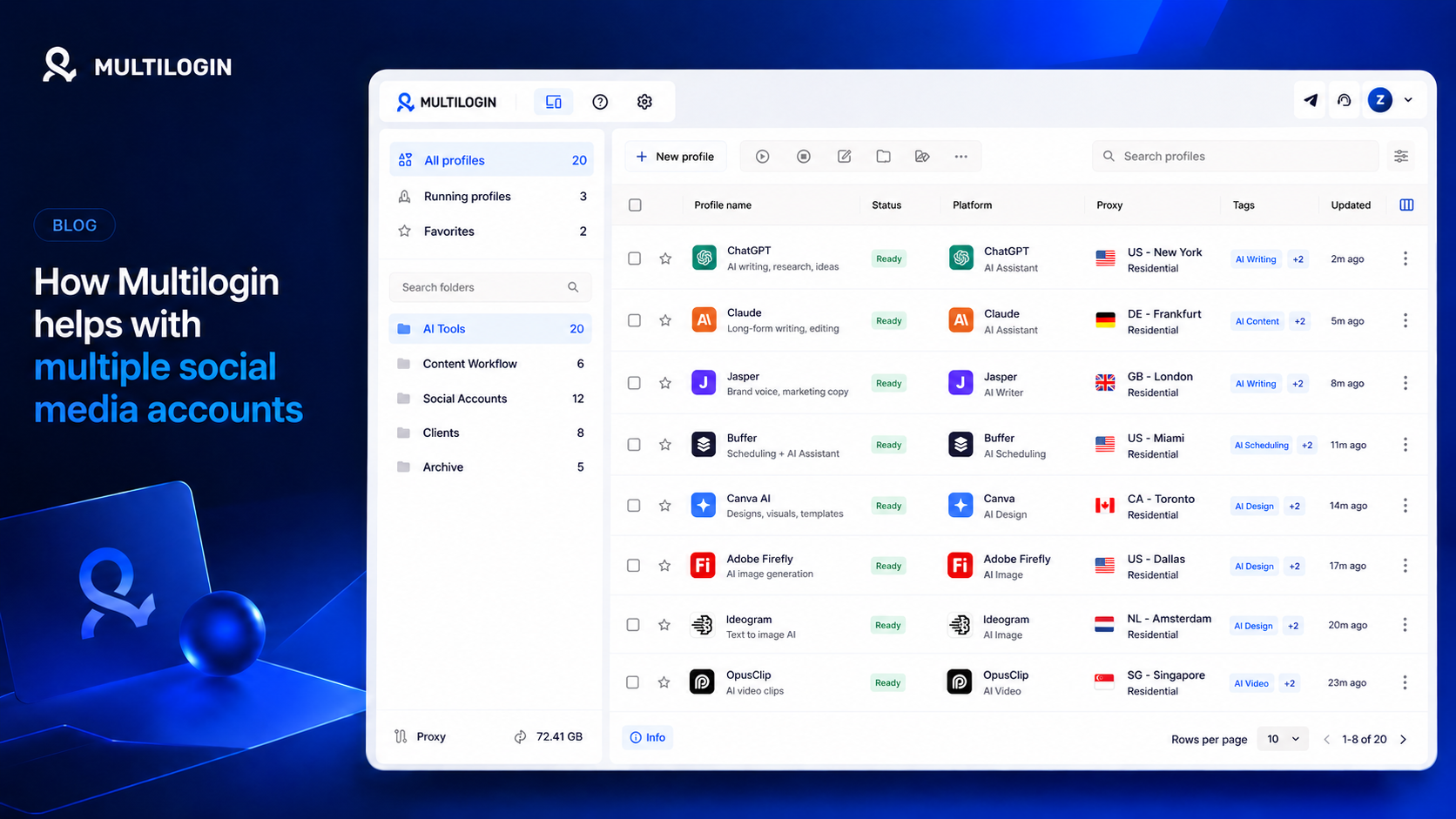
Multilogin is useful when the account setup is just as important as the content itself.
For example:
- Instagram marketers can manage multiple Instagram accounts, post Reels and Stories, reply to DMs, and keep accounts separated.
- TikTok teams can run multiple TikTok accounts, upload videos, test content angles, and manage mobile-first workflows from cloud phones.
- Reddit marketers can manage accounts for different communities, build karma, post, and engage while keeping account environments separate.
- Agencies can manage client accounts without mixing sessions, cookies, app data, or browser profiles.
- Growth teams can test different markets, regions, audiences, and content styles without running every account from one shared setup.
Why this matters when using AI
AI makes content production faster. That is good, but it also creates a new problem: teams can produce more posts than they can safely manage manually.
A marketer may use AI to create:
- 30 TikTok scripts for different accounts
- 50 Instagram captions for different clients
- 20 Reddit post ideas for different communities
- Multiple reply templates for engagement
- Different hooks for different countries or audience segments
Without the right account setup, publishing and managing all that content can become messy. Accounts may share the same browser, phone, cookies, app storage, IP address, or team login habits.
Multilogin helps organize the account side of the workflow. AI handles content creation. Multilogin helps manage the environments where that content gets published, tested, and scaled.
Simple way to think about it
AI tools answer:
“What should we create?”
Multilogin answers:
“Where and how do we safely manage all the accounts that publish it?”
That is why Multilogin is not a replacement for AI social media tools. It works next to them. Use AI to create faster, then use Multilogin when your team needs separate cloud phones, browser profiles, proxies, sessions, and account environments.