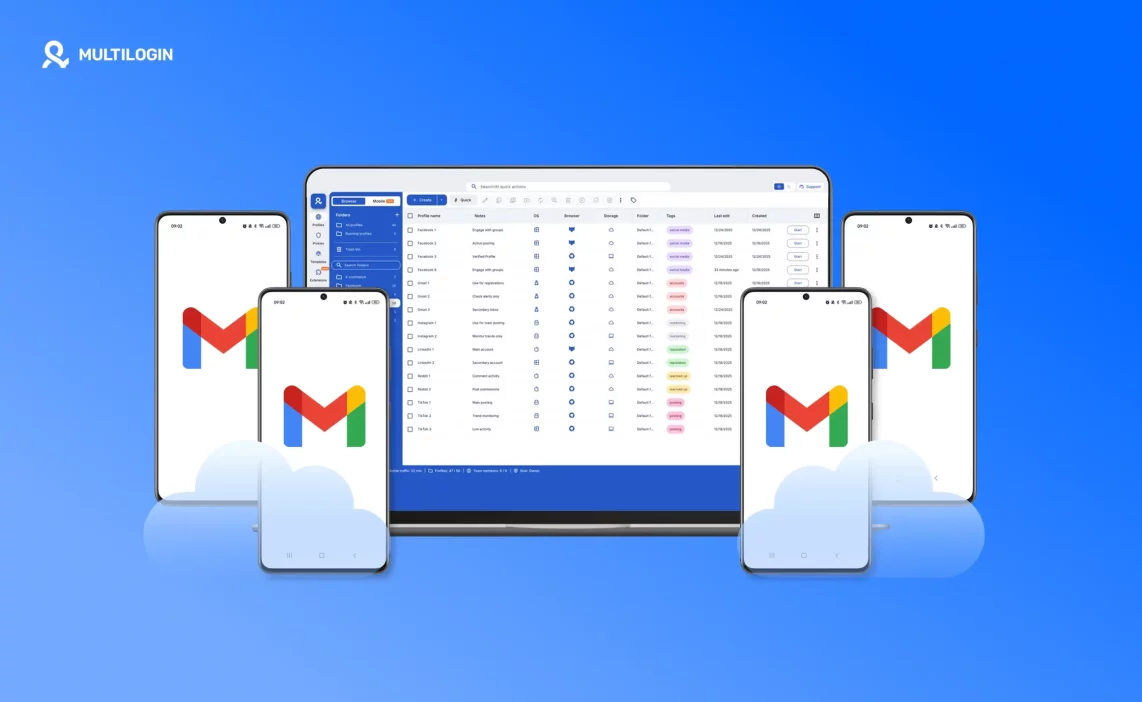

Creating unlimited Gmail accounts makes it easier to manage multiple Gmail accounts for work, clients, testing, and different projects instead of forcing everything into a single inbox. The challenge is that Google does not just look at email addresses. It evaluates browser environments, Android device behavior, and login patterns. When those signals overlap, accounts quietly become connected.
This is where most setups break down:
Reusing the same browser or Android environment across accounts
Creating accounts too quickly from similar setups
Mixing mobile and desktop logins without consistency
Managing accounts at scale without proper isolation
Multilogin solves this by combining isolated browser profiles with Android Cloud Phones, so each Gmail account runs in its own independent environment. Whether you are managing a small setup or scaling beyond 10,000 Gmail accounts, everything stays separated, organized, and easy to control from one dashboard without juggling devices or tools.
Why do you need unlimited Gmail accounts?
Creating multiple Gmail accounts is often a practical way to stay organized as work and responsibilities grow. When everything runs through a single inbox, messages pile up, priorities blur, and important conversations get lost. Separate Gmail accounts help create clear boundaries, making daily communication easier to manage and less distracting.
As projects expand, additional inboxes support structure rather than complexity. Whether you are working alone or with a team, multiple Gmail accounts allow communication to scale naturally without overwhelming one account or breaking established workflows.
Common reasons people create multiple Gmail accounts include:
Keeping work and personal communication separate
Using dedicated inboxes for clients or individual projects
Running testing, QA, and internal checks without affecting live accounts
Managing marketing, outreach, and operational communication
Scaling communication needs without turning one inbox into a bottleneck
Used correctly, multiple Gmail accounts support clarity, focus, and long-term organization instead of adding friction to everyday work.
Read our latest research on how to manage multiple Gmail accounts on mobile!
Why does creating multiple Gmail accounts often fail?
Creating multiple Gmail accounts often stops working not because of a single mistake, but because the setup relies on limits that do not scale. Google does not evaluate accounts in isolation. It looks at the environment each account runs in and compares signals over time. Even when phone numbers are used for verification, Google applies restrictions, which means traditional methods quickly reach their ceiling.
Common reasons these setups fail include:
Google evaluates environments, not just email addresses or passwords
Reusing the same browser or device creates invisible links between accounts
Android and desktop sessions are treated differently and follow separate behavior signals
Fast, repetitive account creation forms detectable patterns
One phone number can typically verify only up to four Gmail accounts, making phone-based scaling impractical
Because of these limits, relying on devices, browsers, or phone numbers alone does not hold up as account volume grows. Proper isolation and consistency become essential to keep multiple Gmail accounts manageable over time.
Learn more about how to create a Google account without a phone number!
What Google looks at when Gmail accounts get connected
Google connects Gmail accounts by comparing technical and behavioral signals across sessions, not by reviewing individual actions in isolation. These signals are designed to identify whether multiple accounts appear to be operated from the same underlying setup over time. When several accounts share similar patterns, they begin to look related, even if each account was created for a legitimate purpose.
Key signals Google evaluates include:
Browser environment consistency – Repeated use of the same browser settings, system characteristics, or extensions across accounts makes them appear related.
Android device behavior and session signals – Mobile logins follow different patterns than desktop sessions, and repeated device-level signals can connect accounts across Android environments.
IP and location patterns – Logging into multiple accounts from the same or closely related IP addresses and locations creates continuity that links sessions together.
Cookies, storage, and login history – Shared cookies, local storage, or overlapping session data signal continuity between accounts.
Timing and activity repetition – Similar login times, action sequences, or repeated workflows across accounts form recognizable patterns over time.
Understanding how these signals interact helps explain why account connections happen gradually and why consistent isolation is essential when managing multiple Gmail accounts at scale.
Start 3-day trial €1.99! Create unlimited Gmail accounts with ease!
Desktop vs Android Gmail accounts – Why environment matters
Managing Gmail accounts only through desktop browsers is no longer enough for many workflows. Google treats desktop and Android sessions as distinct environments, each with its own behavior patterns, signals, and expectations. When accounts are accessed interchangeably without consistency, those differences become visible and accounts begin to look related over time.
Android login flows differ from desktop logins in several ways. Mobile sessions rely more heavily on device-level behavior, session continuity, and app-based interaction patterns. Actions performed through Android apps follow different timing, navigation, and session rules than browser-based logins. Mixing these environments randomly can create inconsistencies that stand out when accounts are compared side by side.
This is where Android Cloud Phones make sense. They provide a dedicated Android environment for Gmail accounts that are primarily accessed through mobile apps or mobile-style workflows. Instead of switching between personal devices or changing environments manually, each account can run in its own Android setup with consistent session behavior.
By combining browser profiles and Android Cloud Phones in one dashboard, Multilogin allows both desktop and mobile Gmail accounts to be managed in a structured way. Each account stays within its intended environment, reducing overlap and making it easier to scale without losing control as the number of Gmail accounts grows.
How Multilogin helps you create unlimited Gmail accounts
Multilogin supports creating and managing Gmail accounts by separating each account into its own controlled environment. Instead of relying on a single browser, device, or phone number, Multilogin combines an antidetect browser with Android Cloud Phones in one platform. This makes it possible to keep desktop and mobile Gmail workflows consistent while scaling in a structured way.
In some regions, Gmail account creation does not always require phone verification. When that is the case, using a properly matched proxy and a clean environment is often enough to complete account setup. Multilogin handles this by aligning browser profiles, Android environments, and proxy locations so account creation and access remain consistent with the expected signals.
Isolated browser profiles for desktop Gmail
Each Gmail account runs inside its own browser profile, completely separate from all others. This prevents data overlap and keeps every account consistent over time.
Key benefits include:
One browser profile per Gmail account
No shared cookies, storage, or session data
Stable and repeatable desktop environments
Android cloud phones for mobile Gmail workflows
For Gmail accounts accessed through mobile apps or mobile-first workflows, Android Cloud Phones provide a dedicated Android environment for each account.
This allows:
One Android environment per Gmail account
Persistent sessions that retain app data between logins
Consistent mobile behavior without switching devices
Built-In proxies and location consistency
Each browser profile and Android Cloud Phone can run through its own proxy, keeping location and IP signals aligned with the account environment.
This provides:
One IP per environment
Location consistency across sessions
No need for external proxy setup or configuration
Scaling beyond 10,000 Gmail accounts
As the number of Gmail accounts grows, structure becomes more important than speed. Multilogin is designed to scale without turning account management into a manual process.
At scale, this means:
Clearly organized profiles for desktop and mobile accounts
One dashboard to manage browser profiles and Android Cloud Phones
Controlled growth without overlapping environments or workflows
By combining an antidetect browser and Android Cloud Phones into a single platform, Multilogin offers a 2-in-1 solution that supports Gmail account creation and management at any scale, while keeping environments clean and easy to control over time.
Stop account links! try Multilogin now for €1.99!
Step-by-step workflow to create and manage ulimited gmail accounts
Scaling Gmail accounts works best when every account has a clear place and a consistent environment from day one. The goal is simple: each account runs in its own setup, stays organized, and remains easy to manage as volume grows.
Plan your account-to-profile mapping
Start by deciding how you will structure accounts before creating anything. Use a simple naming system (client, project, region, purpose) so accounts stay easy to find later. The cleaner the structure early on, the easier scaling becomes.Choose desktop or Android environment per account
Decide how each Gmail account will be used. If the workflow is mainly web-based, use a browser profile. If the workflow is mobile-first or app-based, use an Android Cloud Phone. Avoid switching environments randomly, because consistency matters more than convenience.Assign isolated profiles
Create one isolated profile per Gmail account. Keep profiles separate and dedicated. Do not reuse profiles across accounts, even for quick logins or testing. Each account should have its own environment and its own session data.Create accounts gradually
Create accounts in small batches instead of rushing. Start with a few, confirm they run smoothly in their assigned environments, then expand. This keeps your setup stable and reduces messy troubleshooting later.Keep environments consistent
Once an account is assigned to a browser profile or Android Cloud Phone, keep it there. Maintain consistent settings like location, language, and session behavior. The more stable each environment is over time, the easier it is to manage at scale.Monitor and scale carefully
As you add more accounts, review your setup regularly. Watch for login friction, inconsistent locations, or profile mix-ups. Scale only when the current batch is stable and properly organized, so growth stays controlled instead of chaotic.
Why Multilogin is the best antidetect and cloud phone solution for managing unlimited Gmail accounts
Managing unlimited Gmail accounts becomes much easier when both desktop and mobile environments are handled in a structured way. Multilogin stands out because it combines an antidetect browser with Android Cloud Phones in one platform, allowing Gmail accounts to run in isolated environments regardless of how they are accessed. This approach works for small setups and also scales smoothly beyond 1,000 accounts.
Isolated browser profiles for desktop Gmail
At the browser level, Multilogin provides isolated profiles so each Gmail account runs independently. Every profile has its own fingerprint, cookies, and storage, which helps prevent accounts from appearing connected over time. Built-in residential proxies further support this separation by giving each environment its own IP and location without requiring external tools or manual setup.
Android cloud phones for mobile Gmail access
Multilogin extends isolation to mobile workflows through Android Cloud Phones. Instead of mixing desktop and mobile access on the same device, each Gmail account can run inside its own Android environment when mobile access is needed. These environments keep session data persistent, allowing Gmail accounts to behave consistently across logins without relying on personal devices or shared phones.
Built-In proxies and location consistency
Each browser profile and Android Cloud Phone can be paired with its own proxy, keeping IP and location signals aligned with the account environment. Because proxies are built in, there is no need to manage third-party services or switch configurations as accounts scale.
Centralized profile management at scale
Multilogin is designed to keep large numbers of Gmail accounts organized. The dashboard makes it easy to view, launch, and manage active profiles, while profile export and import features allow environments to be moved or backed up without losing session data.
Team access and workflow control
For teams, Multilogin offers role-based access and profile sharing, making collaboration possible without losing control. Team members can work with Gmail accounts assigned to them while administrators retain full visibility and oversight.
Automation and advanced control options
Multilogin supports automation integrations with Selenium, Puppeteer, Playwright, and Postman, along with CLI and API access. These options help manage large volumes of profiles efficiently while keeping environments consistent and organized.
By combining antidetect browsing and Android Cloud Phones into one dashboard, Multilogin provides a unified way to manage Gmail accounts at scale. Whether accounts are accessed through desktop browsers, Android apps, or both, everything stays isolated, organized, and easy to control as volume grows.
Best practices for managing unlimited Gmail accounts
When it comes to managing unlimited Gmail accounts, staying undetected is key. Here are some simple yet effective best practices to help keep your accounts safe and secure:
| Best practice | Why It matters | How Multilogin helps |
|---|---|---|
| Use one environment per Gmail account | Prevents accounts from appearing connected over time | Each Gmail account runs in its own isolated browser profile or Android Cloud Phone |
| Keep desktop and Android workflows consistent | Mixing environments randomly creates inconsistent signals | Choose browser profiles for desktop use and Android Cloud Phones for mobile workflows |
| Assign a unique IP and location per account | Reusing IPs or locations links sessions together | Built-in proxies provide one IP per environment with location consistency |
| Create accounts gradually | Slowing down setup helps maintain clean environments | Profiles are created and managed individually, making controlled growth easier |
| Avoid reusing profiles or sessions | Shared data causes invisible overlap between accounts | No shared cookies, storage, or session data across profiles |
| Organize accounts clearly | Poor organization makes scaling difficult | Profile naming, tags, and dashboard views keep accounts easy to manage |
| Keep sessions persistent | Stable sessions reduce unnecessary re-logins | Browser profiles and Android Cloud Phones retain session data |
| Separate team access by role | Limits accidental changes or misuse | Role-based permissions and profile sharing controls |
| Review setups regularly | Early checks prevent long-term complexity | Centralized dashboard shows active and inactive profiles |
| Scale only when stable | Growth is easier when the base setup is clean | One dashboard supports controlled scaling beyond 10,000 Gmail accounts |
Final verdict
Creating and managing unlimited Gmail accounts is not about speed or workarounds. It comes down to structure, consistency, and keeping each account in its own environment. When Gmail accounts are properly separated and managed with a clear system, scaling becomes predictable instead of difficult.
Multilogin provides that structure by combining an antidetect browser with Android Cloud Phones in one platform. Desktop and mobile Gmail accounts can run in their intended environments, each with its own profile, session data, and location. This removes the need to juggle devices, browsers, or separate tools as account numbers grow.
Whether you are managing a small number of Gmail accounts or scaling beyond 10,000, Multilogin makes it easier to stay organized, keep environments consistent, and maintain control over long-term workflows. With the right setup in place, managing multiple Gmail accounts becomes a manageable process rather than an ongoing challenge.
FAQs about how to create unlimited Gmail accounts
Can Gmail accounts be managed using both desktop and Android environments?
Yes. Gmail accounts can be accessed through desktop browsers or Android environments, depending on how the account is used. Desktop access is common for web-based workflows, while Android environments are useful for mobile-first access or app-based usage. Using consistent environments for each account helps keep workflows organized as account volume grows.
When does it make sense to use Android Cloud Phones for Gmail?
Android Cloud Phones are helpful when Gmail accounts are primarily accessed through mobile apps or when mobile-style login behavior is expected. They provide a dedicated Android environment for each account, keeping session data consistent across logins and avoiding the need to rely on personal or shared devices.
Can Gmail accounts be managed at scale from one dashboard?
Yes. With a unified platform, Gmail accounts running in browser profiles and Android Cloud Phones can be managed from a single dashboard. This makes it easier to organize accounts, monitor active sessions, and scale workflows without switching between tools or devices.
How many Gmail accounts can I create without getting banned?
No fixed limit from Google, but it depends on your approach. Making them slowly for legit reasons—like separate work or personal uses—lets you keep going without problems. Issues kick in with bulk creation, like dozens fast, which trips their spam detectors and can lead to bans. The trick is dodging automated-looking patterns.
Is it allowed for one person to have multiple Google accounts?
Yes, it’s okay. Google allows it as long as you don’t use them for spam or to skirt other rules. Their policies back this up—just stick to fair use, like not faking activity or breaking terms on linked services.
Will Google block my IP if I make too many Gmail accounts from the same device?
Possibly, if it looks suspicious, like rapid sign-ups without variation. Users often hit limits around 4-5 from one IP before flags pop up. It’s not instant, but ongoing odd activity might restrict that IP from new creations for a bit.
How many Gmail accounts can I verify with the same phone number?
About 4 per number is the usual cap. Beyond that, Google flags it as overused. Some manage a fifth occasionally, but it’s hit-or-miss. For more, you’ll need additional numbers.
What causes new Gmail accounts to get disabled after a few days?
Common triggers include robotic setup, like repeating details or rushing creations. Inactivity right after making one can do it too—if you don’t log in soon. Starting with spam or rule breaks seals it fast. Sometimes it’s just their system catching what seems off, even if it’s not.
How can I create multiple Gmail accounts using proxies to avoid detection?
Proxies change your IP to make accounts seem from different places. Go for residential ones—they look more genuine than data center options. Combine with cookie clears and browser tweaks between each. Slow pace mimics real people. Tools like antidetect browsers fill in gaps, but proxies aren’t foolproof if patterns show.
What's the limit on Gmail accounts per IP address?
Unofficially around 4-5 before hurdles like captchas or blocks. It varies by timing—if you space them out, you might push further. Quick batches tighten it.
How do I manage and switch between unlimited Gmail accounts efficiently?
Google’s switcher handles a few fine—just tap your profile icon to pick. For many, it’s awkward. Use separate browser profiles or add-ons to jump without logouts. For big numbers, tools like Multilogin or session managers keep it organized and quick, avoiding mix-ups.
