

Proxies for Telegram are tools that help you use the messenger reliably when you face connection issues, access restrictions, or need extra privacy. Depending on your needs, a proxy for Telegram can ensure stable access, improve connection reliability, and help separate different work scenarios.
In this article, we’ll cover:
- Why you actually need proxies for Telegram and when they’re essential
- Which types work best with Telegram and how they differ
- How to properly configure Telegram proxy settings on different devices
- Where to buy reliable proxies and what the best proxy for Telegram looks like in 2026
TL;DR
Compare the full cost of 6 Telegram proxy providers: Proxy6 and Proxys.io offer per-IP rentals, while residential traffic plans of NodeMaven, FloppyData, Proxy.Market, and Bright Dara typically charge per GB. Check minimum purchases, location options, and renewal terms.
Check recent user feedback: Reviews vary across all six providers. Proxys.io’s Trustpilot rating is currently unavailable following a guidelines breach.
Test before scaling: Confirm Telegram connectivity, session stability, and media uploads with a small purchase. Community ratings do not prove Telegram performance.
Match the setup to your workflow: Use Multilogin cloud phones for Telegram’s Android app and separate browser profiles for Telegram Web. Proxies change the connection; separate profiles keep account environments organized.
Pricing and review information checked November 4, 2026.
Why Use Proxies for Telegram and When You Really Need Them
When Telegram starts connecting with interruptions or takes forever to load messages, users look for alternative connection methods. One such method is using an intermediate server that routes your connection to Telegram.
Simply put, a proxy for Telegram is an additional data transmission route that lets you bypass problematic network segments and restore stable app performance. Whether you need a free proxy for Telegram, a dedicated SOCKS5 proxy for Telegram, or an MTProto proxy, the underlying purpose is the same: giving the app a cleaner path to its servers.
Most commonly, this method is used:
- When connection to Telegram servers is unstable
- During temporary access restrictions in countries like Pakistan, Iran, China, or Russia
- For work tasks where connection predictability matters
- When you need to separate different Telegram usage scenarios, including multiple account management
It’s important to understand this isn’t a universal solution for every situation. It’s a tool for specific scenarios. To use it logically, you need to know upfront what problems it can solve.
What Proxies Solve (and What They Don’t)
Using an alternative connection route genuinely helps in several scenarios, but don’t expect more than it can deliver.
What it gives you in practice:
- Helps restore connection when Telegram works with interruptions
- In many cases, Telegram loads faster and more reliably through a proxy
- Works as a technical solution when you need constant Telegram access, whether on Android, iPhone, PC, or Telegram Desktop
What not to expect:
- Complete anonymity or invisibility online
- Hiding device or account parameters
- Protection from restrictions related to user behavior
- Solutions to problems unrelated to connection quality
In other words, this tool only handles the connection path to Telegram. Anything beyond network connection requires different solutions, which we’ll discuss in the sections below.
Telegram Proxies: Quick Practical Overview
When working with Telegram, it’s important to understand not only which proxy to use for Telegram, but also where it is configured and what problem it solves. Proxy choice becomes especially important when working with multiple accounts or performing high-risk actions such as inviting users to groups.
Here’s the important bit: not all proxy types can be configured directly in Telegram. The messenger’s built-in settings support a limited set of protocols, while other options connect outside the app.
Let’s break down the main types and their differences.
MTProto
MTProto is Telegram’s built-in proxy protocol, designed primarily to bypass restrictions and blocks. It’s the most common choice for anyone looking for a free Telegram proxy in restricted regions, and most Telegram proxy links shared in public channels use this protocol.
Best used when:
- Telegram is blocked or restricted
- You need quick access with minimal configuration
- Temporary work with accounts is required
- Proxy usage is focused only on Telegram
SOCKS5
SOCKS5 is the most universal option for Telegram and is supported directly inside the app on all platforms. It provides a good balance between speed, stability, and flexibility, making it the preferred choice for proxy for Telegram Desktop setups and anyone managing multiple accounts at scale.
Best used when:
- Managing multiple Telegram accounts
- Performing routine actions at scale
- Long-term, stable Telegram usage is required
- You need one proxy for Telegram and other tools simultaneously
HTTP / HTTPS
HTTP proxies are not configured directly inside Telegram, but can be applied at the system, browser, or profile level.
Best used when:
- Working with Telegram Web
- Testing or short-term tasks
- Running Telegram inside isolated environments
- SOCKS5 or MTProto are not available
| Feature / Aspect | SOCKS5 Proxy | MTProto Proxy | HTTP / HTTPS Proxy |
|---|---|---|---|
| Telegram Built-in Support | Yes | Yes | No |
| Configuration Location | Telegram app | Telegram app | OS / browser / environment |
| Encryption | No (unless TLS) | Yes (built-in) | HTTPS only |
| Speed | Fast | Fast | Moderate |
| Stability | High | Medium to High | Medium |
| Bypass Censorship | Moderate | High | Low to Moderate |
| Multi-account Support | High | Medium | Low to Medium |
| High-risk Actions (invites, outreach) | Recommended | Situational | Not recommended |
| Scope of Use | Telegram + other apps | Telegram only | Environment-dependent |
| Best Use Case | Long-term work, multiple accounts, high-volume actions | Bypassing blocks, short-term access | Web usage, testing |
Key takeaway
- SOCKS5 is the best choice for multi-account management and high-risk actions like group invites
- MTProto is best for bypassing restrictions and quick recovery access
- HTTP is a supporting option for web-based or temporary setups
If you’re deciding between protocols, the MTProto vs SOCKS5 comparison comes down to this: MTProto is purpose-built for Telegram and handles censorship better; SOCKS5 is more flexible and better suited to stable long-term work across multiple accounts. For most serious users the answer to which proxy is best for Telegram is SOCKS5 with a residential or mobile IP, except in regions where censorship makes MTProto the only practical option.
Proxy Types by IP: Datacenter, Mobile, Residential
Besides the connection protocol, when working with Telegram it’s important to consider what type of IP address is used. This affects connection stability, performance, and how such traffic is perceived by the service.
Broadly, all options can be divided into three main groups: datacenter, mobile, and residential. Each type suits different tasks and usage scenarios.
Datacenter Proxies
These are IP addresses that belong to servers in data centers. This option is most often chosen for affordable cost and high connection speed.
Datacenter IPs work well if:
- You need stable Telegram access without sudden speed drops
- Simplicity and work predictability matter
- Telegram is used without heightened requirements for natural-looking traffic
This format is often used in basic scenarios when the priority is speed, price, and configuration convenience. That said, datacenter IPs are more likely to be flagged by Telegram’s systems than mobile or residential IPs. If you need a fast proxy for Telegram that also stays stable long-term, datacenter alone may not be enough.
Mobile Proxies
In this case, mobile carrier IP addresses are used. For Telegram, they look like regular phone connections, making this option more resistant to restrictions and failures.
Mobile solutions are usually chosen when:
- Maximum stability is required
- It’s important that the connection looks normal
- Telegram is used for sensitive tasks or high-volume account operations
It’s no coincidence that mobile proxies for Telegram are often considered among the most reliable. They’re noticeably more expensive than server options, but for anyone asking what the best proxy for Telegram is when account safety matters, mobile is usually the right answer.
Residential Proxies
Residential IPs belong to real home networks and look like regular user connections. In terms of properties, they sit between datacenter and mobile solutions.
This format works when:
- A cleaner and more natural IP is required
- Stability without frequent address changes matters
- Telegram is used on a regular basis
Residential proxies for Telegram are often chosen by those who need the right balance between reliability, cost, and work predictability. For users who have been burned by unreliable free proxy lists for Telegram, switching to a paid residential service is usually the fix.
How to Find Working Proxies for Telegram Without Getting Dead Addresses
The main challenge when searching is the large number of addresses that formally exist but don’t actually work with Telegram. This is especially true for free Telegram proxy lists and public MTProto proxy lists shared in channels, where addresses are often burned within hours of being posted. A Telegram proxy list today that had 50 working addresses this morning may have none by evening.
To avoid problems, consider several points:
- Free and public lists are often unstable and shared across thousands of users simultaneously
- The same IP can be used by too many users at once, slowing it to a crawl
- Connection parameters quickly become outdated, particularly for MTProto proxy list 2026 updates
In practice, it’s most reliable to choose services that regularly update addresses and clearly indicate Telegram support. Connection stability and correct work specifically with Telegram matter much more than how recently an address was posted.
Setting Up Proxies in Telegram: Add, Enable, Update
Telegram has built-in settings for connecting through intermediate servers, and this can be done on both smartphones and computers. The Telegram proxy setup process is straightforward but requires entering correct data from the provider: address, port, and authentication information if needed.
What Data You Need: Address, Port, Login/Password
To add a proxy connection, you need several key parameters:
- Server IP address or domain name of the node through which traffic will go
- Port number for connection (so the app knows where to direct requests)
- Login and password: authentication data if the proxy requires it, which is often the case with SOCKS5 options
These values are usually provided by the service provider. Sometimes in the provider’s information panel they might be labeled as server/host, port, and username/password. This is all the data you need to add a proxy in Telegram on any platform.
Setup by Device: Android, iPhone, PC
The connection process differs slightly depending on platform, but the logic is the same everywhere: open network settings, add parameters, and enable the connection. Here is how to use proxy in Telegram on each major platform.
Android
- Open Telegram and go to Settings
- Enter the Data and Storage section
- Find the Proxy item and open it
- Tap Add Proxy
- Select connection type, specify server address and port
- If needed, enter login and password
- Save settings and enable proxy use
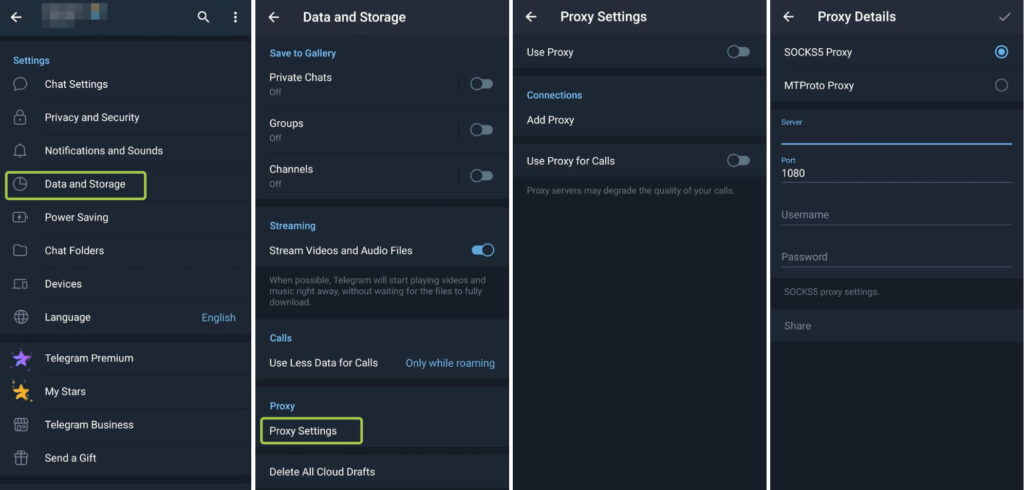
After activation, Telegram will immediately try to establish a connection through the specified server. The same steps apply whether you’re looking to set up a proxy for Telegram on Android or enable an existing one after it stopped working.
iPhone / iOS
- Open Settings in Telegram
- Go to the Data and Storage section
- Open the Proxy item
- Tap Add Proxy
- Specify connection type, server, and port
- Enter authentication data if required
- Enable connection use
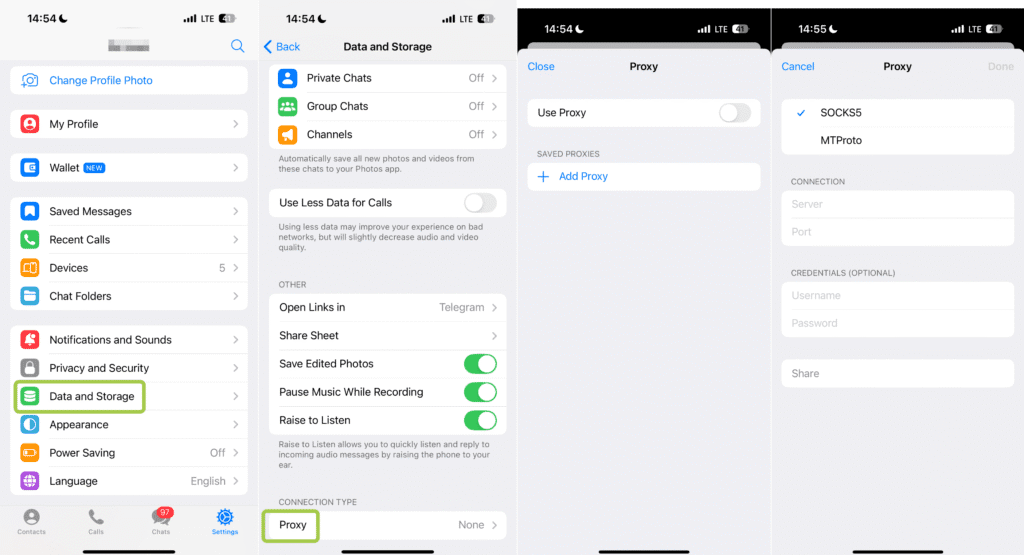
If parameters are specified correctly, connection activates automatically. For users specifically looking for Telegram proxy for iPhone or iOS Telegram proxy setup, the steps above are the complete process. There is no separate iOS-specific configuration outside of the Data and Storage menu, and it works identically whether you search for proxy for Telegram iOS, use proxy Telegram iPhone, or Telegram proxy iphone.
PC (Telegram Desktop)
- Open Telegram Desktop and go to Settings
- Enter the Advanced or Network section
- Find connection settings and select Add Proxy
- Specify type, server address, and port
- If needed, add login and password
- Save changes and activate connection
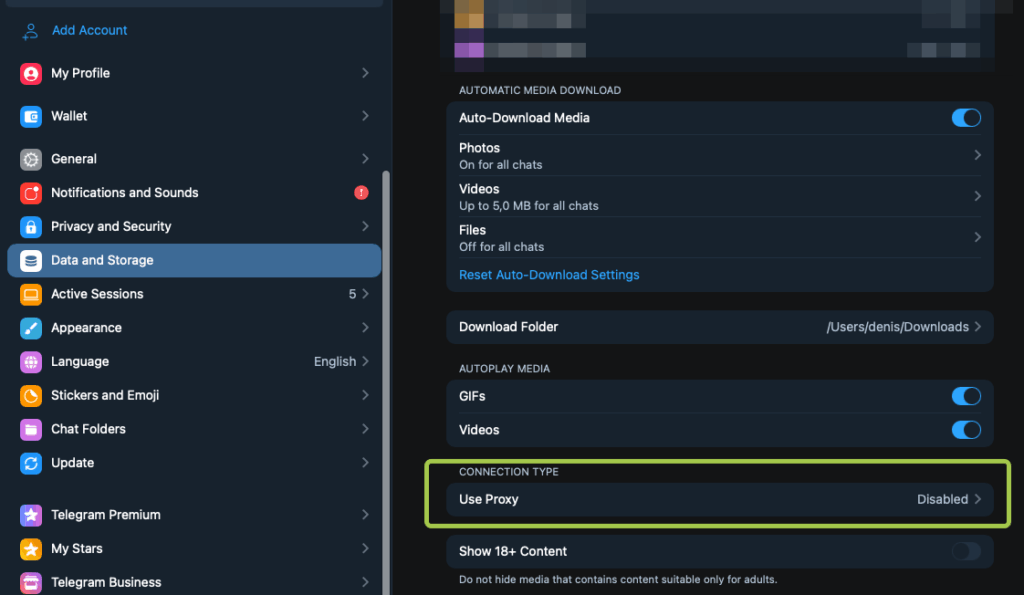
On computer, connection status usually displays immediately, letting you quickly understand if the connection works correctly. The proxy for Telegram Desktop setup is identical on Windows and Mac. If you’re searching for proxy Telegram Desktop, Telegram Desktop proxy settings, or proxy for Telegram PC, this is the same menu regardless of how it’s phrased.
Web Telegram
Telegram has two web versions that serve different purposes.
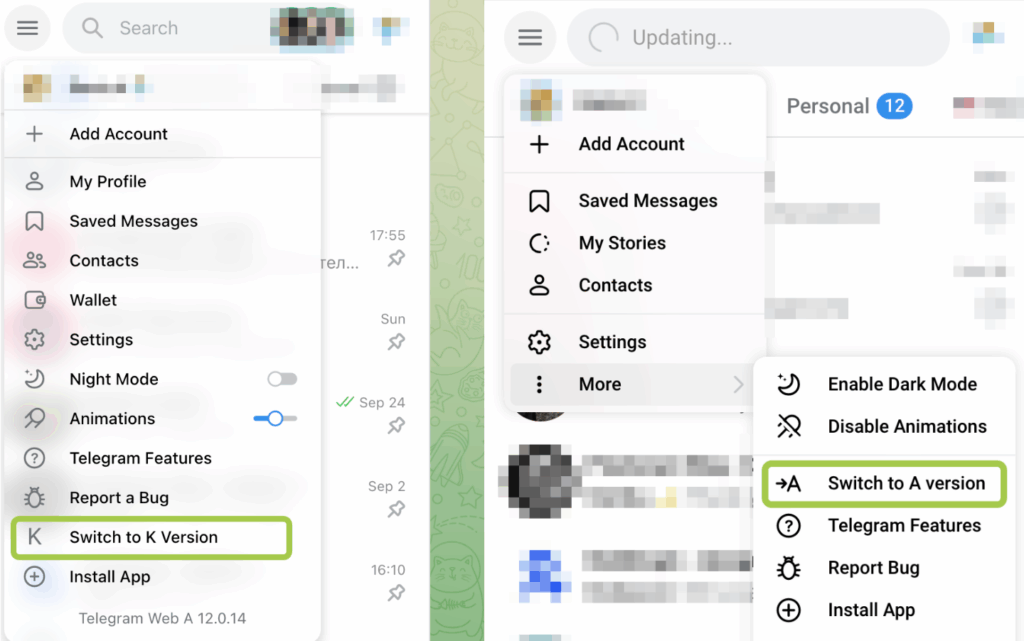
Web A (https://web.telegram.org/a/) is the newer and more advanced version, built with a modern architecture and actively developed. It supports the latest Telegram features but is more sensitive to network quality and IP stability.
Web K (https://web.telegram.org/k/) is an older, lightweight version designed for simplicity and reliability. It makes fewer network requests and tends to work more consistently on slower connections or when using proxies. For Telegram Web proxy setups or anyone using proxy for Telegram Web, Web K is generally the more tolerant version.
| Feature | Web A | Web K |
|---|---|---|
| Architecture | Modern | Legacy / lightweight |
| Feature support | Full, up to date | Basic |
| Performance | Faster, but heavier | Slower, but more stable |
| Proxy tolerance | Lower | Higher |
| Best use case | Regular users | Proxies, weak networks, multi-accounting |
Proxies for Telegram in Russia, China, Iran, Pakistan, Indonesia, Brazil: What to Consider
Telegram is not equally accessible worldwide. In some countries it is fully blocked, while in others access is unstable or limited. In these regions, proxies are required for reliable Telegram use, especially for work-related tasks.
Where Telegram is blocked or restricted:
- China is fully blocked by the Great Firewall; proxies or VPNs are mandatory. A Telegram proxy for China needs to handle deep packet inspection, which rules out most free datacenter options.
- Iran sees periodic blocks, especially during political unrest. MTProto proxy for Telegram in Iran is the most commonly used workaround because of its built-in obfuscation. If you need a proxy for Telegram Iran that actually holds up, MTProto from a reliable provider outperforms free lists significantly.
- Pakistan experiences temporary blocks for security reasons. Telegram proxy for Pakistan is one of the highest-volume queries in this article’s keyword data, reflecting how common the restriction is. A free proxy for Telegram in Pakistan is available but tends to be unreliable at peak times; a paid residential or mobile proxy is significantly more stable. If you need a working proxy for Telegram in Pakistan specifically, SOCKS5 with a residential IP from a paid provider consistently outperforms free MTProto lists.
- Indonesia applies selective blocking of channels and content.
- Brazil imposes restrictions mainly on channels and moderation.
Proxies are required when working with Telegram in regions where access is restricted or unstable. They are also necessary if you manage Telegram channels or groups, use Telegram for business or automation, or rely on long, uninterrupted sessions. For users in these regions who also need phone number management for account registration, the guide on virtual phone numbers for Telegram covers that layer of the setup.
Where to buy proxies for Telegram: six providers compared
Compare the billing model, minimum purchase, and recent customer feedback before choosing a Telegram proxy. A low per-IP rental price and a low per-GB traffic price cover different products; neither establishes how well the connection will work for your Telegram account.
Prices and review snapshots checked on November 4, 2026. Prices below are in USD and reflect public provider pages, not completed checkout quotes. Location, quantity, taxes, and promotion eligibility may change the total.
Provider and official website | Published pricing | Customer-review snapshot |
|---|---|---|
Entry monthly plan: $8.50 for 2 GB ($4.25/GB), according to its pricing FAQ. Paid trial: $3.50 for 750 MB. Advertised volume rates start at $2.20/GB; this is not the entry-plan rate. Official pricing | 3.8/5 from 122 reviews. Positive reports mention setup, the dashboard, and support; other reviewers report slow connections or IP-quality issues. Trustpilot reviews | |
Rotating residential, mobile, and datacenter traffic: $1/GB. Static residential: from $1.79/IP/month, sold in bundles of 20, 50, or 100 IPs. Official pricing | 4.0/5 from 51 reviews. Positive reports mention speed and usability; critical reports include intermittent slowness, replacement delays, and refund disputes. Trustpilot reviews | |
Residential PAYG: $3.45/GB. A 10 GB package is $24.50 ($2.45/GB); the published $2/GB rate begins at 300 GB. Trial: $0.50 for 100 MB. Official residential pricing | 4.0/5 from 37 reviews. Positive feedback includes value and support; a recent negative report describes target-site incompatibility and slow support. Recent review volume is small. Trustpilot reviews | |
Foreign individual IPv4: from $2.30/IP/month for 1–4 IPs. Russian individual IPv4: from $2.10/IP/month for 1–4 IPs. Lower headline rates depend on quantity or product. Official price list | Rating unavailable; 210 reviews displayed. Trustpilot says it removed fake reviews and hides the rating due to a guidelines breach. Trustpilot notice and reviews | |
Residential PAYG: $8/GB list price, with $4/GB advertised using RESIGB50 at the time of checking. Treat the discount as a promotion, not a permanent rate. Official residential pricing | 4.3/5 from 1,039 reviews. Positive reports mention technical support and reliability; critical reports include verification, access approval, and refund friction. Reviews cover several Bright Data products. Trustpilot reviews | |
Individual IPv4: $1.50/IP for one month, at 1–99 IPs. Shared IPv4: $0.413/IP/month at the same quantity. MTProto: $1.125/IP/month. Official price list | 1.3/5 from 101 reviews. Visible complaints include timeouts, location mismatches, and support or refund difficulties. Trustpilot reviews |
NodeMaven: residential and mobile traffic with session controls
NodeMaven offers monthly and pay-as-you-go plans with access to residential and mobile pools. Its published features include traffic rollover and sticky sessions of up to 24 hours. The entry monthly plan and paid trial provide a more useful budget comparison than its lowest advertised volume rate. Confirm the active offer at checkout. Check NodeMaven plans and features.
What users report: Trustpilot reviews praised the dashboard and improved results after earlier IP-quality problems. Other feedback includes helpful support, but also complaints about speed and flagged addresses. This supports a mixed assessment rather than a claim that NodeMaven consistently prevents Telegram restrictions.
💡 Buying takeaway: Consider the paid trial if session controls matter to your workflow. “Up to 24 hours” should not be read as a permanent dedicated IP.
FloppyData: straightforward traffic pricing and static bundles
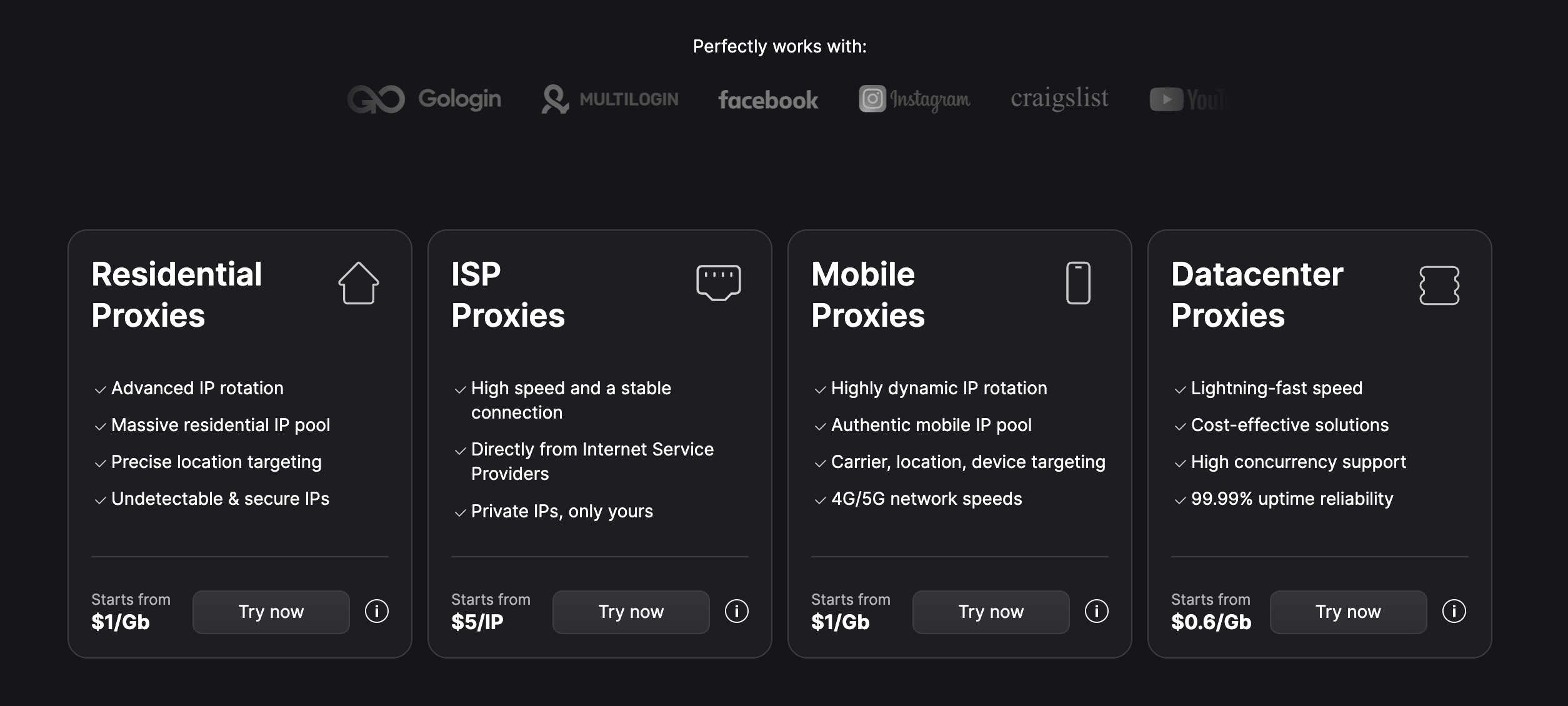
FloppyData currently advertises one $1/GB rotating balance usable across residential, mobile, and datacenter proxies. It also publishes static residential and static datacenter products. Static residential rates start at $1.79/IP/month, but purchases are bundled; the advertised per-IP rate does not mean you can buy a single IP for $1.79. Check FloppyData products and prices.
What users report: Trustpilot reviews mention smooth connections and an easy dashboard. Other customers describe occasional slowness, replacement delays, or refund problems. These reports do not establish either universal reliability or unsuitability for production use.
💡 Buying takeaway: Compare rotating traffic with the total cost of a static bundle. Ask which session configuration fits your Telegram workflow before selecting the product.
Proxy.Market: residential PAYG and volume packages
Proxy.Market lists a $0.50 residential trial with 100 MB, a $3.45/GB pay-as-you-go rate, and lower rates for larger packages. For example, 10 GB costs $24.50; the $2/GB tier starts at 300 GB, or $600. Check Proxy.Market residential tariffs.
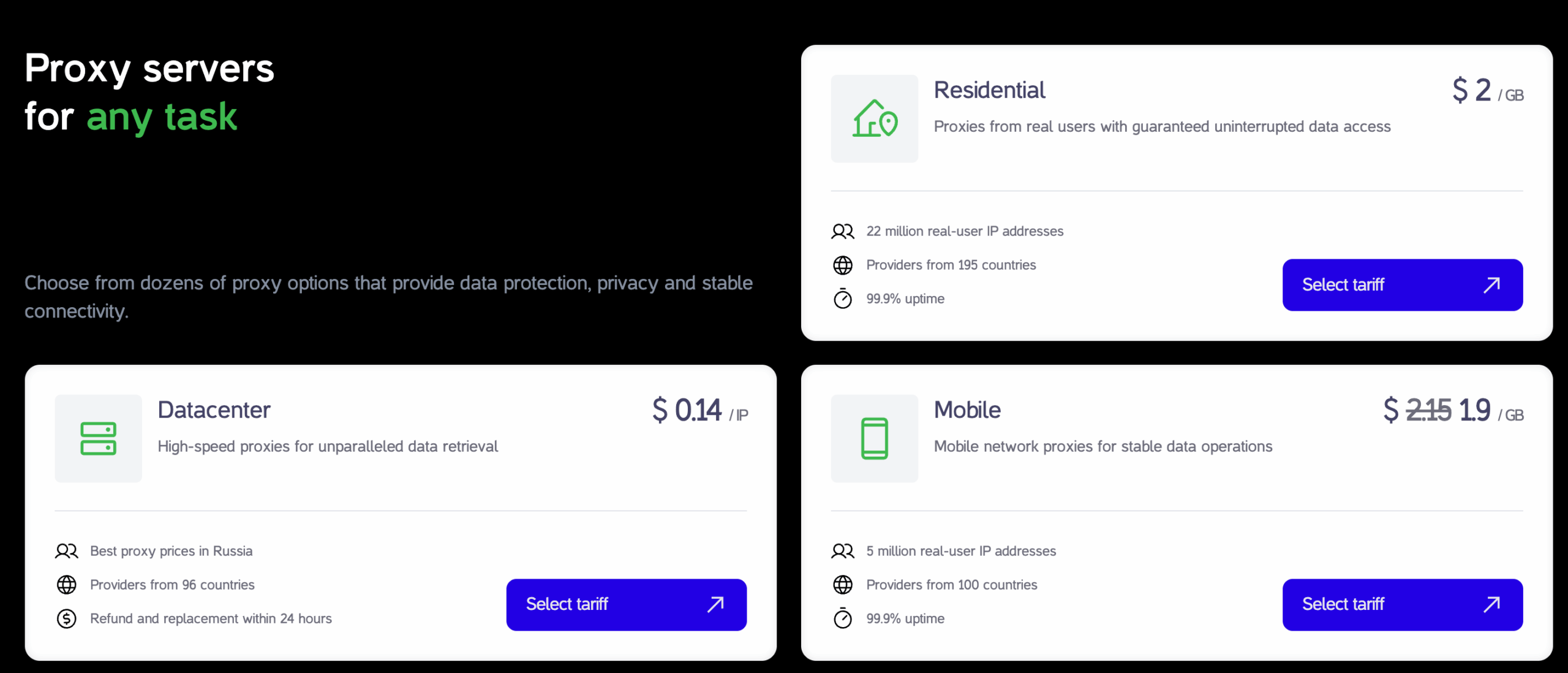
What users report: Its 37-review Trustpilot profile contains positive feedback on price, proxy quality, and support. A March 2026 reviewer reported that the service did not work for their intended target and complained about support and refunds. Only two reviews were shown for the preceding 12 months, limiting conclusions about recent performance.
💡 Buying takeaway: Use the trial to check the actual Telegram connection you need. A successful proxy check alone does not demonstrate that every target or workflow is supported.
Proxys.io: quantity-dependent IPv4 pricing, with a review caveat
Proxys.io separates pricing by location, address type, and quantity. For small orders, its foreign individual IPv4 tier starts at $2.30 per IP per month; Russian individual IPv4 starts at $2.10. Its $0.13 headline concerns IPv6, not an equivalent individual IPv4 purchase. Check Proxys.io official pricing.
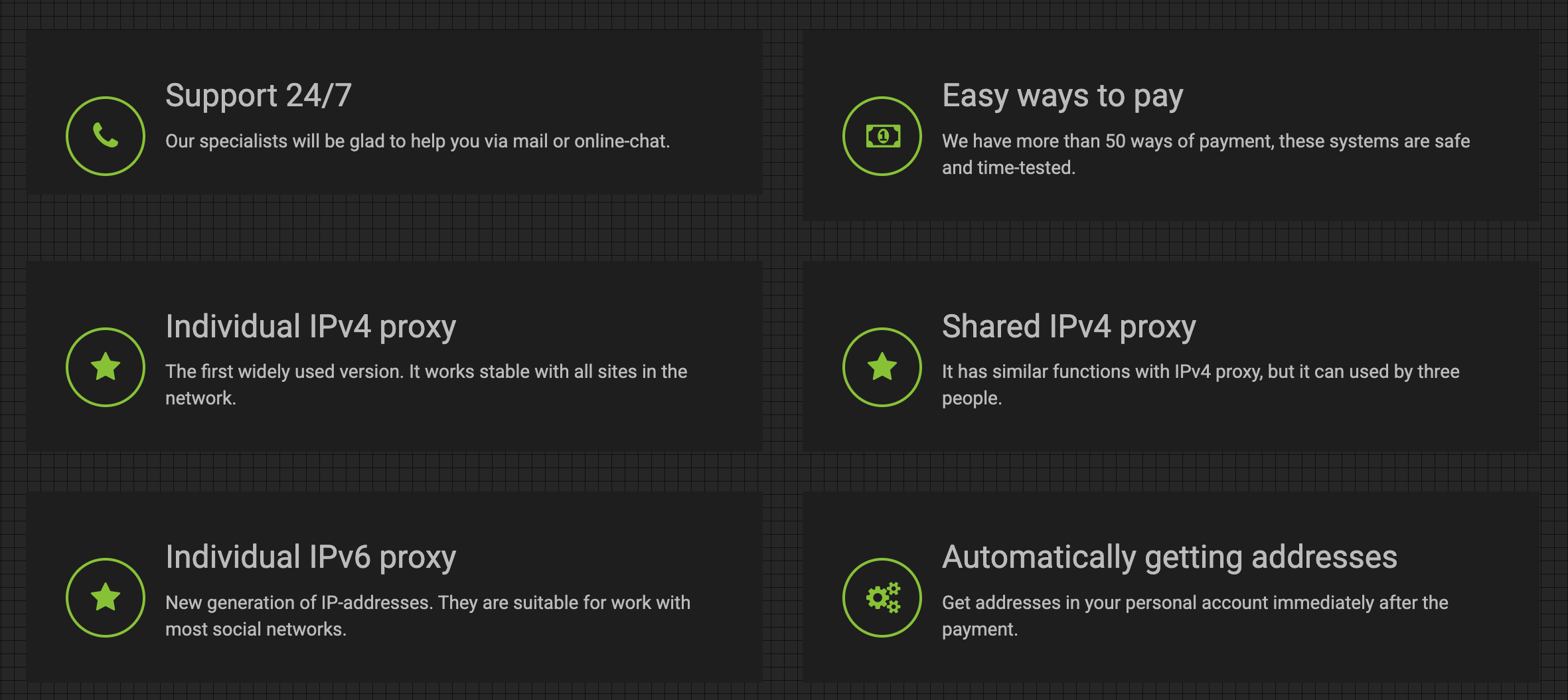
What users report: Trustpilot reviews include positive comments about setup and consistency alongside complaints about outages, support, and refunds. However, Trustpilot has removed fake reviews and made the overall rating unavailable following a guidelines breach. A historical star rating should not be used as a current endorsement.
💡 Buying takeaway: Check the exact small-order price and confirm that your intended use is supported. The vendor has also stated in Trustpilot review replies that its proxies are not intended for bypassing local restrictions.
Bright Data: residential PAYG with additional setup considerations
Bright Data’s residential page shows $8/GB PAYG and an advertised 50% discount to $4/GB with code RESIGB50. It also lists SOCKS5 through Proxy Manager. Confirm the required connection method and approval for your Telegram use case before buying; a broad proxy feature list is not proof of a plug-and-play Telegram setup. Check Bright Data residential pricing and features.
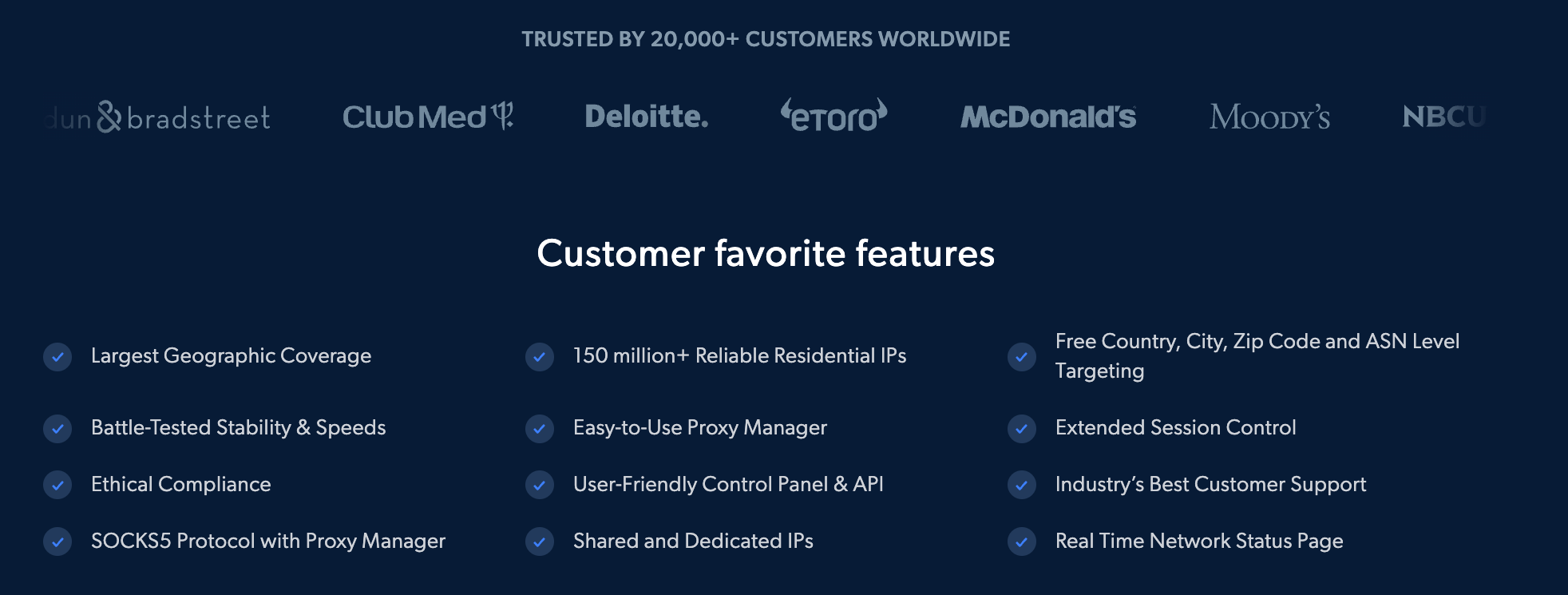
What users report: Recent reviews praise knowledgeable technical support and reliable service. Critical reviews mention account verification, approval decisions, and refund disputes. Several reviews concern scraping products rather than Telegram or raw proxy connections, so the overall score should not be treated as a Telegram benchmark.
💡 Buying takeaway: Evaluate the setup and approval requirements as well as traffic cost. Keep list and promotional pricing separate in your budget.
Proxy6: low-cost individual IPv4 and MTProto rentals
Proxy6 publishes separate prices for IPv4, shared IPv4, IPv6, and MTProto. For one individual IPv4 address, its public price list shows $0.35 for one week or $1.50 for one month. The low IPv6 price is a different product and should not be presented as the equivalent price for a Telegram IPv4 setup. Check Proxy6 pricing.
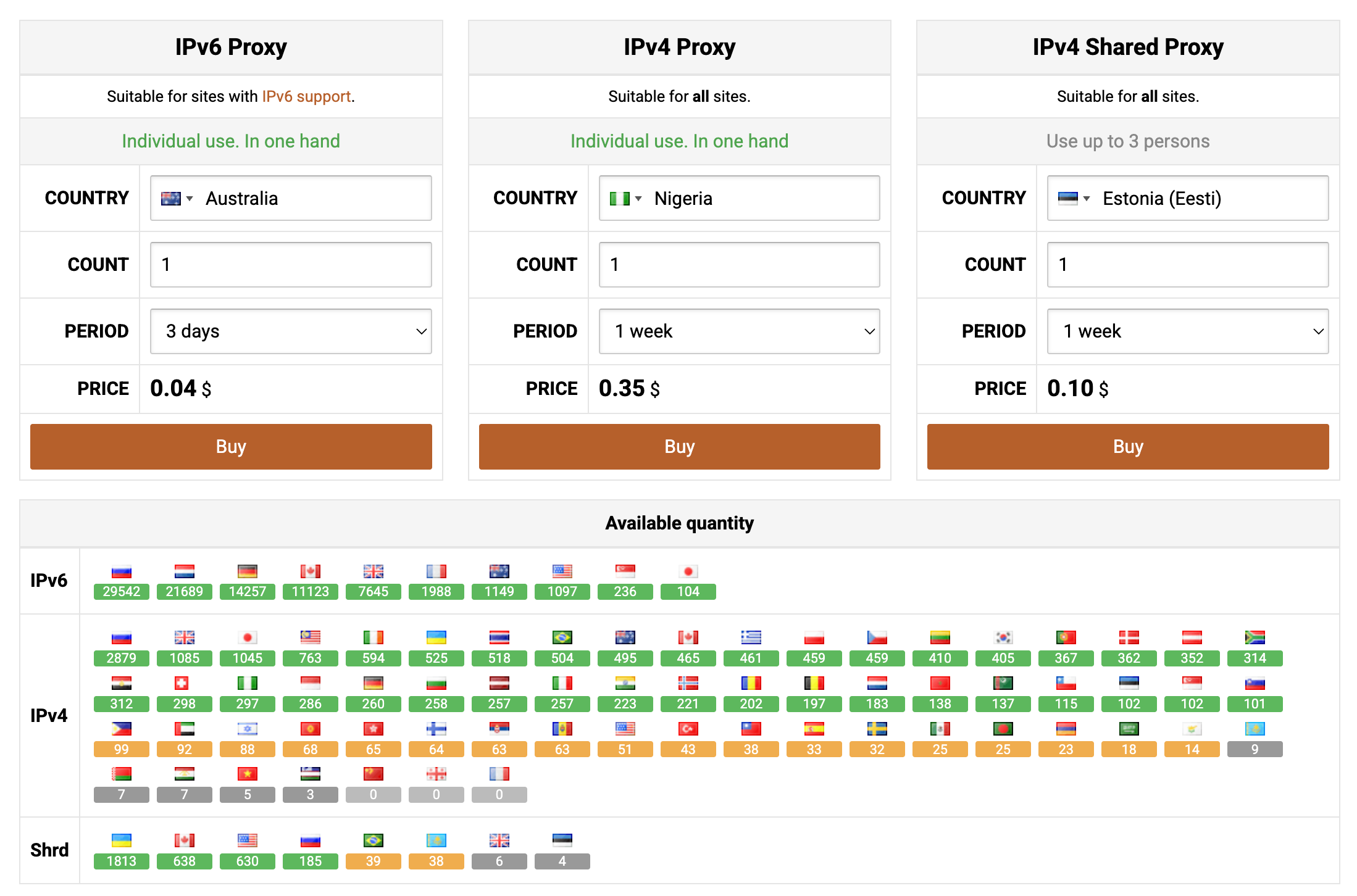
What users report: The Trustpilot feedback is heavily negative. A September 2026 reviewer described repeated timeouts, while a June 2026 reviewer reported unstable connections and incorrect locations. These are customer allegations, not independently reproduced test results.
💡 Buying takeaway: If you shortlist Proxy6 on price, test a short rental and the selected location before committing to a longer term.
What to Pay Attention to When Buying Proxies for Telegram
Regardless of the provider, always verify:
- IPv4 support (critical for many Telegram tools)
- IP stability (frequent changes increase risk)
- 1 account to 1 proxy rule for risky actions
- Country alignment with account registration
- Clear proxy type (datacenter, residential, or mobile)
One point worth emphasizing: Telegram proxy server quality matters more than price. A cheap address that gets flagged immediately is worth less than a slightly more expensive residential IP that holds up for months. For anyone setting up a proxy server for Telegram for the first time, the temptation to grab a free list is understandable, but the failure rate is high enough that it usually costs more time than money saved.
Why Proxies Alone Are Not Enough
Using proxies solves the network connection problem but doesn’t close all questions related to Telegram work. In practice, many users expect that changing IP automatically makes messenger use completely safe, but that’s not the case.
Proxies only affect the data transmission route. All other parameters, such as device, app, and user behavior, remain unchanged. So in several scenarios, IP alone isn’t enough, especially if Telegram is used for work tasks, multiple accounts, or regular operations.
To understand why this happens, it’s important to grasp what exactly remains visible even when using proxies.
What Is a Browser Fingerprint and Why Proxies Don’t Hide It
A browser fingerprint is a set of technical parameters that describe your environment: operating system, browser version, language, time zone, screen resolution, device features, and more. It works similarly to a user agent string, but captures a much broader set of signals that are much harder to change.
- Proxies change only the IP address.
- They do not change the browser environment itself.
As a result, multiple Telegram accounts may still appear to come from the same device even when different IPs are used. This is why proxies alone do not provide full isolation. If you are managing accounts for business, running channels, or doing any kind of outreach at scale, device fingerprint separation is the missing layer that a proxy by itself cannot provide. The same principle applies whether you’re running Telegram or any other platform that tracks device identity alongside IP. For context on how this plays out on mobile specifically, the guide on incognito mode on Android explains why app-level privacy tools face the same limitation.
Why Multilogin Is the Optimal Choice
When Telegram is used as a working tool rather than occasionally, it becomes clear that IP masking alone is insufficient.
Multilogin addresses this at a system level:
- Each profile is a fully isolated browser environment
- Fingerprints are unique and consistent
- Accounts are separated by both device identity and network
This turns Telegram usage into a controlled and scalable process, rather than a collection of disconnected tools that each solve one problem while leaving others open.
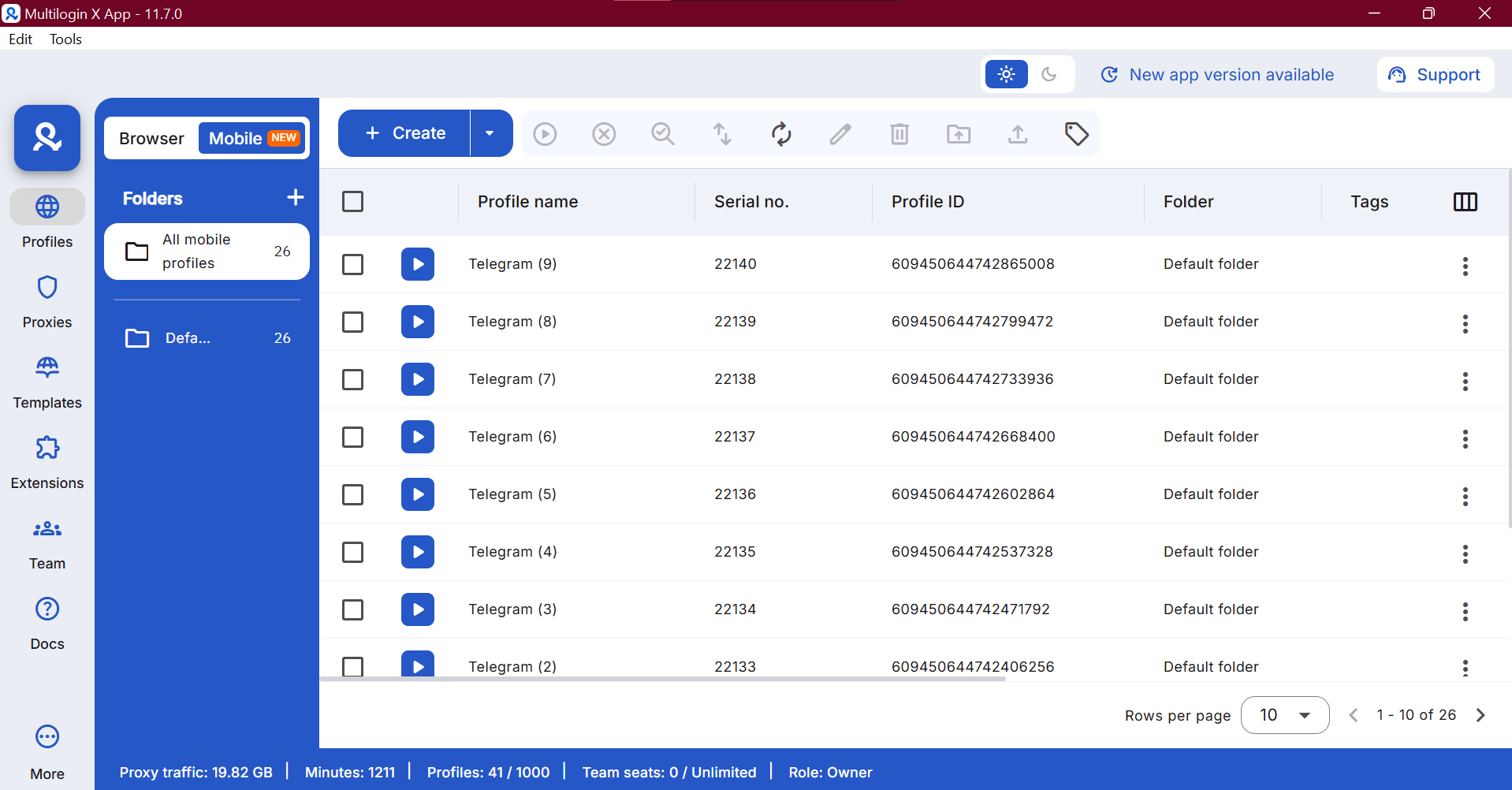
Key Multilogin Advantages for Telegram Work
One Environment Instead of Multiple Tools
Multilogin combines a cloud Android phone / a multi-account browser and proxy infrastructure in a single platform. This removes the need to buy, configure, and maintain multiple separate tools, making the setup simpler and more cost-effective. Instead of managing a Telegram proxy server separately from your browser isolation layer, both live in the same dashboard.
Built-in Proxies with Matching Fingerprints
Multilogin includes residential proxies across 150+ countries and 1,400+ cities. Both rotating and sticky sessions (up to 24 hours) are supported. Browser fingerprints automatically match the selected location, reducing setup effort and mismatch risks. This is the kind of setup that makes a free proxy list for Telegram approach look fragile by comparison, since free lists change the IP but nothing else.
Scalable and Structured Workflow
Multilogin allows you to work with dozens or even hundreds of accounts at the same time. Headless modes, quick actions, and automation help reduce manual work and keep operations organized. This is what makes it possible to go beyond managing a single proxy for Telegram and build a fully managed multi-account operation with consistent device separation at every level.
Automation and Team Access
Multilogin supports Selenium, Playwright, Puppeteer, and API for automation and testing. Team features include role-based access, activity logs, and shared profiles, making collaboration safe and manageable without exposing credentials or merging account sessions.
How to use a proxy with Telegram in a Multilogin cloud phone
Multilogin is a cloud phone platform for social media marketers managing multiple social profiles from one dashboard. For a Telegram team, a dedicated Android cloud phone provides a separate environment for each account’s app data and login history. Use browser profiles for workflows that happen in Telegram Web.
The walkthrough below uses a third-party proxy with the Telegram Android app.
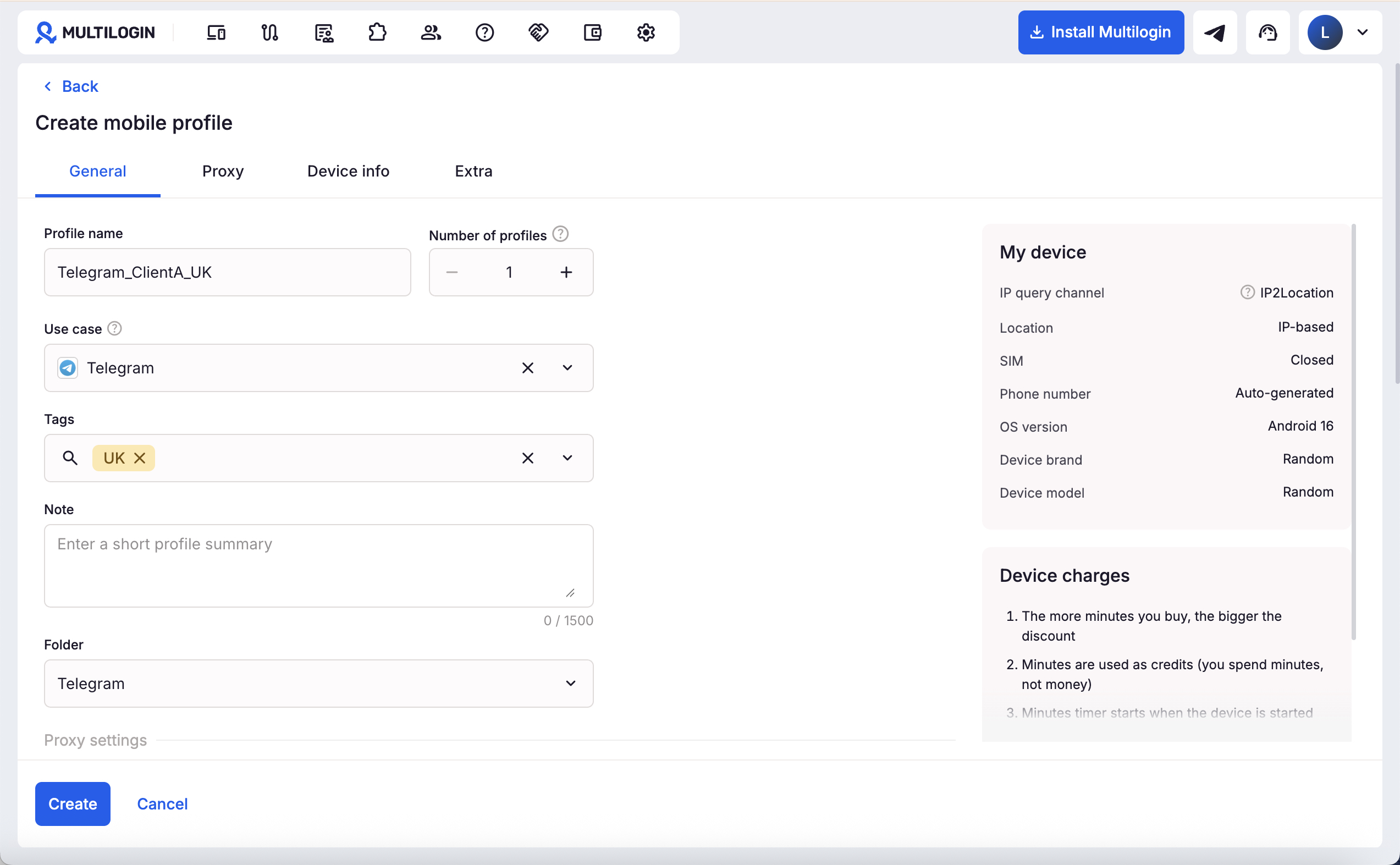
1. Create a cloud phone for the Telegram account. Go to Profiles → Mobile → Create. Give it a recognizable name, such as `Telegram_ClientA_UK`, and review the device settings. Check cloud phone creation guide.
2. Connect and check the proxy. Choose Custom* select the provider’s supported protocol, and enter the public proxy hostname or IP, port, and credentials. Click Check proxy before clicking Create. Multilogin supports HTTP, HTTPS, and SOCKS5 custom proxies for cloud phones. Check this guide on custom proxy settings.
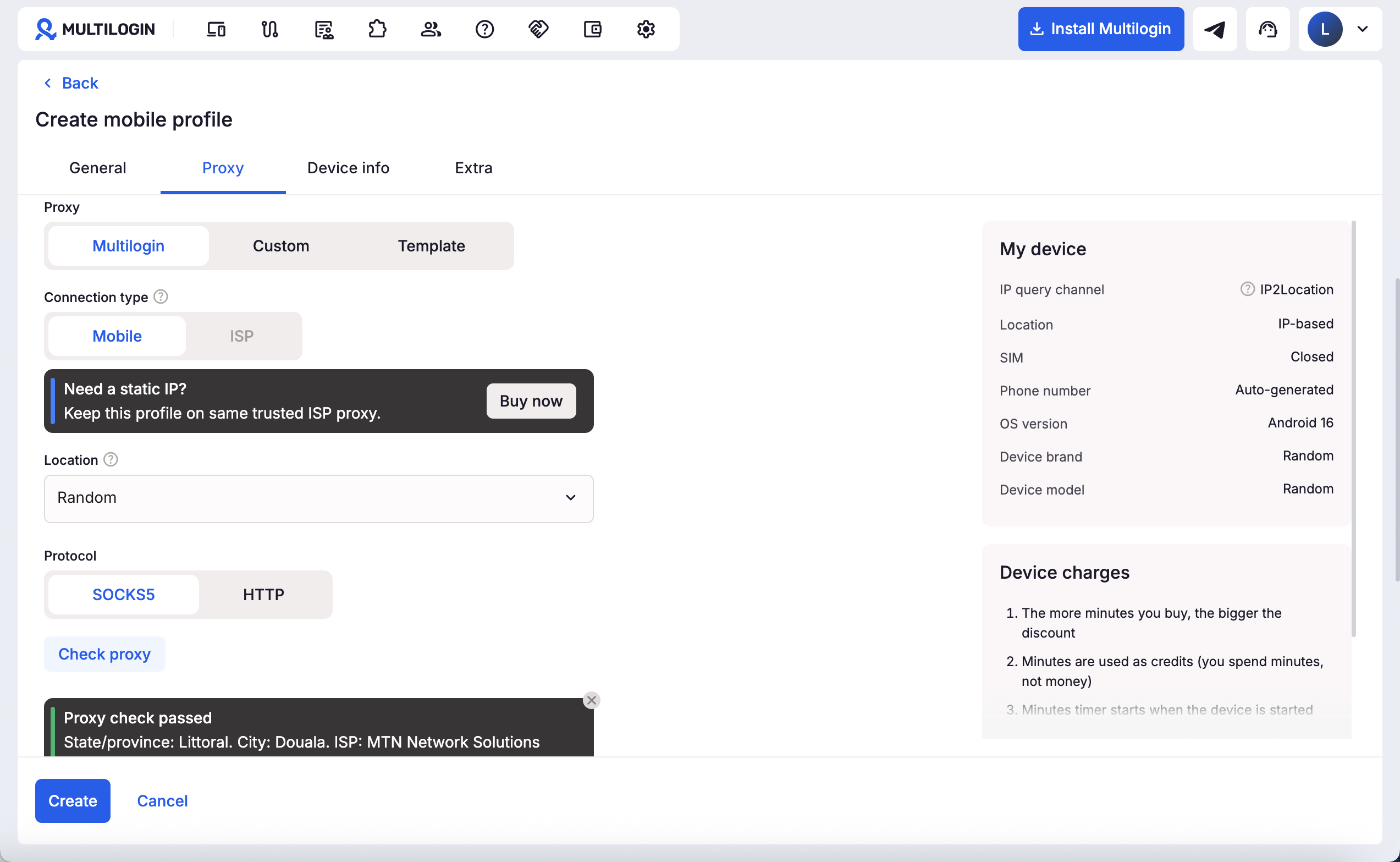
The endpoint must be reachable from the cloud phone. A proxy that exists only on your computer, such as `127.0.0.1`, cannot provide that connection. Check Multilogin cloud phone proxy requirements.
3. Start the phone and install Telegram. Start the new mobile profile. Open Apps and install Telegram.
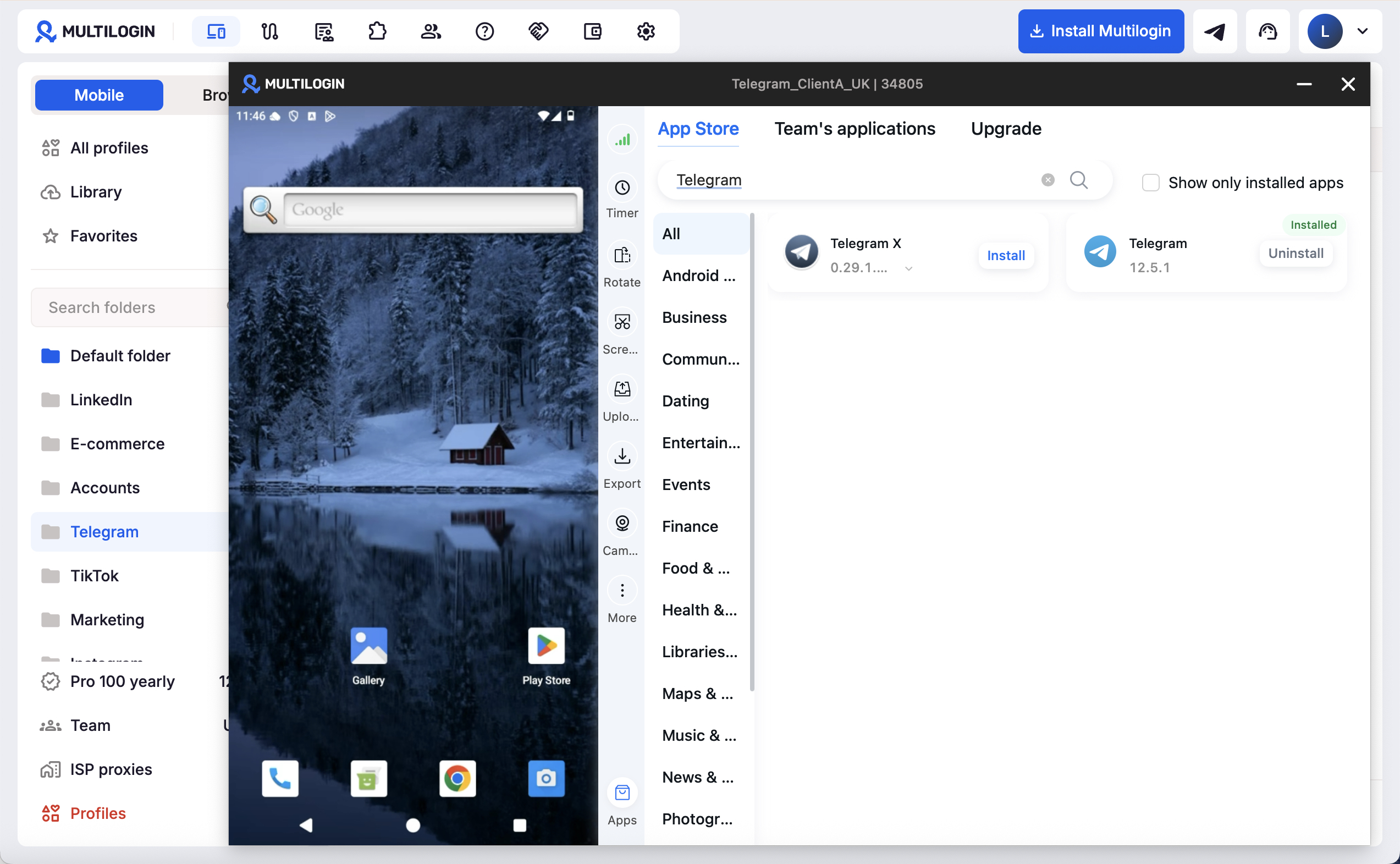
4. Sign in and test your actual work. Complete Telegram’s required verification with the account you manage. Check that chats load, send a message to Saved Messages, and test a small media upload. Record failures and traffic consumption before committing to a larger proxy package. Cloud phones do not receive SMS or phone calls, so keep access to the account’s verification method. Check cloud phone capabilities and limits.
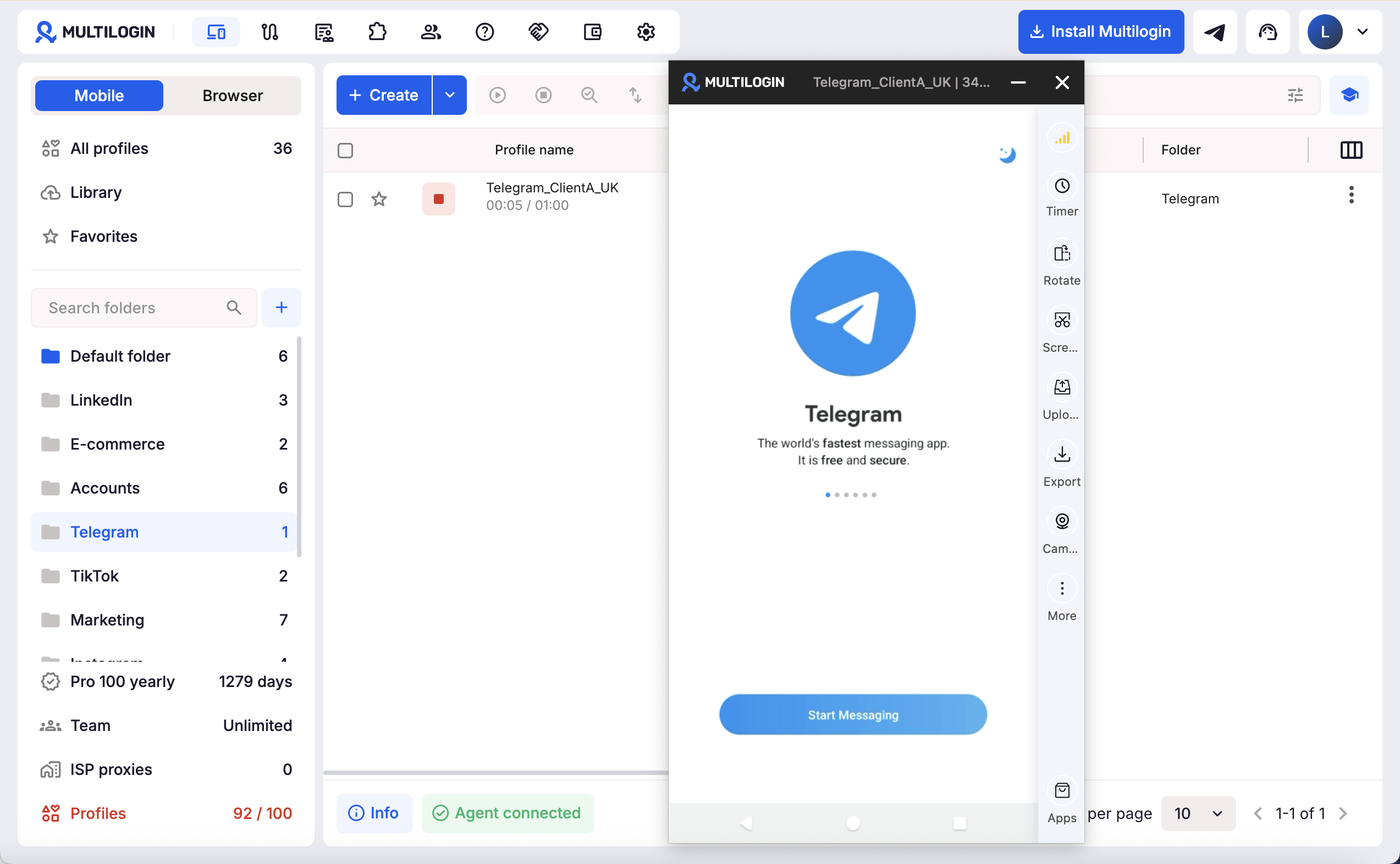
5. Stop the phone and reuse the same profile. Stop it from the Mobile profile list when finished. Multilogin preserves the phone’s apps and login session for the next launch, although Telegram may still request verification. Check this guide on starting and stopping cloud phones.
Built-in Multilogin Proxy
You can also select Multilogin in the proxy settings to use a built-in connection. Residential and mobile connections use your traffic balance. Built-in ISP proxies are purchased separately. Profile separation helps organize account environments, but it does not guarantee immunity from Telegram restrictions.
Multilogin offers a free plan with no time limit and no credit card required, including limited proxy traffic and mobile minutes. Paid plans start from $7.08/month.
Start with one Telegram profile and a small traffic allowance. Confirm the connection, verification flow, and day-to-day tasks before expanding the setup.