





Finding the best video editing software is harder than it should be. Every tool claims to be professional-grade, beginner-friendly, and packed with features, which tells you almost nothing useful. What you actually need to know is which software genuinely fits your specific situation, and what the real tradeoffs are.
This guide is based on what creators and professionals are actually using in 2026, what’s changed recently, and what matters depending on whether you’re just starting out, building a YouTube channel, running a business, or working at a professional level.
What to look for in video editing software
Before getting into specific tools, it helps to understand what actually separates good video editing software from the noise.
- Performance and stability. Video editing is computationally heavy. Software that crashes regularly, struggles to play back your footage at full resolution, or slows to a crawl when you add effects is software that will cost you time and sanity.
- Timeline and editing workflow. The core of any video editor is its timeline, and the quality of the editing workflow determines how fast and intuitively you can work. Keyboard shortcuts, multi-track support, trim behaviour, and clip management all matter more than most reviews acknowledge.
- Export quality and format support. What codecs can you export to? What resolutions? Does the software support the delivery formats your platform requires? For YouTube creators, H.264 and H.265 support is essential.
- Learning curve versus output quality. Some of the most powerful editors have steep learning curves. Some beginner-friendly editors put a ceiling on what you can produce. The best choice for you is often not the most powerful tool or the simplest one, but the one that sits at the right point on that curve for your current skill level and goals.
The best free video editing software in 2026
DaVinci Resolve
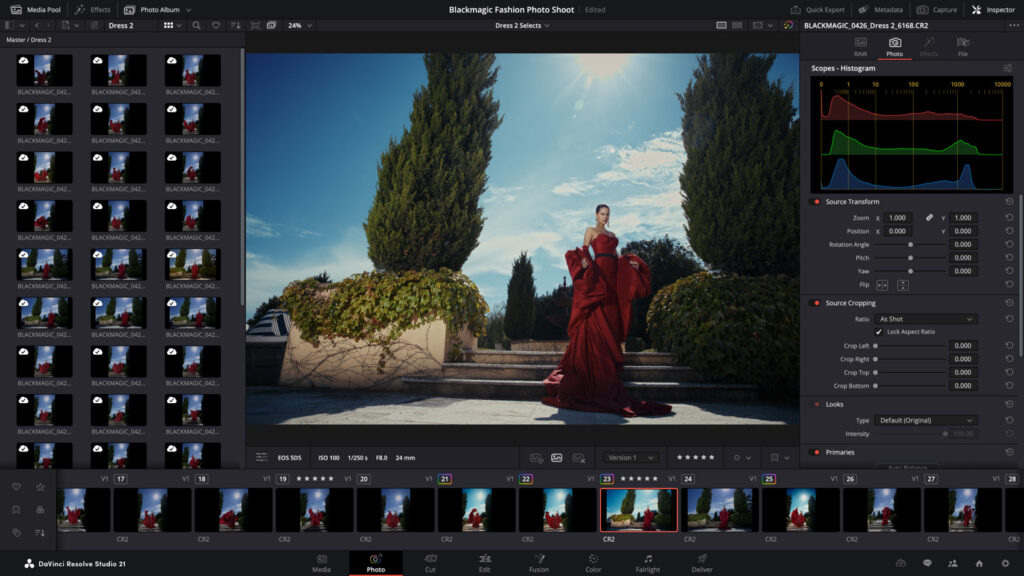
DaVinci Resolve is the best free video editing software available in 2026, and it’s not particularly close. What Blackmagic Design offers in the free version of Resolve is genuinely staggering: a professional-grade colour grading suite that Hollywood colourists use on major productions, a full non-linear editor, Fusion for visual effects and motion graphics, and Fairlight for professional audio post-production.
The free version has real limitations worth knowing about. Noise reduction and certain other effects are locked to the paid Studio version. Some advanced export options require Studio. But for the vast majority of creators and even many professionals, the free version covers everything they need.
The learning curve is significant. DaVinci Resolve is a deep, complex piece of software that rewards time investment. If you’re willing to learn it properly, you will never outgrow it. DaVinci Resolve works on Mac, Windows, and Linux.
CapCut
CapCut has become the dominant free video editing software for short-form video creators, and for good reason. It’s genuinely excellent at what it does: fast, template-driven editing with strong AI-powered features that accelerate production for social media content. If you’re serious about producing volume for TikTok, Reels, or Shorts, the CapCut review goes into detail on every feature worth knowing about.
Managing video editing across multiple accounts and clients
For social media managers and agencies producing video content for multiple clients, the editing software choice is just one part of the workflow. The other part is keeping each client’s content, accounts, and social profiles genuinely separate.
If you’re editing for multiple TikTok or YouTube clients and managing their accounts from the same device, those accounts are linked at the device level in the platforms’ systems.
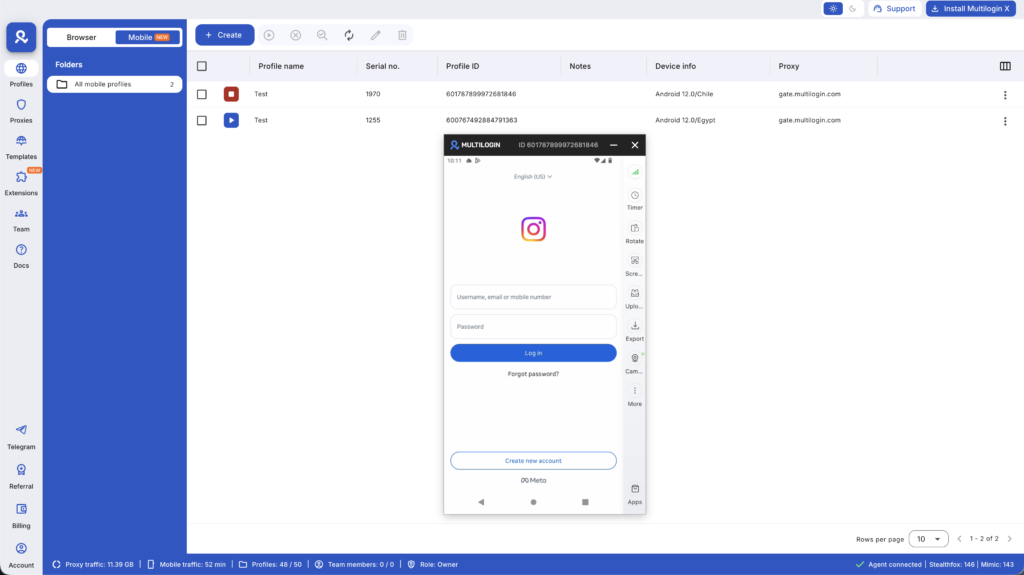
Multilogin Cloud Phones give each client account its own isolated Android environment. There are also specific setups for running CapCut across multiple cloud phones, KineMaster, Splice, and VN editor across isolated cloud phone environments.
Managing video content for multiple clients? Multilogin Cloud Phones keep each account and editing environment completely isolated. Plans from $7.08/month at multilogin.com.
Managing Instagram accounts for multiple clients
If you’re a social media manager handling Instagram bios and content for multiple clients, you’re dealing with a challenge that goes beyond copywriting.
Most managers access several client accounts from the same device — and Instagram’s detection systems link accounts that share device identifiers and IP addresses. A flag on one client’s account creates risk for others accessed from the same environment.
Multilogin Cloud Phones give each Instagram account its own isolated Android device with a unique fingerprint and dedicated IP address. Each client’s account is fully independent — no shared device signals, no cascade risk if one account faces a restriction. For anyone managing multiple Instagram accounts professionally, this is how you keep each client’s account genuinely separate. Plans start from $7.08/month (annual).
Managing Instagram for multiple clients? Multilogin Cloud Phones keep every account isolated with its own fingerprint and IP. Plans from $7.08/month — try at multilogin.com.
Need to manage multiple social media accounts? Try Multilogin Cloud Phones.
Frequently asked questions
For most creators, yes. DaVinci Resolve in its free version produces output that is indistinguishable from paid professional software. The free tier limitation is usually about specific advanced features, not output quality.
Start with iMovie (Mac) or OpenShot (Windows) to learn the basics, then graduate to DaVinci Resolve. This path gives you a manageable learning curve at the beginning and an industry-standard tool at the end without paying anything.
Modern video editing is GPU and RAM intensive. 16GB of RAM is a reasonable minimum for comfortable editing. Editing 4K footage requires meaningfully more processing power than 1080p.
If you’re in a professional environment where collaboration and Adobe ecosystem integration matter, yes. If you’re a solo creator, DaVinci Resolve or Final Cut Pro offer comparable editing capability at a lower total cost.
Mobile editing apps like CapCut are genuinely professional tools for short-form video. They’re not replacements for desktop editors on long-form projects, but for a social media creator whose primary output is Reels and Shorts, mobile-first editing is a completely viable professional workflow. There’s also a specific guide on how to make a slideshow on TikTok for mobile-first content workflows.
Wrapping up
The best video editing software in 2026 is the one that fits where you are right now. DaVinci Resolve is the best free option by a wide margin and has no ceiling on how far you can go. CapCut is the best choice for social-first creators who need speed and AI-powered features.
iMovie and Clipchamp are the right starting points for beginners. And at the professional level, Final Cut Pro and Adobe Premiere Pro are the industry standards for good reason. If growing a YouTube channel is part of your goal, it’s also worth thinking about how to make money on YouTube and how your editing workflow connects to that.


