


eBay browser fingerprinting helps the platform recognize devices and browser sessions through cookies, IP addresses, device identifiers, and other tracking signals. For sellers managing multiple eBay accounts across different stores, product lines, or regions, understanding these signals is essential.
eBay allows multiple accounts, but restrictions on one account may affect linked accounts. Shared device information, payment details, and contact information can contribute to account linking.
Key takeaways
eBay collects device information, browser settings, cookies, IP addresses, and location data.
Browser fingerprinting and other security checks help eBay recognize devices and detect unusual activity.
Shared devices, IP addresses, and account details can contribute to connections between seller accounts.
Multilogin helps sellers organize legitimate eBay accounts using separate browser profiles, unique fingerprints, and built-in residential proxies.
Separate browser environments support account management but don’t override eBay’s policies or existing restrictions.
What is browser fingerprinting?
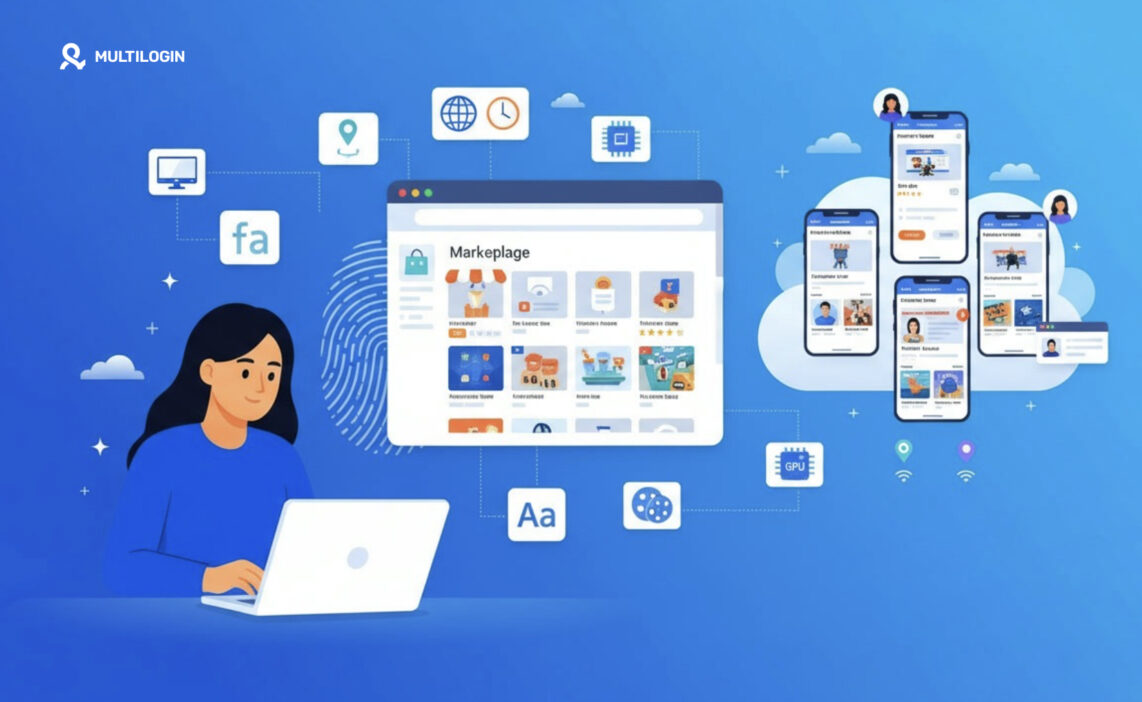
Browser fingerprinting is a way to recognize a device by combining many small technical details a browser exposes, such as operating system, screen size, time zone, fonts and graphics hardware, into one identifier. Unlike a cookie, a fingerprint is not stored on the device, so clearing cookies does not reset it.
Device fingerprinting is the wider term. It covers the same idea inside mobile apps, where an app can read device-level details such as the phone model, OS version and advertising ID.
Marketplaces use both mainly for risk decisions. A login from an unfamiliar device can trigger an extra verification step. Many accounts appearing from the same device can suggest shared ownership. A device that looks like it is being remote-controlled can point to account takeover.
eBay does not publish which signals it scores or how it weighs them. The sections below stick to what eBay states in its own policies and what independent researchers have documented.
What device data does eBay say it collects?
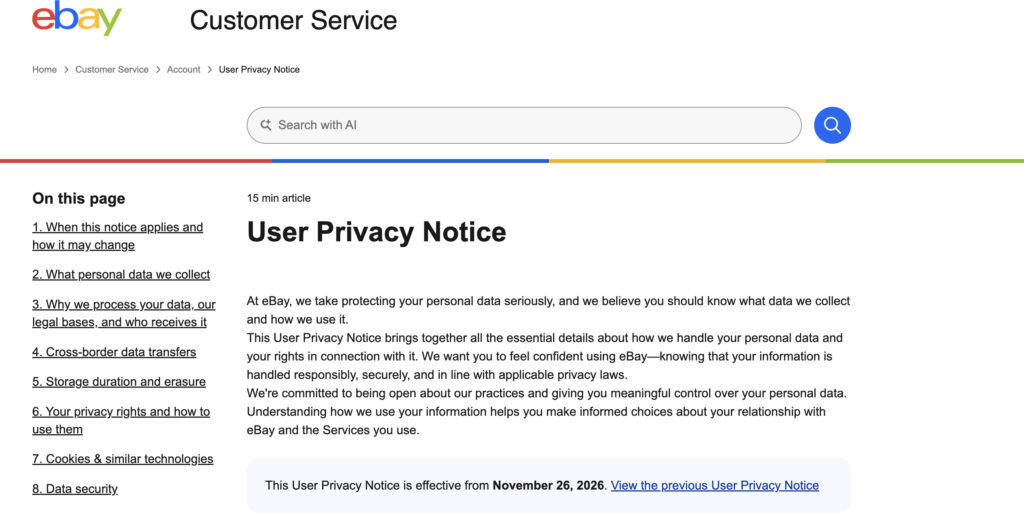
eBay collects device, browser, network, location and identity data from every seller, according to its User Privacy Notice, the version in effect since April 21, 2025. The notice applies to the website and the eBay apps alike, so the list below covers both.
Data category | What eBay lists | How it is collected |
|---|---|---|
Device and software | Model or device type, operating system and version, browser type and settings | Cookies and similar technologies (section 4.3) |
Identifiers | Device ID, advertising ID, individual device token, cookie ID | Cookies, app SDKs and similar technologies (section 4.3) |
Network and session | IP address, access times, pages visited, referral URL, language settings, weblog information | Collected automatically during use (section 4.2) |
Location | General location from the IP address; precise mobile location with your permission | Automatically and through app permissions (sections 4.2 and 4.3) |
Photo metadata | Camera settings stored in the images of items you upload | Read from listing photos (section 4.2) |
Seller identity | Government ID, date of birth, tax and business registration numbers, bank account, selfie photos | Provided by sellers for payments and verification (section 4.1) |
Third-party data | Identity verification, credit agency and data provider records, data from other eBay companies | Received from outside sources (section 4.4) |
What eBay uses this data for
Fraud prevention sits next to advertising and personalization in eBay’s list of purposes. Section 5.4 of the notice gives concrete examples of its risk checks: captchas, port enumeration to identify sessions run through remote desktop tools, metadata, and the phone number on the account for risk assessment and two-factor authentication.
The notice also says eBay matches data such as cookie IDs across eBay companies to detect fraud and other prohibited activity. Section 12 adds that eBay uses AI tools to support fraud detection and spot suspicious activity.
The detail most sellers miss
The photo metadata line is easy to overlook. Listing images carry camera settings, so stores that reuse the same product photos also reuse that metadata. eBay does not say whether it compares photos across accounts, but original photos per store avoid the question entirely.
How eBay checks devices in the browser: the ThreatMetrix findings
The clearest public look at eBay’s browser-side checks came in May 2020, when researchers noticed eBay pages probing visitors’ computers for remote-access software. The script was traced to ThreatMetrix, a fraud-prevention product from LexisNexis Risk Solutions.
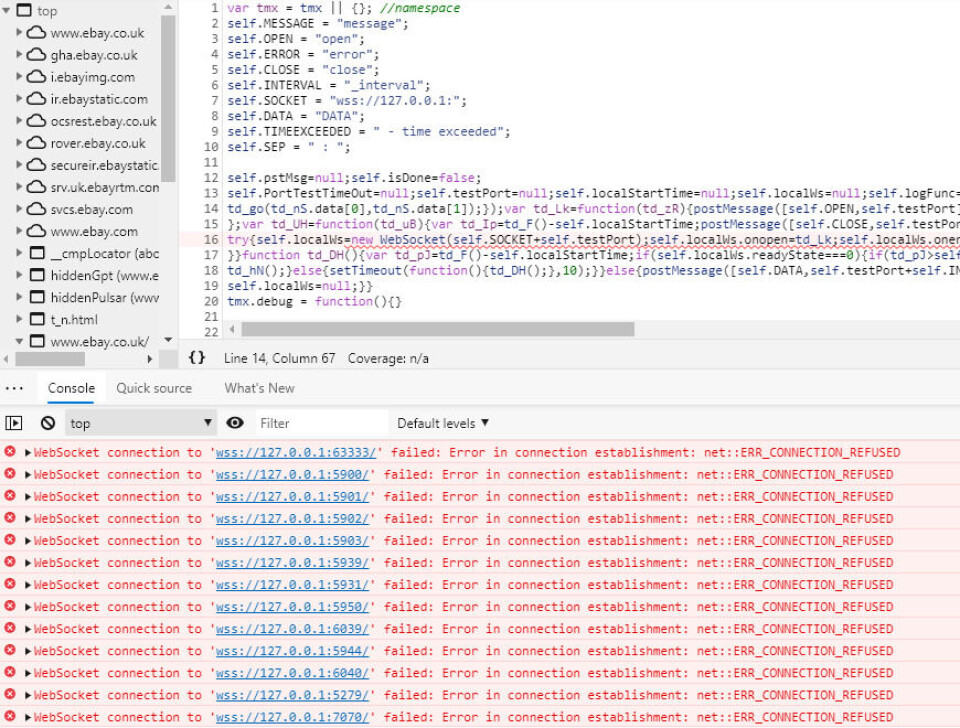
Here is what The Register reported at the time:
- The script, check.js, loaded from src.ebay-us.com, a DNS alias pointing to a ThreatMetrix domain.
- It tried WebSocket connections to local ports used by remote-desktop tools, including 3389 (Microsoft Remote Desktop), 5931 (Ammy Admin) and 6333 (VNC).
- It ran on Windows, usually on the first visit after a period away, and sign-in pages triggered it most reliably.
- The results went back to ThreatMetrix together with the browser’s user agent, the public IP address and other encrypted data.
The likely purpose was spotting computers under someone else’s remote control, a common pattern in account takeover. Today, eBay’s privacy notice names this kind of check directly as a fraud-prevention measure.
What this means for sellers with teams
Remote access is also how some sellers let assistants work. A virtual assistant who signs in to the owner’s computer through remote-desktop software produces the same pattern these checks were built to flag. eBay does not say how it scores that signal, so the cleaner setup is to give each person their own assigned access rather than remote control of one shared machine.
Browser signals a fraud script can read on eBay pages
Any script running on a page, including a third-party fraud script, can read a standard set of browser and hardware signals. eBay does not say which of these it uses, but the table shows what is technically available on every visit.
Signal | What it reveals | Changes when |
|---|---|---|
User agent and client hints | Browser, version, operating system | The browser updates or you switch browsers |
Screen resolution and color depth | The display and its scaling | You change monitors or scaling |
Time zone and language | Region settings of the system and browser | You change system settings |
Installed fonts | Software installed on the machine | You install or remove fonts or apps |
Canvas rendering | Tiny drawing differences from the graphics stack | Rarely; tied to hardware and drivers |
WebGL renderer | The graphics card and driver | Rarely; tied to hardware |
Audio processing | How the device processes a test sound | Rarely; tied to hardware |
CPU cores and device memory | Hardware class | You change machines |
WebRTC | Local and public IP addresses, if not restricted | Your network changes |
Cookies and local storage | Identifiers eBay set earlier | You clear them |
IP address | Network, provider and approximate location | You change networks |
Why separate browser profiles on one laptop still look related
The stable signals in this table come from hardware: canvas, WebGL, audio, fonts and screen. Two Chrome profiles on the same laptop keep separate cookies, but they share all of those, plus the same IP address on the same Wi-Fi.
Why mismatches stand out
Signals are read together. An IP address in Germany with a US time zone and English-only fonts is an inconsistent combination, and inconsistency is a common risk signal in fraud tools. For sellers, the takeaway is consistency: each account should keep the same environment and the same network location from one session to the next.
What the eBay app can see that a browser cannot
The eBay app reads device-level data that a website usually can’t. eBay’s privacy notice lists the device ID, advertising ID, individual device token, device model and OS version, plus precise location if you grant permission.
Those identifiers belong to the phone, not to the eBay account. If you switch between three stores inside one eBay app on one phone, all three share the same device ID, advertising ID and push token, and usually the same IP address too.
Why sellers end up with a footprint in both
Most eBay selling work is split between the app and the browser:
- In the app: taking and uploading listing photos, answering buyer messages, order and offer notifications, quick price changes.
- In the browser: Seller Hub, bulk listing edits, reports, promoted listings and payout settings.
That split means each store has two environments to keep in order: the phone its app runs on and the browser its back office runs in. Mixing either one across stores puts shared device data on record.
How eBay connects accounts: device data is one signal among many
eBay links accounts it believes belong to the same member, and its policy refers to these as “linked accounts”. eBay does not publish how it decides, but the data it collects shows how many things besides the device can connect two accounts.
Shared element | Example | Does a separate device change it? |
|---|---|---|
Device identifiers | Two stores used from the same laptop or phone | Yes |
IP address and network | Every store signed in from the office Wi-Fi | Yes, with a separate IP per account |
Cookies and stored sessions | Logging out of one store and into another in the same browser | Yes |
Payout bank account | Two stores paying out to one account | No |
Payment card or PayPal | One card paying seller fees for several stores | No |
Registered or return address | Same warehouse address on every store | No |
Tax ID or government ID | The same person verified on several stores | No |
Email and phone number | One phone number used for two-factor authentication on several stores | No |
The bottom half of the table matters most. Many legitimate sellers share a bank account or address across stores on purpose, because one business owns them, and eBay’s policy allows that. Separate devices keep sessions and records clean. They do not hide who owns an account, and they are not meant to.
Can you have multiple eBay accounts?
Yes. eBay’s multiple accounts policy allows users to have multiple accounts for different purposes, such as buying, selling, or managing separate product lines.
However, eBay has specific rules:
Multiple accounts are allowed: Each account must follow eBay’s seller standards and policies.
Restrictions may affect linked accounts: If one account is restricted, eBay may apply similar limitations to other connected accounts.
Bypassing restrictions is prohibited: Creating or using another account to avoid existing restrictions or selling limits violates eBay’s policies.
For sellers, agencies, and businesses managing multiple legitimate eBay stores, Multilogin makes account management easier. You can create separate browser profiles with unique fingerprints, cookies, and residential proxies to keep browsing sessions organized and independent.
With Multilogin, you can manage multiple eBay accounts from one dashboard, maintain separate browser environments for each store, and streamline team workflows without constantly switching devices or logging in and out.
Keep in mind that separate browser profiles do not override eBay’s account policies or prevent eBay from linking accounts through shared business and payment information.
How Multilogin helps eBay sellers keep accounts separate
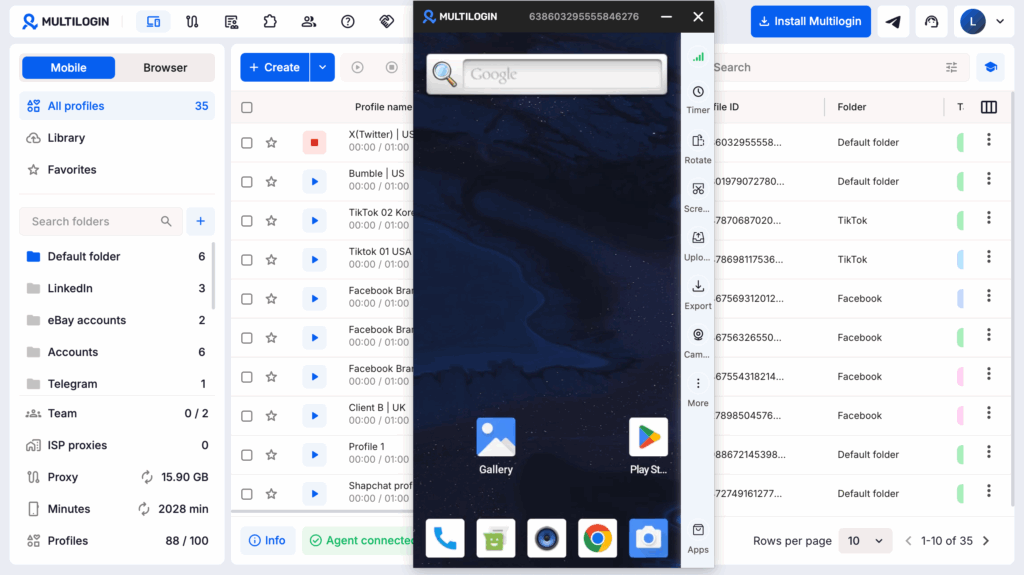
Multilogin is a cloud Android phone platform for multi-account management. For eBay sellers, that means each store gets its own real Android device in the cloud, with its own app data, IP address and location, and every store is managed from one dashboard. Browser profiles handle Seller Hub and other web tasks from the same place.
eBay is one of the most installed apps on Multilogin cloud phones, ahead of Facebook, based on Multilogin’s app install data for July to September 2026. Most of those users already run several stores and need a cleaner way to keep them apart.
One cloud phone per eBay account
Each Multilogin cloud phone is a real Android device hosted in a data center and streamed to your screen. You install the eBay app from the built-in app store or upload an APK, sign in once, and the phone keeps the app data and login history between sessions.
That matches how the eBay app works: device ID, advertising ID and push token stay with one phone, and that phone belongs to one store. Other details that help day to day:
- More than 30 real Android device types across 12 brands, including Samsung, Google, Xiaomi, OPPO, Motorola and Vivo, with the Android version selectable per profile.
- Camera and screen mirroring for taking listing photos inside the eBay app.
- Each cloud phone can run on Cellular or Wi-Fi, so you can pair the right proxy with the right connection type.
Browser profiles for Seller Hub and back-office work
Multilogin includes browser profiles for web-based accounts. Each browser profile has its own cookies, session and IP, which suits Seller Hub, bulk edits, reports and payout settings. For a store you run in both places, the browser profile’s location can be synced with that store’s cloud phone. Browser profiles use no mobile minutes.
Built-in proxies and location
Every Multilogin plan includes residential proxy traffic, and each profile gets its own IP address with matched geolocation. For a store that sells into a specific market, a proxy in that market lets you see search results and listings the way local buyers see them. HTTP, HTTPS, ISP and SOCKS5 proxies are supported, including your own third-party proxies.
Team access without shared passwords or remote desktop
Team seats and permissions let you assign each store’s cloud phone or browser profile to a specific assistant. They open what they are assigned from their own Multilogin app, so nobody signs in to the owner’s computer by remote desktop or passes passwords around. Custom columns, color tags and notes keep track of which store belongs to which client, region or product line.
For teams that automate internal workflows, Multilogin offers an API for profile creation, app installation and account management, full ADB access to cloud phones, and support for Selenium, Puppeteer, Playwright and Postman on browser profiles. Check eBay’s User Agreement before automating any activity on eBay itself.
Limits to know before you set up
- No SMS or calls. Multilogin cloud phones cannot receive texts or calls. If eBay sends a verification code by SMS, it needs to go to a separate number eBay accepts, such as your own phone or an external SMS provider, and you type the code into the app.
- Shared business details stay shared. A separate cloud phone does not change a shared bank account, payout method, address or tax ID.
- Separate devices do not fix listing problems. Copying the same listings, photos and descriptions across stores can still run into eBay’s rules.
- Restrictions still apply. If one account is restricted, resolve it with eBay first. A new environment is not a way around a restriction, and eBay’s policy does not allow that.
- Connection and setup. Cloud phones need a reliable internet connection, and first-time setup takes a little time.
- Free plan terms. Free profiles are deleted after 7 days of inactivity, and free plan proxy traffic and mobile minutes are a one-time allowance that does not renew.
Pricing
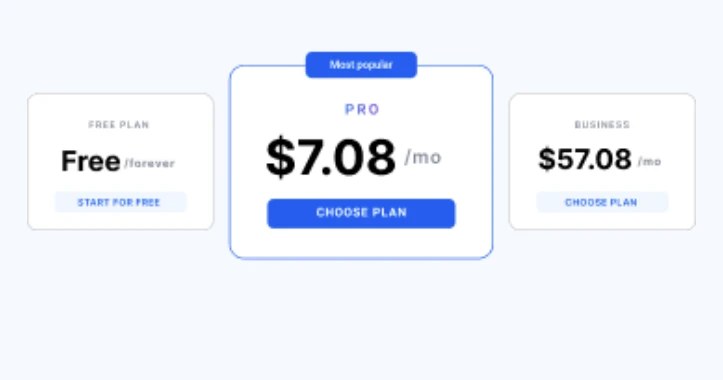
Multilogin offers a free plan with no time limit and no credit card needed. Paid plans start from $7.08 per month. Cloud phones, built-in proxies, mobile minutes and browser profiles are included in one subscription, so there is no separate proxy bill or per-device rental. The Pro 10 plan covers 10 cloud and browser profiles, 1 GB of premium proxy traffic and 60 mobile minutes per month, API access and a team seat.
Checklist for running separate eBay accounts
Use this list when you add a new store or clean up an existing setup.
- Write down why each account exists. A product line, a client, a region. eBay’s policy is built around accounts that have a reason of their own.
- Give each account one environment. One cloud phone for app work and, if needed, one browser profile for Seller Hub. Never sign in to a store anywhere else.
- Keep the network consistent. Use the same proxy location for an account every session, and match it to where that store operates.
- Avoid the one-off login. Checking a store “just once” from your personal phone or laptop puts that device on the account’s record.
- Plan verification codes. Decide which phone number receives each store’s two-factor codes before you need them.
- Assign access instead of sharing it. Give assistants their own seat and assigned profiles rather than passwords or remote desktop.
- Make each store’s listings its own. Original photos, titles and descriptions per store.
- Keep identity, payout and tax details truthful. Every account should reflect the real business behind it.
- Fix restrictions before anything else. If one account is limited, resolve it with eBay before selling from the others.