


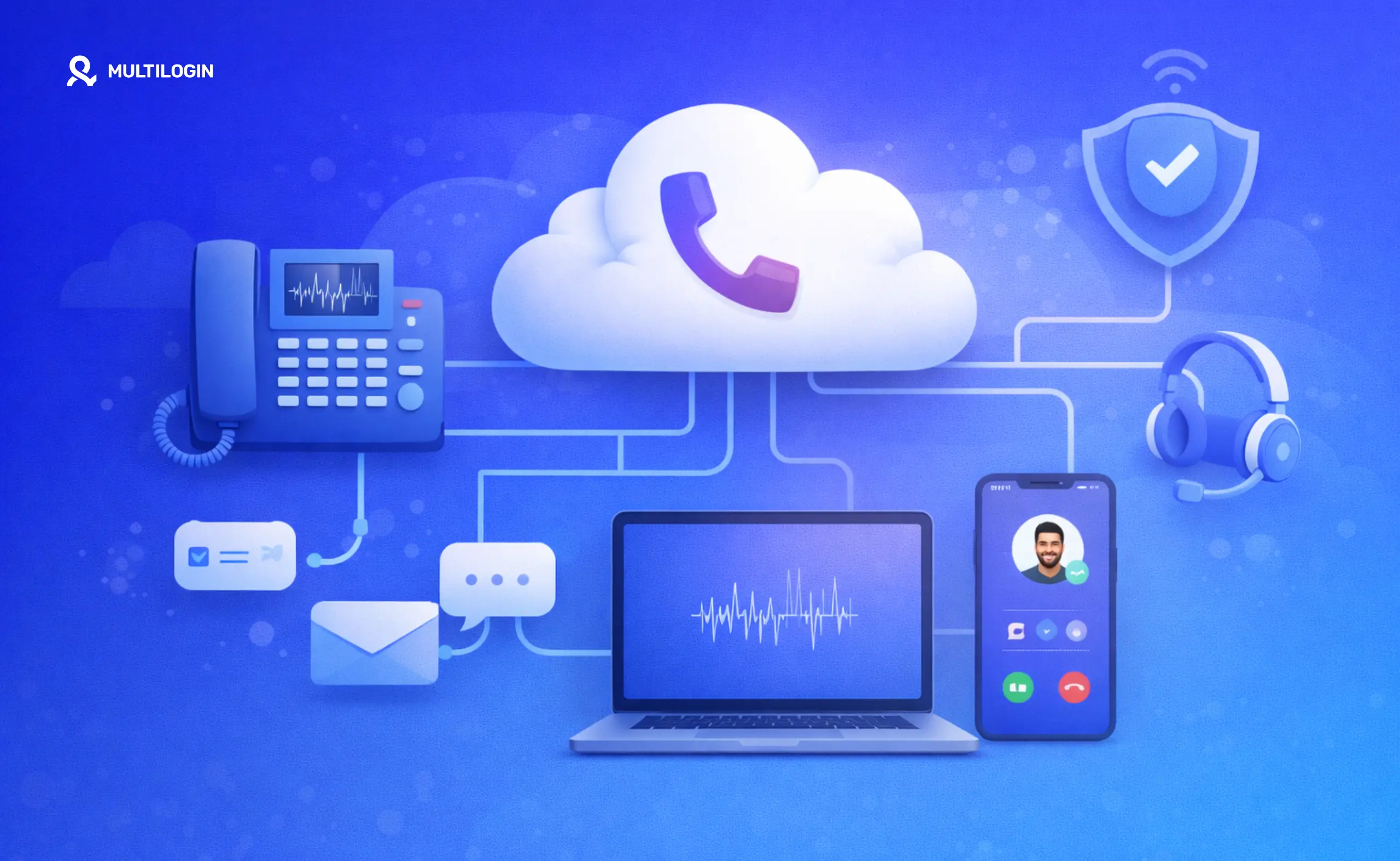



A cloud based phone system works by moving the phone infrastructure away from local hardware and hosting it remotely. For a traditional business phone system, that usually means calls are handled through VoIP, cloud PBX software, and internet-connected endpoints.
But cloud phone can also describe something different: a complete Android device hosted in the cloud and controlled remotely.
That distinction matters.
A VoIP cloud phone system is primarily built around calls, extensions, routing, voicemail, and business communications. An Android cloud phone gives you a remotely accessible mobile environment where you can install apps, stay logged in, and manage mobile-first account workflows.
Multilogin belongs to the second category. It is a cloud Android phone platform for multi-account management, with browser profiles for web-based accounts. Built-in residential proxies and mobile minutes are included in the platform.
If you want the shorter definition first, see our guide to what a cloud phone is.
This guide explains both meanings, how the technology works, and where Multilogin cloud phones fit.
What is a cloud phone?
A cloud phone is a phone environment that runs remotely and is accessed over the internet. What you get depends on the type of cloud phone service.
In business communications, “cloud phone” often means a VoIP phone service. Your number, calls, extensions, voicemail, and routing are managed in software instead of through an on-premise PBX.
For mobile-app workflows, a cloud phone can instead mean a complete Android device hosted in the cloud.
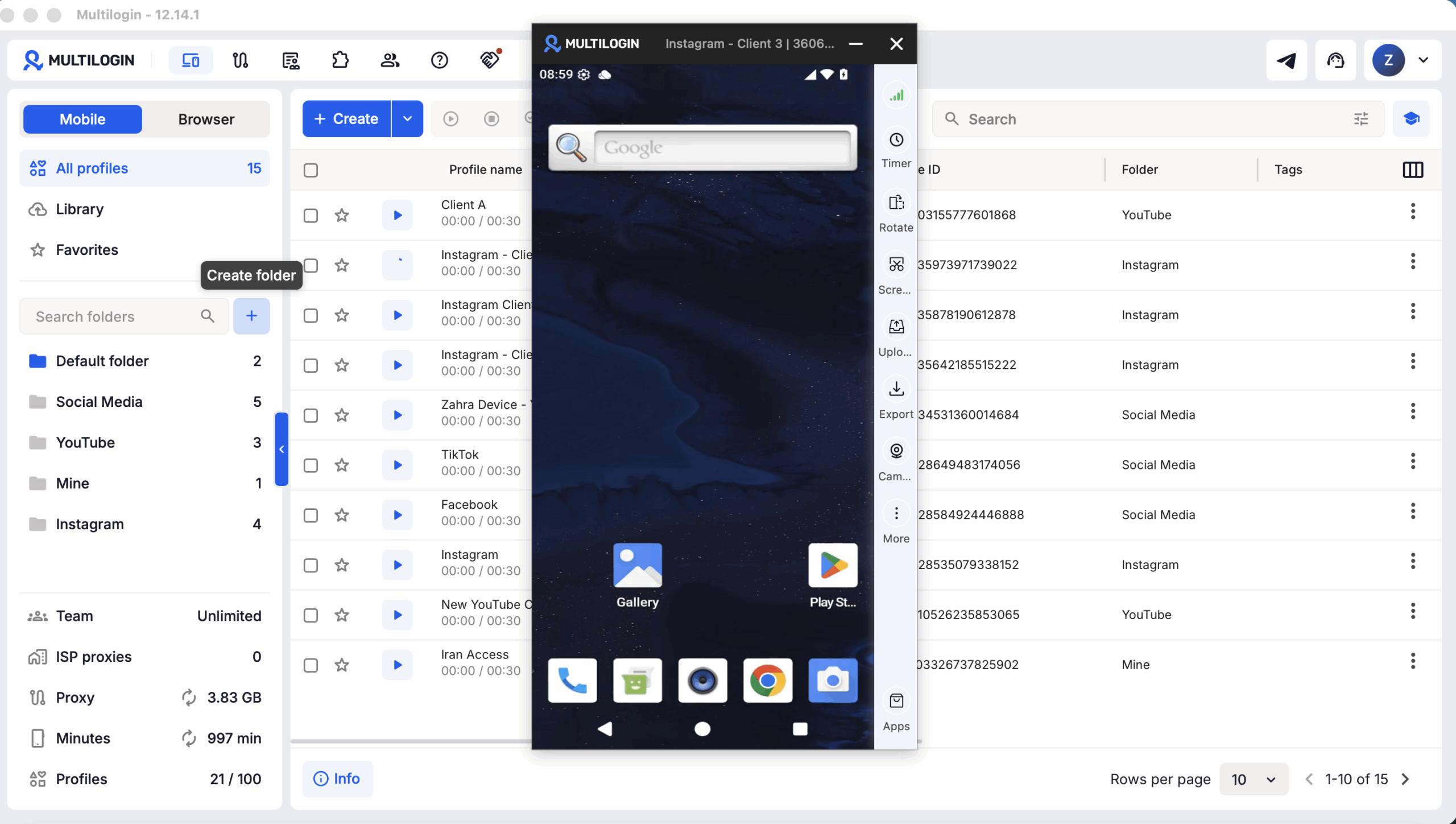
A Multilogin cloud phone falls into this second group. Each mobile account can run on its own cloud Android phone with its own app data, storage, device environment, location, and network configuration.
You can install Android apps and return to the same environment later without rebuilding the setup each time.
That makes a cloud Android phone useful when the work itself happens inside mobile apps rather than through traditional phone calls.
For a closer look at the product itself, see Multilogin cloud phones.
Are Multilogin cloud phones real devices or emulators?
Multilogin cloud phones run Android on real ARM hardware hosted in the cloud.
The hardware is remote instead of sitting on your desk, but the environment runs native Android apps on a real Android device.
That is different from running a software emulator locally on your computer.
Each Multilogin cloud phone maintains its own app data and account state between sessions. Teams can therefore assign one cloud phone to one account and return to the same mobile environment for future work.
You can find a more detailed explanation in Multilogin cloud phones: real Android devices in the cloud.
This matters most for mobile-first platforms such as Instagram, TikTok, Facebook, WhatsApp, Reddit, and marketplace apps where important parts of the workflow happen inside the Android application.
For browser-first work, Multilogin also provides isolated browser profiles from the same platform. The differences are covered in more detail in cloud phones vs browser profiles.
What is a cloud based phone system?
A cloud based phone system traditionally means a business communications system hosted by a service provider and accessed through the internet.
Instead of maintaining a PBX server and phone infrastructure inside your office, the provider runs the core system remotely.
Employees can then access calls and communication features through supported desk phones, desktop applications, smartphones, or web applications.
Typical cloud phone system features include:
phone numbers and extensions
incoming and outgoing calls
call routing
voicemail
auto attendants
call queues
analytics
integrations with business software
This is the definition used by most VoIP and cloud PBX providers. If you need the telephony-specific definition, see what a cloud PBX is.
An Android cloud phone solves a different problem. Instead of primarily hosting a business telephone system, it hosts the mobile device environment itself.
That is the model used by Multilogin for mobile multi-account management.
Cloud phone system vs “just VoIP”
No, a cloud phone system and VoIP are not exactly the same thing.
VoIP is the technology used to transmit voice over an IP network. A cloud phone system is the broader service that can use VoIP alongside routing, user management, phone numbers, applications, voicemail, analytics, and other communication features.
For a simpler definition, see our VoIP glossary guide.
SIP is commonly used for establishing and managing communication sessions. The RFC Editor defines SIP as an application-layer signaling protocol for creating, modifying, and terminating sessions such as internet telephone calls and multimedia conferences.
External source: RFC 3261: SIP — Session Initiation Protocol
So a useful shorthand is:
VoIP = how voice can travel over an IP network.
Cloud phone system = the service and infrastructure built around that communication.
A Multilogin cloud Android phone should not be confused with either. It is a remotely hosted Android device for running mobile apps and account workflows rather than a VoIP calling service.
How does a cloud based phone system work?
A traditional cloud based phone system works by hosting the communication infrastructure remotely and carrying calls over IP networks.
A simplified call flow looks like this.
Step 1: Numbers are provisioned and managed in software
With a business cloud phone system, numbers, extensions, users, and routing rules can be managed from software rather than being tied entirely to physical office lines.
Administrators can assign numbers to employees or departments and manage the system through an online interface.
This is a VoIP/cloud PBX workflow.
Multilogin cloud phones work differently. Multilogin manages remote Android environments rather than supplying business telephone numbers.
Step 2: Call signaling sets up the connection with protocols such as SIP
When a VoIP call begins, a signaling protocol can establish the session between the participants.
SIP is one of the best-known protocols used for this purpose. According to RFC 3261, SIP handles the creation, modification, and termination of communication sessions.
The signaling layer and the audio itself are separate parts of the process.
Again, SIP is relevant to VoIP communication systems. It is not the mechanism that creates or isolates a Multilogin cloud Android phone.
Step 3: Voice travels as real-time data
Once a communication session has been established, audio can be carried as real-time network traffic.
RFC 3550 defines RTP, the Real-time Transport Protocol, which provides transport functions for applications sending real-time data such as audio and video.
Secure RTP, or SRTP, can add confidentiality, message authentication, and replay protection. Those protections are defined in RFC 3711.
The exact implementation depends on the provider, so it is better to check a vendor’s technical and security documentation rather than assuming every cloud phone system uses the same configuration.
Step 4: The PBX or routing layer decides where the call goes
When a call reaches a business cloud phone system, routing rules determine the destination.
For example, the system might:
send a call to a specific extension
place the caller into a queue
use an auto attendant
forward the call
route it to another team or location
This is one reason cloud PBX systems are useful for distributed businesses. The routing logic is controlled in software rather than being tied entirely to office hardware.
Step 5: Users connect through an endpoint
Finally, the employee answers through an endpoint supported by the provider.
That might be a desk phone, desktop application, mobile application, or web interface.
An Android cloud phone uses the same broad idea of remote access, but the endpoint and purpose are different. Instead of connecting you to a hosted PBX, Multilogin connects you to a remotely hosted Android environment where you can operate mobile apps.
How do cloud phones work for multi-account management?
For multi-account management, a cloud Android phone gives each mobile account its own persistent Android environment.
Instead of moving many accounts through the same physical handset, a team can assign one cloud phone per account.
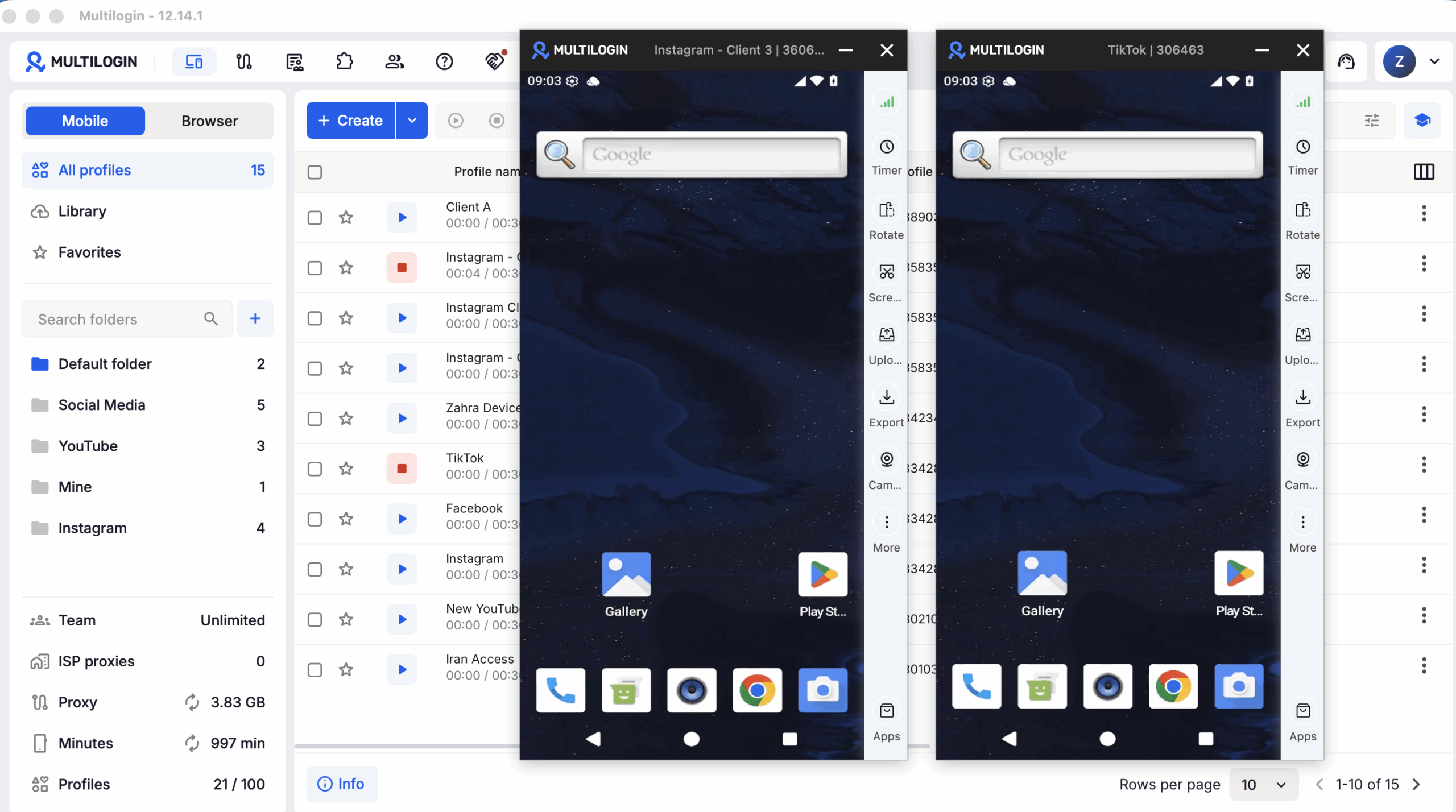
With Multilogin, the mobile environment keeps its own app data and account state between sessions. When the operator closes the cloud phone and returns later, the environment remains available rather than starting from scratch.
That creates a simple operational model:
Account A → cloud phone A
Account B → cloud phone B
Account C → cloud phone C
Teams can then manage those environments from one dashboard rather than maintaining a shelf full of physical Android phones.
For teams considering that operational trade-off, phone farming with cloud Android phones explains how the cloud approach differs from maintaining physical devices.
For web-based tasks, Multilogin provides browser profiles separately. This means a team can use a cloud Android phone where the workflow requires a native Android app and a browser profile where the work happens on the web.
Cloud phone session isolation explained
Cloud phone session isolation means each cloud phone maintains a separate working environment.
For a Multilogin cloud phone, that separation includes areas such as:
Android device environment
app storage
login state
application data
network and proxy configuration
The practical benefit is organization and separation.
An Instagram account can stay inside one Android environment while a marketplace account, another client account, or another regional operation remains in a different one.
This is different from repeatedly signing several accounts in and out of the same physical handset.
Session isolation does not mean platform rules no longer apply. Account restrictions can depend on many factors, including content, behavior, verification requirements, platform policies, and other signals outside the device environment.
Multilogin should therefore be treated as infrastructure for organizing separate account environments, not as a way around platform policies.
Cloud phone online anonymity: what it means and what it doesn’t
A cloud phone can separate a work environment from the operator’s local physical phone and home network, but “online anonymity” can easily be overstated.
A more accurate way to think about it is environment separation.
Your apps and account data run inside the remote Android environment instead of directly on your everyday handset.
A proxy can also change the IP address used by that environment when a legitimate workflow requires a particular network location.
For more background on the proxy layer, see Multilogin proxies.
None of this makes an account anonymous to every platform or exempts activity from platform requirements.
A cleaner way to manage multiple accounts
Managing a few accounts from physical phones is straightforward.
Managing dozens of accounts across phones, team members, apps, clients, and regions becomes much harder.
Physical devices have to be bought, charged, updated, labeled, stored, transferred between teammates, and kept connected. Teams also need a reliable way to remember which device belongs to which account.
Cloud Android phones move much of that coordination into software.
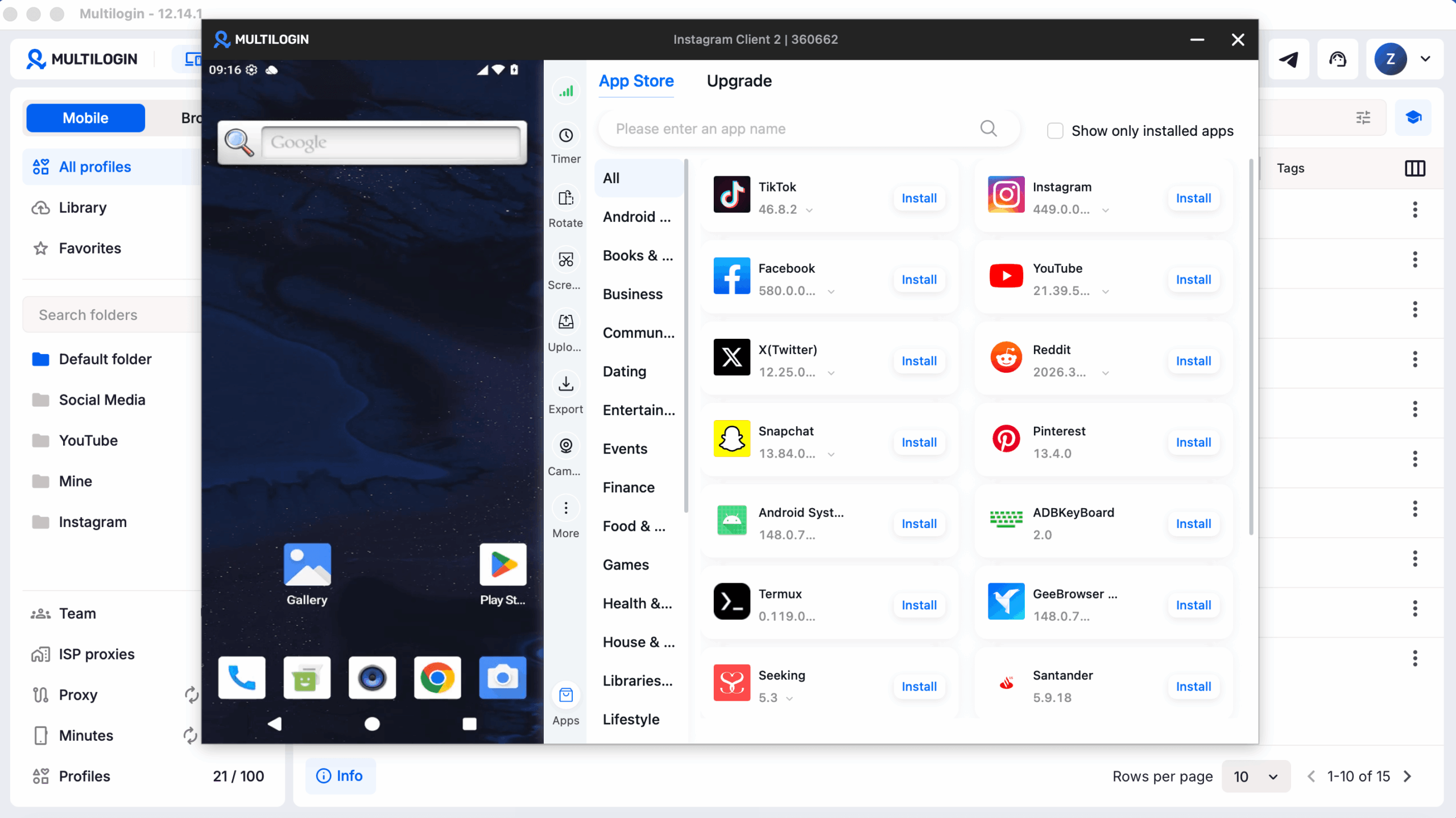
With Multilogin, teams can create separate account profiles and manage their mobile environments from one dashboard. Browser-based account work can be handled through isolated browser profiles in the same platform.
| Multi-account need | How Multilogin supports it |
|---|---|
| Separate mobile environments | Assign one cloud Android phone to each mobile account |
| Persistent sessions | App data and login state remain between sessions |
| Web-based account work | Use browser profiles for browser-first workflows |
| Network configuration | Built-in residential proxies are available within the platform |
| Team organization | Use folders, tags, notes, profile assignment, seats, and permissions |
| Automation | API, ADB access, Selenium, Puppeteer, Playwright, and Postman integrations are available for supported workflows |
Cloud based phone system vs on-premise phone systems
For traditional business telephony, the main difference is where the PBX and related infrastructure live.
An on-premise system keeps more of the phone infrastructure inside the company’s own location.
A cloud system moves that infrastructure to the provider.
Deployment and maintenance
An on-premise PBX can require local equipment, configuration, upgrades, and ongoing maintenance.
A hosted cloud phone provider operates the core infrastructure instead. Businesses access the service over the internet.
For Android cloud phones, the comparison is slightly different.
The alternative is usually not an office PBX. It is a fleet of physical Android phones.
Cloud Android phones allow teams to access those mobile environments remotely without buying and physically maintaining one handset for every account.
Scaling teams and regions
Scaling an on-premise PBX may require additional hardware, configuration, or capacity.
Hosted systems can often add users or services through software.
The same operational advantage applies to Android cloud phones. A team can add account environments without purchasing another physical phone every time its mobile-account workload grows.
Business continuity
Cloud services remove some dependencies on a single office location because users can access remote infrastructure through the internet.
But cloud does not mean failure is impossible.
Provider outages, local internet problems, account access issues, and device-service interruptions can still affect availability.
For Multilogin cloud phones specifically, a reliable internet connection is required. Slow or unstable connectivity can affect the experience when controlling a remote phone.
If you want a deeper explanation of why network delay matters, see latency.
Cloud VoIP explained in plain English
VoIP means sending voice communication over IP networks rather than relying only on traditional telephone infrastructure.
It is the technology behind many modern cloud business phone systems.
It is not the technology that defines a Multilogin Android cloud phone.
How VoIP works: the packet explanation
During a VoIP call, audio is represented as digital data and transmitted across the network.
The RFC Editor’s RTP specification explains that RTP provides end-to-end transport functions for real-time data such as audio and video. RTP itself does not guarantee timely delivery or quality of service.
That helps explain why call quality can change even when the cloud phone service itself is working correctly.
Where quality problems come from
Three common network problems can affect VoIP calls:
Latency: data takes too long to travel between participants.
Jitter: packets arrive with inconsistent timing.
Packet loss: some packets never reach their destination.
The exact result depends on the network, application, codecs, routing, congestion, and how the provider handles real-time traffic.
What teams do to keep quality stable
A reliable network connection matters most.
Businesses may also configure Quality of Service rules to prioritize voice traffic where appropriate.
Provider architecture matters too, particularly when teams depend on their phone system for customer-facing work.
These VoIP considerations are separate from Multilogin cloud-phone proxy settings. A proxy used by an Android account environment should not be presented as a way to improve VoIP call quality.
Security and compliance basics: what people miss
Security depends on which type of cloud phone system you are discussing.
For VoIP, the focus is usually communication encryption, access controls, account security, call fraud, and provider infrastructure.
For a cloud Android phone, the focus is more on account access, environment separation, stored data, team permissions, authentication, and network configuration.
The U.S. National Institute of Standards and Technology discusses VoIP-specific vulnerabilities and countermeasures in its publication Security Considerations for Voice Over IP Systems.
Encryption that actually matters: TLS and SRTP
In VoIP systems, different protocols can protect different parts of communications.
The SRTP specification in RFC 3711 defines protections including confidentiality, message authentication, and replay protection for RTP and RTCP traffic.
Do not assume every vendor implements encryption in exactly the same way. Check the provider’s technical documentation when encryption requirements are important to your organization.
Multilogin also provides controls such as two-factor authentication and encrypted cloud storage options for profile data.
Common threats
For traditional business phone systems, threats can include unauthorized access, toll fraud, credential theft, and interception of improperly protected communications.
For multi-account cloud-phone workflows, common operational risks look different.
They include:
weak account credentials
unnecessary team access
poorly documented environment assignments
inconsistent network configuration
loss of access to required verification methods
exposing account data to people who do not need it
The answer is not simply “use a cloud phone.” Good account and team practices still matter.
Getting started with Multilogin cloud phones
Multilogin combines cloud Android phones and browser profiles in one platform.
You can start with the free plan and move to a paid plan when you need more resources.
Step 1: Choose the right plan
Multilogin offers a free plan with no time limit and no credit card required.
Paid plans start from $7.08 per month.
The platform combines cloud mobile profiles, browser profiles, built-in proxy traffic, and mobile minutes. Exact allowances depend on the selected plan.
Users comparing the no-cost entry point can also see the dedicated Multilogin free plan guide.
Step 2: Create your first cloud phone profile
Open Multilogin and create a cloud phone for the account you want to manage.
Give the profile a clear name that identifies the account, client, brand, or workflow.
Good naming becomes increasingly useful as the number of accounts grows.
For example:
Client — Platform — Region — Account
This makes it easier for another teammate to identify the right environment without opening several profiles first.
Step 3: Configure the network environment
Multilogin includes built-in residential proxies, and third-party proxies are also supported.
Choose the network configuration that matches your legitimate workflow and record the setup associated with that account.
There is no universal proxy-rotation schedule that makes an account compliant or prevents platform enforcement. Avoid changing IPs simply because “more rotation” sounds safer.
Consistency should come from a documented operational setup, not a guessed formula.
Step 4: Install the app and log into the account
Install the Android app you need and sign into the appropriate account.
Multilogin cloud phones support Android apps through the available app installation options, including APK installation.
If the service requires phone or SMS verification, use a legitimate number accepted by that platform.
Multilogin does not provide SMS, phone calls, or verification codes.
Receive the code through your approved external verification method and enter it inside the app if required.
Step 5: Return to the same account environment
Once the account is configured, keep future work associated with the same account profile where that suits the workflow.
The cloud phone preserves app data and account state between sessions.
Teams can also record useful operational information through folders, tags, notes, and profile assignments so another authorized teammate understands which environment belongs to which account.
What to look for when choosing a cloud based phone system
Start by deciding which type of cloud phone you actually need.
If your goal is customer calling, extensions, voicemail, call queues, CRM integration, or auto attendants, evaluate VoIP and cloud PBX providers.
If your goal is running Android apps remotely and managing separate mobile environments, evaluate cloud Android phone platforms.
Must-have checklist
For a VoIP cloud phone system, consider:
call reliability
number availability and portability
call routing
voicemail and queues
supported integrations
administrative controls
security documentation
support
For a cloud Android phone platform, consider:
Android device architecture
session persistence
device options
app installation
proxy configuration
account organization
team permissions
automation and API support
pricing for device time and related resources
whether browser profiles are also required
Multilogin is aimed at the second use case: Android cloud phones for multi-account management, with browser profiles for web-based workflows.
For buyers comparing costs with physical-device setups, phone farm cost vs cloud phone pricing is a useful next step.
Frequently Asked Questions About How a Cloud Based Phone System Works
How does a cloud based phone system work?
A traditional cloud based phone system hosts business calling infrastructure remotely and carries communications over IP networks. Software manages users, numbers, call routing, and features such as voicemail and queues.
An Android cloud phone is different: it hosts a complete Android device remotely so users can access mobile apps through the internet.
How does a cloud phone work?
It depends on the type of cloud phone.
A VoIP cloud phone connects users to a hosted business calling system. A cloud Android phone gives the user remote access to an Android environment running on infrastructure hosted by a provider.
Multilogin uses the second model.
What is a cloud phone system?
A cloud phone system usually refers to a business telephone service whose PBX and calling infrastructure are hosted remotely rather than on equipment installed in the company’s office.
The term “cloud phone” can also refer to remote Android devices, so check which definition a provider is using.
Is a cloud phone system the same as VoIP?
No.
VoIP describes technology for transmitting voice over IP networks. A cloud phone system is the wider hosted service that may use VoIP together with phone numbers, call routing, extensions, apps, administration, voicemail, and other features.
What is a cloud PBX and do I need it?
A cloud PBX is a remotely hosted phone-switching system used to manage calls, extensions, forwarding, and related business telephony features.
You may need one if your goal is business calling.
You do not need a cloud PBX simply because you want to use a Multilogin cloud Android phone for mobile-app account management.
Are Multilogin cloud phones real Android devices?
Yes. Multilogin cloud phones run Android on real ARM hardware hosted in the cloud.
Each cloud phone can run native Android apps and maintain its app data and account state between sessions.
For the technical distinction, see real Android devices in the cloud.
Does Multilogin offer a free cloud phone plan?
Yes.
Multilogin has a free plan with no time limit and no credit card required. Paid plans start from $7.08 per month.
You can also compare dedicated free options in the guide to free cloud phones.
Can Multilogin cloud phones receive SMS or verification codes?
No.
Multilogin cloud phones do not provide phone numbers, SMS messages, calls, or OTP codes.
If an app requires phone verification, use a separate legitimate number accepted by that service and enter the received code into the app running on the cloud phone.
What is cloud phone session isolation?
Cloud phone session isolation means each cloud phone operates as a separate Android environment with its own app data, account state, device environment, and network configuration.
This makes it easier to assign one working environment to one account rather than mixing several account sessions inside the same device setup.
Conclusion
So, how does a cloud phone work?
The answer depends on what cloud phone means in your workflow.
A traditional cloud based phone system moves business calling infrastructure such as a PBX, call routing, and phone-number management into the cloud. Users make and receive calls over internet-connected devices, usually using technologies such as VoIP.
A cloud Android phone moves the Android device itself into the cloud.
Multilogin uses this second model.
Multilogin is a cloud Android phone platform for multi-account management. Each mobile account can use its own real Android device in the cloud, while browser-based accounts can run in separate browser profiles from the same platform. Built-in residential proxies and mobile minutes are included.
This makes it useful for teams that already manage multiple accounts across mobile apps and the web and want to replace a growing collection of physical phones with centrally managed account environments.
Multilogin offers a free plan with no time limit and no credit card required. Paid plans start from $7.08 per month.
If your main requirement is business calls, extensions, call queues, and CRM telephony, look for a VoIP or cloud PBX provider.
If your work happens inside Android apps and you need separate cloud phone environments for multiple accounts, explore Multilogin cloud phones.


