



TL;DR
- TikTok Business Center is TikTok’s admin layer for ad accounts, TikTok accounts, team members and permissions. It replaces separate Ads Manager logins for every brand or client.
- Create ad accounts under Accounts > Advertiser accounts > Add advertiser account > Create New. Agencies enter the client’s legal entity, not their own.
- To connect a TikTok account to Business Center, someone logged into that account has to scan a QR code inside the TikTok mobile app.
- Several legitimate ad accounts under one Business Center is the setup TikTok supports. Opening new accounts to get around a suspension is what breaks its rules.
- Business Center and Ads Manager are browser tools. QR approvals, Spark Ads codes and posting happen in the app. Browser profiles cover the first group, Android cloud phones cover the second.
TikTok Business Center is where performance teams and agencies keep every TikTok ad account, TikTok account and team member under one login. If your team still trades Ads Manager passwords in Slack, or keeps a spreadsheet of which email owns which client account, Business Center is the fix TikTok built for that.
This guide walks through setting up a TikTok Business Center account, creating ad accounts inside it and connecting TikTok accounts. It also maps which tasks run in a desktop browser and which ones still need a phone. That split is the part most guides skip, and it decides whether your team needs browser profiles, cloud phones, or both.
What is TikTok Business Center?
TikTok Business Center is a free management platform from TikTok for Business that lets a company own and organize its ad accounts, TikTok accounts, pixels, catalogs and team members in one place, with permissions set per asset. It sits one level above TikTok Ads Manager, where campaigns are built.
A simple way to think about it: Ads Manager is where a media buyer builds campaigns, ad groups and ads. Business Center decides who owns each ad account, who can open it, and which TikTok account identities those ads are allowed to run under.
| Tool | What it handles | Where it runs | Typical user |
| Business Center | Ownership of ad accounts and TikTok accounts, members, roles, payment | Desktop browser | Admins, agency leads |
| TikTok Ads Manager | Campaigns, ad groups, ads, audiences, reporting | Desktop browser (ads.tiktok.com) | Media buyers |
| TikTok Ads Manager mobile app | Quick campaign setup and monitoring on the go | Android and iOS | Owners, small teams |
| TikTok app | Posting, comments, QR approvals, Spark Ads authorization codes | Android and iOS | Account owners, creators, community managers |
How to create a TikTok Business Center account
You need a TikTok for Business account before you can open a Business Center, because Business Center is built on top of it. Once that exists, setup takes a few minutes:
- Go to the TikTok Business Center website and click Log in with your TikTok for Business credentials.
- Choose your business type: I am an advertiser or I am an agency.
- Enter your country or region and your company’s full legal name.
- Name the Business Center. TikTok asks that the Business Center name stays consistent with the company name.
- If you picked advertiser, you can create your first ad account in the same flow.
You aren’t limited to one. TikTok’s help center suggests creating extra Business Centers to separate brands, regions or business units, and recommends that advertisers create them under the existing Company so assets stay consolidated. Business Center also has to be verified before you can create ad accounts inside it, so finish verification before launch week.
How to create ad accounts in TikTok Business Center
To create an ad account in TikTok Business Center, an admin opens Accounts, goes to Advertiser accounts, clicks Add advertiser account and chooses Create New. Advertisers fill in an account name, time zone and contact details. Agencies enter the client’s business information and billing instead.
Check these first, or the button won’t do what you expect:
- You’re a Business Center admin. Standard members can’t create ad accounts.
- The Business Center is verified.
- Your country or region supports self-serve ad account creation.
- It isn’t a Creator Agency Business Center. Those can’t create ad accounts at all.
Steps for advertisers
- Sign in to TikTok Business Center.
- In the left menu, select Accounts.
- Under All accounts, open Advertiser accounts.
- Select Add advertiser account.
- Choose Create New, then Next.
- Enter the account name, time zone and contact information.
- Select Confirm.
Choose the time zone for the market the account will serve, not for your office. Every report you pull from that account is read through it, and a US-facing account set to São Paulo time splits each reporting day in an awkward place.
Steps for agencies
- Follow steps 1 to 5 above.
- Enter the client company information, the new ad account details and billing information.
- Select Confirm.
- If prompted, link a TikTok account to the new ad account.
- Confirm the payment settings to finish.
The detail that trips agencies up is the client name. TikTok’s ad account creation guide asks for the client’s exact business name as it appears in TikTok’s system, and for a branch it wants the local entity rather than the headquarters. If that client already has a verified legal entity certificate, select Link existing verification and the new account is approved automatically. Changing the company name later triggers an ad review, so get it right on the first pass.
How many ad accounts can one Business Center hold?
TikTok doesn’t publish a single number. Each Business Center has a default ad account limit that depends on the Business Center type, and your account manager or TikTok support can check it or raise it.
What TikTok does publish are the limits inside each ad account. These matter more day to day, because they’re often the real reason a team splits work across accounts. The figures below come from TikTok’s ad account limits page:
| Limit | Value |
| Campaigns per ad account | 5,000 |
| Ad groups per campaign | 999 |
| Ads per ad group | 50 (not applied to Reach and Frequency, Smart Creative or split tests) |
| Active ad groups, highest monthly spend under $1,500 | 50 |
| Active ad groups, $1,500 to under $150,000 | 200 |
| Active ad groups, $150,000 or more | 1,000 |
The active ad group quota is the one that bites. A new account sitting in the lowest spend tier can only have 50 ad groups active or in review at once, which a team testing a batch of UGC creatives can hit in a single afternoon.
How to connect a TikTok account to Business Center
To connect a TikTok account to Business Center, an admin generates a QR code from the TikTok accounts tab, and the person logged into that TikTok account scans it inside the TikTok mobile app. Business Center starts the request in the browser, but the approval itself happens on a phone.
In Business Center
- Log in to TikTok Business Center.
- Click Accounts in the left menu, then TikTok accounts.
- Click Add a TikTok Account, choose Link an existing TikTok account, select Send a QR code and click Next.
- Select Deliver ads as the permission level.
- Pick the advertising permissions you need, then click Next to generate the QR code.
- Click Copy QR code and send it to whoever is logged into the TikTok account.
The permission choices that matter most for performance teams:
- Existing posts lets you pull organic posts into ads.
- Publish and manage new videos lets you push new videos to the account. TikTok recommends Only show as ads, which keeps those videos off the organic profile.
- For Spark Ads, turn on both Existing posts and Publish and manage new videos. Missing one is a common reason Spark Ads setup fails later.
- Manage account is a separate, broader link type that adds comment replies, direct messages and profile management on top of ad delivery.
In the TikTok app
- Log in to the TikTok account.
- Go to Profile.
- Tap the three lines in the top right corner.
- Tap Your QR code.
- Tap the scan icon in the top right and scan the code.
Once approved, the account shows up in the TikTok accounts tab with Deliver ads under permissions, and you can link it to any ad account in that Business Center. According to TikTok’s guide to linking accounts for ad delivery, one Business Center can link up to 800 TikTok accounts this way, and one TikTok account can be linked to up to 800 Business Centers.
Here’s the operational catch. Every approval needs a phone that’s logged into the right TikTok account at that moment. With six clients that’s six handoffs, often across time zones, and a creator who’s offline can hold up a launch for a day. The same thing happens with Spark Ads authorization codes, which creators generate inside the TikTok app too.
Can you manage multiple TikTok ad accounts in one Business Center?
Yes. Running several ad accounts under one Business Center is exactly what it was designed for, and each account keeps its own budget, campaigns, billing and reporting. Typical reasons teams split accounts:
- Separate brands or product lines that need their own budgets and reports.
- Regional campaigns with different currencies, time zones or creative.
- Agency clients, each with separate billing.
- Testing a new market or offer without touching an account that already performs.
Team access is generous too. TikTok’s Business Center FAQ lists up to 1,000 members per Business Center, split into 20 admins and 980 standard members. Ad accounts can also be moved: up to 50 at a time within the same Business Center, or 10 at a time between different ones, as long as both the ad accounts and the Business Center are in Approved status.
Where advertisers get into trouble is intent. TikTok’s Advertiser Account Policy says advertisers can’t circumvent, evade or interfere with its advertising systems, and it names bypassing moderation as an example. Opening a fresh ad account to get around a suspension or a rejected review falls squarely into that. TikTok also blocks suspended agency accounts from creating new ad accounts or adding money to existing ones.
No setup changes those rules, and that includes Multilogin. What separate environments do is keep legitimate, unrelated accounts from looking connected when they shouldn’t be. Two clients who’ve never met shouldn’t share a device history just because the same freelancer manages both.
Mobile vs browser: where each TikTok Ads task happens
TikTok Ads work splits cleanly in two. Business Center and Ads Manager are built for a desktop browser, while the TikTok account behind every Spark Ad lives in the mobile app. This table shows where each task usually runs:
| Task | Where it runs | Why it matters for multi-account teams |
| Create Business Center, invite members, set roles | Browser (Business Center) | One admin login can cover many clients |
| Create ad accounts, set up payment | Browser (Business Center) | Client legal entity and billing stay per account |
| Build campaigns, bulk edits, custom reports | Browser (Ads Manager) | Heavy work needs a full screen |
| Check spend, pause an ad group | Ads Manager mobile app or mobile browser | Fine for quick fixes, not for building |
| Approve a Business Center link | TikTok app (QR scan) | Needs the account’s logged-in phone |
| Generate a Spark Ads authorization code | TikTok app | Usually the creator’s phone |
| Post videos, reply to comments natively | TikTok app, or Business Center with Manage account permission | Account behavior shapes trust and reach |
When a browser profile fits and when a cloud phone fits
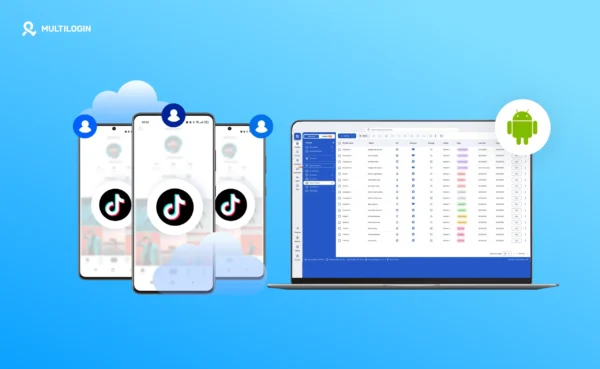
Multilogin is a cloud phone platform for multi-account management. It gives teams Android cloud phones for app-based work and browser profiles for web-based work, managed from one dashboard. Our multi-account management hub explains the split in general terms. For TikTok Ads, it lines up with the table above.
Browser profiles for Ads Manager and Business Center
A browser profile is an isolated browser environment with its own cookies, local storage, fingerprint and proxy. It fits the browser half of the workflow:
- Freelancers and agencies who log into several client-owned Business Centers under different emails, and need each login to stay separate.
- Media buyers who keep Ads Manager sessions open for different clients without logging in and out all day.
- Teams who need to hand a session to a colleague without sharing a password.
If you run one brand from one Business Center with an in-house team, you probably don’t need browser profiles for this. Business Center already handles multiple ad accounts and per-member permissions on its own.
Android cloud phones for the TikTok app side
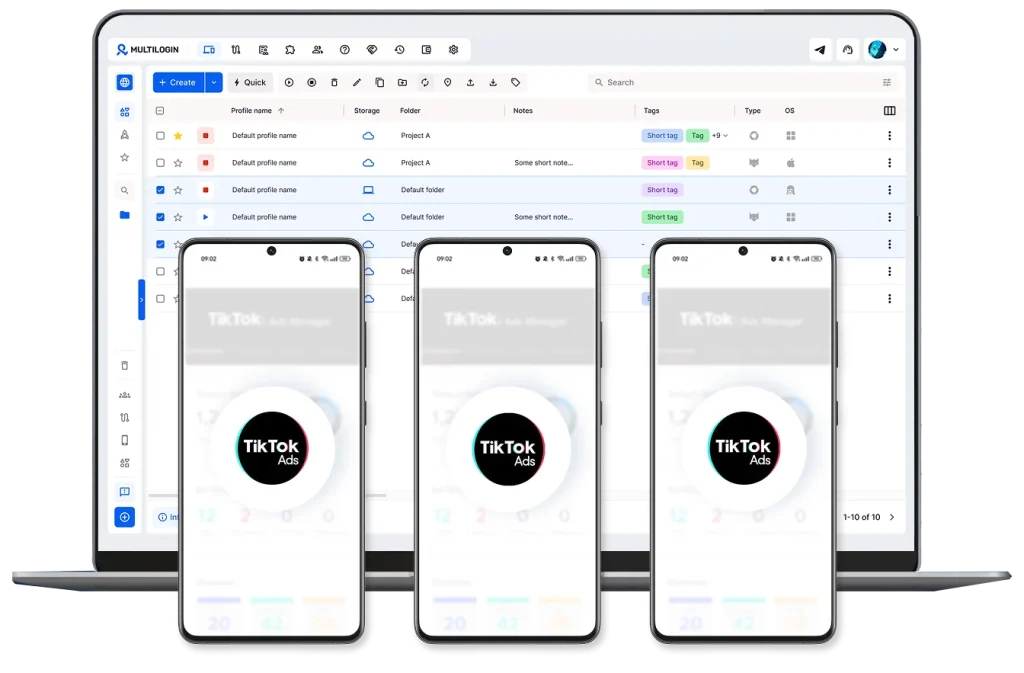
An Android cloud phone is a cloud-based Android environment you control from your computer. Each TikTok account can stay logged in on its own cloud phone, so a QR approval or a Spark Ads code becomes a quick task for whoever has access, rather than a message chain to somebody’s personal phone. Multilogin’s cloud phones for TikTok Ads include built-in residential and mobile proxies across 150+ countries and 1,400+ cities, Android versions 10 to 16, and sessions that persist between launches.
This is the side that matters most when the TikTok account itself is an asset: creator accounts you run for Spark Ads, client brand accounts you post to, or regional accounts that should look and behave like they’re in their market.
| Scenario | Best fit | Why |
| One brand, one Business Center, in-house team | Business Center on its own | It’s built for this; no extra tool needed |
| Agency invited into several client-owned Business Centers | Browser profiles | Keeps each client login and session separate |
| Agency running clients’ or creators’ TikTok accounts for Spark Ads | Android cloud phones | QR approvals, codes and posting stay on one dedicated environment per account |
| Regional accounts that need local context | Cloud phones with a local proxy | Location and time zone match the market |
| UGC production plus paid distribution | Both, in one dashboard | Organic posting on mobile, campaign building on web |
Example: a six-client agency setup
Here’s how a performance agency with six e-commerce clients might lay this out. It’s an illustrative structure, not a TikTok requirement:
- One agency Business Center, with an ad account per client created under each client’s legal entity.
- Each client’s TikTok brand account on its own Android cloud phone, grouped in a folder per client.
- A browser profile for each client-owned Business Center the agency is invited into under a separate email.
- Media buyers get role-based access only to the cloud phones and profiles for their own clients.
When a new creator joins a client’s Spark Ads roster, the account manager links the TikTok account in Business Center, and the approval is done from that account’s cloud phone instead of waiting on someone’s personal device. For the Ads Manager side, our Academy has a step-by-step guide to using TikTok Ads Manager with Multilogin cloud phones.
Common mistakes with TikTok Business Center
- Using the agency’s name for a client ad account. TikTok wants the client’s exact registered entity, and fixing it later sends the account back to review.
- Picking the wrong time zone. Choose the target market’s time zone, since every report follows it.
- Linking a TikTok account with half the permissions. Spark Ads need both Existing posts and Publish and manage new videos.
- Rotating several client TikTok accounts through one phone. It mixes device history between accounts that have nothing to do with each other.
- Making everyone an admin. There are only 20 admin seats per Business Center, and admins can create ad accounts and change payment.
- Opening a new ad account after a suspension. Appeal instead. A new account used to dodge enforcement is a policy violation in its own right.
Run Unlimited Accounts Without Bans
Run your social media accounts on cloud phones & web browsers
Frequently asked questions
Is TikTok Business Center free?
Yes. Creating a TikTok Business Center account costs nothing. You only pay for the ad spend that runs through the ad accounts inside it.
Can I use the same email for multiple TikTok ad accounts?
Yes, when the ad accounts sit in the same Business Center. One login can reach every ad account you’ve been given access to.
Do I need a separate Business Center for each client?
No. One Business Center can hold many ad accounts, each with its own billing. Separate Business Centers are useful for distinct brands, regions or business units.
Why can’t I create an ad account in Business Center?
Usually one of five reasons: you’re not an admin, the Business Center isn’t verified, your country doesn’t support self-serve creation, it’s a Creator Agency Business Center, or you’ve reached the default ad account limit.
Can I connect a TikTok account to Business Center without a phone?
Not through the QR route. The person logged into the TikTok account approves the link by scanning the QR code in the TikTok mobile app, which is why teams keep managed accounts on Android cloud phones.
Do I still need a browser if I use cloud phones?
For most teams, yes. You can open ads.tiktok.com inside a cloud phone’s browser, but building campaigns and running reports is far easier on desktop, which is where browser profiles come in.
Next step: Set up your TikTok Ads workspace
Start with Business Center: verify it, create one ad account per brand or client, and link the TikTok accounts your ads will run under. Then look at the mobile side. If approvals and Spark Ads codes keep stalling because the right phone isn’t around, give each managed TikTok account its own Android cloud phone.
Multilogin has a free plan with no time limit and no credit card required, and paid plans start at $7.50 per month with proxy traffic and mobile minutes included. You can try Multilogin cloud phones with one client’s accounts before moving the rest.
 Join 4,200+ subscribers