


eBay business policies are saved templates for the payment, shipping, and return terms on your listings. You build each set of terms once, then attach it to any listing where it fits. When you edit a policy later, eBay updates the compatible listings that use it, so you stop fixing handling times and return windows one listing at a time.
This guide covers the full setup in Seller Hub. You’ll learn how to create a shipping policy, a payment policy, and a return policy, how to apply them to new and existing listings in bulk, and how to clean up the “Copy of” policies that appear after a failed update. You’ll also get a naming system that keeps 30 or 40 policies readable.
If you run several eBay seller accounts, each account keeps its own policies, and each eBay marketplace needs its own set as well. Multilogin is a cloud Android phone platform for multi-account management. Each seller account runs on its own real Android device in the cloud, with the eBay app, separate app data, location, and IP, while browser profiles handle Seller Hub work from the same dashboard. Start free, no credit card, and give each store its own cloud phone.
What are eBay business policies?
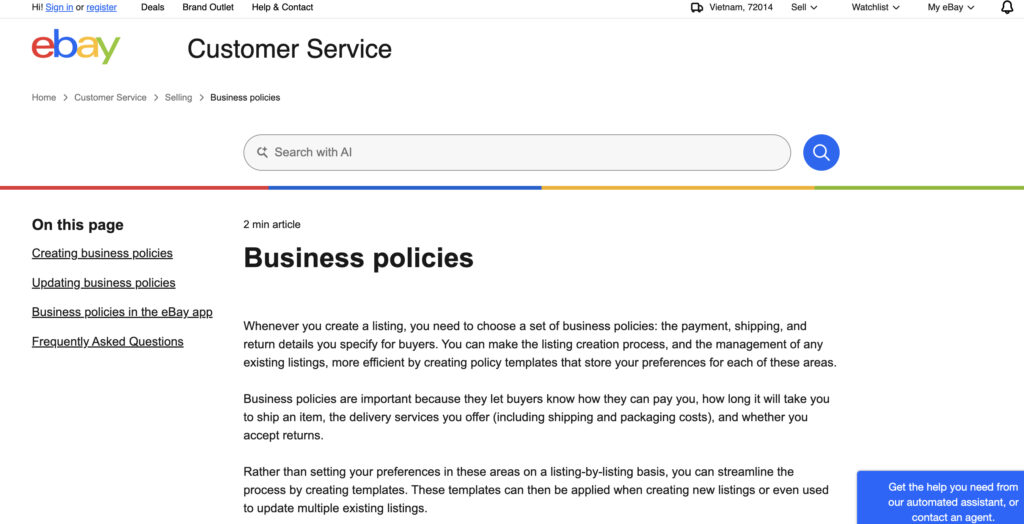
eBay business policies are reusable templates that store a seller’s payment, shipping, and return terms. Every eBay listing needs all three. With business policies, you pick a saved policy for each type instead of filling in the terms per listing, and one edit to a policy updates every compatible listing that uses it.
There are three policy types. Shipping is usually where the count grows, because shipping terms change with package size, carrier, and destination.
Policy type | What buyers see | Main settings | When to add another |
|---|---|---|---|
Shipping (fulfillment) | Shipping services, cost, estimated delivery | Cost type, services, handling time, international options, excluded locations, rate tables | New package size, carrier, or region |
Payment | How and when they pay | Immediate payment for Buy It Now, offline payment for local pickup | Auctions or local pickup need different terms |
Return | Whether returns are accepted and on what terms | Return window, who pays return shipping, domestic and international terms | Categories need a different window or who pays |
Business policies are separate from your return rules in Returns preferences. A return policy states the terms buyers see on the listing. Return rules automate how you handle requests after a sale, such as auto-approving returns under a set refund amount.
Before you start: opt in and pick the right marketplace
Check three things before you build anything:
- Marketplace. Opt-in is global, but policies are not. A policy created on ebay.com only works on ebay.com listings. To list on ebay.de or ebay.ca, you create a separate set on that site so it reflects local shipping options.
- Vehicles. Since July 20, 2026, business policies no longer apply to listings in the Vehicles category. You add deposit, payment, and shipping details on each vehicle listing instead.
- Policies already in the background. eBay’s Australian help page notes that sellers who haven’t opted in still get policies created in the background each time they list. Those become visible to manage once you opt in, so review them before creating duplicates.
If opt-in fails with an error, eBay’s help page says it usually means a large number of background policies is already attached to the account. Customer service has to clear them.
How to create an eBay shipping policy
A shipping policy sets the services you offer, what buyers pay, and how fast you hand the package to the carrier. Build it in a desktop browser, where every field is available.
- Open the business policies dashboard and select Create policy, then Shipping.
- Name the policy so you can tell it apart in a dropdown, and add a short description.
- Choose the domestic cost type: a flat rate that every buyer pays, calculated shipping based on package size and the buyer’s location, or local pickup.
- Add one or more shipping services and set a cost for each. Enter 0.00 on a service to offer free shipping.
- Set the handling time. This is the number of business days between payment and the carrier’s first scan.
- Turn on international shipping if you ship abroad, then pick the services and destinations.
- Add excluded locations, such as PO boxes or countries you don’t ship to.
- Attach a shipping rate table if you use one, then select Save.
Handling time is a commitment, not an estimate. eBay counts 1-day handling as the end of the next business day, not 24 hours. A buyer who pays on Monday needs a carrier scan by 11:59 p.m. on Tuesday. Choose the shortest time you can meet on your busiest week. If you offer same-day handling, set your cut-off times under Shipping preferences.
Rate tables are optional. They let you set shipping costs and delivery speeds by region, so buyers see a cost for their own address and a more accurate delivery date. Skip them until your flat policies work.
How to create an eBay payment policy
The payment policy is the shortest of the three, because eBay processes card and wallet payments itself. You don’t pick payment methods one by one. What you decide is when payment is due and whether you accept offline payment for local pickup.
- Select Create policy, then Payment.
- Name the policy and add a description.
- Tick Require immediate payment when buyer uses Buy It Now if you want the first buyer who completes checkout to get the item.
- If you offer local pickup, add the offline payment methods you accept.
- Select Save.
Immediate payment fits fixed-price listings and auctions with a Buy It Now option. eBay’s developer documentation notes one catch: once an auction with Buy It Now receives a bid, the Buy It Now option disappears and the immediate payment requirement stops applying.
That is why it often makes sense to keep two payment policies. One requires immediate payment for fixed-price listings. The other leaves it off for auctions and local pickup sales.
How to create an eBay return policy
A return policy tells buyers whether you accept returns, how long they have to ask, and who pays return shipping. On ebay.com, the standard choices are fixed.
Return option | Return window | Who pays return shipping |
|---|---|---|
No returns | None | Not applicable |
30-day buyer-paid returns | 30 days | Buyer |
30-day free returns | 30 days | Seller |
60-day buyer-paid returns | 60 days | Buyer |
60-day free returns | 60 days | Seller |
A 14-day window is available only in a few categories on ebay.com: camera drones, camera lenses, collectibles and art, digital cameras, jewelry, and medical and mobility. Check the return policy help page for the current list.
To create the policy:
- Select Create policy, then Return.
- Name it after its terms, for example “Returns 30d free”.
- Set domestic returns: accepted or not, the window, and who pays.
- Set international returns separately if you ship abroad.
- Select Save.
Two rules sit above your policy. Under the eBay Money Back Guarantee, a buyer can still return an item that doesn’t match its description, even on a “no returns” listing. And on EU sites, consumer buyers have a 14-day right of withdrawal, so eBay asks sellers to add withdrawal wording to the return policy description.
How to apply business policies to your listings
You can attach policies to a new listing as you create it, or switch policies on existing listings in bulk.
On a new listing (desktop)
In the listing form, select a shipping policy in the shipping section and your payment and return policies under preferences. Each dropdown shows the policies saved for that marketplace.
On a new listing (eBay app)
- Tap Selling, then List an Item.
- On the Listing Summary page, tap the pen icon beside Delivery to pick a shipping policy.
- Tap the pen icon beside Preferences to pick payment and return policies, then tap Done.
The app shows up to 26 of your most-used policies per type, with a search bar. A policy outside that list has to be added from a desktop browser. Business policies need app version 6.2 or later.
On existing listings (bulk edit)
- In Seller Hub, go to Listings, then Active.
- Tick the listings to change, or select all, then choose Edit.
- In the bulk editor, select the listings again and open Bulk edit.
- Choose Shipping policy, Payment policy, or Return policy and pick the new policy.
- Apply, then submit all changes.
Test the flow on two listings before you select hundreds. Some listings can’t be revised: eBay lists pending sales, pending Best Offers, and listings ending in less than 12 hours as common reasons a policy change fails. Those listings keep their old terms.
How to edit, copy, or delete a business policy
You can edit, copy, reassign, or delete any policy from the business policies dashboard. Editing is the fastest way to change terms across a store, because eBay pushes the change to every compatible listing that uses the policy.
Three things surprise sellers after an edit:
- “Copy of” policies. When some listings can’t take the new terms, eBay attaches an automatic duplicate of the old policy to them, named “Copy of…”. Buyers on those listings keep the terms they agreed to.
- Policies with random characters in the name. These spin-offs, such as “Policy2f364de7aa74000”, appear when a revision fails. The original policy holds the new terms and the spin-off holds the old ones. Open the activity log on the Manage business policies page and download the error report to see which listings failed.
- Policies you can’t delete. A policy used by active or scheduled listings can’t be deleted until you move those listings to another policy.
For housekeeping, the Delete inactive policies option removes policies that aren’t in active listings or haven’t been used recently. Avoid opting out as a way to start over. eBay’s help page warns that opting out deletes your old policies, and after opting back in you have to rebuild them and reassign listings with a bulk tool.
A naming system that keeps policies readable
A consistent name lets you pick the right policy from a dropdown, a bulk editor, or the app’s short list without opening it. eBay itself suggests descriptive names such as “Shipping policy, International”. A fixed pattern goes one step further:
Type | Marketplace | Main term | Detail
Policy | Example name | What the name tells you |
|---|---|---|
Shipping | SHIP | US | Free | 1-day | Under 1 lb | Free domestic shipping, 1-day handling, small parcels |
Shipping | SHIP | US | Calculated | 2-day | Bulky | Calculated cost for large items, 2-day handling |
Shipping | SHIP | UK | Flat | 1-day | Intl | Flat-rate policy built on ebay.co.uk with international services |
Payment | PAY | US | Immediate | Fixed-price listings |
Payment | PAY | US | Auction-Pickup | Auctions and local pickup |
Return | RET | US | 30d | Free | 30-day returns, seller pays |
Return | RET | DE | 30d | Buyer | EU withdrawal | ebay.de policy with withdrawal wording |
Two habits make this work. Put the marketplace in every name, because the same seller can hold matching policies on several sites. And when you change a policy’s terms, change its name too, so a “1-day” label never sits on a 3-day policy.
Managing business policies across several eBay accounts
Business policies belong to one account on one marketplace. A seller with three stores on ebay.com and ebay.co.uk can end up maintaining six separate policy sets, each managed inside its own account. eBay permits multiple accounts under its multiple accounts policy, as long as each one follows eBay’s rules.
The policy work itself is simple. The friction is switching between stores: signing in and out of Seller Hub and the eBay app, and checking which account you’re in before you bulk-edit 400 listings.
Multilogin gives each seller account its own Multilogin cloud phone, a real Android device in the cloud with separate app data, location, and IP. Install the eBay app from the built-in store, sign in once, and the login stays between sessions. Daily jobs run there: listing with your saved policies, taking product photos with the in-app camera, and answering buyers.
Policy setup belongs in a browser. The eBay app only selects existing policies, so creating policies, rate tables, bulk edits, and error reports happen in Seller Hub. Multilogin includes browser profiles for those web-based seller tasks, each with its own cookies, session, and IP. You can sync a browser profile’s location with the cloud phone used by the same account.
For teams, Multilogin adds team seats and permissions, profile sharing, and notes and colour tags, so a profile can be labelled “Store B, ebay.co.uk” and assigned to the person who manages it. Built-in residential proxies and mobile minutes are included in every plan. Multilogin offers a free plan with no time limit and no credit card needed. Paid plans start from $7.08 per month. The eBay use case page shows the setup in more detail.
Know the limits before you start:
- Multilogin cloud phones can’t receive SMS or calls. When eBay sends a verification code, you need a separate number eBay accepts, such as your own phone or an external SMS provider, then you enter the code in the app on the cloud phone.
- Cloud phones need a reliable internet connection, and first-time setup takes some time.
- Separate devices don’t change eBay’s rules. Each account still has to follow eBay policies, and its business policies have to match the service you deliver.
Common eBay business policy mistakes
Most policy problems come from a few setup choices that are easy to fix once you spot them.
- A handling time you can’t keep. Setting 1-day handling and shipping in two days on busy weeks means late shipments. Pick the time that holds in your slowest week.
- One payment policy for every format. Immediate payment stops applying once an auction with Buy It Now gets a bid. Keep a separate policy for auctions and local pickup.
- Building policies on the wrong site. A policy made on ebay.com won’t appear when you list on ebay.de. Create each marketplace’s set on that site.
- Vague names. “Shipping 3” and “Shipping new” force you to open every policy. Use the naming pattern above.
- Editing a policy during a sale rush. Listings with pending sales or offers fail to update and pick up “Copy of” policies. Make big edits when activity is low, then check the activity log.
- Opting out to clean up. Opting out deletes your policies. Use Delete inactive policies instead.
- A “no returns” policy treated as final. The eBay Money Back Guarantee still covers items that don’t match the listing description, so accurate listings matter more than the return setting.