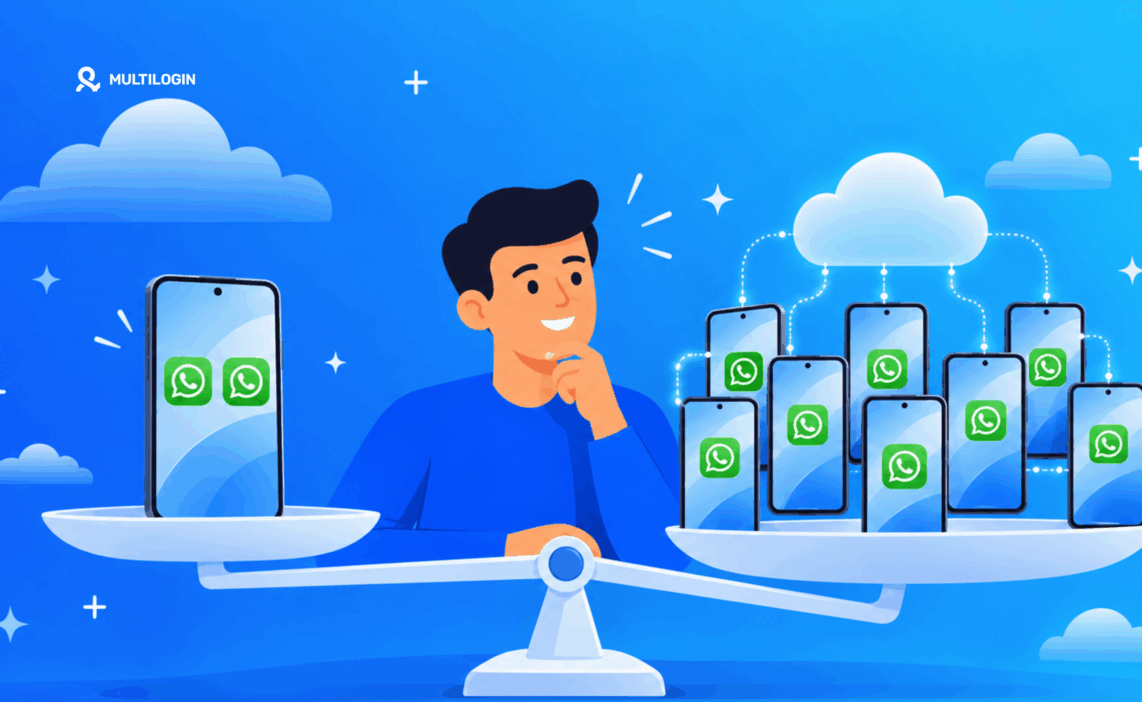

WhatsApp Clone Apps vs Cloud Phone vs Work Profile: What's the Difference?

WhatsApp Clone Apps vs Work Profile vs Cloud Phone
Joey Duong
Last updated:
October 30, 2026
6 mins read
Share with
Manage Unlimited Mobile & Web Accounts

Manage your accounts
without restrictions or interruptions

  • Log in with mobile/browser profiles
  • Access accounts anywhere
  • Use apps like Instagram, TikTok, Reddit

Summarize this article with your preferred AI

Tells Google to show more useful Multilogin content and use cases in AI Overviews, Search, and Discover. Get better answers about Multilogin with Google AI

Table of Contents

If you want to run multiple WhatsApp accounts, you have several options. You can use an app cloner, create an Android work profile, or run each account on a separate cloud phone.

Need to run more than one WhatsApp account? You have several options, from built-in Android app cloning features to work profiles and cloud phones. The right choice depends on how many accounts you need and how you plan to manage them.

TL;DR

  • 2 WhatsApp accounts: Built-in Android features or WhatsApp’s native multi-account support may be enough for personal and work use.

  • A few more accounts: App cloning and work profiles offer ways to separate accounts on one device, but have limitations.

  • 10, 20, or 100 accounts: Managing accounts at this scale requires a more scalable setup. Multilogin cloud phones let you run each WhatsApp account on a separate Android device in the cloud.

1. WhatsApp App Cloning

An app cloner creates a second instance of an existing app on the same Android phone. Depending on the manufacturer, this feature may be called Dual Apps, App Clone, Dual Messenger, or App Twin.
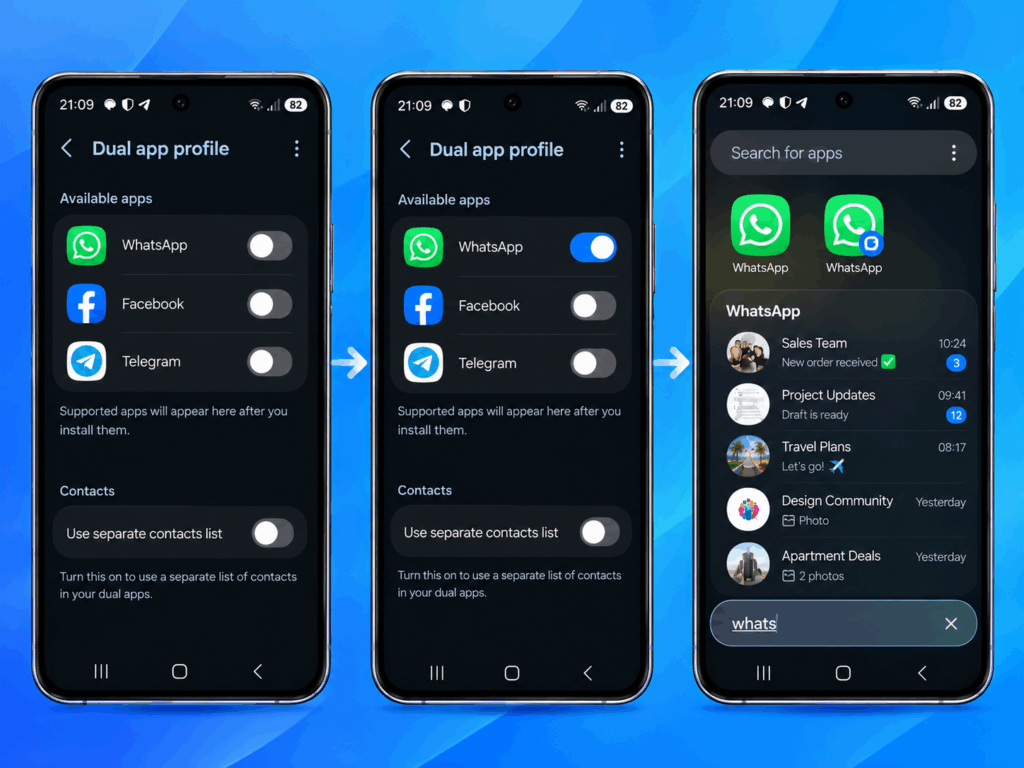
How to clone WhatsApp on Android using the app cloning feature to run multiple accounts on one device

For example, Samsung, Xiaomi, and other Android manufacturers offer built-in app cloning features. You can also find third-party tools such as Parallel Space.

Advantages:

  • Run two WhatsApp accounts on one phone.
  • Keep separate login sessions and app data.
  • No need to buy another device.

Limitations:

  • Both accounts still run on the same physical device.
  • Device-level information is shared.
  • Third-party cloning apps may introduce additional privacy and compatibility concerns.

App cloning works well for basic personal and business account separation. However, it offers limited isolation when you need to manage multiple accounts independently.

2. WhatsApp Work Profile on Android

An Android work profile creates a separate environment on your existing phone. It allows you to install another copy of WhatsApp with its own app data, accounts, and settings.

This feature was originally designed to separate work apps from personal apps, but it can also help with multi-account management.

Advantages:

  • Separate app data and storage.
  • Independent app installations and login sessions.
  • No additional physical phone required.

Limitations:

  • Both profiles share the same underlying hardware.
  • Device-level information is not separated.
  • Setting up and managing work profiles may require additional configuration.

A work profile is a useful option if you need more separation than a basic app cloner provides. However, it does not give each account its own Android device.

3. WhatsApp on a Cloud Phone

A cloud phone is a real Android device hosted remotely. Instead of running multiple WhatsApp instances on one physical phone, you can use a separate cloud phone for each account.
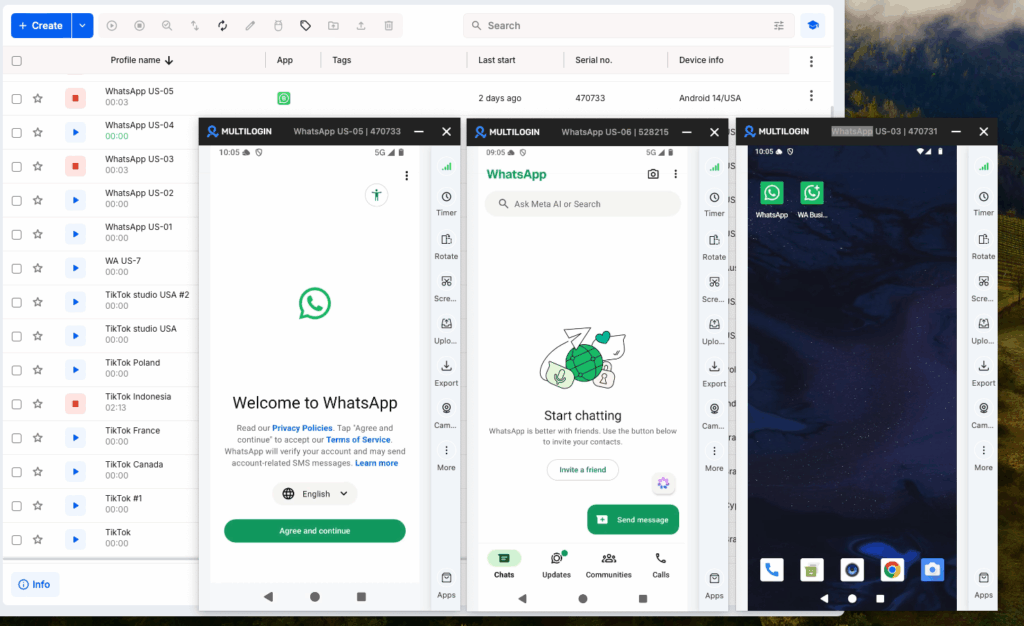
Multilogin dashboard showing a WhatsApp account running on a cloud phone

With Multilogin, every cloud phone runs on its own real ARM Android hardware, with separate app data, location, and IP address.

You can access and manage your devices remotely without buying, charging, or maintaining multiple physical phones.

Advantages:

  • Each account gets its own real Android device.
  • Separate app data, device environment, location, and IP.
  • Persistent app sessions and login history.
  • Manage multiple devices from one dashboard.
  • Built-in residential proxies and mobile minutes are included in every plan.

Limitations:

  • Each WhatsApp account still requires its own phone number.
  • Cloud phones cannot receive SMS or phone calls, so verification must be handled separately.

Cloud phones are particularly useful for agencies, businesses, and operators who need to manage several WhatsApp accounts independently.

WhatsApp Clone Apps vs Work Profile vs Cloud Phone

FeatureApp ClonerWork ProfileCloud Phone
Separate app dataYesYesYes
Separate deviceNoNoYes
Separate device environmentNoNoYes
Separate IP and locationNoNoYes
Remote accessLimitedLimitedYes
Suitable for scalingLimitedLimitedYes

Why Choose Multilogin for Multiple WhatsApp Accounts?

If you only need two WhatsApp accounts on your personal phone, the official WhatsApp multi-account feature or your phone’s built-in cloning option may be enough.

But if you’re managing multiple business accounts, using a separate device for each account offers a different level of organization and separation.

Multilogin provides cloud Android phones, allowing you to:

  • Keep accounts separate: Each account runs on its own real Android device with independent app data, location, and IP.

  • Manage everything remotely: Access your cloud phones without maintaining a collection of physical handsets.

  • Scale your workflow: Add more cloud phones as your account management needs grow.

  • Manage connections: Use built-in residential proxies and mobile minutes included in every plan.

You can manage your cloud phones from one dashboard instead of switching between multiple physical devices.

Ready to manage multiple mobile accounts? Explore Multilogin cloud phones and find a setup that fits your workflow.


Manage multiple accounts with Android cloud phones

Build account trust, reach new locations, and grow faster from one dashboard

FAQ

Yes. Many Android manufacturers offer built-in app cloning features. You can also use third-party tools such as Parallel Space. WhatsApp also supports multiple accounts within its official app.

WhatsApp app cloning lets you create a second copy of WhatsApp on the same Android device. Each copy can have its own app data and login session, allowing you to use two different accounts on one phone.

Yes. You can install a separate WhatsApp instance inside an Android work profile and use another account. You still need a separate phone number for that account.

Yes. You can use WhatsApp’s native multi-account feature, Android Work Profiles, WhatsApp Business, or cloud phones. Each option works differently and suits different needs. For managing many accounts, cloud phones provide a separate Android device for each account.

If you don’t want to use a third-party app cloner, consider your Android phone’s built-in cloning feature or a Work Profile. For larger multi-account setups, cloud phones are another option. They let you run WhatsApp on separate Android devices rather than creating multiple app instances on one phone.

Yes. Parallel Space is a third-party app that can create a separate instance of WhatsApp on a compatible Android device. However, it still relies on the same physical phone. If you need independent devices for multiple accounts, consider using cloud phones.


Using an app cloner does not automatically mean your account will be banned. However, unofficial or modified WhatsApp applications can create account and security risks. Use official WhatsApp applications and follow WhatsApp’s terms.

It depends on your needs. Parallel Space and similar tools are useful for running additional app instances on one device. A cloud phone provides a separate Android device for each account, making it more suitable for workflows that require independent device environments.

It depends on how many accounts you need. Cloning WhatsApp is usually enough for two accounts, such as personal and work. If you need to manage 10, 20, or 100 accounts, Multilogin cloud phones offer a more scalable setup, with each account running on its own cloud Android device.

Conclusion

So, which option should you choose? If you only need two WhatsApp accounts, for example, one personal and one for work, the built-in features on your phone may be all you need.

But if multi-account management is your goal and you need to handle 10, 20, or even 100 WhatsApp accounts, app cloning on a single phone quickly becomes impractical. Multilogin cloud phones offer a more scalable approach, with each account running on its own cloud Android device that you can manage remotely.

Ready to scale your WhatsApp multi-account setup? Try Multilogin cloud phones and manage each account on its own cloud Android device. Explore Multilogin plans and pricing.

Manage Unlimited Mobile & Web Accounts

Manage your accounts
without restrictions or interruptions

  • Log in with mobile/browser profiles
  • Access accounts anywhere
  • Use apps like Instagram, TikTok, Reddit
Tells Google to show more useful Multilogin content and use cases in AI Overviews, Search, and Discover. Get better answers about Multilogin with Google AI

Table of Contents

Join our community!

Subscribe to our newsletter for the latest updates, exclusive content, and more. Don’t miss out—sign up today!

Recent Posts
Image of the author Gayane Gh.
Reviewer
30 Oct 2026
Share with
I am a digital marketing and content specialist with experience in SEO, social media, and online growth strategies. I share practical insights on LinkedIn optimization, personal branding, recruitment, and multi-account management to help professionals and businesses strengthen their online presence.
https://multilogin.com/blog/whatsapp-clone-apps-vs-cloud-phone-vs-work-profile/
Recent Posts
Join our community!

Subscribe to our newsletter for the latest updates, exclusive content, and more. Don’t miss out—sign up today!

Telegram
Thank you! We’ve received your request.
Please check your email for the results.
We’re checking this platform.
Please fill your email to see the result.

Multilogin works with amazon.com