

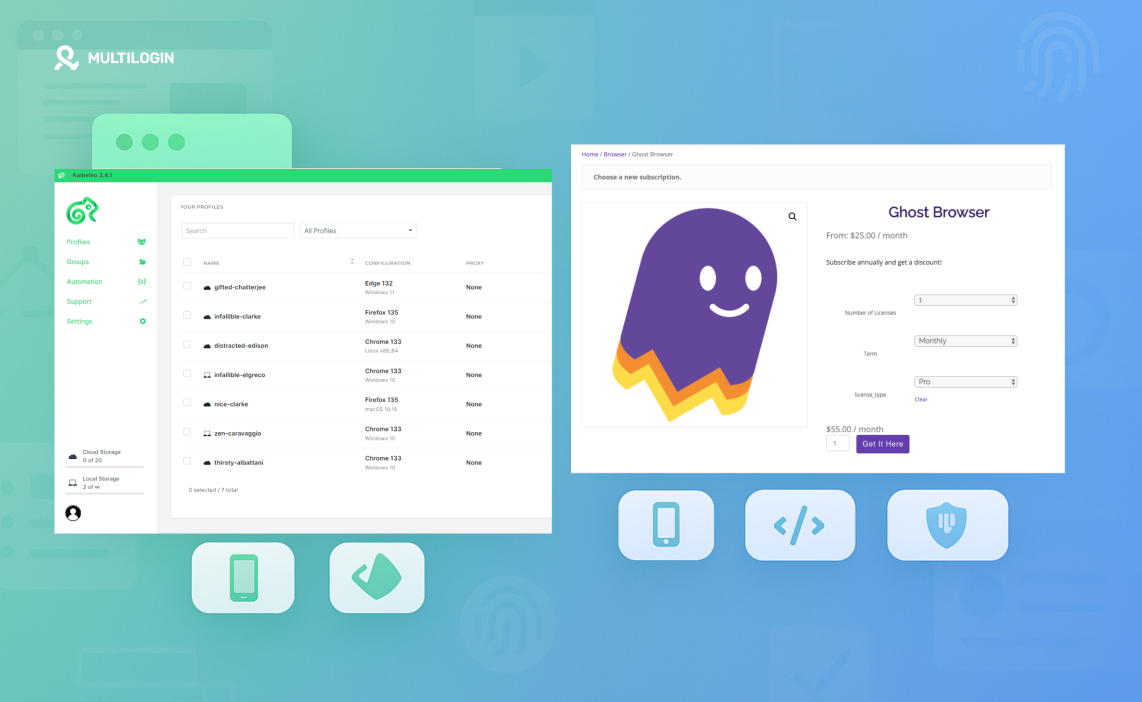

The Kameleo vs GhostBrowser question usually shows up after something breaks. An account gets banned. A store is flagged. A client login stops working without warning. At that point, managing multiple accounts stops being a setup problem and turns into a survival one.
Both tools take different paths. Kameleo leans into control and mobile environments. GhostBrowser focuses on session handling and team workflows. On paper, that sounds enough. In practice, once sessions get longer, locations multiply, and platforms tighten their checks, small weaknesses start to surface — mismatched fingerprints, unstable profiles, setups that work one day and fail the next.
This comparison cuts through that gap. It shows where Kameleo and GhostBrowser actually hold up, where they fall short under pressure, and why many users move to Multilogin when account stability matters more than convenience or experimentation.
What is an antidetect browser?
An antidetect browser lets you run multiple browser profiles without platforms connecting them to the same user. Each profile behaves like it’s coming from a different device, with its own cookies, settings, and technical signals.
Instead of exposing details that give you away — like hardware data, graphics info, or network leaks — these browsers control things such as:
Canvas and WebGL signals tied to your device
WebRTC data that can expose your real IP
Browser headers, fonts, and system settings
Timezone and language mismatches that raise flags
If you manage multiple Facebook accounts, operate e-commerce stores, or run automation-heavy workflows, this separation is what keeps one account issue from turning into a chain ban. Without it, platforms don’t just see your activity — they connect it.
What is Kameleo?
Kameleo is an antidetect browser designed for users who want hands-on control over browser fingerprints, with a strong focus on mobile environments. It’s often used in setups where Android or iOS behavior matters. Instead of abstracting complexity, Kameleo exposes it, which gives experienced users flexibility but also increases the risk of misconfiguration.
In practice, that control comes at a cost. Profiles require constant attention, automation options are narrower than they appear, and scaling beyond a small setup quickly becomes hard to manage. When things break, the burden is on the user to diagnose and fix every part of the environment.
Kameleo features — and where the limits appear:
Mobile profile emulation (Android & iOS) — Useful for mobile-focused platforms, but sensitive to small inconsistencies that can trigger extra checks or logouts.
Manual fingerprint control — Canvas, WebGL, audio, fonts, and hardware signals can be adjusted, but nothing is auto-aligned, making long-term stability difficult at scale.
Automation support — Works with Selenium, Puppeteer, and Playwright, but lacks CLI and Postman support, which limits complex workflows and backend-driven automation.
Session stability — Flexible for developers, yet sessions often degrade over time, especially when running many profiles or long automation jobs.
Proxy handling — Requires third-party proxies; there are no built-in residential IPs, so users must source, test, rotate, and maintain proxies themselves.
Local-only profile storage — Fast for single machines, but risky for teams and hard to recover if a system fails.
Kameleo can work in controlled setups, but it demands constant manual oversight to keep profiles alive and unlinked.
What is GhostBrowser?
GhostBrowser is a Chromium-based browser built around session separation rather than deep fingerprint protection. It’s commonly used by marketers, support teams, and account managers who want to log into multiple accounts in the same browser without constant logins and logouts. Instead of simulating different devices, GhostBrowser focuses on keeping cookies and sessions apart.
That approach works for light workflows, but it breaks down once platforms start looking beyond cookies. GhostBrowser doesn’t fully control hardware-level signals, and it isn’t designed to stand up to strict anti-bot or fraud systems. If you’ve ever had accounts linked even though cookies were separate, this is usually why.
GhostBrowser features — and where the limits show:
Session-based profile separation — Keeps cookies isolated, but fingerprints still share the same underlying device signals, making linking easier on strict platforms.
Single Chromium engine — No browser diversity; if a platform fingerprints Chromium behavior deeply, there’s no fallback.
Basic automation support — Some scripting and extensions work, but there’s no real support for Playwright, Postman, or CLI-driven workflows.
Proxy usage — Relies entirely on external proxies with manual setup; no built-in residential IPs, no IP quality filtering, no session pairing.
Fingerprint depth — Limited control over canvas, WebGL, and hardware parameters, which reduces resistance against modern detection systems.
Team usage focus — Designed more for productivity than stealth, so it struggles in high-risk use cases like ads, e-commerce, or automation-heavy setups.
GhostBrowser is useful for basic session management, but once platforms start correlating device signals, its limitations surface fast.
Why Multilogin is the best alternative to both
Kameleo and GhostBrowser fail in different places. Kameleo is built for technical users, which means you end up babysitting setups—especially when sessions run long, proxies wobble, or the number of profiles grows beyond a handful. GhostBrowser takes a different path, focusing on productivity and session separation, but it was never designed to stand up to modern fingerprint checks on strict platforms.
Multilogin is built for people running accounts that actually matter, whether that’s a small business managing a few revenue-driving profiles or a large operation handling thousands across multiple regions. You don’t need advanced technical knowledge or a custom setup to get started. Profiles, fingerprints, and residential proxies are already aligned inside the platform, so you can launch and work without patching tools together. When pressure increases, the setup stays the same—and that consistency is what keeps accounts alive.
What Multilogin does Better (And Why It Matters)
Built-in premium residential proxies (no external proxy chaos)
Premium residential and mobile IPs are included. You get a large pool (30M+), country and city targeting, sticky sessions, traffic rollover, and IP quality filtering—inside the platform. No extra proxy subscriptions. No time wasted testing random IPs.Fingerprint protection that survives real checks
Multilogin runs on Mimic (Chromium) and Stealthfox (Firefox), with 55+ fingerprint parameters handled in a way that stays consistent over time. Profiles don’t “drift” after updates or long sessions.Android mobile emulation
When platforms treat mobile behavior differently, Android profiles help you run accounts that behave like real devices—without stitching together extra tools.Multilogin app X desktop + web interface
The Multilogin X app desktop comes with the agent built in, launches profiles faster, supports long sessions better, and syncs instantly with the web interface. You can use web-only, desktop-only, or both together.Cookie Robot + pre-farmed cookies
Profiles don’t have to start cold. Pre-farmed cookies simulate history, and Cookie Robot can automate light browsing to help warm up sessions and reduce verification loops.Full automation stack (no missing pieces)
Native support for Selenium, Puppeteer, Playwright, Postman, and Multilogin CLI, plus a robust API. This covers both simple automation and heavy workflows without manual port headaches.Extensions, workflow controls, and network protection
Run extensions safely, manage app-level behavior, use custom DNS, and add protections like port-scan defenses—so your environment stays stable and consistent.Cloud + local storage options
Sync across devices when you need flexibility, or keep profiles local when you want tighter control.Team workflows that scale
Share profiles without sharing passwords, set role permissions, track activity, and avoid session conflicts when multiple people work at once.24/7 multilingual support
Real humans who understand multi-account work, available in English, Russian, Vietnamese, Chinese, and Portuguese.
Trial pricing: You can test Multilogin with a €1.99 trial that includes 5 profiles and 200 MB of residential proxy traffic.
Kameleo vs GhostBrowser vs Multilogin
| Feature | Kameleo | GhostBrowser | Multilogin |
|---|---|---|---|
| Fingerprint protection | Advanced but fully manual | Basic | Real-device level, tested daily on strict platforms |
| Mobile profiles | Android & iOS (manual setup) | Not supported | Android mobile profiles built in |
| Proxy integration | External proxies only | External proxies only | Built-in premium residential proxies included |
| Profile isolation | Local-only storage | Session-based separation | Cloud + local, encrypted isolation |
| Automation support | Selenium, Puppeteer, Playwright | Limited automation | Selenium, Puppeteer, Playwright, Postman, CLI |
| Cookie handling | Manual | Basic session cookies | Pre-farmed cookies + Cookie Robot |
| Team workflows | Limited | Moderate | Role-based access, scalable for teams |
| Ease of setup | Technical, hands-on | Simple but limited | No advanced setup required |
| Best fit | Technical users managing mobile-heavy setups | Productivity-focused session use | Small to large businesses needing stability |
Ready to Try the Best? No Risk, Big Upside
Why settle for half-measures or take risks with your privacy and accounts?
Conclusion
Kameleo and GhostBrowser solve different problems, but neither is built for long-term stability on strict platforms. Kameleo gives technical users control, yet demands constant tuning and manual proxy work. GhostBrowser focuses on session separation, which helps with productivity, but it doesn’t protect against deeper fingerprint checks that cause real account losses.
Multilogin takes a different approach. It removes the need to stitch tools together and keeps the environment stable as pressure increases. Fingerprints, proxies, cookies, automation, and storage all work as one system. That’s why it fits small businesses managing a few revenue-driven accounts just as well as large teams running thousands across multiple regions. When accounts matter, consistency matters more—and that’s where Multilogin stands apart.
FAQs about Kameleo vs GhostBrowser
Is Kameleo better than GhostBrowser?
Kameleo offers stronger fingerprint controls than GhostBrowser, especially for mobile use. However, it requires more technical setup and manual maintenance, which makes it harder to scale safely.
Can GhostBrowser prevent account linking on strict platforms?
GhostBrowser separates sessions, but it doesn’t fully control device-level fingerprints. On platforms that rely on deeper signals, accounts can still be linked.
Do Kameleo or GhostBrowser include built-in proxies?
No. Both rely on third-party proxy providers, which adds extra cost, setup time, and risk if IPs don’t match fingerprints.
Why do teams switch from Kameleo or GhostBrowser to Multilogin?
Most switch for stability. Multilogin includes residential proxies, handles fingerprints automatically, supports full automation stacks, and works the same way whether you manage five profiles or five thousand.
Is Multilogin suitable for small businesses, or only large teams?
Both. Small businesses benefit from the lack of advanced setup and built-in proxies, while larger teams rely on the same platform to scale without changing workflows or adding complexity.

