


If you manage social media for a living, you know the quiet dread of watching one account get restricted and wondering if the rest are about to follow. When you run ten, twenty, or fifty profiles for clients, the tool sitting underneath those accounts matters more than any posting schedule you build on top of it.
That tool, more and more, is a cloud phone. Cloud phones for social media managers give each account its own real Android device in the cloud, so nothing ties back to one machine or one internet connection. No drawer of burner phones, no nest of charging cables, no restarting a rack of devices at midnight.
This is a hands-on look at the five cloud phones for social media managers worth your time in 2026. Real pricing, the catches that never make it onto the sales page, and what people who actually run accounts are saying. Multilogin is our top pick, and I will explain why, but the right answer depends on how you work.
The short version
If you only read one paragraph, read this.
- Multilogin is the best all-rounder for social media managers. Android cloud phones, browser profiles, built-in residential proxies, team features, and automation all sit in one platform, with a Free plan including free cloud phone and browser profiles available if you want to start before paying.
- GeeLark is the cheap, friendly entry point if you live mostly inside TikTok.
- MoreLogin has the most generous free tier and the lowest per-minute rate, if you can source your own proxies.
- VMOS Cloud leans hard into automation and growth, with very low headline prices that add up once you add the extras.
- DuoPlus is built for running accounts across many countries on a small budget.
What Social Media Managers Need in a Cloud Phone
Before the list, a quick word on what actually separates a good cloud phone from a frustrating one. The shiny feature lists can start to blur together, but day to day, four things matter most.
First, a dedicated mobile environment for each social profile. If you manage several TikTok, Instagram, or Facebook profiles, each one should keep its own apps, sessions, account history, and device environment.
Second, the internet connection. Each profile needs a suitable IP, and you need to know whether proxy access is included or something you will have to buy and configure separately.
Third, pricing you can actually predict. Cloud phone providers structure costs differently. Some charge for the device, some for active minutes, some for proxies, and some combine several of those costs.
Fourth, team and automation tools. Once you are managing ten, twenty, or fifty social profiles, being able to organize profiles, share access, automate repetitive work, and handle remote operations becomes increasingly important.
Keep those four things in mind as you read, because they are where these five cloud phones for social media managers genuinely differ.
The 5 best cloud phones for social media managers in 2026
1. Multilogin
1. Multilogin
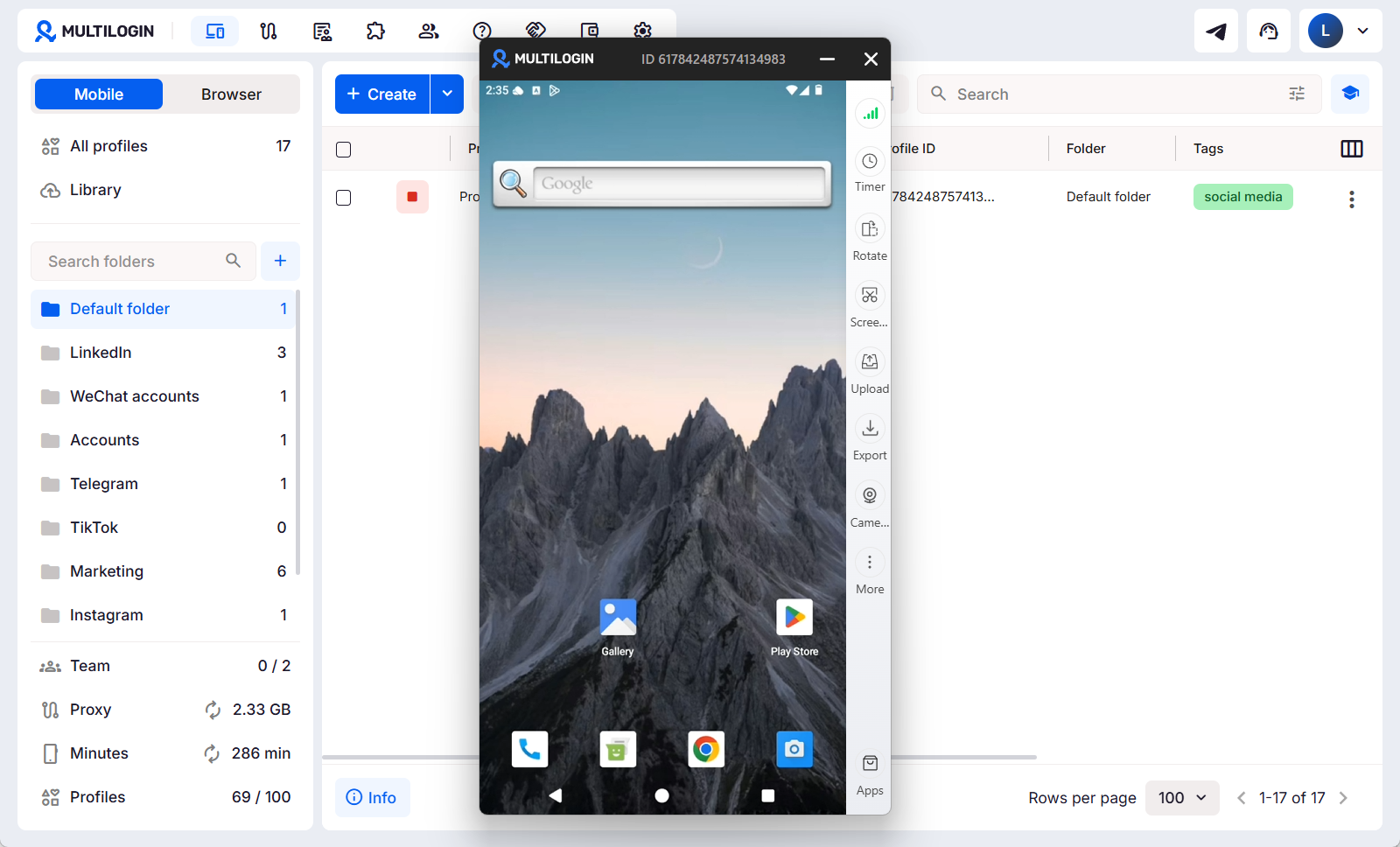
Multilogin is the one I point most social media managers toward, and the reason is simple: it does not stop at mobile. The Multilogin cloud phone gives each social profile its own Android cloud phone, a real Android device in the cloud, while browser profiles handle the web side of the workflow. So the TikTok, Instagram, and Facebook work you do inside mobile apps and the Reddit, YouTube, Facebook web, analytics, or other browser-based work you do all sit in one dashboard.
That combination matters when you manage more than a couple of social profiles. Each mobile profile keeps its own apps, session data, device environment, and network setup, while browser profiles maintain their own cookies, sessions, and IPs. Multilogin is built around managing these social profiles as separate, persistent environments instead of constantly switching between physical phones, browser tools, and proxy dashboards.
The part that quietly saves the most hassle is the proxy setup. Built-in residential proxies are available directly inside Multilogin, so you do not have to buy a separate proxy service and manually connect it to every cloud phone. For social media managers working across different markets, locations can be configured per profile while the phone, browser environment, and connection stay organized from the same platform.
Multilogin pricing now scales much more naturally with the size of your social media operation. You can start with the Free plan, which has no time limit and includes 5 profiles plus one-time proxy traffic and mobile-minute bonuses. If you want to compare free options first, this guide to the best free cloud phones covers what is available and where the limits start to appear.
Paid plans begin with Pro 10 from $7.08/month, with 10 profiles, 1 GB of monthly premium proxy traffic, and 60 mobile minutes. Pro 20 moves that to 20 profiles, 2 team seats, 2 GB of proxy traffic, and 75 mobile minutes. Pro 50 is designed for larger setups with 50 profiles, 2 team seats, 3 GB of proxy traffic, and 85 mobile minutes. From there, Business plans start at 100 profiles and add unlimited team seats, larger usage allowances, advanced team management, and higher-scale options for agencies.
Cloud phone usage is based on active minutes, and unused purchased minutes roll over. For users running more phones, features such as Smart Auto-Stop can pause idle mobile profiles so forgotten sessions do not keep consuming minutes.
You also get around 30 real Android device models, support for Android 10–16, profile organization and team controls, plus automation through ADB, API, Selenium, Puppeteer, and Playwright. That makes Multilogin useful not only for social media managers operating profiles manually, but also for agencies and teams building automated or AI-assisted social media workflows.
The good: Android cloud phones and browser profiles in one platform, built-in proxies, a permanent Free plan, scalable plans from Pro 10 through Business, strong team controls, and automation for both people and AI agents.
The catch: cloud phone time is usage-based, so teams running phones continuously may need to buy additional mobile minutes beyond what their plan includes.
Best for: social media managers, agencies, creators, and growth teams running multiple TikTok, Instagram, Facebook, Reddit, or YouTube profiles across both mobile apps and the web.
2. GeeLark
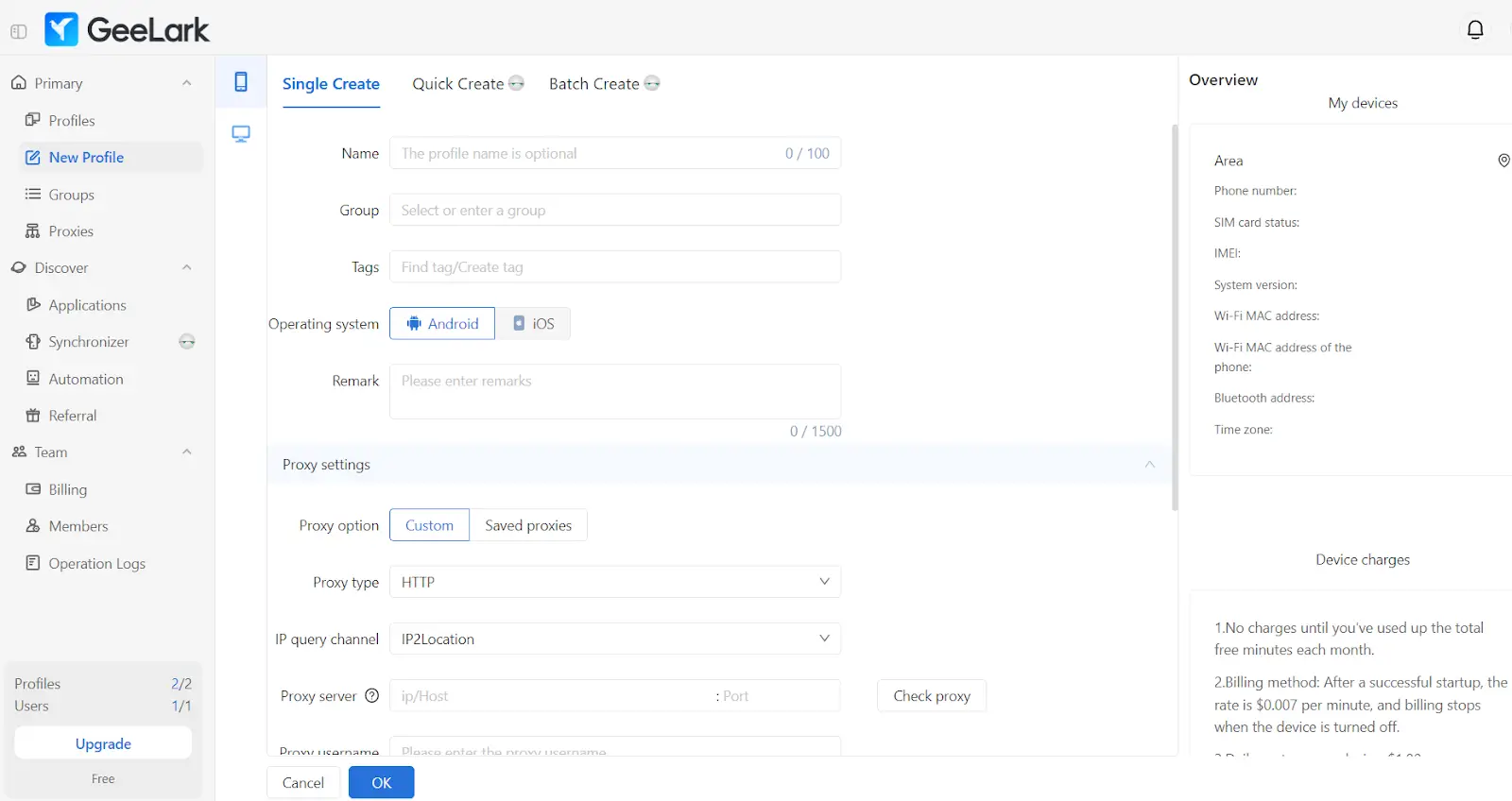
GeeLark has built a real following in TikTok circles, and it is easy to see why. It is mobile-first, the interface is clean, and the entry price is low. It comes with ready-made automation templates and a synchronizer that mirrors one action across many phones at once, which is a genuine time saver when you are warming up a batch of accounts.
The Free plan includes 2 profiles, the Base plan starts at $8.45 per month, and $12.35/month billed annually.
On top of the plan, you pay for cloud phone time. Pay-per-minute usage runs $0.007 per running cloud phone per minute, with a $1.2 per day cap per device, monthly rental at $29.9 per device, and time add-ons starting from $13.30 for 2,000 minutes. The daily cap is a nice guardrail, and the monthly rental removes per-minute worry if a phone needs to stay on.
Two things to weigh. There are no built-in proxies, so you bring your own, and GeeLark is Android only. The base plan looks cheap, but as one reviewer put it plainly, the real cost lives in the minutes, and it climbs fast if you run many phones for hours each day.
The good: low entry price, a usable free plan, solid automation templates and synchronizer.
The catch: no proxies included, Android only, minute costs add up at scale.
Best for: small teams and solo social media managers focused on TikTok who want a cheap start.
3. MoreLogin
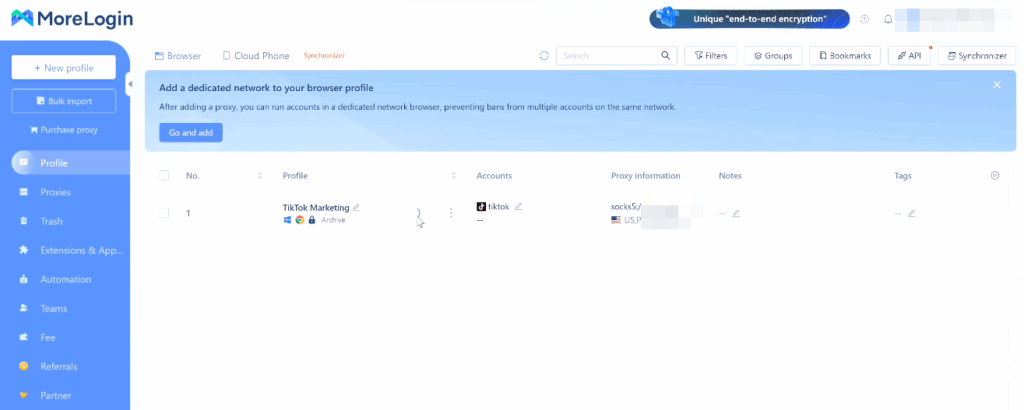
MoreLogin started as a browser tool and grew a cloud phone on top, and the result is a genuinely cheap, automation-friendly package. If your budget is tight but you still want real cloud Android devices, this is the one to look at first.
The free tier is one of the most generous around. New users get 2 permanent free profiles and 100 minutes of free cloud phone usage time. Paid plans are inexpensive too. The Pro plan starts at $9 per month for 10 profiles, dropping to roughly $5.40 a month if you pay yearly. The cloud phone itself is the cheapest per minute here: it is billed at $0.006 per minute, capped around $1.5 per day, or roughly $23 to $25 per month flat per device.
Automation is a strong point, with native support for Make, Zapier, and n8n plus an API. One thing to budget for: if a cloud phone is not started for 7 consecutive days, there is a small storage fee of $0.03 per 24 hours. And like GeeLark, MoreLogin does not include built-in proxies, so you buy them separately.
The good: generous free tier, lowest per-minute rate, strong automation, clean interface.
The catch: no proxies included, small storage fee on idle phones, automation leans on outside tools.
Best for: budget-minded social media managers who want automation and do not mind sourcing proxies.
4. VMOS Cloud
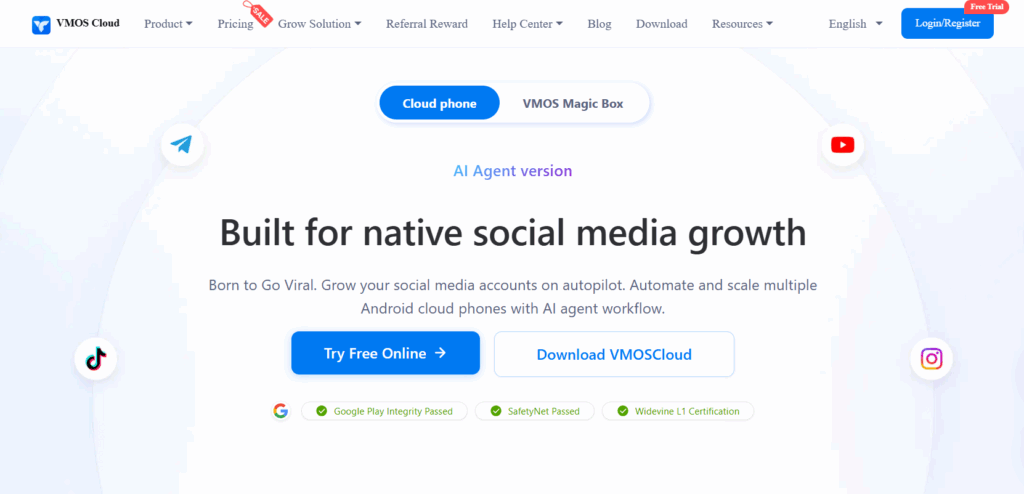
VMOS Cloud pitches itself as a growth engine, not just a remote phone. Its headline feature is built-in AI automation for posting, liking, and commenting across many phones, and it supports newer Android versions including Android 15. The headline prices are eye-catchingly low.
Here is how those prices break down. The Standard cloud machine costs about $0.11 per day, roughly $3.30 per month, and the high-end Pixel 7 Pro tier costs about $0.30 per day, roughly $9 per month. There is also a timing device billed per minute, starting around $0.006 per minute and capped at $1 per day, and new users get 25% off their first order.
The thing to understand is that the pricing is modular, and that is where the low numbers get less low. Cloud phone access, proxy access, SMS verification, and email verification are billed as separate costs, so a professional operation running 10 accounts with high-end phones and static proxies works out to roughly $135 per month before SMS and automation fees. That is not unreasonable for what you get, but it is not the $3.30 the headline suggests, and team controls are lighter than what agencies usually want.
The good: very low entry price, AI automation built in, newer Android versions, free trial.
The catch: à la carte pricing makes the monthly bill hard to predict; lighter team management.
Best for: growth-focused social media managers happy to manage costs piece by piece.
5. DuoPlus
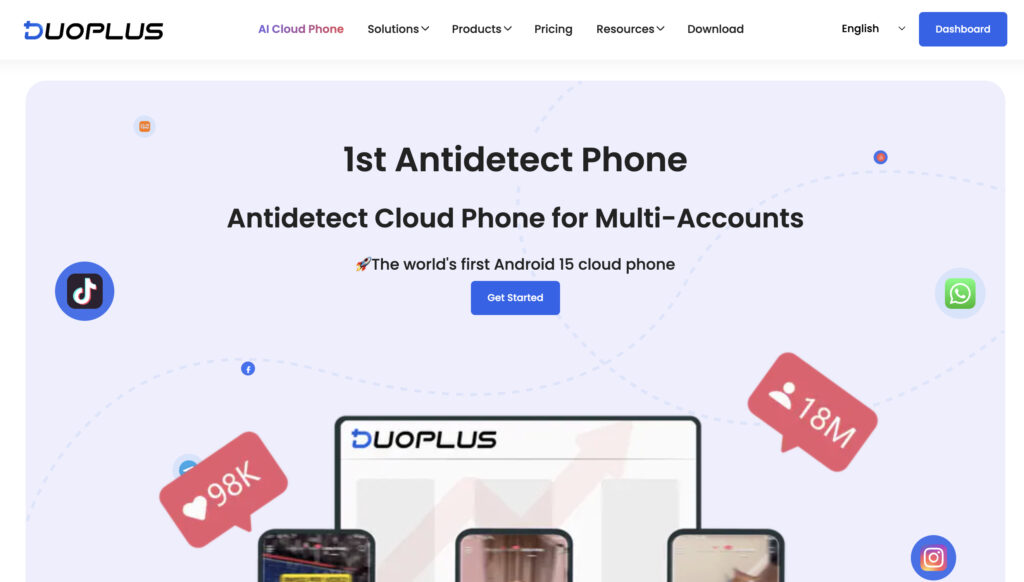
DuoPlus is the pick when your accounts are scattered across countries. It runs on real devices around the world, simulates GPS and SIM data for a long list of countries, and opens right in your browser with no download, which makes it easy to share with a team.
The pricing is refreshingly transparent and published in plain USD. Cloud Mobile starts at $1.4 per month per device with some included usage time, Temporary Startup is $0.15 per 30-minute session capped at $0.9 per day, and Subscription Startup is a $16.9 per month flat rate, with annual Cloud Mobile payments saving 15%. Per device, that is among the cheapest here.
The honest catch is the same as a couple of others, only sharper. DuoPlus does not provide its own proxy IPs and supports only SOCKS5 proxies, so you must bring them from an outside provider. Once you add quality residential proxies, the real monthly cost climbs well past the headline. Real users like it for exactly what it is built for, though. On G2, one social media manager praised how it focuses on multi-account social management, while another noted the environment is stable but a little expensive.
The good: cheap per device, great for cross-border accounts, transparent pricing, browser access.
The catch: no proxies included, pricing logic confuses some users, simulated rather than documented real-hardware setup for the highest-risk accounts.
Best for: cross-border social media managers running regional accounts on a budget.
What social media managers actually say
If you go looking for the top cloud phones for social media on Reddit and in marketing communities, a few themes come up again and again, no matter which tool people land on.
The loudest one is to stop using emulators. Instagram and TikTok have aggressive emulator detection, and accounts run on emulators tend to get action-blocked, shadow-banned, or disabled within days to weeks. The community consensus is that a real cloud Android device is the only setup that holds up for serious multi-account work. That single point pushes most people away from the free BlueStacks-style route and toward the paid tools on this list.
The second theme is that the internet connection matters as much as the device. People who get accounts banned despite using cloud phones almost always trace it back to a shared or low-quality IP, which is why the tools that bundle residential proxies save so much grief.
The third theme is to test before you scale. Reviews repeatedly describe buying one or two phones, running them for a couple of weeks, and only then committing. The praise tends to be practical rather than glowing. One VMOS Cloud user, comparing it to rivals, said simply that it is cheaper than Redfinger and the performance is great. The complaints are practical too, usually about confusing pricing or connection lag during peak hours.
The takeaway for cloud phones for social media managers is consistent: pick a real device, pair it with a clean IP, and trial it on a small batch first.
Pricing compared at a glance
Here is the money side in one place. All figures are starting points from each provider in 2026, but pricing models differ. Some providers charge separately for cloud phone access, active time, proxies, or other features, so the headline price does not always reflect what you will actually spend.
| Tool | Free option | Entry price | Cloud phone usage | Proxies included? |
|---|---|---|---|---|
| Multilogin | Free plan, 5 profiles + bonus proxy traffic and mobile minutes | From $7.08/mo | Mobile minutes included by plan, additional minutes from $0.0073/min | Yes, built-in residential proxies |
| GeeLark | Free plan, 2 profiles | Base from $8.45/mo | $0.007/min, $1.2/day cap, or $29.9/mo rental | No |
| MoreLogin | Free, 2 profiles + 100 min | Pro from $9/mo | $0.006/min, about $23 to $25/mo flat | No |
| VMOS Cloud | Free trial | From about $3.30/mo | From $0.006/min, or daily tiers | Separate (modular) |
| DuoPlus | Free trial + $2 credit | From $1.4/mo per device | $0.15/30 min, $0.9/day cap, or $16.9/mo flat | No (SOCKS5 only) |
One number on its own rarely tells you which is the cheapest cloud phone. Providers that exclude proxies, browser profiles, or other parts of the workflow can look inexpensive until those extras are added.
Multilogin bundles Android cloud phones, browser profiles, built-in residential proxies, and included mobile minutes in the same platform. Its paid plans also scale through Pro 10, Pro 20, Pro 50, and Business, so you can choose capacity based on how many social profiles you actually manage.
See the latest Multilogin pricing for current plan limits and included usage.
Free cloud phones for social media managers: what to expect
If you are looking for a free cloud phone for social media management, there are now several ways to test this kind of setup before committing to a paid plan.
Multilogin has a Free plan with no time limit and no credit card required. It includes 5 profiles, 200 MB of built-in proxy traffic, and 30 mobile minutes as one-time bonuses. That gives social media managers a practical way to try Android cloud phones, browser profiles, and built-in proxies before deciding whether they need a paid plan.
MoreLogin and GeeLark also offer free tiers, while some other providers on this list use free trials or introductory credits instead.
The important part is understanding what “free” actually includes. A free cloud phone may limit your number of profiles, available mobile time, proxy traffic, storage, or other features. That can be perfectly fine for testing a workflow, but a social media manager running a larger portfolio will usually need more capacity.
And if you are searching for cheap cloud phones, compare the total setup rather than only the device price. Check whether proxies are included, how mobile time is charged, what happens to unused minutes, how many social profiles you can manage, and whether browser-based workflows require another tool.
We compare those differences in more detail in our guide to the best free cloud phones.
How to choose the right one
You can shortcut the whole decision with a few honest questions.
- If your social media work spans both mobile apps and the web, and you would rather not combine separate cloud phone, browser, and proxy tools, choose Multilogin. You can start with the Free plan and move through Pro 10, Pro 20, Pro 50, or Business as your social profile operation grows.
- If you live inside TikTok and want the cheapest friendly start, GeeLark fits.
- If you want the most generous free trial and lowest per-minute rate and can handle your own proxies, MoreLogin is the value play.
- If automation and growth features matter most and you do not mind à la carte billing, look at VMOS Cloud.
- And if you run accounts across many countries on a tight budget, DuoPlus is built for that.
Whatever you pick, start small. Use a free plan or trial where one is available, run a few social profiles first, and see how the workflow fits your day-to-day operation before scaling. The cheapest cloud phone on paper is not necessarily the cheapest once mobile time, proxies, and additional tools are included.