





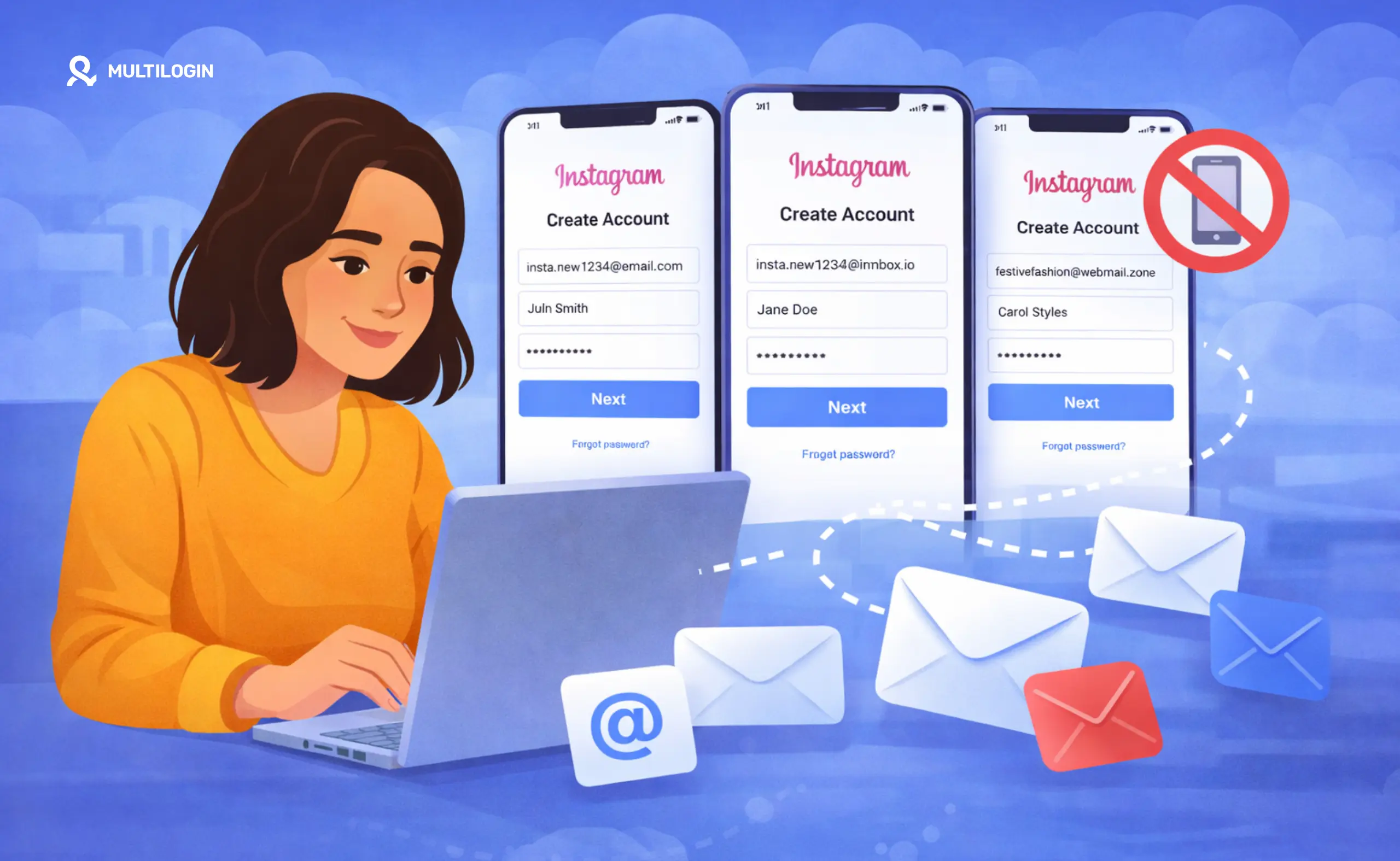

You can create multiple Instagram accounts without a phone number by signing up with an email address instead. Open Instagram, select the email registration option, enter an email address you can access, and confirm the verification code.
For separately managed accounts, using a different email address for each account makes login and recovery easier to organize. Instagram may still require phone verification during registration or later security checks. Signing up with an email does not guarantee that you will never need a phone number.
This guide explains how to create Instagram accounts without a phone number on Android, iPhone, and desktop, recover existing accounts, and manage multiple accounts using Instagram’s built-in features or Multilogin cloud phones.
Can You Create an Instagram Account Without a Phone Number?
Yes. You can create an Instagram account using an email address instead of a phone number. You need access to your email inbox to confirm your registration.
However, Instagram may still request phone verification during signup or later security checks. If phone verification is mandatory, email registration alone may not be enough to complete the process.
How to Create an Instagram Account Without a Phone Number
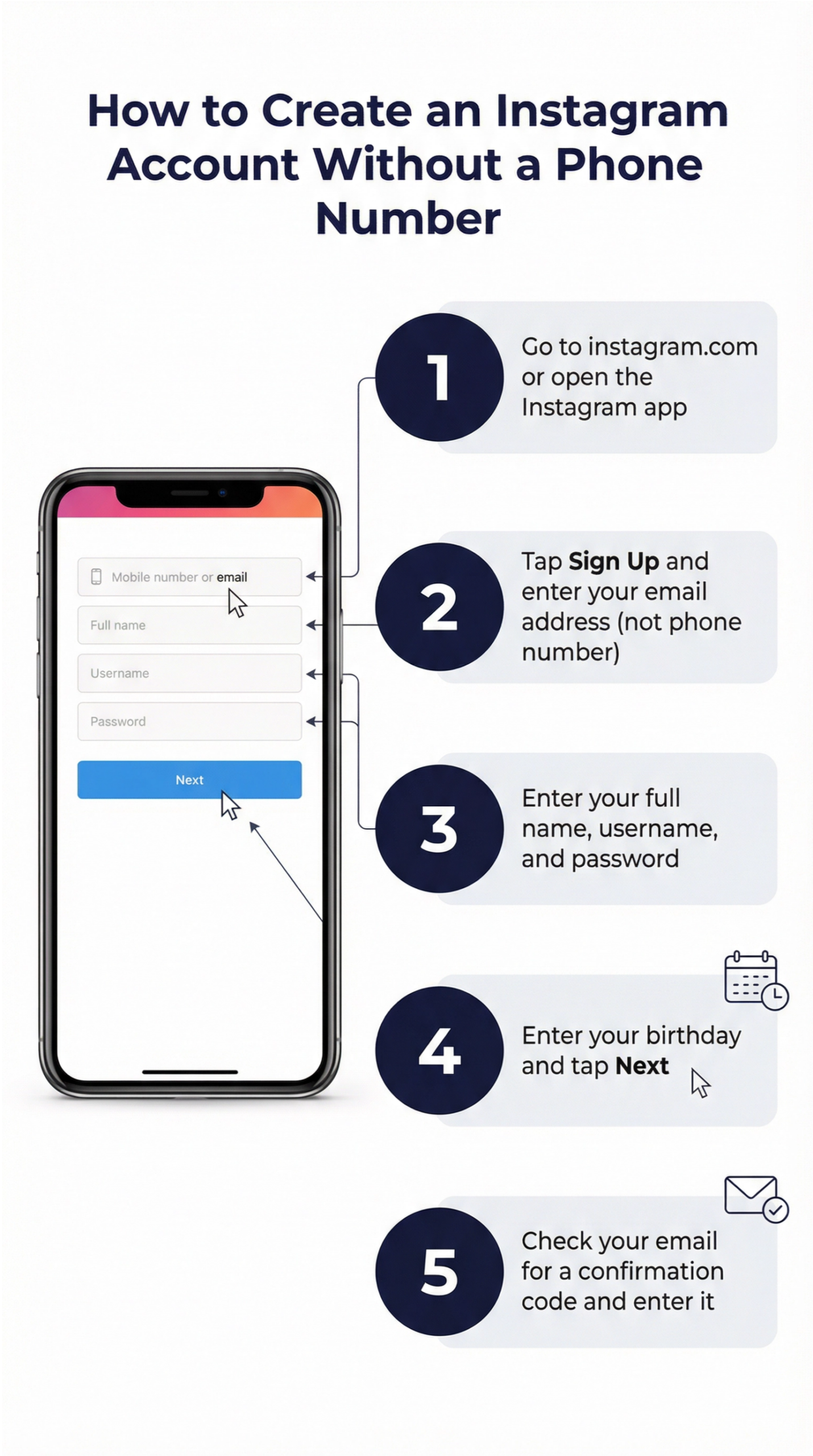
To create an Instagram account without a phone number, select email registration in the Instagram app or on its website, confirm your email address, and complete your account details.
On Android or iPhone
- Open the Instagram app.
- Select Create new account.
- Choose the email registration option.
- Enter an email address you can access.
- Confirm the verification code sent to your inbox.
- Follow the prompts to enter your date of birth, name, username, and password.
- Complete the registration process.
If Instagram asks you to add a phone number, skip the step only if Instagram provides that option.
On a PC or desktop browser
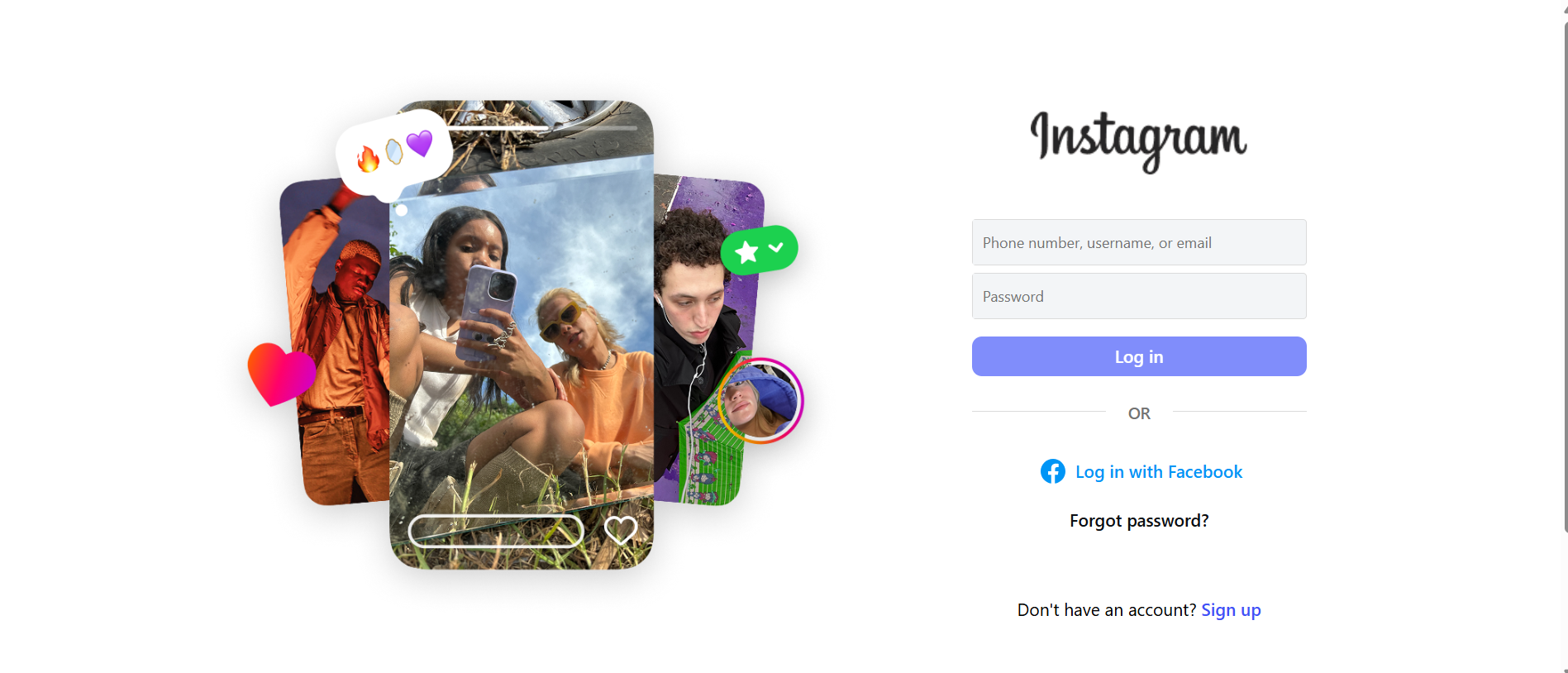
- Visit Instagram.com.
- Select Sign up.
- Enter your email address and the requested account details.
- Confirm your email using the verification code.
- Complete your profile setup.
The exact registration steps and button names may vary depending on your device, app version, and location.
What email address should you use?
Use an active email address that you can access for future security checks and password recovery. Gmail, Outlook, and other established email providers can be used for Instagram registration. If you manage multiple independent Instagram accounts, separate email addresses can make account recovery and login management easier.
How to create multiple Instagram accounts without a phone number
To create multiple Instagram accounts without a phone number, register each account using an email address you control. Complete email verification, choose a unique username, and repeat the process for additional accounts.
Instagram also lets users create and switch between accounts through its app and Accounts Center. If you manage accounts separately, use individual login details and recovery information for each one.
You do not need a separate physical phone to create each Instagram account. However, keeping account sessions and login information organized becomes more important as you manage more profiles.
The real challenge starts here: Instagram actively looks for signs that multiple accounts are being operated by the same person from the same device.
When you create account 2, 3, and 4 on the same phone or computer you used for account 1, Instagram’s systems register the shared device fingerprint, the shared IP address, and the shared session environment. Even if each account has a different email and a different username, they are connected at the device level.
This is when Instagram starts:
- Asking for phone verification on new accounts (because they look like duplicates)
- Requiring CAPTCHA on every login
- Restricting actions like following, liking, and commenting on new accounts
- Eventually flagging and disabling accounts that appear to be operating as a coordinated network
The phone number is a symptom of this detection, not the root cause. When Instagram asks a new account to verify with a phone number, it is because the account looks suspicious to its systems, not because phone numbers are required for all new accounts.
So the question of “how to create multiple Instagram accounts without a number” is really two questions:
- How do you create accounts without providing a phone number at signup? (Easy: use email.)
- How do you run multiple accounts so Instagram does not keep asking for phone verification and eventually banning them? (Requires proper infrastructure.)
Both questions are answered in this guide.
What if Instagram asks for a phone number during signup?
If Instagram requires phone verification during signup, you must complete the verification using a phone number Instagram accepts. An email address or authenticator app cannot replace a mandatory SMS verification request.
If Instagram offers email verification as an alternative, you can use that option instead.
| Verification request | Can you complete it without a phone number? |
|---|---|
| Email confirmation | Yes |
| Optional phone number prompt | Yes, if skipping is available |
| Authenticator-based two-factor authentication | Yes, after setup |
| Mandatory SMS verification | No |
| Video selfie verification | Sometimes, if offered by Instagram |
Instagram determines which verification methods are available for each account. No third-party account management tool can guarantee registration without a phone number.
How to Recover an Instagram Account Without a Phone Number
You can recover an Instagram account without a phone number by requesting a password reset through the email address linked to your account. If email recovery is unavailable, Instagram may offer additional identity verification or account recovery options.
Recovery via Email
If you still have access to the email linked to your account, recovery is straightforward:
- On the Instagram login screen, tap “Forgot password”
- Enter your email address or username.
- Select “Send an email” when prompted
- Open the email from Instagram and click the recovery link (valid for a limited time)
- Follow the prompts to set a new password
Recovery via Username
If you remember your username but not your password:
- Tap “Forgot password” on the login screen
- Enter your username
- Instagram will show you which recovery options are available (email, phone, or neither)
- If email is listed, proceed with email recovery
The username identifies the account but does not replace ownership verification.
Recovery via Facebook
If your Instagram account was ever connected to a Facebook account, you can log in through Facebook on the Instagram login screen without needing a phone number or email code. The connected login must have been enabled, and additional checks may still apply.
How to Get an Instagram Account Back Without a Phone Number (Video Selfie)
Instagram may offer video selfie verification when you cannot access your registered email address or phone number. If this option is available, follow Instagram’s instructions to confirm your identity and provide an accessible contact email if requested.
- On the login screen, tap “Get more help”
- Select your account and choose the video selfie option when it appears
- Instagram will ask you to record a short video selfie following on-screen instructions
- Instagram’s team reviews the video and compares it to photos on the account
- If verified, you receive a recovery link via email
This process takes hours to days and is not guaranteed, but it is currently the most reliable path for recovering Instagram accounts without phone or email access. Use the official Instagram account recovery page for available recovery options.
How to Recover Instagram Without Email or Phone Number
If you have lost access to both the phone number and the email address on your Instagram account, your options are limited but not zero.
Option 1: Log in from a device that is still signed in. If you are still logged into your Instagram account on another phone or tablet, you may be able to update your recovery email address and phone number through Accounts Center. Instagram may require additional security verification before confirming these changes.
Option 2: Support through the Help Center. Go to instagram.com/hacked or use the “Need more help” option on the login screen to access Instagram’s account support flow. Provide as much identifying information as possible: your username, the email you used when you first created the account (even if it is no longer active), your approximate account creation date, and any other details.
Option 3: Video selfie verification (see above). This works even without email or phone access.
Option 4: Linked Facebook account. If you no longer have access to your registered email or phone number, you may be able to recover your Instagram account through a linked Facebook account, provided cross-account login was previously enabled. Instagram may still require additional security verification.
Instagram account recovery without number and email: The process is slow and not guaranteed. Instagram’s automated system prioritizes accounts with verified recovery information.
How to Recover a Suspended Instagram Account Without a Phone Number
You may be able to recover a suspended Instagram account without a phone number by submitting an appeal through Instagram’s official review process. If Instagram suspended your account and you cannot log in, recovery works differently from a standard password reset.
Step 1: Identify why the account was suspended. Instagram typically displays a notification when you try to log in to a suspended account. If you did not receive one, check your email for a message from Instagram explaining the reason.
Step 2: Submit an appeal. On the login screen, when you see the message that your account has been disabled, look for an option to request a review. If available, follow the on-screen instructions to submit an appeal.
Step 3: Provide identity verification. Instagram may ask for government-issued photo ID to confirm the account belongs to you. This method may not require a phone number, but Instagram can request additional verification.
Step 4: Wait for a response. Instagram’s appeal review times vary, and there is no guaranteed timeframe for receiving a decision.
How to unsuspend an Instagram account without a phone number: Follow Instagram’s official appeal process and complete the required identity verification. Avoid third-party services that promise to restore suspended Instagram accounts, as they may be fraudulent.
Run Unlimited Accounts Without Bans
Run your social media accounts on cloud phones & web browsers
How to Delete an Instagram Account Without a Phone Number
You can request the deletion of an Instagram account without a phone number if you can access the account and complete Instagram’s required ownership confirmation.
To delete your Instagram account:
- Open Instagram and go to your profile.
- Open the menu and select Accounts Center.
- Select Personal details.
- Open Account ownership and control.
- Select Deactivation or deletion.
- Choose the Instagram account you want to delete.
- Select Delete account and follow the confirmation instructions.
Instagram may use different menu labels depending on your app version. Check the deletion confirmation screen for the deadline to cancel your request.
If you cannot access your account, you may need to recover it before requesting deletion.
The Accounts Center navigation is also documented in current deletion guides, although newer interface variations exist.
Can you manage multiple Instagram accounts without a phone number?
Yes. You can manage multiple Instagram accounts without regularly using a phone number if the accounts have accessible email addresses, valid login credentials, and any required security settings already configured.
For a small number of accounts, Instagram’s built-in account switcher may be sufficient. Users managing more accounts may benefit from separate account environments that keep login sessions and app data organized.
An authenticator app and backup codes can also reduce reliance on SMS-based two-factor authentication.
However, Instagram may still request phone verification or other security checks. Separate account environments do not remove these requirements.
How can Multilogin help you manage multiple Instagram accounts?
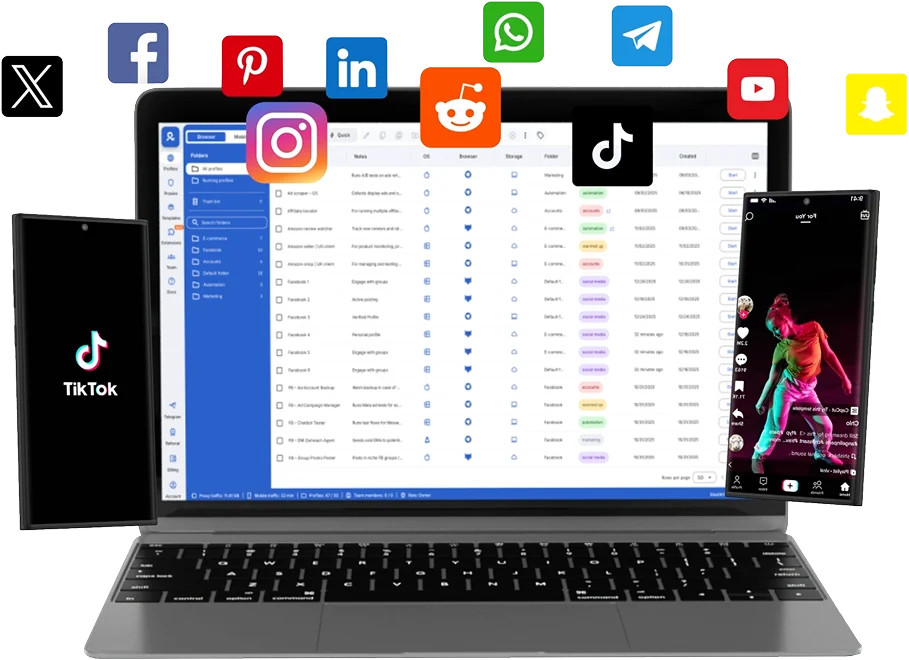
Multilogin is a cloud Android phone platform for multi-account management. It lets you manage multiple Instagram accounts on separate Android cloud phones, along with isolated browser profiles for Instagram web, from one dashboard.
Separate Android environments for Instagram accounts
Each Multilogin cloud phone runs on a real Android device in the cloud. It provides a dedicated environment with separate app data, login sessions, and network settings for each Instagram account.
You can use the native Instagram app for mobile workflows without maintaining multiple physical phones.
Persistent login sessions
Multilogin cloud phones preserve app data and login sessions between uses. This allows you to continue managing an Instagram account from its existing Android environment instead of setting it up again each time.
Instagram may still require you to log in again or complete security verification.
Built-in proxies and mobile minutes
Multilogin includes built-in proxies and mobile minutes in its plans. You can configure your account environments and manage cloud phone usage from the same platform.
Centralized account management
You can organize multiple Instagram accounts using profile names, tags, and folders. Supported team features also allow you to assign profiles and manage access permissions.
How does Instagram verification work with Multilogin cloud phones?
You can create Instagram accounts on Multilogin cloud phones using email registration when Instagram offers this option. If Instagram requires SMS verification, you can receive the code on a separate phone number and enter it directly into the Instagram app on your cloud phone.
With Multilogin cloud phones for Instagram, you can manage multiple accounts in separate Android environments, preserve login sessions, and organize your daily mobile and web workflows from one dashboard.
Each Account Gets Its Own Real Android Device
A Multilogin Cloud Phone is a real Android device running in the cloud. It has its own IMEI, Android ID, MAC address, and mobile data connection. When Instagram sees activity from a cloud phone, it sees a genuine, separate Android device that has never been associated with your other accounts.
This matters directly for the phone number question. When an Instagram account on a cloud phone triggers a verification request, it is treated as a new device asking for verification, not as a duplicate account from a known device. The verification experience is normal rather than the aggressive re-verification pattern that multi-account operations typically face.
More importantly, properly set up cloud phone accounts do not keep triggering verification in the first place. Because each account has a consistent device history, a stable IP, and normal usage patterns, Instagram’s systems classify them as legitimate accounts rather than suspicious ones.
Persistent Sessions Build Account Trust Over Time
Each Multilogin Cloud Phone saves app data, cache, and login state between sessions, exactly like a phone someone uses every day. Your Instagram accounts on cloud phones accumulate genuine activity history. Follows, likes, comments, DMs, and profile visits all add up over time on a consistent device. Instagram’s algorithm treats these accounts the same way it treats any account with months of normal usage history, because from Instagram’s perspective, that is exactly what they are.
New accounts created and operated from a clean cloud phone environment from day one avoid the aggressive verification cycle entirely. The account builds trust at the device level from the first login.
No Phone Numbers Required for Account Management
Because cloud phones are real Android devices, each one can run the Instagram app normally. You are not logging in through a browser, you are not using any third-party tool to interface with Instagram, and you are not doing anything that looks different from a normal mobile user. Instagram has no reason to require extra verification because nothing about the account’s behavior looks like a multi-account operation.
For accounts that do need a phone number for initial setup or specific features, each cloud phone is a separate device that can receive its own SMS verification through a virtual number service. Each account’s phone number stays associated with its own cloud phone environment rather than being shared across multiple accounts.
One Dashboard, Clean Operation
All your cloud phones are managed from Multilogin’s single dashboard. You open a cloud phone, use Instagram normally, close it when done. The session stays exactly where you left it on that phone’s isolated environment. Switching between accounts never crosses environments because each account lives on its own phone.
For agencies and social media managers running Instagram for multiple clients, Multilogin’s team features let you assign cloud phones to team members with granular permissions. No shared credentials, no accidental cross-account activity, and the same clean device isolation that keeps every account running without constant verification friction.
How to Get Started With Multilogin Cloud Phones
Getting set up takes less than 30 minutes from signing up to having your first cloud phone running an Instagram account.
Step 1: Create a Multilogin Account
Go to multilogin.com and sign up. Multilogin offers plans based on the number of cloud phones you need. If you are managing accounts for multiple clients or running a serious multi-account operation, start with a plan that covers your current account count with room to grow.
Step 2: Set Up Your First Cloud Phone
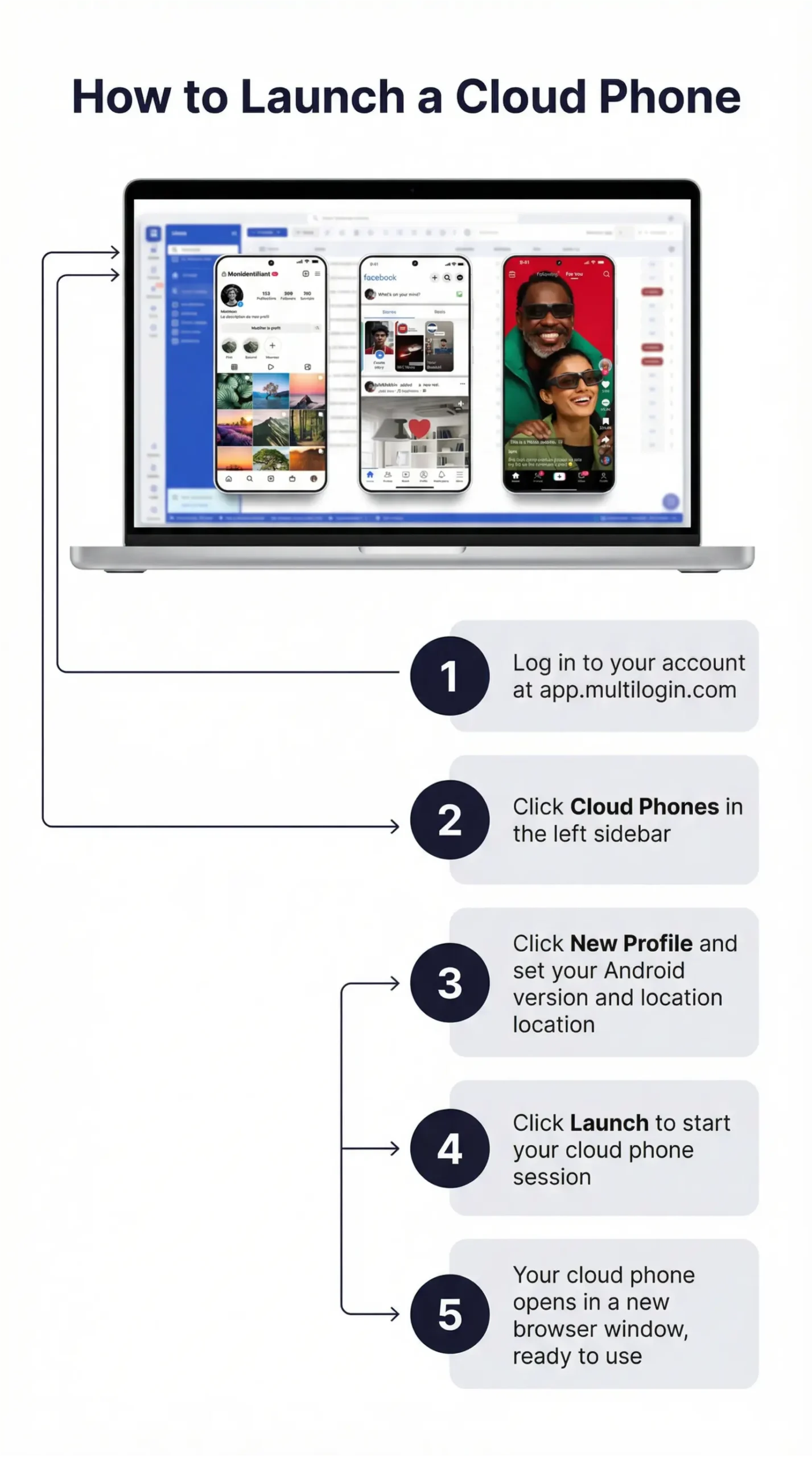
Once inside the Multilogin dashboard, navigate to the Cloud Phones section and click “Create Cloud Phone.” You will choose:
- Location: The country and region the cloud phone’s IP address will be associated with. Match this to the target audience for your Instagram account. An account targeting US audiences should have a US-located cloud phone.
- Android version: Multilogin runs up-to-date Android environments. Choose the version that matches what your target audience is most likely using.
- Name/label: Give the cloud phone a name that corresponds to the Instagram account it will run. Clear naming saves a lot of confusion when you are managing multiple phones.
Step 3: Install Instagram and Create or Log In to Your Account
Launch the cloud phone from your dashboard. It opens as a real Android interface. From there:
- Open the Google Play Store and install Instagram (or it may already be installed)
- Open Instagram and sign up using the email-only method described earlier in this guide, or log into an existing account
- Complete the account setup: profile photo, bio, username
- If Instagram asks for phone verification at any point, use the email alternative or an authenticator app
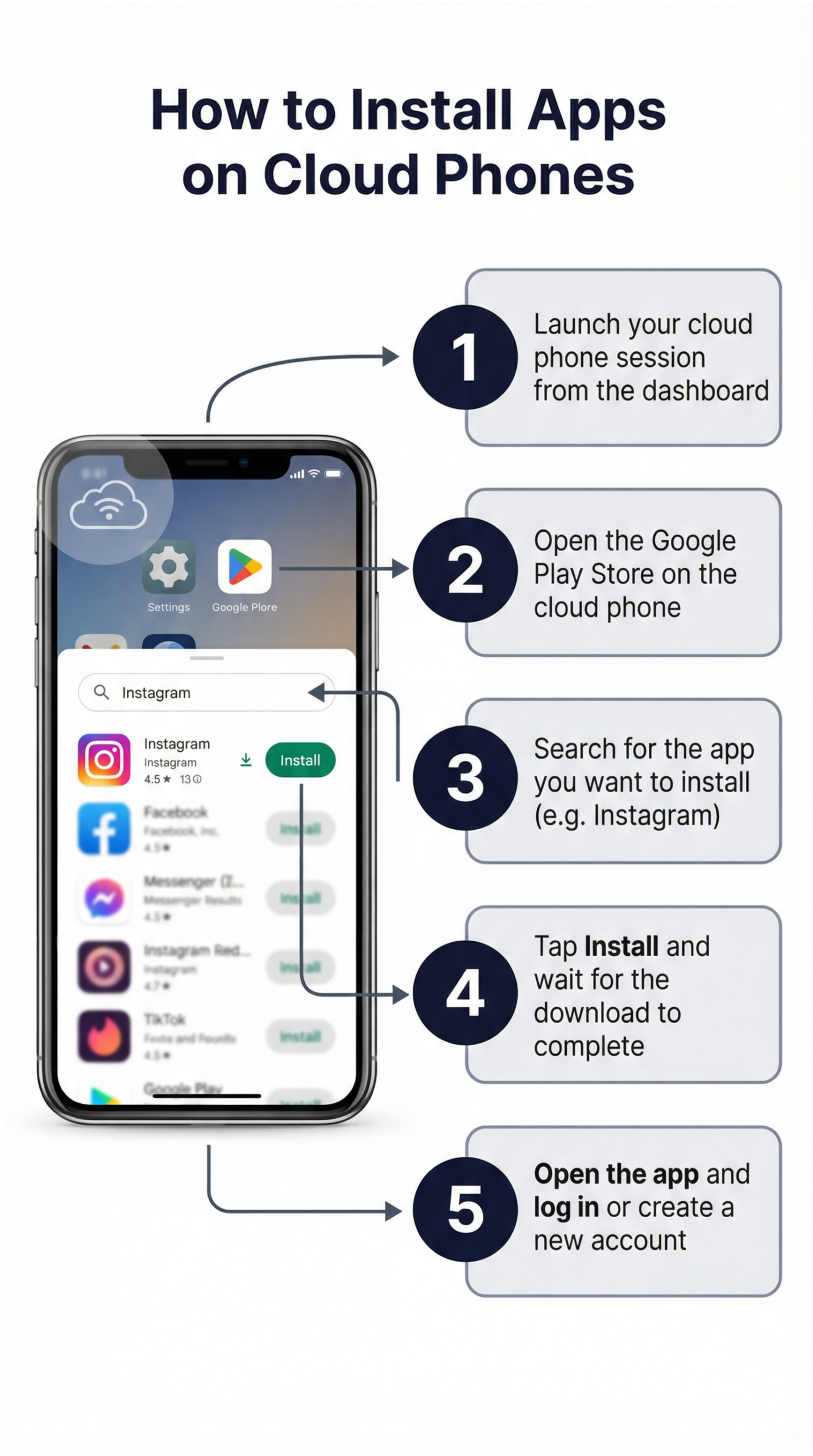
Because the cloud phone has its own device identity and its own IP address, Instagram treats this as a completely fresh device with no prior history. No pre-existing flags, no connection to your other accounts.
Step 4: Use the Account Normally to Build History
The most important thing in the first two to four weeks of a new account on a cloud phone is normal, consistent usage. That means:
- Logging in from the same cloud phone each time
- Browsing the feed for a few minutes before posting or engaging
- Following accounts in your niche gradually rather than hundreds at once
- Posting content on a consistent schedule
- Responding to comments and DMs
This behavior builds the account’s trust score with Instagram’s algorithm. Accounts that look like they belong to real people who use Instagram every day are treated very differently from accounts that only appear when someone wants to post or follow in bulk.
Step 5: Repeat for Each Additional Account
Adding a second, third, or tenth account is the same process: create a new cloud phone, assign it a location, install Instagram, create or log in to the account. Each cloud phone is completely independent of the others. Nothing is shared between them at the device level.
From the Multilogin dashboard you can see all your cloud phones at a glance, launch any of them in a click, and organize them with custom names and tags. When a team member needs access to a specific account, you assign them to that cloud phone with the appropriate permissions. They access the cloud phone through their own Multilogin login, and the Instagram account stays on its isolated device regardless of who is using it or from where.
What It Costs vs. What It Prevents
The alternative to using cloud phones is managing multiple Instagram accounts the free way: different browsers, incognito tabs, VPN toggles, swapped SIM cards. That approach costs nothing upfront and reliably fails within weeks as Instagram links the accounts through shared device signals.
Multilogin Cloud Phones cost money. What they prevent is losing accounts you have spent weeks or months building, along with all the followers, content, and business value those accounts represent. For anyone running Instagram accounts professionally, the math is straightforward.
Run Unlimited Accounts Without Bans
Run your social media accounts on cloud phones & web browsers
Frequently asked questions About How to Create Multiple Instagram Accounts Without a Phone Number
Can you make an Instagram account without a phone number?
Yes. Instagram accounts are free to create, and users can register with an email address instead of a phone number when email signup is available. Instagram may still require additional verification.
How do I create multiple Instagram accounts without a number?
Create each account with a separate email address using the email signup option. For sustainable multi-account operation without repeated verification friction, each account needs its own isolated device environment. Multilogin Cloud Phones provide this by giving each account a real Android device with its own hardware identity and IP address.
How do I verify Instagram without a phone number?
You can confirm your email address using an email verification code. For two-factor authentication, you can use an authenticator app or previously generated backup codes. These methods do not replace mandatory SMS verification.
How do I recover my Instagram account without a phone number?
If you have the email address, use “Forgot password” and choose the email option. If you have neither email nor phone, use Instagram’s “Get more help” flow which may offer video selfie verification. Accounts linked to Facebook can also recover through Facebook login.
Can I recover an Instagram account without any contact info?
It is difficult but possible through video selfie verification (available in Instagram’s support flow) or if you are still logged into the account on another device. Without any of these options, recovery is not guaranteed.
How do I log into Instagram without a phone number?
You can log into Instagram using your username or registered email address and password. If two-factor authentication is enabled, use the configured authentication method.
<strong>Can you search Instagram by phone number without an account?</strong>
No. Instagram does not provide a public phone number search that lets people find Instagram profiles without an account. Contact syncing may help registered users discover people they know, depending on privacy and account settings.
Avoid services that claim to provide access to private Instagram contact information.
<strong>Can I create a second Instagram account without another phone number?</strong>
Yes. You can create an additional Instagram account through email registration or Instagram’s built-in account creation feature. A separate phone number is not always required, but Instagram may request one for verification.
<strong>Can I use the same email address for multiple Instagram accounts?</strong>
Instagram may allow multiple accounts to be associated with the same email address, depending on the registration method and account settings. Separate email addresses are recommended when independent account recovery and login management are important.
<strong><strong>Can I use Instagram without a SIM card?</strong></strong>
Yes. Instagram can run on devices connected to the internet through Wi-Fi without an active SIM card. However, a separate phone number may still be required if Instagram requests SMS verification.
<strong>Can Multilogin cloud phones receive Instagram verification codes by SMS?</strong>
No. Multilogin cloud phones cannot receive SMS messages or phone calls. You need a separate phone number accepted by Instagram if SMS verification is required.
<strong>Do cloud phones remove Instagram phone verification requirements?</strong>
No. Android cloud phones provide separate environments for running Instagram accounts, but they do not change Instagram’s registration, verification, or security requirements.
The Verdict
Creating an Instagram account without a phone number is possible through email registration. However, Instagram may still request phone verification during signup, account recovery, or later security checks.
If you manage a small number of accounts, Instagram’s built-in account switcher may provide everything you need. For larger workflows, separate account environments can help organize app data, login sessions, and account access.
Multilogin combines Android cloud phones, browser profiles, built-in proxies, and mobile minutes in one platform for managing multiple accounts.
You can start with the free plan to evaluate whether cloud phones or browser profiles fit your Instagram workflow while continuing to follow Instagram’s policies and verification requirements.


 Join 4,200+ subscribers