The cloud phone market has a lot of noise right now. New products appear quickly, pricing models look completely different from one provider to another, and feature lists often make two very different technologies sound almost identical.
BitCloudPhone from BitBrowser is one of the newer options in the Android cloud phone space. Multilogin has been building multi-account management infrastructure since 2015 and is now positioned as a cloud phone platform for social media marketers.
Both can help you operate mobile profiles without keeping a desk full of physical phones. The way they approach that job is different.
This review compares BitCloudPhone and Multilogin across device technology, mobile and web workflows, proxies, automation, team collaboration, BitCloudPhone pricing, and Multilogin cloud phone pricing in 2026.
We’ll also look at where BitCloudPhone makes sense, where Multilogin fits better, and what matters if your actual goal is managing social profiles on TikTok, Instagram, Facebook, Reddit, YouTube, and other platforms.
What Is BitCloudPhone?
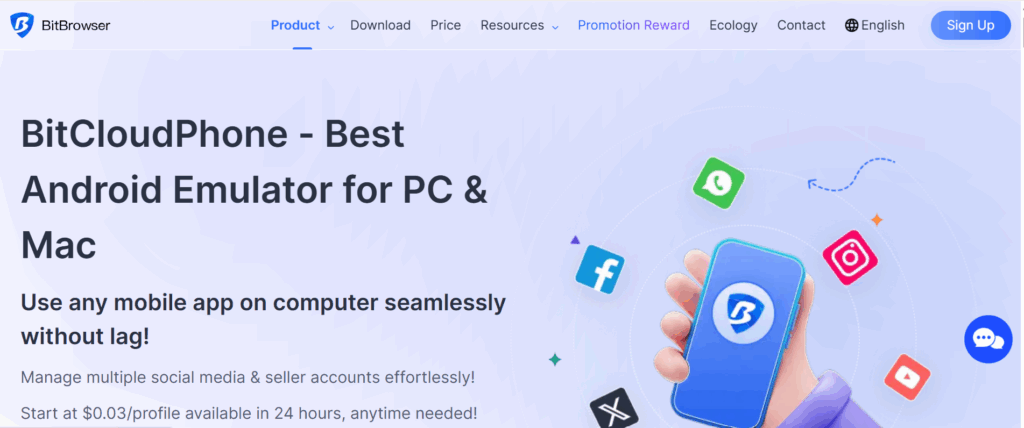
BitCloudPhone is BitBrowser’s cloud phone product. Its Android product is currently described by BitBrowser as an Android emulator or Android simulator that lets users run Android apps and manage multiple mobile profiles from a computer.
According to BitBrowser’s current product information, BitCloudPhone:
- Lets users create and operate multiple Android phone profiles
- Supports app installation and APK uploads
- Lets users configure device, location, network, and other profile parameters
- Provides sub-account permissions, profile sharing, and profile transfer
- Supports RPA automation on supported computing-power models
- Provides ADB and ROOT access
- Offers API access for operations such as device creation, startup, file uploads, and app installation
- Supports bulk cloud phone operations
BitCloudPhone pricing currently starts at $0.03 per phone profile per 24 hours. Its public Android product page also lists temporary computing use at $0.07 per 15 minutes, capped at $1.60 per day.
BitBrowser also launched a separate BitCloudPhone-iOS product in 2026 based on real iPhone hardware. This comparison focuses primarily on the Android BitCloudPhone product because that is the product competing most directly with Multilogin Android Cloud Phones.
At a Glance: BitCloudPhone vs Multilogin
| Feature | BitCloudPhone | Multilogin |
|---|
| Android product | Android emulator / simulator | Real Android devices in the cloud |
| Mobile profiles | Yes | Yes |
| Browser profiles | Via BitBrowser | Included in the same platform |
| Built-in residential proxies | External proxy setup | Included |
| Persistent sessions | Yes | Yes |
| Automation | RPA, ADB, API | ADB, API, Selenium, Puppeteer, Playwright, Postman |
| Team collaboration | Sub-accounts, sharing, transfer | Team seats, permissions, sharing, transfer |
| Starting price | $0.03/profile/24 hours | Free plan, paid from $7.08/month |
| Free entry | 10 free BitBrowser profiles | 5 cloud mobile/browser profiles |
| Platform history | Newer cloud phone product | Multilogin founded in 2015 |
The headline difference is no longer simply “one supports automation and the other does not.” Both products now offer serious automation and multi-profile functionality.
The more useful comparison is what kind of environment you want around each social profile, what is included in the price, and how much manual infrastructure you want to assemble yourself.
BitCloudPhone vs Multilogin: Head-to-Head Comparison
1. Technology: Real Devices vs Android Emulation
This remains the most important technical difference between the Android products.
BitCloudPhone currently describes its Android offering as an Android emulator, Android simulator, and a system that can simulate real phone profile parameters.
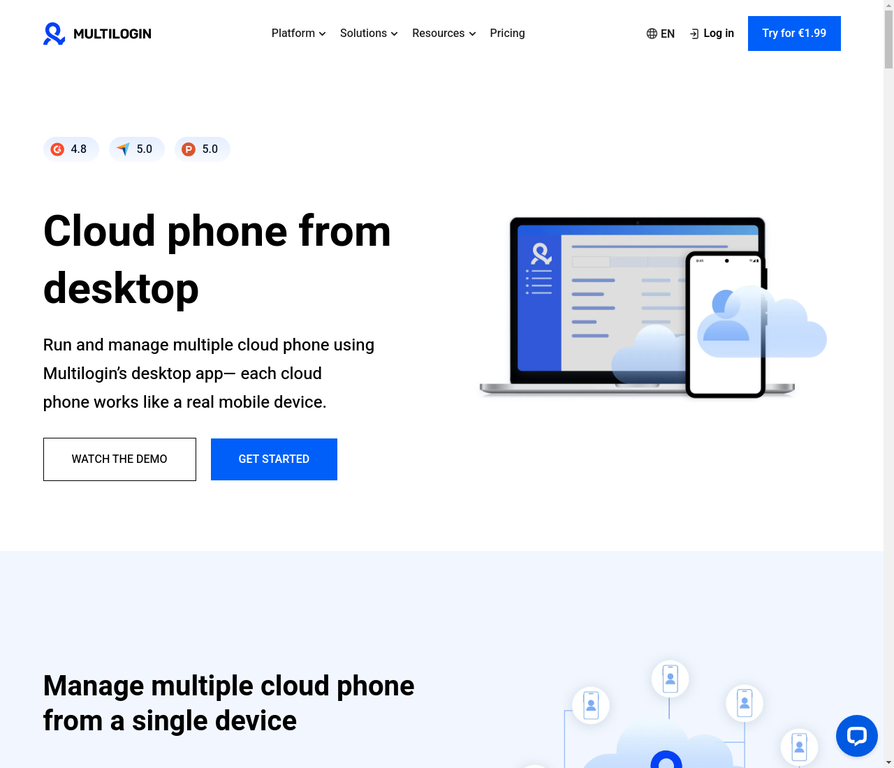
Multilogin takes a different approach. Its Android Cloud Phones run as real Android devices in the cloud. Each mobile social profile gets a dedicated Android environment with persistent app data and device parameters.
That distinction matters most on mobile-first platforms.
Apps can evaluate more than a username and IP address. Device information, operating-system characteristics, session history, app data, network consistency, sensors, and behavior may all contribute to how a session is evaluated.
An emulator attempts to reproduce a mobile environment through software. A real-device approach reduces that layer of simulation.
If you want a deeper technical explanation, see our guide to cloud phones vs Android emulators.
| Criteria | BitCloudPhone | Multilogin |
| Android product positioning | Emulator / simulator | Real Android cloud phone |
| Device parameters | Configured and simulated | Real-device environment |
| Persistent mobile profile | Yes | Yes |
| Native Android apps | Yes | Yes |
| Best fit | Flexible cloud Android use | Long-term mobile social profiles |
Verdict: BitCloudPhone provides a flexible cloud-based Android environment. Multilogin is the stronger fit when the requirement specifically calls for a persistent social profile running on a real Android environment.
Neither technology makes an account immune to restrictions. Content, behavior, account history, network consistency, and compliance with platform rules still matter.
2. Browser Fingerprinting and Identity Isolation
For a cloud phone comparison, browser fingerprint depth should not be the main story.
The practical question is simpler: can one team keep mobile and web profiles separate without rebuilding the workflow every time it moves between an app and a browser?
BitCloudPhone sits inside the wider BitBrowser ecosystem, so users can combine cloud phone profiles with BitBrowser profiles.
Multilogin also combines both environments. Mobile profiles run on Android cloud phones while web profiles run in isolated browser profiles. Each browser profile keeps its own cookies, session, storage, and IP settings.
For social media marketers, this creates a useful division of labor.
Use the mobile environment when the workflow belongs inside an Android app. Use the browser profile when the task works better on the web.
| Profile element | BitCloudPhone | Multilogin |
| Mobile profile separation | Yes | Yes |
| Timezone and location controls | Yes | Yes |
| Persistent sessions | Yes | Yes |
| Web profile option | BitBrowser | Multilogin browser profiles |
| Mobile + web management | Yes | Yes |
| Built-in proxy layer | Configure separately | Built in |
Verdict: Both ecosystems cover mobile and browser workflows. Multilogin’s current positioning puts both into one social-profile management workflow, rather than treating cloud phones as an add-on to a browser product.
3. Platform Support and App Compatibility
Both products are designed to run Android applications remotely.
BitCloudPhone supports app installation, APK uploads, and cloud-based operation of apps across multiple phone profiles.
Multilogin Cloud Phones support Android apps from the built-in app market and APK installation. Current Multilogin environments cover Android versions 10 through 16 across roughly 30 device models.
The more important question is how you plan to use those apps.
For example, a marketer running multiple TikTok accounts may want a persistent mobile environment for each creator, brand, region, or campaign. The same applies to teams operating multiple Instagram accounts for clients.
| Platform | BitCloudPhone | Multilogin |
| Instagram | Supported | Supported |
| TikTok | Supported | Supported |
| Facebook | Supported | Supported |
| YouTube | Supported | Supported |
| Android apps | Supported | Supported |
| Custom APKs | Supported | Supported |
| Persistent mobile environments | Yes | Yes |
Multilogin also gives teams browser profiles when a workflow belongs on the web. Reddit, YouTube Studio, Facebook Business workflows, and other browser-heavy tasks do not necessarily need to consume mobile runtime.
That flexibility can matter more than the number of apps printed on a feature page.
4. Proxy Integration
This is one of the clearer differences.
BitCloudPhone allows users to configure proxy IPs for their cloud phone profiles. That gives users freedom to bring their preferred provider and network configuration.
The trade-off is another component to source and manage.
Multilogin includes access to built-in residential proxies in every plan. Country, region, city, and ISP targeting are available, and users can also connect third-party proxies when they prefer their own provider.
That reduces the number of moving pieces when creating a social profile.
Instead of purchasing the cloud phone from one provider, proxy traffic from another, then aligning location settings manually, the core workflow can stay inside Multilogin.
| Proxy feature | BitCloudPhone | Multilogin |
| Proxy configuration | Yes | Yes |
| Built-in residential proxies | No | Yes |
| Third-party proxy support | Yes | Yes |
| Location targeting | Based on configured proxy | 150+ countries with city/ISP targeting |
| Included proxy traffic | Not bundled with Android cloud phone pricing | Included by plan |
Verdict: BitCloudPhone provides flexibility for users who already have a proxy stack. Multilogin reduces setup overhead by putting residential proxy access directly into the platform.
5. Pre-Farmed Cookies
Pre-farmed cookies are not the most useful deciding factor for mobile cloud phones.
For mobile-first social media workflows, persistent app data, stable login history, consistent location, and day-to-day account behavior are more relevant than trying to make a new mobile profile look old through cookies alone.
BitCloudPhone keeps phone profiles that users can configure and operate over time.
Multilogin also maintains persistent social profiles. Apps, login states, storage, and session history remain attached to that profile between sessions.
For web workflows, Multilogin additionally provides browser profile tools such as Cookie Robot.
| Session feature | BitCloudPhone | Multilogin |
| Persistent mobile profile | Yes | Yes |
| Saved app environment | Yes | Yes |
| Browser cookie management | Via BitBrowser | Included in browser profiles |
| Cookie automation | Depends on BitBrowser workflow | Cookie Robot available |
Verdict: For cloud phones, prioritize persistent profile history rather than treating pre-farmed cookies as the main trust signal.
6. Team Collaboration
BitCloudPhone’s current team features are stronger than the earlier version of this comparison suggested.
BitBrowser allows teams to assign sub-account permissions, control how many phone profiles a sub-account can use, share profiles, and transfer profile ownership.
Multilogin provides team collaboration across cloud phones and browser profiles. Paid plans support team seats, profile sharing and transfer, workspace organization, permission controls, folders, tags, notes, and a live view of running profiles. Business plans support unlimited team seats.
| Collaboration feature | BitCloudPhone | Multilogin |
| Sub-accounts / team seats | Yes | Yes |
| Profile sharing | Yes | Yes |
| Profile transfer | Yes | Yes |
| Permission controls | Yes | Yes |
| Mobile + browser collaboration | Yes | Yes |
| Unlimited team seats | Not specified as standard | Business plans |
Verdict: Both products support real team workflows. Multilogin puts more emphasis on managing social profiles across mobile and web environments as one workspace.
7. Automation: RPA, ADB, and API
Automation is an area where BitCloudPhone has developed significantly.
BitCloudPhone now offers RPA automation for supported Computing Power 12 and 15 models. Its RPA system can reproduce actions such as opening apps, clicking, swiping, typing, and running scheduled workflows.
BitCloudPhone also supports ADB and ROOT access, plus APIs for cloud-device creation, startup, device changes, uploads, and app installation.
Multilogin takes a more developer-oriented automation approach.
Cloud phones support ADB access, while browser workflows can be connected through API integrations and tools such as Selenium, Puppeteer, Playwright, and Postman. This is particularly useful for teams building AI-agent or custom automation workflows rather than relying only on a visual RPA builder.
| Automation | BitCloudPhone | Multilogin |
| RPA builder | Yes | Custom automation workflows |
| ADB | Yes | Yes |
| ROOT | Available | Not the core workflow |
| API | Yes | Yes |
| Selenium / Puppeteer / Playwright | BitBrowser ecosystem | Supported |
| AI-agent workflows | Possible through automation stack | ADB + API + automation integrations |
For teams comparing cloud phones specifically for automation, BitCloudPhone’s built-in RPA is a legitimate strength.
For developers or AI workflow builders who want to connect mobile and browser environments into a broader automation stack, Multilogin offers a more flexible route.
8. BitCloudPhone Pricing vs Multilogin Pricing
Pricing is where a simple “which one is cheaper?” comparison becomes misleading.
The two platforms charge differently.
BitCloudPhone pricing:
- Phone profile pricing from $0.03 per 24 hours
- Temporary computing at $0.07 per 15 minutes
- Temporary computing capped at $1.60 per day
- Proxy service needs to be configured separately
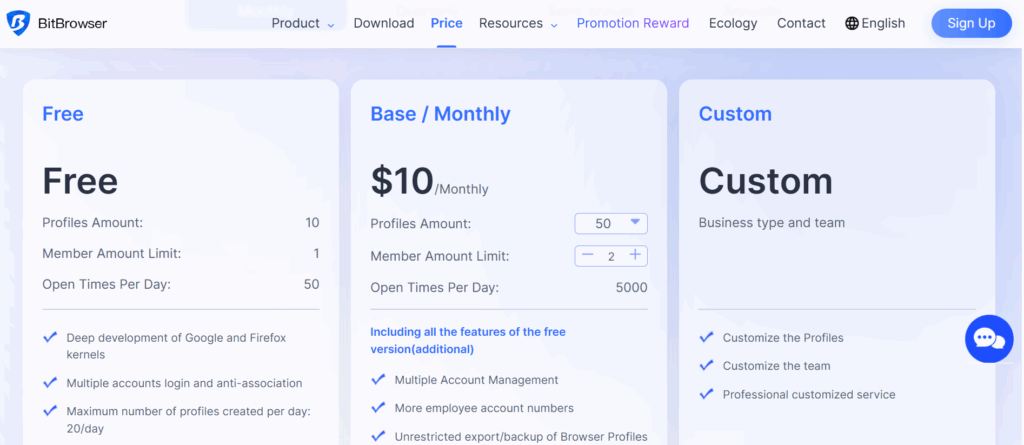
- BitBrowser provides 10 free browser profiles
This pay-as-you-use structure can work well when you only need occasional Android access.
Multilogin cloud phone pricing 2026:
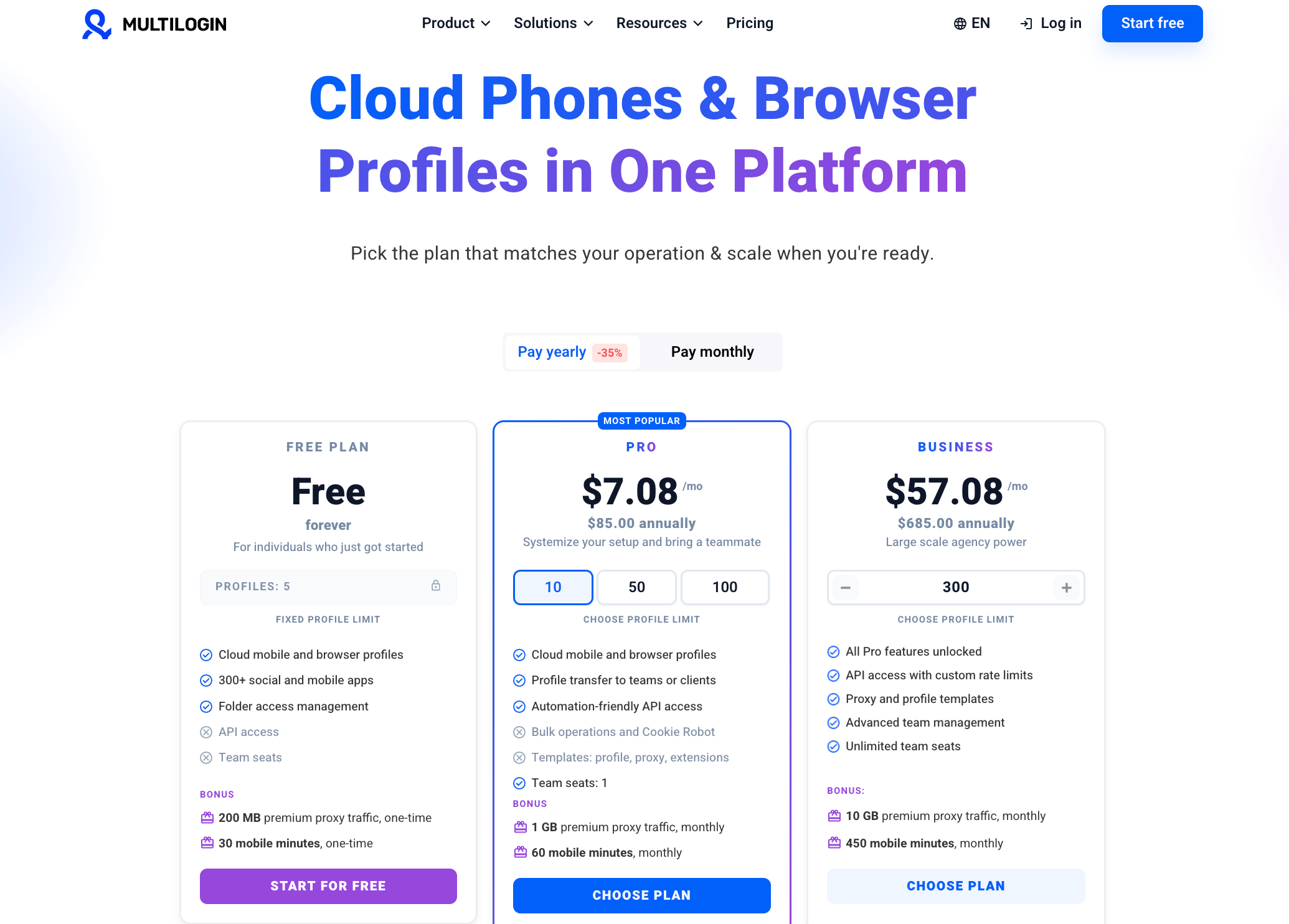
- Free plan with 5 profiles
- 200 MB proxy traffic bonus
- 30 cloud phone minutes
- No credit card required
- Paid plans start from $7.08/month
- Paid plans include cloud phones and browser profiles
- Built-in residential proxy traffic is included
- Mobile minutes are included
- Additional proxy traffic starts from $3.50/GB
- Additional mobile minutes start from $0.0073/min
- See full Multilogin pricing
| Pricing factor | BitCloudPhone | Multilogin |
| Entry point | $0.03/profile/24 hours | Free plan |
| Paid plan entry | Usage-based | From $7.08/month |
| Mobile runtime | $0.07/15 min temporary option | Minutes included, extra from $0.0073/min |
| Proxies included | No | Yes |
| Browser profiles | Via BitBrowser | Included |
| Free browser entry | 10 BitBrowser profiles | 5 mobile/browser profiles |
| Cost structure | Usage-based | Subscription + usage above allowance |
If you search for BitBrowser Cloud Phone price, the low daily profile rate is only one part of the calculation. Runtime, proxy infrastructure, and the number of active environments also matter.
Likewise, Multilogin is not unlimited-use cloud phone access for $7.08. Plans include a mobile-minute allowance and proxy traffic, with extra usage available separately.
The better comparison is total workflow cost.
If you already have proxies, use cloud phones intermittently, and prefer BitBrowser, BitCloudPhone’s billing model can be attractive.
If you need mobile profiles, browser profiles, residential proxies, team access, and automation in the same stack, Multilogin bundles more of those components from the beginning.
Where BitCloudPhone Falls Short
Emulator Signals Remain a Detection Risk
BitCloudPhone’s Android product is marketed by BitBrowser itself as an Android emulator or simulator.
That is important context for users whose workflows depend on real-device characteristics.
An emulator can reproduce many Android properties, and BitCloudPhone offers extensive device configuration. It is still introducing a software simulation layer between the app and the underlying environment.
Multilogin Android Cloud Phones take the real-device route instead.
This does not mean one tool guarantees account survival and the other guarantees problems. No cloud phone can make that promise.
Platform outcomes also depend on account history, content, repetitive behavior, network consistency, automation patterns, and platform rules.
For professional multi-account management, the relevant distinction is whether you want simulated Android parameters or a dedicated real Android environment.
Limited Track Record
Multilogin has operated since 2015.
BitCloudPhone is a considerably newer product, although its feature set has developed quickly and now includes RPA, ADB, API access, team sharing, and an expanding iOS offering.
For buyers, maturity does not automatically make one product the correct choice. It does matter when the platform will become part of a long-term agency or social media infrastructure stack.
Proxy and Workflow Setup Can Require More Manual Configuration
Earlier versions of this comparison described BitCloudPhone and BitBrowser as completely disconnected products. That is no longer a fair description.
BitCloudPhone operates inside the broader BitBrowser ecosystem and can be managed alongside browser workflows.
The remaining difference is infrastructure.
BitCloudPhone users generally need to configure their proxy setup separately. Multilogin puts cloud phones, browser profiles, and residential proxy access in the same product and subscription structure.
For one or two profiles, that difference may be minor.
For fifty client profiles across several countries, fewer moving parts can become a meaningful operational advantage.
Product Terminology Can Be Confusing
BitBrowser uses several terms for its Android product, including cloud phone, Android emulator, Android simulator, and phone profile.
That can make architecture comparisons more difficult than they need to be.
The safest approach is to look past the labels and compare the actual environment, network setup, persistence, automation options, and pricing model you need.
Where BitCloudPhone Has an Edge
Entry-Level Pricing for Occasional Use
BitCloudPhone’s usage-based pricing is attractive when you do not need continuous mobile access.
If you only spin up phone profiles for specific tasks or short periods, paying around actual usage can make more sense than buying a larger fixed package.
That flexibility is one reason BitCloudPhone remains interesting for testers and occasional cloud phone users.
Free BitBrowser Profiles
BitBrowser offers 10 browser profiles for free, which gives users a low-friction way to explore its browser ecosystem.
Multilogin now has a Free plan too, so free access is no longer exclusive to BitBrowser.
The difference is what the free tier is designed to test.
Multilogin’s Free plan gives you five profiles that can be used for cloud mobile or browser workflows, plus 200 MB of proxy traffic and 30 mobile minutes. That makes it possible to test the combined mobile and web setup before moving to a paid plan.
Who Should Use Each Product?
There is no reason to turn every software comparison into a boxing match. Different billing models and workflows solve different problems.
| Use case | BitCloudPhone | Multilogin |
| Occasional Android access | Strong fit | Possible |
| Android app testing | Strong fit | Possible |
| Visual RPA workflows | Strong fit | Custom automation approach |
| Existing BitBrowser users | Strong fit | Requires platform change |
| Social media agency | Possible | Strong fit |
| TikTok / Instagram profile operations | Possible | Strong fit |
| Mobile + browser social workflows | Supported | Strong fit |
| Built-in residential proxies | No | Yes |
| AI-agent workflows | Possible | Strong fit |
| Teams wanting a Free cloud phone entry | Limited | Strong fit |
BitCloudPhone Makes Sense For:
- Users already working inside BitBrowser
- Teams that want usage-based Android phone-profile pricing
- Developers and testers who are comfortable with an emulator-based Android environment
- Teams that want built-in visual RPA
- Users who already maintain their own proxy infrastructure
- Operators who only need mobile environments occasionally
Multilogin Makes Sense For:
- Social media marketers managing multiple social profiles
- Agencies handling separate TikTok, Instagram, Facebook, Reddit, or YouTube profiles for clients
- Teams that need Android cloud phones and browser profiles together
- Operators who prefer built-in residential proxies instead of maintaining another proxy vendor
- AI workflow builders using ADB, APIs, Selenium, Puppeteer, Playwright, or custom automation
- E-commerce and marketplace teams using social media accounts to generate traffic and test markets
- Teams that want to manage multiple social media accounts for business from persistent, separate environments
The basic decision is straightforward.
If your priority is inexpensive, usage-based access to configurable Android environments, BitCloudPhone deserves consideration.
If the phone is only one piece of a larger social profile workflow involving mobile apps, browser sessions, proxies, teams, and automation, Multilogin is designed around that complete setup.
Full Feature Comparison: BitCloudPhone vs Multilogin
| Feature | BitCloudPhone | Multilogin |
| Core technology | | |
| Android product | Emulator / simulator | Real Android cloud phone |
| Cloud hosting | Yes | Yes |
| Desktop operation | Yes | Yes |
| Persistent profiles | Yes | Yes |
| Mobile environment | | |
| Device parameters | Configurable | Dedicated real-device environment |
| App installation | Yes | Yes |
| APK upload | Yes | Yes |
| Multiple phone profiles | Yes | Yes |
| Proxy | | |
| Proxy configuration | Yes | Yes |
| Built-in residential proxies | No | Yes |
| Third-party proxies | Yes | Yes |
| Location targeting | Proxy dependent | Country, city, region, ISP |
| Browser | | |
| Browser profiles | BitBrowser | Included |
| Mobile + browser workflow | Yes | Yes |
| Automation | | |
| RPA | Yes | Custom automation |
| ADB | Yes | Yes |
| API | Yes | Yes |
| Selenium / Playwright / Puppeteer | Via browser ecosystem | Supported |
| Team features | | |
| Permissions | Yes | Yes |
| Profile sharing | Yes | Yes |
| Profile transfer | Yes | Yes |
| Unlimited team seats | Not specified | Business plans |
| Pricing | | |
| Starting point | $0.03/profile/24 hours | Free |
| Paid Multilogin plans | N/A | From $7.08/month |
| Proxies included | No | Yes |
| Mobile minutes included | Usage-based | Yes |
| Free mobile profiles | Not standard Android offer | Yes |
| Company | | |
| Cloud phone product maturity | Newer | Multilogin operating since 2015 |
| Support | Documentation and support available | 24/7 support in 5 languages |
Need a better Bit Cloud Phone alternative? Try Multilogin Cloud Phones.
Try it now