


TL;DR
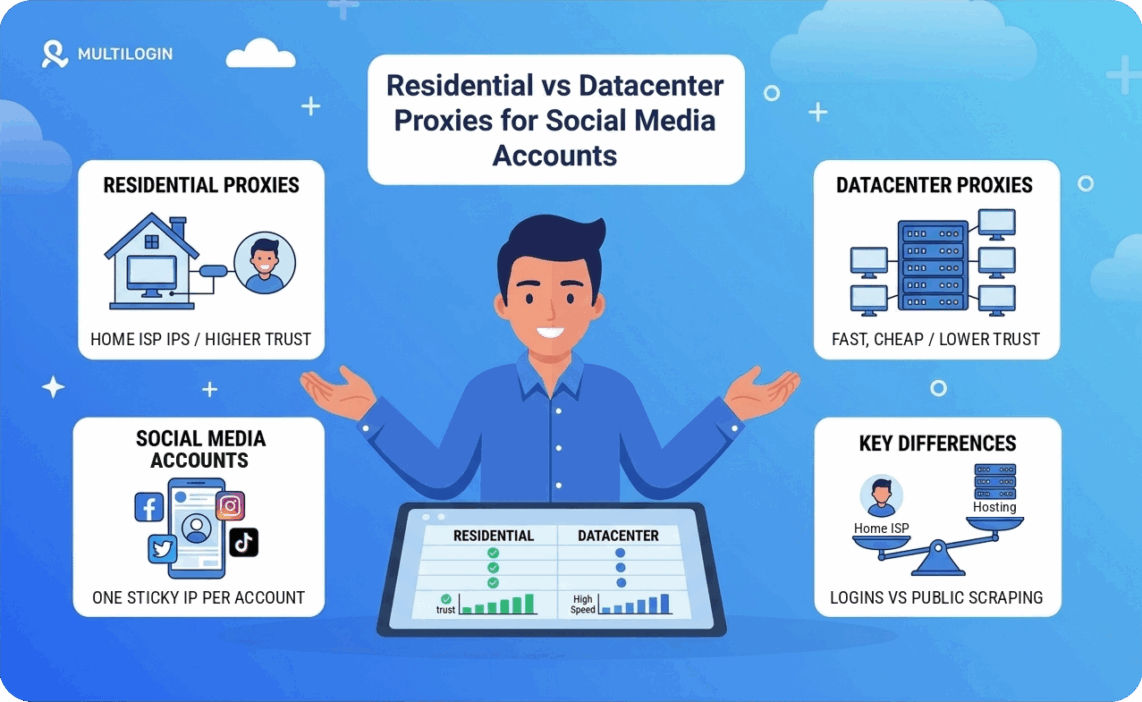
Residential proxies are the safer choice for logging in to social media accounts because their IPs belong to consumer internet providers, the same networks real users come from. Datacenter proxies are faster and cheaper, but their IPs sit in hosting ranges that platforms treat with more suspicion. Use one sticky residential IP per account for anything behind a login, and keep datacenter IPs for scraping public data and other work that never touches an account.
How Social Platforms Tell Residential and Datacenter IPs Apart
Every IP address belongs to an autonomous system, a network run by a single organization and identified by an ASN. A lookup on that number shows who owns the address. This matters more than it sounds.
A residential IP is assigned by a consumer internet provider to a home connection. A datacenter IP is assigned by a hosting or cloud company to a server. Platforms read the owner before you type a password, so a login from a hosting range starts with less trust than the same login from a home network.
No platform publishes its scoring rules, but the pattern is consistent. Real users rarely open Instagram or TikTok from a server, so hosting ranges collect more verification prompts, phone checks, and early restrictions. History counts too. An address that dozens of accounts have already used carries that record to the next account that lands on it.
Residential Proxies for Social Media Accounts
Residential proxies route traffic through real household connections, so each account looks like one person on a home network. That is the profile platforms expect, and it is the reason this type is the default for account work.
The keyword here is sticky. A residential pool can rotate the IP on every request, which suits scraping and breaks accounts. A session that jumps between cities within minutes looks like a hijacked login. Assign one sticky IP to one account and keep it for as long as the session allows.
Location has to line up as well. An account that claims to be in Chicago should log in from a Chicago IP, with a matching timezone and language in the browser profile. Proxyon’s residential network covers over 100 million IPs in 195 countries with city-level targeting, which makes that match easy to set up.
The proxy is half of the job. If ten accounts share one browser fingerprint, a clean IP on each will not keep them apart. Pair every proxy with its own profile in a multi-account browser so the IP and the device tell the same story.
The downside is cost and speed. Residential traffic is billed per gigabyte and runs slower than a server connection, so video-heavy feeds use up bandwidth quickly.
Where Datacenter Proxies Still Make Sense
Datacenter proxies are fast, stable, and billed per IP with no bandwidth meter. For work that never logs in, they are the better tool. Collecting public profile data, tracking hashtags, monitoring competitor posts, and checking how a page loads in another country all run well on them.
They can hold an account in some cases. A private datacenter IP that has never been shared carries no bad history, and it can work for an aged account with low activity. The risk grows with volume. New signups and a row of fresh accounts on neighboring hosting IPs are where restrictions show up first.
One thing worth knowing: no proxy changes the platform’s own rules. Meta’s authentic identity policy limits personal Facebook profiles to one per person, so multi-account work belongs on client, brand, and business accounts you are entitled to run.
Conclusion
Residential proxies are the right call for any account you log in to, because the IP has to look like a home connection and stay consistent. Datacenter proxies cost less and move faster, and they fit scraping and monitoring where no account is at risk. Most teams end up running both. Proxyon offers both types on pay-as-you-go terms with no subscription, so you can match the proxy to the job.
FAQ's
No. Platforms do not block hosting ranges outright, but they apply more checks to them. Expect more verification prompts on new accounts than you would see on a residential IP.
One account per IP is the safe setup. Sharing an IP between accounts gives the platform a direct link between them.
Sticky for anything behind a login. Rotation is for scraping public pages, where each request stands on its own.
No. A VPN puts every account on the device behind the same IP, and most VPN addresses sit in hosting ranges. Each account needs its own IP.
Mobile IPs are shared by many real users on a carrier network, so platforms are careful about restricting them. They cost more, and residential proxies cover most account work.
No. One IP can serve one identity across platforms, such as the Instagram and TikTok accounts of the same brand. Keep separate brands on separate IPs.
Free proxies are public, so the same IP is used by a large number of strangers at once. That history follows every account that logs in through it.
Free proxies are public, so the same IP is used by a large number of strangers at once. That history follows every account that logs in through it.