


LinkedIn Pulse may no longer exist as a standalone app, but its core publishing feature is still built into LinkedIn. In this guide, you’ll learn what happened to LinkedIn Pulse, how it works today, how to publish articles effectively, and how to increase your visibility and build your personal brand. If you manage multiple LinkedIn accounts for content marketing or outreach, Multilogin Cloud Phone helps you keep accounts organized and securely separated.
👉 So let’s actually get into what happened, and more importantly, what you can do about it now.
What Is LinkedIn Pulse?
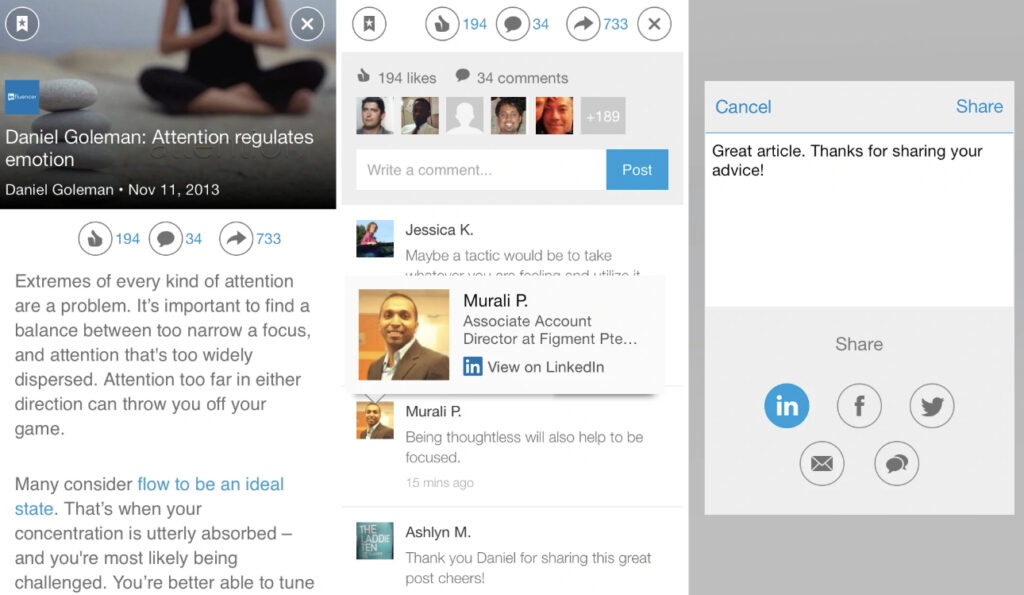
LinkedIn Pulse was originally a standalone content and news app that let professionals read and publish articles within their network, before LinkedIn folded its functionality directly into the main platform.
Back around 2013, Pulse operated almost like its own little ecosystem: a curated feed of industry news mixed with user-published articles, all wrapped in its own app separate from the core LinkedIn experience. For a few years it genuinely felt like a distinct product. Then LinkedIn made a call that a lot of long-time users still grumble about. Fold it all in.
So What Actually Happened to LinkedIn Pulse?
LinkedIn officially discontinued Pulse as a standalone app on May 31, 2017, though the original Pulse app itself had already been retired back on December 31, 2015, with LinkedIn keeping the branding alive for a couple more years before fully merging it in.
Nobody at LinkedIn ever gave a dramatic public explanation. The company simply absorbed the article-writing feature into the main site and dropped the separate app entirely. What used to be “Pulse” is, today, just called Articles, accessible from the same “Write article” button that sits near your homepage feed. Same underlying feature, different name, no separate download required anymore.
Here’s the part worth remembering: nothing about the actual value disappeared. You lost a name and a dedicated app icon. You didn’t lose the ability to publish.
Can You Still Publish LinkedIn Pulse Style Articles?
⭐️ Yes, you absolutely can still publish long-form articles on LinkedIn, just not through a separate Pulse app since that no longer exists.
Here’s how to get to it:
- Log into LinkedIn and head to your homepage.
- Look for “Write article” near the post-creation box (sometimes shown as a small pencil or document icon).
- Add a specific, curiosity-driven headline. “5 Mistakes I Made Hiring My First Engineer” beats “Hiring Tips” every single time.
- Write your content in the built-in editor, which supports images, embedded video, and basic formatting.
- Add a cover image. Articles with a strong visual up top consistently get more clicks.
- Preview it. Actually preview it, don’t skip this step.
- Publish, then share a short teaser post alongside it for extra reach.
That’s the whole mechanical process. The harder part, honestly, is writing something people genuinely want to finish reading.
Using Articles for Personal Branding (What Pulse Used to Do)
Published consistently, LinkedIn’s article feature builds a searchable, permanent record of your expertise that recruiters, clients, and new connections can find long after you forgot you even wrote the piece.
Think about it this way. Someone searches your name. What comes up? If it’s a couple of articles showing real thinking rather than just a resume-shaped profile, that’s a completely different first impression. Personal branding, at its heart, is really just repeated proof that you know what you’re talking about. This is where that proof lives now.
A few things that separate branding-focused articles that actually work from the ones nobody finishes:
- They solve one specific problem, not five vague ones.
- They include a personal story or opinion, not just recycled industry facts.
- They end with a clear, low-pressure next step, a question, an invitation to comment, sometimes a link.
- They’re formatted to be scanned: short paragraphs, occasional bold text, no giant unbroken blocks of text.
Using Articles for Lead Generation
LinkedIn articles generate leads by positioning you as a credible source before a prospect ever talks to you directly, which shortens the trust-building phase of a sales cycle considerably.
Cold outreach is hard. People are skeptical, inboxes are full, nobody wants another pitch dropped in their DMs. An article works differently. Someone reads it because it’s useful, forms an opinion of you based on substance, and by the time they land on your profile, half the convincing already happened without you saying a word.
A few practical tactics for lead gen specifically:
- Write about the exact problems your ideal client faces, using their language, not internal jargon.
- Include a soft call to action at the end, not a hard sell, just an easy next step like “happy to chat if this resonates.”
- Tag relevant people or companies where genuinely appropriate, never spammy.
- Repurpose the article into a short video or carousel afterward to squeeze more mileage out of the same idea.
None of this happens overnight. It’s more like planting something than flipping a switch. But it compounds, slowly, then noticeably.
LinkedIn Articles vs Other Publishing Platforms
How does publishing on LinkedIn actually stack up against Medium, Substack, or just running your own blog? Here’s a quick side by side.
| Platform | Pros | Cons |
|---|---|---|
| LinkedIn Articles | Built-in professional audience, no setup cost, strong for B2B reach, indexed by Google, integrates directly with your profile | Limited design control, you don’t own the platform, algorithm changes can affect reach without warning |
| Medium | Clean reading experience, has its own curious-reader audience, decent SEO | Smaller professional or B2B crowd, monetization is inconsistent, less direct lead-gen value |
| Substack | Owns the reader relationship via email, good for building a loyal list | Requires active audience-building from scratch, less discovery built in |
| Personal blog | Full ownership and control, best long-term SEO asset | Slowest to grow an audience, requires technical setup and maintenance |
There’s no universally “best” answer here. If your goal is professional visibility and lead generation with the least setup, LinkedIn’s article tool tends to win. If you’re building a long-term content asset you fully own, a blog or Substack might serve you better down the line. Plenty of people run both, honestly.
How to Get More Views on Your LinkedIn Articles
The fastest way to get more views is generating genuine engagement, comments especially, within the first hour of publishing, since that early signal tells LinkedIn’s algorithm to keep pushing your article further.
Beyond that first-hour push, a handful of factors reliably move the needle:
- Headlines matter more than people admit. A curiosity-driven or specific headline can double your click-through rate compared to something generic.
- Length has a sweet spot. Somewhere around 1,000 to 1,500 words tends to perform best. Long enough to say something real, short enough that people actually finish it.
- Comments beat likes. A like takes zero effort and signals very little. A comment tells the algorithm someone actually stopped and engaged.
- Cross-promote it. Share the article link in a short native post a day or two after publishing, don’t just rely on the initial notification.
- Reply to every comment. This keeps the post active in the algorithm’s eyes far longer than a one-and-done publish.
Followers vs Connections: Which Matters More for Reach?
Followers matter more for article reach than connections do, since articles get pushed primarily to people who’ve chosen to follow your content, not just anyone you’re formally connected to.
Here’s the distinction, because it trips a lot of people up. A connection is a two-way, mutually accepted relationship, capped at 30,000 on LinkedIn. A follower is one-directional. Anyone can follow you without you accepting anything, and once your connection count crosses roughly 500, LinkedIn actually starts showing a “Follow” button more prominently anyway.
For article reach specifically, followers behave more like an opted-in audience list, so LinkedIn treats that relationship as a stronger reach signal than a connection made years ago that’s since gone cold. Growing your follower count, then, matters more for long-term content reach than obsessively adding connections just to hit the cap.
Does the LinkedIn Algorithm Still Favor Long-Form Articles?
The algorithm doesn’t specifically favor articles over short posts, but it does reward the same engagement signals across both formats, meaning a well-performing article can travel just as far, if not further, given its longer shelf life.
What the algorithm does seem to reward, based on how LinkedIn has described its own ranking factors publicly, is dwell time, meaning how long someone actually spends reading before scrolling away. Articles naturally hold attention longer than a two-line post, which works in your favor if the content is genuinely worth reading. It cuts the other way too. A bloated, poorly written article with weak dwell time can underperform a punchy hundred-word post that gets read in full.
The honest answer is that format matters less than quality and early engagement. Publishing articles doesn’t get a magic boost just for existing. It gets a boost when people actually read and respond to what’s on the page.
Managing Multiple LinkedIn Profiles Without Getting Flagged
If you’re publishing across more than one LinkedIn presence, your own personal profile, a company page, maybe a few client accounts if you run an agency, the biggest risk usually isn’t the content itself. It’s the device signals behind it.
Here’s the problem in practice. LinkedIn, like most platforms, pays close attention to the environment an account logs in from, not just what gets posted. When several accounts share the same browser session, the same reset device, or a mobile setup that gets wiped and reused, the platform starts noticing overlapping signals it wasn’t expecting. That’s often what triggers a sudden restriction or ban, not the article you wrote, but the fingerprint sitting quietly underneath it.
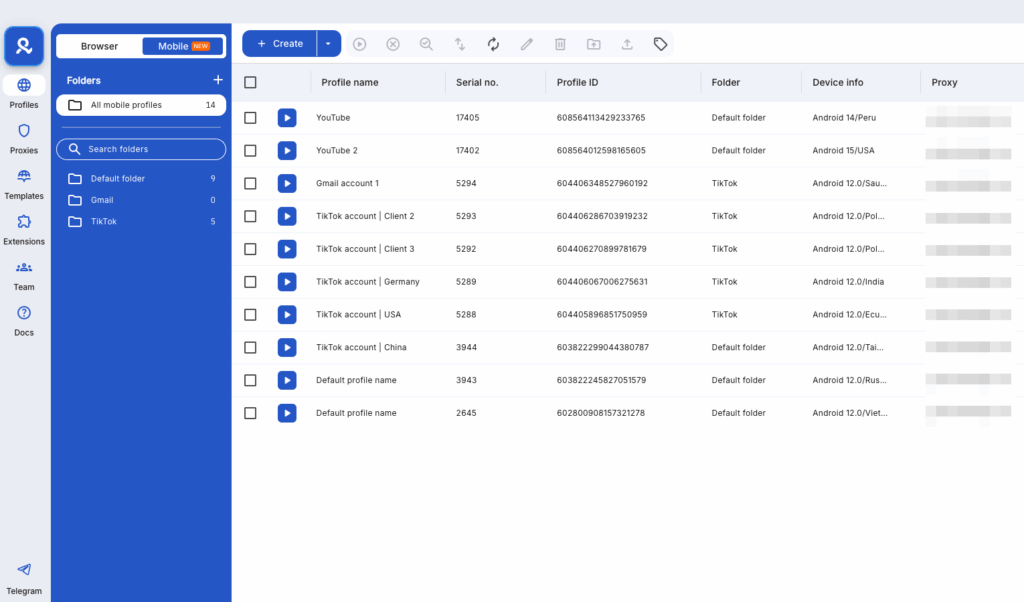
This is where Multilogin’s Cloud Phone comes in, and it’s worth understanding since it solves a real gap for anyone managing more than a single LinkedIn identity.
Rather than juggling one physical phone or one browser across several accounts, Multilogin Cloud Phone gives each profile its own real Android environment hosted in the cloud, complete with its own system data, storage, and consistent mobile identity that doesn’t reset every time you log back in. One phone stays assigned to your personal brand. Another stays assigned to a client’s company page. Nothing crosses between them unless you deliberately set it up that way.
For agencies or marketers publishing on behalf of multiple clients, or anyone running a personal brand alongside a company presence, this kind of separation is less about convenience and more about not losing months of built-up credibility to a single overlapping session. It’s a different kind of infrastructure than a Pulse app ever was, but it’s arguably a more useful one for anyone treating LinkedIn publishing as a serious, long-term channel rather than a one-off post.