





You already know you need more than one TikTok account. Maybe you’re managing content for multiple clients. Maybe you’re running separate niche accounts and don’t want them influencing each other’s algorithms. Maybe you’re an e-commerce team with different brands to promote.
The question isn’t really how many TikTok accounts you’re allowed to have. It’s how many you can actually run without triggering TikTok’s detection systems — and what happens when you cross that line.
This guide answers both questions honestly, with the detail that most articles skip.
How Many TikTok Accounts Can You Have?
TikTok does not publish a hard limit on accounts per person. There’s no rule in its terms of service that says you can only have three accounts or five accounts. You can create as many as you want, provided each one uses a unique email address or phone number and complies with TikTok’s community guidelines.
But TikTok monitors how those accounts behave, not just how many exist. When multiple accounts are operated from the same device, the same IP address, or the same device fingerprint, TikTok links them. Once they’re linked, a problem on one account creates risk for all the others.
So the real question is: how many TikTok accounts can you run safely? That depends entirely on your isolation setup — not on any official limit TikTok has set.
How Many TikTok Accounts Can You Have on One Device?
TikTok’s built-in account switcher lets you add and switch between multiple accounts inside the official app. Based on current platform behaviour, the practical limit using this native feature is 3 to 5 accounts per device — with some sources indicating TikTok raised this to 6 accounts per device in 2025.
The exact number varies by device, app version, and TikTok’s current enforcement sensitivity. What stays consistent is this: every account using the built-in switcher on the same device shares the same hardware identifier. TikTok uses your device ID alongside your IP address to link accounts. That linkage is what creates risk — not the number of accounts itself.
Going beyond the built-in switcher requires either additional devices or a more sophisticated setup.
How Many TikTok Accounts Can You Have on One Phone?
Using TikTok’s official app on a single phone, you can manage 3 to 5 accounts through the account switcher. Beyond that, here are the options for phone-based access:
- Mobile browser: Log into additional accounts through TikTok’s web version using separate browser sessions or private tabs. This doesn’t count toward the app’s switcher limit — but the TikTok web version has fewer features than the native app.
- App cloners: Android devices support cloning apps through manufacturer features like Parallel Space or through built-in Dual Apps settings. Each cloned instance runs as a separate app with its own login.
- Second physical device: The cleanest separation at the hardware level, but expensive to scale if you need more than a few accounts.
The risk with all phone-based approaches is that TikTok still collects the underlying device fingerprint. Multiple accounts on the same hardware may behave independently at the app level but remain linked at the device level. That’s the gap professional operators close with a different solution entirely.
Why TikTok Monitors Multi-Account Behaviour
TikTok’s For You Page is its core product and its most valuable asset. Its value depends on surfacing authentic content that real, distinct users engage with.
If one operator could run dozens of accounts from a single device, they could artificially inflate engagement signals — liking, sharing, and commenting on their own content across multiple profiles to trick the algorithm into thinking a post is trending. TikTok’s detection systems analyse device IDs, IP addresses, posting patterns, and content similarity specifically to prevent this.
For legitimate multi-account users — creators targeting different niches, agencies managing client accounts, businesses running brand accounts in different markets — the challenge is demonstrating to TikTok’s systems that each account represents a genuinely distinct user. That requires full isolation, not just separate logins.
What Happens When TikTok Links Your Accounts
Shadowbanning
A TikTok shadowban reduces the reach of your content without notifying you or removing the account. Your videos are technically still live but reach almost no one outside your existing followers. TikTok’s most common response to suspected multi-account manipulation, it can persist for days or weeks with no warning and no clear appeal process.
Account linkage
Once TikTok links two accounts via device ID or IP, a violation on one creates risk for all linked accounts. A ban on a test account can take down a main account with years of content and thousands of followers. This is the scenario that catches most operators off guard — because the account they lose isn’t the one that triggered the problem.
Forced verification
Rapid switching between accounts from the same session triggers identity verification checkpoints. TikTok may ask for a phone number, email confirmation, or in some cases government ID. This is disruptive mid-campaign and can temporarily lock you out while you resolve it.
Content throttling
Even without a formal shadowban, TikTok can silently reduce the reach of accounts it flags as operating from a suspicious environment. Your For You Page distribution drops. Your videos stop performing — not because the content changed, but because the account’s environment raised a flag.
How Many TikTok Accounts Do Professionals Actually Run?
Social media agencies, e-commerce teams, and experienced operators who manage TikTok at scale usually move beyond basic device switching or app cloning. Those setups become difficult to manage once every account needs its own history, app data, location, and workflow.
Professional setups typically give each TikTok account its own separate environment. That makes it easier to keep account activity, app data, device state, and location organized as the operation grows.
There is no single number that fits every operation. The practical limit depends on your team, workflow, account requirements, and the infrastructure you use to manage them.
Why Cloud Phones Are the Right Tool for TikTok Multi-Account Management
TikTok is a mobile-first platform built around native app usage. Mobile apps can read device-level signals such as hardware information, app state, screen characteristics, sensors, and Android system data that a desktop browser cannot reproduce in the same way.
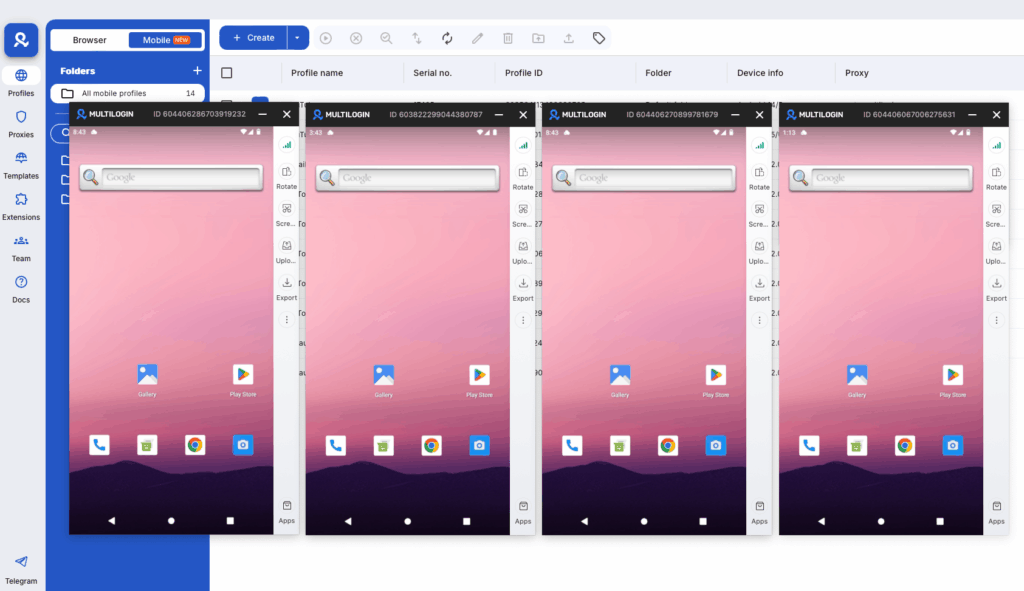
Multilogin cloud phones run on real Android devices hosted in the cloud. Each account can have its own Android environment, app data, location, and IP, while keeping its login history and app state between sessions.
This is why cloud phones are a practical solution for TikTok multi-account management. You can create one cloud phone per TikTok account, assign profiles to team members, and manage mobile accounts from a single dashboard. Each account keeps its own environment and history instead of sharing the same device setup.
Agencies managing TikTok for multiple clients can use this setup to keep each client’s mobile workflow separate. Each account runs on its own cloud phone with its own app data, location, and IP. The cloud phones for TikTok setup can also be used alongside TikTok Ads Manager across multiple accounts when teams need both mobile-app and web-based workflows.
Compare that to running several TikTok accounts on one phone using the built-in switcher. Those accounts still share the same physical device and parts of the same operating environment. With cloud phones, each account can keep its own Android device, app state, location, and account history over time.
How many TikTok accounts can you manage? As many as your operation can support, with one cloud phone per account and each account kept in its own Android environment. Start here.
Rules to Follow Across All TikTok Accounts
Regardless of what setup you use, these practices reduce risk across every account you manage:
- Use a unique email address and phone number for every account. Shared credentials are the fastest path to account linkage
- Don’t post identical or near-identical content across accounts. TikTok detects duplicate content patterns and treats them as coordinated inauthentic behaviour
- Vary your posting times. Identical schedules across multiple accounts on the same device signal automation
- Never engage with your own content from a second account. Cross-account self-engagement is a primary ban trigger
- Warm up new accounts before using them commercially. Spend a few days watching and engaging organically before adding product links or promotional content
- Don’t switch between accounts at high speed. Rapid toggling within a short time window triggers verification requests
Need to manage multiple social media accounts? Try Multilogin Cloud Phones.
Frequently asked questions About How Many TikTok Accounts Can You Have?
The most common reasons are that the video is still processing (wait two hours), the privacy setting is wrong, the video has been flagged for a content violation, or the hook isn’t strong enough to retain the initial test group. Check Account Status first to rule out restrictions, then verify privacy settings, then look critically at your first three seconds.
Your video reached TikTok’s first test group of 200 to 300 people but didn’t generate enough watch time, completion rate, or engagement to earn the next distribution push. This is a content performance issue, not a technical glitch or shadowban. The fix is improving the hook, pacing, and engagement triggers in your content.
No. A video that plateaus at 200 views is not shadowbanned. It failed to clear TikTok’s initial test gate due to low engagement from the test group. An actual shadowban shows up as zero For You page traffic across multiple videos and content not appearing in hashtag searches. Check Account Status to confirm.
Processing delays typically resolve within two hours. If your video still shows zero views after two hours and Account Status shows no restrictions, the problem is content-level rather than a glitch. There is no indefinite “0 views glitch.” The video either clears review and gets distributed, or it doesn’t distribute because of a restriction or low engagement.
Go to Settings → Account → Account Status to check for official restrictions. Then go to your Analytics → Reach and check whether For You traffic has dropped to zero across multiple recent videos. You can also post a video with a unique hashtag and check from a different account whether the video appears in that hashtag’s search results. If it doesn’t, your content may be suppressed.
Focus on these four things: a stronger hook in the first two seconds, a tighter video with high completion rate, posting at peak active times for your audience, and using specific niche-relevant hashtags rather than broad ones. Consistent posting within a clear niche over several weeks also helps the algorithm categorize your account and show your content to the right audience.
How Many TikTok Accounts Can You Have?
There is no hard limit on how many TikTok accounts you can own. The practical limit when using the official app on a single device is usually a small number of accounts through the built-in account switcher. Once you need to manage more accounts, the challenge becomes keeping each account’s device environment, app data, location, and history separate and organized.
For small setups, using separate devices may be enough. At larger scale, teams usually need dedicated infrastructure so every account can run in its own environment instead of sharing the same phone and app state.
This is where Multilogin cloud phones come in. Each TikTok account can run on its own real Android device in the cloud, with its own app data, location, IP, and persistent account history. Teams can manage these cloud phones from one dashboard, assign profiles to different team members, and scale without maintaining a large collection of physical devices.
For individual creators managing two or three accounts, a simple device setup may still be enough. For agencies, e-commerce teams, and operators managing many TikTok accounts, Multilogin cloud phones provide a more structured way to keep mobile workflows separate as the operation grows.


