



Discover Multilogin now & get 50% off for your first month!

Multilogin vs. MostLogin

*Attention: 50% discount is currently available for the Pro Plan

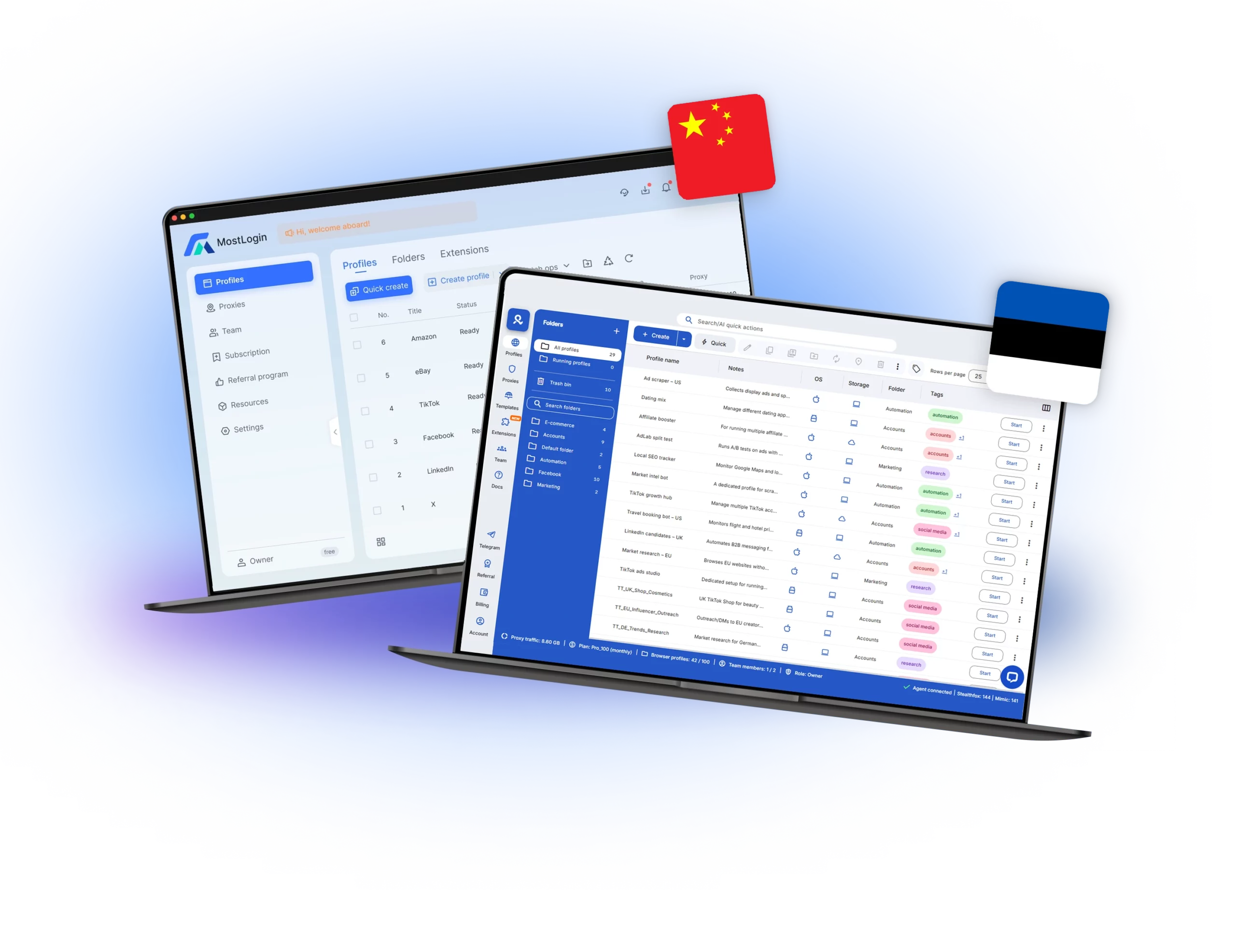
Illustration showing the dashboards for Multilogin and Mostlogin, comparing antidetecr browser and cloud phones.
Multilogin logo representing the Estonian-origin platform for advanced multi-account management and anonymity.
Mostlogin Logo
Cloud phones in Multilogin Icon

Cloud phones

Multilogin Cloud Phones are full Android devices hosted in the cloud, each with its own unique system fingerprint and stable device identity. They let you launch native mobile apps, control multiple cloud phones from a single dashboard, and connect through built-in residential proxies to keep sessions consistent and trusted by platforms.

MostLogin‘s cloud phone is a remote Android phone solution that lets users access mobile apps through a cloud-based device instead of running them locally. It provides virtual Android phones that can be started instantly, allowing users to operate mobile accounts without needing physical hardware or heavy emulator setups.

Built-in proxies

Multilogin includes ready-to-use residential proxies with a large number of clean IPs, making your work easier and lowering the chance of getting banned. You can use over 30 million IP addresses in more than 195 countries. It comes with helpful features like “sticky” sessions that last for 24 hours and smart IP filtering to give you the best speed. To help you use less data, we also include a proxy traffic saver. If you already have your own proxy, you can easily connect it to our system.

MostLogin doesn’t include its own residential proxies. It works with your proxies (HTTP/HTTPS/SOCKS5). You can add one proxy at a time or import many at once. You can also connect your proxy provider’s API to get rotating IPs.

web automation

Web automation

Multilogin is built for heavy automation. You can launch profiles with a quick command or use AI Quick Actions to type what you want and run up to 10 steps at once (rename profiles, change proxies, move them between folders, etc.). It works with Selenium, Playwright, Puppeteer, and Postman through a clear API and ready-made Postman collection. For CAPTCHAs, you can plug in popular solver services via extension/API.

MostLogin doesn’t have AI quick actions. Instead, you control it with a local REST API: open/close a profile window, get the CDP WebSocket/HTTP URL or Chromedriver path, then connect your scripts in Selenium, Playwright, or Puppeteer.

Browser fingerprinting customization

Multilogin lets you shape 55+ fingerprint signals (e.g., Canvas, WebGL, geolocation, timezone, language, hardware, fonts) so each profile looks like a real, separate device. Its Mimic (Chromium) and Stealthfox (Firefox) engines help your profiles behave naturally. You can also run cloud phones when you need a mobile enviroment. Fingerprints can auto-match your proxy’s location, and you can spin up new profiles fast with quick/templated creation or API/Postman flows. 

MostLogin is Chromium-only (no Firefox engine). You can change common fingerprint signals like Canvas, WebGL, WebRTC, timezone, language, fonts, and screen size so each profile looks unique. There’s no built-in Android/iOS profile emulation or mobile automation; if you need “mobile,” they point you to pair with cloud phones instead. Automation hooks expose Chrome/CDP endpoints only.

Browser core & antidetect updates​

Browser flexibility & antidetect updates

Multilogin delivers updates every 2–4 weeks, keeping its Mimic (Chromium) and Stealthfox (Firefox) browsers aligned with the latest web technologies. The same update cycle applies to cloud phones, ensuring Android environments and mobile fingerprints remain consistent as platforms evolve. This proactive approach strengthens anti-detect protection across both browser profiles and cloud phones, maintaining compatibility with major websites and mobile-first services.

Morelogin regularly updates its browser core and fingerprint spoofing engine, but the release schedule isn’t clearly documented. 

Icon symbolizing teamwork, designed as interconnected puzzle pieces representing collaboration and unity.

Teamwork

Multilogin is beginner-friendly and ideal for small teams, letting you invite teammates and work from shared profile groups with role-based permissions (Owner, Manager, Operator, Starter). Pro plans include up to 2 seats, while Business plans offer unlimited team seats. You can control who can view, launch, or edit profiles, and prevent conflicts with an active-session lock, making collaboration simple and secure for newbies.

MostLogin supports team collaboration, but seats are not unlimited—you need to buy seats to add members. You can invite users, set built-in or custom roles, choose data access levels (Full / Specified / Limited), assign folder access, and cap how many profiles each member can create. If a plan’s seat limit is reached, a member may show “Seat expired” until you add or reassign seats.

Desktop app

Multilogin has launched a stable Multilogin X app with a begginer-friendly interface. The layout is easy to use, even for new users. The app focuses on efficiency and lets users manage many profiles without interruptions.

 MostLogin offers a desktop app, but it comes with notable limitations. Users often face performance issues when running many profiles at once, must source and configure their own proxies, and are restricted to a Chromium-only browser engine. There is no built-in Android or iOS emulation, and pricing transparency is limited, with key features billed separately.
Data privacy & security

Data privacy & security

Multilogin is Europe-based and follows strict GDPR rules. We use password hashing (no plain-text storage), AES encryption for account data, and encrypted sessions for secure cloud storage. You can also turn on two-factor authentication (2FA) for an extra layer of login security. When a subscription ends, all user data is auto-deleted after 3 months to protect your privacy.


MostLogin is operated by HONGKONG SUPERSOFT TECHNOLOGY LIMITED. Its privacy policy lists basic principles (data minimization, limited sharing, and keeping data only as long as needed).

Icon symbolizing customer support services, highlighting availability and assistance in the comparison.

Customer support

Multilogin tests on 50+ sites every day and offers 24/7 English support (Russian, Chinese, Vietnamese, and Portuguese are also available). The team is very responsive—if you need a setup call, just send an email and they’ll arrange it. You can reach support via chat or email, and there’s a Knowledge Base with step-by-step guides and answers to most questions.

MostLogin provides a Help Center, FAQs, and API docs, plus direct contact via email and public Telegram/WhatsApp/Discord groups. The site doesn’t list a 24/7 guarantee or response-time targets.

Icon representing pricing or cost information, typically symbolized by a dollar sign or price tag.

Pricing

Multilogin pricing is beginner-friendly and ideal for individuals and small teams. It starts you off with a 3-day trial for €1.99, including 5 browser profiles so you can test your setup and workflows first. After the trial, plans start at €9/month or €5.85/month when billed annually.

Cloud Phone usage is billed transparently per minute, with starter Cloud Phone packages already included in the subscription. There are no hidden fees — core features and built-in proxy infrastructure are part of the plan, so costs stay predictable as you scale.

MostLogin is a newcomer, and its pricing is hard to understand right now. The official pricing page shows all tiers at $0/month under a “Pioneer program,” but it doesn’t spell out what the prices will be after this promo or how long it lasts. Proxies aren’t included (you must bring your own), and Cloud Phone is billed separately.If you want a clear quote, it looks like they expect you to email support or check their Help Center/FAQs—there’s no standard price list beyond the promo.

What Multilogin offers that MostLogin browser doesn't

Free residential proxies in each subscription plan 

Unlimited free team member accounts

Passes all browser fingerprint checkers 

Daily testing on 50+ websites

AI-driven automation

Profile warmup with pre-farmed cookies

24/7 customer support in 5 languages

Cloud phones and browser profiles in the same workspace

MostLogin user or new to the game? Get 50% off your first month.

Discover Multilogin, a reliable MostLogin alternative

Multilogin vs. MostLogin recap chart

Find out why Multilogin is the smarter alternative to MostLogin

Multilogin logo representing the Estonian-origin platform for advanced multi-account management and anonymity. Mostlogin Logo
Chromium
Yes (Mimic)
Yes
Firefox
Yes (Stealthfox)
No
Cloud Phones
Yes
Yes
Android versions
10-15
12, 14, 15
Mobile App Marketplace
Yes
No
Country of origin

Estonia Flag  Estonia

China Flag  China

Platform compatibility
macOS, Windows, Linux
Windows, MacOS
Resource consumption
Requires 4GB RAM
Requires 4GB RAM
Security
High security
Standard security
Desktop app
Yes
Yes
Anti-fingerprinting technology
High level
Standard level
Quick profile creation
Yes
Yes

Frequent updates

Frequent and detailed updates
Regular updates
Built-in proxies
Yes
No
Custom browser fingerprint generation
Yes
Yes
Account password protection
Yes
Yes
Support
24/7 Live Support, supports 5 languages
Email
Knowledge center
Yes
Yes
Suits well for team management
Yes
No
Trial
Yes
No
Market position
Beginner-friendly and highly convenient for individuals and small teams
Better suited for solo users managing personal projects, with basic multi-account features and limited collaboration

Looking for cloud phones?

Multilogin comes with built-in residential proxies to make multi-accounting, web scraping and web automation easier than ever. No extra setup, no third-party services—just undetectable browsing at no additional cost.
  • 3-day access to Multilogin

  • 5 cloud or local profiles

  • 200 MB proxy traffic included

  • 3-day access to Multilogin

  • 5 cloud or local profiles

  • 200 MB proxy traffic included

Why people love Multilogin

Dominik

The product is excellent, and the support team is highly professional.
The product keeps improving with continuous updates. In this space, many competitors have come and gone, and I continue to choose Multilogin because others don’t come close in terms of features or overall experience.

Evgeny S.

Web, Small Business

If you really need a high-quality antidetect browser, then Multilogin is definitely the one.
100% anonymity pass on all checkers. Convenient to work in several browsers at the same time. Handles dozens of Facebook and TikTok accounts from a single computer.

Nino Latif

The best service for great ideas and big minds!
Always here for their clients, always ready to help out. I am using the service for 3-4-5 months now and brought me lots of great things 🙂 Hope to grow it on a larger scale and continue using the service ...

Nino L.

Marketing Agent, Small-Business

Started using Multilogin in August/September 2021. Been using it for a couple of years now and I am very satisfied overall. They are always looking and finding ways to improve their app and make it easier...

George M.

Co-Founder, Small-Business

Quite Likely The Best Privacy Browser Out There!

There are quite a few things I like about Multilogin. My favorite, most definitively, is the teams feature allowing you to easily share specific browser profiles with different team members...

Tim R.

Project Manager, Small-Business

Fast, reliable and convenient anti-detect browser.
All the infrastructure of the browser is built to be convenient for any size of the team. We have 0 concerns regarding the speed and efficiency of the browser.

Most awarded antidetect browser

Kinza awards for Multilogin.
Conversion club badge for Multilogin.
Mask group badge for Multilogin
Startup 2019 awards badge for Multilogin
badge for Multilogin
Best Value Software 2022 badge for Multilogin
High performer 2024 badge for Multilogin
Leader 2024 badge for Multilogin
Best support 2024 badge for Multilogin
Easiest to do business with 2024 badge
SourceForge top performer 2023 badge
GetApp user reviews badge

See more comparisons

Adspower logo featured on the Multilogin comparison page, representing the browser's branding and identity.

Compare with

Compare with

Compare with

Incogniton logo displayed on the Multilogin comparison page, linking to its detailed comparison with Multilogin.

Compare with

Octobrowser logo

Compare with

Linken Sphere логотип

Compare with

Dolphin anty

Compare with

Showcasing the Kameleo logo, representing the antidetect browser for multi-account management and online privacy.

Compare with

DICloak logo, representing the antidetect browser for multi-account management and online privacy.

Compare with

MoreLogin logo displayed on the Multilogin comparison page, representing the browser's brand in the comparison with Multilogin.

Compare with

Compare with

Undetectable logo

Compare with

The official logo of NST Browser, showcased in a detailed comparison with Multilogin and VMLogin for antidetect browser features.

Compare with

Ghostbrowser logo, representing the brand in the antidetect browser comparison.

Compare with

VMLogin logo, representing the antidetect browser solution, featured in a comparison with Multilogin.

Compare with

Hidemyacc logo

Watch the Multilogin demo

Learn how Multilogin enhances your anonymity. Enter your name, surname, and email below, and we’ll send you our demo video straight to your inbox. As an MostLogin alternative, you’ll gain a clear understanding of how Multilogin can benefit you.


MostLogin vs. Multilogin: Which one choose in 2026?

Managing multiple accounts across social media, e-commerce, or marketing platforms has never been simpler — until now. As detection systems grow more sophisticated, relying on basic browser setups or emulator tools no longer cuts it. Today’s multi-account workflows demand platforms that separate identities, maintain stable sessions, and help teams operate efficiently at scale.

Multilogin and MostLogin are two tools often considered by professionals. MostLogin emphasizes cloud phone environments for running native Android apps and automating mobile tasks. Multilogin combines powerful antidetect browser profiles with cloud phones in one unified workspace, giving users a complete solution for both web and mobile identity management.

Here’s how they compare before you decide on the best choice for 2026.

MostLogin vs. Multilogin: Cloud phones and identity isolation

MostLogin is built around its cloud phone technology: virtual Android devices hosted on ARM-based cloud infrastructure. Each instance simulates real device hardware, and sensor data, and offers automation via ADB scripting and a script marketplace — making it useful for native app tasks and batch operations in areas like social media or international e-commerce.

However, MostLogin’s focus remains mostly on mobile environments. While you can manage multiple cloud phones from a dashboard, scaling workflows that mix mobile and web identities often requires additional tools outside the platform.

Multilogin supports modern workflows that span both mobile apps and browser-based platforms. Alongside isolated browser profiles for web accounts, Multilogin cloud phones run complete Android environments with their own OS and identifiers (IMEI, Android ID, MAC). Teams can run native apps and browser accounts from the same workspace without juggling separate systems.

If your workflow depends primarily on Android app environments, MostLogin offers a focused mobile solution. But for operations that combine both cloud phones and web identities, Multilogin’s unified system simplifies management and scaling.

MostLogin vs. Multilogin: Proxy integration

Proxies are essential for separating identities and avoiding account linking — especially when managing many accounts. MostLogin allows you to assign proxies to cloud phones and configure settings before launch, but proxy rotation, quality filtering, and sourcing are handled externally. This can work for smaller fleets of cloud phones, yet proxy management becomes more manual as you scale.

Multilogin integrates proxy controls directly into its workspace across both cloud phones and browser profiles. Users can attach built-in residential or mobile proxies per identity, access +30 million IPs across 150+ countries with sticky sessions, and apply smart filtering to avoid low-quality IPs. This unified proxy setup reduces admin overhead and keeps identities stable across platforms and regions.

MostLogin vs. Multilogin: Fingerprinting and device realism

Fingerprinting is a key factor in avoiding detection. MostLogin cloud phones simulate real Android environments on ARM chips and use unique device parameters and network isolation to reduce cross-account links. This provides a more realistic mobile experience than traditional PC emulators.

Multilogin takes identity realism further by combining cloud phones with advanced browser fingerprint control, with 55+ customizable fingerprint parameters. Its antidetect browser profiles isolate cookies, storage, and hardware signals, while cloud phones operate as independent Android environments with consistent device identifiers, and you can choose from +12 brands and Android device models. Together, this helps maintain identity separation across both mobile apps and web workflows — lowering detection risk even when accounts scale.

MostLogin vs. Multilogin: Team collaboration 

MostLogin includes hierarchical permission management, letting admins control sub-user access and cloud phone quotas — useful for team collaboration.

Multilogin expands on this with far more advanced team workflows designed for agencies and scaling operations. Beyond role-based permissions, activity logs, and cloud-synced environments, Multilogin makes it possible to share cloud phone sessions and account access without ever sharing passwords directly. Teams can collaborate inside the same mobile environments, transfer profiles securely, and operate client accounts without exposing credentials in chats or spreadsheets. Combined with 24/7 live chat support and multilingual assistance, Multilogin is built for professional teams that need both control and speed across time zones.

Final verdict: Multilogin or MostLogin?

MostLogin is a capable cloud phone platform focused on running Android devices in the cloud, with strong automation capabilities and device realism suitable for mobile-first account workflows.

Multilogin is designed as a complete multi-account identity platform. By combining advanced antidetect browser profiles with real cloud phones — along with built-in proxies, cross-environment automation, and team controls — Multilogin provides a more scalable and cohesive solution for complex workflows that span both mobile apps and the web.

If your work in 2026 involves handling both native app environments and browser-based platforms with consistency, privacy, and scale — Multilogin is the more flexible and future-proof choice.


FAQ

Cloud phones are full Android devices hosted in the cloud, each running in its own isolated environment. They allow teams to operate native mobile apps with realistic device identifiers, stable sessions, and separation between accounts — which is critical for avoiding detection or account linking.

Yes. MostLogin is mainly focused on cloud phone infrastructure, offering Android instances hosted on ARM-based systems with simulated device behavior, sensor support, and automation through ADB scripting. This can work well for basic mobile-first tasks.

However, its cloud phone features operate mostly as a standalone solution. Multilogin goes further by providing real Android cloud phones with stable device identifiers (IMEI, Android ID, MAC) inside a broader identity management platform, where cloud phones and antidetect browser profiles coexist in one workspace. This makes Multilogin a more scalable and professional option for teams managing both mobile app and web-based multi-account workflows long term.

Multilogin cloud phones run complete Android environments with genuine device identifiers such as IMEI, Android ID, and MAC address. The key difference is that Multilogin combines these cloud phones with advanced antidetect browser profiles in the same workspace, making it easier to manage both mobile apps and web identities together.

Yes, but the experience differs. MostLogin allows proxy assignment per cloud phone, though proxy sourcing and rotation are mostly external. Multilogin integrates proxy management directly into its workspace, offering built-in residential and mobile proxies, sticky sessions, and smart filtering across both cloud phones and browser profiles.

For professional teams, yes. Multilogin includes role-based permissions, activity logs, and cloud-synced collaboration — plus the ability to share cloud phone sessions and account access securely without exposing passwords. This makes it especially effective for agencies and long-term multi-user operations.

MostLogin is mainly focused on Android cloud phones. Multilogin is better for mixed workflows because it combines cloud phones and advanced antidetect browser profiles in one workspace.

Multilogin scales further with built-in proxies, fingerprint control, browser automation, and unified management across both web and Android environments, facilitating your set up process and ensuring a more smooth everyday use, specialy for team work.

Thank you! We’ve received your request.
Please check your email for the results.
We’re checking this platform.
Please fill your email to see the result.

Multilogin works with amazon.com