UAE proxy & antidetect browser

Run UAE-based workflows without blocks or account linkage. Multilogin combines an antidetect browser with access to over 30 million residential IPs across 150+ countries, including the UAE, so each account operates from a consistent location and isolated browser environment.

UAE proxy​ & antidetect browser
Run multiple accounts using UAE proxy

Run multiple accounts using UAE proxy

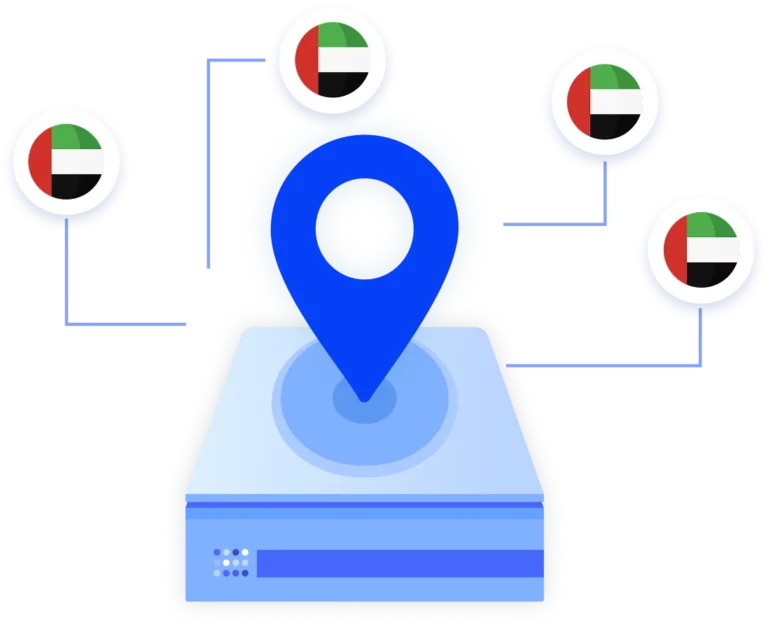
Run multiple accounts using UAE proxies by assigning each account its own isolated browser profile and UAE-based IP. This keeps logins consistent, reduces CAPTCHA challenges, and prevents account linking on platforms that expect stable UAE user behavior.

Longer sessions with UAE proxies

Longer sessions with UAE proxies

UAE proxies are more reliable when sessions stay consistent. With 24-hour sticky sessions, the same UAE IP remains assigned for a full day, keeping logins stable, preserving cookies, and reducing unexpected session resets during account use, automation, or data collection.

Scrape UAE websites with location-accurate proxies

Scrape UAE websites with location-accurate proxies

Scrape UAE websites with location-accurate proxies and keep each session consistent for long runs. With Multilogin, you can run your collection through tools like Postman, Puppeteer, Selenium, Playwright, or the Multilogin CLI, while tying each workflow to its own browser profile and UAE proxy so requests don’t inherit each other’s history or get grouped together.

Import third-party UAE proxy

Import third-party UAE proxy

Import third-party UAE proxies directly into Multilogin and assign them to individual browser profiles. This lets you keep using your existing UAE IPs while benefiting from isolated sessions, stable fingerprints, and clean account separation inside the antidetect browser.

Try Multilogin Risk-Free — Just €1.99!

Run multiple accounts with zero bans or blocks. Start your 3-day trial and test everything for less than a coffee.
  • 3-day access to Multilogin

  • 5 cloud or local profiles

  • 200 MB proxy traffic included

  • 3-day access to Multilogin

  • 5 cloud or local profiles

  • 200 MB proxy traffic included

What is antidetect browser?

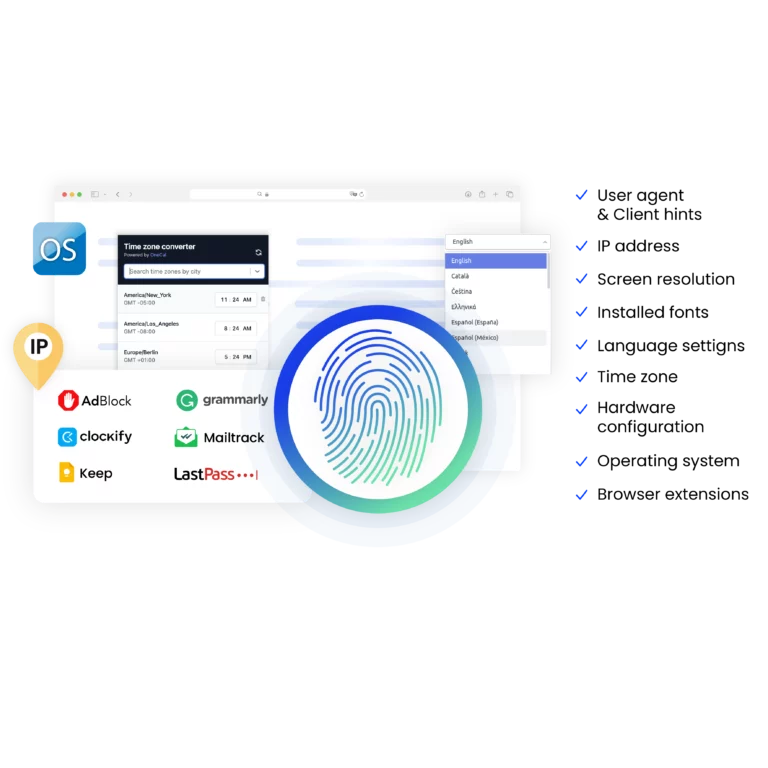
Antidetect browsers enable you to create multiple browsing sessions, each configured with unique digital fingerprints. By emulating genuine user behavior with advanced fingerprint randomization, they help you run high-volume scraping tasks while reducing the risk of detection.

An illustration showing how antidetect browsers enable users to create multiple browsing sessions with unique digital fingerprints, minimizing detection risks.

Why use UAE proxies and antidetect browser from the same provider?

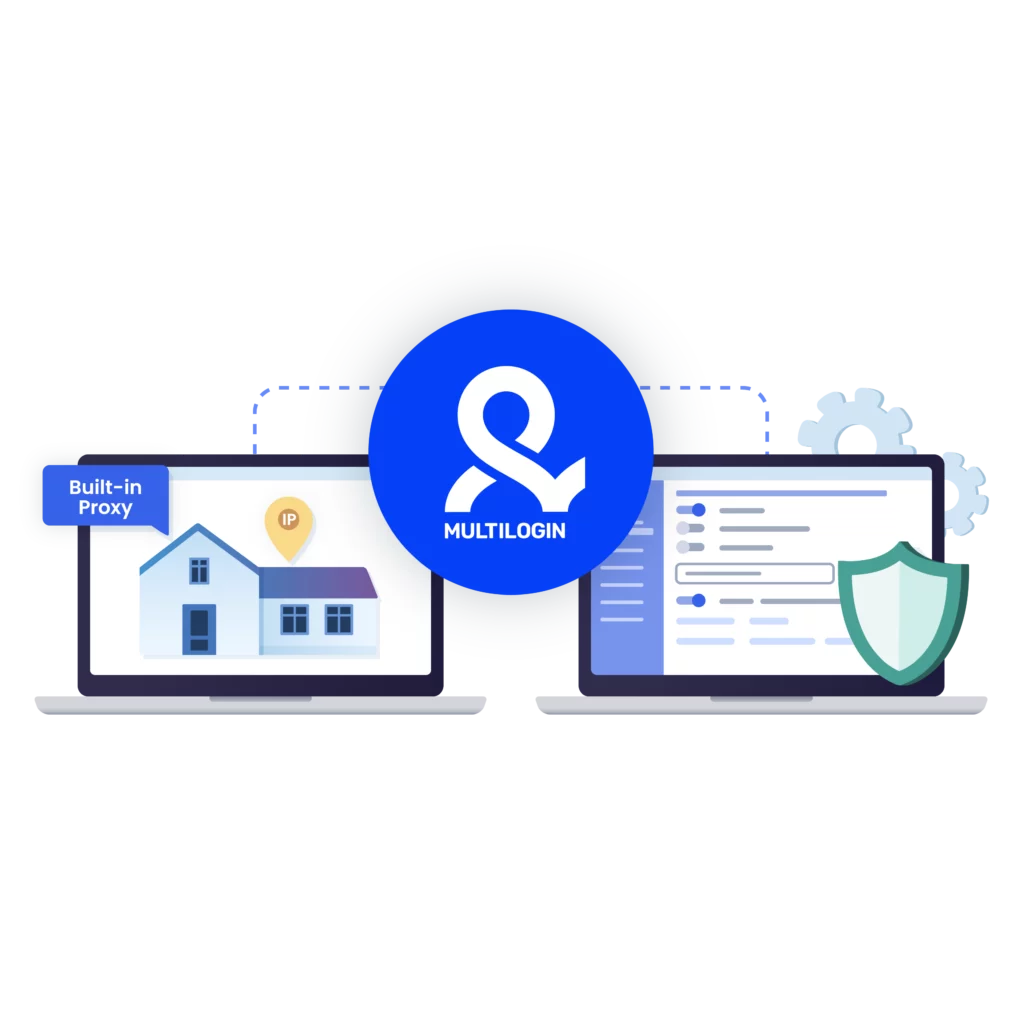
Using UAE proxies and an antidetect browser from the same provider keeps location, browser fingerprint, and session data aligned. This reduces setup errors, avoids mismatches that trigger reviews, and helps accounts behave like consistent UAE users instead of fragmented logins from mixed tools.

A visual showcasing why it is essential to use Multilogin's built-in proxy, making your browsing experience more convenient.

Multilogin features for creating multiple accounts

Icon representing Multilogin's feature to bypass bot protection.

Bypass bot detection

Our anti-fingerprinting tech bypasses multi-account and automated browser detection by masking unique browser fingerprints.

An icon representing browser action automation feature in Multilogin.

Integration with Selenium, Playwright, and Puppeteer

Automate data extraction with popular browser automation drivers all while keeping them invisible to anti-automation bots.

Icon representing residential rotating IPs in Multilogin.

Residential rotating proxies

Gain access to premium residential proxy nodes in 1400+ cities across 150+ countries with your Multilogin subscription.

An icon representing fingerprint adjustment to match proxy feature of Multilogin.

Fingerprint adjustment to proxies

All browser fingerprints are automatically adjusted to match the proxy’s location, enhancing anonymity.

Icon representing Multilogin's support for all proxy types, including HTTP, HTTPS, and SOCKS5.

Support for all proxy types

Use our proxies or bring your own. Multilogin supports all proxy types.

Icon representing data sync over the cloud with Multilogin.

Data sync over VPS

Use our cloud profiles to synchronize data across multiple VPS instances effortlessly.

Icon representing the Android Chrome browser in Multilogin.

Fully featured browsers

 Unlike headless browsers that websites can easily detect, our browsers mimic real user activity, preventing restrictions by websites.

An icon representing High Load Supported feature of Multilogin.

Easy dockerization

Dockerize your scraping instances with ease using our quick dockerization guide.

Most awarded antidetect browser

Kinza awards for Multilogin.
Conversion club badge for Multilogin.
Mask group badge for Multilogin
Startup 2019 awards badge for Multilogin
badge for Multilogin
Best Value Software 2022 badge for Multilogin
High performer 2024 badge for Multilogin
Leader 2024 badge for Multilogin
Best support 2024 badge for Multilogin
Easiest to do business with 2024 badge
SourceForge top performer 2023 badge
GetApp user reviews badge

Watch the Multilogin Demo for web scraping

Get a 10-minute demo video on how Multilogin can help you easily scrape websites. Just fill in your name, last name and email below, and we’ll deliver the demo video directly to your inbox.

Name
Last Name
Email *
Image of locked video for Multilogin demo preview

How to start using Multilogin 

Start collecting data effortlessly with the industry leading antidetect browser.

Step 1 of how to use Multilogin

Sign up

Register using a verified email address. 

Step 2 of how to use Multilogin

Choose your plan

Select from various subscription plans tailored to your business needs.

Step 3 of how to use Multilogin

Download Multilogin agent

Available for Windows, Mac, and Linux.

Step 4 of how to use Multilogin

Access the Multilogin dashboard

Start creating and managing antidetect browser profiles.

Step 5 of how to use Multilogin

Manage your accounts using UAE proxies

Set up multiple accounts while using UAE proxies, ensuring secure browsing with distinct profiles.

Run multiple accounts without getting blocked

Use Multilogin built-in UAE proxies

UAE proxy: How United Arab Emirates Proxies are used in real workflows

If you’ve ever tried to run accounts, scrape data, or verify ads tied to the UAE and suddenly hit blocks, logouts, or silent restrictions, you already know the issue isn’t random. Platforms in the region are strict about location consistency. When your IP doesn’t match the expected behavior, access breaks. That’s where a UAE proxy — especially a residential proxy — stops being optional and becomes part of the setup.

A UAE proxy server routes your traffic through IP addresses based in the United Arab Emirates. To the website, you look like a local user. That single change affects what you can see, how long sessions last, and whether your accounts survive.

This article explains how United Arab Emirates proxies are actually used, what problems they solve, and how to avoid the mistakes that cause bans even when a proxy is technically “working.”

What is a UAE proxy and why It matters

UAE proxy (also called a United Arab Emirates proxy) is a server that assigns you an IP from inside the country. Websites rely heavily on IP location to decide what content to show, which ads to load, and whether an account looks legitimate. 

This matters because: 

  • Many platforms show different pricing, offers, or results inside the UAE 
  • Some services restrict access to users outside the region 
  • Account systems flag logins that jump between countries too often 

If your setup keeps switching locations or mixes UAE and non-UAE signals, detection follows. Proxies don’t solve everything, but without the right location, nothing else works reliably. 

Read our article about the best residential proxies! 

What you can do with United Arab Emirates proxies

United Arab Emirates proxies are used when location accuracy directly affects results. Common workflows include: 

  • Accessing UAE-only websites and services 
  • Verifying ads as they appear to users in Dubai or Abu Dhabi 
  • Managing region-linked accounts without constant security checks 
  • Scraping UAE search results, listings, or pricing data 
  • Testing localized landing pages, currencies, and content rules 

For teams operating across regions, UAE proxies are often used alongside other country IPs. The key is keeping each activity isolated so accounts don’t bleed into each other. 

Where UAE proxy servers usually fail

Many users buy a UAE proxy server and still get banned. The reason is rarely the country itself. It’s the incomplete setup. 

Typical failure points: 

  • Using datacenter IPs that platforms already distrust 
  • Rotating IPs too aggressively during logged-in sessions 

If you’ve been banned even with a UAE proxy, the platform didn’t just see your IP. It connected behavior, browser signals, and session patterns. 

Why browser isolation changes the outcome

A proxy only handles the connection. Websites also track: 

  • Browser fingerprint 
  • Device characteristics 
  • Cookies and local storage 
  • Session behavior over time 

If all your accounts run inside the same browser environment, a UAE proxy won’t protect them for long. This is where browser-level separation matters. 

Using UAE proxies with Multilogin 

Multilogin lets you run each account inside its own isolated browser profile. Every profile has: 

  • Separate cookies and storage 
  • Its own proxy connection 

When a UAE proxy is assigned to one profile, it stays tied to that identity. If one account gets flagged, others remain untouched because there’s no shared data behind the scenes. 

This approach is especially useful if: 

  • You manage multiple UAE-based accounts 
  • You test campaigns across regions 
  • You’ve already lost accounts due to linkage 

UAE Proxies for account management

Account bans usually happen quietly. A login works today, fails tomorrow, and there’s no clear reason why. In most cases, the account was linked to others through shared signals. 

With UAE proxies combined with isolated profiles: 

  • Each account logs in from a consistent UAE location 
  • Sessions stay stable instead of resetting 
  • Security checks trigger less often 

If you’re managing social media, marketplaces, or local platforms tied to the UAE, this setup reduces friction over time instead of forcing you to constantly replace accounts. 

UAE Proxies for scraping and automation

Scraping UAE data without the right setup is slow and unreliable. Rate limits appear quickly, and IPs get burned faster than expected. 

A UAE proxy helps because: 

  • Requests come from the correct country 
  • Localized content loads correctly 
  • Blocks trigger later than with foreign IPs 

Running UAE scraping with Multilogin 

When scraping through Multilogin, each browser profile can run its own UAE proxy. This allows: 

  • Controlled IP rotation instead of random switching 
  • Cleaner request patterns 
  • Better stability for long scraping jobs 

If scraping fails after a few minutes, it’s usually not because scraping is “detected.” It’s because the environment looks artificial. A real-looking browser paired with a UAE proxy changes that balance. 

Residential vs. datacenter UAE proxies

Not all UAE proxies behave the same, and the difference usually shows up after a few days of real use. Residential UAE proxies are assigned from real user connections, which means they blend into normal traffic patterns instead of standing out. Because they look closer to how real people connect, they tend to last longer for account-based work and scraping tasks where stability matters more than raw speed.

Datacenter proxies are different. They can be faster on paper, but that speed comes with trade-offs. These IPs are easier for platforms to recognize, especially on services that apply stricter regional checks, and they are often blocked early. For serious workflows, residential United Arab Emirates proxies are usually the safer option. Speed is rarely the limiting factor; consistency is.

When UAE proxies are not enough

When UAE proxies are not enough, bans still happen even if the IP itself is correct. Accounts created too fast, behavior that looks automated, sessions jumping between devices, or multiple accounts sharing the same fingerprint all raise red flags. In these cases, the platform is not reacting to location. It is reacting to patterns that don’t match how real users behave over time.

This is why experienced teams don’t talk about proxies alone. They focus on full environments. Tools like Multilogin are often used because they handle fingerprint separation, profile persistence, and proxy assignment per identity. The proxy takes care of location, while the browser takes care of identity. For stable setups, you need both working together.

Read more about the best anti detect browsers for web scraping! 

Final thoughts: Using UAE proxies without burning accounts

A UAE proxy is not a shortcut. It’s a foundation. If you rely on UAE access for business, testing, or data collection, treating proxies as disposable tools leads to repeated bans. 

The setups that last combine: 

  • UAE proxy servers tied to single profiles 
  • Stable sessions 
  • Clear separation between accounts 
  • Controlled scaling instead of bursts 

If you’ve already lost accounts, the fix is rarely “buy another proxy.” It’s rebuilding the environment so platforms stop connecting the dots. 

For teams working seriously with United Arab Emirates proxies, that difference is what keeps workflows running instead of constantly restarting. 

FAQ

A UAE proxy is a proxy server that assigns you an IP address located in the United Arab Emirates. When traffic goes through a UAE proxy server, websites detect the connection as coming from inside the country rather than your real location. This affects access rules, visible content, pricing, ads, and how platforms evaluate trust. United Arab Emirates proxies are mainly used when platforms expect local users and apply different logic to foreign IPs.

Functionally, there is no difference. The terms UAE proxy server, United Arab Emirates proxy, and United Arab Emirates proxies all refer to proxy infrastructure that routes traffic through UAE-based IP addresses. The difference is only in wording. Some users say “UAE proxy server” when talking about setup, while others use “United Arab Emirates proxies” when referring to pools of IPs. The use case stays the same.

Most bans are not caused by the UAE proxy itself. Platforms analyze more than location. They look at browser fingerprints, cookies, device data, and behavior patterns over time. If multiple accounts share the same browser environment or switch locations inconsistently, detection follows even with a correct UAE IP. A UAE proxy fixes location, but long-term account safety depends on isolating each account and keeping signals consistent.

In most cases, yes. Residential United Arab Emirates proxies come from real user connections and blend into normal traffic patterns. They usually last longer for account management, ad verification, and scraping. Datacenter UAE proxies can be faster, but they are easier for platforms to identify and block, especially on services with strict regional controls.

Yes, UAE proxies are commonly used for scraping UAE search results, local listings, travel pricing, and e-commerce data. They ensure the data collected matches what real UAE users see. However, scraping reliability depends on more than the proxy. Aggressive request rates, shared browser signals, or uncontrolled rotation can still trigger blocks. Stable setups usually combine UAE proxies with isolated browser environments.

There is no fixed limit. Risk increases when one UAE proxy is reused across many logged-in accounts. Safer setups assign a dedicated UAE proxy to each account or rotate carefully while keeping sessions isolated. Tools like Multilogin are often used because they allow each account to run in its own browser profile with a separate UAE proxy, reducing account linkage.

UAE proxies are not enough when accounts share browser fingerprints, behave unnaturally, or jump between countries and devices. In these situations, platforms still detect patterns even though the IP location is correct. United Arab Emirates proxies work best as part of a complete setup that includes browser isolation, stable behavior, and controlled scaling. If bans continue, the issue is usually the environment, not the UAE proxy itself.

Watch the Multilogin Demo for web scraping

Get a 10-minute demo video on how Multilogin can help you easily scrape websites. Just fill in your name, last name and email below, and we’ll deliver the demo video directly to your inbox.

Name
Last Name
Email *
Image of locked video for Multilogin demo preview
Thank you! We’ve received your request.
Please check your email for the results.
We’re checking this platform.
Please fill your email to see the result.

Multilogin works with amazon.com