An multi-account browser is software that hides and replaces your digital fingerprints online. Unlike regular browsers, it doesn’t just change your IP address — it also emulates different devices, operating systems, languages, fonts, browser settings, and other technical details that websites normally use to identify users. This makes it especially useful for anyone managing multiple accounts or bypassing strict moderation systems.
Top 15 Best Multi-Accounting Browsers of 2026 (Ranked)
In this list of multi-account browsers, we’ll review the key features of each solution, compare pricing, interface, and security levels, and explain which option works best for different use cases.
1. Multilogin: pioneer of the multi-accounting browser industry
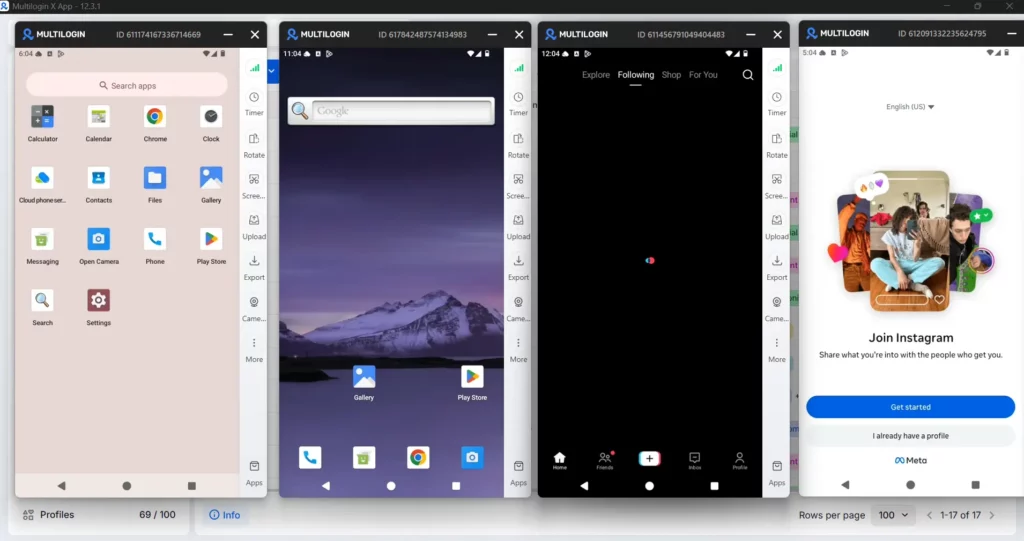
Multilogin is a cloud Android phone platform for multi-account management, backed by over 10 years of industry experience. It helps marketers, e-commerce sellers, agencies, and teams manage multiple accounts across mobile apps and web browsers from one dashboard. Each cloud phone runs on a real Android device, while built-in residential proxies and mobile minutes are included in every plan.
Key features
Real Android cloud phones: Run native Android apps on cloud-hosted devices, with separate app data, IP, location, and login history for each account. Choose from 30+ Android device types across 12 brands, including Samsung, Xiaomi, and Google.
Browser profiles: Manage web-based accounts in isolated browser profiles, each with its own cookies, session, and IP. Both mobile and browser workflows are accessible from one dashboard.
Built-in residential proxies: Residential proxies are included in every plan, eliminating the need for a separate proxy subscription. Each profile can use its own IP and matching geolocation.
Automation and AI support: Multilogin provides API and ADB access for mobile-app automation, along with Selenium, Playwright, Puppeteer, and Postman compatibility for supported workflows.
Team collaboration: Assign and share profiles, manage team permissions, organize accounts with custom tags, and monitor running profiles from a centralized dashboard.
Pricing and access
Multilogin offers a free plan with no time limit and no credit card required. Paid plans start from $7.08 per month, with cloud Android phones, browser profiles, residential proxies, and mobile minutes included in one subscription.
Pros and cons
| ✅ Advantages | ❌ Disadvantages |
|---|
| ✅ Real Android cloud phones for native mobile apps | ❌ Initial setup may take some time |
| ✅ Built-in residential proxies in every plan | ❌ Cloud phones cannot receive SMS or calls directly |
| ✅ Browser profiles for web-based accounts | ❌ Requires a reliable internet connection |
| ✅ Separate app data, IP, and location for each account | |
| ✅ Mobile minutes included in every plan | |
| ✅ API, ADB, and automation support | |
| ✅ Team collaboration and centralized management | |
| ✅ Free plan with no time limit | |
| ✅ 24/7 customer support in five languages | |
Who is it for?
Multilogin is a practical choice for social media managers, e-commerce sellers, agencies, content creators, and teams managing multiple accounts across mobile apps and websites.
It’s especially useful for businesses that need separate Android environments for different accounts without purchasing and maintaining multiple phones. Browser profiles also support web-based workflows, while built-in proxies, automation, and team features make it easier to manage daily operations as the business grows.
Start free with Multilogin — no credit card required →
2. GeeLark: leading the way in mobile multi-account technology
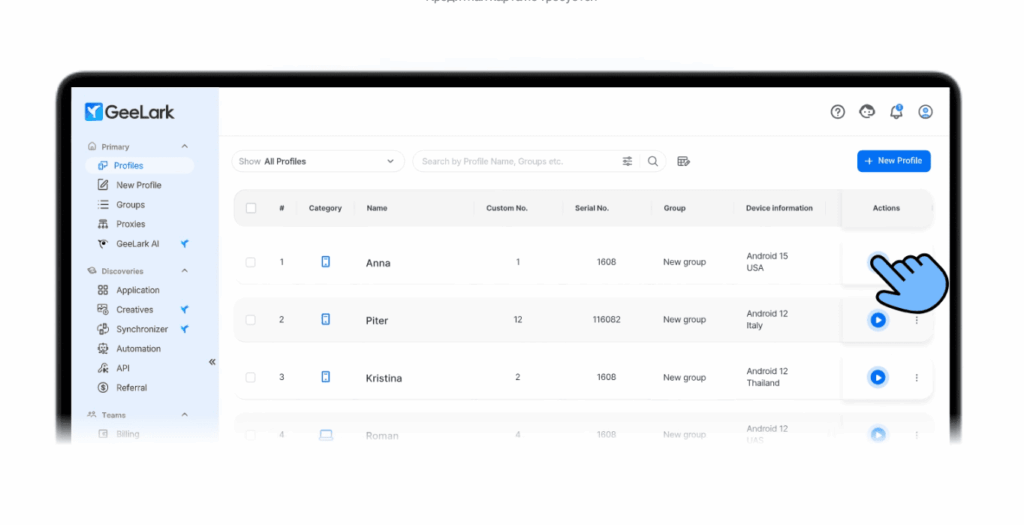
GeeLark is the first platform that combines the power of an multi-account browser with cloud-based Android devices. Instead of emulation, it provides fully virtual smartphones with access to real mobile apps. The solution is ideal for SMM, affiliate marketing, testing, and mobile automation.
Key features
Cloud Android devices with unique parameters: IMEI, MAC, model, serial number
Install any mobile apps via Google Play or APK
Account isolation — each device runs in its own environment
Desktop-level multi-account features: Canvas, WebGL, User-Agent, and more
Profile sync and backup
Cross-platform setups — work with both websites and mobile apps at the same time
Pricing and access
Free plan: 2 profiles, up to 30 minutes per day
Basic plan from $19/month — includes access to cloud devices
Flexible pay-per-minute model: $0.007 per active session minute
You only pay for what you use — convenient for occasional work and testing
Pros and cons
| ✅ Advantages | ❌ Disadvantages |
|---|
| ✅ Run real Android apps in the cloud | ❌ No iOS support |
| ✅ Optimized for mobile automation | ❌ Paid plans only |
| ✅ Full account isolation and multi-accounting | ❌ Depends on stable internet |
| ✅ No need for emulators or physical devices | ❌ Setup can be complex |
| ✅ Cost savings with pay-per-minute billing | ❌ Limited flexibility for heavy daily use |
Who is it for?
Mobile traffic arbitrage professionals
SMM specialists and agencies
Developers testing mobile apps
Anyone who needs to run real mobile applications without buying devices
3. MoreLogin: supports multi-accounting on web and mobile
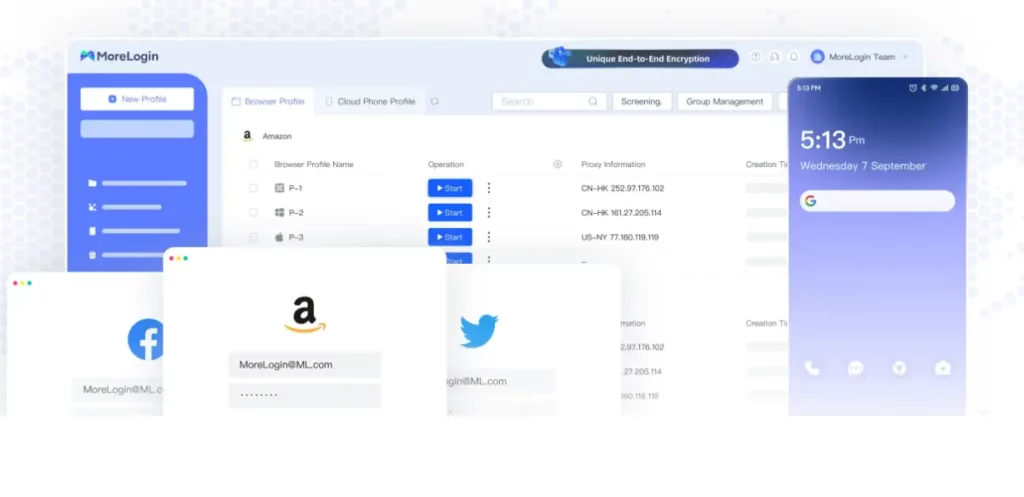
MoreLogin combines the capabilities of an multi-account browser and cloud-based Android devices in a single platform. This integrated approach makes it especially convenient for those who work with both websites and mobile applications at the same time.
Key features
Create both browser and mobile profiles with full digital identity simulation
Browser features include Canvas, WebGL, fonts, plugins, and audio context spoofing
Supports all proxy types (HTTP, HTTPS, SOCKS5) with automatic rotation and status checks
Mobile features include fully virtual Android devices with app installation, device parameter customization, and system-level interactions just like on a real phone
Integration between web and mobile profiles allows for coordinated behavior — valuable for cross-platform strategies in arbitrage and marketing
Pricing and access
Free plan: 2 profiles with no time limit — enough to test the core functionality
Paid plans: starting at $5.4/month (annual billing), with more profiles and team collaboration support
Pros and cons
| ✅ Advantages | ❌ Disadvantages |
|---|
| ✅ Combines web and mobile profiles in one platform | ❌ Young platform — stability can be an issue |
| ✅ Fully virtual Android devices | ❌ Overkill if you only need web or mobile, not both |
| ✅ Supports all proxy types + auto-rotation | ❌ Limited user community and fewer tutorials compared to mature tools |
| ✅ Free plan (2 profiles, no time limit) | ❌ Some advanced features still under development |
| ✅ Affordable entry price — from $5.4/month (annual plan) | ❌ Updates can be less frequent than more established competitors |
| | ❌ No built-in proxies — requires external providers |
Who is it for?
MoreLogin is suited for affiliate marketers, SMM specialists, e-commerce projects, and agencies that need to build cohesive cross-platform strategies. It’s especially handy for working with social networks, marketplaces, and mobile traffic.
4. Undetectable: designed for advanced users and big projects
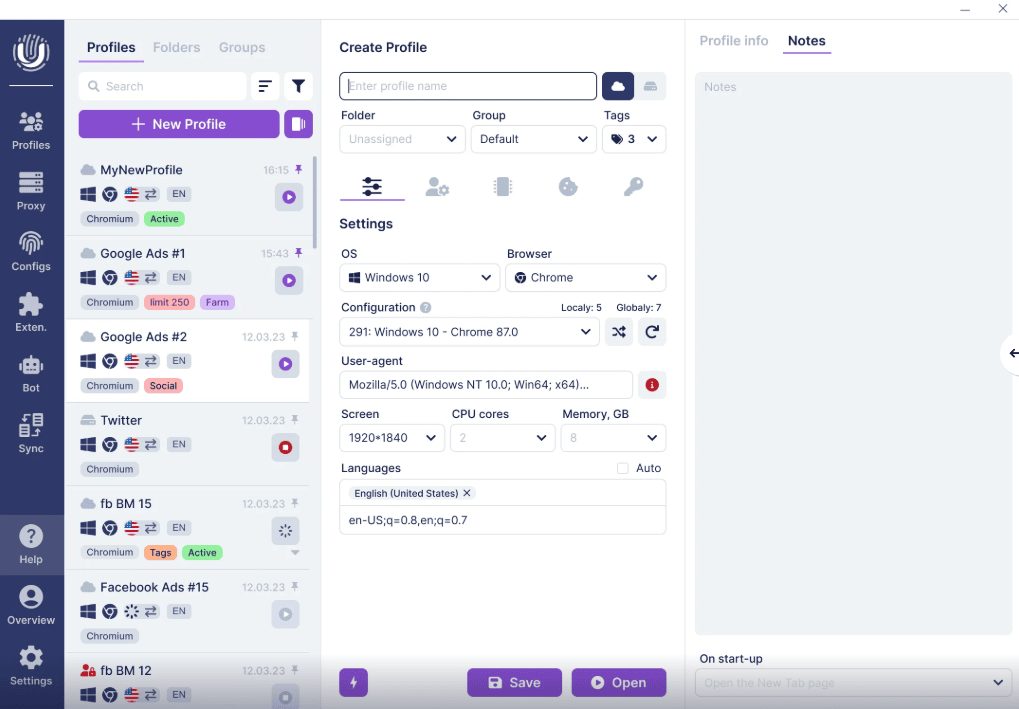
Undetectable is a powerful platform for advanced multi-accounting, with a focus on local profiles, high performance, and flexible automation. It’s designed for users who value speed, stability, and control.
Key features
Unlimited local profiles included even in the free plan
Profiles are stored on the device, ensuring fast performance, independence from the cloud, and full data control
Cloud profiles and synchronization are available for team collaboration
Advanced fingerprint spoofing with 50+ parameters: WebGL, Canvas, fonts, WebRTC, and more
Fingerprints are based on real statistical data and updated regularly to stay ahead of detection
Built-in cookie management and advanced automation options
Pricing and access
Free plan: unlimited local profiles + 5 cloud profiles
Basic plan (from $49/month): 50 cloud profiles, 25 configurations
Professional & Enterprise plans: up to 200 cloud profiles, team features, private storage
Fingerprint store: ready-made configurations available from $1 each
Pros and cons
| ✅ Advantages | ❌ Disadvantages |
|---|
| ✅ Unlimited local profiles, even on the free plan | ❌ Relatively high cost for paid plans |
| ✅ Fast and stable thanks to local storage | ❌ No Linux support |
| ✅ Advanced fingerprint spoofing (50+ parameters) | ❌ Some features locked to paid tiers |
| ✅ Built-in configuration store (ready-made fingerprints) | ❌ Learning curve for beginners |
| ✅ Extended automation and cookie management | ❌ Fewer integrations compared to some competitors |
Who is it for?
Undetectable is ideal for affiliate marketers, e-commerce teams, agencies, and anyone managing large volumes of accounts. It’s especially effective in cases where scalability, speed, and full profile control are critical.
5. Dolphin Anty: built for affiliate marketing and traffic arbitrage
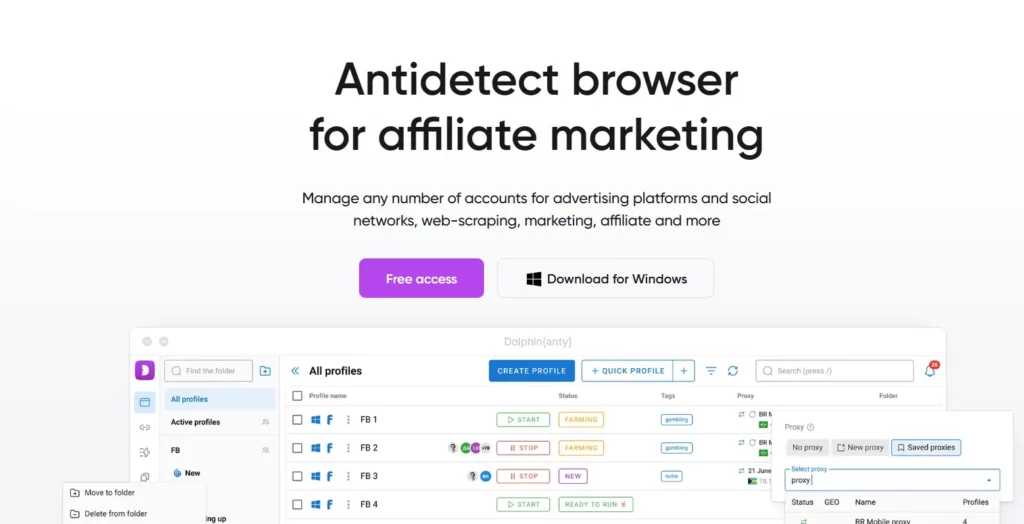
Dolphin Anty is built with a focus on traffic arbitrage and affiliate programs. It’s one of the few browsers that supports Linux and relies on real device fingerprints rather than synthetic ones.
Key features
Uses real browser fingerprints collected from actual devices, reducing detection risks and working well on platforms with advanced anti-fraud systems
Profiles can be created with one click, with manual customization available for 20+ parameters
Runs on Windows, macOS, and Linux, with mobile fingerprints (iOS, Android) planned
API support for automation — convenient for scaling accounts and traffic management
Pricing and access
Free plan: up to 10 profiles, unlimited time
Free+ plan from $10/month: 60 profiles, with up to 40% discounts on annual billing
Option to add extra profile slots and user accounts as your project grows
Pros and cons
| ✅ Advantages | ❌ Disadvantages |
|---|
| ✅ Uses real device fingerprints | ❌ Some features only available on higher tiers |
| ✅ Supports Windows, macOS, and Linux | ❌ Additional users require extra payment |
| ✅ Free plan with 10 profiles, no time limit | ❌ Paid plans are more expensive than some competitors |
| ✅ API integration for automation | ❌ Limited customer support compared to larger platforms |
| ✅ Optimized for traffic arbitrage and affiliate programs | ❌ Fewer built-in collaboration tools |
Who is it for?
Dolphin Anty is best suited for affiliate marketers, traffic arbitrage teams, and users working on Linux who need authentic fingerprints and flexible automation. It’s also a good fit for smaller projects that want a balance of automation and pricing flexibility.
6. GoLogin: cross-platform multi-account browser with proxy support
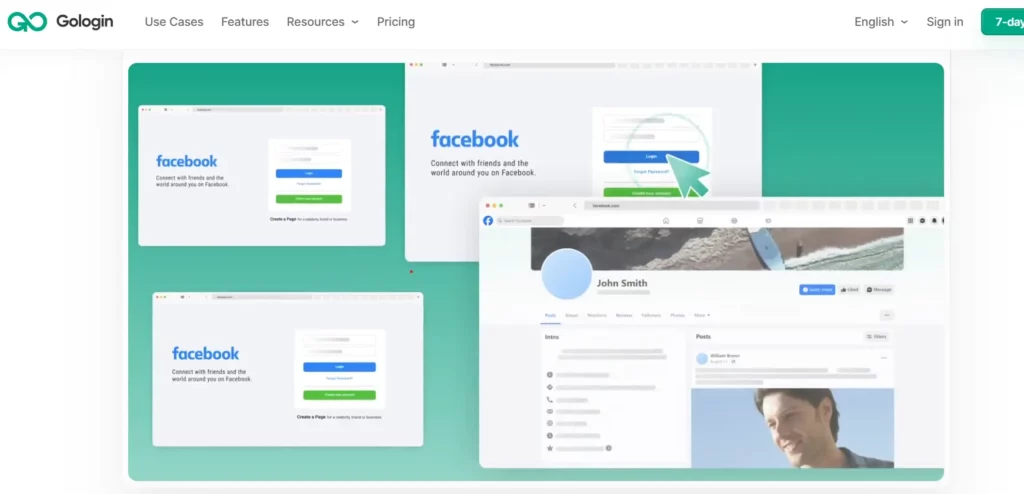
GoLogin is a multi-account browser that offers a mix of multi-accounting features, proxy support, and cross-platform access. It is used by individuals and teams to manage accounts across different systems and devices.
Key features
Built-in premium proxies in over 100 countries, including both residential and mobile IPs, automatically matched to region and task type
Option to connect your own proxies if needed
Runs on Windows, macOS, Linux, and Android, plus a cloud version accessible from any browser without installation — convenient for teams and users working remotely
User-friendly interface with fast setup for quick multi-account management
Pricing and access
Free plan: 3 profiles with almost full functionality (team features excluded)
Professional plan: from $24/month (annual billing) or $49/month when billed monthly
Up to 50% discounts for long-term subscriptions
Pros and cons
| ✅ Advantages | ❌ Disadvantages |
|---|
| ✅ Built-in premium proxies (residential & mobile) | ❌ Team features only available on paid plans |
| ✅ Cross-platform support (Windows, macOS, Linux, Android, cloud) | ❌ Less flexible fingerprint settings compared to some competitors |
| ✅ Simple interface and quick start, no installation required | ❌ Limited advanced tools for enterprise use |
| ✅ Free plan with 3 profiles and nearly full functionality | ❌ Cloud version can be slower than local apps |
| ✅ Good balance of price and features | ❌ Lacks deep automation features out of the box |
Who is it for?
GoLogin is a good fit for freelancers, affiliate marketers, small teams, and anyone who needs a stable, easy-to-use platform with ready-to-go proxies. It’s an excellent choice for day-to-day account management without the hassle of complex configuration.
7. AdsPower: balancing functionality and pricing
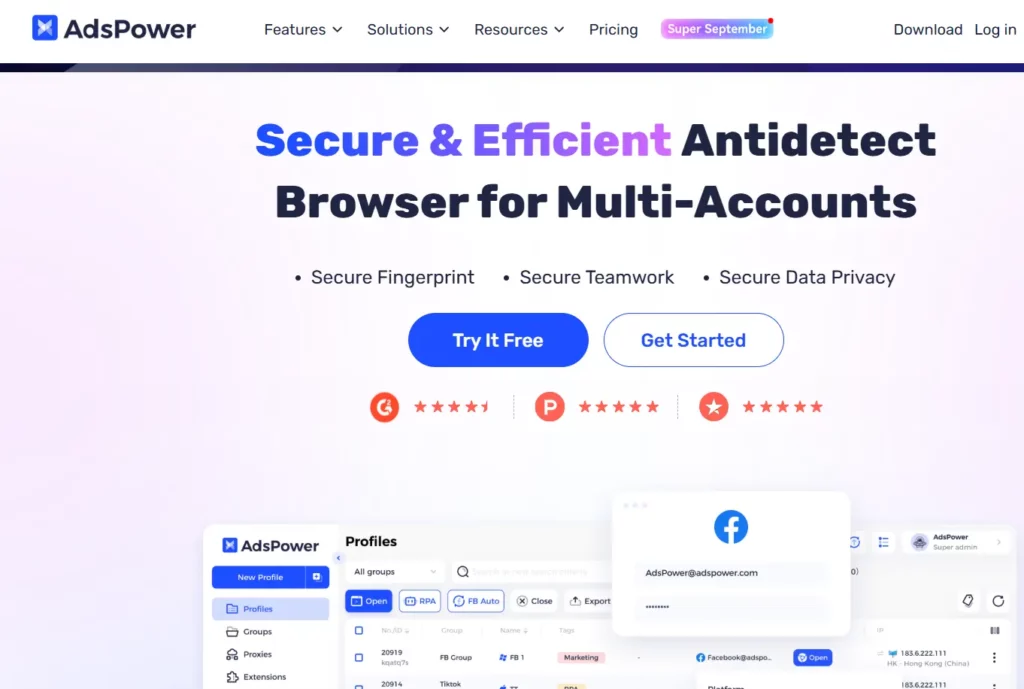
AdsPower is one of the largest multi-account browsers on the market, with over 5 million users in 235 countries. It offers broad functionality and a low entry barrier, making it especially useful for beginners and small teams.
Key features
Supports two engines: SunBrowser (Chromium) and FlowerBrowser (Firefox), giving flexibility to choose the right option for different sites and tasks
Built-in automation tools: RPA, action synchronization, API — simplify bulk account management without programming
Security features include 2FA, logging, suspicious login protection, and end-to-end encryption
Pricing and access
Free plan: 2 profiles, no time limit
Paid plans: from $5.4/month (annual billing)
Discounts up to 40% for long-term subscriptions
Pros and cons
| ✅ Advantages | ❌ Disadvantages |
|---|
| ✅ Dual engine support: Chromium and Firefox | ❌ The interface can feel overloaded for beginners |
| ✅ Built-in automation tools (RPA, API, sync) | ❌ Some features take time to master |
| ✅ Strong security (2FA, encryption, logging) | ❌ Performance may lag on lower-end devices |
| ✅ Free plan (2 profiles, unlimited time) | ❌ No built-in proxy service (requires external providers) |
| ✅ Affordable pricing and scalable for small businesses/teams | ❌ Customer support response times can vary |
| | ❌ Limited mobile support (desktop-focused) |
Who is it for?
AdsPower suits beginners, freelancers, SMM specialists, and affiliate marketers who need a scalable, affordable platform with flexible automation and enterprise-level security.
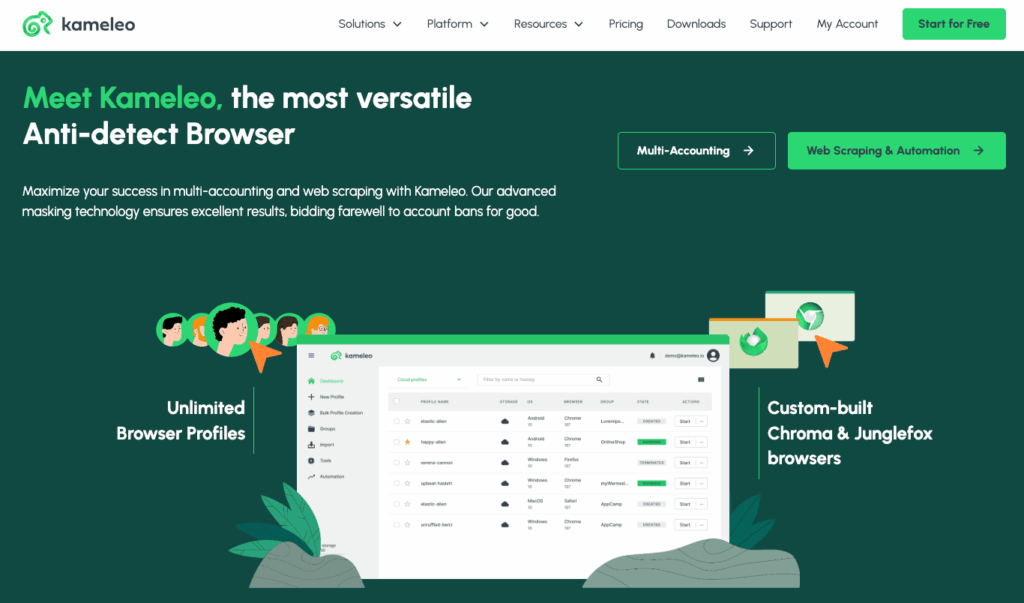
8. Kameleo: multi-account browser built for API integration and automation
Kameleo is designed for developers and technical teams that need deep multi-account integration within their systems. The platform is well-suited for scraping, testing, and automation.
Key features
API-first approach: manage profiles, configure fingerprints, launch sessions, and integrate with external services via SDK and detailed documentation
Supports mobile Android fingerprints without root access, with proxy configuration, isolation, and the ability to work with web apps in a mobile environment
Pricing and access
Free plan: 2 parallel browsers and unlimited fresh fingerprints
Discounts up to 50% on entry-level plans for new users
Flexible payment system suitable for both small projects and large teams
Pros and cons
| ✅ Advantages | ❌ Disadvantages |
|---|
| ✅ API-first approach — full control via SDK and API | ❌ Requires technical expertise, not beginner-friendly |
| ✅ Support for mobile Android fingerprints without root | ❌ No built-in proxies — external providers required |
| ✅ Free plan: 2 browsers + unlimited fingerprints | ❌ Limited customer support compared to larger competitors |
| ✅ Flexible pricing with discounts for new users | ❌ Interface is less polished and more technical |
| ✅ Ideal for scraping, testing, and automation | ❌ Learning curve can be steep for non-developers |
Who is it for?
Kameleo is aimed at developers, scraping teams, QA engineers, and technical users who need a reliable multi-account solution with advanced automation and API-based control.
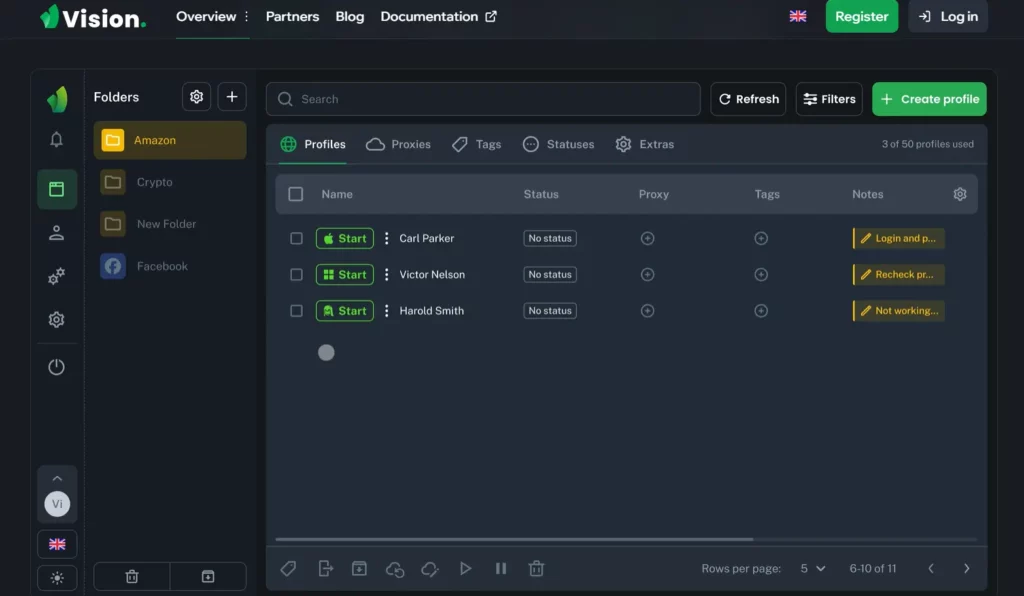
9. Vision Browser: multi-account browser for easy and scalable multi-accounting
Vision Browser allows users to create an unlimited number of isolated browser profiles with unique fingerprints (User-Agent, language, timezone, and more). It supports individual proxies (HTTP, HTTPS, SOCKS5) and team collaboration with access control. The platform is easy to use and provides a high level of anonymity.
Pricing and access
Starter plan: 10–20 profiles with basic features
Professional and enterprise plans: from 100 up to unlimited profiles, plus API access, advanced analytics, and technical support
Suitable for both individual users and teams
Pros and cons
| ✅ Advantages | ❌ Disadvantages |
|---|
| ✅ Unlimited profiles with unique fingerprints | ❌ High cost for enterprise plans |
| ✅ User-friendly interface and team collaboration support | ❌ Limited customization in basic plans |
| ✅ Supports all proxy types and anonymity settings | ❌ Manual setup required for certain platforms |
| ✅ Regular updates and stability | |
| ✅ Good compatibility with major websites | |
Who is it for?
Vision Browser is suitable for digital teams, agencies, e-commerce projects, SMM specialists, and affiliate marketers. It also works well for freelancers and small businesses that need secure multi-account management.
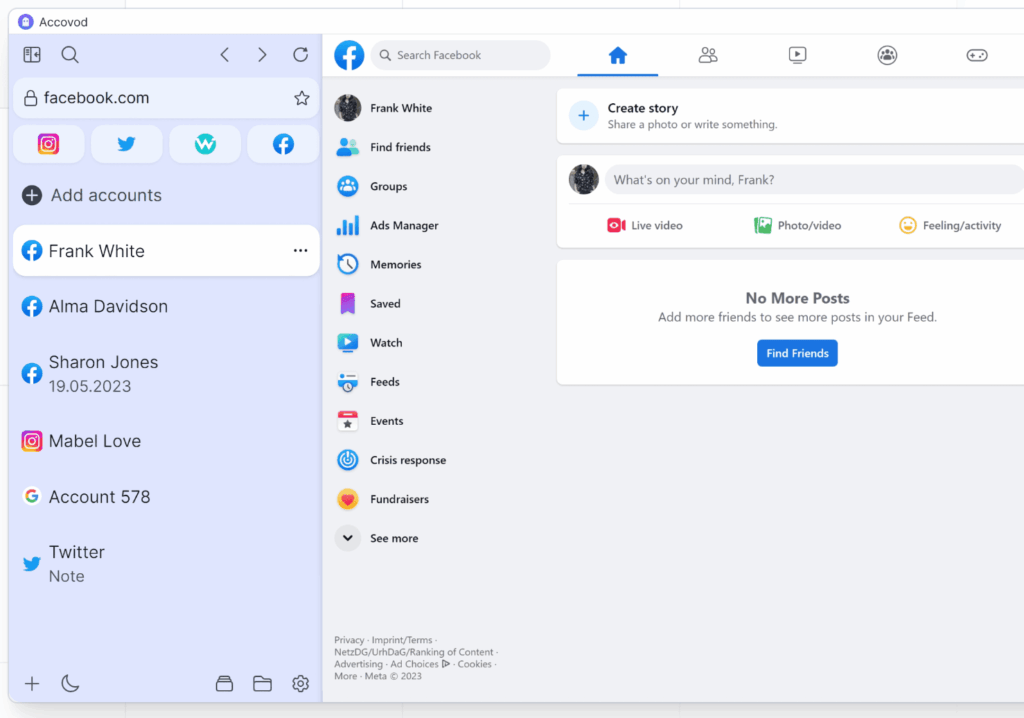
10. Accovod Browser: multi-account browser with automation and profile control
Accovod allows users to manage multiple accounts through unique browser fingerprints (Canvas, WebGL, audio, and more) combined with built-in automation. Its Walker technology imitates natural behavior by automatically collecting cookies and generating realistic activity. The platform supports bulk launching, auto-login, JavaScript scripting, and group profile management.
Pricing and access
Two plans are available:
Local ($25/month): unlimited local profiles, no cloud features
Cloud ($35/month): 150 cloud profiles, synchronization, and team collaboration
No auto-renewal — subscriptions must be renewed manually
Pros and cons
| ✅ Advantages | ❌ Disadvantages |
|---|
| ✅ Walker automation — simulates real user activity | ❌ Limited cloud functionality |
| ✅ Support for scripts, auto-login, and bulk launching | ❌ No enterprise-level plans |
| ✅ Affordable pricing from $25/month with manual renewal | ❌ May not be convenient for large teams |
| ✅ Unlimited local profiles | ❌ No built-in proxies — requires external providers |
| ✅ Suitable for both beginners and advanced users | ❌ Smaller community and fewer tutorials compared to larger competitors |
| | ❌ Limited third-party integrations |
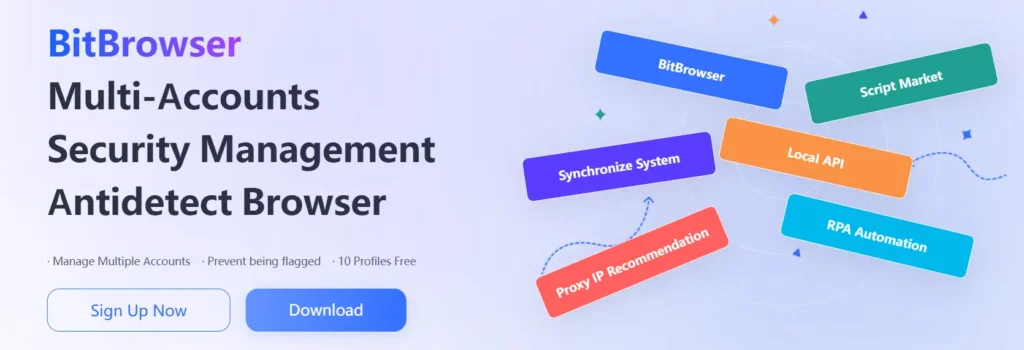
11. BitBrowser: multi-account browser with a free plan and mobile automation
BitBrowser provides multi-account management with unique fingerprints (30+ parameters), integration with the Android emulator BitCloudPhone for running mobile apps, and advanced action synchronization across devices. It also offers RPA automation, a local API, and a script marketplace for custom workflows.
Pricing and access
Free plan: 10 profiles forever, with all basic features, RPA, and customer support
Base ($10/month): 50 profiles, 2 users, extended automation features
Plans scale up to 200 profiles, with enterprise options supporting 300,000+ profiles
Discounts of up to 30% for long-term subscriptions
Pros and cons
| ✅ Advantages | ❌ Disadvantages |
|---|
| ✅ Android emulator (BitCloudPhone) for mobile app usage | ❌ Interface mainly tailored to the Asian market |
| ✅ Strong automation: RPA, local API, script marketplace | ❌ Language barriers may occur in certain sections |
| ✅ Action synchronization across devices | ❌ Limited global community compared to competitors |
| ✅ Generous free plan: 10 profiles + support included | ❌ No built-in proxy service (external providers required) |
| ✅ Suitable for both beginners and advanced users | ❌ Some advanced features require technical knowledge |
Who is it for?
BitBrowser is well-suited for affiliate marketers, SMM specialists, and e-commerce projects, particularly those working with TikTok, Instagram, Facebook, and Asian platforms. It’s beginner-friendly, as the free version already includes the core tools needed to get started.
Incogniton: multi-account browser with security and team features
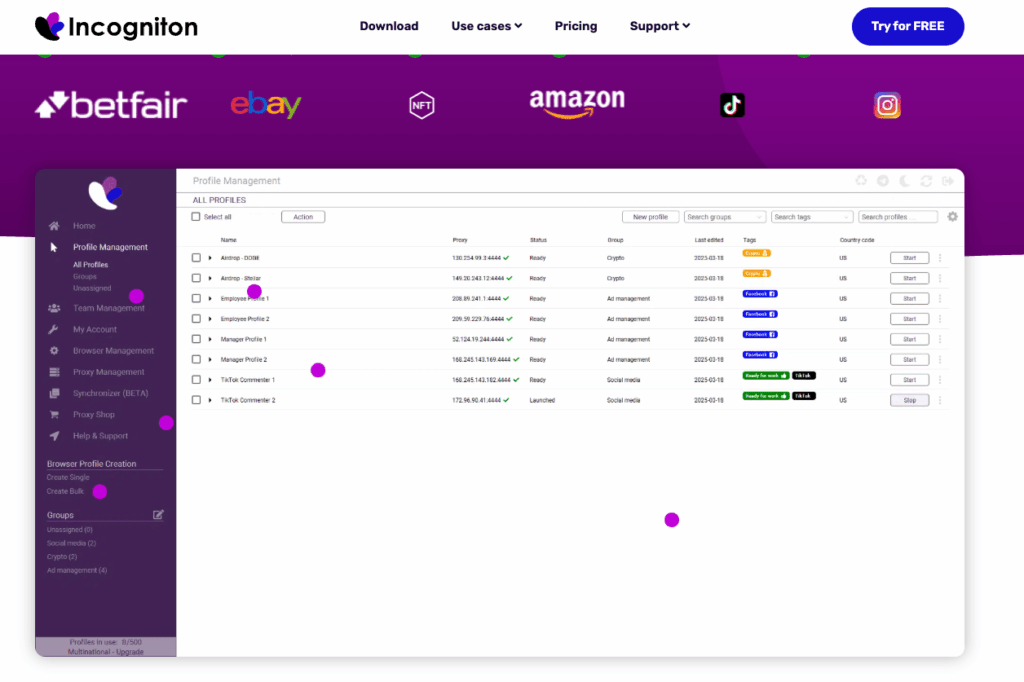
Incogniton provides an multi-account browser with strong fingerprint protection, unique fingerprints for each profile, and built-in team collaboration features. Automation is available via Selenium and API. Cookie Collector and cloud profile synchronization make account management flexible and scalable.
Pricing and access
Free: 10 profiles for 2 months, then 3 profiles forever
Starter Plus ($19.99/month): 10 profiles, basic functionality
Entrepreneur ($29.99/month): 50 profiles
Professional ($79.99/month): 150 profiles + 3 users
Custom ($149.99/month): from 500 profiles and 10 users
Discounts up to 30% for long-term subscriptions, crypto payments accepted
Pros and cons
| ✅ Advantages | ❌ Disadvantages |
|---|
| ✅ Strong fingerprint protection and unique profiles | ❌ Free plan limited to 2 months, then reduced |
| ✅ Supports Selenium, API, and Cookie Collector | ❌ Some features only available on paid plans |
| ✅ Cloud sync and team collaboration | ❌ No built-in proxy service (external required) |
| ✅ User-friendly interface for beginners and advanced users | ❌ Limited enterprise-level integrations |
| ✅ Flexible plans with crypto payment option | |
Who is it for?
Incogniton is suitable for marketers, affiliate teams, agencies, and businesses that value reliability, ease of use, and flexible profile management. It supports both beginners and technically advanced users.
13. Octo Browser: premium tool for multi-accounting and teamwork
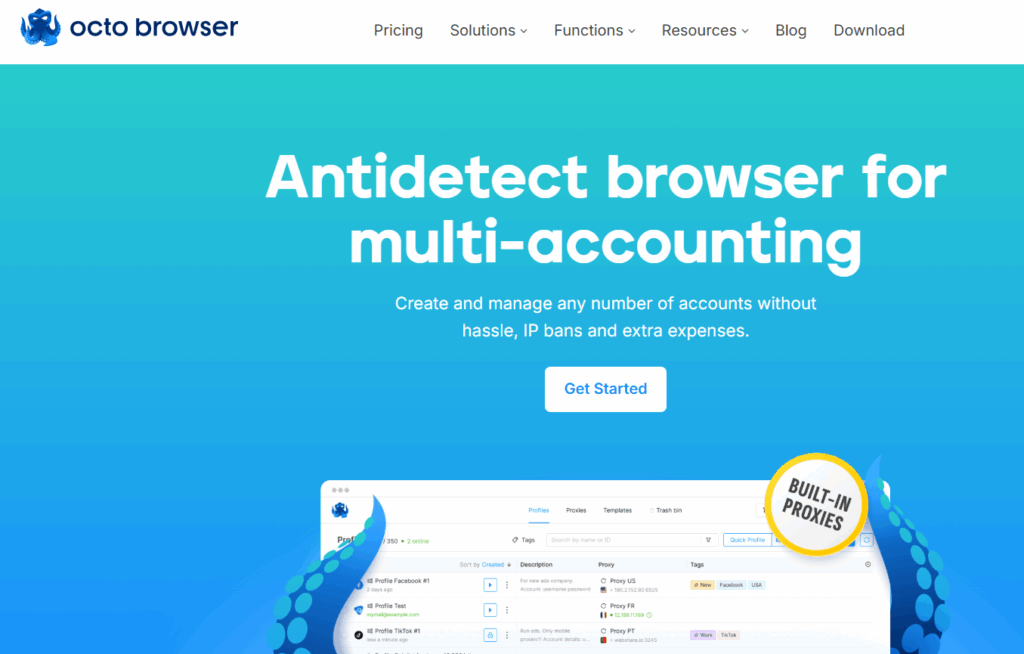
Octo Browser is one of the most stable and respected multi-account browsers on the market. It was awarded “Best Anti-Detect Browser” in 2024, boasts an uptime of 99.995%, and holds a 4.9/5 user rating. The solution is built for professional use with a focus on security, scalability, and control.
Team management in Octo is among the best in the industry: role settings, tags, password management, and action audits are available even for complex corporate structures. Flexible licensing allows users to pay only for the number of profiles, members, and API requests they need.
The proprietary Octium engine is updated quickly to match new Chrome releases — critical for maintaining multi-account efficiency. Security is built into the architecture with end-to-end encrypted profiles, 2FA, and zero reported leaks since launch.
Pricing and access
Lite (€7/month) — 3 profiles, entry-level access
Starter (€21/month) — 30 profiles, upgradeable
Base (€56/month) — 200 profiles, API access
Team (€119/month) — 600 profiles, 6 members, API
Advanced (€231/month) — up to 10,000 profiles, unlimited team, extended API
Custom — enterprise limits, dedicated manager, tailored conditions
Discounts: up to 30% with annual billing
Pros and cons
| ✅ Advantages | ❌ Disadvantages |
|---|
| ✅ Exceptional stability (99.995% uptime) and premium-level security | ❌ No mobile version (desktop only) |
| ✅ Advanced team management and API integration | ❌ Higher pricing compared to some competitors |
| ✅ Fast updates to proprietary Octium engine | ❌ Learning curve for beginners |
| ✅ Flexible licensing, scalable up to 10,000+ profiles | ❌ Requires external proxies (no built-in option) |
| ✅ Access to Proxy Shop and training via Octo Club | |
Who is it for?
Octo Browser is designed for affiliate marketers, agencies, and enterprise users who prioritize stability, security, and scalable infrastructure. It’s especially effective for advertising, partner marketing, and managing thousands of accounts.
14. Linken Sphere 2: multi-account browser focused on flexibility and automation
Linken Sphere 2 is a long-standing multi-account solution, active since 2017, with a reported user base of over 1 million. A key feature is the ability to use unlimited workstations and devices on all paid plans — making it a strong option for distributed teams.
Its built-in Warm up function automatically simulates natural user behavior, building a “live” profile history and lowering the risk of bans.
A mobile emulator provides access to mobile versions of websites and apps — important for platforms where mobile and desktop activity patterns differ.
Another notable tool is the Facebook Manager, optimized for handling multiple Facebook accounts.
Team features include a local API, activity logs, session sharing, backups, and synchronization.
Pricing and access
Free: 5 sessions forever, no time limit
Pure ($24/month): 30 sessions, unlimited devices, cloud access, Warm up
Light ($72/month): 150 sessions, mobile emulator, 100 proxies, recycle bin, analytics
Pro ($128/month): 500 sessions, 10 members, API, Facebook Manager, 300 proxies
Premium ($240/month): 1000 sessions, unlimited members, 1000 proxies, dedicated account manager
Discounts: 10% off with 6-month billing, 20% off with annual billing
Pros and cons
| ✅ Advantages | ❌ Disadvantages |
|---|
| ✅ Unlimited devices and workstations in all paid plans | ❌ Requires time to learn, especially for beginners |
| ✅ Built-in Warm up function and mobile emulator | ❌ Advanced plans are more expensive than average |
| ✅ Free proxies included in higher plans | ❌ Reputation risks due to association with cybercrime cases |
| ✅ Optimized for Facebook account management | ❌ Limited mainstream adoption due to controversial history |
| ✅ Unique interface aesthetics and “tool as art” philosophy | ❌ May not be suitable for corporate or regulated environments |
Who is it for?
Linken Sphere 2 is aimed at affiliate marketers, traffic specialists, and teams managing multiple Facebook accounts who need scalability and mobile/browser flexibility.
Important note: Linken Sphere has been repeatedly associated with illegal activity, including attacks on financial systems, and has appeared in law enforcement cybercrime reports and investigations.
15. NSTBrowser: cloud-based multi-account and web scraping platform
NSTBrowser is a hybrid multi-account browser and cloud platform for web scraping and automation. It uniquely combines fingerprint protection with enterprise-level features such as Browserless, CAPTCHA Solver, Cloudflare bypass, real fingerprinting, and a Web Unblocker.
Its cloud-based architecture enables automation and data collection without local installation. Support for Puppeteer, Playwright, and Selenium makes migration easier for teams already using these frameworks.
An integrated RPA platform allows routine automation without coding. Additional modules include containers, API, Cookie Manager, Batch Creation, Window Management, and more.
NSTBrowser supports three deployment options: cloud services, dedicated servers, and self-hosting via Docker.
Pricing and access
Free: 500 profiles, 10 launches per day, 10 hours of Browserless, 3 team members. Full functionality included, with fixed-rate overage pricing.
Professional ($29.9/month): 100,000 profiles, 3,000 launches/day, 1,000 hours, 20 members. Flexible overage pricing ($0.009 per launch, $0.20 per hour).
Enterprise ($59.9/month): 500,000 profiles, 100,000 launches/day, 2,500 hours, up to 200 members, personalized support.
Discounts: 40% off annual billing, plus regular promotions and coupons.
Pros and cons
| ✅ Advantages | ❌ Disadvantages |
|---|
| ✅ Combines multi-account, scraping, and automation in one platform | ❌ Complex interface, requires technical preparation |
| ✅ Supports Puppeteer, Playwright, Selenium, Docker | ❌ Overkill for simple use cases or beginners |
| ✅ Generous free plan: 500 profiles + developer integrations | ❌ Steeper learning curve compared to lighter tools |
| ✅ Scalable: from local deployment to enterprise cloud | ❌ Smaller community and fewer tutorials than mainstream competitors |
| ✅ Transparent overage pricing, no hidden limits or blocks | |
Who is it for?
NSTBrowser is suited for developers, data analysts, and enterprises that require a scalable infrastructure for data collection, automation, and website protection bypass. It is especially effective for complex business processes where customization, cloud automation, and core-level multi-account functionality are critical.
How to install an multi-account browser
Most multi-account browsers are installed as standalone applications for Windows, macOS, Linux, or even Android. The installation process usually looks like any other software: download from the official website, run the installer, and log into your account.
There are three main formats:
Desktop application — the most common option, offering full profile, proxy, and fingerprint customization
Web version — runs directly in a browser without installation, useful for remote access
Mobile app — allows profile management from a smartphone (usually Android)
Some platforms also provide ready-made virtual environments or cloud-based devices. In this case, nothing needs to be installed on your computer — access is via RDP or a web interface.
How to choose the best multi-account browser
Define your goals
Before downloading, clearly define your use case:
Is it for affiliate marketing, SMM, or SEO?
How many accounts do you plan to manage?
What level of privacy and anonymity do you require?
This helps avoid overspending and ensures you select a cost-effective tool.
Platform compatibility
The best multi-account browsers run not only on Windows but also macOS, Linux, and mobile (iOS, Android). Broad platform support makes them more versatile.
Profile configuration
Take advantage of advanced privacy settings such as:
Proper setup increases protection and reduces account ban risks.
Pricing and plans
Some providers offer free downloads or trial plans with limited features. These are great for testing. Pay attention to the balance between price and features, and compare plans before choosing. Start with free versions to evaluate usability, interface, and functionality.
Security and privacy
High-quality multi-account browsers ensure:
No data leaks or hidden trackers
Strong privacy protection
Robust defenses against fingerprinting and browser analysis
Support and updates
Look for platforms that provide responsive technical support and frequent updates. This keeps tools current and protection reliable.
Practice caution
Even the best multi-account technology can’t replace basic care. Keep your account activity natural, avoid repetitive bulk actions, and always aim to stay under the radar.
Comparison table of all 15 browsers
If you’re choosing an multi-account browser, the list below will help you quickly compare tools by features, pricing, and use cases.
Multi-account Browser Rankings
We decided to create five separate categories, since the market has many options. At first glance the products look similar, but as always — the details make all the difference.
Best balance of cost and features
Multilogin has held its position as the market leader for many years and was long seen as a premium solution with a high price tag. Today, with regular updates and continuous development, it can no longer be called “expensive.” On annual plans, the price is comparable to alternatives — but the functionality and reliability remain unmatched.
Unlike other multi-account browsers, Multilogin includes built-in residential proxies (so you don’t have to pay extra) and supports a higher number of profiles out of the box. That makes it not only more cost-effective but also the most complete solution on the market.
Without question — the best choice.
| Rank | Browser | Price | Rationale |
|---|
| 1 | Multilogin | Free plan available; paid plans from $7.08/month | Cloud Android phone platform combining real Android devices, browser profiles. |
| 2 | MoreLogin | $5.4/month | Solid functionality at the lowest price |
| 3 | AdsPower | $5.4/month | Strong RPA automation at an affordable price |
| 4 | BitBrowser | $10/month | Unique features + generous free plan |
| 5 | Incogniton | $19.99/month | Easy to use and reliable |
Top professional multi-account browsers
Multilogin is an established multi-account management platform with over 10 years of industry experience. Today, it combines real Android cloud phones, browser profiles, built-in residential proxies, and mobile minutes in one dashboard. Its support for both mobile and web workflows, automation, and team collaboration makes it a strong choice for businesses managing multiple accounts at scale.
| Rank | Browser | Rationale |
|---|
| 1 | Multilogin | Gold standard of the industry, maximum reliability, usability, and fair price |
| 2 | Octo Browser | Premium stability, advanced team management |
| 3 | Undetectable | Local storage, maximum privacy |
| 4 | NSTBrowser | Enterprise-level solutions, web scraping |
| 5 | Kameleo | Full automation, mobile support |
Best multi-account browsers for automation
One of the few multi-account browsers built specifically for enterprise-level automation clearly stands out. With native support for the most popular frameworks (Puppeteer, Playwright, Selenium), Multilogin is an excellent choice for large-scale project autmation where flexibility and reliability are critical.
| Rank | Browser | Automation | Rationale |
|---|
| 1 | Multilogin | Full integration with Selenium, Puppeteer, Playwright & Postman | Professional-grade automation, AI-powered quick actions |
| 2 | Kameleo | Full API integration | Maximum automation capabilities |
| 3 | NSTBrowser | Selenium, API | Enterprise automation and web scraping |
| 4 | Undetectable | Selenium, local API | Secure automation |
| 5 | Octo Browser | API, enterprise tools | Stable automation |





 Real Android cloud phones