





ChatGPT won the awareness war. It came out first, got the press, became the thing people meant when they said “AI” in a work context. For most social media managers, it was the first AI tool they actually used professionally.
This chatgpt review for social media managers isn’t here to declare a winner in the AI race. It’s here to give you an honest picture of what ChatGPT does well for SMM work in 2026, where it falls short, what the current model landscape looks like, and how it compares to Claude and Gemini specifically for social content creation.
What version of ChatGPT are we talking about?
The ChatGPT product has gotten complicated in 2026. The main options relevant for social media managers:
- ChatGPT Free — GPT-4o mini, with limited access to GPT-4o. The free tier is more capable than it was two years ago but has rate limits that most professional users will hit.
- ChatGPT Plus — $20/month — GPT-4o access, image generation with DALL-E, web browsing, and access to GPT-5 (OpenAI’s latest flagship). This is the tier where ChatGPT becomes genuinely useful for sustained professional work.
- ChatGPT Pro — $200/month — Priority access, highest limits, early access to new capabilities. Most SMMs don’t need this tier.
- API access — For developers and teams building custom workflows, automation, or integrations.
For this chatgpt social media review, we’re focusing on ChatGPT Plus because that’s the tier most professional SMMs would actually use.
What ChatGPT does well for social media managers
Image generation (significant advantage)
This is where ChatGPT Plus has a clear, practical advantage over every other AI writing tool in the category. DALL-E and the newer GPT Image capabilities are built into ChatGPT Plus — you describe an image, you get an image. You can iterate visually in the same conversation where you’re writing the copy.
For social media managers working on Instagram, Pinterest, or any visual-first platform, this matters a lot. Being able to move from “write the caption” to “generate a test image for this post” without switching tools saves meaningful time in a content creation workflow.
The quality of image generation has improved significantly since early versions. Text rendering in images has gotten better, though it still isn’t perfect. For social graphics, placeholder content, concept visualization, and quick asset generation — it’s genuinely useful.
Speed and structured output
ChatGPT Plus is fast. For high-volume content work where you need a lot of structured output quickly — product description variations, ad copy options, hashtag sets, email subject line tests — ChatGPT delivers at speed.
It’s also reliable at following structured format instructions. Ask for a table, you get a table. Ask for five bullet points in a specific format, you get them formatted correctly. For SMMs who use AI to generate content at volume and need consistent structure, this reliability matters.
Web browsing and real-time research
ChatGPT Plus includes web browsing. For social media managers who need to research trending topics, find current statistics, check what competitors are posting, or gather data for content, this is useful without leaving the tool.
Claude doesn’t have persistent web access built in by default. Gemini has it through Google’s integration. ChatGPT’s browsing implementation is solid enough for most SMM research tasks.
Custom GPTs and memory
OpenAI’s Custom GPTs let you build specialized assistants trained on your brand guidelines, tone, and content examples. For agencies, this means setting up a Custom GPT per client rather than re-briefing every session.
Memory across conversations has also improved in 2026. ChatGPT can retain context about your brand, preferences, and regular tasks across sessions — reducing the setup overhead for recurring work. This competes with Claude’s Projects feature, though the implementations differ.
Multimodal input
You can paste in images, PDFs, and documents alongside your prompts. For social media managers who work with brand assets, design briefs, or visual references, the ability to share an image and ask “write a caption for this” or “what content angle works for this visual” is genuinely useful.
ChatGPT for SMM: the limitations
Writing quality vs Claude
This is the most discussed comparison in 2026, and the honest answer is consistent across independent tests: Claude writes better prose, especially for longer or more brand-specific content.
ChatGPT Plus defaults to a recognizable structure: bold opener, numbered list, upbeat closer. It works for structured content. It reads as AI-generated more often in flowing prose, storytelling captions, LinkedIn posts, or any content where voice and personality matter.
For Instagram captions that need to sound like a real person — not a brand template — Claude consistently wins in head-to-head tests. For structured, high-volume output where consistency matters more than personality, ChatGPT is often faster and more reliable.
The practitioner split in 2026: many performance marketers use ChatGPT for structured backend tasks (research, data cleanup, ad structure, FAQ generation) and Claude for customer-facing creative that needs to avoid the AI voice.
Context window
ChatGPT Plus runs on GPT-4o with a context window significantly smaller than Claude’s 200K token window on paid plans. For SMMs working with long brand guidelines, extensive content archives, or complex client briefs, this matters. Claude can hold a full year of content history in one conversation; ChatGPT needs more frequent re-briefing on longer documents.
Rate limits
Even on ChatGPT Plus, heavy professional users hit rate limits. During peak hours, you may get throttled down to slower or less capable models. For users who rely on the tool for consistent professional output throughout a workday, this is a real friction point.
ChatGPT marketing review: practical use cases for SMMs
Caption writing
ChatGPT generates captions quickly and consistently. For accounts with a fairly standardized brand voice and format, this works well. For accounts where nuance and personality are core to the brand — where every caption needs to feel like the founder wrote it — you’ll edit more than you would with Claude.
A practical approach: use ChatGPT for first drafts when volume is the priority, Claude when quality of the final output is the priority.
Ad copy
ChatGPT is strong for Meta and TikTok ad copy. The structured output style works well for primary text (1–3 sentences) and headlines (under 40 characters). The speed advantage matters for teams running high-volume creative tests — you can generate 20 ad copy variations quickly and test them.
Research and trend spotting
Web browsing integration makes ChatGPT Plus useful for researching what’s trending, finding data points for content, and competitor analysis. Paste in a competitor’s recent Instagram post and ask “what’s working here and why” — the analysis is useful for content planning.
Content calendar and ideation
ChatGPT generates content ideas and calendar frameworks efficiently. Feed it your content pillars, audience description, and posting frequency and it produces a structured plan. This is table stakes for most AI tools in 2026, but ChatGPT’s speed makes it efficient for first-pass ideation.
Social media reporting
Ask ChatGPT to take your raw performance data and generate a client-ready report summary. It structures the information clearly and quickly. For agencies producing monthly reports across multiple clients, this saves significant time over manual write-ups.
Image generation for social content
This is a genuine differentiator. Feed ChatGPT a post concept and ask it to generate a visual. Get the copy and the image in the same workflow. For social media managers who aren’t designers but need placeholder visuals, quick concept images, or simple graphics, DALL-E built into ChatGPT Plus is a practical time-saver.
ChatGPT vs Claude for social media managers: the honest comparison
ChatGPT Plus | Claude Pro | |
Price | $20/month | $20/month |
Writing quality (prose/captions) | Good, often formulaic | Excellent, more human-sounding |
Image generation | Yes (DALL-E built in) | No |
Context window | Smaller | 200K tokens |
Web browsing | Yes (built in) | Available via web search |
Brand voice persistence | Memory + Custom GPTs | Projects |
Speed for high-volume output | Faster | Slightly slower |
Best for | Structured content, images, research | Long-form, brand voice, quality captions |
The productive framing isn’t “which one should I use?” It’s “what is each one for in my workflow?” The teams getting the best results in 2026 use both. ChatGPT for images, research, structured output, and high-volume drafts. Claude for final customer-facing copy, brand-voice-critical content, and longer documents.
ChatGPT social media review 2026: what’s new this year
The most significant update for social media managers in 2026: GPT-5 is now available on ChatGPT Plus. The writing quality has improved noticeably — the gap between ChatGPT and Claude on prose quality has narrowed, though most independent tests still give Claude the edge on brand voice matching and longer-form content.
Custom GPTs have become more powerful with better memory integration. For agencies building brand-specific assistants, the 2026 Custom GPT capabilities are meaningfully better than earlier versions.
DALL-E image quality has also improved, and the text-in-images problem — where generated images with words were notoriously unreliable — has gotten better, though it’s still not perfect for anything requiring precise typographic accuracy.
Is ChatGPT worth it for social media managers in 2026?
Yes — with the right expectations.
ChatGPT Plus at $20/month is worth it if your work involves any image generation, regular web research, or high-volume structured content. The multimodal capabilities and speed advantage are real and practical.
It’s not the best choice if your primary bottleneck is writing quality and brand voice matching. If the work is mostly captions, scripts, and copy where the “AI voice” problem is most visible, Claude performs better consistently.
Most professional SMM stacks in 2026 include both. The specific workflow split depends on what types of content you produce most.
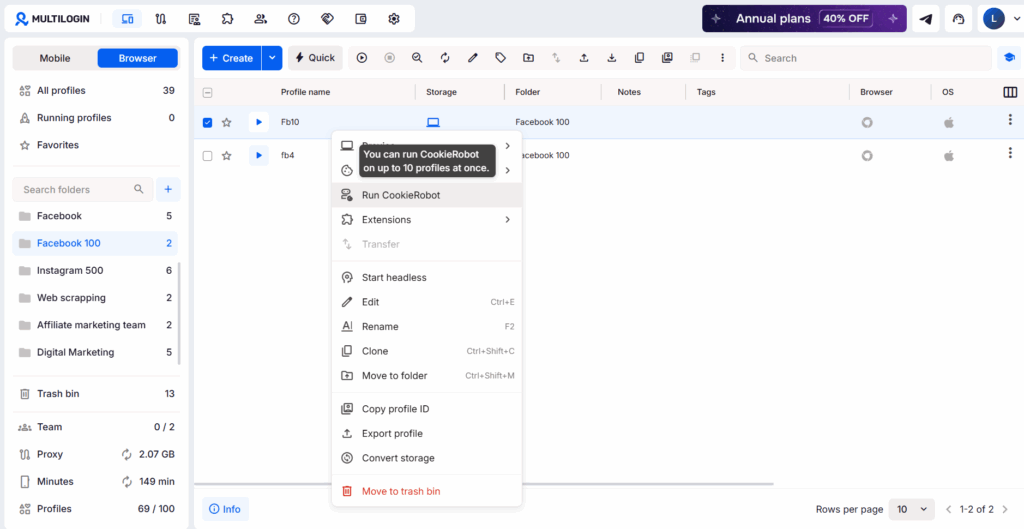
No more juggling physical devices or risking account links. Try Multilogin's cloud phones now.
Frequently Asked Questions
Yes, there’s a free tier. For professional use, ChatGPT Plus at $20/month is where the tool becomes useful — primarily because of DALL-E image generation and GPT-4o access.
Yes. The output tends to be more structured and formulaic than Claude’s, but it’s workable, especially for accounts with a standardized brand voice. Quality depends heavily on how specific your prompt is.
With web browsing enabled on ChatGPT Plus — yes, it can research current trends. The browsing capability makes it genuinely useful for trend research and timely content ideas.
Different strengths. Claude wins on writing quality and brand voice. ChatGPT wins on image generation and multimodal workflows. Most professional SMM setups use both in different parts of the workflow.
For the right niches (e-commerce, food, home décor, travel, fashion, DIY), absolutely. Pinterest pins can rank in Google Image Search for years after posting. It’s a long-duration content channel with compounding returns.
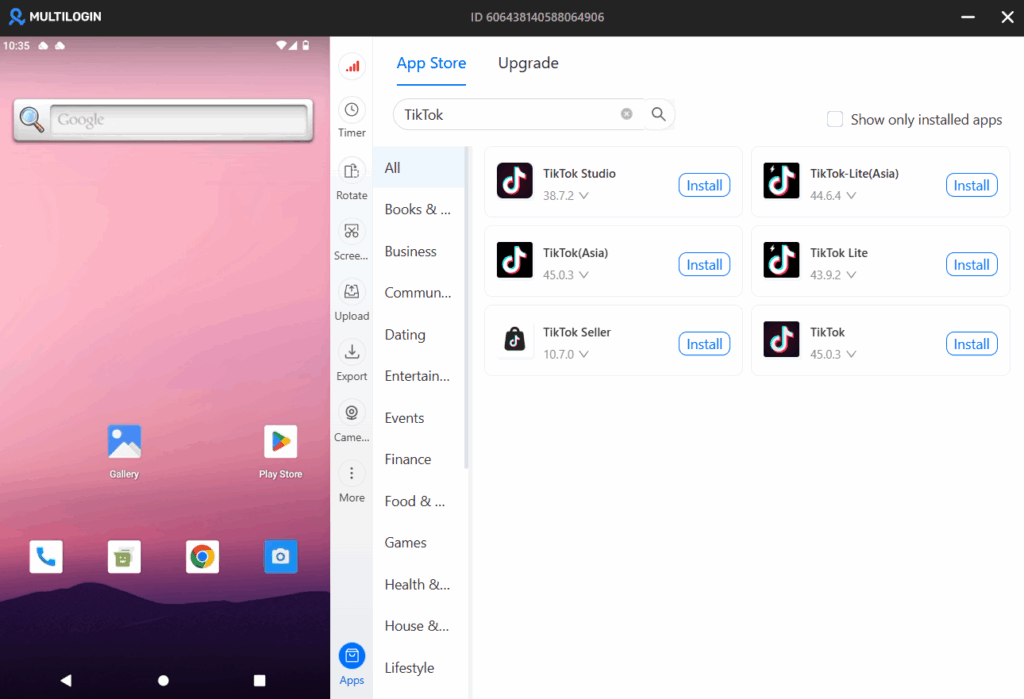
Yes, cloud phones are ideal for managing multiple TikTok accounts because they provide isolated mobile environments that prevent platforms from linking your accounts together, reducing the risk of shadow bans or suspensions.


