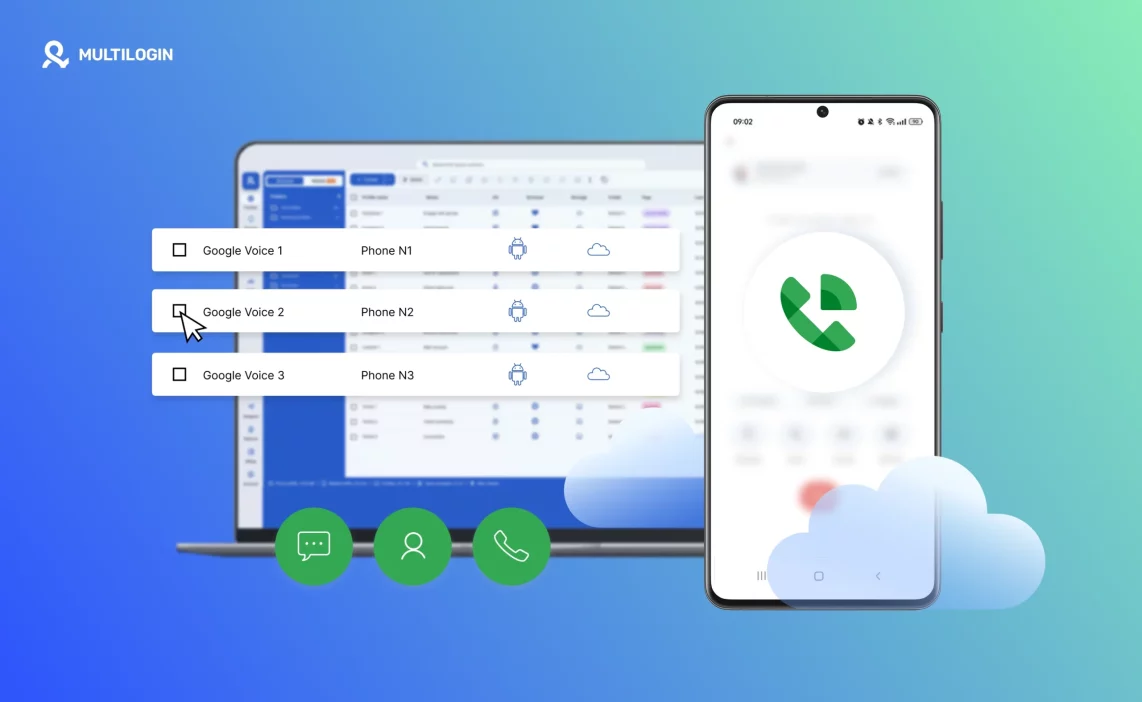

People search for a Google free phone number because they need a second number without paying for another SIM card. Sometimes it is about privacy. Sometimes it is for account verification. Sometimes it is to separate business calls from personal life so everything does not mix together.
At first, it feels like the easiest solution. You create a number inside your Google account, receive SMS codes, forward calls, and manage everything from your browser. There is no extra device and no contract involved. That convenience is what makes it attractive.
But a free number is still just a tool. It works well for communication and simple registrations. It does not guarantee that every platform will accept it, and it does not automatically protect accounts from restrictions later. Knowing where it helps and where it falls short is what prevents problems down the road.
What is a Google free phone number?
A Google free phone number is usually created through Google Voice, which allows you to generate a virtual phone number linked to your Google account instead of a physical SIM card. The number works over the internet, not through a traditional mobile carrier, which means it is managed from your Google dashboard and can be accessed from different devices. From the outside, it behaves like a regular phone number. People can call it, send SMS to it, and leave voicemail. On your side, you control everything through your browser or the Google Voice app.
To get one, you need a Google account and access to Google Voice in a supported country, most commonly the United States. During setup, Google requires you to link an existing real phone number for identity confirmation. Once the number is active, you can make and receive calls, read and send text messages, and manage voicemail without needing a second physical device. Calls can ring inside your browser or be forwarded to your personal phone, and SMS messages appear inside your Google Voice interface, where you can respond directly from desktop.
Here is how it works in practice:
- You sign in with your Google account and choose an available number.
- You verify your identity using an existing mobile number.
- Incoming calls can be answered in your browser or forwarded to your phone.
- SMS messages are received inside the Google Voice dashboard.
- You can access everything from web or mobile app, as long as you are logged in.
The convenience is clear. You get a second number without another SIM card or contract. At the same time, it is important to remember that this is a VoIP number. Some platforms detect virtual numbers differently, especially during account verification. If a service blocks VoIP numbers and you try to register with one, verification may fail. In that case, the limitation is not about the Google account itself but about how the platform evaluates number types.
How to get a Google free phone number (step by step)
The setup process is straightforward:
- Log in to your Google account.
- Visit Google Voice.
- Search for an available number in your desired area code.
- Select a number from the available options.
- Link your existing phone number for identity verification.
- Confirm the setup.
Within minutes, your Google free phone number becomes active. The speed of setup is one of its strongest advantages. You do not need a carrier store. You do not need hardware. You do not need paperwork. But speed should not be confused with permanence.
Learn more about how to create a Google account without a phone number!
Google free phone number for personal use
For personal use, a Google free phone number gives you distance between your real number and the internet. If you register on multiple platforms, join communities, sell online, or take freelance work, using your primary SIM everywhere quickly becomes messy. A second number keeps communication cleaner and more controlled without adding another physical device.
Separating work and personal calls
If you handle client calls or side projects, a separate number prevents business conversations from mixing into your private life. You can manage work calls during certain hours and keep your personal number private. Everything runs through your Google account, which makes access simple, but you still need to manage notifications properly to avoid overlap.
Protecting your real phone number
Every service that asks for your number increases exposure over time. Using a Google free phone number reduces that risk and keeps your main SIM out of unnecessary databases. If spam increases or the number is no longer needed, you can adjust settings or replace it without affecting your primary line. Still, some platforms may treat virtual numbers differently during verification, so relying on it for every registration may not always work as expected.
Managing online registrations and SMS from desktop
Receiving verification codes directly in your browser saves time, especially if you work from a computer most of the day. You can read and reply to SMS without picking up your phone, which keeps workflows faster and more organized. For moderate use, this setup is practical. As registrations increase, acceptance may vary depending on how each platform handles virtual numbers.
Google free phone number for business use
For freelancers and small businesses, Google Voice offers a simple way to create a business contact number without buying new hardware or signing another carrier contract. It allows you to present a professional number while keeping your personal contact details separate.
Using Google voice for small teams
Small teams can access the same number and handle calls from different devices, which works well when communication volume is manageable. Clear coordination is important, because all activity runs through one Google account unless additional structure is added.
Call forwarding and voicemail
Incoming calls can be forwarded to your personal phone, and voicemail messages are stored inside your Google Voice dashboard. For small operations, this level of control is often enough to manage client communication efficiently.
When it works and when it stretches
A Google free phone number works well for small-scale operations, moderate call volume, and simple workflows. As business activity expands or verification requirements increase across other platforms, limitations may become visible. The number continues to serve communication needs, but growth may require more structured support behind the scenes to maintain stability.
What are the limitations of Google free phone numbers
A Google free phone number is practical for communication, but it is not without boundaries. Its availability depends on region, its acceptance depends on platform rules, and its stability depends on policies you do not control. It works well when used within its limits, but once you start relying on it for heavy verification or long-term account management, certain restrictions become noticeable.
Key limitations include:
- Country availability restrictions: Full functionality is mainly available in the United States, and users in other regions may face access barriers or limited features.
- Limited support in some regions: Even where it works, certain features may not operate the same way outside primary supported countries.
- Not always accepted for account verification: Some platforms block VoIP numbers, which can cause verification to fail during signup or later re-verification.
- Risk of recycled numbers: Virtual numbers can be reassigned over time, which means previous usage history may exist.
- Shared or VoIP detection by platforms: Many services detect number type and may treat virtual numbers differently from traditional carrier numbers.
- Dependency on Google policies: Because the number is tied to Google’s service terms, any policy change can affect how the number works or whether it remains active.
Understanding these limits early helps you decide whether a Google free phone number is enough for your use case or whether additional structure is needed.
Can you use a Google free phone number for account verification
In many cases, yes. In some cases, no. Whether a Google free phone number works for account verification depends entirely on how the platform handles virtual numbers. Some services accept Google Voice without hesitation. Others automatically block VoIP numbers during signup. You may succeed with one platform and fail with another on the same day.
Even when verification works the first time, that does not always guarantee long-term stability. Some platforms later request re-verification if account behavior changes or security checks are triggered. If the system flags the number type during that process, access can become complicated. At that point, receiving the first SMS code is no longer the real issue. The structure behind the account becomes more important than the number itself.
Here is what usually determines whether verification succeeds:
- Some platforms accept it without issue: Many websites allow Google Voice numbers for basic verification.
- Some reject VoIP or virtual numbers: Certain services automatically block numbers identified as internet-based.
- Verification success depends on platform rules: Policies vary widely, and acceptance can change over time.
- Risk of future re-verification requests: An account may pass initial signup but later require confirmation that does not accept the same number.
- Structure matters beyond the first SMS: Verification confirms access, but device behavior and account environment determine long-term stability.
If verification fails, switching to another number might solve the immediate problem. If accounts continue getting restricted, the issue usually goes deeper than the phone number itself.
Google free phone number vs other free number services
Not all free numbers are equal. Google Voice is generally more reliable than temporary SMS websites or disposable number apps, but it still operates as a virtual number.
Temporary SMS services often display incoming messages publicly, which makes them unsuitable for serious use. Many platforms block these numbers immediately. Disposable number apps vary in quality, and reliability can change quickly depending on provider reputation and detection rates.
The main differences come down to trust and consistency:
- Temporary SMS services: Often blocked by major platforms and not suitable for long-term accounts.
- VoIP apps: More stable than temporary services, but still detectable as internet-based numbers.
- Disposable numbers: Designed for one-time use and rarely reliable for future verification.
- Key differences in reliability: Google Voice tends to have higher acceptance than many free alternatives, but it is still not treated like a traditional carrier number.
- When free becomes unstable: As account volume increases or verification becomes more frequent, limitations appear more often.
Free numbers are useful for communication and light verification. When long-term account stability becomes important, the surrounding setup usually matters more than the price of the number.
Using Multilogin Cloud Phones With Google Free Phone Numbers
A Google free phone number can help you verify an account. What it cannot control is what happens after that account is created. Platforms do not only check the number you used during signup. They track device behavior, session history, system signals, and consistency over time. If the environment behind the account changes too often or overlaps with other accounts, restrictions usually follow.
This is where Multilogin Cloud Phones change the equation completely. Instead of relying on one device and rotating identities, you give each account its own Android cloud phone with a stable, persistent environment. That structure removes the hidden links that cause accounts to get connected over time.
Why phone numbers alone don’t solve account stability
A phone number confirms access. It does not maintain identity. Platforms evaluate accounts based on long-term signals, not just the first SMS code.
Here is the difference:
- A number verifies the account.
- The device environment maintains it.
- Shared devices create linkage even if each account has a different number.
- Verification is not equal to long-term stability.
If multiple accounts run from the same physical phone or the same browser environment, they eventually start sharing signals. When one account is restricted, others can be affected because the platform sees common device patterns. Changing numbers does not break that connection. Changing structure does.
How Multilogin Cloud Phones add structural separation
Multilogin Cloud Phones provide real Android environments hosted in the cloud. Each cloud phone behaves like an independent physical device, with its own system data, storage, and hardware identifiers.
That means:
- One Android cloud phone per account.
- Persistent app data and session history.
- Stable device identity across sessions.
- Complete isolation between accounts.
- Reduced cross-account overlap.
Instead of logging in and out of different identities on one device, you launch a separate Android environment for each account. When you return later, the environment is unchanged. The account does not look new. It looks consistent.
This is what prevents repeated rebuilding and unexpected restrictions.
Combining Google free phone numbers with dedicated cloud phones
The strongest setup is not choosing between phone number and environment. It is using both correctly.
A structured workflow looks like this:
- Use a Google free phone number for initial verification.
- Create the account.
- Run that account inside its own dedicated cloud phone.
- Keep the email, phone number, and Android environment aligned.
- Avoid reusing the same device for different identities.
When everything remains inside one dedicated environment, signals stay consistent. Even if you manage many accounts, each one operates independently.
Structure before scale. That principle prevents most long-term issues.
When cloud phones make more sense than more phone numbers
Buying more phone numbers may feel like a solution when accounts get restricted. In reality, if the same device continues to be reused, the core issue remains.
Cloud phones become essential when:
- Managing multiple accounts across platforms.
- Running agency environments with client access.
- Operating business workflows that require stability.
- Reusing accounts long term instead of creating new ones repeatedly.
- Allowing teams to handle multiple identities safely.
Multilogin Cloud Phones are built for scale. You can launch dozens or hundreds of Android environments from one dashboard. Each one remains isolated. Each one maintains its own history. Each one reduces the risk of hidden linkage.
If your goal is simply to receive SMS codes, a Google free phone number may be enough. If your goal is to keep accounts stable, reusable, and scalable over time, device isolation becomes non-negotiable.
Best practices for business and personal users
A Google free phone number works best when you treat it as one part of your setup, not the whole solution. Most problems appear when accounts grow but structure stays the same. If you plan ahead, you avoid rebuilding later.
Here are practical rules that keep things stable:
- Do not reuse the same device for multiple accounts: Even if each account has a different phone number, shared devices create overlap over time. If you manage more than one identity, separate the environment, not just the number.
- Avoid switching between identities in one environment: Logging in and out repeatedly may work in the beginning, but long term it increases linkage signals. Keep one account per environment.
- Keep phone numbers aligned with dedicated environments: If an account was verified with a specific Google free phone number, keep that number tied to the same device setup. Do not move it around across devices.
- Plan structure before scaling: If you expect to manage multiple accounts for business, marketing, or client work, set up isolation from day one. Adding structure early is easier than fixing restrictions later.
For light personal use, a Google free phone number may be enough. For business or multi-account operations, combine it with dedicated environments such as Multilogin Cloud Phones so each identity runs independently.
Use Multilogin Cloud Phones to isolate each account and keep setups stable.
Final verdict about virtual phone vs cloud phone
A Google free phone number is a useful communication tool. It protects your primary SIM and makes verification easier.
What it does not control is device behavior. If multiple accounts share the same environment, restrictions can still happen even with different numbers.
For long-term stability, especially in business or multi-account setups, a stable device environment matters as much as the phone number itself.
Get started with Multilogin — Run each account in its own cloud phone.
Frequently asked questions
Yes, Google Voice provides a free virtual number for users in supported regions, mainly the United States. You can receive calls and SMS without paying for an additional SIM card. However, international calls, business features, or advanced configurations may involve costs depending on usage.
Sometimes yes, sometimes no. Many platforms accept Google Voice for initial verification. Others block VoIP numbers. Even if signup works, some platforms may request re-verification later, and acceptance can vary at that stage. Success depends on the platform’s internal policies, not on Google itself.
Because Google Voice is a VoIP number. Some services detect whether a number comes from a traditional mobile carrier or an internet-based provider. If a platform blocks VoIP numbers to reduce spam or automation, the verification will fail even if the number works for calls and SMS elsewhere.
In some cases, yes. In many cases, platforms limit how many accounts can be linked to one number. Even if creation succeeds, future verification requests may fail. For business or multi-account operations, relying on one number for many accounts increases risk.
For freelancers and small teams with moderate communication needs, it can work well. It allows call forwarding, voicemail, and SMS management from desktop. As operations grow, verification demands increase, or multiple accounts are involved, additional structure may be required to maintain stability.
If you manage only one account casually, not necessarily. If you manage multiple accounts or run business workflows, device separation becomes important. A number verifies access. The device environment maintains consistency. Without separation, accounts can become linked over time.
Cloud phones provide one dedicated Android environment per account. App data, session history, and device signals remain consistent across logins. When each account runs in isolation, problems stay contained instead of spreading. This structure reduces cross-account linkage and supports long-term reuse without constant rebuilding.

