









Hidemium User? Get Your Exclusive 50% Discount!
Run your social media accounts on cloud phones & web browsers

Hidemium and Multilogin are two leading antidetect browsers designed for secure multi-account management. After recently reviewing AEZAKMI, BrowserJet, and Linken Sphere, today we turn our attention to Hidemium and Multilogin. Both tools boast advanced fingerprint customization, proxy integration, and team collaboration features, making them favorites among e-commerce pros and digital marketers.
We’ve tested both platforms extensively and provide an honest look at which one best fits your workflow—and don’t forget, you can compare and switch to Multilogin today and get 50% off your first month.
What is Hidemium antidetect browser?
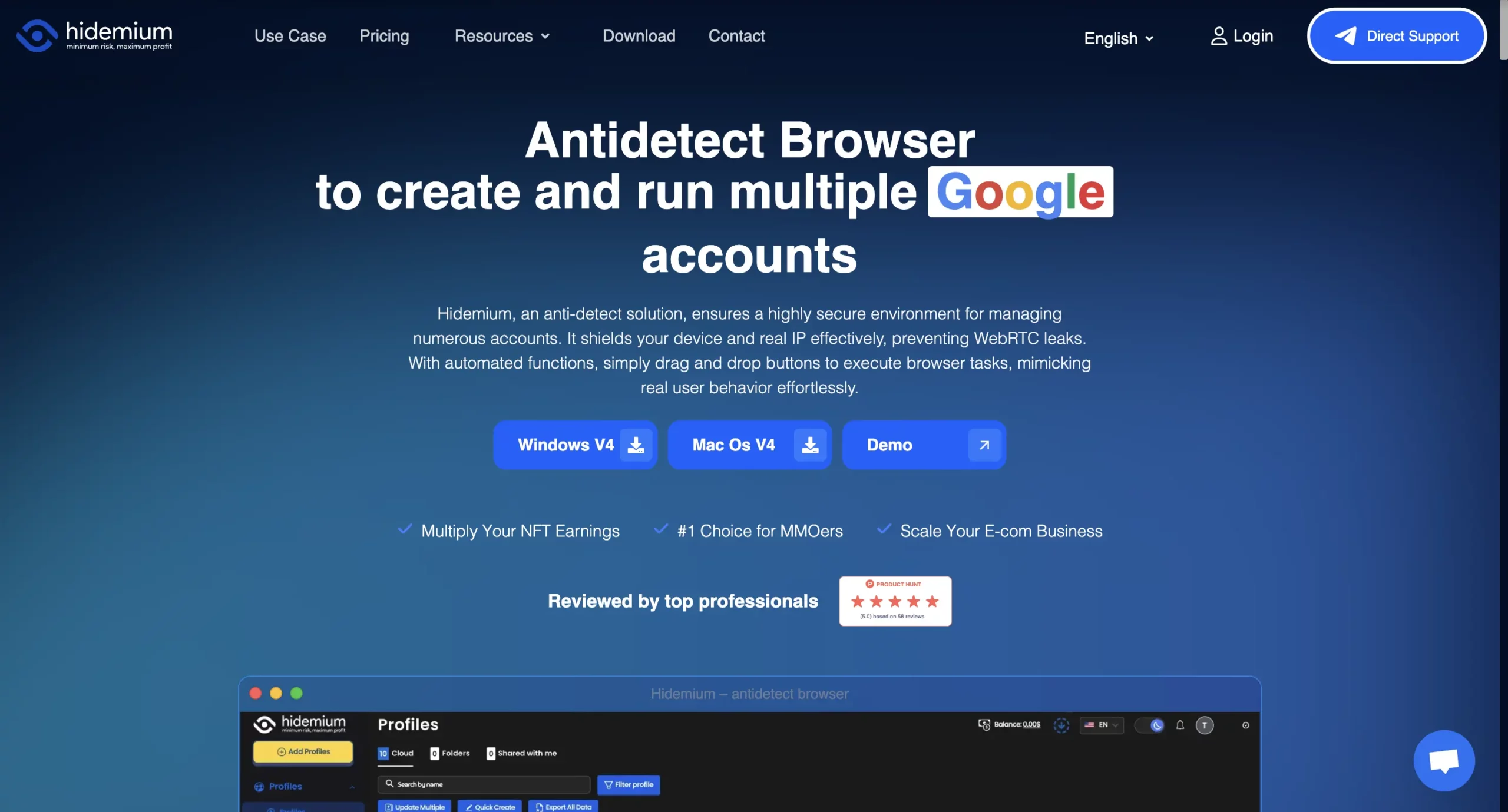
Hidemium is an antidetect browser designed to help users maintain anonymity and manage multiple online identities without being detected. It operates by creating isolated browser environments with unique fingerprints, ensuring that each session appears as if it originates from a distinct device.
Hidemium is particularly valued for its user-friendly interface and features tailored to marketers, social media managers, and e-commerce professionals who need to manage multiple accounts effectively. The platform emphasizes ease of use with its slogan “Technology for everyone,” making fingerprinting technology accessible even to beginners.
How to sign up to Hidemium?
Getting started with Hidemium involves the following steps:
- Visit hidemium.io and download the appropriate version for your operating system (Windows or macOS)
- Install the application on your device
- Launch Hidemium and register a new account:
- Enter your email address
- Create a secure password
- Complete the registration process
- Sign in using your new credentials
- Begin creating and configuring browser profiles
Hidemium: Setting up custom profiles
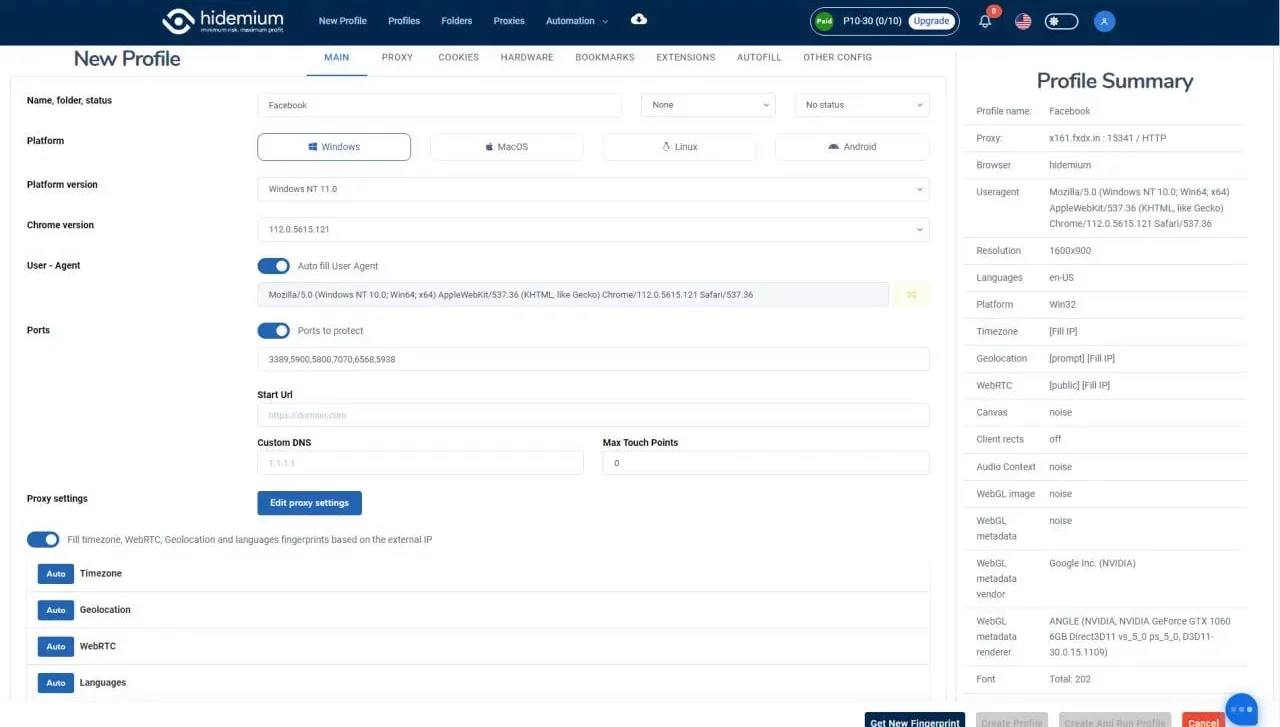
Hidemium makes profile creation intuitive with these options:
- From the main dashboard, click “New Profile”
- Configure your profile by selecting “Base Info” and customize to fit your project needs:
- Name your profile
- Select operating system and browser version
- Configure timezone and language settings
- Adjust hardware parameters (CPU, RAM, screen resolution)
- Set up proxy settings by clicking on “Proxy” within the Profile Creation window
- Choose the appropriate proxy type (HTTP, SOCKS4, SOCKS5, or SSH)
- Enter proxy details (IP address, port, username, password)
- Verify your proxy connection with the “Check Proxy” button
- Save your configured profile and launch your browser
Key features of Hidemium
Hidemium offers a set of features designed for effective multi-account management:
- Flexible proxy integration – Support for multiple proxy types (HTTP, SOCKS4, SOCKS5, SSH) with easy verification and batch import capabilities
- AI-powered automation – Innovative Prompt Script feature allows users to create automation workflows using natural language without coding knowledge
- Team collaboration tools – Flexible permission settings for team members with cloud profile storage and sharing
- Profile organization – Ability to create folders and tags for efficient profile management
- WebRTC leak protection – Effective protection against IP leaks for enhanced privacy
- Cross-platform support – Available for both Windows and macOS
- Cloud synchronization – Store profiles in the cloud for access across devices
- Extension support – Compatible with Chrome extensions for enhanced functionality
Pros of Hidemium
- User-friendly interface – Intuitive design makes it accessible for beginners and experienced users alike
- No-code automation – AI-powered Prompt Script allows automation without programming knowledge
- Regular updates – Frequent updates to fingerprinting technology for improved detection avoidance
Cons of Hidemium
- Limited documentation – Less comprehensive documentation compared to more established competitors
- No built-in proxies – Requires separate proxy purchases or integrations
- Newer to market – Less established track record compared to competitors
- Limited API documentation – Less extensive developer resources
- Occasional update delays – Some feature updates may take longer to implement
- Restricted API capabilities – Developers face limitations with Hidemium’s less extensive API resources, particularly for complex automation needs. While it offers a Postman collection, the API documentation lacks the depth needed for advanced integration.
- Desktop clutter – Each profile creates a separate desktop icon, which can lead to significant clutter when managing multiple profiles. This becomes increasingly problematic as users scale their operations.
- Fingerprinting inconsistencies – Technical analysis has revealed that Hidemium’s fingerprinting technology can show inconsistencies that sophisticated detection systems might identify, particularly when using default settings.
Reviewer’s note: The lack of built-in proxies was the most significant limitation I encountered during testing. While Hidemium’s proxy integration works well, having to separately purchase, configure, and manage proxies adds both cost and complexity.
What real users are saying about Hidemium
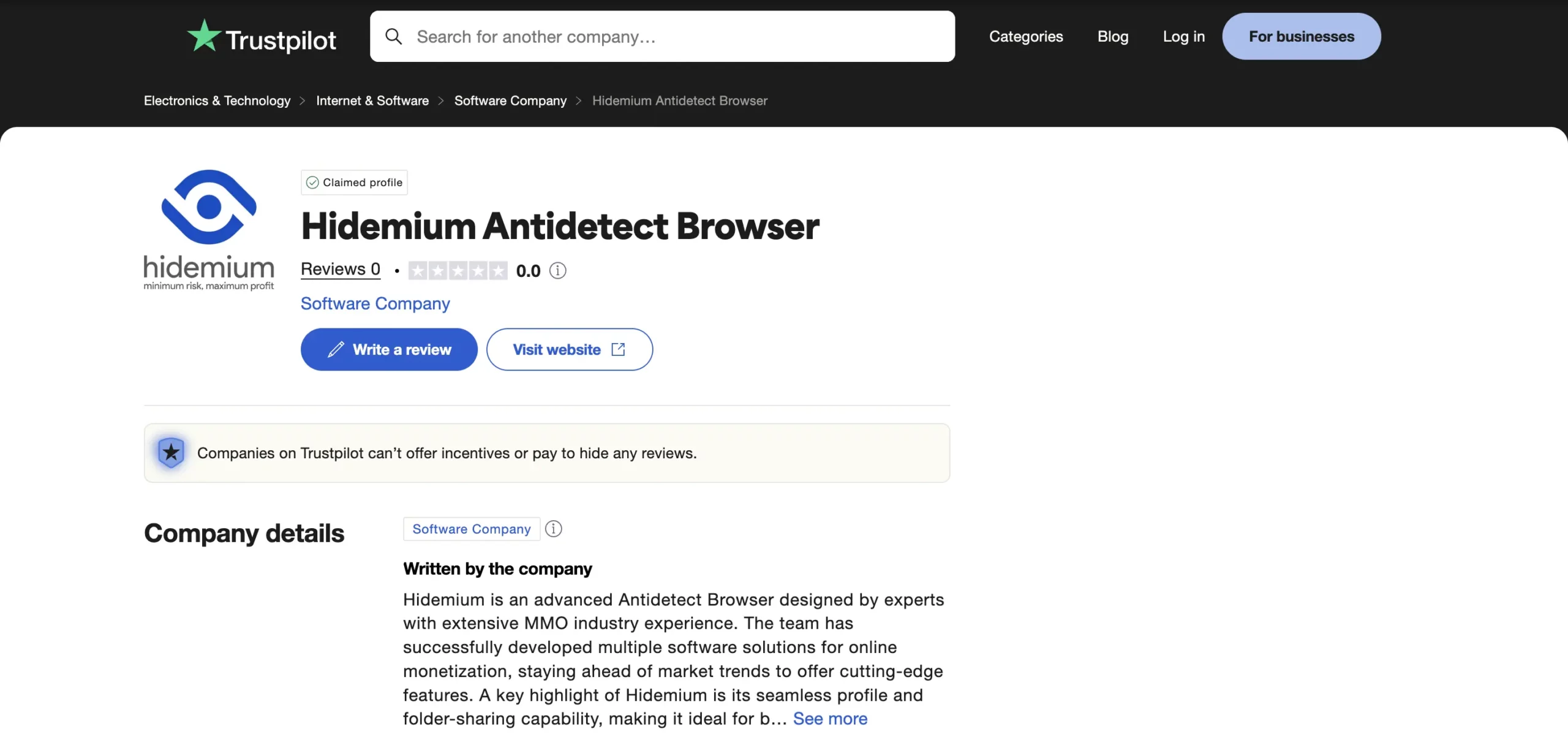
As part of this review, we dug into forums, social media, and Trustpilot to see firsthand feedback on Hidemium. Many newcomers praise its clean interface, straightforward profile setup, and no-code automation tools. However, Linux users are frustrated—Hidemium only supports Windows and macOS. We also found reports of inconsistent fingerprints that sometimes broke anonymity, and numerous complaints about slow or unhelpful customer support. Notably, the Trustpilot page exists but shows zero reviews, making it hard to gauge broader satisfaction. These insights suggest that while Hidemium can work well for simple use cases, its platform limitations and reliability issues may frustrate power users.
Hidemium: Usability, prominent features & interface
Hidemium offers a clean, intuitive interface that prioritizes ease of use:
Hidemium: Performance
- Handles multiple profiles efficiently with minimal system resource usage
- Fast profile loading and browser launch times
- Stable performance even with numerous profiles open simultaneously
- Available for both Windows and macOS, providing flexibility for different users
Hidemium: Proxy management
Hidemium supports HTTP, SOCKS4, SOCKS5, and SSH proxies with one-click verification and batch import for multiple profiles, plus API options for rotation and management. However, it doesn’t include any built-in proxy service—users must source, configure, and maintain their own proxies, adding setup complexity and extra costs. Its limited partner list excludes premium SOCKS5 providers like Proxy-Cheap and Zyte or dedicated services such as NodeMaven, forcing constant monitoring and troubleshooting instead of focusing on core operations.
Hidemium: Fingerprint features
- Complete browser fingerprint customization
- JavaScript injection for consistent fingerprinting across sessions
- Canvas and audio randomization for enhanced uniqueness
- Automatic OS-specific property adjustments
- Regular updates to fingerprinting technology
Where to use Hidemium?
Hidemium is commonly used to keep separate browser profiles for marketing and data tasks:
- Affiliate marketing: Isolate each affiliate account in its own profile to run multiple campaigns without cross-account bans.
- Social media management: Manage several Facebook, Instagram, or LinkedIn profiles side by side, each appearing as a distinct user.
- Ad & competitor research: Switch your virtual location to view ads and landing pages from different regions, giving you an accurate picture of competitors’ campaigns.
- Price monitoring: Browse e-commerce sites from various IPs to check real prices and stock levels without hidden markups.
- Web scraping: Run data-collection scripts under separate identities and proxies to avoid blocks and keep information flowing smoothly.
Hidemium pricing
Here’s a quick look at Hidemium’s pricing—on paper it looks low, but let’s see if it really is as affordable as the dashboard suggests once you add everything up.
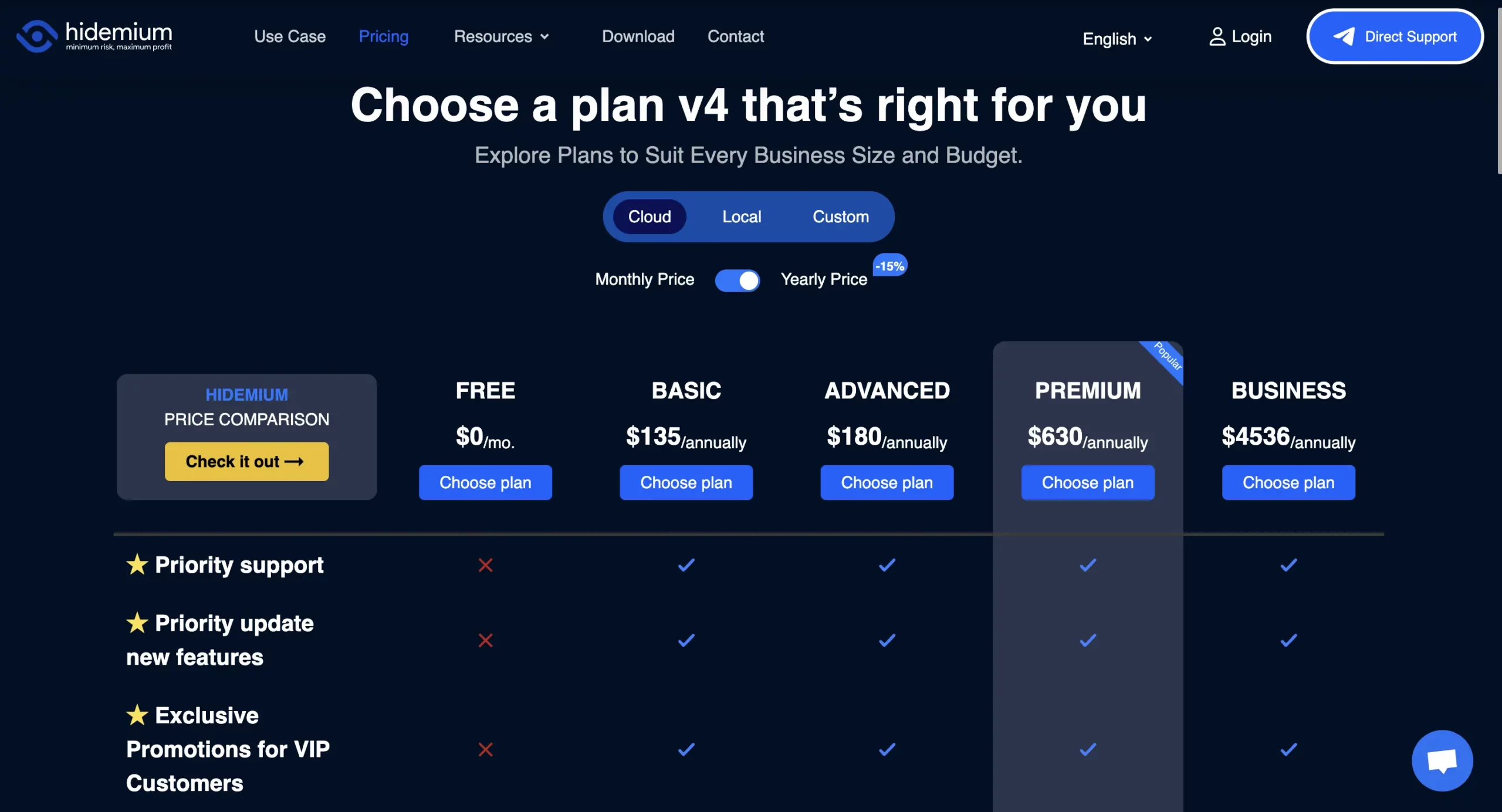
Basic plan: $15/month (billed $135/year) for 30 profiles/day, one team seat, and one device—additional team members cost $5/month each, devices $3/month each, and proxies run about $3/GB.
Advanced plan: $20/month (billed $180/year) adds AI integrations and increases daily profile limits.
Premium plan: $70/month (billed $630/year) unlocks full AI suite (Anthropic, OpenAI, Gemini) with 1,000 profiles/day and ten seats.
Business plan: $420/month (billed $4,536/year) for 26,000 profiles/day, up to 20 seats and devices—again, proxies and extra seats/devices are extra.
Reviewer’s note: While Hidemium’s base pricing appears competitive, it’s important to factor in the additional costs for proxies, extra team members, and devices. In my testing scenario with a team of three using two devices each and moderate proxy usage, the effective monthly cost was approximately 30% higher than the base subscription price.



 Join 4,200+ subscribers