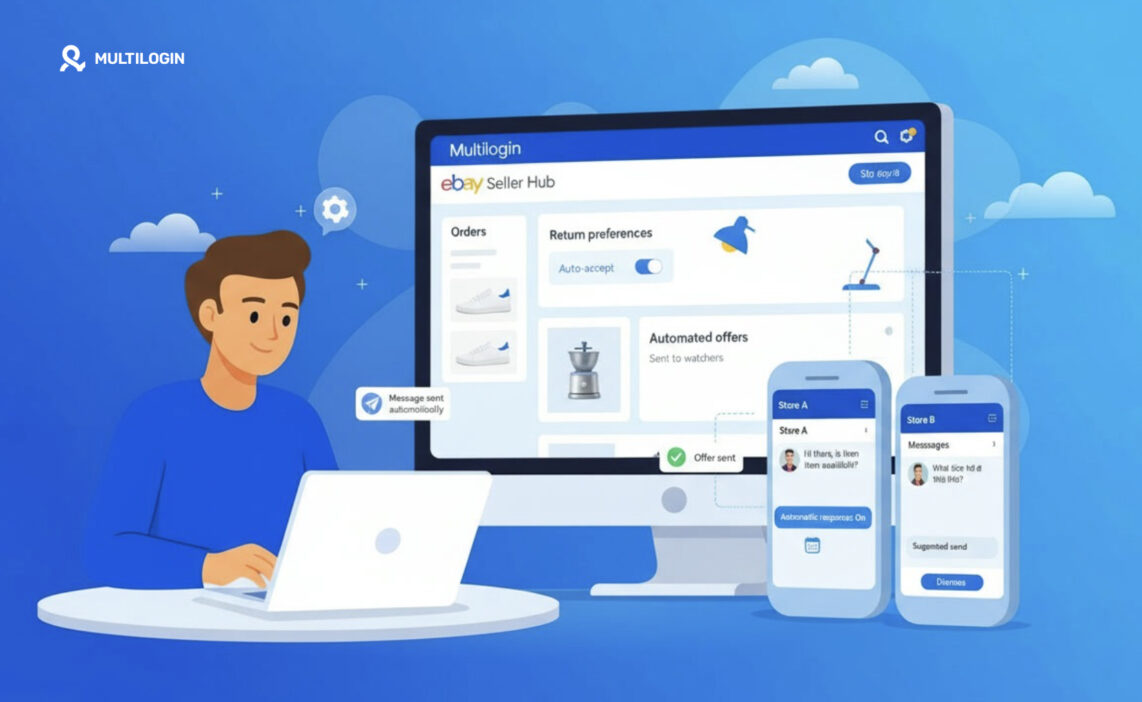



eBay automated messages come in two kinds. eBay sends order, payment and shipping updates to buyers on its own, and sellers get a short list of built-in automations: Time Away replies, automated offers, return rules and AI-suggested replies. A custom message on a trigger, such as a thank-you note after delivery, needs eBay’s API or a third-party app.
This guide covers what eBay already sends, how to set up each native automation, what the API allows, and which messages break eBay’s contact rules. The last section is for sellers running several eBay accounts, each with its own inbox and settings.
What you can and can’t automate on eBay
Message or task | Can you automate it? | How |
|---|---|---|
Order, payment and shipping updates | Already automated | eBay sends them; you can’t edit their wording |
Replies while you’re away | Yes | Time Away automatic response |
Answers to common buyer questions | Partly | eBay.ai suggests a reply, you approve each one |
Offers to watchers and interested buyers | Yes | Automated offers in Seller Hub |
Return approvals and refunds | Yes | Return rules in Return preferences |
Unpaid order cancellations | Yes | Preferences for items awaiting payment |
Custom post-sale notes | Yes, with tools | Trading API or a third-party app |
Promotions, links, contact details in messages | No | Not allowed under eBay’s contact policy |
Which eBay messages are sent automatically?
eBay already sends the core transaction messages, so most sellers don’t need to automate order updates at all. Buyers get an order confirmation after purchase, and when you mark an order as shipped or upload tracking, eBay tells them the item is on its way. eBay doesn’t offer a setting to rewrite these notifications.
This is why experienced sellers on the eBay Community often advise against duplicate “your order shipped” messages. A second notice with the same tracking number only adds inbox noise.
Two details shape any message you do automate on top:
- Plain text only. eBay’s current messaging experience shows messages as plain text, and HTML formatting isn’t supported.
- Everything stays on eBay. Buyer emails are replaced with aliases, and eBay may monitor messages for spam and policy violations.
Built-in eBay automations sellers can set up
These six features run inside eBay and need no extra tool.
Time Away automatic response
Time Away is available to all sellers and can send an automatic reply to anyone who messages you through eBay while you’re away. Go to My eBay > Account settings > Time Away settings, select Automatic response, set start and end dates, write the message and select Apply. Buyers who contact you get the reply with your return date.
The automatic response doesn’t pause listings. If you allow sales during Time Away, you still have to ship orders and handle open requests on time.
eBay.ai suggested replies
eBay.ai is an opt-in assistant that drafts replies to buyer questions about item details and shipping. eBay introduced it for US sellers in August 2025, and it builds each draft from your live listing.
It is assisted, not automatic. Each suggestion waits for you to choose Edit and send or Dismiss, and you switch it on or off with the eBay.ai toggle in Messages.
Automated offers to interested buyers
Automated offers send a discount to buyers who watch or show interest in a listing, then keep sending it to new interested buyers. Any seller can switch it on for selected listings when sending an offer, and eBay Store subscribers can automate offers across chosen inventory from the Seller Hub Marketing tab. Listings must be Buy It Now and in stock.
Return rules
Return rules in Return preferences decide some return requests without you. You can auto-accept certain returns, or refund and let the buyer keep the item when return shipping costs more than the item. If a returned item shows as delivered and you haven’t refunded within two business days, eBay may issue the refund for you.
Unpaid order cancellation
Preferences for items awaiting payment can cancel orders automatically when the buyer doesn’t pay. eBay reminds the buyer first, so you don’t need to send payment-reminder messages yourself.
Automated feedback
Since September 3, 2025, eBay has added automated positive feedback to eligible US orders. The order has to ship with tracking, arrive on time and have no buyer feedback or reported issue. That removes much of the reason sellers used to send “please leave feedback” reminders.
How to automate custom eBay messages with the API
Custom eBay automated messages, such as a note when an order ships or a care guide after delivery, run through eBay’s Trading API. Seller Hub has no trigger-based message builder, so sellers either connect a third-party app (3Dsellers and similar tools) or build the calls themselves.
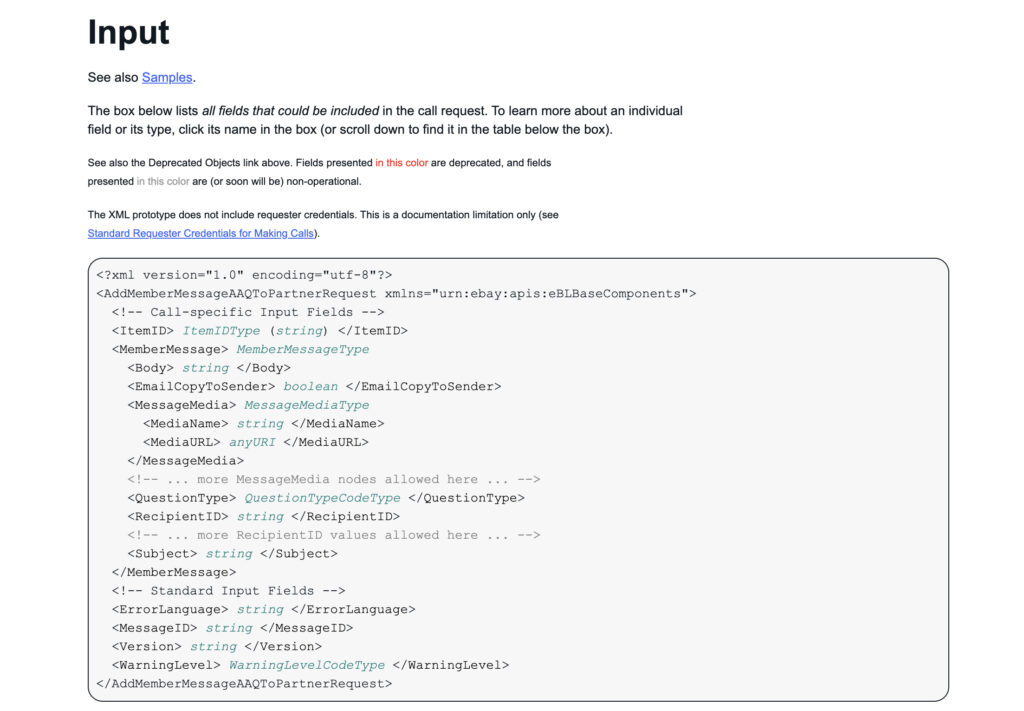
Two Trading API calls do most of the work:
API call | Who it reaches | Limits worth knowing |
|---|---|---|
A buyer you have an order with | Orders created within the last 90 days; set QuestionType to CustomizedSubject so it isn’t labeled as a question | |
Bidders and Best Offer users on an active listing | Up to 10 messages per call; body up to 1,000 characters; no HTML |
Messages sent this way land in the buyer’s eBay inbox and are covered by the same policy as messages typed by hand. Automation changes how a message is sent, not what it is allowed to say.
What eBay automated messages can’t include
eBay’s member-to-member contact policy sets the hard limits, and they apply to every automated message. A template that breaks these rules repeats the violation on every order it fires on.
Automated messages can’t include:
- Unsolicited commercial offers. Promotions sent to buyers who didn’t ask for them count as spam. eBay’s spam policy allows marketing emails to members only through eBay Store newsletters.
- Offers to trade off eBay. “Order direct next time for a discount” isn’t allowed.
- Contact details. No email addresses, phone numbers, social media accounts or usernames.
- Links or web addresses. That includes a link to your own site or a how-to video.
- Marketing to past buyers from sales reports. Volunteer mentors on the eBay Community warn that using exported transaction data for direct marketing goes against the policy, even for a holiday greeting.
What stays allowed is service: delivery delays, a missing size, how to use the item, or a reply to a buyer’s question, written in plain text.
Which buyer messages are worth automating?
Automate a message only when it adds information eBay doesn’t already send. Run each trigger through this check before you build a template:
Trigger | Automate it? | Best option | Why |
|---|---|---|---|
Order placed | No | eBay’s order confirmation | A second confirmation repeats eBay’s |
Order shipped with tracking | No | eBay’s shipping notice | Same tracking, sent twice |
Dispatch will be late | Yes, per order | API template or a quick manual note | eBay doesn’t explain your delay |
Item needs setup or care steps | Yes | API message after delivery, plain text | Useful service content, no links |
Buyer asks about size, specs or shipping | Partly | eBay.ai draft, you approve | Answers come from the live listing |
You’re closed for a few days | Yes | Time Away automatic response | Built in, with a return date |
Watchers haven’t bought | Yes | Automated offers | The approved way to send a discount |
Return request inside your policy | Yes | Return rules | Faster for the buyer, no message needed |
Asking for feedback | Rarely | Automated feedback covers clean orders | Repeated reminders read as pressure |
Managing eBay messages across multiple seller accounts
eBay’s multiple accounts policy allows more than one account, for example a separate store per product line. Every account has to meet eBay’s buyer and seller standards, and restrictions on one account can carry over to linked accounts. Opening a new account to get around a restriction isn’t allowed.
Every automation in this guide is set per account. Five stores means five inboxes, five sets of Time Away dates, five return rule sets and five eBay.ai toggles. When a team shares one phone or one browser and signs in and out of each store, sessions get mixed and replies go out from the wrong account.
Multilogin is a cloud Android phone platform for multi-account management. Each eBay seller account gets its own Multilogin cloud phone, a real Android device in the cloud running the eBay app with separate app data, location and IP. Logins and message history stay on the phone between sessions, so whoever handles a store opens its phone and answers buyers in the app without signing in again.
Seller Hub settings such as return preferences and automated offers live on the web. For those, Multilogin includes browser profiles for web-based accounts in the same dashboard, with the location synced to the store’s cloud phone. Team seats and permissions let you assign each store to the person who answers its buyers.
Built-in residential proxies and mobile minutes are included in every plan. Multilogin offers a free plan with no time limit and no credit card needed, and paid plans start from $7.08 per month.
Two limits apply. Multilogin cloud phones can’t receive SMS or calls, so if eBay sends a verification code by text, you need a separate number the app accepts, such as your own phone or an SMS provider. And separate cloud phones don’t fix content problems: a template that breaks eBay’s contact policy breaks it on any device.