



Many people think landing on the For You page comes down to follower count or pure luck. It doesn’t. The real answer to how to get on TikTok FYP is much simpler.
TikTok judges every new video on its own, no matter how old or big your account is. So a brand-new profile can reach the FYP too. You just need to know which signals TikTok watches, and which mistakes kill your reach before a video even gets a chance.
TL;DR: To get your videos on the For You page, keep viewers watching until the very end. Completion rate matters more than likes. Post on a regular schedule, use trending sounds and relevant hashtags, and avoid anything TikTok reads as suspicious: recycled content, sudden activity spikes on a fresh account, watermarks from other apps and straight reposts. Below, we break down every factor step by step.
How TikTok decides who sees your video
Here’s the short version. Every new video first goes to a small test group, usually a few hundred viewers. If they watch it to the end, rewatch it, comment or share, TikTok shows it to a bigger group. Then a bigger one. If people swipe away, the video stalls at a few hundred views and stops there.
That’s why an account with zero followers can hit the FYP. Each video earns its reach from scratch. It doesn’t inherit your profile’s history.
TikTok weighs three groups of signals:
- Viewer interactions (the biggest weight): watch time, rewatches, likes, comments, saves, shares, follows after watching, plus negative signals like “Not interested”, reports and quick swipes.
- Video details: the sound, captions, hashtags, on-screen text, topic and language.
- Device and account settings (the smallest weight): app language, country and device type.
The star metric here is completion rate, the share of viewers who watch your video to the end. TikTok values it more than likes.
One quick takeaway: switching your region or app language won’t do much if the content itself is weak. The content does the heavy lifting.
Want the full picture: test batches, ranking signals and how TikTok scores each view? Read our deep dive on how the TikTok algorithm works. This guide focuses on the practical side: what to film, how to edit it and how to set up your account.

Two myths that waste your time
- “Shadowban” as an official penalty. TikTok’s rules don’t use this term. What creators call a shadowban usually turns out to be a normal slow start on a new account, or a real restriction for breaking a specific rule. Here’s how to check for a TikTok shadowban and get out of it.
- Hashtags as a reach booster. Hashtags help TikTok sort your video and help people find it in search. They won’t rescue a weak video. So skip the hunt for “magic” tags like #fyp and spend that time on the video itself.
How to get on the TikTok For You page in 2026: 5 methods
Method 1: Nail the content, editing and script
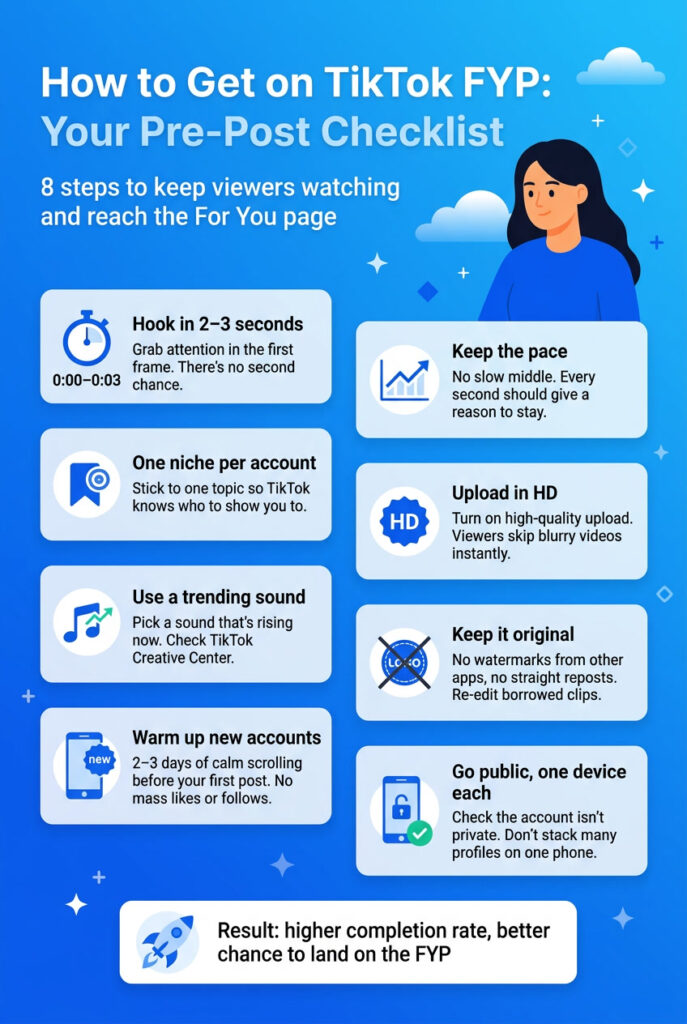
- Hook viewers in the first 2 to 3 seconds. You either grab them right away or they swipe. You won’t get a second shot at that view.
- Don’t let attention drop. After the hook, keep the pace and intrigue steady or rising. A saggy middle kills completion rate.
- Edit fast. Punchy cuts make a huge difference. The same clip can pull around 1,000 views as one static take and 250,000+ with dynamic cuts and trigger words. The topic stays the same. Retention changes.
- Go broad and emotional. Wide, bold angles usually beat narrow expert ones. “Top 5 business tips” often flops, while an emotional take on the same topic reaches a much wider crowd. Heads up: provocation can backfire, so use it with care.
- Upload in high quality. Always turn on high-quality upload in the settings. Viewers swipe past blurry, pixelated videos almost instantly.
- Test longer formats. In 2025 and 2026, longer talking videos of a minute or more perform well. TikTok keeps moving closer to YouTube in how people watch.
Method 2: Create and warm up your account the right way
- Expect a slow start. TikTok reviews new accounts more closely during the first days. Zero views for the first day or two is normal, so don’t panic.
- Buying an account? Check its age. Pick one that’s at least a month old with a real activity history.
- Warm up before your first post. For 2 to 3 days, just scroll the feed for 20 to 30 minutes a day at random times: morning, afternoon and evening. Skip mass likes and follows. Bulk activity looks like a bot and hurts you.
- Don’t create lots of accounts on one phone. TikTok flags this as spam, and new profiles get limited reach from day one. If it already happened, clear the app cache, reinstall TikTok or, as a last resort, reset the device. If you run several accounts on an ongoing basis, the only reliable fix is to separate them at the device level. Reinstalling the app after every ban isn’t a strategy. Each Multilogin profile runs on its own Android cloud phone with its own IP and activity history, so warming up one account never affects the others. Learn more about creating and managing multiple TikTok accounts.
- Stick to one niche per account. Jumping between topics confuses TikTok about who to show you to. It creates a ceiling of around 100 to 200 views.
- Make sure your account isn’t private. It sounds obvious, but it’s a common reason for zero views.
- Look your age. If TikTok thinks, visually or by behavior, that you’re under 13, it cuts your reach to protect kids.
Method 3: Work smart with borrowed content
- Rework content from other platforms. A clip from YouTube that you re-edit usually works fine. Plenty of channels built millions of views this way.
- Never repost TikTok videos as they are. A straight repost of someone else’s TikTok almost always gets zero views.
- Don’t wait on stuck videos. If an older account hits manual review, say for copyright, the check can take weeks. It’s often faster to delete the stuck video and move on.
Method 4: Find ideas and trends that already work
Don’t reinvent the wheel. Adapt what already took off to your own style and product.
- Train your feed. Like videos from competitors in your niche. Within a couple of hours, your feed starts showing relevant trending content.
- Search niche hashtags to see what really works in your topic right now.
- Borrow from other platforms. Check the most-viewed YouTube videos on your topic, top Instagram Reels, or popular clips on Douyin, TikTok’s Chinese sister app.
Here are the tools worth bookmarking:
| Tool | What it gives you | Cost |
|---|---|---|
| TikTok Creative Center: Trending hashtags | Top hashtags by posts and views for 7 or 30 days, filtered by country and industry | Free |
| TikTok Creative Center: Trending videos | Videos gaining momentum right now | Free |
| TikTok Creative Center: Top Ads | Best-performing ads, great for studying hooks and packaging | Free |
| TikTok Discover | Web version of trending topics and hashtags | Free |
| TikTok Studio: Sound library | Official library of trending sounds (login needed) | Free |
| TikTok Studio: Inspiration | Videos similar to yours, trends and what your followers watch | Free |
| vidIQ Trending TikTok Sounds | Daily ranking of sounds by view growth over 14 days, no sign-up | Free |
| Pulsenaut Trending Sounds by Niche | Trending sounds matched to your niche | Free |
| Exolyt and similar tools | Analytics on hashtags, accounts, trends and audience sentiment | Paid or demo |
Want to research trends without leaving a trace on your main account? Here’s how to watch TikTok anonymously.
Method 5: Turn views into results
Views for the sake of views don’t pay the bills. End every video with a clear next step: follow the account, join your Telegram channel or email list, book a consultation or buy a product.
Skip this step, and your reach never turns into anything real for your business or personal brand. Need ideas? Check our guide on how to make money on TikTok.
Checklist: why does my TikTok video have 0 views?
| Reason | What to do |
|---|---|
| New account, first videos | Totally normal. Wait 1 to 2 days while TikTok reviews the account |
| Private account | Switch your profile to public in the settings |
| Several accounts on one device | Clear the cache, reinstall the app, switch devices or give each account its own cloud phone profile |
| Topic hopping on one account | Pick one niche and stick to it |
| Straight repost of someone else’s video | Re-edit it and make the content your own |
| Low upload quality | Turn on high-quality upload |
| Weak hook or a saggy middle | Redo the first 3 seconds and add dynamic cuts |
| Older account, video stuck for weeks | It may be under manual review. Delete it and post a fresh one |
| Account gets nothing for a long time | Sometimes it’s easier to start a new account with a clean history |
What lowers your chances of hitting the FYP
- Duplicate content. TikTok recognizes the same video uploaded from several accounts and limits its reach.
- Watermarks from other apps. A video with an Instagram or CapCut logo gets lower priority.
- Community Guidelines violations. TikTok limits how far these videos travel, and that’s what most people mean by a shadowban. Learn how to check for a TikTok shadowban and lift it.
- Sudden activity spikes on a fresh account. A new account that posts a lot and takes tons of actions right away looks suspicious to TikTok’s security systems.
- Unnatural session signals. TikTok is a mobile-first platform. The app reads signals that only real phones produce: movement patterns, tap timing, accelerometer data and hardware identifiers. Browser tools can’t produce them.
Running several profiles and want to stay clear of blocks? Here’s how to run multiple TikTok accounts without bans.
The FYP depends on your region: here’s what to do about it
Knowing how to get on TikTok FYP in one country doesn’t mean you’ll get there in another. The For You feed is tied to a specific market. A user in New York and a user in London see different creators, sounds and formats on the same day.
TikTok decides your market based on your IP address, device environment, app language and the account’s watch history.
History outweighs everything else. An established account keeps showing its usual feed even after you change your IP. To see what the FYP looks like in a specific market, you need a fresh account in a clean environment on a local connection. Read more about how the TikTok algorithm builds the FYP and how to use proxies for TikTok to reach other regions.
How Multilogin helps you reach the FYP across accounts and markets
Testing content for different markets? Running several accounts at once? Warming up new profiles before launch? Then switching between phones and IP addresses by hand turns into a mess fast.
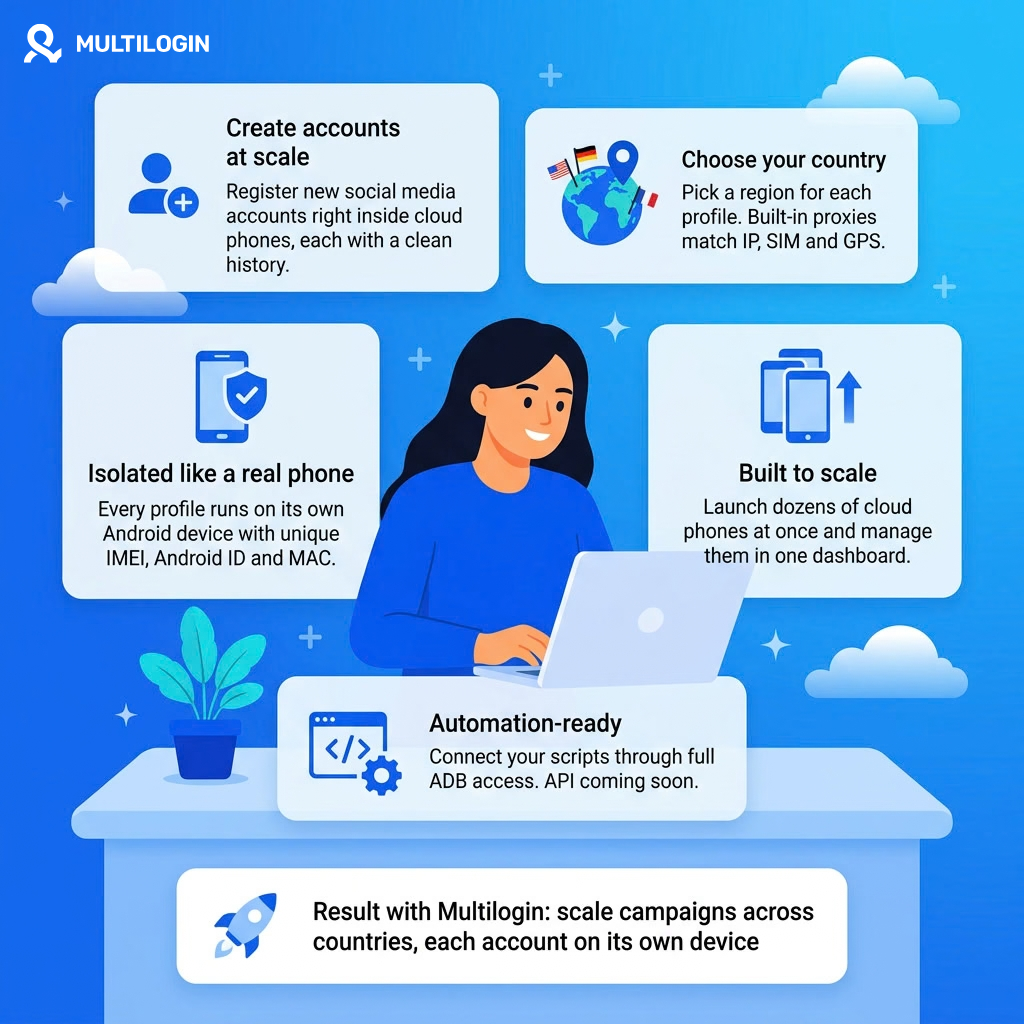
Multilogin is a cloud phone platform for social media marketers. Each profile runs on its own cloud phone, a real Android device in the cloud with its own app data, region and built-in proxies. Sessions save between launches, so every profile builds its own activity history and warms up naturally, without the sudden spikes that cut reach.
This setup covers two jobs at once:
- Research the FYP of a specific market. Pick a country or region for the profile, and the built-in proxies handle the rest. You see that region’s For You feed and spot trends before you start posting there.
- Run the account that posts to that market. One cloud phone equals one social profile, and environments never overlap. So a restriction on one account doesn’t drag the others down.
You manage every profile from one dashboard, and you can start on the Free plan with no time limit. Paid plans start from $7.08 per month, with proxies and mobile minutes included.
Ready to try it? Start with our guide to creating and managing multiple TikTok accounts, or see how to manage multiple social media accounts across platforms.