





Sora 2 is OpenAI’s text-to-video model, and it can generate cinematic, realistic video clips from a written prompt in minutes. That’s a genuinely big deal for social media creators and managers who need high-quality video content at scale.
But the quality of what Sora 2 produces depends almost entirely on how well you write your prompt. A vague prompt gives you a generic clip. A specific, well-structured prompt gives you something that looks like it came from a production team.
This guide covers exactly how to write Sora 2 prompts that work, with real examples across the most popular social media formats, plus how to build a repeatable video content workflow around the tool.
What Is Sora 2?
Sora is OpenAI’s AI video generation model. Sora 2 is the updated version, offering longer video outputs, better motion consistency, more realistic physics, improved text rendering within scenes, and stronger adherence to complex prompts compared to the original release.
You access Sora through OpenAI’s platform. It generates video clips from text descriptions, from images, or by extending and editing existing footage. The outputs can range from a few seconds to around a minute depending on your settings.
For social media, Sora 2 is most useful for creating short-form video content for TikTok, Instagram Reels, YouTube Shorts, and LinkedIn video posts without needing a camera, talent, or a full production setup.
Why Prompt Quality Matters So Much
Most AI tools respond reasonably well to simple inputs. Sora 2 is more demanding. The model needs enough detail to make creative decisions about camera movement, lighting, subject behavior, environment, mood, and pacing. When you leave those decisions to the model, results are inconsistent.
A well-written Sora 2 prompt tells the model exactly what it’s working with. Think of it less like a search query and more like a brief you’d hand to a director of photography. The more precisely you describe what you want, the closer the output gets to what you actually need.
The Anatomy of a Good Sora 2 Prompt
Every strong Sora 2 prompt has most or all of these elements:
- Subject: Who or what is in the video. Be specific about appearance, age, clothing, and expression.
- Action: What the subject is doing. Active, specific verbs work better than passive descriptions.
- Environment: Where the scene takes place. Include lighting conditions, time of day, weather, and setting details.
- Camera: How the shot is framed and how it moves. Wide shot, close-up, tracking shot, drone shot, slow zoom, handheld, cinematic pan.
- Mood and style: The overall feeling and visual aesthetic. Cinematic, documentary, dreamy, lo-fi, hyper-real, editorial.
- Technical details: Frame rate, aspect ratio, film grain, color grading style. These push outputs toward a specific look.
Not every prompt needs all of these, but including more detail consistently produces better results.
Sora 2 Prompt Formula
Here’s a simple formula to follow:
[Camera movement] of [subject] [action] in [environment], [lighting], [mood/style], [technical details]
Example: “Slow tracking shot of a young woman in a cream linen blazer walking through a sun-drenched farmers market in the south of France, golden hour lighting, candid documentary style, 24fps, slight film grain”
That single sentence gives Sora 2 enough to produce something usable on the first generation. Let’s look at more examples by content category.
Sora 2 Prompt Examples for Social Media
Lifestyle and Fashion Content
“Close-up handheld shot of a woman with natural curls pouring matcha into a ceramic cup in a minimal white kitchen, morning light streaming through linen curtains, soft and warm aesthetic, shallow depth of field”
“Tracking shot following a man in streetwear walking through a rainy Tokyo street at night, neon reflections on wet pavement, cinematic color grading, 4K, slow motion at key moments”
“Aerial drone shot slowly descending toward a rooftop pool overlooking a coastal city at sunset, golden and pink tones, luxury travel aesthetic, smooth camera movement”
Food and Beverage Content
“Extreme close-up of dark chocolate being poured over a layered dessert in slow motion, warm studio lighting, rich color saturation, ASMR style, 120fps”
“Wide shot of a rustic wooden table covered in Mediterranean dishes, natural window light from the left, hands reaching in to serve food, warm and abundant feeling, editorial food photography style translated to video”
“Tracking shot through a busy street food market in Bangkok at dusk, steam rising from woks, vibrant colors, documentary handheld feel, ambient audio visible in motion”
Tech and Product Content
“Clean studio shot of a sleek smartphone rotating slowly on a white surface, soft diffused lighting from above, product reveal style, smooth 360-degree rotation, minimal aesthetic”
“Close-up of hands typing on a mechanical keyboard in a dark room lit only by monitor glow, blue and purple ambient light, focus-pull from keyboard to screen, tech aesthetic”
“Overhead flat-lay shot of a desk setup slowly coming into frame, items appearing one by one, satisfying reveal style, warm neutral tones, productivity aesthetic”
Fitness and Wellness Content
“Dynamic tracking shot of an athlete sprinting on an empty beach at sunrise, low angle, motion blur on feet, cinematic slow-motion at peak stride, energetic and motivational mood”
“Slow-motion close-up of hands pressing into a yoga mat, morning light in a minimal studio, calm and grounded aesthetic, warm golden tones, 120fps”
“Aerial shot pulling back from a solo hiker standing on a mountain summit, dramatic clouds below, scale-revealing reveal shot, epic and inspiring mood”
Business and Professional Content
“Medium shot of a woman presenting in a bright modern office with floor-to-ceiling windows and a city skyline behind her, confident and authoritative mood, clean corporate aesthetic, natural light”
“Time-lapse style shot of a desk workspace transitioning from morning to evening, papers and coffee cups accumulating, ambient office light changing, productive and grounded feeling”
“Tracking shot through a busy coworking space, diverse group of people working at laptops, warm and collaborative atmosphere, documentary style”
Travel and Destination Content
“Drone shot flying low over turquoise water toward a white sand beach, gradual reveal of palm trees and a small island, tropical paradise aesthetic, cinematic color grading”
“Slow pan across a misty mountain valley at dawn, golden light breaking through clouds, no people, pure landscape, cinematic and peaceful, 4K”
“Handheld walking shot through narrow cobblestone streets of an Italian village, morning light, laundry hanging between buildings, authentic and warm travel documentary feel”
TikTok and Reels Viral Formats
“Fast-cut montage style, a person unboxing a mystery package, each reveal shot tighter than the last, reactive facial expressions, bright and punchy color grading, vertical 9:16 format”
“Split-screen style showing before and after a room transformation, satisfying side-by-side reveal, clean and bright aesthetic, social media native format”
“POV walking shot entering a stunning hidden café, warm interior lights, discovery and delight mood, vertical format, handheld natural movement”
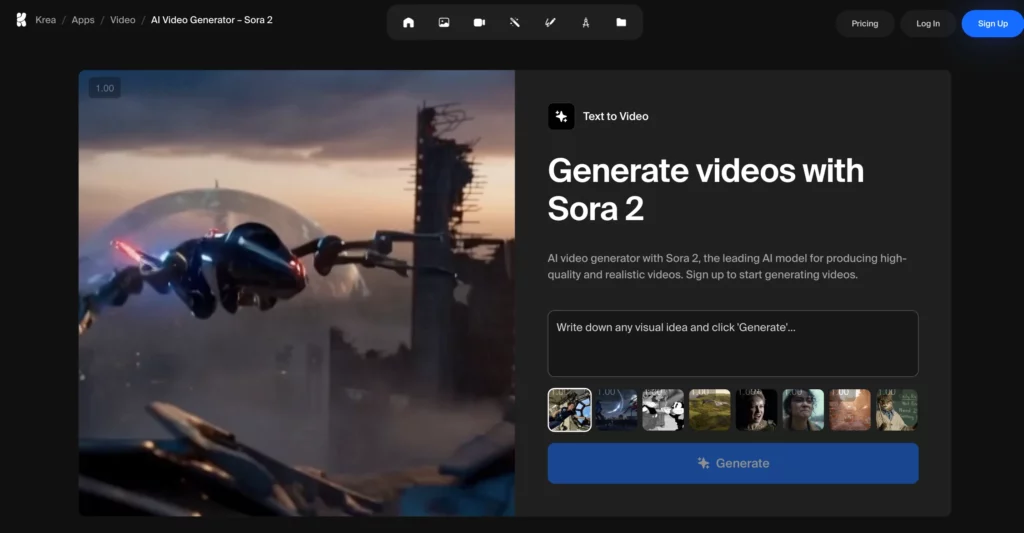
Sora 2 Prompt Tips That Actually Make a Difference
- Be specific about camera movement. “Tracking shot,” “slow zoom in,” “handheld,” “drone descending,” and “static wide shot” all produce very different results. Generic prompts default to static or simple movements.
- Name the lighting. Golden hour, overcast natural light, neon-lit night scene, soft studio diffused light, hard direct sunlight. Lighting changes everything about the mood and quality of the output.
- Specify the aspect ratio for social media. Vertical 9:16 for TikTok and Reels. Square 1:1 for Instagram feed. Horizontal 16:9 for YouTube. Sora 2 can generate in different ratios but you need to specify.
- Use film and photography language. Shallow depth of field, rack focus, lens flare, anamorphic widescreen, film grain, color grading references. The model responds well to this vocabulary.
- Add motion to everything. Static scenes are less engaging on social media. Include some form of camera movement or subject movement in every prompt.
- Reference styles, not just subjects. “Shot in the style of a luxury fashion editorial” or “documentary handheld aesthetic similar to street photography” gives the model a clear visual target.
- Iterate quickly. Generate multiple versions of the same prompt with small variations. Sora 2’s outputs have variance, meaning the third generation of a prompt can be significantly better than the first.
Building a Sora 2 Video Content Workflow
For social media managers using Sora 2 seriously, the tool works best as part of a workflow rather than a one-off generator.
A practical workflow looks like this: use Claude or ChatGPT to generate batches of Sora 2 prompts based on your content calendar. Run those prompts through Sora 2 to generate raw clips. Edit and caption the best outputs in CapCut. Schedule and publish through your scheduler of choice.
This kind of AI workflow for managing multiple social media accounts can dramatically compress the time it takes to go from content idea to published video. The Claude AI prompts guide for social media has templates you can use to generate Sora 2 prompt batches automatically.
Scaling Sora 2 Content Across Multiple Accounts
Here’s where it gets interesting for people managing multiple social media accounts or brands. Sora 2 makes it easy to produce high-quality video content at volume. But publishing that content across multiple TikTok, Instagram, or YouTube accounts from the same device creates a different problem entirely.
Platforms detect when multiple accounts are being managed from the same device or browser and flag them for coordinated inauthentic behavior. That’s true even when the content itself is original and the accounts are legitimate.
Multilogin Cloud Phones solve this. Each Cloud Phone is a real Android device in the cloud with its own hardware identifiers, IMEI, Android ID, and residential proxy. You upload and publish Sora 2 content to each account from a separate Cloud Phone, so each account looks like it’s operated by a different person on a different device in a different location.
This is how creators and agencies scale AI-generated video content across multiple TikTok accounts, multiple Instagram accounts, and multiple YouTube accounts without triggering bans.
Common Sora 2 Prompt Mistakes to Avoid
Too vague. “A woman walking in a city” gives the model almost nothing to work with. Add clothing, city, time of day, camera angle, mood, and movement.
Contradictory instructions. “Fast-paced slow motion” or “bright dark atmosphere” confuse the output. Pick one direction and commit to it.
Overloaded prompts. Cramming 15 different scene elements into one prompt often results in a jumbled output. Focus on one clear scene rather than trying to describe a whole story arc.
Ignoring format. If you need vertical video for Reels or TikTok, specify 9:16 in your prompt. Horizontal outputs require cropping and quality loss.
Not iterating. The first output is rarely the best. Generate three to five versions and select the strongest one. This is standard practice, not a sign the tool isn’t working.
Sora 2 vs Other AI Video Tools
Sora 2 isn’t the only AI video generator worth knowing in 2026. Runway ML, Pika, Kling AI, and HeyGen all have strengths in specific areas. Runway is strong for professional-grade editing and effects. Pika is fast and easy for quick social clips. HeyGen excels at AI avatar presenter videos.
Sora 2’s edge is in scene realism and adherence to complex prompts. When you need a clip that looks like it was actually filmed, and you’re willing to invest time in writing detailed prompts, Sora 2 tends to produce the most convincing results.
Need to manage multiple social media accounts? Try Multilogin Cloud Phones.
Frequently asked questions About How to Automate Claude Design for Social Media
Claude writes the copy, captions, scripts, hooks, and design briefs for social media posts. It does not generate images directly. The automation workflow pairs Claude’s text output with Canva’s visual design to cover both sides of content production — Claude handles the language layer, Canva handles the visual layer.
Build a master brief that establishes your brand voice, audience, content pillars, and platform rules. Paste it at the start of every Claude session. Use the batch production workflow to generate a full week of content in one focused session. Edit for personal details and quality. Schedule through your preferred tool.
Yes, with Magic Resize. Once a design is finished, you can resize it to any platform format, such as square post, Story, landscape, LinkedIn, YouTube thumbnail, in one step. This is one of the biggest time-savers in the workflow for multi-platform content.
Connecting Claude to Canva is available on Claude’s free plan. The Canva connector itself is free to use. Some Canva features used in this workflow (Brand Kit, Magic Resize) require a Canva Pro subscription.
Teams using AI-assisted content creation report a 60 to 70 percent reduction in first-draft creation time. For social media managers producing 20 to 30 pieces of content weekly, this typically translates to 8 to 15 hours saved per week — time that can be redirected to strategy, client relationships, and the human judgment elements that AI cannot replicate.
Final Thoughts
Sora 2 is a genuine step forward for AI video generation. But like every AI tool, the output quality is a direct reflection of the input quality. A weak prompt produces a weak video. A well-structured, specific prompt with clear camera direction, lighting, subject detail, and mood produces something you can actually post.
Use the examples and formula in this guide as starting points. Iterate fast, build a prompt library of what works, and integrate Sora 2 into a larger AI content workflow for the best results.
And if you’re scaling video content across multiple accounts, make sure your account infrastructure keeps up with your content output. Multilogin Cloud Phones handle the device isolation side so your accounts stay safe as you grow.


