






IP checking services are essential tools for anyone who wants to understand their online identity and improve their privacy. When you connect to the internet, your device is assigned an IP address. This number reveals details such as your approximate location, your internet service provider (ISP), and sometimes even the type of network you’re using.
An IP checker helps you instantly see this information. More importantly, advanced tools like whoer.net also analyze whether your connection leaks extra data that could harm your anonymity.
If you use a VPN or proxy, running an IP check ensures that your real IP isn’t leaking. This is critical for maintaining anonymity and avoiding account bans.
TL;DR
To help you quickly understand how the main IP checking services differ, we’ve prepared a detailed comparison table. It highlights the speed, extra features, and overall usability of each platform.
This table gives you a snapshot of the market, but below we provide individual reviews of each service, so you can explore their strengths, weaknesses, and unique features in more detail.
| Service | Speed | Advanced Features & Usability |
|---|---|---|
| WhoerIP.com | ⭐ Excellent | Advanced fingerprinting, privacy scoring, clean modern design, blog with checker reviews, very user-friendly |
| Pixelscan.net | Very Good | Fingerprint-focused analysis, modern dark interface, minimal extras, efficient usability |
| IPFighter.com | Excellent | IP reputation score, browser fingerprint, bot detection, DNS and WebRTC leak tests, proxy checker, free web proxy, no signup needed |
| Whoer.to | Excellent | Ad-free, simple clean design, technical details in table format, fast and straightforward |
| IPLocation.io | Good | Multi-provider data, wide toolset, professional interface, technical depth for advanced users |
| WhatIsMyIP.com | Good | Educational tutorials, traditional design, reliable simple tools, accessible for all users |
| IP.me | Good | Map integration, privacy-focused, clean and simple layout, smooth mobile optimization |
| MyIP.com | Good | Internet statistics, charts, lightweight interface, easy-to-read data presentation |
| IPLocation.net | Good | Bulk IP processing, email tracing, privacy scoring, professional-grade toolset |
| Whoer.com | Good | Fraud scoring, anonymity testing, feature-rich but cluttered by heavy ads |
| WhatIsMyIPAddress.com | Poor | Extensive content library, privacy guides, VPN promos, content-heavy and less convenient |
From the comparison table, it’s clear which services stand out as strong alternatives to Whoer.net — for example, a highly recommended option is WhoerIP.com.
How Do IP Checking Services Work?
At their core, all IP checking services work on the same principle: when you visit their website, they capture your public IP address from the connection request and use scripts to analyze your browser and network behavior. This provides information about your location, ISP, system settings, and potential privacy leaks.
However, not all services are created equal. The differences lie in how deeply they analyze your connection and what databases or techniques they use. For example, one tool may simply show your IP and country, while another can detect DNS leaks, fingerprint your browser, or even tell if your IP is listed on spam blacklists.
That’s why people often look for alternatives to Whoer.net. Some services specialize in privacy analysis, others provide more accurate geolocation data, while a few focus on VPN/proxy detection. In other words, the “best” IP checker depends on what the user needs:
Pro Tip: No single IP checking tool is perfect. Using more than one service helps cross-check results and ensures you’re not missing hidden leaks.
Collecting IP Address and Location
The first step is straightforward: when your browser makes a request to the server, your public IP address is automatically visible in the request header.
- Server logs the IP → The site sees your IP just like any website you connect to.
- Geolocation databases → The service then queries IP-to-Geo databases (like MaxMind GeoIP or IP2Location) to map your IP to a physical region (country, city, sometimes ISP).
Browser Fingerprinting via JavaScript
IP alone doesn’t reveal everything. So services inject JavaScript scripts that run inside your browser and collect additional metadata:
- User-Agent string (browser type and version, OS)
- Screen resolution and color depth
- System language & timezone
- Installed fonts and plugins
- WebGL & Canvas rendering hashes – These generate unique “fingerprints” of your device.
This technique is called browser fingerprinting. It helps detect if you are using uncommon settings that could make you stand out (or if your VPN/proxy setup is leaking info).
What Do IP Checkers Actually Test?
| Check Name | How Websites Perform the Check |
|---|---|
| Public IP Address | Captured directly from your browser’s connection request (HTTP headers, server logs). |
| Geolocation (Country/City) | IP is compared against commercial IP-to-Geo databases (e.g., MaxMind, IP2Location). |
| ISP & ASN Lookup | Uses IP registries (RIPE, ARIN, APNIC) to identify your Internet Service Provider and network (ASN). |
| VPN/Proxy/Tor Detection | Cross-checks IP against lists of VPN/proxy/Tor exit nodes; checks if ASN belongs to datacenter hosting. |
| DNS Leak Test | Loads hidden elements (images/scripts) forcing DNS requests; if requests resolve via ISP DNS instead of VPN DNS, a leak is shown. |
| WebRTC Leak Test | Executes hidden WebRTC requests in browser; reveals local and public IPs if WebRTC is not blocked. |
| IPv6 vs IPv4 Status | Tests if your connection exposes both IPv4 and IPv6 (sometimes leaks occur through IPv6). |
| Browser Fingerprinting | JavaScript collects User-Agent, timezone, fonts, screen resolution, WebGL/Canvas hashes to build a unique fingerprint. |
| System & Browser Settings | Reads language, timezone, Do Not Track flag, cookies enabled/disabled. |
| Blacklist Check | Queries public security/spam blacklists (Spamhaus, SORBS, AbuseIPDB) to see if your IP is flagged. |
| Connection Type | Determines if you’re on mobile data, corporate network, or home ISP by ASN type. |
| Privacy Score | Combines results (leaks, fingerprints, mismatches) into a single “anonymity score” for easier interpretation. |
Pro Tip: Some IP checkers run active tests (DNS/WebRTC leaks) in real time, while others only perform database lookups (GeoIP, ASN, blacklist). That’s why using multiple services can reveal more details.
Looking for a Better Proxy After Testing?
If your IP check reveals VPN detection, DNS leaks, or proxy flags, upgrading to a higher-quality proxy can help improve the consistency of your network environment.
Nstproxy provides Residential, ISP, Datacenter, Mobile, and IPv6 proxies with global coverage, sticky sessions, and pricing from $0.10/GB.
Best 11 Alternatives to Whoer.net: Features That Stand Out
1. WhoerIP.com – The Modern Privacy Champion
WhoerIP.com represents the new generation of IP checking services, built from the ground up with modern web technologies and privacy-focused design principles. The service has quickly established itself as a premium alternative to older, ad-laden competitors.
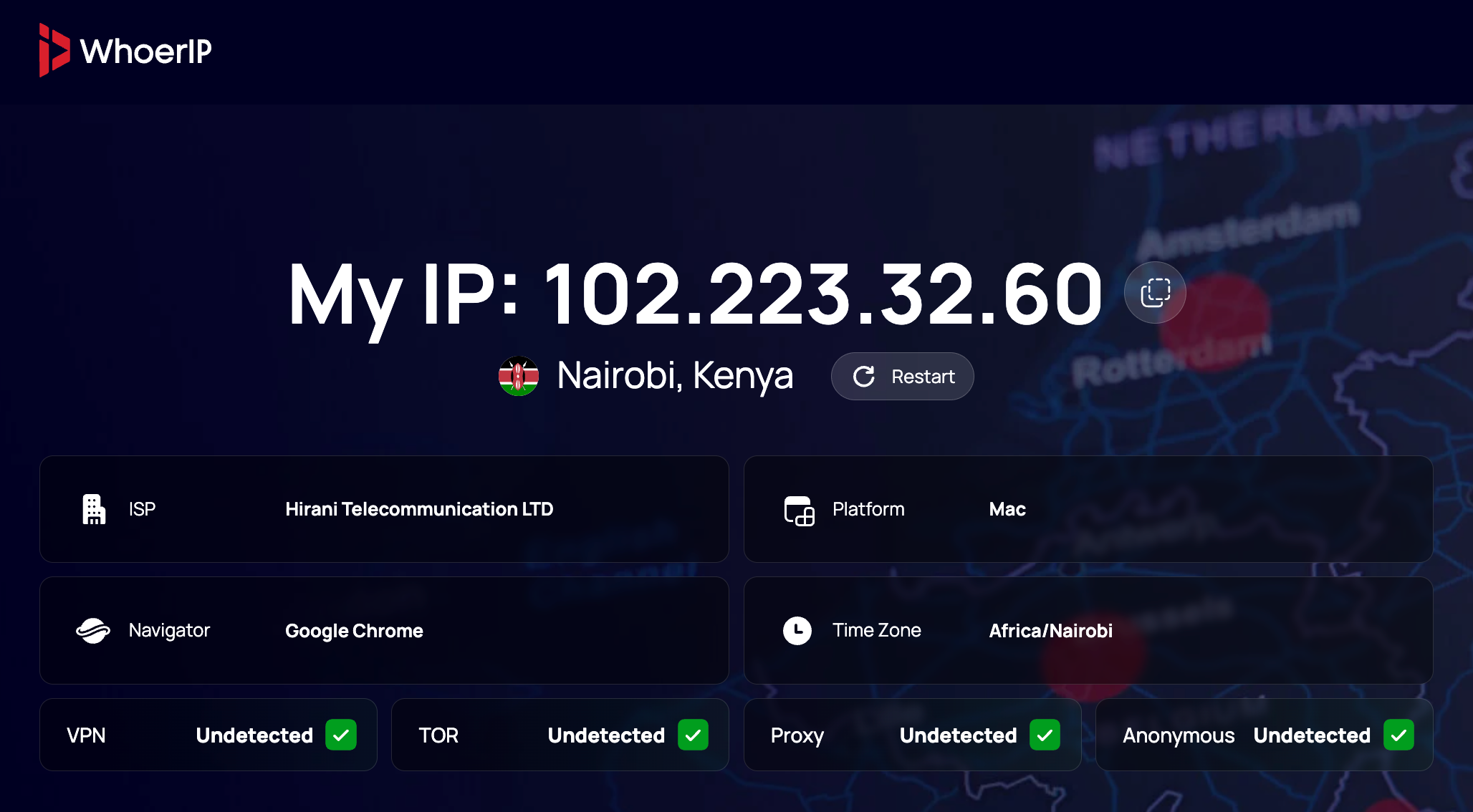
What It Represents: A professional-grade IP analysis platform that combines traditional IP checking with advanced browser fingerprinting and privacy assessment capabilities. The service prioritizes user experience and accuracy over ads, and you can check your IP address anytime on the official whoerip.com website.
Target Audience:
- Privacy-conscious individuals seeking comprehensive anonymity analysis
- Cybersecurity professionals requiring reliable detection capabilities
- Businesses needing clean, professional tools for security assessments
- VPN and proxy users wanting to verify their anonymity levels
- Anti-detect browser users requiring detailed fingerprint analysis
Excellent mobile optimization – the responsive design works flawlessly across all devices. The interface adapts perfectly to smartphone screens while maintaining full functionality.
Unique Strengths: Real-time analysis, advanced device fingerprinting, anonymity scoring, comprehensive leak detection, and professional interface design. If you’re looking for a modern alternative to older Whoer websites, WhoerIP.com is an excellent choice.
2. Pixelscan.net – The Fingerprinting Specialist
Pixelscan.net is one of the newest players in the IP checking space, specifically designed for the modern privacy landscape where browser fingerprinting has become a major concern. The service focuses heavily on detection analysis and privacy testing.
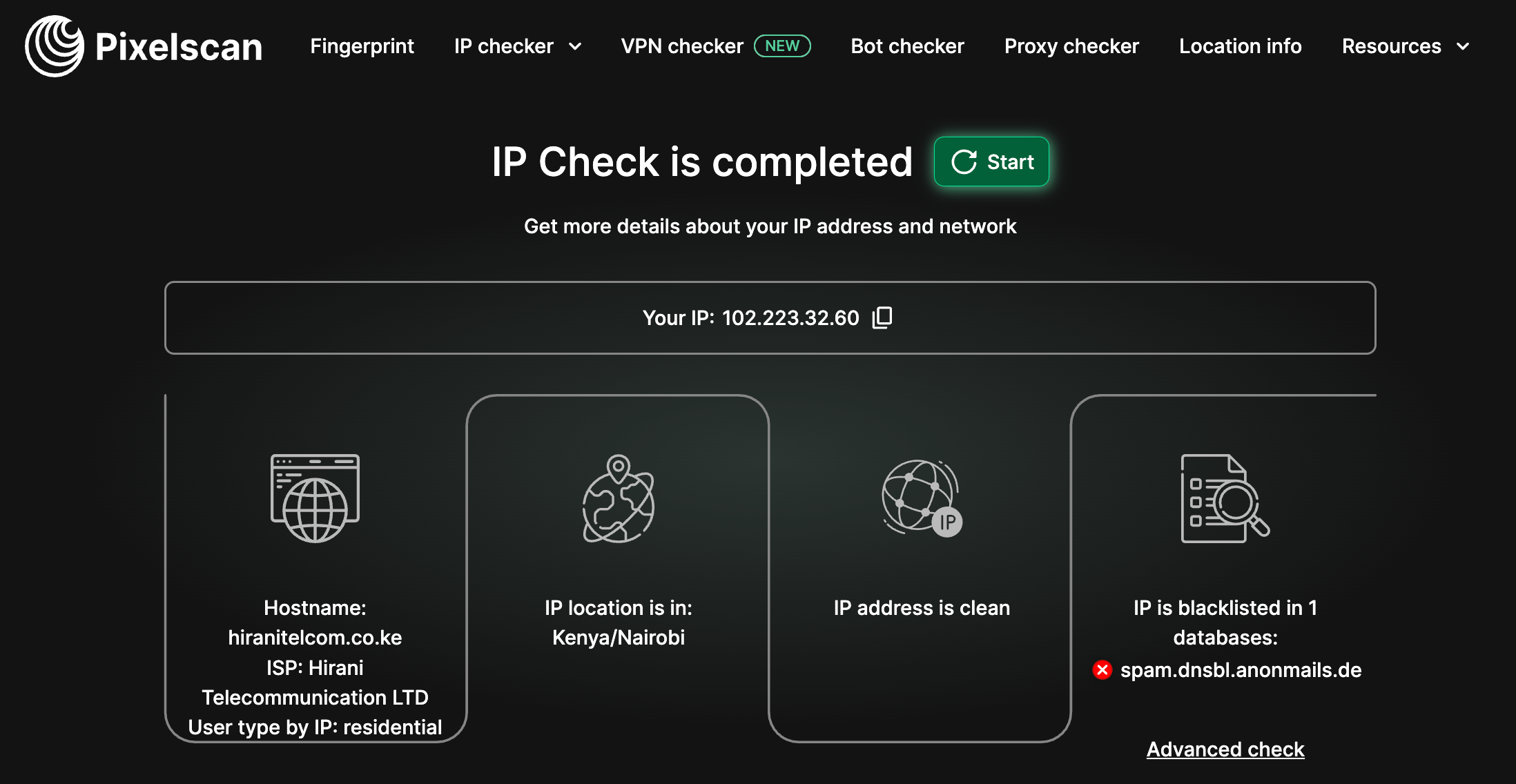
What It Represents: A specialized multi-check platform that goes beyond basic IP checking to provide comprehensive browser fingerprinting analysis, bot detection, and privacy leak testing. It’s designed for users who understand advanced privacy concepts.
Target Audience:
- Advanced privacy users and researchers
- Anti-detect browser developers and users
- Cybersecurity professionals studying fingerprinting techniques
- Privacy advocates testing anonymity tools
- Developers building privacy-focused applications
Advertising and Spam: Minimal advertising presence – the service maintains a clean, professional interface with very limited promotional content. Any advertising is subtle and doesn’t interfere with core functionality.
Outstanding mobile optimization – Pixelscan.net offers one of the best mobile experiences in the industry. The interface is specifically designed to work seamlessly on smartphones and tablets, with touch-friendly controls and responsive design that maintains full functionality across all screen sizes.
Unique Strengths: Advanced fingerprinting analysis, multi-tool integration, modern interface design, and specialized privacy testing capabilities. The platform also features an insightful blog with reviews of IP checkers and privacy tools (including a detailed review of WhoerIP.com)., making it a valuable resource for users who want to stay informed.
3. IPFighter.com – The Great Detector
IPFighter.com is a free platform for checking, analyzing, and optimizing your online environment. It brings together a suite of technical tools that show how your IP, proxy, browser, and network appear to websites, so you can identify potential issues and verify your setup before using online services.
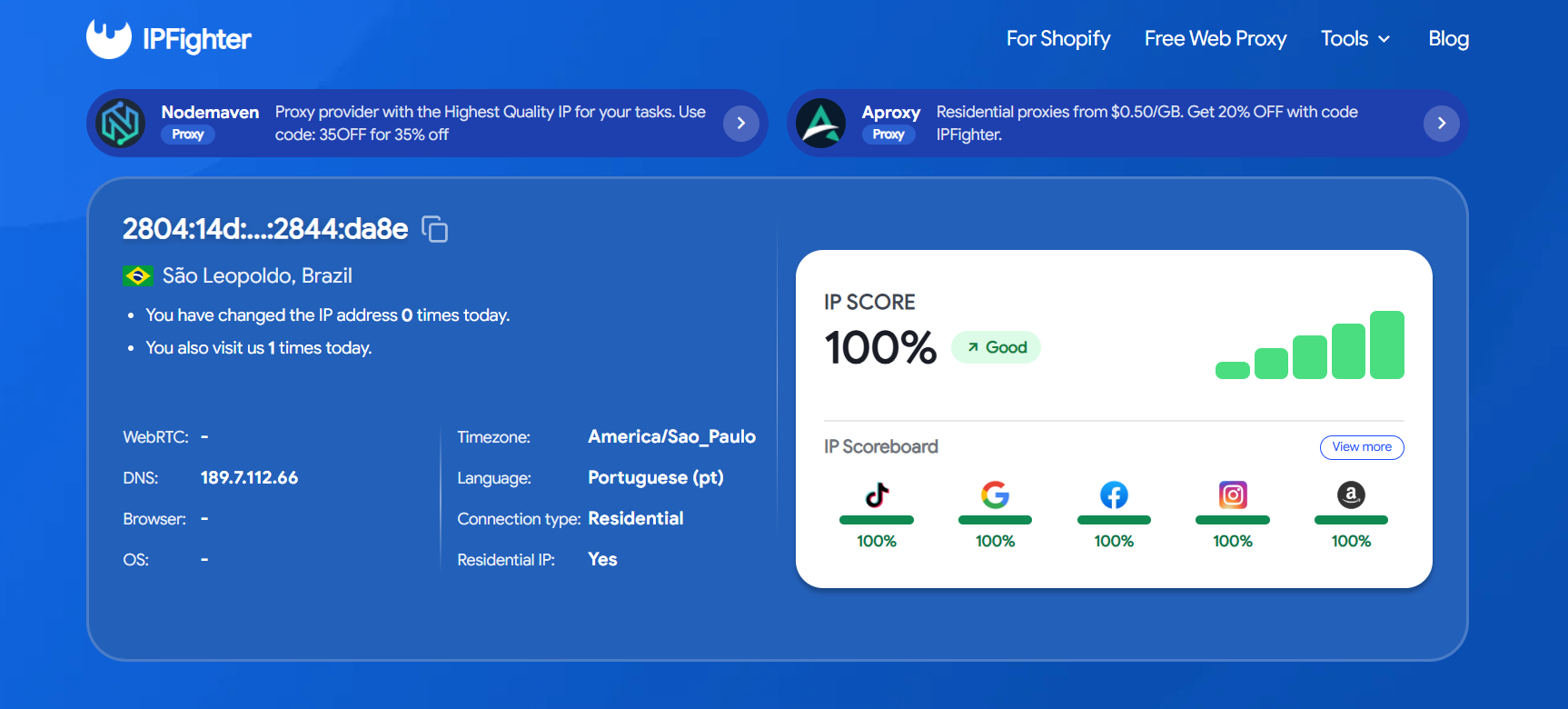
What It Represents: An all-in-one detection platform that goes beyond a basic IP check. Instead of showing only your address and location, it examines the IP, browser, and connection signals together. All core diagnostic tools are free, with no sign-up required.
Key features:
- IP Lookup & IP Reputation: Check any IPv4 or IPv6 address for geolocation, ISP, ASN, connection type, proxy/VPN/datacenter detection, blacklist status, and a reputation score. The IP scoring helps you judge the quality and trustworthiness of an IP.
- Browser Fingerprint: Analyze the browser and device signals websites can use to identify you, including User-Agent, screen properties, hardware information, language, timezone, Canvas, WebGL, Audio, fonts, browser APIs, storage, and connection data. It also highlights inconsistencies and potential automation indicators.
- Bot Detection: Run 50+ browser-based checks for automation frameworks, WebDriver, headless environments, DevTools, and API tampering. All checks run locally in the browser.
- DNS Leak Test: See whether DNS requests reveal your actual network or ISP while you use a VPN or proxy.
- WebRTC Leak Test: Detect whether WebRTC can expose your real IP address through the browser.
- Proxy Checker: Test HTTP, HTTPS, SOCKS4, and SOCKS5 proxies for availability, response speed, exit IP, location, and anonymity level.
- Free Web Proxy: Browse through residential IP addresses without installing software or creating an account. You can choose a proxy location and optionally enable WebRTC protection and timezone and language spoofing to better align browser signals with the proxy connection.
- Proxy Manager Extension: Manage and switch proxy connections directly from the browser.
- Coupons & Deals: Find exclusive promo codes and offers from proxy, VPN, antidetect browser, and other related providers to reduce costs when choosing tools.
Target Audience:
- VPN and proxy users who want to verify their setup and check for DNS or WebRTC leaks
- Anti-detect browser users who need to review fingerprint consistency
- Multi-account managers and marketers testing proxies before use
- Privacy-conscious users looking for a free, no-signup checker
- Anyone comparing proxy, VPN, and antidetect browser deals before buying
Unique Strengths: IP intelligence, fingerprint analysis, bot detection, leak tests, proxy testing, and browser proxy management in a single platform, with local bot checks and free access to all core tools without an account.
4. WhatIsMyIP.com – The Internet Pioneer
Launched in 1999, WhatIsMyIP.com is one of the oldest IP checking services and has been operating for more than 25 years. From its early beginnings as a simple IP checker, it has evolved into a full platform that combines IP lookups with diagnostics, networking tools, and a strong focus on educational content.
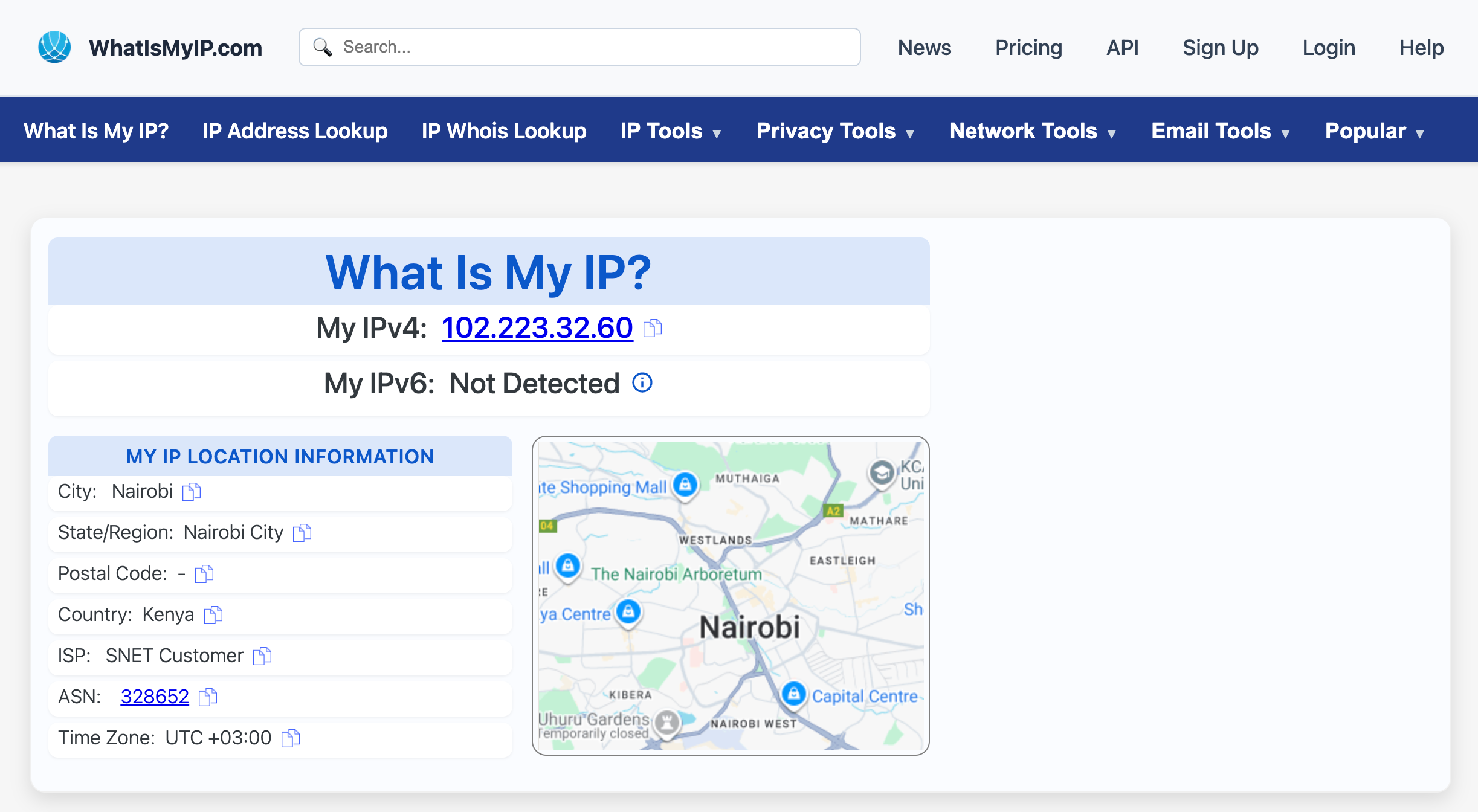
The service appeals to a wide audience — from general users and students to small businesses and network administrators who value straightforward explanations and reliable tools.
Target Audience:
- General internet users seeking basic IP information
- Students and educators learning about networking concepts
- Small businesses needing simple IP tools
Unique Strengths: Extensive educational content, long-established reputation, comprehensive tool suite, and detailed explanations of networking concepts.
5. MyIP.com – The Statistical Analyst
Launched in the early 2000s, MyIP.com is an established IP service that goes beyond simple IP lookups by offering statistical insights into internet usage, browser trends, and global connectivity. It stands out as a data-driven platform for users who enjoy combining IP checks with broader analytical context.
Target Audience:
- Data enthusiasts interested in internet statistics
- Researchers studying internet usage patterns
- Technical users who appreciate detailed system information
Unique Strengths: Statistical analysis, trend reporting, clean data presentation, and insights into global internet usage patterns.
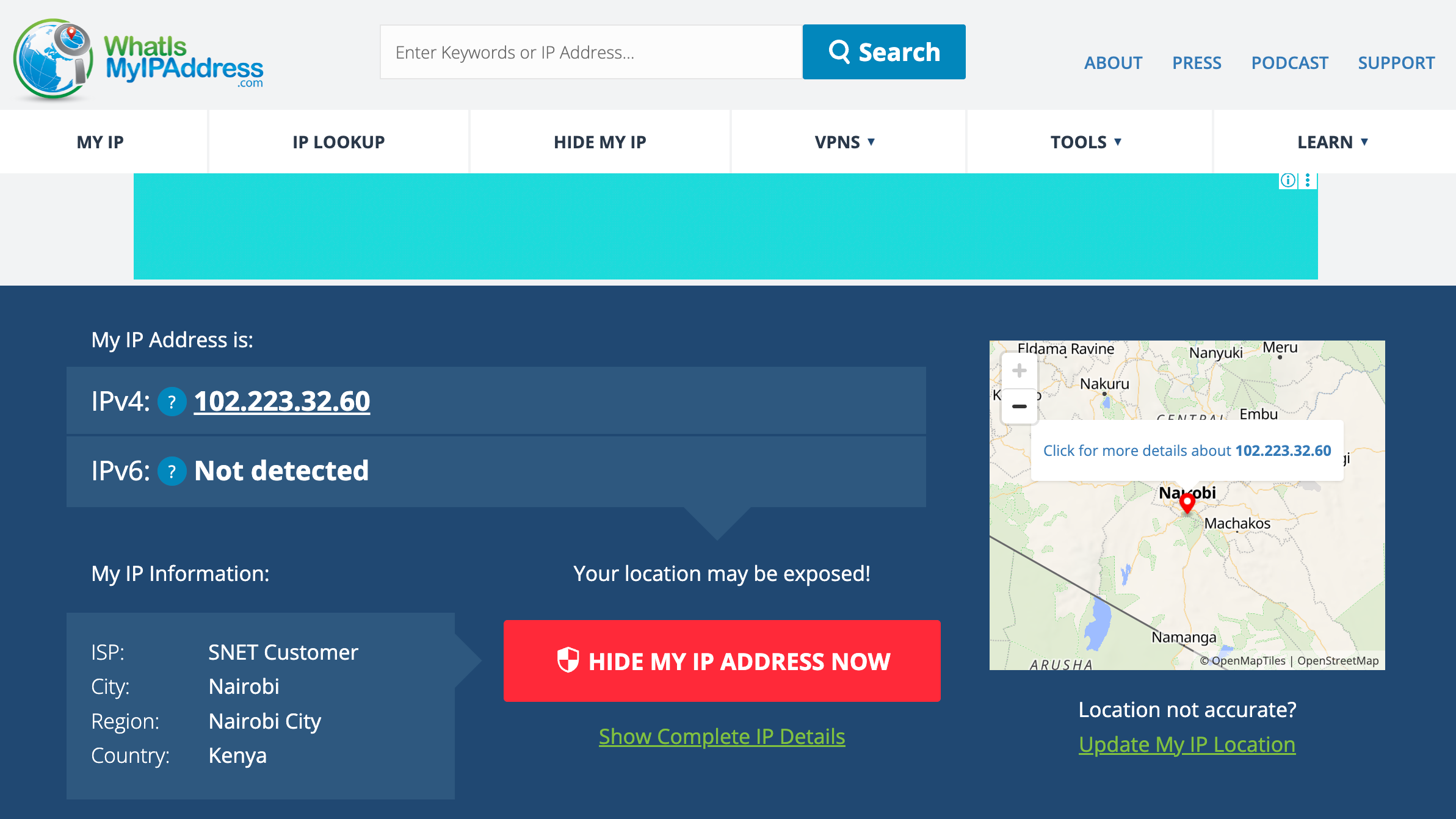
6. WhatIsMyIPAddress.com – The Content-Heavy Veteran
Launched in 2000, WhatIsMyIPAddress.com started as a basic IP checker but has since expanded into a large content hub covering privacy, security, and internet technologies. While it offers valuable information, the heavy advertising presence often affects usability and loading speed.
Target Audience:
- General consumers seeking basic IP information
- Users interested in privacy and security articles
- People looking for VPN recommendations and reviews
- Casual internet users who don’t mind advertising-supported content
Unique Strengths: Extensive content library, long-established presence, and broad coverage of privacy topics.
7. IP.me – The VPN-Focused Service
Launched in the mid-2010s, IP.me represents a newer generation of IP checking services designed with privacy at its core. Unlike traditional tools, it positions itself not just as an IP lookup platform but as a gateway to VPN solutions, being directly backed by Proton VPN, a well-known name in the privacy space.
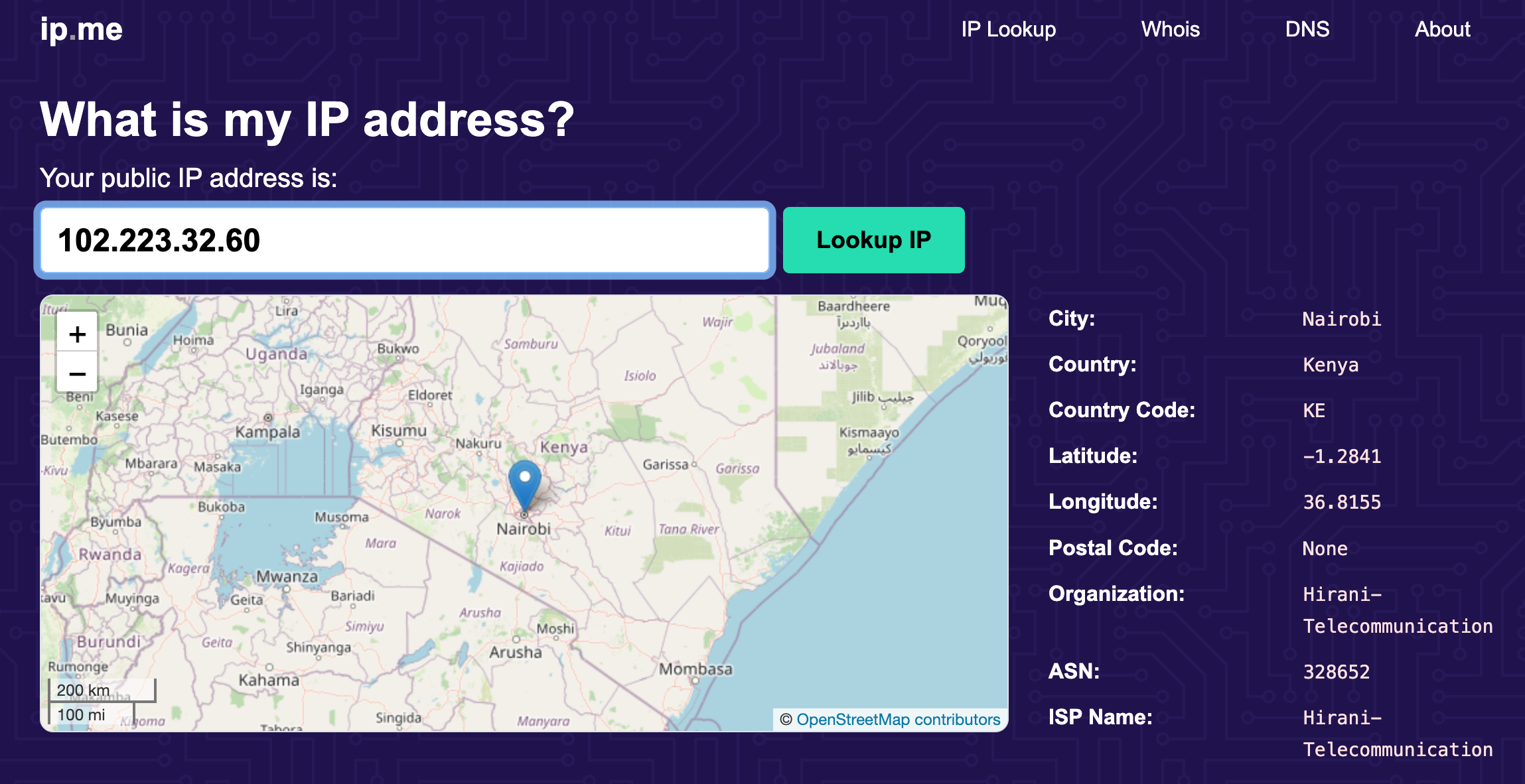
This strong integration makes the service stand out, though it also means users are consistently exposed to Proton VPN promotions.
A privacy-first IP checker that blends clean, user-friendly design with strong messaging around online security. It reflects how modern IP services are increasingly tied to VPN ecosystems and commercial partnerships.
Target Audience:
- VPN users and prospects
- Privacy-conscious consumers
- Users seeking simple, clean IP information
- People interested in online privacy solutions
- Proton ecosystem users
Unique Strengths: Clean interface, strong privacy orientation, seamless VPN integration, and the reliability of being backed by a reputable company in the privacy industry.
8. IPLocation.io – The Technical Powerhouse
Launched in the late 2010s, IPLocation.io has quickly become a go-to platform for users who need more than just a simple IP lookup. Unlike casual checkers, it is designed with professionals in mind, offering a comprehensive suite of IP analysis tools and the ability to cross-reference results across multiple data providers.
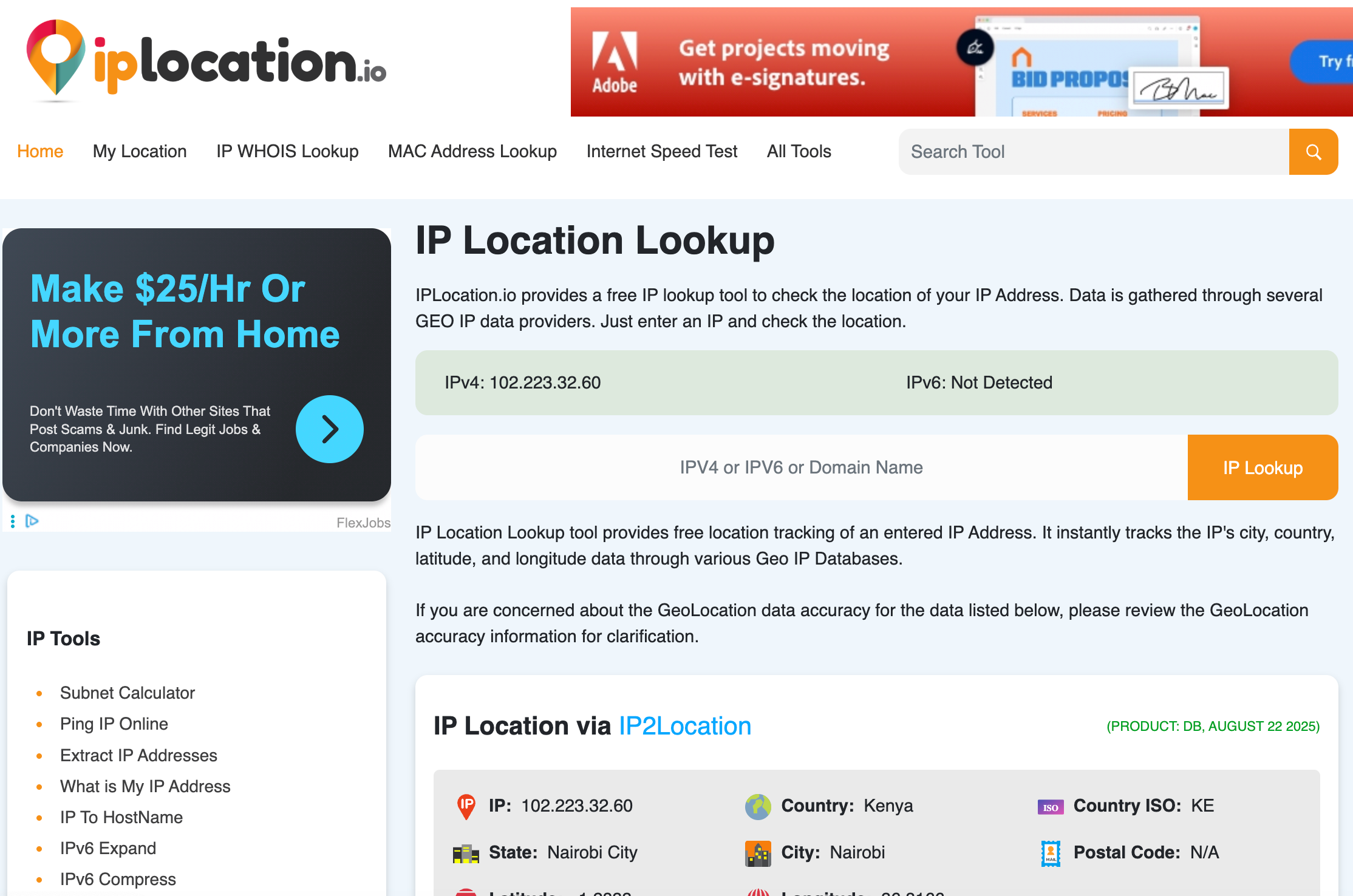
A technically advanced platform that caters to network administrators, security researchers, and developers who require in-depth IP intelligence. It blends traditional IP checking with professional-grade features for network analysis and security research.
Target Audience:
- Network administrators and IT professionals
- Cybersecurity researchers and analysts
- Developers building IP-related applications
- Technical users requiring detailed analysis
- Businesses needing comprehensive IP intelligence
Unique Strengths: Integration of multiple data providers, extensive toolset, technical depth, and professional-grade analysis capabilities.
9. Whoer.com – The Feature-Rich Veteran
Launched in the early 2010s, Whoer.com has developed into a full-scale privacy and security platform. It combines IP analysis with anonymity testing, fraud scoring, and advanced privacy checks. However, over time it has become heavily commercialized, with a strong focus on promoting proxy services.
While the platform still offers powerful tools and detailed technical insights, the user experience is often affected by aggressive advertising and cluttered design, which can distract from its core purpose as a privacy tool.
Target Audience:
- Advanced privacy users
- Cybersecurity professionals
- Proxy and VPN customers
- Users needing fraud risk assessment
- Privacy researchers and analysts
Unique Strengths: Comprehensive feature set, fraud scoring, advanced privacy analysis, and detailed technical information — though weakened by heavy advertising.
10. IPLocation.net – The Professional Platform
Launched in the mid-2010s, IPLocation.net has established itself as a professional-grade IP analysis service. Beyond simple IP lookups, it offers advanced tools such as email tracing, privacy scanning, and bulk IP lookup, making it especially useful for business and corporate needs.
The platform emphasizes reliability and functionality, targeting professionals who require more than just basic information. While sidebar ads are present, they don’t interfere significantly with the main features, allowing the service to maintain a clean and professional experience.
Target Audience:
- Business users and professionals
- Email administrators and security teams
- Users requiring bulk IP processing
- Privacy assessment specialists
- Corporate security departments
Unique Strengths: Professional focus, email tracing capabilities, bulk processing tools, and advanced privacy assessment features.
11. Whoer.to – The Minimalist Alternative
Launched in the mid-2010s, Whoer.to was created as a simpler and cleaner alternative to the main Whoer.com platform. It strips away heavy commercialization and focuses on core IP checking functions, delivering technical details in a straightforward, table-based format.
The service is ad-free, fast, and professional, making it appealing to users who want the functionality of Whoer without distractions. Its minimalist design and organized presentation ensure that results are clear and easy to understand.
Target Audience:
- Users seeking simple, clean IP information
- Technical users who prefer organized data presentation
- People wanting Whoer features without ads
- Users needing quick, efficient checks
- Professionals who value clean, readable results
Unique Strengths: Clean interface, comprehensive technical data, fast performance, ad-free experience, and well-organized presentation.
No single IP checker can cover every need perfectly. Some tools excel in privacy analysis and fingerprinting, others shine in educational content or business-grade tools like bulk lookups.
That’s why it’s wise not to rely on just one service. Running checks across multiple platforms gives you a fuller, more accurate picture of your online identity and helps ensure nothing is leaking unnoticed.
Conclusion: Why People Choose Alternatives to Whoer.net
While Whoer.net has long been a popular tool for checking IP addresses and testing online anonymity, many users are now exploring alternatives. The reason is simple: different services specialize in different strengths. Some focus on advanced leak detection, others provide highly accurate geolocation data, while new players deliver speed and innovative features.
Today’s internet users expect more than just seeing their IP address. They want in-depth privacy analysis, faster checks, and clear results that help them improve anonymity online. That’s where new projects like Whoerip.com come in. These modern tools are built with the latest technology, designed for speed, and offer a more complete view of your digital footprint.
👉 Why this matters: Choosing the right IP checker is not just about curiosity — it’s about protecting your identity, avoiding leaks, and staying one step ahead of tracking technologies.
As the market evolves, tools like Whoerip.com are quickly gaining trust because they combine accuracy, usability, and innovation. For anyone serious about online privacy, it’s worth paying attention to these new solutions that are shaping the future of anonymity checks.
FAQ
How to check IP on iPhone?
Go to Settings > Wi-Fi > (i) next to your network, or search “what’s my IP” in Safari.
Can I trace an IP address?
Yes, you can see approximate location and ISP, but not exact personal details.
How do I check the IP of a site?
Use ping or nslookup in Terminal/Command Prompt, or online tools.
How do I check my IP?
Search “what’s my IP” on Google, or use system network settings.
How to ping an IP address on iPhone?
Install a network utility app from the App Store (no built-in ping).
Do IP addresses change?
Yes, dynamic IPs change periodically; static IPs stay fixed.
Can a random person track my IP?
They can see general location, but not your home address directly.
What is my private IP?
It’s the local address your router gives your device (e.g., 192.168.x.x).
Who owns the IP address?
Usually your internet provider (ISP) or hosting service.
Can any website see my IP?
Yes, every site you visit can see your public IP.
What is Google’s IP address?
One example: 8.8.8.8 (Google DNS).
Is 192.168.1.1 an IP address?
Yes, it’s a common private router IP.
Is changing IP illegal?
No, it’s legal — unless used for crime or abuse.
Will a VPN change my IP?
Yes, it replaces your IP with the VPN server’s IP.
How to change IP address immediately?
Restart router, toggle airplane mode, or use a VPN.
Are IP bans possible?
Yes, websites or games can block access by IP.
Does incognito hide IP?
No, it only hides local browsing history, not IP.
How to change IP free?
Restart router, reconnect to mobile data, or use free VPN.
Does VPN hide browsing history from Wi-Fi owner?
Yes, they can’t see visited sites, only encrypted traffic.


 Join 4,200+ subscribers