


Which one to choose?

Multilogin vs. NoxPlayer

Multilogin vs Noxplayer
Multilogin logo representing the Estonian-origin platform for advanced multi-account management and anonymity.
NoxPlayer vs Multilogin
Cloud phones in Multilogin Icon

Cloud phones

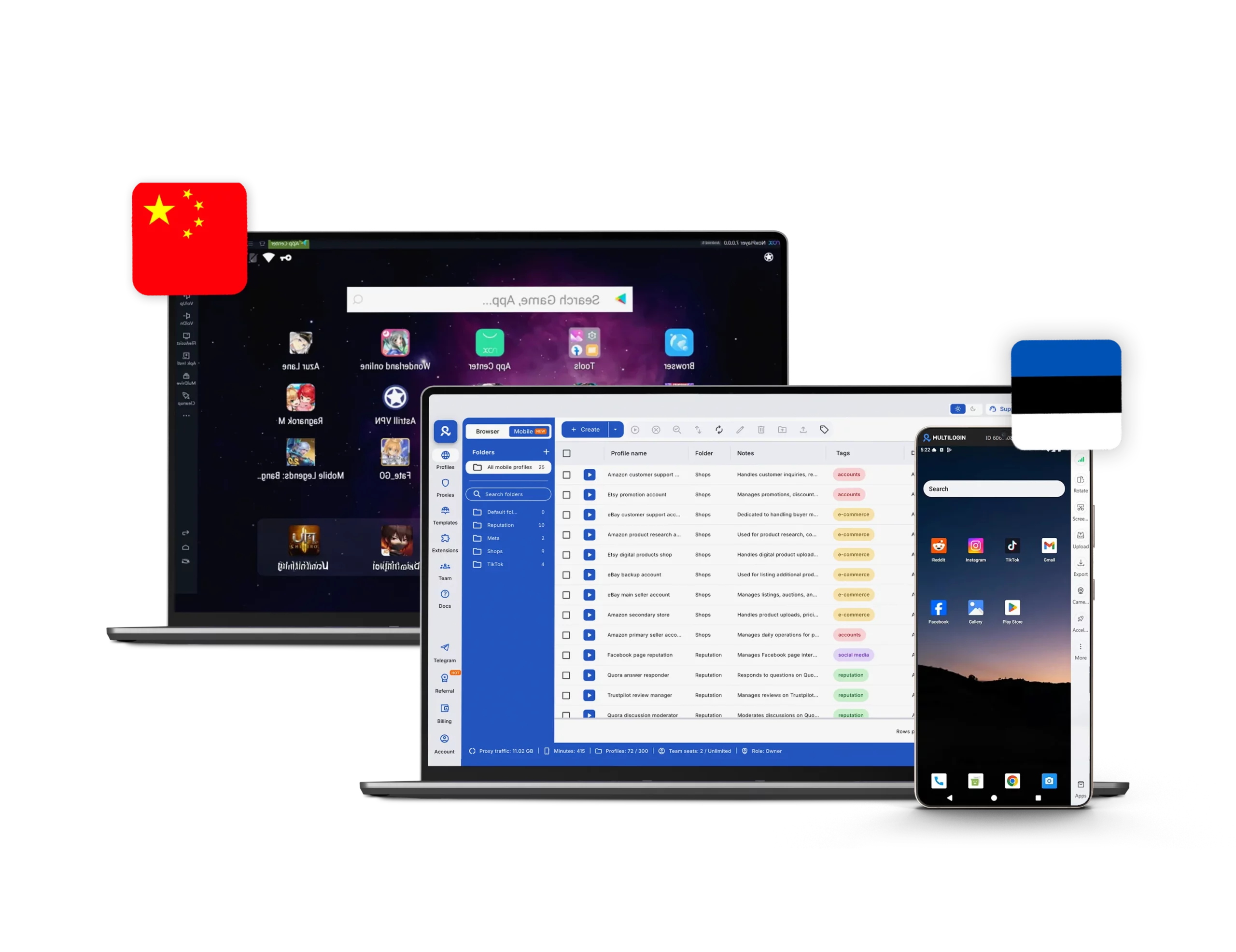
Multilogin delivers real cloud-based phone hardware running a complete Android OS (versions 10–15), with authentic device identifiers such as IMEI, Android ID, and MAC address. Users can choose specific smartphone brands (Samsung, Oppo, and others), install apps through a built-in marketplace or APK upload, and maintain persistent app data, cache, and login sessions for long-term native app workflows.

NoxPlayer does not offer cloud phones. NoxPlayer runs a virtual Android emulator instead of real mobile hardware, using software-based device configurations rather than authentic identifiers. It is not optimized for large-scale social media multi-account management.

Built-in proxies

Multilogin comes with built-in residential and mobile proxies featuring over 30million+ IPs across 150+ countries, with support for city-level and ISP targeting, sticky sessions up to 24 hours, and automatic IP quality filtering. Everything is ready to use right away with just one click.

NoxPlayer provides no built-in proxies. Users must manually configure third-party proxies, which can add extra costs and increase the risk of configuration errors or unstable connections.

web automation

Web automation

Multilogin is built for smooth automated workflows. It works with tools like Playwright, Puppeteer, Selenium, and Postman, so you can keep using your existing scripts. With AI Quick Actions, you can easily automate routine tasks like launching profiles, assigning proxies, or organising accounts – no coding required.

NoxPlayer provides basic automation features like macro recording, keyboard mapping, and multi-instance sync. These capabilities are mostly intended for gaming and repeated operations, rather than automated workflows or large-scale multi-account management.

Browser fingerprinting customization

Multilogin provides advanced desktop browser fingerprint customization, covering canvas, WebGL, audio, hardware signals, timezone, geolocation, language, and 55+ parameters.
For cloud phones, it runs on real Android devices with authentic identifiers like IMEI, Android ID, and MAC, while letting users choose phone brands, OS versions, and mobile proxies to keep mobile identities consistent.

NoxPlayer only lets you change basic device settings like model, IMEI, and display. It doesn’t let you change your browser fingerprint in very advanced ways.

Browser Flexibility Icon

Browser flexibility

Multilogin offers real cloud phones running a full Android OS, with authentic hardware identifiers like IMEI and MAC address, along with persistent native app sessions for mobile account workflows.
It also includes desktop browser profiles powered by 2 browser engines (Mimic and Stealthfox).

NoxPlayer offers no advanced browser flexibility. You can install mobile browsers from the Play Store or APK files, but there is no browser profile separation, no advanced fingerprint control, and no dedicated browser management tools.

Data privacy & security

Data privacy & security

Multilogin, located in Europe, follows GDPR. This keeps user data safe and deletes it 3 months after a subscription ends. The system scrambles account details and uses strong encryption for session data, securing both online and local profiles. Two-factor authentication adds extra protection.

NoxPlayer offers no advanced security or identity isolation features. The platform provides no dedicated controls for protecting multiple identities and no specialized security tools for large-scale account operations.

Teamwork

Multilogin simplifies, organizes groups, or runs automation. Activity logs monitor the actions of each team member. Multilogin’s plan options accommodate varying numbers of collaborators, suiting both small and large work environments.

NoxPlayer offers no built-in teamwork or user permission management. While it can run multiple emulator instances on a single machine, the platform provides no tools for sharing access, assigning roles, or managing accounts across a team.

Customer support

Multilogin offers support in multiple languages, such as English, Russian, Chinese, Vietnamese, and Portuguese, available 24/7. Users can contact support teams via live chat or email, and they can also use the comprehensive knowledge base. Furthermore, the Multilogin Academy provides searchable use cases, feature explanations, and step-by-step guides.

NoxPlayer offers limited customer support options. Users mainly rely on email assistance, help center guides, and community channels such as Facebook or Discord. The platform does not provide live chat, priority support, or enterprise-level support services.

Icon representing pricing or cost information, typically symbolized by a dollar sign or price tag.

Pricing

Multilogin offers a 3-day trial for €1.99, giving you access to the platform with 5 browser profiles and mobile profiles, 200MB of built-in proxy traffic. Paid plans start at €5.85. Multilogin provides a 2-in-1 solution for multi-account management with transparent pricing and no hidden fees.

NoxPlayer is largely ad-supported, with paid options mostly limited to removing in-app ads. The platform offers no dedicated plans, no tools for structured account management, and no features designed for marketing.

What Multilogin offers that NoxPlayer doesn't

Data deletion after subscription ends

Passes all browser fingerprint checkers

Built-in residential proxies

24/7 customer support in 5 languages 

Daily testing on 80+ websites

Assisted onboarding​

Unlimited free team member accounts​

Locally stored profiles​

Get 50% Off – Try Multilogin Today

A smarter alternative to NoxPlayer

Multilogin vs. NoxPlayer recap chart

Find out why Multilogin is the preferred alterative to NoxPlayer

Multilogin logo representing the Estonian-origin platform for advanced multi-account management and anonymity. NoxPlayer vs Multilogin
Platform maturity
Launched in 2015, more mature and stable platform
Launched in 2021, still evolving
Cloud phones
Real cloud phones
Basic Android cloud phones
Chromium
Yes (Mimic)
Yes
Firefox

Yes (Stealthfox)

No

Country of origin

Estonia Flag  Estonia

China Flag  China

Resource consumption
Requires 4GB RAM
Requires 4GB RAM
Security
High-level, GDPR compliance, 2FA authentication
No advanced security
Anti-fingerprinting technology
High level
Very low
Quick profile creation
Yes
No
Frequent updates
Frequent and detailed updates
Schedule is not fixed

Platform compatibility

macOS, Windows, Linux
Built-in proxies
Yes
No
Custom browser fingerprint generation
Yes
Partial
Account password protection
Yes
No
Knowledge centre
Yes
Limited
Mobile proxies
Yes
No
Support
24/7 Live Support, supports 5 languages
Email and help center; community chat channels
Profile warmup with pre-farmed cookies
Yes
No
Suits well for team management
Yes
No
Trial
Yes
Yes
Market position
Beginner-friendly and scalable for businesses and teams of any size
NoxPlayer is an Android emulator mainly used for mobile gaming on PC

Manage Unlimited Mobile and & Web Accounts

Multilogin comes with built-in residential proxies to make multi-accounting, web scraping and web automation easier than ever. No extra setup, no third-party services—just undetectable browsing at no additional cost.
  • 3-day access to Multilogin

  • 5 cloud or local profiles

  • 200 MB proxy traffic included

  • 3-day access to Multilogin

  • 5 cloud or local profiles

  • 200 MB proxy traffic included

Why people love Multilogin

Dominik

The product is excellent, and the support team is highly professional.
The product keeps improving with continuous updates. In this space, many competitors have come and gone, and I continue to choose Multilogin because others don’t come close in terms of features or overall experience.

Evgeny S.

Web, Small Business

If you really need a high-quality antidetect browser, then Multilogin is definitely the one.
100% anonymity pass on all checkers. Convenient to work in several browsers at the same time. Handles dozens of Facebook and TikTok accounts from a single computer.

Nino Latif

The best service for great ideas and big minds!
Always here for their clients, always ready to help out. I am using the service for 3-4-5 months now and brought me lots of great things 🙂 Hope to grow it on a larger scale and continue using the service ...

Nino L.

Marketing Agent, Small-Business

Started using Multilogin in August/September 2021. Been using it for a couple of years now and I am very satisfied overall. They are always looking and finding ways to improve their app and make it easier...

George M.

Co-Founder, Small-Business

Quite Likely The Best Privacy Browser Out There!

There are quite a few things I like about Multilogin. My favorite, most definitively, is the teams feature allowing you to easily share specific browser profiles with different team members...

Tim R.

Project Manager, Small-Business

Fast, reliable and convenient anti-detect browser.
All the infrastructure of the browser is built to be convenient for any size of the team. We have 0 concerns regarding the speed and efficiency of the browser.

See more comparisons

Dolphin anty
Compare with
Compare with
Compare with
Incogniton logo displayed on the Multilogin comparison page, linking to its detailed comparison with Multilogin.
Compare with
Octobrowser logo
Compare with
Linken Sphere логотип
Compare with
Compare with
Showcasing the Kameleo logo, representing the antidetect browser for multi-account management and online privacy.
Compare with
DICloak logo, representing the antidetect browser for multi-account management and online privacy.
Compare with
MoreLogin logo displayed on the Multilogin comparison page, representing the browser's brand in the comparison with Multilogin.
Compare with
Compare with
Undetectable logo
Compare with
The official logo of NST Browser, showcased in a detailed comparison with Multilogin and VMLogin for antidetect browser features.
Compare with
Ghostbrowser logo, representing the brand in the antidetect browser comparison.
Compare with
VMLogin logo, representing the antidetect browser solution, featured in a comparison with Multilogin.
Compare with
Hidemyacc logo

Award winning multiple account management platform

High Performer
Momentum leader
Best support
Momentum leader

Multilogin vs. NoxPlayer: Which platform is better for multi-account management in 2026?

Managing multiple online accounts in 2026 requires much more than simply opening several browser windows or launching multiple Android instances. Modern platforms look at a wide range of signals, including device consistency, IP quality, browser fingerprints, app behavior, session history, and location alignment. If these signals do not match naturally, accounts can become unstable, restricted, or flagged for suspicious activity.

NoxPlayer is a well-known Android emulator that is often used for mobile gaming, app testing, and running Android apps on desktop. However, it was not built specifically for secure multi-account operations, browser identity management, or large-scale account workflows across sensitive platforms.

Multilogin takes a very different approach. Instead of focusing only on emulation, it combines real Android cloud phones, advanced browser fingerprinting, built-in residential and mobile proxies, and automation-ready infrastructure in one unified dashboard. For users who need reliable account separation across mobile apps and websites, it provides a far more complete environment.

Cloud phones: Real Android hardware vs local virtual emulation

NoxPlayer runs Android inside a virtualized environment on your computer, making it convenient for launching apps, testing gameplay, or performing simple app-based tasks without a physical phone. For casual use, this can be sufficient.

However, it remains a software-generated environment running on the host machine, which differs from a real mobile device with authentic hardware-linked identifiers, even if some device settings can be customized.

This difference becomes more important when managing long-term account activity on sensitive platforms, where stable device signals, IP location, and consistent session history play a key role.

Multilogin solves this by offering real Android cloud phones that run complete Android operating systems, including versions 10 through 15. These are not lightweight emulators, but full cloud-based Android environments with authentic identifiers such as IMEI, Android ID, and MAC address.

Users can choose specific smartphone brands such as Samsung, Oppo, and others, install apps through a built-in marketplace or APK upload, and keep app data, cache, and login sessions persistent over time. This makes Multilogin especially valuable for users who need stable native app workflows instead of temporary emulator sessions.

Multilogin’s 55+ fingerprint parameters vs limited device settings

NoxPlayer allows some basic device-level adjustments, such as model name, IMEI, screen resolution, and a few environment settings. These options can help with compatibility or adapting apps to different device profiles.

However, for serious identity management, these settings cover only a small part of the picture. They do not provide deep browser fingerprint control or protection across the many browser-level signals used by websites and ad platforms today.

Multilogin is built specifically for this challenge. On the desktop side, it supports 55+ fingerprinting parameters, including canvas, WebGL, audio context, hardware signals, timezone, geolocation, language, fonts, and media devices.

This allows users to create browser environments that appear separate, realistic, and internally consistent. Instead of modifying only a few device fields, Multilogin offers much deeper control over how each browser profile appears to websites.

On the mobile side, Multilogin cloud phones run on real Android environments with authentic identifiers. Combined with device brand selection, OS version control, and proxy pairing, this helps maintain stable mobile identities over time.

Proxy handling: Manual third-party setup vs one-click built-in infrastructure

High-quality proxies are a core part of any multi-account setup. Without good IP separation, even well-isolated environments can become unreliable. Just as importantly, proxy usage must stay easy to manage. If the setup is too manual, it increases the chance of mistakes, unstable connections, or mismatched identity signals.

NoxPlayer does not include built-in proxy infrastructure. Users typically need to rely on third-party proxy providers and then configure connections manually.

Multilogin includes built-in residential and mobile proxies directly inside the platform. Users get access to 30M+ IPs across 150+ countries, with support for city-level and ISP targeting, sticky sessions up to 24 hours, and automatic IP quality filtering.

This means users can connect an identity to a proxy in one click, without switching between several dashboards or manually rebuilding configurations. For teams and high-volume workflows, this significantly reduces operational friction.

Multilogin offers more powerful automation capabilities

NoxPl‌ayer provi‌des fundamen‌tal automa‌tion throu‌gh macro record‌ing, keybo‌ard mappin‌g, and multi-in‌stanc‌e synchron‌izati‌on, which are benefi‌cial for its inten‌ded applic‌ation‌s, such as in-g‌ame action repe‌titio‌n.

Mult‌ilogi‌n offers superior auto‌matio‌n capabili‌ties. It suppor‌ts integra‌tion with Playw‌right‌, Puppetee‌r, Seleniu‌m, and Postman, thus allo‌wing users to levera‌ge existin‌g automati‌on scripts‌.

Ad‌ditio‌nally‌, AI Quick Actions stre‌amlin‌e tasks like profile laun‌ching and proxy assi‌gnmen‌t. This broader spec‌trum of functio‌nalit‌y serves develo‌pers, oper‌ators‌, and agen‌cies needi‌ng efficie‌nt task executi‌on.

Multilogin’s browser profile system vs simple emulator browsers

NoxPlayer can run mobile browsers downloaded from Google Play or installed through APK files. This is enough for opening sites inside an Android environment, but it does not provide a structured browser profile ecosystem. There is no dedicated browser profile separation, no advanced browser fingerprint engine, and no native browser identity management layer built into the platform.

Multilogin gives users much broader flexibility. It supports both desktop browser profiles and cloud-based Android phones in the same workspace. Desktop environments are powered by two specialized browser engines, Mimic and Stealthfox, while mobile workflows can run inside real Android cloud phones with persistent native app sessions.

This combination is important because many teams today operate across both browser and app ecosystems. With Multilogin, they do not need one tool for desktop identities and another for mobile environments. Everything can be managed together in a single dashboard.

Multilogin’s structured teamwork vs NoxPlayer’s single-user setup

NoxPlayer is mainly built for individual use on a local machine. While users can run multiple emulator windows, the platform does not provide built-in tools for team access management, permission control, or role-based collaboration.

That becomes a limitation when several people need to work on the same accounts or when organizations want clearer control over who can view, launch, edit, or automate certain environments.

Multilogin includes teamwork features designed for structured operations. Teams can assign roles, separate access rights, organize profiles into groups, and use activity logs to monitor who changed what.

This makes the platform a better fit for agencies, affiliate teams, e-commerce operators, support departments, or any business where multiple people need controlled access to account infrastructure.

Multilogin delivers stronger 24/7 multilingual assistance

Multilogin provides 24/7 customer support in multiple languages, including English, Russian, Chinese, Vietnamese, and Portuguese. Users can contact the team through live chat or email, access a large knowledge base, and learn through Multilogin Academy, which includes feature explanations, practical guides, and searchable use cases.

Final verdict

Multilogin is built specifically for that higher level of work. By combining real Android cloud phones, desktop antidetect browsers, built-in residential and mobile proxies, automation support, and team management features in one ecosystem, it offers a much more scalable solution for users who need secure and stable account operations.

If your goal is simply to run Android apps on desktop, NoxPlayer may be enough. But if your workflow depends on long-term account stability, identity consistency, mobile and web coverage, and infrastructure that can grow with your business, Multilogin is the stronger choice in 2026.

Multilogin vs. NoxPlayer FAQ

Some popular NoxPlayer alternatives include Android emulators like BlueStacks and LDPlayer. For users managing multiple accounts or automation workflows, specialized platforms such as Multilogin offer more advanced features like browser fingerprinting, cloud phones, and built-in proxies.

The optimal choic‌e is conti‌ngent upon spec‌ific requi‌remen‌ts. For secure multi‌-acco‌unt manage‌ment, Mult‌ilogi‌n frequent‌ly present‌s a more robust solu‌tion, inte‌grati‌ng distinc‌t browser profi‌les, cloud‌-base‌d Android devic‌es, proxy server‌s, and automati‌on functio‌nalit‌ies.

NoxPl‌ayer prima‌rily function‌s as an Android emul‌ator, enab‌ling appli‌catio‌n executio‌n on deskt‌op compute‌rs. Multil‌ogin provi‌des comprehe‌nsive mult‌i-acc‌ount manag‌ement capa‌bilit‌ies, which incl‌ude browse‌r fingerpr‌int protec‌tion, clou‌d phone service‌s, proxy integr‌ation, and automati‌on functio‌ns.

NoxPlayer includes features such as running Android apps on desktop, multi-instance support, keyboard mapping, macro recording, and APK installation. These features are useful for gaming and basic app testing.

Yes. Platforms like Multilogin provide a reliable alternative for users who need secure account isolation, automation compatibility, and built-in proxy management.

NoxPlayer is generally safe when downloaded from official sources and used for gaming or app testing. However, it does not provide advanced identity protection for managing multiple online accounts.

NoxPlayer does not include built-in proxy infrastructure. Users typically need to configure third-party proxies manually inside the emulator or through external tools.

NoxPlayer can run multiple app instances, but it does not provide advanced identity protection. For safer multi-account management, tools like Multilogin offer browser fingerprinting and proxy integration.

No. NoxPlayer only allows basic device configuration such as model or IMEI. It does not provide advanced browser fingerprint customization used for identity protection.

NoxPlayer supports basic macros and keyboard mapping, mainly for repetitive actions. More advanced automation typically requires external tools or specialized platforms.

Watch the Multilogin demo

Get a 10-minute video demo of how Multilogin can help you scale your multi-account management. Enter your name, surname, and email below, and we’ll send you our demo video straight to your inbox.

Watch Multilogin Demo for Airdrop Farming

Thank you! We’ve received your request.
Please check your email for the results.
We’re checking this platform.
Please fill your email to see the result.

Multilogin works with amazon.com