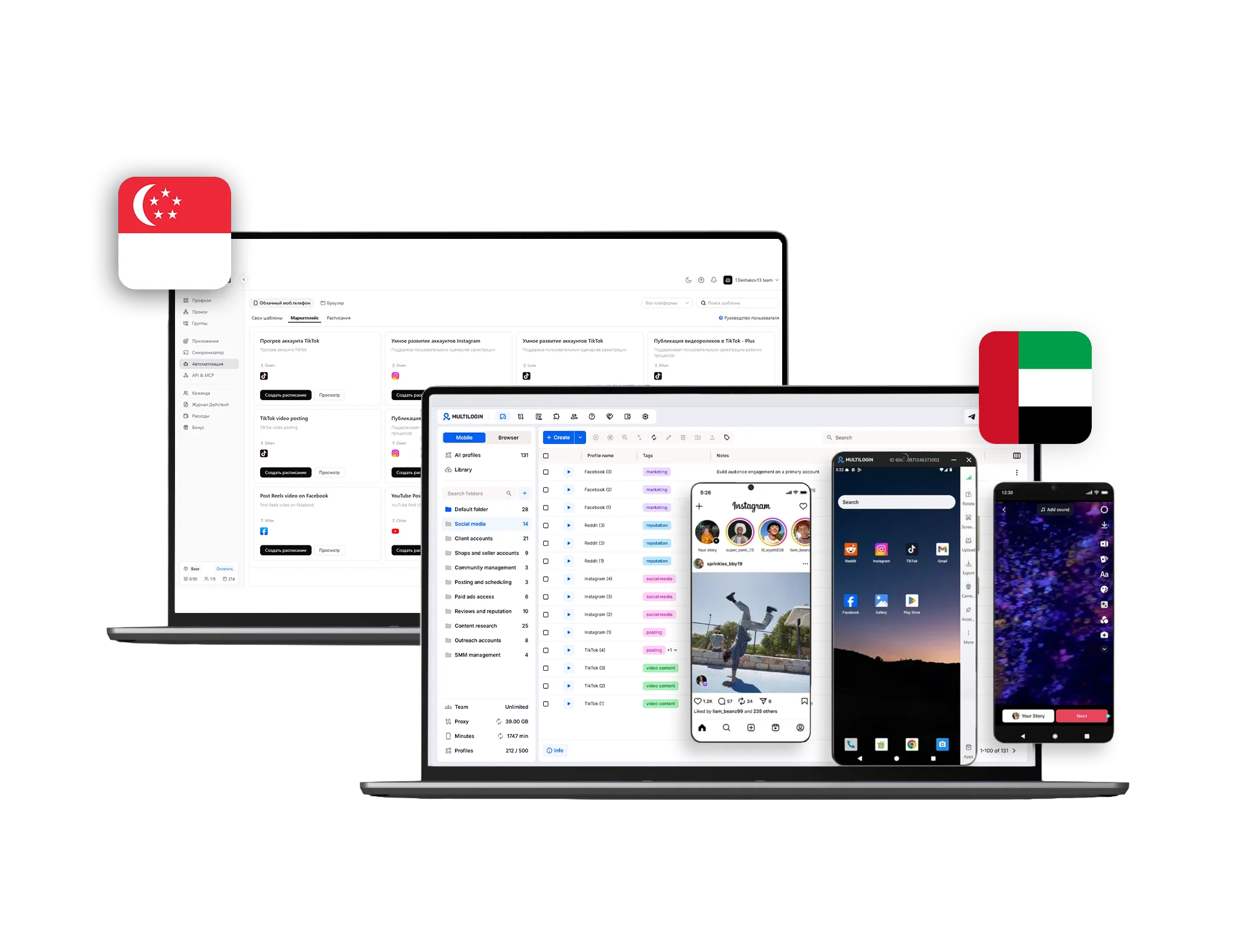



Discover why teams choose Multilogin

Multilogin vs. PhoneGird

Multilogin vs. PhoneGrid
Multilogin logo representing the Estonian-origin platform for advanced multi-account management and anonymity.
Cloud phones in Multilogin Icon

Cloud phones

Multilogin delivers real Android devices in the cloud, each with its own unique system data and device identity. You can run native mobile apps like TikTok, Instagram, and Facebook, manage multiple phones from one dashboard, and build consistent activity patterns that platforms recognize as authentic mobile behavior. 

PhoneGrid offers virtualized Android environments built primarily for automation tasks like RPA workflows and synced actions across devices. The platform is designed around repetitive mobile execution rather than account identity, leaving long-term account stability dependent on how well each virtual environment holds up to platform scrutiny. 

Icon of a proxy symbol representing proxy features and integration capabilities in the comparison.

Built-in proxies

Multilogin brings a proxy pool of 30M+ residential and mobile IPs across 150+ countries directly into every plan, with sessions lasting up to 24 hours and automatic quality filtering to keep connections stable and reliable. 

PhoneGrid does not provide built-in proxies. Users need to purchase and configure proxies from third-party providers for every device, which adds a second monthly bill, extra setup time, and a higher risk of mismatches between device location and IP location. 

Icon representing browser fingerprinting technology and anti-detection features in the comparison.

Platform flexibility

Multilogin provides cloud phones for mobile account management together with browser profiles with advanced fingerprinting technology inside one unified platform. Browser profiles and cloud Android devices share the same dashboard, with no external tools needed. 

PhoneGrid is a mobile-only platform. There are no browser profiles or desktop workflow tools, so operations that span mobile apps and desktop web require a separate product with its own identity system, accessed through a client app that must be installed on Windows or macOS. 

Browser flexibility icon blue

Unique devices

Multilogin supports Android versions 10 through 16 and offers real smartphone brands and models including Samsung, Redmi, Vivo, and Google, so each device looks and behaves naturally to the platforms it connects to. 

PhoneGrid describes its environments as virtualized Android instances, with no public detail on device brands, models, or identifiers like IMEI and Android ID. For multi-account work, that lack of transparency makes it hard to know how authentic each profile actually appears to platforms. 

Data privacy & security

Multilogin operates as a European company under full GDPR compliancedeleting user data three months after a subscription ends. Passwords are hashed, account data is protected with AES encryption, and sessions are encrypted before cloud storage. 

PhoneGrid is operated by a Singapore-registered company and does not operate under GDPR. Data retention and protection practices are not clearly detailed for international users, so teams handling sensitive account data need to apply additional safeguards on their own. 

Icon symbolizing teamwork, designed as interconnected puzzle pieces representing collaboration and unity.

Team collaboration

Multilogin scales smoothly from solo users to full agencies, with role-based access, instant profile sharing, cloud-synced sessions, and encrypted storage built in from day one, with no servers or technical setup required.

PhoneGrid offers workspace sharing and operation logs, but team features are geared toward automation operators handing off tasks. Member seats are limited by plan tier, and there is no structured role-based permission system for separating clients and accounts the way agencies need. 

Icon symbolizing customer support services, highlighting availability and assistance in the comparison.

Customer support

Multilogin provides 24/7 live support across five languages including English, Russian, Vietnamese, Portuguese, and Chinese, accessible via live chat, email, and Telegram, backed by a full knowledge base and Multilogin Academy.

PhoneGrid reserves dedicated customer and technical support for paid plans, with no published 24/7 coverage or support language commitments. As a recent platform, it also lacks the independent reviews and track record that help teams gauge how reliable that support is in practice. 

Icon representing pricing or cost information, typically symbolized by a dollar sign or price tag.

Pricing & Plans

Multilogin starts with a full-access 3-day trial for $2, with regular plans from $7.08 per month on annual billing. Every plan bundles cloud phones, browser profiles, and residential and mobile proxy traffic together, with no hidden costs or add-ons required.

PhoneGrid advertises plans from $3/month, but pricing is metered by usage time — the base tier includes only 50 minutes per month, with overage billed at $0.006 per minute per device and add-ons sold separately. Once proxies and real usage hours are added, total costs become hard to predict. 

What Multilogin offers that PhoneGrid doesn't

Automation support

Cookie Robot

Trial with proxy traffic

Chrome-based browser profiles

Daily testing on 80+ websites

Built-in residential proxies

24/7 Support

Assisted onboarding​

Team collabaration

Mobile proxies

Multilogin vs. PhoneGrid recap chart

Find out why Multilogin is the preferred PhoneGrid alternative

Multilogin logo representing the Estonian-origin platform for advanced multi-account management and anonymity.
Platform maturity
Launched in 2015, more mature and stable platform
Newer platform, less mature
Browser profiles
Yes
No
Cloud phones
Yes
Limited
Smartphone models
Real brands and models (Samsung, Redmi, Vivo, Google, etc.)
Device brands and identifiers not disclosed
Mobile proxies
Yes
No
Security
High-level security standards
Standard level; no GDPR compliance

Fingerprinting technology

Yes
No
Quick profile creation
Yes
Yes
Account password protection
Yes
Yes
Mobile proxies
Yes
No
Frequent updates
Frequent and detailed updates
Update history still short
Mobile app marketplace
Yes
No
Account password protection
Yes
No
Knowledge center
Yes
Limited
Cross-device account management
Yes
No
Suits well for team management
Yes
No
Market Position
Convenient and flexible for individuals, small teams, non-technical users, and beginners
Automation-focused tool with usage-metered pricing
Mobile app marketplace
Yes
No
Trial
Yes
Free plan with tight usage limits
Support
24/7 Live Support, supports 5 languages
Dedicated support on paid plans only, no 24/7 coverage

Manage unlimited mobile & web accounts

Multilogin comes with built-in residential proxies to make multi-accounting, web scraping and web automation easier than ever. No extra setup, no third-party services—just undetectable browsing at no additional cost.
  • 3-day access to Multilogin

  • 5 cloud or local profiles

  • 200 MB proxy traffic included

  • 3-day access to Multilogin

  • 5 cloud or local profiles

  • 200 MB proxy traffic included

Why people love Multilogin

Nino Latif

The best service for great ideas and big minds!
Always here for their clients, always ready to help out. I am using the service for 3-4-5 months now and brought me lots of great things 🙂 Hope to grow it on a larger scale and continue using the service ...
Nick H.

Nick Horvath

Marketing agency

Efficient Account Management and Outstanding Support with Multilogin
Multilogin has been an excellent tool for managing multiple accounts efficiently. The setup was quick, and I was able to start using it right away with no learning curve. The interface feels just like Chrome, making it easy to navigate and work without interruption. Performance has been smooth, and browsing feels natural and responsive.
Sagar Chandra R

Sagar C.

Social Media Marketing

Effortless Multi-Account Management with Multilogin
I use Multilogin to manage multiple social media accounts safely and efficiently. It keeps each account in a separate digital profile, preventing blocks and saving time. I love the account isolation and friendly interface, which makes managing multiple profiles fast, secure, and easy. The initial setup was straightforward and easy.
Hamza Arif

Hamza Arif

E-commerce Manager

Perfect browser for work, worth the money!
My overall experience with Multilogin has been excellent. I really like its intuitive dashboard, reliable customer support, and competitive pricing. It has become an essential part of my e-commerce business, and I highly recommend it to anyone looking for a dependable solution.

Nino L.

Marketing Agent, Small-Business

Started using Multilogin in August/September 2021. Been using it for a couple of years now and I am very satisfied overall. They are always looking and finding ways to improve their app and make it easier...
Nathan Green

Nathan Green

Digital Marketing Specialist

Great Tool with Even Better Support
I've been using Multilogin for a while now, and I’m genuinely impressed with both the product and the support behind it. Their customer support is outstanding — always quick to respond, super helpful, and ready to assist with any issues or questions you have. You really feel like you're being taken care of.

George M.

Co-Founder, Small-Business

Quite Likely The Best Privacy Browser Out There!

There are quite a few things I like about Multilogin. My favorite, most definitively, is the teams feature allowing you to easily share specific browser profiles with different team members...

Award winning multiple account management platform

High Performer
Momentum leader
Best support
Momentum leader

Compare our cloud phones to others

Compare with

Compare with

Compare with

Compare with

Compare with

memuplay

Compare with

duoplus

Compare with

ldcloud logo

Compare with

flashid comaprison

Compare with

noxplayer

Compare with

vmoscloud

Compare with

redfinger

Compare with

bitcloudphone

Watch the Multilogin Demo

Learn how Multilogin can boost your business. Check the video below to see its full capabilities in a short demo video.

Multilogin vs PhoneGrid: Automation Tool or Identity Infrastructure?

PhoneGrid entered the cloud phone market with a clear pitch: replace physical phone farms with virtualized Android environments and automate the repetitive work. For teams tired of charging racks and broken screens, it sounds appealing. 

But running mobile accounts at scale is not mainly an automation problem. It’s an identity problem. And that’s where the comparison between PhoneGrid and Multilogin Cloud Phones really starts. 

Multilogin vs PhoneGrid: The Core Difference 

PhoneGrid is automation-first. Its strongest features — RPA templates, action syncing across devices, API control — are about doing repetitive mobile tasks faster. The underlying environments are virtualized Android instances organized into team workspaces. 

Multilogin is identity-first. Its cloud phones exist to keep accounts separated, stable, and believable over the long term, with automation available on top. Each device is built on a real smartphone profile with authentic identifiers, paired with its own clean IP, and managed alongside browser profiles in one system. 

That ordering of priorities shapes everything else. Automating an account that gets flagged in week two saves you nothing. 

Multilogin vs PhoneGrid: Device Authenticity 

Ask what a PhoneGrid cloud phone actually is, and the answer from their own documentation is a virtualized Android environment hosted in the cloud. Functional, yes. But social platforms and apps have spent years learning to detect virtualization that doesn’t carry the fingerprints of real hardware. 

PhoneGrid android profiles give operators persistent workspaces, but the public documentation says little about device-level identity depth — which models are replicated, which identifiers are configured, how environments differ from one another at the hardware-signal level. 

Multilogin is explicit about it. Cloud phones are based on real devices like Samsung, Google Pixel, and Xiaomi, running Android versions 10 through 15, with IMEI, Android ID, and MAC address fully configured per device. Each environment looks and behaves like the phone it claims to be, because that’s the entire point of the design. 

For accounts that need to survive platform scrutiny, this is not a detail. It’s the foundation. 

Multilogin vs PhoneGrid: Proxies and Network Control 

Here the gap is structural. 

PhoneGrid does not include a proxy network. You source proxies from a third-party provider, configure them per device, and carry a second monthly bill alongside your PhoneGrid subscription. Beyond the cost, manual proxy setup introduces real operational risk: a device profile claiming one region with an IP pointing somewhere else is exactly the kind of inconsistency platforms catch. 

Multilogin ships with 30M+ built-in residential and mobile proxies across 150+ countries, included at no extra cost. Each cloud phone gets per-device IP alignment out of the box — the network identity matches the device identity without anyone configuring it by hand. 

When you compare pricing, compare the full stack. A PhoneGrid subscription plus quality mobile proxies for every device often lands well above what looks cheaper at first glance. 

Multilogin vs PhoneGrid: Beyond Mobile 

PhoneGrid lives entirely on mobile. If your operation also involves desktop web, managing the same accounts in a browser, handling platforms with limited mobile functionality, coordinating campaigns across both, you’ll need a separate tool with its own identity logic. Two systems, two sets of profiles, twice the surface for mistakes. 

Multilogin’s cloud phones work alongside browser profiles, so mobile and desktop sessions for the same operation stay inside one coordinated framework. Cookies, storage, hardware signals, and session data are isolated per profile on both sides. For multi-account operations that cross devices, this is the difference between one system and a patchwork. 

Multilogin vs PhoneGrid: Track Record and Support 

PhoneGrid is new. Look for an independent PhoneGrid review and you’ll find a thin trail — few user reports, little long-term feedback, no real history of how the platform handles platform updates or detection changes over time. That doesn’t make it bad. It makes it unproven, and for agencies running client accounts, unproven carries weight. 

Multilogin has operated in this space for more than 10 years, with infrastructure refined against exactly the detection systems your accounts face. Support runs 24/7 over live chat in multiple languages, including English, Portuguese, Russian, Chinese, and Vietnamese — covering everything from proxy configuration to scaling workflows.  

Final Verdict: Why Multilogin Is the Stronger Choice 

PhoneGrid is an automation tool with cloud phones attached. Multilogin is identity infrastructure with cloud phones, proxies, and browser management built into one platform. 

If your work is repetitive in-app tasks where account longevity doesn’t matter much, PhoneGrid may serve you fine. If you’re building multi-account operations that need real device profiles, integrated proxies, desktop coordination, and a platform with a track record, Multilogin is the stronger long-term decision. 

FAQ

PhoneGrid focuses on mobile automation while Multilogin focuses on identity infrastructure for digital marketing and social media marketers: cloud phones built on real device profiles, 30M+ built-in proxies with per-device alignment, and integration with browser profile management. One automates tasks; the other is built to keep accounts alive. 

No. PhoneGrid requires you to source and configure proxies through third-party providers, adding cost and manual setup for every device. Multilogin includes residential and mobile proxies across 150+ countries, aligned to each cloud phone automatically. 

PhoneGrid describes its environments as virtualized Android instances hosted in the cloud. Public documentation offers limited detail on device-level identifiers or hardware signals. Multilogin cloud phones are based on real smartphone models with IMEI, Android ID, and MAC address configured per device, running Android 10 through 16. 

NoPhoneGrid is mobile-only. Operations that span mobile apps and desktop web need a second tool. Multilogin manages cloud phones and browser profiles inside one platform, keeping identities coordinated across both. 

PhoneGrid is a recent platform with limited independent reviews and track record, which makes long-term reliability hard to assess. Multilogin has years of operation in identity management, with infrastructure tested against evolving platform detection and 24/7 multilingual support. 

Anyone whose accounts need to last. Agencies, social media marketers, and media buyers managing accounts across regions get real device profiles, included proxies, browser integration, and team permissions in one system — instead of stitching automation, proxies, and identity tools together themselves. 

Telegram