






Use Iphey and Multilogin to avoid bans
Check your account setups with Iphey’s IP and fingerprint testing tools. Instantly see your IP, location, and ISP information to ensure your Multilogin profiles appear natural and trustworthy across platforms.
- 1-st multi-account management platform on the market


Things to know
What is iphey.com?
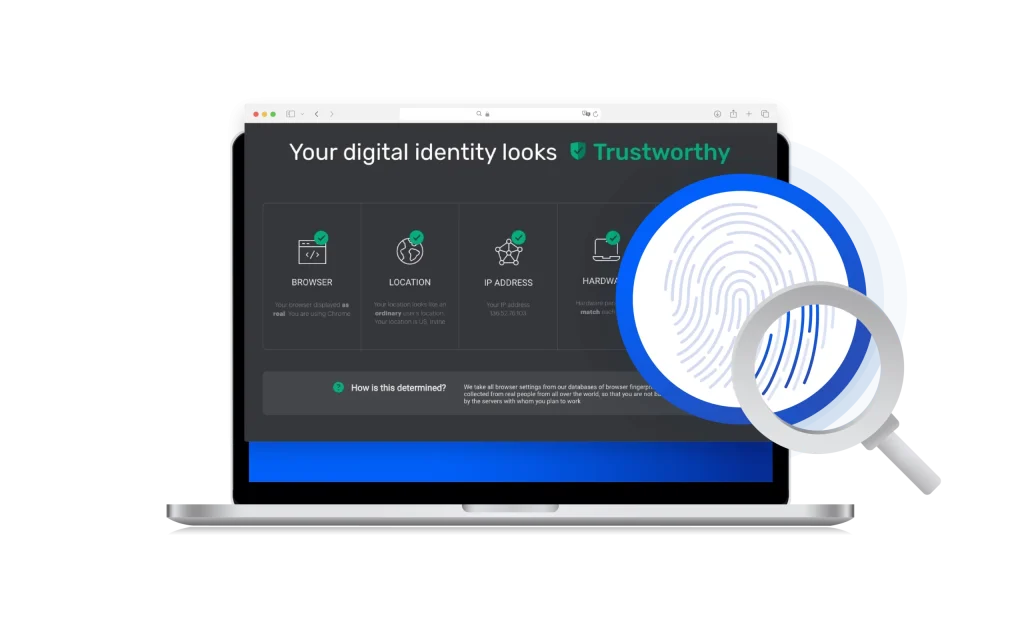
Iphey.com is an online privacy tool designed to help users assess their internet connections and safeguard their online identity. Its features include:
- An IP address checker to reveal public IP details
- A browser fingerprinting tool to analyze what information your browser shares
As a result, users rely on iphey to prevent tracking, protect privacy, and identify potential security vulnerabilities.
Why to use Iphey with Multilogin
Using Iphey with Multilogin lets you test and fine-tune your multi-account browser profiles for maximum reliability. Iphey shows details like your IP address, browser fingerprint, and DNS settings so you can confirm that your Multilogin configurations hide your identity and block detection.
Check your online privacy with Iphey
Gain insights into your digital footprint with Iphey. It shows your operating system, browser version, and plugins so you can see how websites identify you. Configure your multi-account management platform settings and take control before platforms detect you.
Key Benefits
Verify proxy configurations using iphey.com
Use Iphey to check if your connection runs through a proxy. See detailed insights into your setup and adjust your proxy settings to stay undetected.
Identify your geolocation with iphey
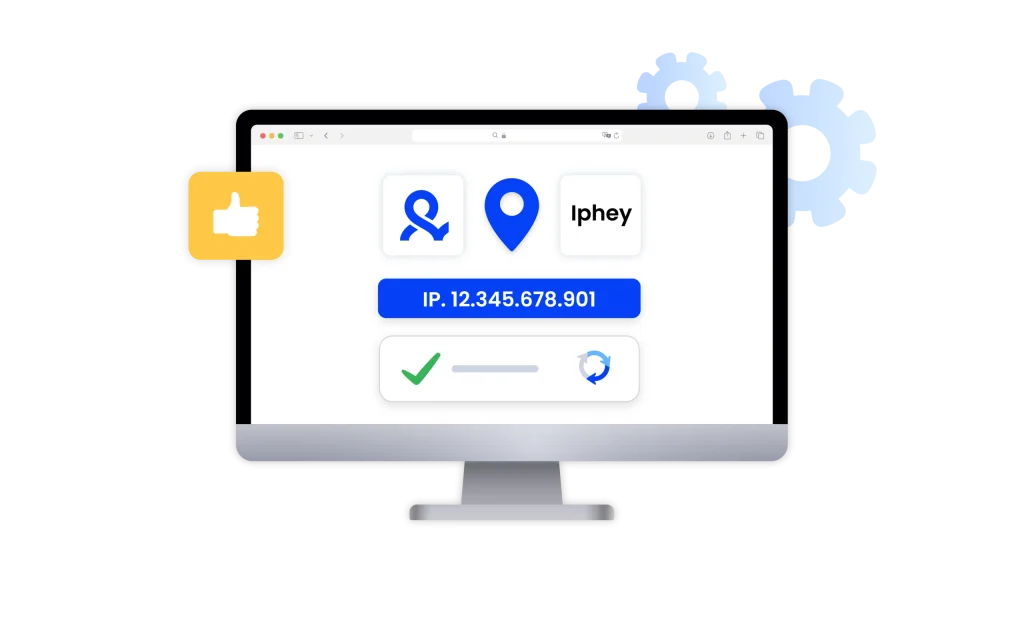
Verify your geolocation and make sure your IP address matches your chosen location. Use Multilogin multi-account management platform to see how websites view your setup worldwide. Run web scraping, access geo-restricted content, and conduct market research without detection.
Why Multilogin stands out: the perfect pairing with iphey.com users
Explore more partner reviews
-
Read the review
-
Read the review

-
Read the review

-
Read the review
-
Read the review

-
Read the review

-
Read the review
-
Read the review

-
Read the review

-
Read the review

-
Read the review

-
Read the review

-
Read the review

-
Read the review

-
Read the review

-
Read the review

-
Read the review

-
Read the review

-
Read the review
-
Read the review

- Read the review Review
-
Read the review

-
Read the review

-
Read the review

The award-winning platform for social media growth














How to get started with Multilogin?
Start collecting data effortlessly with the industry leading multi-account management platform
Sign up
Register using a verified email address.
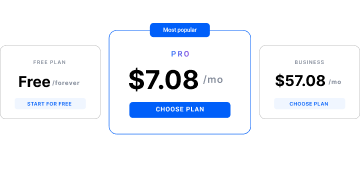
Choose Your Plan
Select from various subscription plans tailored to your business needs.
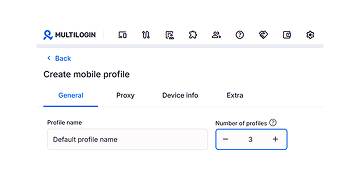
Manage your accounts using proxies
Set up multiple accounts while using residential proxies, ensuring secure browsing with distinct profiles.
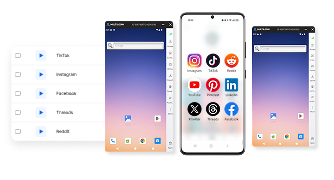
Why people love Multilogin
-

A Good Cloud Phone for Account Management
Running a small team means I need control over who can access what, and Multilogin handles that well. The team access controls let me manage permissions without giving everyone the keys to every account. On top of that, the cloud phones keep everything isolated so one account issue doesn’t put the rest at risk. Solid choice for agencies managing multiple clients or accounts.
-

The best service for great ideas and big minds!
Always here for their clients, always ready to help out. I am using the service for 3-4-5 months now and brought me lots of great things 🙂 Hope to grow it on a larger scale and continue using the service …
-

Cloud phones make it easy to manage multiple TikTok accounts with AI agents
I use Multilogin to manage a bunch of AI agents running TikTok accounts for different countries. Since each agent needs its own account, I wanted an easy way to keep everything organized. Cloud phones make it super easy. Every account has its own phone, so I don’t have to buy or manage a bunch of real devices. I can see everything in one dashboard while the AI agents handle posting and the rest of the daily work.
-

Ideal for Social Media Management
I mainly use Multilogin for client social media management, and the cloud phones have been the biggest advantage for me. I can keep different clients in separate environments, leave their sessions running, and jump between accounts without constantly switching physical devices. It feels much more practical than trying to manage everything from a pile of phones.
-

Perfect browser for work, worth the money!
My overall experience with Multilogin has been excellent. I really like its intuitive dashboard, reliable customer support, and competitive pricing. It has become an essential part of my e-commerce business, and I highly recommend it to anyone looking for a dependable solution.
-

Safer accounts using Cloud Phones for social profiles
Running social profiles on cloud phones feels safer, everything is properly separated instead of relying on browser fingerprint tricks alone. Been running mine for a couple months with zero linking issues.
-

Efficient Account Management and Outstanding Support with Multilogin
Multilogin has been an excellent tool for managing multiple accounts efficiently. The setup was quick, and I was able to start using it right away with no learning curve. The interface feels just like Chrome, making it easy to navigate and work without interruption. Performance has been smooth, and browsing feels natural and responsive.
Watch the Multilogin Demo
Learn how Multilogin can boost your business. Check the video below to see its full capabilities in a short demo video.
Testing different setups for maximum anonymity
Want to stay truly anonymous online? Not all setups provide the same level of protection. With Iphey, you can test multi-account browsers, proxies, VPNs, and browser fingerprints to see which configurations keep you safest. From detecting WebRTC leaks to monitoring fingerprint changes, regular testing helps you stay ahead of tracking techniques.
Comparing different setups with Iphey
Switching between multiple multi-account browser profiles? Testing with Iphey helps you figure out which setup keeps you the most anonymous. Each profile handles fingerprinting, IP masking, and tracking in its own way. Some work better than others. Running tests helps you refine your setup, catching things like WebRTC leaks, mismatched time zones, and unique fingerprints—anything that makes tracking easier.
The goal? Fewer identifiable elements. The less websites can recognize, the harder it is for them to track you. That’s why testing different configurations isn’t just a one-time thing—it’s an ongoing process.
Checking proxy and VPN performance with Iphey
Not all proxies and VPNs protect your identity the way they claim. Some services still leak information, exposing you through WebRTC leaks or bad DNS configurations. Iphey lets you test different proxies and VPNs to see which ones actually keep your real IP hidden.
Key Actions:
- Run tests on different VPN and proxy services to catch leaks.
- Check if your connection exposes DNS or WebRTC data.
- Compare IP consistency when switching proxy locations.
If a VPN or proxy isn’t fully masking your identity, it’s not safe for tasks like managing multiple accounts or competitive research.
Monitoring fingerprint changes over time
Websites are always upgrading their tracking techniques. They use advanced fingerprinting methods to recognize users—even small changes in browser settings or software updates can make a difference. Regularly testing your fingerprint with Iphey helps you see if your setup still flies under the radar.
Key Actions:
- Schedule routine fingerprint tests to catch changes early.
- After a browser update, check if new features affect fingerprinting.
- Compare past and present results to spot anything that weakens anonymity.
Staying on top of these changes helps you adjust fast and keep your privacy intact.
Using Iphey for team privacy training
Businesses, agencies, and freelancers who rely on secure browsing need to make sure their teams follow best practices. Iphey is a great tool for training teams on how to stay anonymous online.
Key Actions:
- Run team training sessions where employees test different setups.
- Teach how browser fingerprinting and IP tracking work.
- Use simulations to show which configurations offer the most security.
With the right training, teams avoid common mistakes that could expose their online activity.
Running regular security audits
Cybersecurity threats change constantly. A setup that works today might be outdated tomorrow. Regular audits with Iphey help you spot weak points before they turn into serious security risks.
Frequent checks on proxy and VPN settings make sure they still provide full anonymity. Running fingerprint tests verifies that your browser setup isn’t leaking unique identifiers. Staying proactive keeps you ahead of threats and avoids unnecessary exposure.
Stopping WebRTC and DNS Leaks
Even with a solid privacy setup, WebRTC and DNS leaks can expose your real IP address. Many users assume their VPN or proxy keeps them safe, but leaks can bypass those protections.
Iphey makes it easy to find these vulnerabilities. If WebRTC is leaking your real IP, tweaking browser settings or using a blocking extension fixes it. Checking your DNS settings ensures that all traffic routes through your chosen proxy or VPN—never your actual connection. Fixing these leaks right away strengthens your anonymity.
Testing Multilogin browser profiles against advanced fingerprinting
Multilogin users can use Iphey to test how well their browser profiles hold up against sophisticated tracking techniques. Some websites use multiple layers of fingerprinting, making deeper testing with Iphey essential.
Key Actions:
- Create different Multilogin profiles and test them with Iphey.
- Use Iphey to see how well each profile resists tracking attempts.
- Adjust settings based on Iphey’s results to improve stealth without sacrificing usability.
This way, you ensure your Multilogin profiles stay undetectable while still working smoothly.
Iphey and Multilogin: Quick start guide
If you’re new to multi-account browsing, the best way to understand your online identity is to combine Multilogin and Iphey.
Multilogin lets you create multiple browser profiles with realistic, undetectable fingerprints, while Iphey shows you how those profiles actually look to websites.
Think of it as a setup and test cycle—Multilogin builds your profiles, and Iphey verifies that they’re safe and consistent.
Here’s how to get started:
- Create a profile in Multilogin – set up your browser environment with fingerprints that look like real devices.
- Open the profile and visit iphey.com – Iphey instantly shows your IP, location, and browser details.
- Check for mismatches – look for red flags such as an IP in one country but a timezone in another.
- Adjust your Multilogin profile – fix leaks or inconsistencies by changing proxies, timezones, or system settings.
- Re-test with Iphey – confirm that your setup now appears natural and safe.
Always use Iphey as a before-and-after checker. Run a test, adjust your Multilogin settings, and test again until your profile blends in seamlessly.
Practical use cases of Iphey and Multilogin
Iphey becomes most powerful when paired with Multilogin. Together, they let you build undetectable profiles and verify that every setup works as intended. Here’s how different users benefit:
- Multi-accounting: Manage multiple accounts safely by creating unique Multilogin profiles. Iphey tests each one to ensure fingerprints don’t overlap and accounts stay separated.
- Web scraping: Scrapers risk bans when their browser setups look suspicious. Iphey reveals leaks or mismatches, while Multilogin randomizes fingerprints to avoid detection at scale.
- Social Media Management (SMM): Agencies handling multiple clients can confirm that each profile looks natural. Iphey checks for timezone or IP inconsistencies, keeping accounts safe from automated bans.
- Dropshipping & E-Commerce: Manage multiple store logins without raising red flags. Iphey verifies that proxy and browser setups are consistent, while Multilogin ensures each storefront identity remains unique.
- Automation: Automated workflows need realistic environments to avoid being flagged. Multilogin builds these profiles, and Iphey validates them to make sure bots blend in like real users.
Iphey FAQ
How can Iphey improve online privacy?
Iphey can enhance your privacy as it offers tools to analyze your internet connection. Moreover, browser fingerprinting feature reveals information such as operating system, browser version, etc. As a result, it allows you to identify unique digital fingerprints that websites use to track you.
Multilogin enables users to browse the web without worrying about detection. Iphey can help you to test your antidetect browser, so you can understand potential vulnerabilities. Furthermore, identifying risks is essential to take actionable steps and effectively use Multilogin for activities like multi-account management, web scraping, etc.
How to use Iphey?
You can follow this simple guide to use Iphey:
- Firstly, visit Iphey website from your browser
- Secondly, get IP address details: Iphey instantly provides it.
- Moreover, gain deeper insights into your browser fingerprints by scrolling down.
- In addition, check your connection type
Understanding this valuable data is helpful to protect your privacy online. Furthermore, checking the effectiveness of Multilogin’s residential proxies allows you to enhance your anonymity.
How can I pass the iphey.com test?
People often use antidetect browsers to pass the iphey.com test since these browsers mask or randomize browser fingerprints. As a result, it is challenging for websites to track your activities. Moreover, ensuring that your setup is properly working is essential for avoiding detection. You can easily pass iphey.com test using Multilogin antidetect browser by following this guide:
- Firstly, set up a browser profile
- Secondly, use built-in residential proxies with high-quality IPs
- Thirdly, launch your profile
- Then, go to the iphey.com to verify the configuration
- Lastly, review results and take measures if needed.
Is Iphey free to use?
Iphey is completely free to use. It offers features like geolocation verification, browser fingerprint testing and IP address checking at no cost. You can easily visit their website and check your privacy.
Moreover, you can use Iphey to understand how your antidetect browser protects your anonymity. For instance, Multilogin offers built-in residential proxies and checking your setup will help you to enhance privacy. Altogether, combining Iphey and Multilogin can help you avoid detection and stay anonymous.
What data does Iphey provide?
Iphey provides detailed information about your internet connection, for example your IP, geographical location, etc. It also offers insights into your connection type, such as if you are using a proxy.
In addition, checking the effectiveness of you Multilogin antidetect browser gives you insight into your configuration. Consequently, identifying risks is essetial for enhancing online privacy and ensuring anonymity.
What are the benefits of using Iphey?
Iphey is a powerful tool that helps you to view any potential risk. As a result, it helps you to gain access to the essential data to understand what your browser reveals to websites. Here are some of the key benefits iphey.com offers:
- Ease of use
- Troubleshooting support
- Enhanced privacy awareness
- Comprehensive insights
Moreover, Iphey is completely free to use! You can easily check your Multilogin antidetect browser setup without any extra payments. Altogether, using Iphey with Multilogin can improve your privacy and anonymity.