


Discover Multilogin now & get 50% off for your first month!

Multilogin vs. Kameleo

*Attention: 50% discount is currently available for the Pro Plan

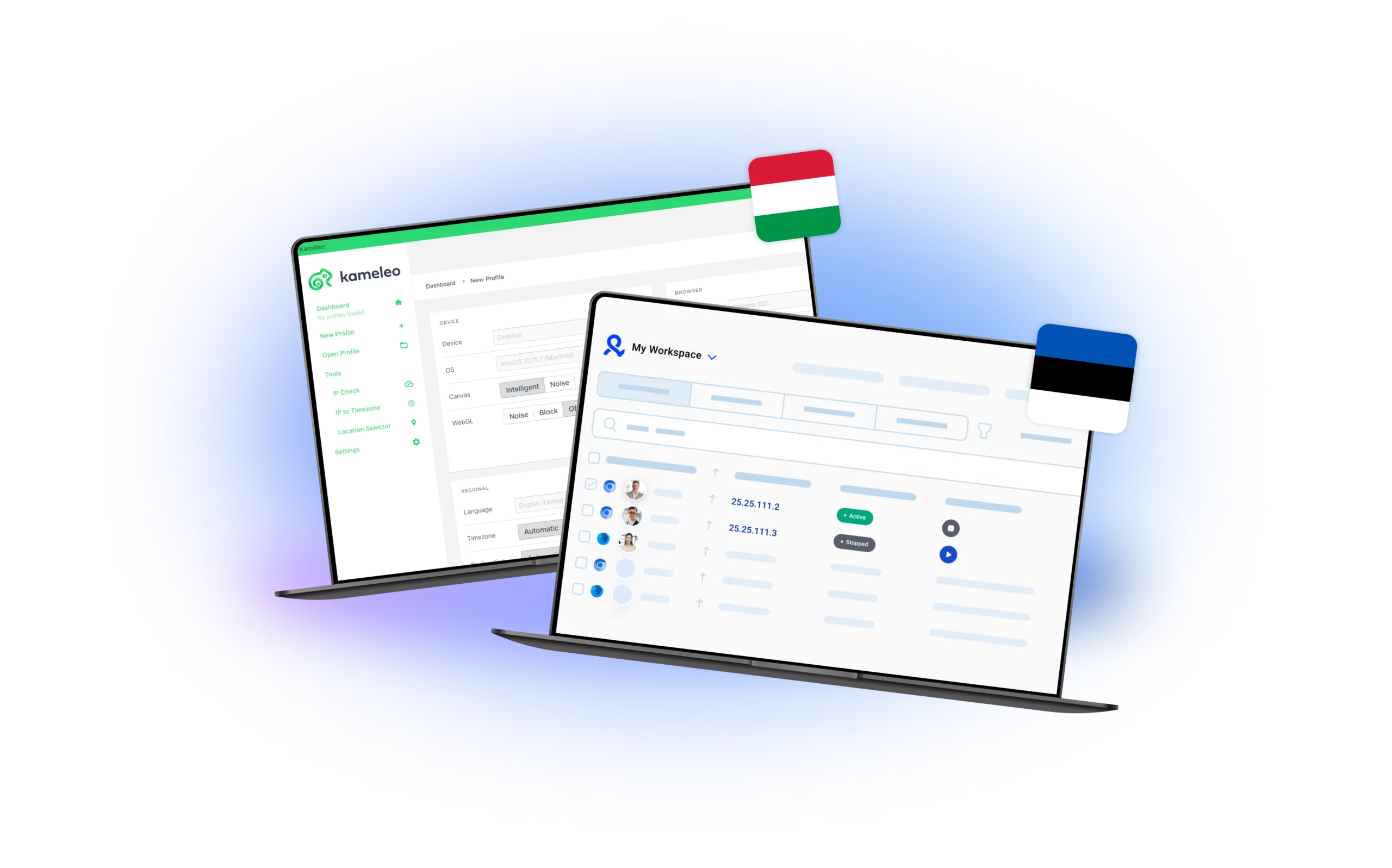
Kameleo and Multilogin dashboards, featuring the Hungarian and Estonian flags, highlighting their profile management systems and workspace functionalities designed for efficient multi-account handling.
Multilogin logo representing the Estonian-origin platform for advanced multi-account management and anonymity.
Showcasing the Kameleo logo, representing the antidetect browser for multi-account management and online privacy.

Built-in proxies

Multilogin includes a built-in premium residential proxy system, so you don’t waste time hunting for providers or testing unstable IPs. You get 30M+ high-quality IPs across 195+ countries, all managed inside one dashboard. Sessions can stay sticky for up to 24 hours, unused bandwidth rolls over, and a smart IP-quality filter removes weak or previously flagged IPs before they ever reach your profiles. This setup cuts bans, speeds up onboarding, and keeps profiles stable even on strict platforms. And if you already use your own proxies, you can connect any third-party provider with full compatibility.

Kameleo doesn’t include built-in proxies, so every user has to buy, test, and configure third-party IPs on their own. This adds extra cost and more points of failure. If a proxy leaks or underperforms, detection risks increase quickly — and when bans happen, troubleshooting takes longer because nothing is managed inside the platform. For beginners or teams running many accounts, the constant manual setup becomes a bottleneck.

Usability and user interface_blue icon

Usability and user interface

Multilogin is easy to learn and fast to work with, making it a reliable choice for solo users, small businesses, and growing teams. You don’t run into setup hurdles or technical steps — everything works the moment you log in. Profiles open quickly, navigation feels natural, and Android emulation is already built in. Instead of fixing settings, you get to focus on the accounts that actually bring results.

Kameleo is not beginner-friendly and requires manual setup, local profile management, custom drivers, and external tools to run reliably. Small mistakes in proxy or fingerprint configuration can cause leaks and faster bans, making it unstable for newcomers, small teams, or non-technical businesses. Compared to Multilogin, the workflow feels complex, fragile, and slow to scale.

web automation

Web automation

Multilogin is built for heavy automation; the kind where you manage hundreds of profiles without breaking flow. You can launch profiles with simple commands, rename or move them instantly, switch proxies in seconds, run up to 10 tasks at once, and speed up repetitive work with AI Quick Actions. For deeper control, Multilogin integrates with Selenium, Playwright, Puppeteer, Postman, and a full CLI, giving developers and teams complete automation over profile creation, fingerprint tuning, proxy assignment, and large-scale workflows.

Kameleo supports automation through SDKs and works with Selenium, Puppeteer, and Playwright, but its automation layer isn’t built for large-volume workflows. Profiles are stored locally, scaling requires manual setups across devices, and there’s no CLI or Postman-friendly API, which limits deeper control. When you push higher task loads, performance drops, scripts become harder to maintain, and automation slows down compared to platforms designed for high-frequency actions.

Icon symbolizing teamwork, designed as interconnected puzzle pieces representing collaboration and unity.

Teamwork

Multilogin makes teamwork simple and scalable. You can share profiles with fine-grained permissions, keep everything synced in real time, and add unlimited team members without paying extra seats. Whether you start with 10 profiles or scale to 10,000+, the workflow stays organized and fast — ideal for growing teams, agencies, and businesses that need stable collaboration without the usual friction.

Kameleo supports team collaboration with options for inviting members and configuring role-based access . The Pro plan has a limited number of team members included , which may not be sufficient for larger organizations.

Browser fingerprinting customization

Multilogin gives you 55+ advanced fingerprint controls, letting every profile look and behave like a real, separate device. Each setup is automatically matched to the right fingerprint and aligned with your proxy, so sensitive platforms see natural signals instead of patterns. With our custom browsers; Mimic (Chromium) and Stealthfox (Firefox) — you get strong compatibility and realistic behavior across strict environments. You can adjust Canvas, WebGL, geolocation, timezone, language, and more without breaking the profile. Add Android profile emulation and one-click profile creation, and you can launch clean, stable identities in seconds — ideal for teams that need speed, control, and fewer bans.

Kameleo gives users a lot of control with detailed fingerprint settings like geolocation, WebGL, client hints, and more. This level of customization can be great for advanced users, but it also means there’s more to manage. Since Kameleo doesn’t include built-in proxy support, everything depends on the proxies you set up yourself. If they’re not configured correctly, it can affect how well the browser works—and even increase the risk of getting detected or banned. For the users without technical background, all the options and setup steps might feel a bit overwhelming.

Multilogin X app (desktop)

Browser fingerprinting customization

Multilogin offers a dedicated Multilogin X desktop app for Windows, macOS, and Linux, giving teams full flexibility across any setup. The app comes with a built-in agent, fast loading, automatic updates, and real-time sync with the web dashboard — so your profiles stay organized and ready no matter where you log in. Profiles are stored securely in the cloud, making collaboration effortless and eliminating the manual file-management issues that slow down other tools. For businesses that work across multiple devices or OS environments, this unified desktop experience keeps everything stable, consistent, and easy to scale.

Kameleo works on Windows and macOS, but does not support Linux, which limits teams that use mixed environments or run automated workloads on servers. Profiles are stored locally, so users must manage files manually when switching devices or collaborating with teammates. This creates version conflicts, slows down scaling, and makes automation harder to maintain. Updates also require manual intervention, adding extra steps for users who just want a stable daily workflow.

Data privacy & security

Data privacy & security

Multilogin is based in Europe and fully follows GDPR standards, giving users clear and strict data protection. When a subscription ends, all profile data is automatically deleted after three months. Passwords are securely hashed and never stored in plain text, and every profile and session is encrypted with AES-level protection in the cloud. This keeps your information safe, private, and protected from both external access and internal misuse.

Kameleo employs security measures to safeguard user information, in line with GDPR standards. However, it does not offer two-factor authentication (2FA) for securing access to its platform.

Icon symbolizing customer support services, highlighting availability and assistance in the comparison.

Customer support

Multilogin performs daily tests on more than 50 websites to guarantee its ongoing functionality and ability to bypass restrictions across various platforms. Additionally, they offer multilingual support 24/7 in English, Russian, Chinese, Vietnamese, and Portuguese, ensuring quick responses.

Kameleo offers online support, but only on weekdays. If something goes wrong over the weekend, users will need to wait for help, which can be frustrating—especially if the issue is urgent and needs quick attention.

Browser core & antidetect updates​

Browser core & antidetect updates

Multilogin releases updates every 2–4 weeks, closely following official browser releases. Each update strengthens anti-detection, improves security, and maintains full compatibility with Selenium, Playwright, Puppeteer, Postman, and CLI workflows. This steady release cycle ensures your setup stays reliable, current, and ready for high-volume automation.

Kameleo doesn’t have a fixed update schedule, so it’s hard to know when new features or browser updates will roll out. Major updates, like browser core upgrades, can sometimes take longer than expected. For users in high-risk environments, this slower and less predictable update pace might make it harder to stay fully undetectable.

Icon representing pricing or cost information, typically symbolized by a dollar sign or price tag.

Pricing

Multilogin offers simple and flexible pricing for every user. You can start with a 3-day trial for just €1.99 to explore all core features risk-free.

The Pro 10 plan starts at €9/month, giving you full access to browser profile management, cloud and local storage, and built-in premium residential proxy traffic.

Choose the annual plan and pay only €5.85/month, making it a perfect choice for individuals and small teams.

Kameleo’s Windows-only plans start at €29/month (Start), €59 (Solo), €99 (Pro), and €199 (Scale), but none include proxies. At typical residential rates of €3/GB, adding 5 GB of proxy traffic tacks on €15 monthly, making the Start plan €44, Solo €74, Pro €114, and Scale €214. If you need 10 GB instead, expect an extra €30 on top of each plan.

What Multilogin offers that Kameleo browser doesn't

Free built-in residential proxies in each subscription plan 

Unlimited free team member accounts

Passes all browser fingerprint checkers 

Daily testing on 50+ websites

AI-driven automation

Profile warmup with pre-farmed cookies

24/7 customer support in 5 languages

Android profile emulation within the browser

Kameleo user or new to the game? Get 50% off your first month.

Discover Multilogin, a reliable alternative to Kameleo

Multilogin vs. Kameleo recap chart

Find out why Multilogin is the smarter alternative to Kameleo

Multilogin logo representing the Estonian-origin platform for advanced multi-account management and anonymity. Showcasing the Kameleo logo, representing the antidetect browser for multi-account management and online privacy.
Chromium
Yes (Mimic)
Yes
Firefox
Yes (Stealthfox)
Yes
Country of origin

Estonia Flag Estonia


Round icon of the Hungarian flag, representing Kameleo's country of origin. Hungary

 
Platform compatibility
macOS, Windows, Linux
macOS, Windows
Resource consumption
Requires 4GB RAM
Requires 4GB RAM
Desktop app
Yes
Yes
Security
High security
Standard security
Anti-fingerprinting technology
High level
Standard level
Quick profile creation
Yes
Yes

Frequent updates

Frequent and detailed updates
Regular updates
Built-in proxies
Yes
No
Custom browser fingerprint generation
Yes
Yes
Account password protection
Yes
Yes
Support
24/7 Live Support, supports 5 languages
Online Support: Weekdays Only
Knowledge center
Yes
Yes
Suits well for team management
Yes
No
Trial
Yes
Yes (requested manually)
Market position
Works for marketers, web scrapers, developers, and affiliates, and for any size team. It’s easy to use and grows with your business.
Better suited for web scrapers and small teams.

Try Multilogin Risk-Free — Just €1.99!

Run multiple accounts with zero bans or blocks. Start your 3-day trial and test everything for less than a coffee.
  • 3-day access to Multilogin

  • 5 cloud or local profiles

  • 200 MB proxy traffic included

  • 3-day access to Multilogin

  • 5 cloud or local profiles

  • 200 MB proxy traffic included

Why people love Multilogin

Dominik

“Great Product 5/5 Stars!
Great product. Great support. Keeps being developed and getting better. Lots of competitors have come and gone in this space and I continue to use Multilogin as the others don’t come close to what they can do.”

Evgeny S.

Internet, Small-Business

“Multilogin is the highest quality anti-detect browser.
The fingerprints of the created profiles. 100% pass anonimity at any checker. Convinient to work in a few browsers simulteniousely. I can work with tons of Facebook and TikTok accounts just from my 1 laptop. It’s easy to use and i get real fingerprints that allows me not to be banned.”

Nino Latif

“The best service for great ideas and big minds!
Always here for their clients, always ready to help out. I am using the service for 3-4-5 months now and brought me lots of great things 🙂 Hope to grow it on a larger scale and continue using the service with the biggest plans they have. That means, I made it :)”

Nino L.

Marketing Agent, Small-Business

“Started using Multilogin in August/September 2021. Been using it for a couple of years now and I am very satisfied overall. They are always looking and finding ways to improve their app and make it easier for users. I am not sure if I l’ve seen any better customer service so far. You can see they value their clients and are willing to do everything and beyond their power to help out 😊 Will recommend them for the rest of my life! 👌👌"

George M.

Co-Founder, Small-Business

“Quite Likely The Best Privacy Browser Out There!

There are quite a few things I like about Multilogin. My favorite, most definitively, is the teams feature allowing you to easily share specific browser profiles with different team members, without revealing the real login details for each website to them. It’s very useful when working with virtual assistants since you can just share the browser profiles they need to do their job, and they can launch the profile and continue the task where you left it…”

Tim R.

Project Manager, Small-Business

“Fast, reliable and convenient anti-detect browser.
All the infrastructure of the browser is built to be convenient for any size of the team. We have 0 concerns regarding the speed and efficiency of the browser.”

Most awarded antidetect browser

Kinza awards for Multilogin.
Conversion club badge for Multilogin.
Mask group badge for Multilogin
Startup 2019 awards badge for Multilogin
badge for Multilogin
Best Value Software 2022 badge for Multilogin
High performer 2024 badge for Multilogin
Leader 2024 badge for Multilogin
Best support 2024 badge for Multilogin
Easiest to do business with 2024 badge
SourceForge top performer 2023 badge
GetApp user reviews badge

See more comparisons

Adspower logo featured on the Multilogin comparison page, representing the browser's branding and identity.

Compare with

Compare with

Compare with

Incogniton logo displayed on the Multilogin comparison page, linking to its detailed comparison with Multilogin.

Compare with

Octobrowser logo

Compare with

Linken Sphere логотип

Compare with

Compare with

Showcasing the Kameleo logo, representing the antidetect browser for multi-account management and online privacy.

Compare with

DICloak logo, representing the antidetect browser for multi-account management and online privacy.

Compare with

MoreLogin logo displayed on the Multilogin comparison page, representing the browser's brand in the comparison with Multilogin.

Compare with

Compare with

Undetectable logo

Compare with

The official logo of NST Browser, showcased in a detailed comparison with Multilogin and VMLogin for antidetect browser features.

Compare with

Ghostbrowser logo, representing the brand in the antidetect browser comparison.

Compare with

VMLogin logo, representing the antidetect browser solution, featured in a comparison with Multilogin.

Compare with

Hidemyacc logo

Kameleo vs. Multilogin: Which antidetect browser performs better?

Choosing the right antidetect browser decides how long your accounts survive. Some tools help you stay under the radar; others create small leaks that eventually turn into bans. Kameleo and Multilogin both claim to protect your identity, but they approach the problem very differently. If you run ads, manage multiple e-commerce stores, test regions, or scrape data at scale, the tool you pick will shape your daily work, your stability, and your ability to grow without losing accounts. Here’s a breakdown that shows what actually matters in real workflows—not theory.

Kameleo vs Multilogin: User experience (Which feels better for daily work)

Kameleo can feel heavy and technical from the start. Most actions require manual setup, external tools, and careful configuration. If one setting is off, fingerprints break, proxies leak, or profiles stop opening. For newcomers, small teams, or anyone without a technical background, the workflow becomes slow, fragile, and stressful. Even experienced operators often spend more time maintaining profiles than using them.

Multilogin focuses on clarity and speed. Everything works from the moment you log in—profiles, proxies, fingerprints, Android emulation. No puzzles. No adjustments. It’s built for solo users, small businesses, and fast-moving teams that don’t want their day blocked by setup tasks. You open the app, launch profiles, and get to work. The interface stays clean even when you manage hundreds of profiles.

Kameleo vs Multilogin: Proxy integration (Which saves you more headaches)

Kameleo comes with a major gap: no built-in proxies. You must buy external proxies, test them, configure them, and pray you didn’t miss a leak. Every weak IP increases the chance of bans. And when something breaks, the problem is usually between your proxy provider and Kameleo—making it harder to troubleshoot and more expensive to maintain.

Multilogin removes that friction completely. You get built-in premium residential proxies (30M+ IPs in 195+ countries) with sticky sessions, bandwidth rollover, and smart IP filtering that blocks low-quality IPs before they touch your setup. If you have your own proxies, you can still plug them in. Everything stays in one place, and the risk of misconfiguration drops sharply.

Kameleo vs Multilogin: Desktop app comparison

Kameleo works on Windows and macOS, but not Linux. Profiles are stored locally, so switching devices or scaling across multiple workstations requires exporting, importing, or syncing files manually. For teams, this becomes chaotic fast—different versions, lost cookies, broken fingerprints, and inconsistent results across machines.

Multilogin offers a cross-platform desktop app for Windows, macOS, and Linux with cloud-synced profiles, encrypted storage, and stable device switching. Your profiles stay consistent no matter where you log in. The desktop app loads fast, updates automatically, and keeps everything aligned across teams without file juggling or profile loss.

Kameleo vs Multilogin: Fingerprinting technology (Enterprise security requirements)

Kameleo gives deep manual controls, but it’s easy to break things. You can tweak WebGL, geolocation, client hints, and more—but every adjustment increases the risk of creating an unnatural fingerprint. And there’s no built-in mobile emulation unless you use a separate Android app, which slows down workflows for mobile-first platforms.

Multilogin gives you 55+ fingerprint controls that are automatically matched, stable, and realistic. Its custom browsers—Mimic (Chromium) and Stealthfox (Firefox)—are built for anti-detection from the ground up. You also get Android profile emulation, pre-farmed cookies, and a Cookie Robot that warms up profiles naturally, reducing early bans and avoiding suspicious activity patterns. With one-click profile creation, you get clean identities in seconds.

Kameleo vs Multilogin: Automation and Scraping (Who makes it easier)

Kameleo supports automation through SDKs, but scaling is tough. Profiles are local. Setup is technical. High-volume tasks often slow down, and distributing workloads across different devices requires extra tools and manual syncing. It works, but not without friction.

Multilogin is built for large-scale automation. It integrates directly with Selenium, Playwright, Puppeteer, Postman, and CLI workflows, so you can automate everything—from proxy rotation to profile creation to scraping routines. You can launch profiles via commands, rename them on the fly, move them between groups, and run up to 10 tasks at once. AI Quick Actions removes repetitive manual steps so you focus on output, not maintenance.

Kameleo vs Multilogin: Security (Who keeps your data safer)

Kameleo applies standard protection but lacks 2FA, and without built-in encryption standards clearly documented, users handle more risk than expected. There’s no automatic data deletion cycle either, meaning your footprint may remain stored longer than you’d like.

Multilogin operates under strict GDPR compliance, with automatic data deletion after 3 months, hashed passwords, and AES-encrypted cloud storage for all profiles and sessions. Sensitive data never sits unprotected. Your environment stays shielded from both external threats and internal misuse.

Kameleo vs Multilogin: Teamwork and Collaboration (Which works better for teams)

Kameleo supports collaboration but with limits. Team features unlock only on higher-tier plans, and even then, sharing profiles often requires manual exports or imports. As teams grow, so do the problems—version conflicts, lost data, mismatched setups, and slow onboarding.

Multilogin makes teamwork natural. You get unlimited free team member accounts, role-based permissions, and real-time cloud sync on every plan. Teams can work simultaneously without breaking profiles or duplicating efforts. Whether you’re handling 5 accounts or 10,000, the structure stays stable.

Final Verdict: Kameleo or Multilogin?

Kameleo is strong for technical users who want deep manual control and don’t mind spending time configuring every detail. But for most real-world workflows—multiple accounts, ads, scraping, client projects, or scaling across a team—its complexity becomes a bottleneck.

Multilogin is the better long-term choice.
You get:

  • Built-in residential proxies

  • 55+ fingerprint controls

  • Mimic & Stealthfox custom browsers

  • Android emulation

  • Automation with Selenium, Playwright, Puppeteer, Postman, and CLI

  • Unlimited team members

  • 24/7 multilingual support

  • GDPR-level security and encrypted profile storage

If you want fewer bans, fewer setup problems, and a platform that grows with your workflow, Multilogin gives you a stable environment from day one.

Multilogin vs. Kameleo browser​ FAQ

Kameleo focuses on device emulation via a simple fingerprint GUI, while Multilogin offers 20+ fingerprint parameters, built-in access to 30M+ residential proxies, advanced automation and team management. 

Kameleo supports basic Selenium and Puppeteer scripts. Multilogin, however, has native integrations for Selenium, Playwright, and Puppeteer—making it far more robust for large-scale, parallel automation. 

Kameleo only runs on Windows, so Mac and Linux users can’t run it at all. Multilogin, by contrast, offers native support for Windows, macOS, and Linux—ensuring everyone can access its full feature set.

Kameleo doesn’t offer built-in proxies—you’ll need to find, buy, and set up your own. Multilogin, in contrast, provides built-in access to 30 million+ sticky residential IPs, and even if you prefer another provider, you can integrate any third-party proxy smoothly with just a few clicks.

Multilogin provides role-based access, encrypted cloud sync, and audit logs. Kameleo offers basic profile sharing but lacks advanced team permission controls. 

Kameleo does encrypt your profiles, cookies, and credentials locally, but it doesn’t automatically purge inactive data—so you must manually clean up old profiles to stay tidy. Multilogin, by contrast, is fully GDPR-compliant: it encrypts all data end-to-end and automatically deletes any inactive profiles after three months, giving you hands-off data hygiene and compliance. 

Kameleo’s success depends on the quality of your external proxies. Multilogin’s built-in residential proxies and advanced fingerprinting deliver higher CAPTCHA pass rates. 

Watch the Multilogin demo

Get a 10-minute video demo of how Multilogin can help you scale your multi-account management. Enter your name, surname, and email below, and we’ll send you our demo video straight to your inbox.

Name
Last Name
Email *

Multilogin works with amazon.com