


Switch to Multilogin now & get 50% off for your first month!

Multilogin vs. Genymotion

*Attention: 50% discount is currently available for the Pro Plan

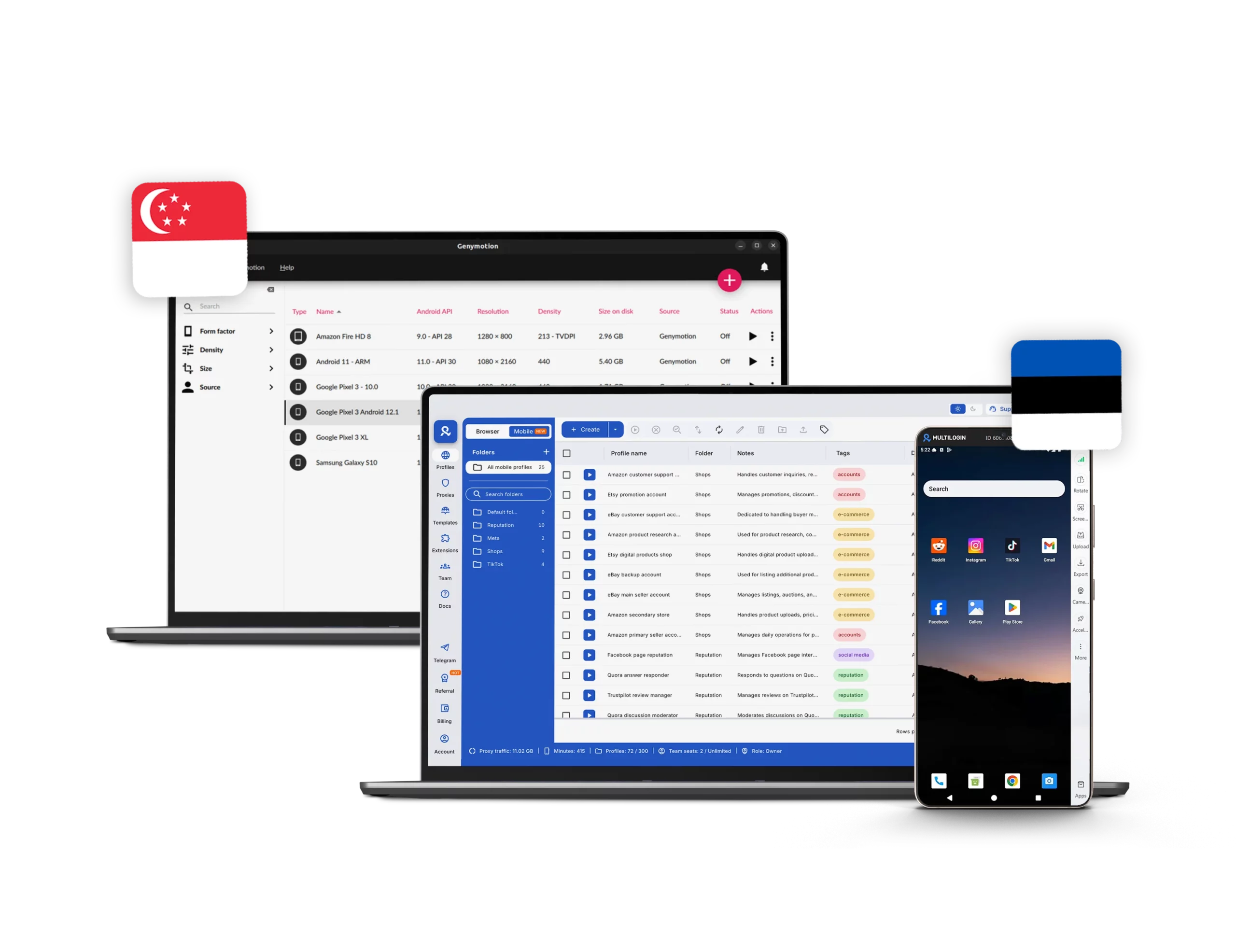
Multilogin vs Genymotion comparison showing cloud phones, antidetect profiles, and multi-account management.
Multilogin logo svg
genymotion logo
Cloud phones in Multilogin Icon

Cloud phones

Multilogin runs cloud phones on real hardware. Each device has genuine identifiers like IMEI, Android ID, and MAC address, providing a stable mobile identity. Users can pick device models, install apps via APK, and retain login sessions and app data for long-term workflows.

Genymotion provides Android emulators for desktop and cloud environments. Every solution simulates hardware identifiers and device models for app testing and development, but it does not offer cloud phones and will not work for multi-account management.

Built-in proxies

Multilogin comes with built-in residential and mobile proxies included in the platform, covering 150+ locations worldwide. Users can target specific cities or ISPs, use sticky sessions up to 24 hours, and manage proxy traffic directly from the dashboard. Multilogin removes the need for extra setup or third-party services.

Genymotion does not provide built-in proxies. Any proxy setup must be done manually by the user, either on the emulator or the network level. This adds extra configuration steps and increases the risk of detection or misconfigured connections when managing multiple accounts.

web automation

Web automation

Multilogin supports automation tools for browser profiles and cloud phones, including Playwright, Puppeteer, Selenium, and Postman, with full API and CLI access. It also provides beginner-friendly AI Quick Actions to launch, assign, and control profiles without technical knowledge.

Genymotion supports basic automation through ADB and integrations with testing frameworks such as Appium and CI/CD pipelines. Its automation features are designed for Android app development and QA testing, and are intended only for users with advanced technical knowledge or background.

Browser fingerprinting customization

Multilogin provides advanced browser fingerprinting customization for browser profiles with 55+ parameters. For cloud phones, users can select the Android version, brand, and device model, and also auto-generate phone numbers for easy account authentication.

Genymotion focuses on basic Android device simulation. Users can select device models, OS versions, and screen resolutions, but these virtual devices can be easily flagged by platforms since they are not real devices and may appear as automated activity.

Browser Flexibility Icon

Browser flexibility

Multilogin is flexible across desktop and mobile workflows. Users can run their accounts via browser or cloud phones on Windows, macOS, and Linux from any location in the world. This makes it easy to handle multi-account operations on any platform without compatibility issues.

Genymotion does not include built-in proxies or global location targeting. Users must configure external proxies manually and cannot connect from any location worldwide by default. In addition, the platform does not offer browser profiles, which limits flexibility for users who need to operate across both browser and mobile workflows in one place.

Teamwork

Multilogin works well for everyone, from solo users to small teams. Its onboarding is straightforward, role-based permissions are easy to manage, and the interface is intuitive, making it simple for beginners while still supporting advanced team workflows.

Genymotion allows some team collaboration through shared virtual devices and account access, but controls are limited. Role-based permissions and group management are less flexible, making it harder to manage workflows for multiple users compared to Multilogin.

Customer support

Multilogin offers 24/7 support in multiple languages such as English, Russian, Chinese, Vietnamese, and Portuguese. Teams can get help via live chat or email and explore a comprehensive knowledge base. Additionally, Multilogin Academy provides searchable tutorials, feature guides, and step-by-step use cases to help users resolve issues quickly and maintain smooth multi-account operations.


Genymotion offers support mainly via email and a help center, which is much slower than Multilogin’s live chat and chatbot support. Without fast, reliable assistance, users may lose time and money troubleshooting complex issues on their own.

Data privacy & security

Data privacy

Multilogin provides strong data privacy and security. The platform is based in Europe and fully complies with GDPR. Account credentials are hashed, session data is encrypted with AES, and both cloud and local profiles are protected. Multilogin also supports two-factor authentication (2FA).

Genymotion applies GDPR depending on user location, but does not publicly disclose encryption standards or detailed data retention policies. Security is largely dependent on the user, and two-factor authentication is not enforced platform-wide, which creates risk.

Teamwork

Multilogin provides team collaboration features with configurable roles and permissions. Admins can control who creates profiles and manages proxies, organizes groups, and runs automation tasks. Team members can easily pause and resume sessions whenever they want, and activity logs track all operations, making it simple for small and large teams to work together efficiently.

Genymotion allows some team collaboration through shared virtual devices and account access, but controls are limited. Role-based permissions and group management are less flexible, making it harder to manage workflows for multiple users compared to Multilogin.

Customer suppport

Multilogin provides team collaboration features with configurable roles and permissions. Admins can control who creates profiles and manages proxies, organizes groups, and runs automation tasks. Team members can easily pause and resume sessions whenever they want, and activity logs track all operations, making it simple for small and large teams to work together efficiently.

Genymotion offers support mainly via email and a help center, which is much slower than Multilogin’s live chat and chatbot support. Without fast, reliable assistance, users may lose time and money troubleshooting complex issues on their own.

Icon representing pricing or cost information, typically symbolized by a dollar sign or price tag.

Pricing

Multilogin is very accessible. We offer transparent pricing, with all tools included in every plan: browser profiles, cloud phones, and built-in proxies. Users can start with a €1.99 trial. Paid plans begin at €5.85/month when billed annually, scaling from Pro for individuals to Business for teams managing thousands of profiles.

Genymotion’s emulators use a usage‑based or subscription model. Fixed‑rate plans start at approximately $149 per month per virtual device when billed annually. There is also a free personal edition of the desktop emulator, but full professional features and cloud access require paid plans.

What Multilogin offers that DICloak browser doesn't

Free built-in residential proxies in each subscription plan 

Cloud phones for social media management

Passes all browser fingerprint checkers 

Daily testing on 50+ websites

AI-driven automation

Profile warmup with pre-farmed cookies

24/7 customer support in 5 languages

Supports all use cases

Get 50% off – Try Multilogin today

A more reliable & powerful alternative to Genymotion

Multilogin vs. Genymotion recap chart

Find out why Multilogin is the smarter alternative to Genymotion

Multilogin logo representing the Estonian-origin platform for advanced multi-account management and anonymity. genymotion logo
Cloud phones
Yes
No
Chromium
Yes (Mimic)
No
Desktop app
Beginner-friendly and stable
Complex and less stable
Mobile proxies

Yes

No

Country of origin

Estonia Flag  Estonia

🇸🇬 Singapore 

Cross-device account management
Yes
No
Resource consumption
More intensive, requires 4GB RAM
Less intensive, requires 2GB RAM
Security
High security
Standard security
Anti-fingerprinting technology
High level
Standard level
Quick profile creation
Yes
No
Frequent updates
Frequent and detailed updates
Regular updates

Platform compatibility

macOS, Windows, Linux
Built-in proxies
Yes
No
Custom browser fingerprint generation
Yes
No
Account password protection
Yes
No
Knowledge centre
Yes
No
One-click proxy management
Yes
No
Profile warmup with pre-farmed cookies
Yes
No
Passes all browser fingerprint checkers
Yes
No
Mobile app marketplace
Yes
No
Trial
Yes
Yes
Market position
Convenient and flexible for individuals, small teams, non-technical users, and beginners
Fixed-license tool for individual use and small-scale operations

Manage Unlimited Mobile and & Web Accounts

Multilogin comes with built-in residential proxies to make multi-accounting, web scraping and web automation easier than ever. No extra setup, no third-party services—just undetectable browsing at no additional cost.
  • 3-day access to Multilogin

  • 5 cloud or local profiles

  • 200 MB proxy traffic included

  • 3-day access to Multilogin

  • 5 cloud or local profiles

  • 200 MB proxy traffic included

Why people love Multilogin

Dominik

The product is excellent, and the support team is highly professional.
The product keeps improving with continuous updates. In this space, many competitors have come and gone, and I continue to choose Multilogin because others don’t come close in terms of features or overall experience.

Evgeny S.

Web, Small Business

If you really need a high-quality antidetect browser, then Multilogin is definitely the one.
100% anonymity pass on all checkers. Convenient to work in several browsers at the same time. Handles dozens of Facebook and TikTok accounts from a single computer.

Nino Latif

The best service for great ideas and big minds!
Always here for their clients, always ready to help out. I am using the service for 3-4-5 months now and brought me lots of great things 🙂 Hope to grow it on a larger scale and continue using the service ...

Nino L.

Marketing Agent, Small-Business

Started using Multilogin in August/September 2021. Been using it for a couple of years now and I am very satisfied overall. They are always looking and finding ways to improve their app and make it easier...

George M.

Co-Founder, Small-Business

Quite Likely The Best Privacy Browser Out There!

There are quite a few things I like about Multilogin. My favorite, most definitively, is the teams feature allowing you to easily share specific browser profiles with different team members...

Tim R.

Project Manager, Small-Business

Fast, reliable and convenient anti-detect browser.
All the infrastructure of the browser is built to be convenient for any size of the team. We have 0 concerns regarding the speed and efficiency of the browser.

Award winning multiple account management platform

High Performer
Momentum leader
Best support
Momentum leader

See more comparisons

Dolphin anty
Compare with
Compare with
Compare with
Incogniton logo displayed on the Multilogin comparison page, linking to its detailed comparison with Multilogin.
Compare with
Octobrowser logo
Compare with
Linken Sphere логотип
Compare with
Compare with
Showcasing the Kameleo logo, representing the antidetect browser for multi-account management and online privacy.
Compare with
DICloak logo, representing the antidetect browser for multi-account management and online privacy.
Compare with
MoreLogin logo displayed on the Multilogin comparison page, representing the browser's brand in the comparison with Multilogin.
Compare with
Compare with
Undetectable logo
Compare with
The official logo of NST Browser, showcased in a detailed comparison with Multilogin and VMLogin for antidetect browser features.
Compare with
Ghostbrowser logo, representing the brand in the antidetect browser comparison.
Compare with
VMLogin logo, representing the antidetect browser solution, featured in a comparison with Multilogin.
Compare with
Hidemyacc logo

Multilogin vs. Genymotion: Choosing your cloud mobile solution

Managing multiple online accounts, especially for social media marketers, demands strong tools. You need isolated environments, real mobile identities, and reliable network connections.

This article compares Multilogin and Genymotion. We will look at their cloud mobile solutions, proxy features, and how easy they are to use.

Multilogin vs. Genymotion: Cloud phones comparison

Multilogin provides cloud phones that run on actual hardware. These phones offer genuine identifiers like IMEI, Android ID, and MAC address. This creates a stable mobile identity. It is vital for keeping accounts safe across different platforms.

With Multilogin, users can:

  • Choose specific device models.
  • Install apps using APK files.
  • Keep login sessions and app data for long-term work.

This means you can manage native mobile apps directly from your computer. It offers a complete solution for tasks focused on mobile.

Genymotion mainly offers cloud emulators and virtual devices. These are very good for development and testing. However, they are different from real hardware cloud phones. Emulators copy Android environments. Sometimes, advanced fraud detection systems can spot these emulated environments. They look for differences between fake and real device features. Genymotion lets you configure device IDs and Android IDs. But its core technology is emulation, not physical hardware.

Built-in proxies comparison: Multilogin vs. Genymotion

Multilogin stands out because it includes built-in residential and mobile proxies. These are part of the platform itself. The proxies cover over 150 locations worldwide. This lets users target specific cities or internet providers (ISPs). The platform supports sticky sessions for up to 24 hours. You can manage proxy traffic directly from the dashboard. This integrated approach means you do not need external proxy services or complicated manual setups. It makes the process smoother for users who need steady and dependable IP addresses.

Genymotion is primarily an emulator platform. It does not have built-in proxy solutions. Genymotion users usually need to add third-party proxy services. This adds more steps and potential problems. Genymotion focuses on a flexible emulation environment. But proxy management and browser profile isolation are not its main features.

Multilogin also offers full browser profiles with its cloud phones. Browser profiles have advanced anti-fingerprinting features. They make sure each account has a unique and consistent digital footprint. 

Pricing in Multilogin and Genymotion

Multilogin makes its services easy to access. It has clear pricing and an all-inclusive model. All key tools are included in every plan:

  • Browser profiles.
  • Cloud phones.
  • Built-in proxies.

A trial costs €1.99. This lets users try all the platform’s features. Paid plans start at €5.85 per month when paid yearly. These plans serve various users, from individuals to large teams with thousands of profiles.

Genymotion has different pricing models for its products (Desktop, SaaS, Device Image). For Genymotion Desktop, prices range from a free personal use version to business plans costing $479.99 per year per user. Genymotion SaaS offers cloud-based Android virtual devices. It has a pay-as-you-go option at $0.06 per minute. An unlimited plan costs $179 per month when paid yearly. Genymotion offers flexible choices. However, its pricing is split across different products. Also, you would need to pay extra for proxy services.

Automation comparison: Multilogin vs. Genymotion

Multilogin offers robust automation capabilities. It allows users to automate repetitive tasks like registrations, form filling, and logins. This can be done from a single machine. Multilogin supports headless mode for faster execution. It also provides an API for advanced automation. This API helps manage browser profiles, folders, and other operations. Users can automate Multilogin browser profiles without coding. It integrates with tools like Selenium, Playwright, and Puppeteer for complex web automation and scraping.

Genymotion also provides automation features, especially for testing and continuous integration (CI/CD). Its SaaS solution includes a full HTTP API. This API lets users manage virtual devices, start and stop them, and list available device recipes. Genymotion supports scripting integration tests and regression tests. It allows running tests at every stage of the development cycle. It also integrates with testing frameworks like Appium and Applitools for parallel testing on virtual Android devices. For desktop users, Genymotion offers a Java API and Genymotion Shell for automating widgets and device configurations.

Teamwork comparison: Multilogin vs. Genymotion

Multilogin offers comprehensive teamwork features. These include shared cloud profiles, role-based access, and clear organization tools. This setup helps teams work together without overlap or confusion. It also maintains security. Team members can share browser profiles and manage access levels. This makes collaboration efficient and secure. Multilogin also supports switching between workspaces and defining user roles and access levels.

Genymotion SaaS also provides collaboration features. These allow teams to work together more efficiently using shared resources. It supports inviting users, sharing recipes, and live sessions. These features have been improved to make teamwork easier. Genymotion Cloud, in particular, offers collaboration features on top of its automation features. This includes live sharing of virtual devices. This helps Android teams collaborate better in a unified environment.

Genymotion cloud alternative: Multilogin

For users seeking an alternative to Genymotion Cloud, especially for managing multiple mobile accounts with genuine device identities, Multilogin presents a strong option. 

Multilogin provides cloud phones that run on real hardware. This ensures authentic identifiers like IMEI, Android ID, and MAC address. This is different from Genymotion’s emulated environments. Multilogin also includes built-in residential and mobile proxies. These cover over 150 locations. This removes the need for separate proxy services. Multilogin’s platform unifies browser profiles, cloud phones, and built-in proxies. This offers a complete solution for secure multi-account management. It is particularly useful for social media marketers who need high authenticity for multiple accounts.

Conclusion: Multilogin vs. Genymotion

Both Multilogin and Genymotion offer valuable tools for Android environments. However, they cater to different main needs. Multilogin focuses on real hardware cloud phones. It has integrated built-in proxies. It also provides a unified platform for managing many accounts on mobile and web. Its all-inclusive pricing and focus on genuine device identifiers make it a strong choice for social media marketers. It suits those needing high authenticity and privacy.

Genymotion excels as a cloud emulator platform. It offers powerful tools for Android development, testing, and quality control. It provides flexible emulated device setups. Users must manage proxy solutions independently. The choice between Multilogin and Genymotion depends on your specific workflow. Consider if you need genuine mobile identity and integrated proxies for multi-account management. Or if you need a flexible emulation environment for development and testing.

Multilogin vs. Genymotion browser​ FAQ

If you are looking for a Genymotion alternative, Multilogin is the best option. While Genymotion uses software emulation, Multilogin runs cloud phones on real physical hardware. This means every account gets a genuine device identity with a real IMEI, Android ID, and MAC address.

For small teams managing multiple social media accounts, this makes a huge difference because platforms are much less likely to flag or ban accounts that look like real devices.

Multilogin is a great Genymotion alternative for Linux users. Because everything runs in the cloud, there is nothing to install on your machine, no compatibility issues to deal with, and no performance drain.

You just open a browser, log in, and start managing your Android devices from there. It works the same on any Linux setup regardless of your distribution.

Multilogin is the go-to Genymotion alternative for Windows. It runs entirely in the cloud so you do not need a powerful machine to use it. It also comes with built-in proxies already included, which means you do not have to find, pay for, and configure a separate proxy service on top of everything else.

For small teams just getting started, that simplicity makes a big difference.

Multilogin is the strongest Android emulator alternative to Genymotion. While Genymotion creates a virtual Android environment through software, Multilogin uses real Android phones hosted in the cloud. Social media platforms like Instagram, TikTok, and Facebook actively look for signs of emulated or fake devices. With Multilogin, your accounts run on genuine hardware, so they look completely normal to any platform checking for suspicious activity.

Multilogin offers a trial for just €1.99 that gives you full access to everything on the platform, including cloud phones, browser profiles, and built-in proxies. Paid plans then start at €5.85 per month. Since proxies are already bundled in, you are not paying extra on top like you would with Genymotion. For small teams, that all-in-one pricing keeps things simple and affordable from day one.

Multilogin is the easiest Genymotion alternative for Mac users. Since the phones run in the cloud rather than on your local machine, there are no installation steps, no Apple Silicon compatibility headaches, and no extra configuration needed. It works exactly the same on any Mac. You just log in through your browser and you are ready to go.

Multilogin is the best Genymotion Cloud alternative, especially for small teams. Genymotion Cloud charges $0.06 per minute or $179 per month for virtual emulated devices, and proxies are not included. 

Multilogin gives you real hardware cloud phones, built-in proxies across 150+ locations, browser profiles, and team sharing features, all starting at €5.85 per month. Everything is in one place, which makes it much easier to get started without having to stitch together multiple services.

With Genymotion, there are no built-in proxies. You have to set them up manually inside each virtual device by going into Wi-Fi settings, modifying the network, and entering your proxy address and port by hand. You have to repeat this for every device you use, and any time your proxy details change you have to update each one individually. It is time-consuming and confusing if you are just getting started. 

Multilogin handles all of this for you. Proxies are built into the platform and assigned from the dashboard in a couple of clicks. No manual setup, no separate subscriptions, and no technical knowledge required.

Yes, and this is one of the main reasons people switch from Genymotion to Multilogin. Each account runs in its own isolated environment with its own device identity, IP address, and browsing history, so platforms like Instagram and TikTok cannot tell they are being managed from the same place. 

Team members can each handle their own accounts without any risk of them being linked, and you can control who has access to what directly from the dashboard.

Genymotion uses software emulation, and social media platforms are built to detect exactly that. Multilogin’s cloud phones run on real physical hardware, so every account gets a genuine IMEI, Android ID, and MAC address just like a normal phone.

Each browser profile also comes with anti-fingerprinting technology that gives it a unique digital identity. Together, these features make it much harder for platforms to flag or ban your accounts.

Yes. Unlike Genymotion, which requires manual configuration for proxies and device settings, Multilogin brings everything into one dashboard. You can create cloud phones, assign proxies, and set up profiles without any coding knowledge. Adding team members and managing their access takes just a few clicks. There is also a €1.99 trial so your team can explore everything before committing.

Watch the Multilogin demo

Get a 10-minute video demo of how Multilogin, compared to Genymotion browser, can help you scale your multi-account management. Enter your name, surname, and email below, and we’ll send you our demo video straight to your inbox.

Name
Last Name
Email *
Thank you! We’ve received your request.
Please check your email for the results.
We’re checking this platform.
Please fill your email to see the result.

Multilogin works with amazon.com