



Discover Multilogin now & get 50% off for your first month!

Multilogin vs. DICloak

*Attention: 50% discount is currently available exclusively for the Pro Plan

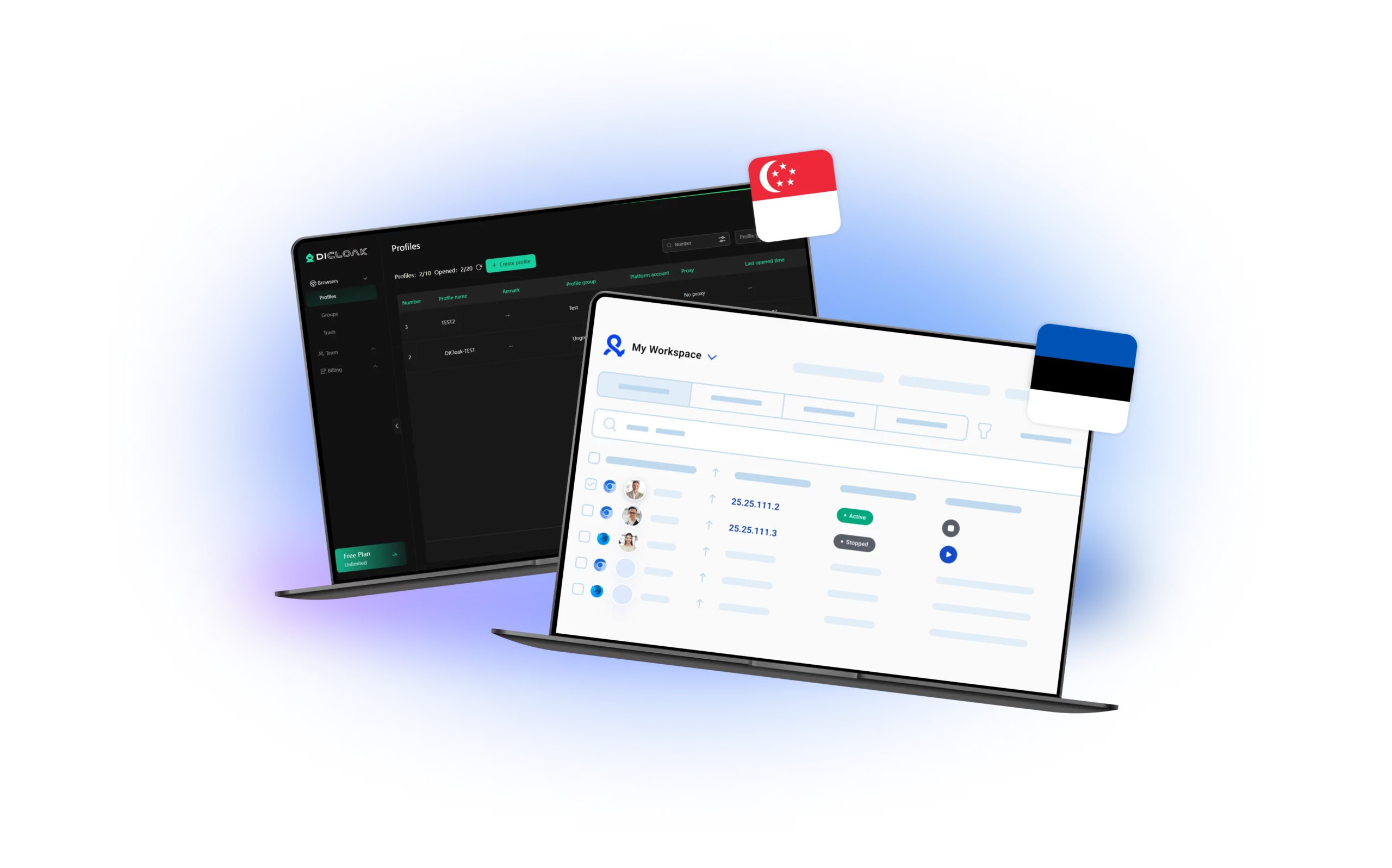
DICloak and Multilogin dashboards, featuring the Hungarian and Estonian flags, highlighting their profile management systems and workspace functionalities designed for efficient multi-account handling.
Multilogin logo representing the Estonian-origin platform for advanced multi-account management and anonymity.
DICloak logo, representing the antidetect browser for multi-account management and online privacy.
Cloud phones in Multilogin Icon

Cloud phones

Multilogin provides cloud phones for social media management. They are fully unique Android devices hosted in the cloud. You can run native mobile apps and control multiple accounts from a single dashboard.

DICloak does not offer cloud phones or virtual mobile devices, only supporting mobile browser simulation and spoofing. 

Built-in proxies

Multilogin includes a built-in premium residential proxy system, so you don’t waste time buying or configuring external providers. You get 30M+ high-quality IPs across 195+ countries, all managed inside one dashboard. Sessions stay super-sticky for up to 24 hours, and a smart IP-quality filter removes weak or previously flagged IPs before they reach your profiles. This keeps accounts stable, reduces bans, and gives you a clean environment for high-risk operations.

DICloak has no built-in proxies, so users must buy, configure, and maintain third-party services themselves — adding cost, setup time, and a higher chance of misconfigurations. It also has limited provider compatibility, with options like Live Proxies and MountProxies not supported, which restricts flexibility and makes finding a stable setup more difficult.

web automation

Web automation

Multilogin is built for high-demand automation, streamlining logins, profile actions, and even CAPTCHA resolution. You can launch profiles with simple commands, rename or move them in seconds, switch proxies instantly, run up to 10 actions at once. For deeper workflows, Multilogin integrates fully with Selenium, Playwright, Puppeteer, Postman, and the Multilogin CLI, backed by a complete API suite that gives you full control over profile automation at scale.

DICloak relies on Automa-based RPA for automation, which works only for simple task templates and requires a steep learning curve to use effectively. It doesn’t support industry-standard automation tools like Selenium, Playwright, or Puppeteer, which limits scalability for developers and larger teams. 

Browser fingerprinting customization

Multilogin offers 55+ advanced fingerprint controls covering geolocation, user-agent, cookies, time zone, language, device memory, hardware concurrency, WebGL, and more. Every profile is auto-matched to a natural fingerprint and aligned with your proxy, helping you stay undetectable even on stricter platforms. To reduce early bans, Multilogin includes pre-farmed cookies and a Cookie Robot that builds natural browsing behavior automatically, making profiles warm, stable, and ready to use much faster.

DICloak allows users to customize basic browser fingerprint settings such as geolocation, user-agent, cookies, time zone, language and device memory. 

Multilogin X app (desktop)

Desktop app

Multilogin provides a dedicated desktop app for Windows, macOS, and Linux, giving teams full flexibility across devices. The new Multilogin app loads fast, stays stable, and keeps every profile synced with the cloud without breaking sessions. You can launch profiles directly from the desktop, manage workspaces, monitor active sessions, and switch environments smoothly. For teams using multiple operating systems or switching between machines, this cross-platform setup removes friction and keeps workflows consistent.

DICloak offers a desktop application for Windows and macOS, but it lacks Linux support and depends heavily on local profile storage. This makes collaboration harder, especially for multi-device or multi-user teams. Because profiles sit on the device, users must manually transfer or export data, which can lead to version conflicts and inconsistent setups. Updates also require more user intervention, creating interruptions for anyone managing high-volume or time-sensitive workflows.

Data privacy & security

Data privacy & security

Multilogin is based in Europe and fully GDPR-compliant, giving you strict data protection from day one. All profile data, logs, and stored information follow a clear lifecycle: if you cancel your subscription, everything is automatically deleted after three months. Passwords are securely hashed (never stored in plain text), and all sensitive profile data is encrypted in the cloud, protecting you from external threats and internal misuse. With transparent policies and regulated handling standards, you always know exactly how your data is stored, used, and removed.

DICloak is not GDPR compliant, which is a major concern for anyone handling sensitive or regulated data. The platform also does not offer two-factor authentication (2FA), a basic security layer most tools now treat as standard. Its privacy policy allows user data to be shared or transferred during mergers, sales, or acquisitions, giving users little control over where their information may end up. Although DICloak mentions using security measures, it also states that no system is fully secure and usage is “at your own risk.” For a tool positioned around privacy and anonymity, these gaps make its data protection framework noticeably weaker than industry expectations.

Icon symbolizing customer support services, highlighting availability and assistance in the comparison.

Customer support

Multilogin offers multilingual support 24/7 in English, Russian, Chinese, Vietnamese, and Portuguese, ensuring you get help quickly when you need it.

DICloak only offers online support. Since there’s no live chat or 24/7 assistance, even urgent issues might take longer to resolve. This limited support availability can be especially frustrating for users who rely on fast responses to keep their workflows running smoothly.

Browser core & antidetect updates​

Browser core & antidetect updates

Multilogin updates its browser every 2–4 weeks. Each update strengthens anti-detection, improves security, and ensures smooth compatibility with automation tools — keeping your workflows stable and reliable. 

DICloak releases updates, but there’s no regular schedule. The latest update was on 2025/01/10. That shows they’re making progress, it might not be ideal if you need frequent improvements or quick fixes.

Icon representing pricing or cost information, typically symbolized by a dollar sign or price tag.

Pricing

Multilogin’s pricing starts at €1.99 for a 3-day trial and from €9/month for regular plans, offering access to browser profile management, cloud and local profile storage, and premium residential proxy traffic. Each plan includes API access with 50 RPM, and residential proxy traffic starts at just €3/GB. As a bonus, users get 1 GB of premium residential proxy traffic included every month.  Cloud phones are also very affordable, and all pricing is fully transparent with no hidden costs.

DICloak’s pricing begins modestly (free tier, then ~$8/month for the Share plan), but costs rise steeply for serious users. Their advanced plans jump to $28.80/month or $138/month for full team usage.

And that’s before considering additional costs like proxies or extra features. In practice, for small users or teams, the cost-effectiveness is weak compared to more inclusive options like Multilogin.

What Multilogin offers that DICloak browser doesn't

Free built-in residential proxies in each subscription plan 

Android profile emulation within the browser

Passes all browser fingerprint checkers 

Custom browsers: Mimic & Stealthfox

AI-driven automation

Profile warmup with pre-farmed cookies

24/7 customer support in 5 languages

Real-time external IP change detection

DICloak user or new to the game? Get 50% off your first month.

Discover Multilogin, a reliable alternative to DICloak

Multilogin vs. DICloak recap chart

Find out why Multilogin is the smarter alternative to DICloak

Multilogin logo representing the Estonian-origin platform for advanced multi-account management and anonymity. DICloak logo, representing the antidetect browser for multi-account management and online privacy.
Cloud phone
Yes
No
Mobile app marketplace
Yes
Yes
Country of origin

Estonia Flag Estonia


Round icon of the Singapore flag, representing DICloak's country of origin. Singapore

 
Platform compatibility
macOS, Windows, Linux
macOS, Windows
Resource consumption
Requires 4GB RAM
Requires 2GB RAM
Security
High security
Standard security
Anti-fingerprinting technology
Advanced level
Standard level
Quick profile creation
Yes
Yes

Frequent updates

Frequent and detailed updates
Regular updates
Built-in proxies
Yes
No
Custom browser fingerprint generation
Yes
Yes
Account password protection
Yes
No
Support
24/7 Live Support, supports 5 languages
Online Support
Knowledge center
Yes
Yes
Suits well for team management
Yes
No
Market position
Beginner-friendly and scalable for businesses and teams of any size
Better suited for web scrapers and small teams
Trial
Yes
Yes

Manage Unlimited Mobile and & Web Accounts

Multilogin comes with built-in residential proxies to make multi-accounting, web scraping and web automation easier than ever. No extra setup, no third-party services—just undetectable browsing at no additional cost.
  • 3-day access to Multilogin

  • 5 cloud or local profiles

  • 200 MB proxy traffic included

  • 3-day access to Multilogin

  • 5 cloud or local profiles

  • 200 MB proxy traffic included

Why people love Multilogin

Nino Latif

The best service for great ideas and big minds!
Always here for their clients, always ready to help out. I am using the service for 3-4-5 months now and brought me lots of great things 🙂 Hope to grow it on a larger scale and continue using the service ...
Nick H.

Nick Horvath

Marketing agency

Efficient Account Management and Outstanding Support with Multilogin
Multilogin has been an excellent tool for managing multiple accounts efficiently. The setup was quick, and I was able to start using it right away with no learning curve. The interface feels just like Chrome, making it easy to navigate and work without interruption. Performance has been smooth, and browsing feels natural and responsive.
Sagar Chandra R

Sagar C.

Social Media Marketing

Effortless Multi-Account Management with Multilogin
I use Multilogin to manage multiple social media accounts safely and efficiently. It keeps each account in a separate digital profile, preventing blocks and saving time. I love the account isolation and friendly interface, which makes managing multiple profiles fast, secure, and easy. The initial setup was straightforward and easy.
Hamza Arif

Hamza Arif

E-commerce Manager

Perfect browser for work, worth the money!
My overall experience with Multilogin has been excellent. I really like its intuitive dashboard, reliable customer support, and competitive pricing. It has become an essential part of my e-commerce business, and I highly recommend it to anyone looking for a dependable solution.

Nino L.

Marketing Agent, Small-Business

Started using Multilogin in August/September 2021. Been using it for a couple of years now and I am very satisfied overall. They are always looking and finding ways to improve their app and make it easier...
Nathan Green

Nathan Green

Digital Marketing Specialist

Great Tool with Even Better Support
I've been using Multilogin for a while now, and I’m genuinely impressed with both the product and the support behind it. Their customer support is outstanding — always quick to respond, super helpful, and ready to assist with any issues or questions you have. You really feel like you're being taken care of.

George M.

Co-Founder, Small-Business

Quite Likely The Best Privacy Browser Out There!

There are quite a few things I like about Multilogin. My favorite, most definitively, is the teams feature allowing you to easily share specific browser profiles with different team members...

Award winning multiple account management platform

High Performer
Momentum leader
Best support
Momentum leader

See more comparisons

Adspower logo featured on the Multilogin comparison page, representing the browser's branding and identity.

Compare with

Compare with

Compare with

Incogniton logo displayed on the Multilogin comparison page, linking to its detailed comparison with Multilogin.

Compare with

Octobrowser logo

Compare with

Linken Sphere логотип

Compare with

Compare with

Showcasing the Kameleo logo, representing the antidetect browser for multi-account management and online privacy.

Compare with

Dolphin Anty logo, representing the platform for multi-account management and fingerprint spoofing, as a Dolphin Anty alternative to Multilogin.

Compare with

MoreLogin logo displayed on the Multilogin comparison page, representing the browser's brand in the comparison with Multilogin.

Compare with

Compare with

Undetectable logo

Compare with

The official logo of NST Browser, showcased in a detailed comparison with Multilogin and VMLogin for antidetect browser features.

Compare with

Ghostbrowser logo, representing the brand in the antidetect browser comparison.

Compare with

VMLogin logo, representing the antidetect browser solution, featured in a comparison with Multilogin.

Compare with

Hidemyacc logo

Watch the Multilogin Demo

Watch a 10-minute demo to see how Multilogin manages multiple accounts

DICloak vs. Multilogin: Which browser performs better?

Choosing the wrong browser can cost you accounts, time, and revenue. Some tools look fine during setup, then collapse the moment you scale or hit a stricter platform. That’s why comparing DICloak and Multilogin matters — one aims for simplicity and long-term reliability, the other leans on technical workarounds. Below is a direct breakdown of what actually affects your daily workflow, your account survival rate, and your ability to grow without constant troubleshooting.

DICloak vs Multilogin: User experience 

DICloak demands more technical effort than expected. Many actions require manual setup, script adjustments, and tool switching, which slows you down when you just want to open profiles and get work done. Beginners usually feel lost early because the platform assumes you’re already familiar with configuration-heavy workflows. As soon as you try to scale past a few profiles, the friction becomes obvious — things break, sessions behave unpredictably, and the workflow stops feeling stable.

Multilogin focuses on clarity and speed from the first minute. Profiles open instantly, navigation feels natural, and nothing requires technical preparation. It behaves like a real browser, not a machine you need to tune every morning. With built-in cloud phones, workspace organization, and a clean UI flow, you stay focused on accounts instead of fixing the tool itself. For solo users and growing teams, that difference is the reason Multilogin becomes the long-term choice.

For social media teams specifically, this distinction matters more than it might seem. Managing TikTok, Instagram, and Facebook for multiple clients requires switching between accounts dozens of times per day. Every second of friction in the tool compounds into hours lost per week. Multilogin’s speed and clarity make that daily rhythm sustainable at scale.

DICloak vs Multilogin: Proxy integration

DICloak doesn’t include built-in proxies, forcing users to hunt for external providers, test IPs, and manage failures manually. The platform also has compatibility gaps — some proxy services (like Live Proxies and MountProxies) simply don’t work, which shrinks your options. If a proxy dies mid-session, you feel it immediately. Higher costs, more steps, and more misconfigurations mean more bans.

Multilogin removes those problems with built-in residential proxies across 150+ countries. You get 30M+ high-quality IPs, sticky sessions up to 24 hours, and smart filtering that blocks weak or flagged IPs before they ever reach your profiles. Sessions stay stable, bans drop, and you avoid the usual proxy headaches. And if you still want your own proxy provider, Multilogin accepts all of them.

DICloak vs Multilogin: Android cloud phones

Desktop browser profiles solve the web-based layer of multi-account management. But social media platforms are built around mobile behavior. Their detection systems read hardware identifiers, sensor data, and mobile app signals that no desktop browser can fully replicate, regardless of how good the fingerprinting is.

This is where Multilogin Cloud Phones fill the gap that DICloak doesn’t address at all.

Each Multilogin Cloud Phone is a real Android device hosted in the cloud — not a simulated environment or a desktop emulation layer. Real IMEI. Real Android ID. Real hardware fingerprint. When you run TikTok, Instagram, or Facebook from a cloud phone, the platform sees a genuine mobile device with its own independent history, because that’s exactly what it is.

For agencies managing social media for multiple clients, this matters operationally. Running Client A’s Instagram from the same browser environment as Client B’s Instagram — even with separate browser profiles — still creates exposure at the network and session level. Cloud phones eliminate this by giving each account its own dedicated Android device with its own residential IP matched to the account’s target region.

DICloak has no equivalent to this. It operates exclusively in the desktop browser layer, which means any serious social media management operation requires additional tools to cover the mobile device layer that DICloak leaves completely unaddressed.

Multilogin handles both layers from one dashboard: browser profiles for web-based workflows, cloud phones for mobile-native platforms. That unified infrastructure is what makes it the complete solution for social media teams rather than just a browser tool.

DICloak vs Multilogin: Fingerprinting 

DICloak offers basic fingerprint controls — enough for light tasks but not enough for strict platforms. Profiles often need manual tuning, and there’s no Android emulation, which creates mismatches on mobile-first platforms like TikTok, Instagram, or mobile ads. These gaps make high-risk accounts fragile. When detection ramps up, fingerprints simply don’t hold.

Multilogin provides 55+ fingerprint controls with hyper-realistic identities. Every profile auto-matches the right fingerprint, adapts to your proxy, and behaves like a natural user. You also get cloud phones, pre-farmed cookies, and a Cookie Robot that builds natural browsing patterns for new profiles — massively reducing early bans. If fingerprints decide whether you survive or get flagged, Multilogin gives you the safer side of that equation.

DICloak vs Multilogin: Automation and scraping

DICloak leans on Automa RPA, which works only if you know scripting and don’t mind spending time building workflows manually. It doesn’t support Selenium, Puppeteer, or Playwright, which instantly limits anyone running large-scale automation. 

Multilogin is built for automation-heavy workloads. It integrates with Selenium, Playwright, Puppeteer, Postman, CLI, and offers a full API suite for deep automation. You can launch profiles, rotate proxies, rename profiles, move groups, and run up to 10 actions at once. For anyone handling scraping, account farming, or bulk workflows — Multilogin cuts down the effort dramatically.

For social media teams running scheduled posting, bulk content uploads, or engagement workflows across multiple accounts, this automation depth is directly relevant. Automating routine actions across 20 client accounts without triggering platform detection requires both the fingerprint integrity and the automation infrastructure that Multilogin provides — and DICloak doesn’t.

Final Verdict: DICloak or Multilogin?

If you only handle a few low-risk accounts and don’t mind spending time on manual setups, DICloak might get you through simple tasks. But when you need stability, automation, fingerprint strength, or predictable scaling — especially across social media platforms that read mobile device signals — the gaps become impossible to ignore.

Multilogin offers the stronger foundation across every layer that matters: built-in proxies, advanced fingerprints, fast automation, real Android cloud phones for mobile-first platforms, GDPR protection, and real-time support in five languages. It’s the choice that protects your accounts instead of risking them — whether you’re running browser profiles, mobile social media accounts, or both simultaneously from one dashboard.

Start Multilogin for €1.99 and test everything for three days — profiles, proxies, fingerprints, cloud phones, automation, all of it.

FAQ: Multilogin vs. DICloak

No. DICloak relies on Automa RPA and doesn’t support industry-standard automation tools. Multilogin integrates directly with Selenium, Playwright, Puppeteer, Postman, and the CLI, making it much easier to scale scraping or multi-account workflows.

Multilogin is considered a more advanced and reliable alternative. It offers strong fingerprint protection, built-in proxies and cloud phones, automation support, cross-platform compatibility, and 24/7 multilingual customer service.

DICloak operates exclusively as a desktop browser tool, which creates a fundamental problem for mobile-first platforms. TikTok and Instagram use device-level signals that desktop browsers don’t produce. This means accounts managed through DICloak on mobile-first platforms face higher detection risk, even with fingerprint adjustments. Multilogin addresses this directly with cloud phones: real Android devices in the cloud, each with its own genuine hardware identifiers and residential IP. Social media agencies and content teams use cloud phones to run TikTok creator accounts, Instagram profiles, and Facebook pages from isolated mobile environments, something DICloak simply cannot provide.

Yes, and this is one of the clearest areas where Multilogin outperforms DICloak. Running multiple TikTok or Instagram accounts from the same device or browser environment is one of the fastest ways to trigger platform detection. Multilogin solves this at two levels: browser profiles for web-based access, and cloud phones for mobile-native sessions. Each cloud phone is a real Android device with its own IMEI, Android ID, and residential IP — so TikTok and Instagram see genuinely separate devices, not coordinated accounts sharing a fingerprint. DICloak has no mobile device layer, which means multi-account social media management on mobile-first platforms carries significantly higher ban risk.

Yes, and it’s one of the main reasons agencies move to Multilogin from tools like DICloak. Multilogin’s team access controls let you assign specific browser profiles and cloud phones to specific team members, so each person only sees and accesses the accounts they’re responsible for. Client A’s Instagram cloud phone is never touched by the team member working on Client B’s TikTok. This role-based isolation prevents cross-account contamination — a common failure point for agencies using shared browser environments. DICloak offers no equivalent structure for team-based client account management, which makes it a poor fit for any agency running social media at professional scale.

Telegram