


Discover Multilogin now and get 50% off your first month!

Multilogin vs. GeeLark

*Attention: 50% discount is currently available for the Pro Plan

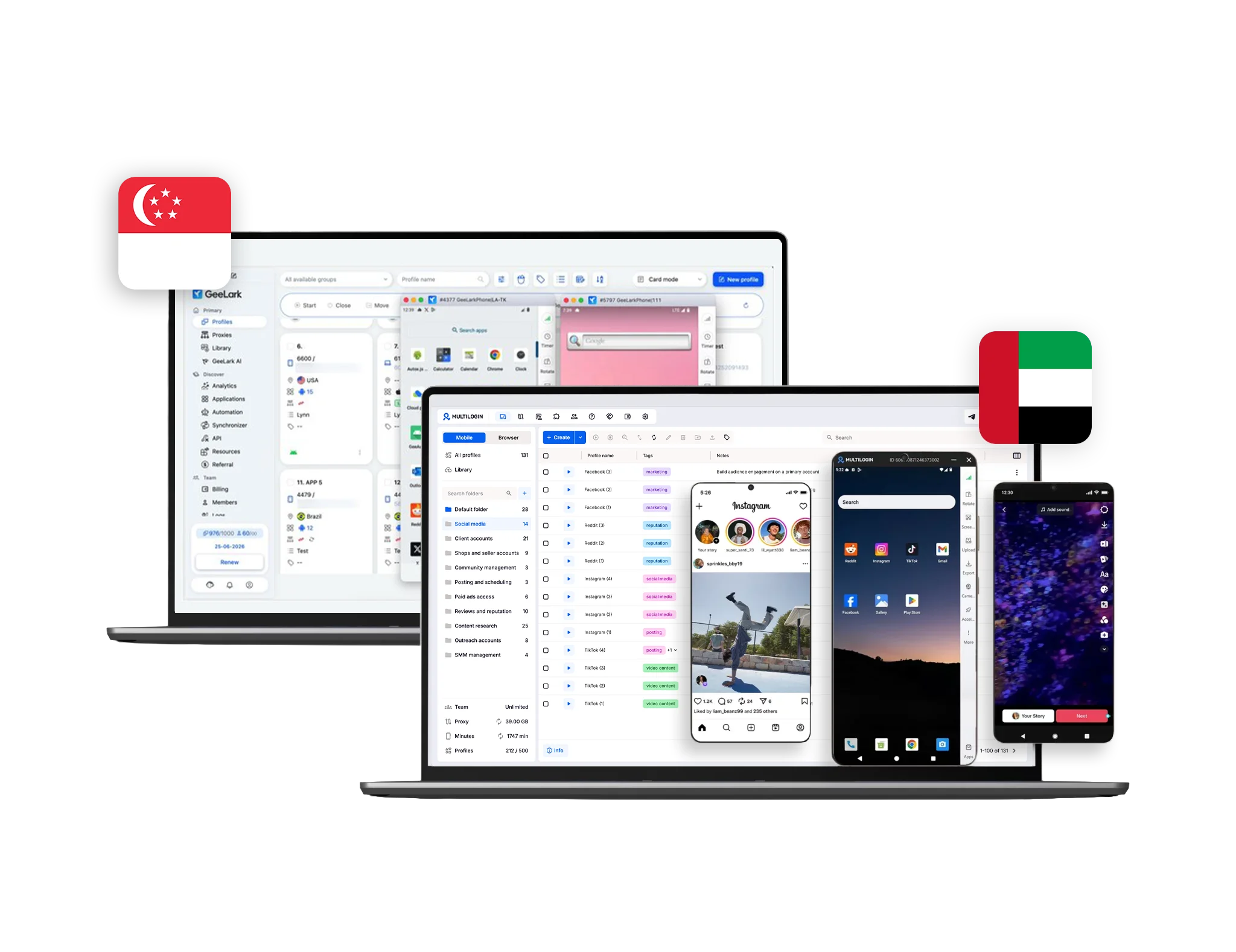
GeeLark comparison with Multilogin
Multilogin logo representing the Estonian-origin platform for advanced multi-account management and anonymity.
GeeLark logo
Cloud phones in Multilogin Icon

Cloud phones

Multilogin provides real cloud phone hardware running a full Android OS (versions 10–15), with genuine device identifiers such as IMEI, Android ID, and MAC address. Users can select specific phone brands (Samsung, Oppo, and others), install apps via a built‑in store or APK upload, and keep persistent app data, cache, and login states for long‑term native app workflows.

GeeLark also offers cloud phones for Android app usage and multi-account workflows. As a younger platform, it provides less consistency in device behavior and long-term environment stability compared to Multilogin.

Icon of a proxy symbol representing proxy features and integration capabilities in the comparison.

Built-in proxies

Multilogin offers built-in residential and mobile proxies with over 30 million IPs, city-level and ISP targeting, sticky sessions up to 24 hours, and automatic quality filtering. Everything works out of the box with a single click.

GeeLark provides no built-in proxies. Users must manually add third-party proxies, adding cost and risk of misconfiguration or bans.

Web automation symbol

Web automation

Multilogin is built for automated workflows. For desktop antidetect profiles, AI Quick Actions allow you to start, assign, or move profiles instantly. The platform supports Playwright, Puppeteer, Selenium, and Postman, and includes a full API and CLI for running multi-account operations automatically.

GeeLark offers basic automation capabilities. While useful for standard automation, its workflow is less flexible and its anti-detect technology is less mature compared to Multilogin’s features for large-scale multi-account operations.

Icon representing browser fingerprinting technology and anti-detection features in the comparison.

Browser fingerprinting customization

Multilogin lets you customize 55+ fingerprint parameters, including canvas, WebGL, geolocation, timezone, language, and the OS for your browser profile — tested daily across 50+ platforms. Profile export and import ensures fingerprints and pre-made cookies move with your workflows.

GeeLark focuses mainly on basic mobile device fingerprinting. Customization is limited to standard Android parameters such as device model, OS version, resolution, and locale, with no advanced desktop browser fingerprint control.

Browser flexibility icon blue

Browser flexibility

Multilogin offers advanced desktop browser fingerprinting across canvas, WebGL, audio, hardware signals, timezone, geolocation, language, and 55+ parameters.
For cloud phones, Multilogin uses real Android hardware with genuine device identifiers (IMEI, Android ID, MAC), selectable phone brands, OS versions, and mobile proxy integration to maintain consistent mobile identities.

GeeLark mainly focuses on offering basic cloud mobile devices. Customization is limited to standard Android parameters such as device model, OS version, resolution, and locale, with no advanced desktop browser fingerprint control.

Data privacy & security

Multilogin is based in Europe and fully complies with GDPR, ensuring user data is securely stored and deleted three months after a subscription ends. Account credentials are hashed, session data is encrypted with AES, and both cloud and local profiles are protected. Two-factor authentication (2FA) adds an extra layer of account security, while regular updates and active monitoring safeguard multi-account operations from leaks or unauthorized access.

GeeLark provides privacy protections and applies GDPR principles only depending on the user’s location. The platform does not publicly disclose encryption standards, data retention timelines, or detailed session protections. Two-factor authentication is described conceptually, but there is no clear confirmation that it is enforced platform-wide, leaving security largely dependent on the user.

Icon symbolizing teamwork, designed as interconnected puzzle pieces representing collaboration and unity.

Teamwork

Multilogin enables teams to work together efficiently with configurable roles and permission levels. Admins can control who can create profiles, manage proxies, organize groups, and run automation tasks, while activity logs help track team operations. The number of collaborators depends on the chosen plan, supporting both small teams and larger workspaces.

GeeLark also offers team collaboration with role-based permissions and shared profile management. However, its more limited controls can make setup and workflow management less convenient for small teams compared to Multilogin’s flexible workspace system.

Icon symbolizing customer support services, highlighting availability and assistance in the comparison.

Customer support

Multilogin provides round-the-clock assistance in several languages, including English, Russian, Chinese, Vietnamese, and Portuguese. Teams can reach support through live chat or email and access a detailed knowledge base. In addition, Multilogin Academy offers searchable use cases, feature explanations, and step-by-step guides, helping users quickly resolve issues and keep multi-account workflows running smoothly.

GeeLark provides customer support primarily through email and an online help center with documentation. Additional assistance is available via community channels like official chat groups. While basic guidance and articles are offered, complex technical issues often require users to troubleshoot independently, which can slow down workflows.

Icon symbolizing customer support services, highlighting availability and assistance in the comparison.

Antidetect updates

Multilogin regularly updates its browser cores and anti-detection system, usually every 2–4 weeks. Each release brings security improvements, refined fingerprinting and proxy handling, compatibility fixes, and user interface enhancements to streamline profile and team management. These updates help professional teams remain protected against evolving platform detection methods.

GeeLark receives frequent updates with new features and improvements, but its anti-detection schedule isn’t fixed, and update details are less centralized than Multilogin’s.

What Multilogin offers that GeeLark doesn't

Automation support

Pre-made cookies

Trial with proxy traffic

Chrome and Firefox antidetect browsers

Daily testing on 80+ websites

Built-in residential proxies

Passes all browser fingerprint checkers

Assisted onboarding​

Unlimited free team member accounts​

Web browser profile emulation

What Multilogin offers that GeeLark doesn't

Explore Multilogin, a smarter alternative to GeeLark.

Multilogin vs. GeeLark recap chart

Find out why Multilogin is the preferred GeeLark alternative

GeeLark logo
Platform maturity
Launched in 2015, more mature and stable platform
Launched in 2020, still evolving
Cloud phones
Real cloud phones
Basic Android cloud phones
Country of origin
🇪🇪 Estonia
🇸🇬 Singapore 
Chromium
Yes (Mimic)
Yes
Firefox
Yes (Stealthfox)
No
Platform compatibility
macOS, Windows, Linux
Windows, macOS, Linux
Resource consumption
Requires 4GB RAM
Requires 4GB RAM
Security
High security
Standard level; GDPR applies depending on user location;

Anti-fingerprinting technology

Advanced level
Standard level
Quick profile creation
Yes
No
Account password protection
Yes
Yes
Mobile proxies
Yes
No
Frequent updates
Frequent and detailed updates
Schedule is not fixed
Built-in proxies at no additional cost
Yes
No
Custom browser fingerprint generation
Yes
Partial
Account password protection
Yes
No
Knowledge center
Yes
Limited
Cross-device account management
Yes
No
Suits well for team management
Yes
No
Market Position
Convenient and flexible for individuals, small teams, non-technical users, and beginners
Fixed-license tool for individual use and small-scale operations
Trial
Yes
No
Support
24/7 Live Support, supports 5 languages
Email and help center documentation; community chat channels

Try Multilogin Risk-Free — Just €1.99!

Run multiple accounts with zero bans or blocks. Start your 3-day trial and test everything for less than a coffee.
  • 3-day access to Multilogin

  • 5 cloud or local profiles

  • 200 MB proxy traffic included

  • 3-day access to Multilogin

  • 5 cloud or local profiles

  • 200 MB proxy traffic included

Why people love Multilogin

Dominik

Great Product 5/5 Stars!
Great product. Great support. Keeps being developed and getting better. Lots of competitors have come and gone in this space and I continue to use Multilogin as the others don’t come close to what they can do.

Evgeny S.

Internet, Small-Business

Multilogin is the highest quality anti-detect browser.
The fingerprints of the created profiles. 100% pass anonimity at any checker. Convinient to work in a few browsers simulteniousely. I can work with tons of Facebook and TikTok accounts...

Nino Latif

The best service for great ideas and big minds!
Always here for their clients, always ready to help out. I am using the service for 3-4-5 months now and brought me lots of great things 🙂 Hope to grow it on a larger scale and continue using the service ...

Nino L.

Marketing Agent, Small-Business

Started using Multilogin in August/September 2021. Been using it for a couple of years now and I am very satisfied overall. They are always looking and finding ways to improve their app and make it easier...

George M.

Co-Founder, Small-Business

Quite Likely The Best Privacy Browser Out There!

There are quite a few things I like about Multilogin. My favorite, most definitively, is the teams feature allowing you to easily share specific browser profiles with different team members...

Tim R.

Project Manager, Small-Business

Fast, reliable and convenient anti-detect browser.
All the infrastructure of the browser is built to be convenient for any size of the team. We have 0 concerns regarding the speed and efficiency of the browser.

Most awarded antidetect browser

See more comparisons

Adspower logo featured on the Multilogin comparison page, representing the browser's branding and identity.

Compare with

Compare with

Compare with

Incogniton logo displayed on the Multilogin comparison page, linking to its detailed comparison with Multilogin.

Compare with

Octobrowser logo

Compare with

Linken Sphere логотип

Compare with

Compare with

Showcasing the Kameleo logo, representing the antidetect browser for multi-account management and online privacy.

Compare with

DICloak logo, representing the antidetect browser for multi-account management and online privacy.

Compare with

MoreLogin logo displayed on the Multilogin comparison page, representing the browser's brand in the comparison with Multilogin.

Compare with

Compare with

Undetectable logo

Compare with

The official logo of NST Browser, showcased in a detailed comparison with Multilogin and VMLogin for antidetect browser features.

Compare with

Ghostbrowser logo, representing the brand in the antidetect browser comparison.

Compare with

VMLogin logo, representing the antidetect browser solution, featured in a comparison with Multilogin.

Compare with

Watch the Multilogin demo

Learn how Multilogin enhances your anonymity. Enter your name, surname, and email below, and we’ll send you our demo video straight to your inbox. As an GeeLark alternative, you’ll gain a clear understanding of how Multilogin can benefit you.

Image of locked video for Multilogin demo preview

Multilogin vs. GeeLark: Why Multilogin is the better choice for cloud phones

GeeLark is a newer player that focuses on mobile tasks like TikTok, but it often leaves you dealing with unpredictable costs and manual setups. If you want a professional tool that just works without the “pay-per-minute” stress, Multilogin is the way to go. 

Here is how they actually stack up.

Multilogin and GeeLark overview

Multilogin is the industry standard for a reason. It gives you real android cloud phones with genuine hardware IDs, all inside a single dashboard that also handles your desktop profiles. It’s built for people who need to scale without worrying about their accounts getting banned.

GeeLark is more of a niche cloud phone tool. While it has some AI features, it’s a younger platform. This means you might run into more consistency issues and less stability compared to what you get with Multilogin.

Multilogin vs. GeeLark: Built-in proxies and third-party providers

Connectivity is usually where things go wrong, and the two platforms handle it very differently.

GeeLark: You’re on your own here. GeeLark doesn’t have built-in proxies, so you have to go find, buy, and set them up yourself. This isn’t just extra work—it’s extra risk. If you mess up the configuration or the proxy quality is low, your accounts are toast.

Multilogin: Everything is ready to go. You get built-in residential and mobile proxies with over 30 million IPs. You can target specific cities or ISPs, and the sessions stay “sticky” for up to 24 hours. It works with one click, and because the proxies are matched to your device’s location, your identity looks completely natural to platforms.

Multilogin vs. GeeLark: Real hardware and basic emulation

If you’re managing high-value accounts, the “fingerprint” of your device matters.

  • Multilogin uses real cloud phone hardware running full Android (versions 10–15). You get genuine identifiers like IMEI, Android ID, and MAC addresses. You can even pick specific brands like Samsung or Oppo. Because it’s real hardware, your app data and login states stay persistent.
  • GeeLark is more limited. It focuses on basic mobile parameters like the model and resolution. It doesn’t give you the same level of control over advanced desktop fingerprints, and its desktop functionality is still pretty new and unproven.

Support and reliability in Multilogin and GeeLark

When an account gets locked or a script breaks, you need help fast.

Multilogin has 24/7 support in five languages (English, Russian, Chinese, Vietnamese, and Portuguese). You can jump on a live chat or email them anytime. They also have the “Multilogin Academy,” which is full of step-by-step guides to help you solve problems yourself.

GeeLark mostly sticks to email and a basic help center. If you hit a complex technical snag, you might end up having to figure it out on your own, which can really slow you down when you’re trying to run a business.

The final verdict

GeeLark is okay for basic mobile tasks, but it lacks the maturity and “all-in-one” power of Multilogin. With Multilogin, you get real hardware, built-in proxies, and a team that’s been doing this for nearly a decade.

If you want to manage your web and mobile accounts in one place with total peace of mind, Multilogin is the clear winner. Start your trial today and see the difference for yourself.

FAQ

GeeLark is a software platform designed to help users manage multiple social media accounts by using cloud-based Android phones. It is primarily used by people who need to run mobile-only apps like TikTok, Instagram, or Facebook without needing dozens of physical smartphones. The platform works by creating virtual mobile environments on a server, which you then control from your computer. While it is a newer player in the market, it focuses on providing basic mobile emulation and some AI-assisted tools to help with content creation and account management.

When you compare the two, Multilogin is a much more mature and stable solution for small teams. Multilogin provides real Android hardware with genuine device IDs, whereas GeeLark relies on basic emulation which can sometimes be detected by social media platforms.

Another major difference is that Multilogin has high-quality residential proxies built right into the app, while GeeLark requires you to find and set up your own third-party proxies. For a beginner, Multilogin is usually the better choice because it’s an “all-in-one” tool that handles the technical security details for you, so you can focus on growing your accounts.

The GeeLark download is available directly on their official website. They offer versions for both Windows and macOS. Once you download and install the client, you’ll need to create an account and choose a subscription plan before you can start setting up your cloud phone profiles. It’s important to remember that simply downloading the app isn’t enough to get started safely; you will also need to have your own proxies ready to go, as the app doesn’t include them. If you prefer a faster start, Multilogin’s download includes everything you need to get running in minutes without hunting for extra tools.

GeeLark pricing can be a bit tricky to calculate because it uses a tiered system with several different costs. You pay a base monthly fee for the number of profiles you want to keep, but then you are also charged for the actual time you spend using the cloud phones—often at a rate of about $0.007 per minute. There are also extra costs for “parallels” if you want to run multiple phones at the same time. This “pay-as-you-go” style can make it very hard for a small team to predict their monthly expenses. Multilogin is much simpler; you pay one fixed price that covers your profiles and your proxy traffic, so there are never any surprise bills at the end of the month.

To set up a GeeLark proxy, you first have to buy proxy traffic from an external provider. Once you have your proxy details (the IP address, port, username, and password), you have to manually enter them into each profile’s settings within the GeeLark app. This process can be quite technical and time-consuming, especially if you are managing a lot of accounts. If you get the settings wrong, your real location could be leaked, leading to an instant ban.

Multilogin makes this much easier for beginners by offering built-in proxies that you can turn on with a single click, ensuring your connection is always secure and correctly matched to your device.

The GeeLark app is mainly used for running mobile applications that are difficult to manage on a standard desktop computer. You can use it to post videos to TikTok, engage with followers on Instagram, or manage e-commerce accounts. It allows you to install apps directly from a built-in store or by uploading your own APK files.

While it works for basic tasks, because it uses emulation, you might find that some apps run a bit slowly or that certain security features on social media platforms flag the device as “suspicious.” This is why many small teams move to Multilogin, which uses real hardware to ensure apps run smoothly and stay undetected.

A GeeLark cloud phone is essentially a virtual Android smartphone that lives on a remote server. Instead of having a physical phone on your desk, you see the phone’s screen in a window on your computer. This allows you to manage mobile accounts from anywhere in the world. However, not all cloud phones are created equal. GeeLark’s version uses software to “mimic” a phone, while Multilogin’s cloud phones use real hardware components with genuine IMEI and MAC addresses. For anyone who is serious about account safety, having a cloud phone that uses real hardware is a huge advantage because it looks much more legitimate to the platforms you are using.

Thank you! We’ve received your request.
Please check your email for the results.
We’re checking this platform.
Please fill your email to see the result.

Multilogin works with amazon.com