


Facebook holds a huge amount of public data: posts, comments, page and group activity, event listings, Marketplace inventory. Marketers, researchers, and data teams pull from it to track competitors, read sentiment, and sharpen targeting. The tools below do the extraction. Keeping the accounts and IPs behind them intact is a separate job, and it’s the one most guides leave out.
What Facebook data collection covers
People use the word “scraping” loosely. In practice, it usually means pulling one of these:
- Public posts and comments
- Usernames and bios
- Page and post engagement stats
- Public group content
- Event attendees and RSVPs
- Marketplace listings
Meta’s own Automated Data Collection Terms cover any automated or programmatic tool used to pull this kind of data, scrapers, bots, and crawlers included, and require permission before you collect it that way. Its general Terms of Service repeat the same restriction and add that collected data can’t be sold or licensed without separate rights. Both are worth reading before building a workflow around them.
7 Popular Tools for Facebook Data Collection in 2026
These tools are the most trusted and effective options available in 2026 for Facebook data. Whether you’re a developer or a data-hungry marketer, here’s your go-to list.
1. Octoparse

Octoparse is a no-code scraper built around templates, so getting a first project running doesn’t require writing anything.
Key Features
- Prebuilt extraction templates
- Runs jobs on Octoparse’s own servers instead of your machine
- Scheduling for recurring pulls
Best for: beginners who want a working scraper without touching code.
2. Metapi.io
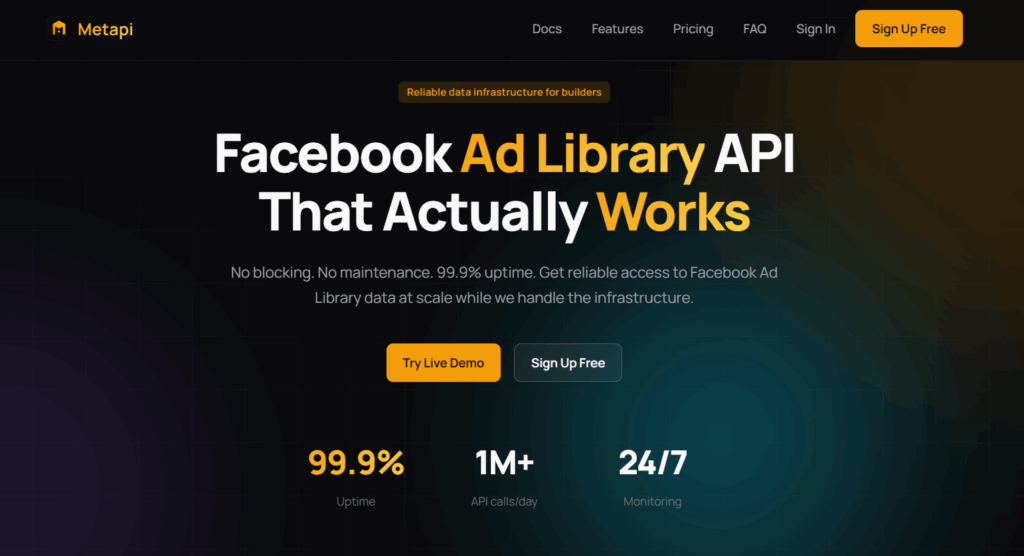
Metapi.io is a reliable API for accessing and monitoring Facebook Ad Library data at scale. It provides structured advertising data through a REST API, without requiring users to build or maintain their own scrapers.
Key Features
- Facebook Ad Library API: Search ads by keyword, advertiser, country, date, media type, platform, and active/inactive status.
- Historical Ad Data: Access more than 2 years of historical data, including ads that are no longer available in the public Ad Library.
- Real-Time Webhooks: Get automated notifications when new ads or monitored events appear, with claimed alert latency of less than 1 second.
- Structured Data & Exports: Receive normalized ad data in JSON or CSV, including creatives, ad copy, CTA, landing page URLs, advertiser information, and platform placement.
Best For: Developers, SaaS companies, agencies, researchers, and businesses that need reliable Facebook Ad Library data, automated competitor monitoring, or large-scale ad intelligence without maintaining their own scraping infrastructure.
3. ParseHub

ParseHub is built to handle pages that load data dynamically, which covers a lot of modern Facebook layouts.
Key Features
Visual Data Extraction: Click and select data directly within the tool.
API Integration: Connects with other tools through APIs.
Cloud Storage: Securely stores scraped data online.
Best For: Users needing to scrape data from dynamic or complex web pages.
4. Scrapy

Scrapy is a powerful Python framework ideal for technical users and developers.
Key Features
Customizable: Tailor data collection tasks to your specific needs.
Scalable: Efficiently manages large-scale scraping projects.
Fast: High-speed data extraction capabilities.
Best For: Developers requiring flexibility and power in their projects.
5. DataMiner

DataMiner is a browser extension offering a quick and easy way to scrape data directly from your browser.
Key Features
No Coding Required: Get data without writing code.
Browser-Based: Operates directly within your browser.
Various Data Formats: Export data in formats like CSV and Excel.
Best For: Users needing a fast and simple tool for data scraping.
6. Facebook API
While not a data collection tool, the Facebook API provides a legal way to access certain data.
Key Features
Official Data Access: Collect data within the framework of Facebook’s policies.
Developer Support: Access to comprehensive documentation and support.
Customizable: Tailor API requests to your needs.
Best For: Developers seeking a legal method to integrate Facebook data into applications.
7. Multilogin

Multilogin isn’t a scraping tool. It’s the environment the other six run inside of. Every tool on this list still depends on something outside itself: an IP that isn’t shared across a thousand other requests, a browser session that isn’t shared across every account you manage, and a way to keep each account’s history separate from the rest.
Multilogin is a cloud phone platform for social media marketers. Instead of running everything from one browser on one machine, each social profile gets its own environment: a browser profile with its own cookies, session, and IP for web-based work like Meta Business Manager, page management, and Marketplace, or a full Android cloud phone when the workflow needs to run inside the actual Facebook or Meta Business Suite app rather than a browser tab.
Key Features
- Isolated browser profiles, each with its own cookies, session, and IP address
- Android cloud phones for mobile-app workflows, each on a real device hosted in the cloud
- Built-in residential proxies included in every plan
- Support for Selenium, Puppeteer, and Playwright for automated workflows
- Full ADB and API access for teams building their own pipelines
- One dashboard to manage every profile, proxy, and cloud phone
Best for: anyone running Octoparse, ParseHub, a Scrapy script, or Meta Business Manager itself across more than one account, who wants each one to keep its own consistent environment instead of sharing one.
How to run Facebook data collection without losing profiles
Facebook’s detection systems look at IP patterns, device signals, browsing behavior, and how often the same actions repeat. None of that is secret, and none of it can be fully outrun. What you can do is reduce the patterns that make automated activity stand out.
Give each workflow its own IP
Running many requests from one IP address is one of the more obvious signals of automated activity. Spreading activity across residential or mobile IPs, with one IP tied to one profile rather than rotated across many, reduces that pattern. Multilogin’s built-in proxies are included in every plan, so each browser profile or cloud phone gets its own IP without sourcing a separate proxy service.
Pace activity like a person would
Bots move at a consistent, mechanical speed. Real people scroll unevenly, pause, and take breaks. Randomized delays, natural scroll behavior, and varied click timing close some of that gap. Selenium and Puppeteer can simulate this, and running them inside a dedicated browser profile keeps the behavior consistent for each account instead of resetting every session.
Automate through a real browser session, not raw requests
Raw HTTP requests skip everything a real browser does: rendering, cookies, JavaScript execution. Tools built on Selenium, Puppeteer, or Playwright run a full browsing session instead, closer to how an actual visitor behaves. Running those sessions inside separate Multilogin profiles keeps each account’s session and identity consistent across runs, rather than starting fresh and looking new every time.
Time activity around normal usage patterns
Detection systems tend to be more sensitive during a platform’s peak hours, when the ratio of automated to human traffic shifts. Scheduling tasks in smaller batches, spread outside those windows, is a simple adjustment that reduces exposure without changing the tooling at all.
Keep each profile’s environment consistent over time
An account that logs in from a different device, browser, and location every session looks less like a returning user than one whose environment stays the same. Multilogin profiles keep the same browser identity, cookies, and session data every time you open them, so an account you’ve been running for months still looks like the same account, not a new one each visit.
None of this guarantees a platform won’t flag an account. Facebook makes its own enforcement decisions, and no tool controls that outcome. Consistent environments and reasonable pacing remove the most obvious signals that separate automated activity from normal use, nothing more.
Is it legal to collect data from Facebook?
This is genuinely unsettled ground, and it varies by what you collect and where you operate. A few things are clear from Meta’s own documentation:
- Meta’s Terms of Service prohibit collecting data through automated means without permission, and its Automated Data Collection Terms apply whether or not you’re logged in.
- Collecting personal data, public or not, brings data protection law into play. In the EU that means the GDPR; other regions have their own equivalents.
- Enforcement and legal exposure depend on jurisdiction, what’s collected, and how it’s used afterward.
If a data collection project is more than a one-off, this is worth a conversation with legal counsel before the workflow gets built, not after.
Pulling Facebook data with Python
For teams building their own pipeline instead of using a packaged tool, Scrapy is the common starting point.
- Install Scrapy with pip install scrapy.
- Set up a Scrapy project and define a spider: the URLs to visit and the data to pull from each.
- Write the parsing logic for Facebook’s page structure.
- Route requests through proxies and distinct user agents, and plan for CAPTCHA handling, since raw scripts run into these faster than tools built around full browser sessions.
Step four is where most self-built scrapers run into trouble, since a script alone doesn’t manage the session, cookies, or IP consistency a longer-running project needs. Running the same script inside a Multilogin profile with automation access handles that layer without rewriting the scraper itself.
Where Multilogin fits in the stack
Most bans trace back to environment problems, not the scraping tool itself: shared IPs, sessions that reset every run, accounts that all look identical from the platform’s side. Multilogin’s job is the environment, not the extraction.
Multilogin’s free plan has no time limit and doesn’t require a credit card: five profiles (cloud phones or browser profiles), a starting allotment of built-in proxy traffic, and mobile minutes included, enough to test a workflow on one or two accounts before deciding whether to scale it. Paid plans start from $7.08 a month and add more profiles, proxy traffic, and mobile minutes, with usage-based add-ons for extra proxy traffic (from $3.50 per GB) and mobile minutes (from $0.0073 per minute) if a plan’s included amount runs out.
| Strategy | Why it helps | How to set it up |
|---|---|---|
| Separate IPs per profile | Cuts the pattern of many requests coming from one IP | Multilogin’s built-in proxies, one IP per profile |
| Human-paced automation | Closes the gap between bot timing and person timing | Randomized delays, natural scrolling, Selenium or Puppeteer |
| Full browser sessions | Matches real visitor behavior more closely than raw requests | Selenium, Puppeteer, or Playwright inside a dedicated profile |
| Off-peak scheduling | Reduces exposure during high-scrutiny windows | Smaller batches, timed outside peak hours |
| Consistent profile environments | Keeps returning accounts looking like returning accounts | Multilogin browser profiles and cloud phones, reused over time |
If Facebook, or Meta Business Manager, or Marketplace, is one of several platforms a team manages accounts on, the same one-profile-per-account approach carries over. Multilogin’s guide to running Meta Business Manager across multiple accounts covers the setup for that workflow specifically, and the referral program is worth a look for teams already running Multilogin who want to bring others in on it.