


A social media scheduler is the better choice for most planned, repeatable publishing. Native apps still matter when a post depends on platform-specific features that a scheduler cannot publish directly.
That is the short answer.
An Instagram Story may need stickers. A Reel may need music added inside Instagram. A collaborative post may need a native publishing step. On TikTok, music, stickers, or polls can also change how a third-party scheduling workflow works.
So the practical question is not whether schedulers are better than native apps.
It is which part of your publishing workflow belongs in each.
For most social media managers, creators, and agencies, the most practical setup is a hybrid one: plan centrally, publish automatically where supported, and use the native platform when the post needs something the scheduler cannot handle.
Key takeaways
- A social media scheduler is useful for calendars, batching, approvals, queues, and supported multi-platform publishing.
- Native publishing matters when a post needs platform-specific features that the scheduler cannot publish directly.
- Native publishing does not always mean posting manually at the last minute. Meta and TikTok provide first-party scheduling tools.
- Some schedulers prepare a post and then notify you to complete it inside Instagram or TikTok.
- There is no solid basis for saying scheduled posts automatically receive less reach simply because they were scheduled.
- A hybrid workflow lets teams choose the publishing route for each post instead of forcing every post through the same process.
Quick definition
Social media scheduler: A tool for planning, organizing, and scheduling content across one or more social networks.
Native publishing: Publishing or completing content through the social network’s own app or first-party publishing tools.
Hybrid publishing: Planning content centrally, automatically publishing supported posts, and finishing other posts inside the native platform when required.
Tools such as Adobe Express Content Scheduler follow the centralized model. You can keep drafts in a calendar, connect social accounts, preview posts, and schedule supported content from one place.
That works well for routine publishing. It does not mean every publishing task belongs inside the scheduler.
What is a social media scheduler?
A social media scheduler is a tool that lets you prepare content in advance and organize when it will be published across social networks.
Instead of treating every post as a separate task, you can keep upcoming content in a calendar or queue and manage publishing through one workflow.
Features differ by product. Adobe Express supports drafts, previews, connected accounts, and scheduled publishing. SocialPilot combines scheduling with a content calendar, bulk publishing, and approval workflows.
If your team is still organizing posts across spreadsheets, reminders, and chat messages, a social media content calendar is a useful place to start before adding more automation.
The key distinction is simple.
A scheduler manages the publishing process. It does not reproduce every feature available inside every social app.
What is native app publishing?
Native app publishing means creating, editing, publishing, or completing content through the social platform’s own app or first-party publishing tools.
Native does not mean unscheduled.
Meta Business Suite supports creating and scheduling Facebook and Instagram content. TikTok Studio also supports uploading, scheduling, editing, and managing posts.
So the comparison is not:
Scheduler = scheduled
Native = manual
A more accurate distinction is:
Third-party scheduler = centralized publishing workflow
Native platform = direct access to the platform’s own publishing environment
That difference matters when a post depends on functionality the third-party publishing route cannot send automatically.
Social media scheduler vs native posting: what’s the difference?
A social media scheduler centralizes planning and supported publishing, while native publishing gives you direct access to the platform’s own publishing features.
Neither approach covers every use case.
| Workflow | Best suited to | What it gives you | Main limitation |
|---|---|---|---|
| Social media scheduler | Calendars, queues, approvals, batching, multi-network publishing | One place to organize recurring publishing work | Some native features may not be available through automatic publishing |
| Native platform | Platform-specific editing, creative tools, final adjustments, direct account work | Access to first-party publishing features | Work stays distributed across separate platforms |
| Hybrid workflow | Teams with both routine and native-feature content | Central planning plus native completion where needed | The team needs a clear handoff between the two routes |
Instagram shows why this distinction matters.
Buffer allows supported Instagram content to publish automatically, but its Instagram scheduling documentation also describes notification publishing for posts that need native features such as music, stickers, product tags, or Story links.
Instagram itself states that some features, including product tagging and collaborative posts, are not compatible with its scheduled-content workflow. See the Instagram scheduling documentation.
The limitation can therefore come from the scheduler, the platform, or both.
When should you use a social media scheduler?
Use a social media scheduler when the main job is planning, approving, and publishing content that your chosen tool supports.
Schedulers are especially useful when several posts, networks, campaigns, or reviewers need to stay coordinated.
Batch planned content
Batch posts that can follow the same publishing workflow.
Straightforward posts can stay in the normal scheduling queue instead of becoming individual publishing tasks.
Keep the calendar visible
Keep upcoming content in a shared calendar when several people need to know what is planned.
A visible schedule gives the team one place to see drafts, approvals, planned dates, and content gaps without checking every social network separately.
Route posts through approval
Route posts through an approval stage when someone needs to review content before it goes live.
This is useful for agencies and teams where the person writing the post is not always the person approving or publishing it.
Schedule supported routine posts
Schedule content automatically when the post does not depend on a feature that requires native completion.
Checking that before you fill the queue prevents a planned automatic post from becoming an unexpected manual task later.
If your workflow includes several repetitive account tasks, a broader social media automation workflow can help separate the steps that can be systematized from those that still need direct platform access.
When should you publish through the native app?
Use the native platform when the post requires a feature or publishing step that your scheduler cannot complete automatically.
Instagram and TikTok provide clear examples.
Buffer documents notification publishing for Instagram posts that need features such as music, stickers, product tags, or Story links. Instead of publishing the finished post automatically, Buffer prepares the content and directs the user back to Instagram for the final step.
TikTok can work similarly. Buffer’s TikTok publishing documentation explains that features such as music, stickers, and polls can require its Notify Me workflow.
The scheduler still handles the plan.
The native app handles the part that needs native functionality.
Which features may still need native publishing?
Music, stickers, product tags, collaborative posts, Story links, and similar platform-specific features can require native completion depending on the platform and scheduler.
The useful question is not whether a scheduler supports “Instagram” or “TikTok” in general. It is whether it supports the specific feature required by the post.
| Feature | Documented publishing limitation |
| Instagram music and stickers | Buffer may require notification publishing so the post can be completed inside Instagram. |
| Instagram product tags | Buffer may require native completion. Instagram also states that product tagging is not compatible with its scheduled-content feature. |
| Instagram collaborative posts | Instagram states that collaborative posts are not compatible with scheduled content. |
| Instagram Story links | Buffer documents native completion for Story links. |
| TikTok music, stickers, and polls | Buffer may require its Notify Me workflow so these features can be added inside TikTok. |
This is why a scheduler should not become a rule that every post must follow the same route.
Let the content requirements decide.
Does using a social media scheduler reduce reach?
There is no solid evidence here that using a social media scheduler automatically reduces reach.
Scheduled publishing is supported by the platforms themselves.
Meta provides first-party scheduling through Business Suite, and TikTok provides scheduling through TikTok Studio and its own publishing tools.
That does not mean two posts will perform identically simply because their content is similar. Reach depends on many variables.
It does mean claims such as “scheduled posts always get less reach” should not be treated as a platform rule without stronger evidence.
For day-to-day operations, a more useful question is:
Does this publishing route support everything the post needs?
Scheduler vs native publishing for Instagram
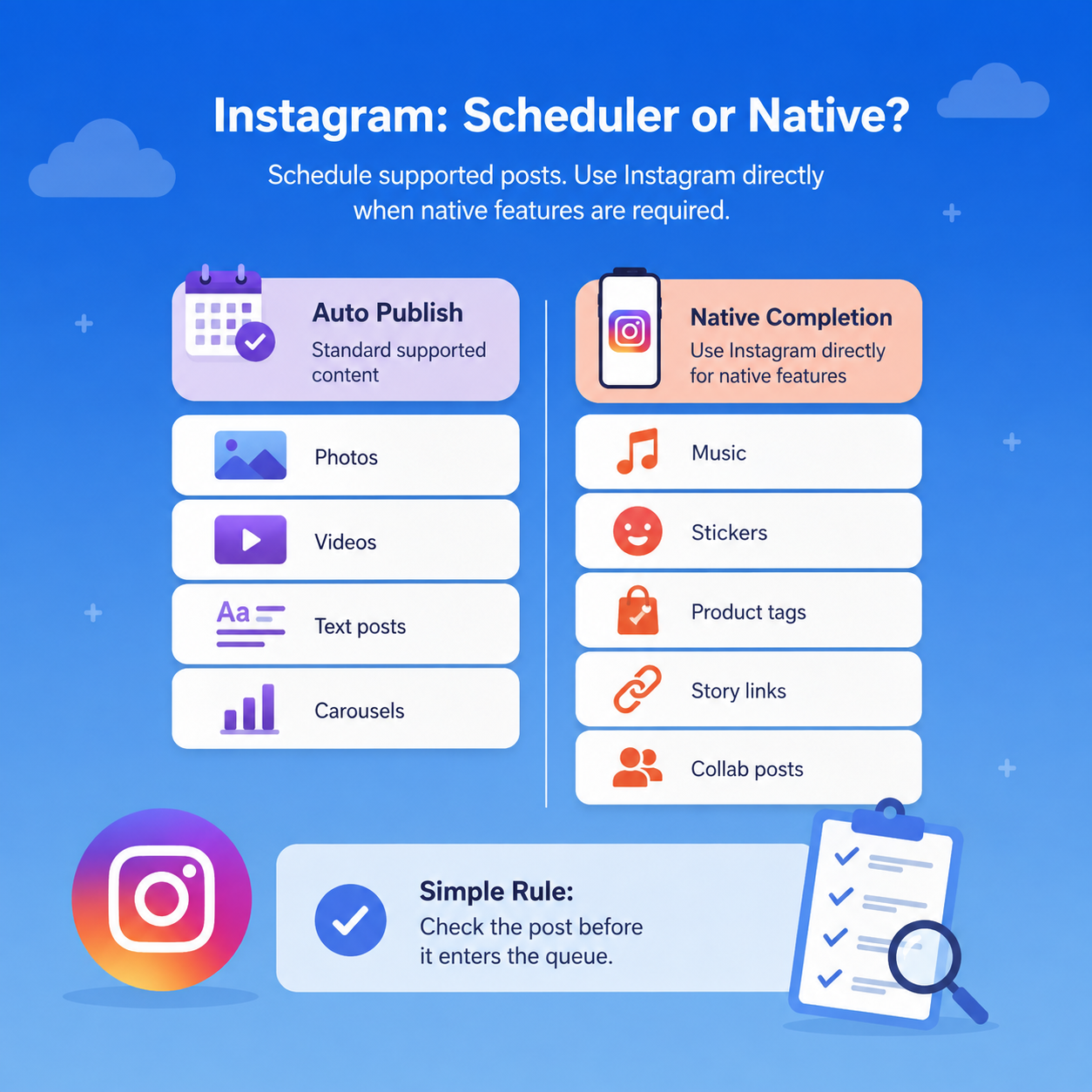
For Instagram, schedule supported content automatically and use native completion when the post needs Instagram-specific functionality that the scheduled route cannot provide.
There are two limitations to watch.
Your scheduler may have its own integration restrictions. Buffer, for example, can switch certain Instagram posts to notification publishing when they need music, stickers, product tags, Story links, or other native controls.
Instagram can also limit its own scheduled-content functionality. Its help documentation states that product tagging and collaborative posts are among the features that are not compatible with scheduled content.
Before a post enters your queue, check whether it includes a native-only step.
A simple label can be enough:
- Auto publish
- Native completion
That makes the handoff visible before publishing time.
Scheduler vs native publishing for TikTok
For TikTok, both third-party scheduling and TikTok’s own publishing tools can work, while some creative features may still require native completion.
TikTok Studio supports uploading, scheduling, editing, and managing posts.
A third-party scheduler gives teams another route when they want TikTok content in the same planning calendar as Instagram, Facebook, and other networks.
The limitation depends on the integration.
Buffer, for example, directs users to its Notify Me workflow when a TikTok post needs functionality such as music, stickers, or polls that cannot be completed through its automatic publishing connection.
That gives you three practical routes:
- Publish automatically through the scheduler.
- Schedule through TikTok’s own tools.
- Prepare the post centrally and finish it inside TikTok.
The post should determine the route.
Scheduler vs native publishing for Facebook
For Facebook Pages, third-party schedulers and Meta’s own tools can both support planned publishing.
Meta Business Suite includes publishing and scheduling for Facebook and Instagram and provides a Planner for upcoming content.
If your team already manages several networks in one scheduler, keeping routine Facebook posts in that calendar may make sense.
If most of your work sits inside Facebook and Instagram, Meta Business Suite may cover more of the publishing process directly.
There is no universal winner.
Choose the workflow that makes responsibilities clear.
How do you build a hybrid scheduler and native publishing workflow?
A hybrid workflow keeps planning centralized while deciding the final publishing method for each post.
You do not need a complicated system.
Five rules are enough.
1. Classify each post before scheduling
Classify each post as automatic publishing or native completion before it reaches the final queue.
If a Reel needs native music or a TikTok requires an app-specific effect, mark it early.
2. Batch supported publishing
Batch posts that can follow the same automatic workflow.
Keep straightforward content together rather than mixing it with posts that need hands-on completion.
3. Flag native-feature posts
Flag every post that requires someone to open the social platform before publication is complete.
Use a tag, calendar field, note, or approval status.
The publishing route should be visible without asking the person who created the post.
4. Assign the final publishing owner
Assign a specific owner to every native-completion task.
A notification is not the same as responsibility.
If someone must open Instagram or TikTok, decide who that person is before publishing time.
5. Review publishing support
Review your scheduler and platform documentation before large campaigns or recurring publishing runs.
Platform features and integrations change.
A quick check before preparing dozens of posts is easier than discovering a limitation after the queue has already been built.
How do you handle native completion across multiple client accounts?
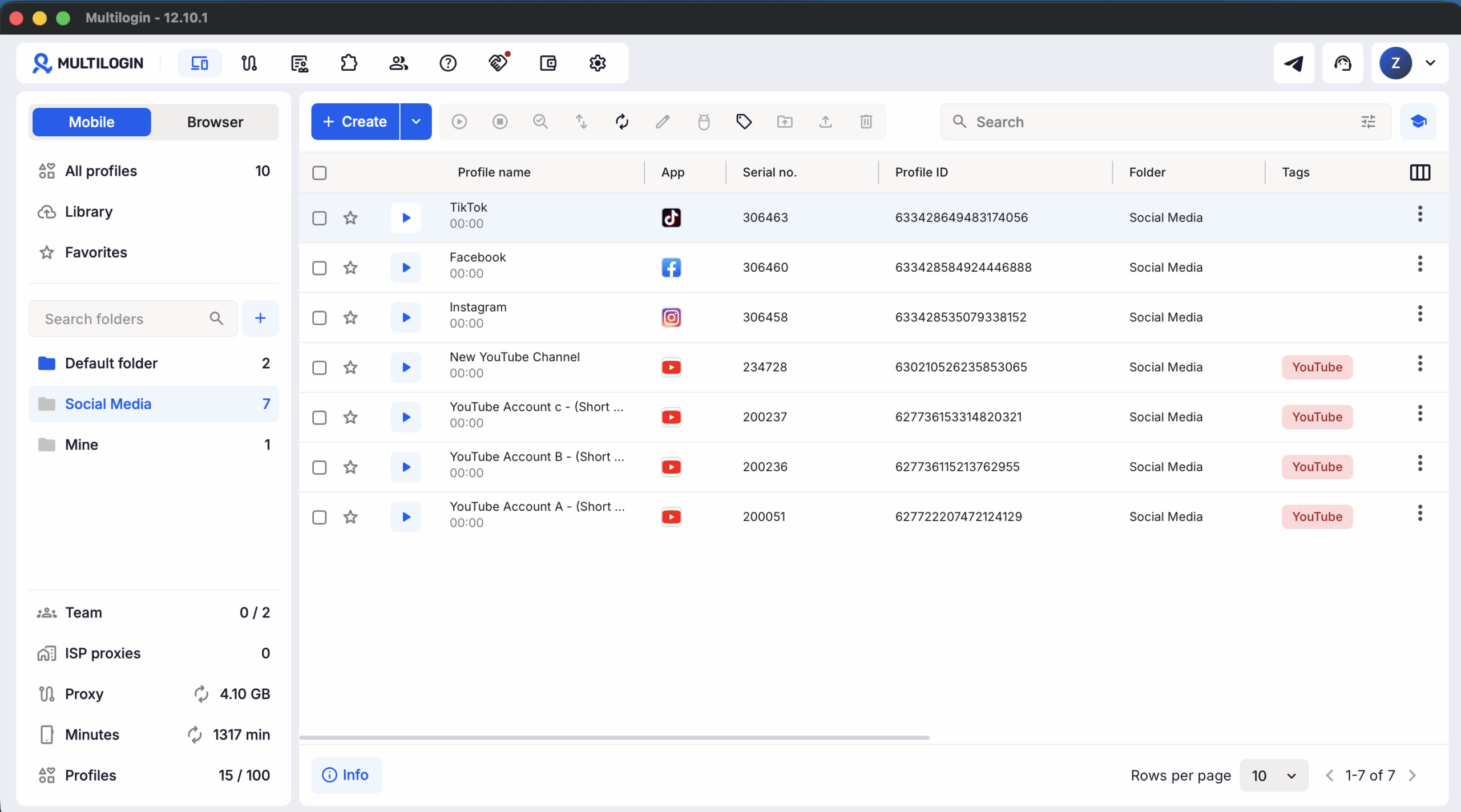
Teams managing multiple client or brand accounts can keep the scheduling layer separate from the environment used to access each account.
A scheduler tells the team what needs to publish and when.
Native completion adds another operational question:
Which client or brand account should the team member open?
Multilogin is a cloud phone platform for social media marketers that supports mobile and browser-based account workflows from one dashboard.
Mobile workflows for platforms such as Instagram, TikTok, and Facebook can run in dedicated Android cloud phones. Browser-based work for platforms such as YouTube, Reddit, and Facebook web can run in separate browser profiles.
For example, an agency can prepare an Instagram Story in its scheduler, flag it for native completion, assign it to the correct client account, then open the Android cloud phone used for that account to finish the native publishing step.
For Instagram-focused workflows, see Multilogin Cloud Phone for Instagram.
The scheduler handles the publishing plan.
Multilogin handles the separate mobile or browser environments used for the account work.
Try the workflow on the Free plan
Multilogin has a Free plan with no time limit and no credit card requirement. It includes up to five profiles, including one Android cloud phone, plus one-time allowances of 30 mobile minutes and 200 MB of proxy traffic.
That gives you a way to test a simple scheduler-to-native-completion workflow before moving to a larger setup.
Try Multilogin Free and test a native publishing workflow with a dedicated mobile account environment.
Multilogin is not a way around platform rules; the safest approach combines clean account separation with original content, real engagement, and platform-compliant activity.