



Amazon proxy & cloud phone bundle
Run multiple Amazon accounts without bans. Multilogin’s cloud phone includes premium residential proxies in every plan — no extra proxy bills.
24-hour sticky sessions for stable connections
95% clean IPs to avoid bans
30M+ residential IPs in 150+ countries
City-based targeting in 1,400+ cities


Run multiple Amazon accounts without bans or selfie checks
Create and manage many Amazon accounts using per-profile residential IPs and matched fingerprints, so each account appears as a separate real user and avoids verification prompts.

Amazon proxies built for long, stable sessions
Easily manage your Amazon accounts with premium proxies and 24-hour sticky sessions. Stay focused on campaigns while dedicated IPs keep profiles unlinked and sessions stable.

Save time with pre-configured Amazon proxies
Save time and effort with pre-configured Amazon proxies included in Multilogin. These proxies bypass anti-bot checks from the start, giving you a fast, reliable setup for running multiple accounts.

Amazon proxies with global coverage
Access a massive pool of residential IPs across the globe. Run Amazon accounts from any location and target specific cities and regions with precision.

Import third-party proxies
Already using external Amazon proxies? Multilogin supports full integration, giving you flexibility to combine built-in and third-party options for a setup that fits your workflow.
Grow your social media accounts with Multilogin cloud phones
-
Unlimited time
-
Mobile and browser profiles included
-
Free built-in proxies & mobile minutes
-
Unlimited time
-
Mobile and browser profiles included
-
Free built-in proxies & mobile minutes
What is the Multilogin browser?
Multilogin’s browser lets you run multiple browsing sessions, each with its own digital fingerprint. By mimicking real user behavior and randomizing fingerprints, it helps you manage accounts or perform large-scale scraping without getting flagged.
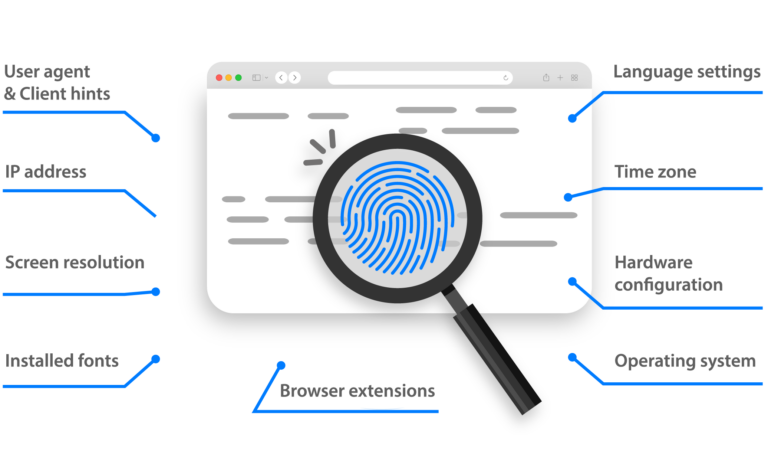
Why use proxies and a browser from the same provider?
Multilogin combines a browser with built-in Amazon proxies, so every profile has a matching IP and fingerprint. You also get native support for automation tools like Puppeteer, Playwright, and Selenium — no extra setup or risk of conflicts.
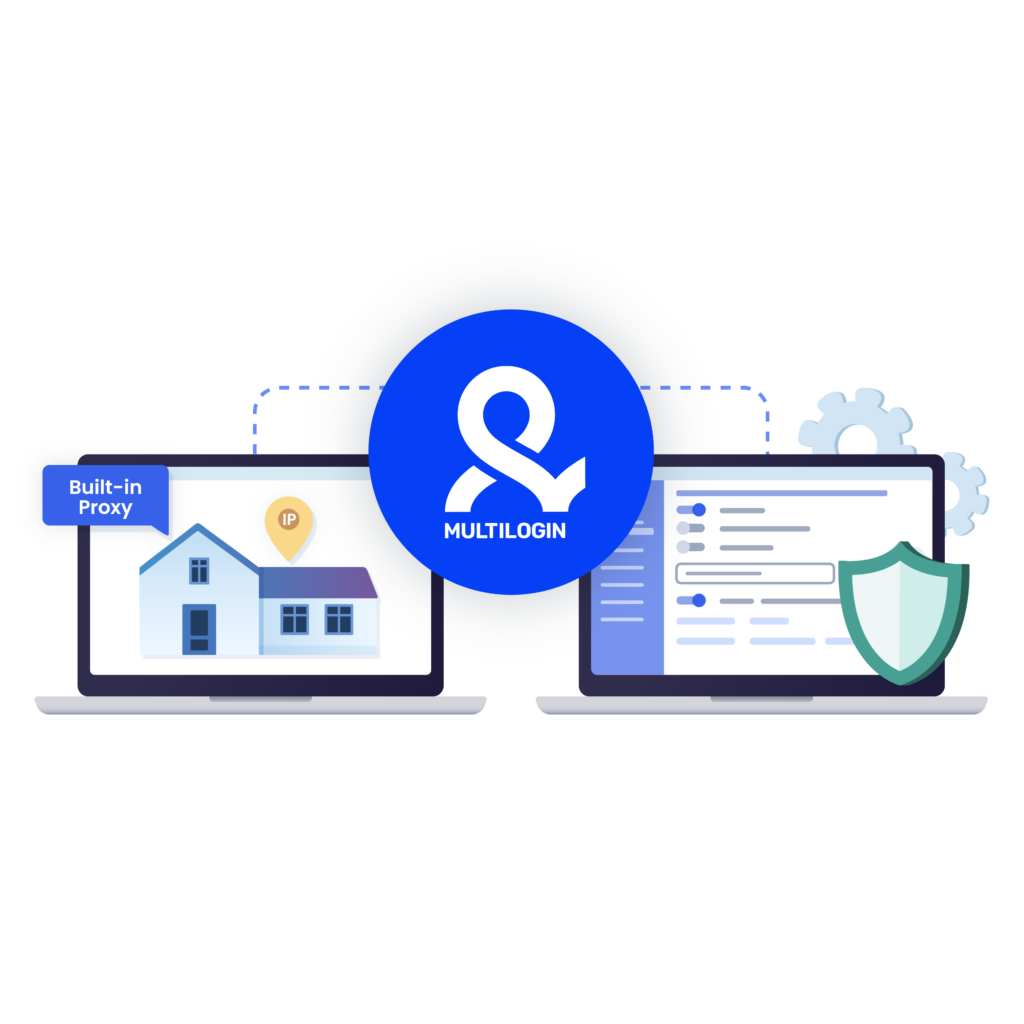
How to get started and grow your Amazon
Time is money. Start in minutes

Sign up
Choose a plan and download the app

Create mobile profile
Customize the device model and choose location
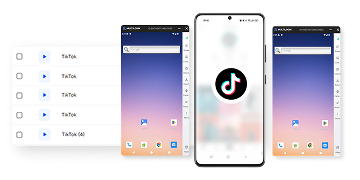
Run your accounts
Use mobile profiles for social media
Sign up
Choose a plan and download the app
Create mobile profile
Customize the device model and choose location
Run your accounts
Use separated browser profile to earn
Watch the Multilogin Demo
What is Multilogin?
Trusted by thousands of creators, sellers & online earners

Ha D.
Social Media Marketing Retail

Nino Latif

Stanislav K.
Marketing Manager

Elen S.
Marketing Manager

Hamza Arif
E-commerce Manager


Nick Horvath
Marketing agency
Connect your first cloud phone today
Get started with Multilogin to manage any number of Amazon accounts
The most awarded multi accounting platform















Explore more solutions for any platform you need
A Complete Guide to Amazon Proxies for Multi-Account Management and Scraping
An Amazon proxy is simply a middle layer between you and Amazon. Instead of showing Amazon your real IP, it shows a different one. That way, each login or request looks like it’s coming from a separate user.
People search for Amazon proxies because they solve common problems. Sellers use them to keep multiple accounts alive. Analysts and marketers use them to pull product or pricing data without being flagged. Others need them to see Amazon as if they were in another country to check ads, listings, or availability.
The risk without proxies is clear: Amazon tracks IPs. Too many logins or requests from the same address can trigger bans or extra checks. Proxies lower that risk by giving you fresh, unique IPs for every task.
What is an amazon proxy?
An Amazon proxy is a proxy server made for logging into and working with Amazon. Instead of showing Amazon your real IP address, it routes your traffic through another IP. To Amazon, it looks like you’re signing in or browsing from a completely different device or location.
This is different from a general proxy. While any proxy can hide your IP, Amazon proxies are chosen to lower the risk of bans, CAPTCHAs, or account linking. They’re usually residential proxies that come from real internet connections, making them harder for Amazon to flag.
Here’s how they work: every time you open an account or send requests, the proxy masks your true IP and assigns a unique one. Each account runs on its own IP, which helps keep them separate. If you manage multiple seller profiles, scrape product data, or check regional listings, Amazon proxies make those tasks possible without constant interruptions.
Read our latest guide: How to manage multiple Amazon accounts.
Why use Amazon proxies
Amazon proxies are used to solve real problems: account bans, scraping limits, and regional restrictions. They give each account or request its own IP, so activities look like they come from different users.
- Multi-Account management – Operate several seller or buyer accounts without triggering duplicate-account bans.
- Campaign testing – Run ads, pricing experiments, and promotions from separate accounts to see what works best.
- Market research and monitoring competitors – Track prices, inventory, and buy-box changes without being blocked.
- Scraping and data collection – Gather reviews, product details, and pricing at scale while rotating IPs to avoid limits.
- Geo-Targeted testing – View Amazon as a customer in different cities or countries to check localized listings, ads, and promotions.
- Brand protection and monitoring – Spot unauthorized sellers, counterfeit listings, or unfair pricing practices.
- Stable long sessions – Use sticky residential proxies to stay logged in for orders, inventory updates, and campaign management.
- Automation – Integrate with tools like Puppeteer, Playwright, or Selenium to handle scraping, repricing, or account workflows.
What are the different types of Amazon proxies
Not all proxies are the same. When it comes to Amazon, the type of proxy you choose makes a big difference in whether your accounts stay unlinked or get flagged.
- Residential proxies – These come from real household connections. They look like normal users browsing Amazon, which makes them the best choice for trust, account safety, and long-term stability.
- Datacenter proxies – These are hosted in servers. They are fast and affordable, but Amazon can detect them more easily, so they are better for tasks where speed matters and risk is lower.
- Mobile proxies – These run on 4G or 5G networks. They refresh IPs often and are very hard to detect, which makes them useful for high-risk actions, though they cost more.
Which type works best for Amazon?
For most scenarios, residential proxies are the safest pick. They give each account a unique, real-looking IP and reduce bans. Datacenter proxies may work if you need speed and low cost, while mobile proxies are reserved for cases where detection risk is very high.
What is the best proxy for scraping Amazon
Amazon is quick to block scraping attempts. When too many requests come from the same IP, Amazon’s systems flag it as bot activity and trigger CAPTCHAs, bans, or account checks.
Rotating proxies solve this by spreading requests across many IPs, so traffic looks like it comes from different users. The best option for scraping Amazon is residential proxies, because they come from real devices and are much harder for Amazon to detect than datacenter IPs.
Best practices when scraping Amazon:
- Use residential proxies – They carry real-user trust signals and reduce the chance of IP bans.
- Rotate IPs often – Keep requests natural by switching IPs regularly.
- Pair with a browser – Tools like Multilogin mask browser fingerprints so scraping traffic looks like normal user activity, not automation.
- Throttle requests – Avoid sending too many queries at once.
- Maintain clean sessions – Use sticky proxies when you need long tasks like logging in or working with accounts.
Amazon proxies and automation
Amazon proxies become even more powerful when paired with automation. Multilogin supports full integration with Selenium, Puppeteer, Playwright, and Postman, giving you the freedom to run scripts for scraping, account tasks, or testing. You can also use the Multilogin CLI to build automation flows directly from the command line, all powered by a robust API.
Benefits of using proxies with automation:
- Hide real IPs – Every automated request is routed through a proxy, lowering the chance of bans or CAPTCHAs.
- Run multiple accounts – Each profile has its own proxy and fingerprint, making accounts harder to link.
- Control scale – Rotating proxies spread requests across different IPs, keeping activity natural.
- Stable sessions – Sticky proxies allow long logins for inventory updates, ad checks, and order processing.
You set up seller accounts in Multilogin, assign each one a residential proxy, and connect them to Puppeteer. The script logs in, updates listings, checks competitor prices, and collects sales data. With integration across frameworks and the CLI, every account runs like a separate real user, reducing the risk of detection while keeping tasks automated.
Best Practices for Scraping with Amazon Proxies
While proxies provide an essential layer of protection when scraping, it’s crucial to follow best practices to avoid legal issues or account penalties:
- Use Rotating Proxies: Rotating proxies change the IP address at regular intervals or after each request. This helps to avoid overloading any single IP and reduces the risk of Amazon detecting unusual activity.
- Use Residential Proxies for Better Anonymity: Residential proxies are associated with real user devices and offer greater anonymity than datacenter proxies, making them harder for Amazon’s security systems to detect. If you’re scraping sensitive or high-risk data, residential proxies are a more reliable option.
- Ensure Compliance with Amazon’s Terms of Service: It’s important to review Amazon’s policies to ensure that your scraping activities don’t fall foul of their guidelines. Amazon typically prohibits scraping of large-scale data or use of automation for competitive advantage. Make sure your use of proxies and scraping tools complies with the platform’s rules to avoid legal consequences.
- Implement Fingerprinting Techniques: To reduce the risk of your scraping being detected, use fingerprinting techniques. Tools like Multilogin can help to create separate browser profiles with unique cookies and fingerprints.
How Amazon proxy works?
An Amazon proxy is a dedicated IP address that allows you to manage multiple Amazon accounts without detection. It masks your real IP, making it essential for users who manage several Amazon accounts for business or marketing purposes. Multilogin offers built-in proxies for running multiple Amazon accounts.
How does using an Amazon proxy with Multilogin benefit my business and marketing?
Using an Amazon proxy with Multilogin allows you to create multiple browser profiles. This helps you manage multiple seller accounts and run efficient marketing campaigns without the risk of bans, enabling you to optimize campaigns and reach more customers securely
How do I set up Amazon proxies in Multilogin?
- Open Multilogin and create a new browser profile.
- In the Proxy settings section, enter your Amazon proxy details, including the IP address, port, username, and password.
- Click Check Proxy to ensure the proxy is working correctly.
- Once verified, save the profile, and your Amazon account will operate securely and independently with the assigned proxy.
Can I manage multiple Amazon accounts with proxies in Multilogin?
Yes, you can easily manage multiple Amazon accounts using proxies in Multilogin. Each account gets its own browser profile with a dedicated Amazon proxy, ensuring that your accounts remain unlinked and protected.
Conclusion
Amazon proxies let you separate accounts, scale scraping, and test markets without constant interruptions. Used correctly, they cut the most common risks: bans, CAPTCHAs, and account linking.
For most use cases, pick residential proxies and pair them with a browser. Rotate IPs, limit request rates, and use sticky sessions only where you need long logins — those three steps reduce flags more than anything else.
FAQ
What is a cloud phone?
A cloud phone is a real Android device hosted in the cloud. It works just like a physical mobile phone. You can install apps, manage sessions, and run mobile workflows without owning any hardware.
Multilogin cloud phones each operate with their own Android OS, unique device identifiers, and persistent app data, so every phone behaves like a genuine, separate device every time you use it.
What is Proxy Marketing on Amazon ?
Proxy marketing on Amazon is the use of proxies to support marketing and growth activities — like managing multiple seller accounts, testing ads, or monitoring competitors. By hiding your real IP address, proxies help you stay anonymous and avoid account linking.
Is it legal and safe to use an Amazon proxy?
Using proxies is legal, but breaking Amazon’s terms — like creating too many accounts or using aggressive bots — can still lead to bans. Follow best practices: isolate accounts, rotate IPs, and avoid suspicious patterns.
Should I use a VPN or a proxy for Amazon?
A VPN hides your IP but typically gives you just one address. Proxies can rotate thousands of IPs and work with fingerprint tools to keep sessions unique. For multi-accounting or automation, proxies are usually the better choice.
How many Amazon accounts can I run with proxies?
It’s safest to run one account per proxy and pair each with a unique browser fingerprint to prevent them from being linked. Avoid logging into multiple accounts from the same IP or device. Proper isolation is key — proxies help, but account hygiene matters just as much.
Why do I still get CAPTCHAs when using proxies?
CAPTCHAs often appear when Amazon detects unusual activity — like too many requests from one IP, automation patterns, or mismatched browser fingerprints. Rotating to fresh residential IPs, slowing down request frequency, and using fingerprint management can significantly reduce CAPTCHA frequency.
