


Tinder proxy & cloud phone
Keep your Tinder accounts safe from bans using the Multilogin cloud phone. Enjoy access to over 30 million IPs across more than 150+ countries, built-in residential and mobile proxies at no extra charge.


Run multiple Tinder accounts without bans
Run multiple Tinder accounts without bans. Easily create and manage multiple Tinder profiles without risking suspension. Our built‑in residential and mobile proxies provide unique, high‑quality IPs that mimic real users and mobile networks, keeping each account isolated and harder to detect.

Scrape Tinder using Multilogin built-in proxies
Use Multilogin’s built-in proxies to gather data from Tinder profiles and posts. Collect everything you need—images, videos, and user profiles—for in-depth insights and analysis without risking a flag.

Easy Tinder proxy setup
Multilogin is easy to use: simply set up Tinder proxies and start using them right away. The pre-configured proxies bypass anti-bot checks, ensuring a smooth and reliable experience from the start.

Manage Tinder accounts with your team from anywhere
Coordinate Tinder account activities with your team from any location, keeping all actions smooth and organized. Each team member can access and manage the accounts while appearing unified to Tinder, ensuring consistent activity and avoiding detection issues.

Run location-specific Tinder accounts with geo proxies
Set up Tinder accounts for various locations using Multilogin’s geo proxies, all from a single device. This allows you to increase ad performance and effectively reach local audiences.
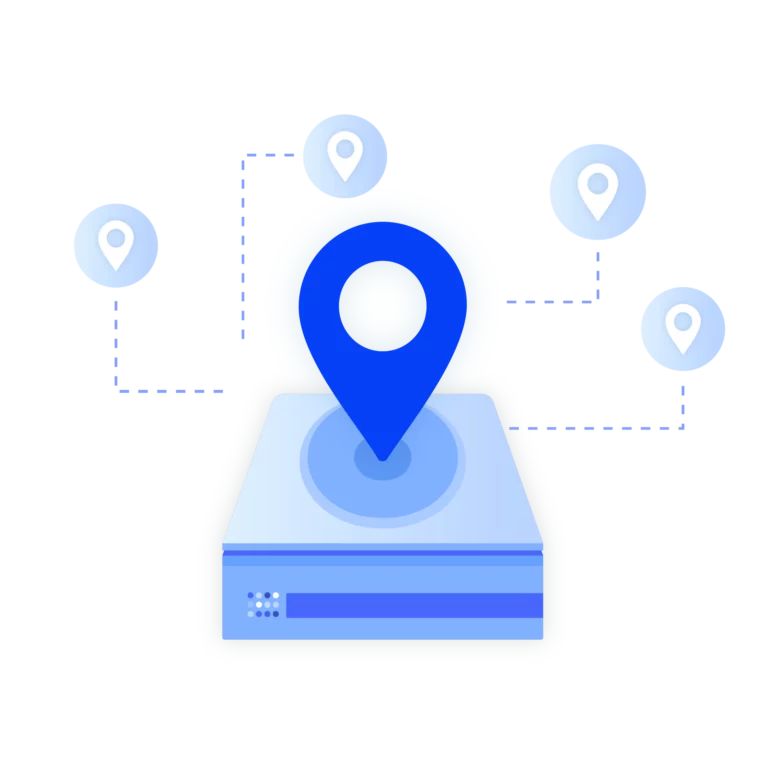
Import third-party proxies
Got third-party proxies? No worries! Our platform allows you to import external proxies, giving you the flexibility to integrate them into our system for a smooth and personalized experience.
Grow your social media accounts with Multilogin cloud phones
-
Unlimited time
-
Mobile and browser profiles included
-
Free built-in proxies & mobile minutes
-
Unlimited time
-
Mobile and browser profiles included
-
Free built-in proxies & mobile minutes
What is a cloud phone?
A cloud phone is a real Android device hosted in the cloud. Each cloud phone runs as an independent device, with its own operating system, hardware parameters, storage, and network signals. It also allows you to install and run mobile apps just like on any physical Android device.
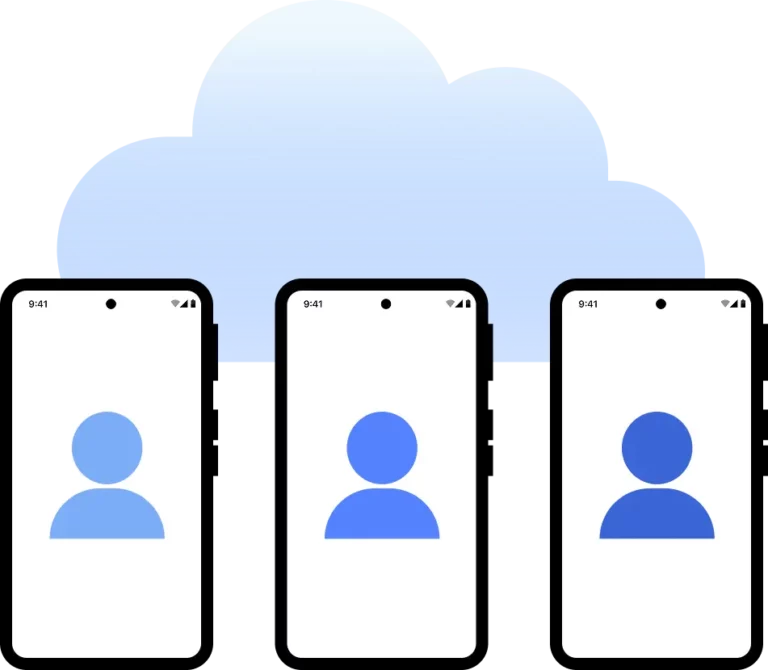
Why use proxies and cloud phones from the same provider?
Choosing proxies and a cloud phone from the same provider is a smart choice. They work together to enhance privacy and lower ban risk. Multilogin also offers mobile browser profile emulation, so your profiles can mimic mobile fingerprints, screen sizes, and network behavior. Setup is beginner-friendly and support is available in one place.

How to get started and grow your Tinder
Time is money. Start in minutes

Sign up
Choose a plan and download the app

Create mobile profile
Customize the device model and choose location
Run your accounts
Use mobile profiles for social media
Sign up
Choose a plan and download the app
Create mobile profile
Customize the device model and choose location
Run your accounts
Use separated browser profile to earn
Watch the Multilogin Demo
What is Multilogin?
Trusted by thousands of creators, sellers & online earners

Ha D.
Social Media Marketing Retail

Nino Latif

Stanislav K.
Marketing Manager

Elen S.
Marketing Manager

Hamza Arif
E-commerce Manager


Nick Horvath
Marketing agency
Connect your first cloud phone today
Get started with Multilogin to manage any number of social profiles
The most awarded multi accounting platform















Explore more solutions for any platform you need
Use Tinder Proxy & Cloud Phone with Multilogin: The Definitive Guide
Managing multiple Tinder accounts safely isn’t as simple as slapping on a basic proxy and hoping for the best. Multilogin’s Tinder proxy + cloud phone bundle combines proxy routing with fingerprint protection, so you can actually automate and run multiple accounts without them getting linked or blocked.
This guide covers why proxies matter for Tinder in the first place, how Multilogin’s cloud phone works with those proxies, and the practical steps to set up and optimize your accounts without tripping Tinder’s detection systems.
The role of proxies in Tinder account management
Tinder has strict security measures to catch abuse, spam, and fraud. When multiple accounts come from the same IP address or device fingerprint, Tinder’s algorithms flag and ban them fast. This is where Tinder proxies become necessary.
Why proxies matter:
- IP Address Diversity: Tinder proxies give each account a unique IP address, so it looks like each user is accessing Tinder from a different location instead of all coming from one place.
- Avoiding IP Bans: Using a proxy prevents the IP-based bans that happen when multiple accounts share the same address. One ban doesn’t take down your whole operation.
- Geolocation Flexibility: Proxies let you simulate different locations, which expands your match possibilities and lets you test strategies in different regions.
- Improved Automation: Proxies isolate traffic per account, making automation run smoother with less risk of detection from unusual activity patterns.
Without proxies, managing multiple Tinder accounts is both risky and inefficient. But here’s the thing – proxies alone aren’t enough. Tinder also uses advanced browser fingerprinting to detect suspicious activity, so you need more than just a different IP.
Proxies for multiple Tinder accounts
Multilogin’s cloud phone is built to work seamlessly with Tinder proxies, handling the sophisticated fingerprinting methods Tinder uses to detect suspicious accounts.
Explore techniques to browse Tinder anonymously in this in-depth article.
Understanding browser fingerprinting on Tinder
Tinder collects a variety of browser and device data points to create a unique fingerprint for each user session. This includes:
- User agent strings
- Screen resolution and color depth
- Installed fonts and plugins
- WebGL and Canvas fingerprinting
- Timezone and language settings
- Hardware concurrency and device memory
If multiple accounts share identical fingerprints or show inconsistencies with their IP addresses (like a New York IP with a London timezone), Tinder flags them for review or bans them.
Multilogin’s cloud phone bundle overview
Multilogin’s cloud phone combats fingerprinting by:
- Isolating mobile profiles: Each Tinder account runs in a separate browser profile with unique fingerprints.
- Customizable fingerprints: Users can modify user agents, screen resolutions, timezone, and other parameters to mimic real devices.
- Native Apps: Multilogin simulates native Apps and other low-level attributes.
- Built-in proxies: Each browser profile is paired with a dedicated Tinder proxy, ensuring IP and fingerprint consistency.
- Anti-canvas and WebGL spoofing: Multilogin masks or alters canvas and WebGL data to prevent fingerprint correlation.
This comprehensive cloud phone approach ensures Tinder accounts appear as distinct, legitimate users, drastically reducing the risk of detection and bans.
Benefits of Multilogin’s built-in proxy integration for Tinder
from third-party providers. Everything works out of the box, directly inside the platform.
- Built-in proxies combined with Multilogin’s fingerprint masking keep your Tinder accounts safe from detection.
- Simple interface: Manage all profiles and connections from one clean, intuitive dashboard.
- Full compatibility: Works with all Tinder web versions and automation tools.
Ready for scaling: Add more profiles instantly without worrying about sourcing new proxies or managing external services.
Step-by-step setup of Tinder proxies in Multilogin
Setting up a proxy for Tinder in Multilogin is straightforward for both beginners and advanced users.
Step 1: Create a new browser profile in Multilogin
Open Multilogin and select “Create New Profile,” then assign a unique profile name for easy management.
Step 2: Configure proxy settings
Go to the proxy settings tab within the profile. Select your proxy type (HTTP, HTTPS, SOCKS5, Mobile, or Residential) and choose the location down to city level. Test the connection to make sure it’s active and stable.
Step 3: Customize browser fingerprint
Adjust user agent strings to match common Tinder user devices. Set screen resolution, timezone, language, and other fingerprint parameters to align with your proxy’s geolocation. Enable WebGL and Canvas spoofing features.
Step 4: Launch the profile and log into Tinder
Start the browser profile, open Tinder, and log in with your account credentials. Verify that the IP and fingerprint are consistent and unique.
Step 5: Repeat for multiple accounts
For each Tinder account, create a new Multilogin profile with a dedicated Tinder proxy. Don’t reuse fingerprints or proxies across profiles.
Mobile Emulation for Tinder
Tinder is primarily a mobile app, and the platform treats mobile traffic differently than desktop. Mobile accounts often have higher trust scores and face less scrutiny from anti-fraud systems.
Multilogin lets you create browser profiles that emulate Android devices. Each profile mimics a specific mobile device with accurate screen resolution, touch events, user agent, and hardware specs. Your accounts appear as mobile traffic instead of desktop browsers, which helps them blend in better.
When setting up mobile profile emulation:
- Match the device type to your proxy location
- Keep timezone, language, and device settings consistent with the geolocation
Mobile profile emulation matters when running multiple accounts at scale. Desktop fingerprints stand out and get flagged faster, while mobile profiles blend in with Tinder’s main user base.
Check out our tips for managing multiple Gmail accounts on mobile to streamline verification and communication.
Tinder account safety and ban prevention with Multilogin
Account bans on Tinder often result from IP conflicts, fingerprint overlaps, or suspicious behavior patterns. Multilogin’s Tinder proxy and cloud phone bundle addresses these issues head-on.
Key features from Multilogin to prevent Tinder bans
- Unique IP and fingerprint pairing: Each account operates with a dedicated Tinder proxy and a unique browser fingerprint.
- Realistic device emulation: Profiles mimic real devices and user environments, reducing suspicion.
- Consistent session data: Proxy and fingerprint consistency prevents Tinder’s anti-fraud systems from flagging accounts.
- Reduced cross-account Linkage: Isolated browser profiles prevent data leakage between accounts.
Proactive proxy rotation: Easily rotate proxies to avoid IP blacklisting.
Conclusion
If you need a reliable way to manage multiple Tinder accounts without constant bans, Multilogin’s Tinder proxy and cloud phone bundle is the solution. It combines fingerprint masking with dedicated proxies, keeping your accounts safe while enabling automation.
Multilogin gives you everything you need to launch and run your business.
FAQ
What is a Tinder proxy?
A Tinder proxy lets you change how your connection looks by hiding your device’s IP address, so it seems like you’re accessing Tinder from another location. This setup boosts your privacy and makes it simple to manage multiple accounts without difficulty. Multilogin’s antidetect browser includes Tinder proxies built right in. They keep your accounts safe by masking your IP address, so you can concentrate on using Tinder without worrying about detection.
Why should I use a Tinder proxy?
A Tinder proxy prevents your accounts from flagging unusual activities, offering added security for managing multiple accounts without risking a ban. Multilogin’s IP masking features and extensive residential proxy network enable smooth and secure access to Tinder, ensuring that each account remains undetected and safe from bans.
What is a residential proxy for Tinder?
A residential proxy uses real user IP addresses, which makes your online activity mixed with general internet movement. This type of proxy is very useful. With Multilogin, you can access over 30 million residential IPs. This makes it easier and safer to manage multiple Tinder accounts without any difficulty.
How does a residential proxy protect my Tinder account?
A residential proxy lowers the chances of your Tinder account facing a ban by hiding unusual activity and making your access appear like a regular user. With Multilogin antidetect browser, which comes with built-in residential proxies, you can log in from different locations without causing suspicion. This smart setup keeps your account stable and ensures you can keep using Tinder no matter where you are.
Can I use Tinder online proxy services for multiple accounts?
Free online proxies are a bad idea for multi-account work. They’re slow, shared by thousands of users, and the IPs are usually already on Tinder’s blocklist. Plus, they do nothing for fingerprint protection. If you’re running accounts that generate revenue or represent real work, don’t cheap out with free proxies. Use dedicated ones with Multilogin so each account actually stays safe.
How do I use Tinder with a proxy?
You can’t just plug a proxy into the Tinder app. You need a browser setup that handles both the proxy routing and fingerprint protection. With Multilogin, you create a profile, drop in your proxy settings, make sure the fingerprint matches the proxy location (timezone, language, device), then access Tinder through that profile. Each profile acts like its own isolated browser with its own identity.
Why did Tinder ban my account, and how can a proxy help?
If Tinder bans your account, using a proxy to change your IP address helps you avoid the ban by making it appear as though you’re logging in from a different device. With Multilogin antidetect browser, switching proxies is easy, giving you a fresh digital identity every time you log in. This makes it easy to avoid bans and guarantees each account session looks unique.
Why did Tinder ban my account, and how can a proxy help?
Tinder may ban accounts for activities that seem strange, for example logging in from multiple locations. A proxy reduces this by masking your IP, so your activity appears stable with regular use. Multilogin antidetect browser, with built-in proxies, mimics real user behavior, avoiding unexpected changes in IP address. The solution makes it easy to operate multiple accounts without raising red flags.
How can I bypass a Tinder ban with a proxy?
If Tinder bans your account, using a proxy to change your IP address helps you avoid the ban by making it look like you’re logging in from a different device. With Multilogin antidetect browser, switching proxies is simple, giving you a fresh digital identity every time you log in. This makes it easy to avoid bans and guarantees each account session looks unique.
How can a cloud phone help my Tinder accounts appear genuine?
A Multilogin cloud phone uses unique browser profiles and proxies to make each Tinder account appear as a real user. This setup lowers detection risk, guaranteeing each account session looks natural to Tinder.
Tinder may shadow ban accounts for unusual activity – learn how shadow banning works in our glossary.
Can I manage multiple Tinder accounts safely from one device?
Yes, with Multilogin, you can handle multiple Tinder accounts from one device without linking them. Each account has its own profile and IP, guaranteeing that Tinder treats them as separate users.
Keep your Tinder accounts safe by avoiding fingerprint detection – read our article on how to change your browser fingerprint.
What's the difference between a proxy for Tinder and a regular proxy?
A proxy for Tinder needs to look like real residential or mobile traffic. Regular datacenter proxies are cheap, but Tinder flags them fast because datacenter IPs scream “not a real user.” Residential proxies come from actual ISPs – they look legitimate. Mobile proxies come from cell networks and work even better since most people use Tinder on phones. If you’re serious about keeping accounts active, skip the datacenter stuff.
What is a proxy site for Tinder?
Proxy sites are basic web tools that let you access blocked websites through their servers. They might unblock Tinder at school or work, but that’s about it. They don’t hide your fingerprint, and they’re usually shared by tons of people, which means the IPs are already burned. If you’re managing actual accounts that matter, proxy sites won’t cut it. You need dedicated proxies with proper fingerprint isolation.
