OnlyFans proxy & antidetect browser

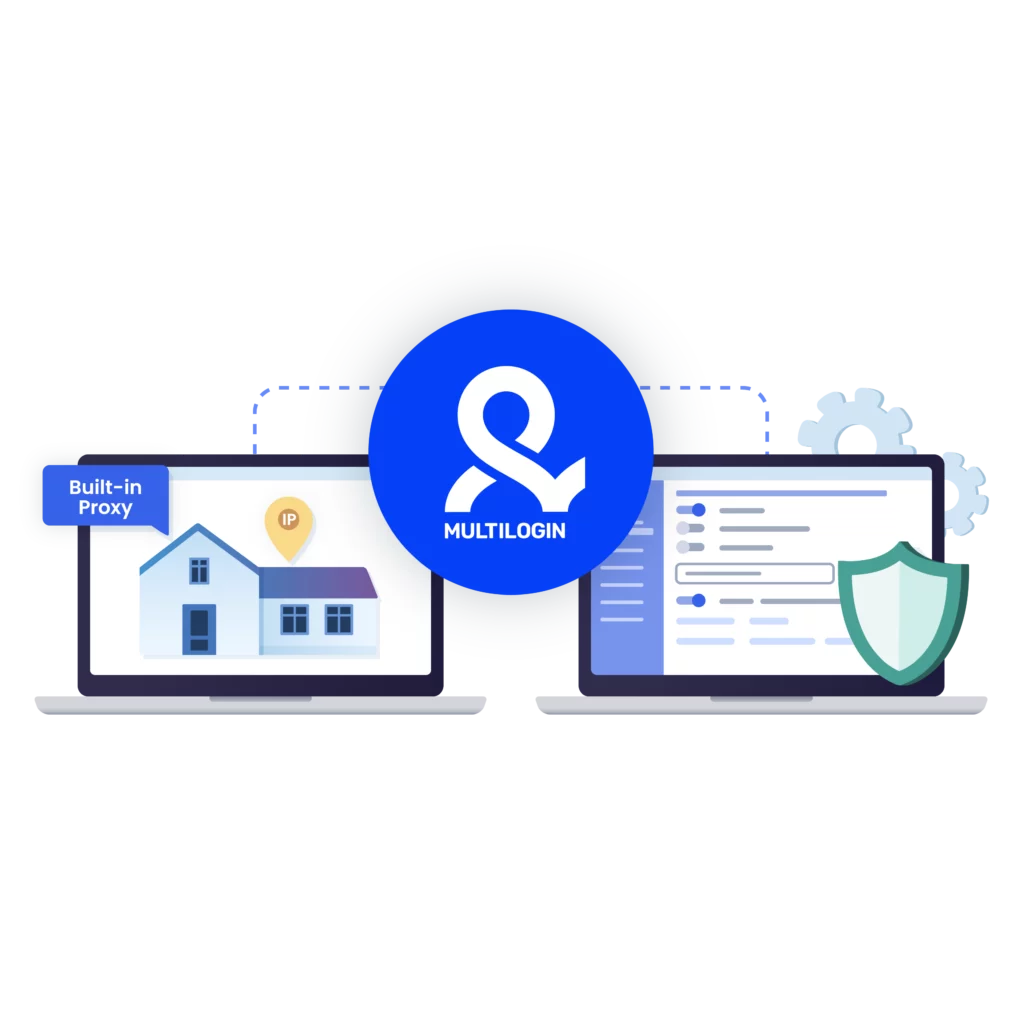
Manage multiple OnlyFans accounts with isolated browser profiles, persistent sessions, and built-in residential proxies. Multilogin gives you access to 30 million residential IPs across 150+ countries, so each account runs from a consistent environment, helping protect your income from bans, blocks, and account linking without extra proxy costs.

Image illustrating using Multilogin’s OnlyFans proxy, bypassing geo-restrictions and ensuring fast speed.
Image showcasing how to set up and manage multiple accounts with Multilogin’s Singapore proxy, overcoming bans and CAPTCHA checks.

Avoid bans with OnlyFans proxies

OnlyFans accounts get flagged when logins, locations, or device signals don’t line up. Using dedicated OnlyFans proxies keeps each account tied to a consistent IP, reduces CAPTCHA checks, and lowers the chance of accounts being linked or restricted over time.

image illustrating how OnlyFans proxy helps with web scraping, bypassing anti-bot systems.

Scrape OnlyFans data safely with dedicated proxies

Scrape OnlyFans data reliably by running each task through a dedicated proxy and isolated browser profile. This keeps sessions consistent and prevents accounts from being linked while collecting posts, media, and profile data using tools like Postman, Puppeteer, Selenium, Playwright, or the Multilogin CLI.

Image demonstrating how to overcome geographical restrictions and avoid anti-bot checks with OnlyFans proxies, adjusting location settings to target specific regions.

Bypass geo-blocks with proxy for OnlyFans

Bypass geo-blocks on OnlyFans by routing traffic through residential proxies that match the required location. Pages load as they do for local users, sessions stay consistent, and access issues tied to region checks are reduced. With 99.99% proxy stability uptime, connections remain reliable while each account runs in its own isolated browser profile.

Image illustrating how Multilogin fully supports all types of proxies, including third-party proxies for OnlyFans.

Import third-party proxies for OnlyFans

Using third-party proxies? No worries about integration! Multilogin supports all proxy types, including OnlyFans proxies. Easily import your third-party proxies and adjust the configuration for a smooth, seamless browsing experience.

Try Multilogin Risk-Free — Just €1.99!

Run multiple accounts with zero bans or blocks. Start your 3-day trial and test everything for less than a coffee.
  • 3-day access to Multilogin

  • 5 cloud or local profiles

  • 200 MB proxy traffic included

  • 3-day access to Multilogin

  • 5 cloud or local profiles

  • 200 MB proxy traffic included

What is antidetect browser?

Antidetect browsers enable you to create multiple browsing sessions, each configured with unique digital fingerprints. By emulating genuine user behavior with advanced fingerprint randomization, they help you run high-volume scraping tasks while reducing the risk of detection.

An illustration showing how antidetect browsers enable users to create multiple browsing sessions with unique digital fingerprints, minimizing detection risks.

Why use proxies and antidetect browser from the same provider?

Choosing proxies and an antidetect browser from the same provider is a smart choice. They work well together, giving you better privacy and reducing the chance of account bans while you browse. Plus, it’s easy to set up, and if you need help, you can get everything sorted out in one place.

A visual showcasing why it is essential to use Multilogin's built-in proxy, making your browsing experience more convenient.

What Multilogin offers that other antidetect browsers don't

Free residential proxies in each subscription plan

Daily testing on 50+ websites

Passes all browser fingerprint checkers

Profile warmup with pre-farmed cookies

AI-powered automation

Super sticky sessions last up to 24 hours

Multilogin features for creating multiple accounts

Icon representing Multilogin's feature to bypass bot protection.

Bypass bot detection

Our anti-fingerprinting tech bypasses multi-account and automated browser detection by masking unique browser fingerprints.

An icon representing browser action automation feature in Multilogin.

Integration with Selenium, Playwright, and Puppeteer

Automate data extraction with popular browser automation drivers all while keeping them invisible to anti-automation bots.

Icon representing residential rotating IPs in Multilogin.

Residential rotating proxies

Gain access to premium residential proxy nodes in 1400+ cities across 150+ countries with your Multilogin subscription.

An icon representing fingerprint adjustment to match proxy feature of Multilogin.

Fingerprint adjustment to proxies

All browser fingerprints are automatically adjusted to match the proxy’s location, enhancing anonymity.

Icon representing Multilogin's support for all proxy types, including HTTP, HTTPS, and SOCKS5.

Support for all proxy types

Use our proxies or bring your own. Multilogin supports all proxy types.

Icon representing data sync over the cloud with Multilogin.

Data sync over VPS

Use our cloud profiles to synchronize data across multiple VPS instances effortlessly.

Icon representing the Android Chrome browser in Multilogin.

Fully featured browsers

 Unlike headless browsers that websites can easily detect, our browsers mimic real user activity, preventing restrictions by websites.

An icon representing High Load Supported feature of Multilogin.

Easy dockerization

Dockerize your scraping instances with ease using our quick dockerization guide.

Most awarded antidetect browser

Kinza awards for Multilogin.
Conversion club badge for Multilogin.
Mask group badge for Multilogin
Startup 2019 awards badge for Multilogin
badge for Multilogin
Best Value Software 2022 badge for Multilogin
High performer 2024 badge for Multilogin
Leader 2024 badge for Multilogin
Best support 2024 badge for Multilogin
Easiest to do business with 2024 badge
SourceForge top performer 2023 badge
GetApp user reviews badge

How to start using Multilogin 

Start collecting data effortlessly with the industry leading antidetect browser.

Step 1 of how to use Multilogin

Sign up

Register using a verified email address. 

Step 2 of how to use Multilogin

Choose your plan

Select from various subscription plans tailored to your business needs.

Step 3 of how to use Multilogin

Download Multilogin agent

Available for Windows, Mac, and Linux.

Step 4 of how to use Multilogin

Access the Multilogin dashboard

Start creating and managing antidetect browser profiles.

Step 5 of how to use Multilogin

Manage your accounts using OnlyFans proxies

Set up multiple accounts while using OnlyFans proxies, ensuring secure browsing with distinct profiles.

Watch the Multilogin Demo for creating multiple accounts with OnlyFans proxies

Get a 10-minute demo video on how Multilogin can help you with creating multiple accounts using OnlyFans proxies while remaining undetected. Just fill in your name, last name and email below, and we’ll deliver the demo video directly to your inbox.

Name
Last Name
Email *
Image of locked video for Multilogin demo preview

OnlyFans proxy: how creators and agencies protect accounts and stay online

OnlyFans accounts don’t disappear overnight by accident. Most bans, blocks, and silent restrictions happen after small signals stack up over time. A login from the wrong country. Multiple accounts touching the same browser. Sessions that reset too often. At first, everything works. Then access becomes unstable. Then one account goes down. Sometimes the rest follow.

This is where OnlyFans proxies stop being optional and become part of a serious setup—especially if you manage multiple OnlyFans accounts over time.

An OnlyFans proxy routes your traffic through a different IP address so the platform sees a consistent location instead of your real one. That matters because OnlyFans tracks location behavior closely, particularly for accounts tied to content, payments, and multiple profiles. When the IP behavior doesn’t match expectations, restrictions start quietly and spread before there’s a clear warning.

What an OnlyFans proxy actually does

An OnlyFans proxy changes where your connection appears to come from. To the platform, you look like a user browsing from a specific country or region instead of switching locations or sharing IPs with other accounts.

That single change affects several things at once:

  • How long sessions stay active

  • How often logins get challenged

  • Whether multiple accounts appear connected

  • Whether content loads fully or partially

Most creators and agencies use residential OnlyFans proxies, not datacenter IPs. Residential IPs come from real user networks and blend in better with normal traffic. Datacenter IPs are faster on paper but easier to flag, especially on platforms tied to payments and subscriptions.

Benefits of using an OnlyFans proxy

Using an OnlyFans proxy isn’t about tricks. It’s about control. When accounts start getting limited, logged out, or quietly flagged, the cause is usually predictable signals stacking up behind the scenes. A proxy helps break those patterns.

Key reasons people use OnlyFans proxies:

  • Keep account activity separated
    When several accounts share the same IP, linkage happens fast. A proxy gives each account its own connection so activity doesn’t bleed across profiles.

  • Match location expectations
    OnlyFans reacts to location changes more than most users realize. Proxies let accounts stay tied to one region instead of jumping between countries.

  • Reduce silent restrictions
    Many limits don’t show up as warnings. Engagement drops, pages load inconsistently, or actions fail. Proxies lower the chance of hitting those invisible limits.

  • Handle multiple logins safely
    If you manage multiple OnlyFans accounts, logging them all in from one place is one of the fastest ways to lose them. Proxies spread that risk instead of concentrating it.

  • Avoid IP-based blocks over time
    Reusing the same IP for logins, uploads, and messages eventually gets noticed. Proxies prevent one IP from carrying all that history.

In practice, OnlyFans proxies don’t “boost” accounts. They stop unnecessary damage. They give accounts room to operate without inheriting problems from shared connections or unstable locations.

Why OnlyFans accounts get blocked even with a proxy

A proxy alone does not fix everything. Many people already use an OnlyFans proxy and still lose accounts. The reason is almost never the country of the IP. It’s the environment around it.

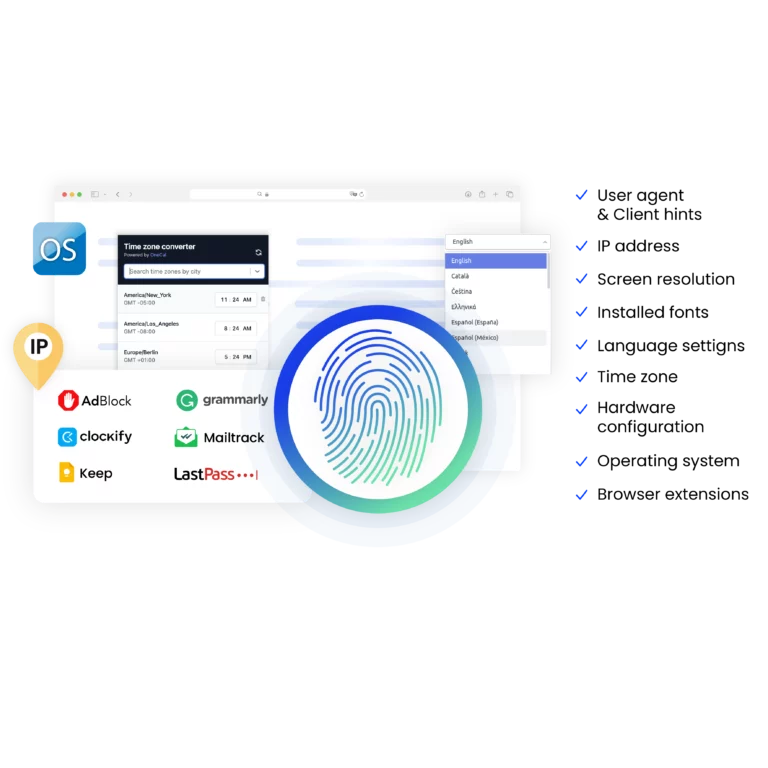
OnlyFans also evaluates:

If several accounts run inside the same browser, those signals overlap. Once accounts are linked, restrictions spread. Logging out does not reset that history.

This is why experienced operators treat proxies as one layer, not the whole solution.

Using OnlyFans proxies with isolated browser profiles

When an OnlyFans proxy is paired with browser-level isolation, results change. Each account runs as its own identity instead of sharing hidden data with others.

This is where tools like Multilogin antidetect browser are commonly used. Multilogin places every account inside its own browser profile, with separate fingerprints, cookies, storage, and proxy settings. When you assign an OnlyFans proxy to a profile, it stays tied to that identity long-term.

If one account gets reviewed or restricted, others remain unaffected because there is no shared browser data behind the scenes.

This setup is often used by:

  • Creators managing multiple niche accounts

  • Agencies running pages for different models

  • Teams handling posting, messaging, or payouts

  • Operators who already lost accounts due to linkage

OnlyFans proxies for scraping and content workflows

OnlyFans proxies are also used for data collection and content monitoring. Scraping without the right setup usually fails fast. IPs get limited, sessions reset, and requests stop working.

With a proper OnlyFans proxy setup, scraping becomes predictable:

  • Traffic comes from a consistent location

  • Sessions last longer

  • Requests look closer to real browsing behavior

When scraping runs inside isolated browser profiles, tools like Postman, Puppeteer, Selenium, Playwright, or the Multilogin CLI can operate without burning IPs or affecting logged-in accounts. The key is not speed. It’s repetition control and environment consistency.

When OnlyFans proxies are not enough

Even the best OnlyFans proxies fail when behavior is rushed. Accounts created too fast. Automation pushed too hard. Multiple logins jumping between devices.

If bans keep happening, the solution is rarely “buy more proxies.” It’s rebuilding the setup so accounts stop sharing signals.

This is why many long-term operators combine OnlyFans proxies with tools like Multilogin, where:

  • Each account has a dedicated browser profile

  • Sessions persist across restarts

  • Proxies are assigned once and reused safely

  • Teams can access accounts without breaking history

Final thoughts

OnlyFans proxies are not shortcuts. They are infrastructure. Used correctly, they keep accounts stable, sessions consistent, and access predictable. Used alone, they delay problems rather than solve them.

If you’ve already lost accounts, the fix isn’t luck. It’s separation. Proxies handle location. Browser isolation handles identity. When those two layers work together, accounts stop inheriting each other’s risks.

For creators and teams who rely on OnlyFans as real income, that difference matters more than anything else.

OnlyFans proxies FAQ

An OnlyFans proxy helps users to manage multiple accounts effortlessly. It allows them to overcome geo-restrictions and account blocks. OnlyFans proxies enhance online privacy and ensures anonymity.
Multilogin’s high-quality OnlyFans proxy gives you the ability to bypass restrictions and access specific content. It provides the opportunity to avoid common issues like account bans and CAPTCHA triggers.

Here are some of the key reasons why you should use OnlyFans proxies:

Multilogin’s built-in residential proxies for OnlyFans help users to bypass geo-restrictions. It allows them to manage multiple accounts without worrying about detection. Multilogin’s OnlyFans proxy reduces the risks of IP bans and ensures uninterrupted browsing experience.

Onlyfans proxy can carry several benefits, including:

With Multilogin’s OnlyFans proxy, you can get an access to top quality IPs that maintain an excellent clean record. It masks your real IP address and keeps your browsing activity anonymous.

You can bypass OnlyFans IP bans with an OnlyFans proxy, simply find a proxy server online and configure it based on your preferences. The OnlyFans proxy that you choose must be reputable to ensure efficient browsing.
Multilogin’s reliable built-in proxies offer improved privacy. Customizable location settings allow you to simply access various content and overcome restrictions. With Multilogin’s OnlyFans proxy, you can target specific regions and increase engagement.

There are several kinds of proxies for OnlyFans. Each type of them has its own strength. However, residential OnlyFans proxy stands out as an excellent option for enhanced anonymity.
Multilogin’s built-in residential proxies for OnlyFans help users to avoid detection. These proxies are acting as a real user which reduces the chances of account bans.

Using OnlyFans proxies with an antidetect browser can be essential for enhancing your online performance. An antidetect browser reduces the risks of bans and adds a higher level of privacy. Multilogin antidetect browser offers users built-in OnlyFans proxies. Here is how you can use Multilogin’s proxy for OnlyFans:

  1. Click “New Profile” and select an operating system
  2. Choose the storage type and the browser profile type
  3. Go to the ”Proxy” section
  4. Import your own proxies or easily use Multilogin’s high-quality OnlyFans proxy
  5. Click “Check Proxy” to ensure that Multilogin successfully connected to the proxy
  6. Click “Create Profile” and then “Launch” it to start browsing

People often use OnlyFans proxies for scraping. They mask your IP address to avoid detection and IP bans. Activity like Onlyfans scraping requires proxies to overcome rate-limiting.
Multilogin’s built-in proxies ensure that your activities remain anonymous. It guarantees efficient and uninterrupted data collection. OnlyFans proxies are essential to bypass restrictions and improve the scraping process.

Using free OnlyFans proxies is a great option in terms of the budget. However, premium OnlyFans proxy offers better anonymity. It ensures faster speeds and more reliable connections.
With Multilogin’s premium OnlyFans proxy, your activities become harder to detect. Masking your real IP address reduces the chances of being flagged. These built-in OnlyFans proxies provide users with a stable connections to ensure browsing without delays.

Using an OnlyFans proxy is essential if you’re running multiple accounts or managing talent through an agency. Without proper IP and browser separation, OnlyFans may detect suspicious behavior, such as multiple logins from the same device or location, and could suspend or terminate accounts. This can result in lost revenue, subscribers, and damaged reputations. Losing access to even one high-performing account can instantly mean hundreds or even thousands of dollars in recurring income lost. Multilogin prevents this by letting you run each account in an isolated environment while assigning a unique proxy to each session. This keeps your accounts safe, ensures compliance with platform rules, and helps you avoid costly downtime, bans, and income loss.

Thank you! We’ve received your request.
Please check your email for the results.
We’re checking this platform.
Please fill your email to see the result.

Multilogin works with amazon.com