


Singapore proxy & cloud phone
Manage multiple accounts with Multilogin’s built-in Singapore proxy easily and maintain anonymity. Get access to premium Singapore IPs to ensure an uninterrupted browsing experience. Multilogin’s premium Singapore proxies come at no additional cost!


Sign in to multiple accounts using Singapore proxies
Sign in and manage your multiple accounts easily with Multilogin’s Singapore proxy. Avoid common challenges like account bans or CAPTCHA triggers. Multilogin’s SIngapore proxy ensures privacy as it acts as a real user to avoid detection.

Maximize session duration with Singapore Proxies
Easily manage your multiple accounts with Multilogin’s Singapore proxies which offer 24-hour sticky sessions. Bypass restrictions to make your browsing experience more convenient.

Bypass geo-blocks with proxy for Singapore
Bypass geographical restrictions by using Multilogin’s proxy for Singapore. Get access to premium Singapore IPs and avoid anti-bot challenges. Adjust the location settings based on your preferences and target specific regions.

Import third-party proxies for Singapore
Using third-party proxies? Do not worry about the integration process! Multilogin supports all proxy types, including proxies for Singapore. Easily import your third-party proxies and adjust configuration for a smooth browsing experience!
Grow your social media accounts with Multilogin cloud phones
-
Unlimited time
-
Mobile and browser profiles included
-
Free built-in proxies & mobile minutes
-
Unlimited time
-
Mobile and browser profiles included
-
Free built-in proxies & mobile minutes
What is a cloud phone?
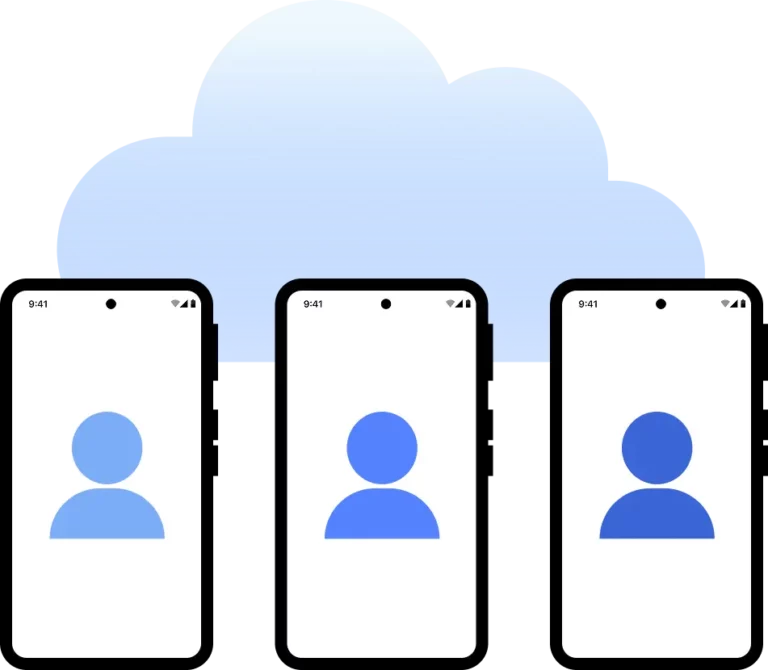
A cloud phone is a real Android device hosted in the cloud. Each cloud phone runs as an independent device, with its own operating system, hardware parameters, storage, and network signals. It also allows you to install and run mobile apps just like on any physical Android device.
Why use proxies and cloud phones from the same provider?
Multilogin provides all the tools you need for data scraping: cloud phones that look like real users, high-quality residential proxies that avoid anti-scraping bots, and support for browser automation drivers like Puppeteer, Playwright, and Selenium.

What is Multilogin?
Run multiple accounts without getting blocked
Use Multilogin built-in Singapore proxies
Watch the Multilogin Demo
Explore more solutions for any platform you need
Trusted by thousands of creators, sellers & online earners

Ha D.
Social Media Marketing Retail

Nino Latif

Stanislav K.
Marketing Manager

Elen S.
Marketing Manager

Hamza Arif
E-commerce Manager


Nick Horvath
Marketing agency
The most awarded multi accounting platform















Singapore proxy guide: manage web and mobile accounts with Multilogin
What is a Singapore proxy?
A Singapore proxy routes your internet traffic through a Singapore IP address, so websites and apps see a connection from Singapore. It can help you view local content, check ad placements, research the market, and manage accounts serving Singapore audiences.
“Singapore” describes the IP’s geographic location. Residential, mobile, and datacenter proxies describe different network types. Choosing the right setup means considering both the location you need and the work you plan to do.
The proxy handles your network connection. A multi-account browser or cloud phone provides the account environment. Using them together lets you manage IP addresses alongside browser data, app data, and login sessions.
Use a multi-account browser for web workflows
If your work happens in Reddit, YouTube Studio, Facebook web, or seller dashboards, use the Multilogin multi-account browser.
Each browser profile keeps its own cookies, local storage, login state, and browser settings. Assigning a Singapore proxy lets that profile connect through a Singapore IP while keeping its session data separate from your other profiles.
To get started:
Create a browser profile in Multilogin and name it by client, brand, or purpose.
Open the proxy settings, select a built-in Multilogin proxy, and choose Singapore.
Select an available proxy type and session settings that suit your workflow.
Check the proxy connection and confirm that the returned IP and location match your needs.
Save and launch the profile, then sign in to the relevant account.
Return to the same profile for ongoing work to retain its browser data and session history. For detailed instructions, see how to create browser profiles.
Use Android cloud phones for mobile accounts
For posting, replying to comments, and managing accounts inside the native TikTok, Instagram, or Facebook apps, use Android cloud phones.
Multilogin cloud phones provide cloud-hosted Android environments with separate app data, device details, and login histories. A Singapore proxy supplies the network location, while the cloud phone provides the environment needed to run mobile apps. You control it from your computer without buying additional physical phones. Learn more about how cloud phones work.
To get started:
Create a cloud phone from the mobile profiles section in Multilogin.
Name the cloud phone and select your device configuration.
Choose an available Singapore proxy in the proxy settings and check the connection.
Create and launch the cloud phone, then install the apps you need.
Sign in to the relevant account and continue using the same cloud phone for daily work.
See the Android cloud phone setup guide for the full process.
Keep your Singapore workflows in one workspace
An agency might use cloud phones to manage clients’ Instagram accounts in the mobile app, while using browser profiles for advertising dashboards and web reporting. Give each client separate environments, then organize them by client, platform, or project to make team responsibilities clear.
Multilogin combines browser profiles, Android cloud phones, and built-in proxies in one platform, bringing your web and mobile workflows into the same workspace. Choose your plan and start setting up your account environments.
Singapore proxy FAQ
Do I still need a VPN when using a Singapore proxy?
Usually no. If your goal is to connect a specific Multilogin profile through a Singapore IP, you can configure a proxy for that profile directly. A VPN does not create separate cookies, app data, or login states for each account. Learn more about the differences in our multi-account browser guide.
Can a Singapore proxy keep the same IP address permanently?
It depends on the proxy type. Sticky sessions can retain an IP for a period, but they do not guarantee a permanent address. If your workflow requires a fixed IP, check the availability and active period of static proxies for your target location. See our sticky session guide for details.
Can I use my own Singapore proxy with Multilogin?
Yes. Browser profiles and cloud phones support third-party proxies. Enter your provider’s address, port, protocol, and credentials, then test the connection. Cloud phones require an internet-accessible proxy; they cannot connect directly to a proxy running locally on your computer. Read the cloud phone proxy requirements before configuring one.
Do Multilogin’s built-in Singapore proxies require a separate subscription?
You do not need a subscription with another provider to use Multilogin’s built-in residential or mobile proxies. Available traffic depends on your plan and remaining balance, and you can purchase additional traffic when needed. Built-in access does not mean unlimited free traffic. Check the proxy billing guide for current details.
Can a Singapore proxy guarantee that my accounts will avoid restrictions?
No. A proxy helps manage IP and location signals, while separate environments help isolate account data. Platforms still assess account history, content, and activity. As explained in Multilogin’s proxy FAQ, proxies cannot guarantee that accounts will avoid reviews, verification checks, or restrictions.
