


Best cloud phones for Instagram are no longer just remote Android screens – they are the infrastructure behind safer, cleaner multi account management. In this guide, you’ll learn why Instagram multi-accounting often fails, what separates a basic cloud phone from a reliable account setup, and how to choose a solution that supports mobile accounts, team workflows, proxies, and long-term consistency.
Many users think accounts get flagged only because they post too much. Sometimes that is true. But the bigger risk often appears earlier: reused devices, shared app cache, unstable proxies, mixed logins, and teammates switching between accounts without a clear system.
Instagram allows users to switch between multiple accounts, but repetitive behavior, artificial engagement, and messy account patterns can still create problems. That is why the safest approach is not simply “hiding” activity. It is building clean separation, controlled access, and predictable workflows.
For teams managing multiple Instagram accounts, Multilogin Cloud Phone helps connect mobile account management with stronger device isolation and browser fingerprint control — useful when your workflow involves both mobile apps and web sessions.
Start by testing your browser setup with Multilogin and see what your current account environment reveals.
Do you actually need a cloud phone for Instagram?
Before comparing tools, run this quick check.
You probably need a cloud phone for Instagram if:
- You manage more than five Instagram accounts.
- Several people log into the same accounts.
- You switch between regions, clients, or creator personas.
- You use both mobile Instagram and web dashboards.
- You lose track of which device, IP, or account belongs to which workflow.
Open your current setup and list every Instagram account, device, Instagram proxy, browser profile, and teammate involved. If you cannot map them in five minutes, your system is already too messy.
👉 Multilogin cloud phones solve this by giving each Instagram account a clean, dedicated mobile environment with its own device identity, proxy setup, and team access. Handle multiple Instagram accounts from one centralized workspace, instead of hopping between accounts across multiple tools.
How we ranked the best cloud phones for Instagram
This ranking focuses on practical Instagram multi-account work, not generic cloud gaming.
We looked at:
- Android app support
- Session persistence
- Device and account isolation
- Proxy and location control
- Team collaboration
- Automation compatibility
- Ease of use
- Fit for legitimate brand, agency, creator, and QA workflows
👉 The key question is simple: Can this tool help you manage Instagram accounts without turning your workflow into chaos?
Top 10 best cloud phones for Instagram in 2026
1. Multilogin Cloud Phone
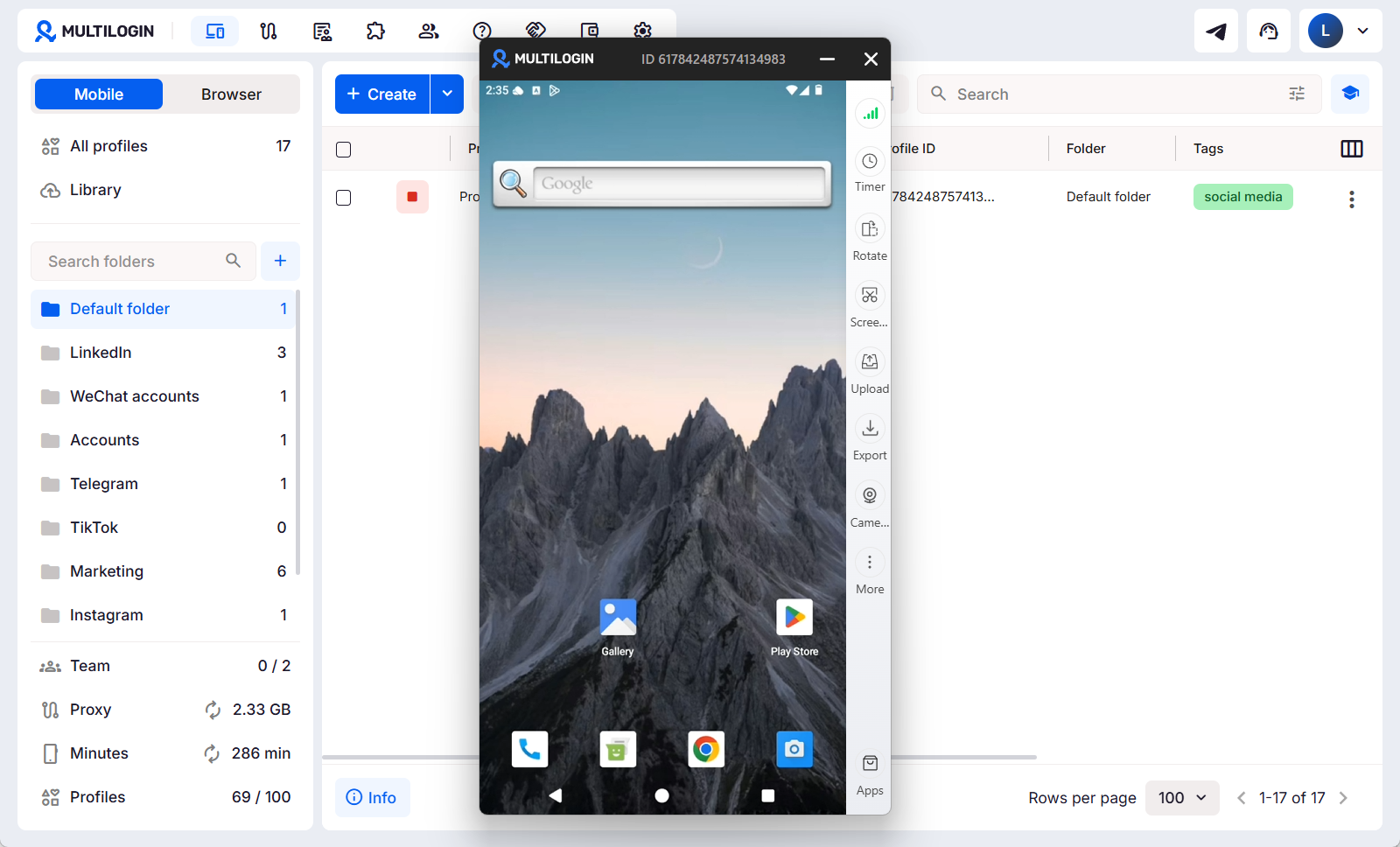
Multilogin is the strongest pick for Instagram teams because it blends Android cloud phones, browser profiles, built-in proxies, team workflows, and device separation into one dashboard. It’s a good solution for agencies and operators with multiple mobile and web accounts that need stable sessions, not a chaotic mess of phones and shared logins.
Best for: Agencies marketing, multi-account managers, and social media teams.
👉 Read more:How to Run an Unlimited Instagram account creator using Multilogin cloud phones.
What makes Multilogin different for Instagram operations specifically
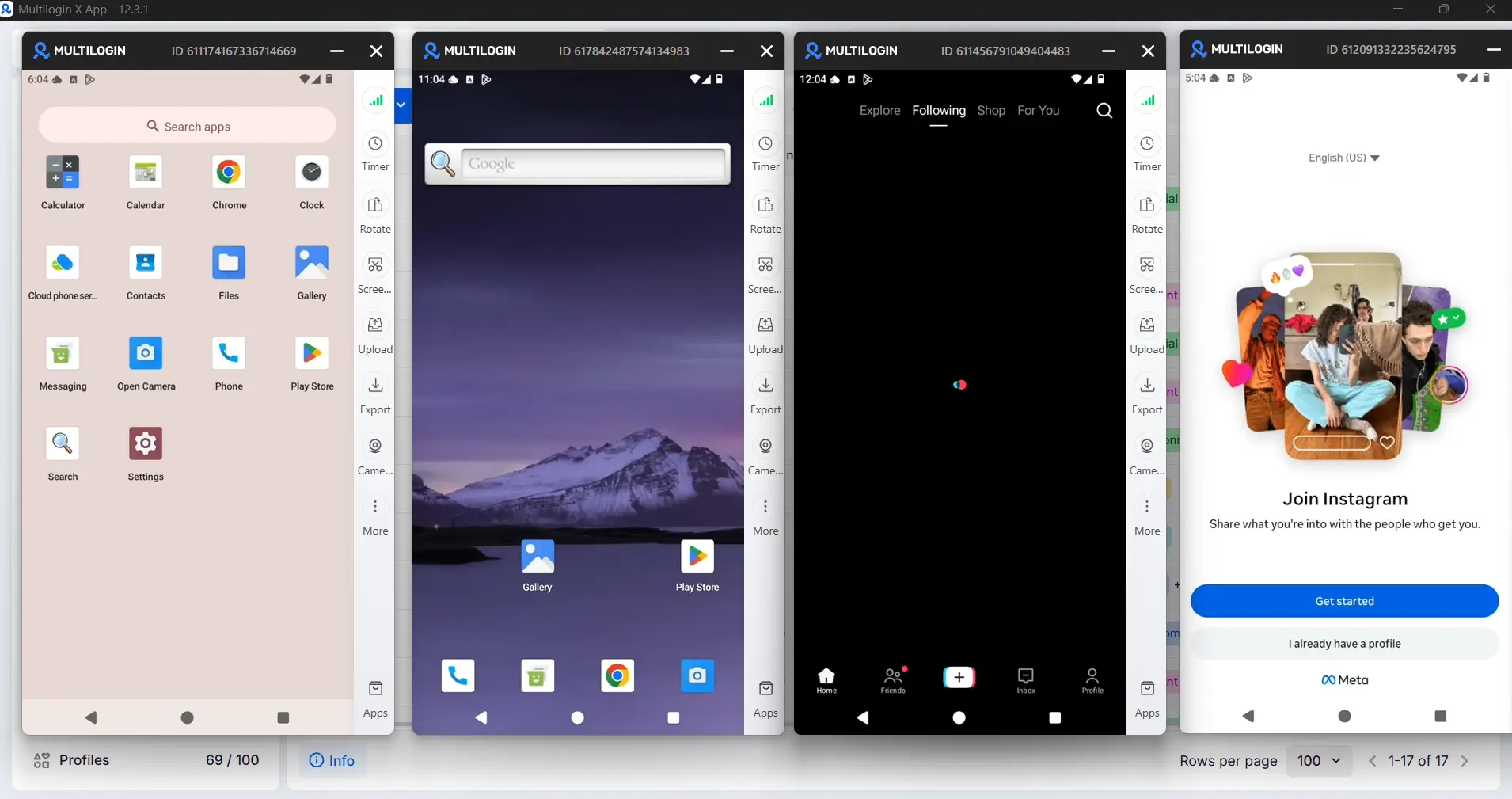
For Instagram, the problem is not just opening multiple accounts. It is keeping every account clean, separate, and consistent across mobile app activity, browser sessions, proxies, and team access.
- Mobile-first account separation: Each Instagram account can run in its own cloud phone environment, reducing mixed app data, shared cache, reused sessions and accidental overlap.
- Better mobile + web consistency: Instagram teams often post, DM, work on dashboards, ads, and check content on app and desktop browser. Multilogin connects cloud phones with browser profile management in one organized workflow.
- Cleaner proxy & location control: providing each Instagram account with a more consistent environment across locations and sessions.
- Less team chaos: Teams can better manage access from one workspace instead of shared phones, spreadsheets, and random logins.
- Daily task: Multilogin cloud phone is excellent for practical work such as posting, checking feeds, commenting, DMs and managing accounts side by side.
- Cleaner automation base for more control: Multilogin gives teams a cleaner base for legit workflows such as QA checks, scheduling support, routine operations, without the mess of manual setups.
👉 Plans start from €5.85/month. Cloud phone usage is charged per minute, with starter packages already included.
2. Redfinger Cloud Phone
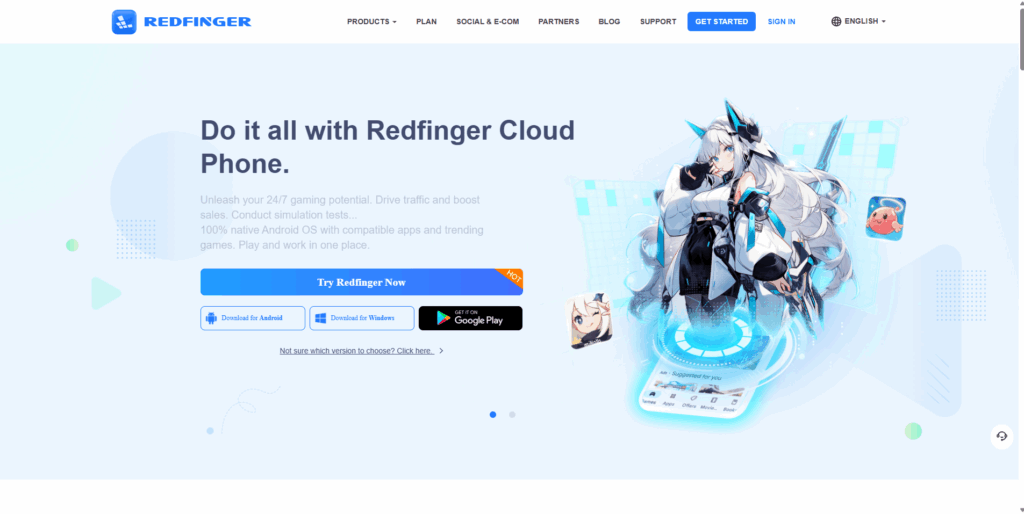
Redfinger is a practical cloud Android phone for teams that want always-on remote devices and broad platform access. It is better suited to simple social media operations, app hosting, and lightweight multi-account work than to deep identity governance. Choose it when uptime and basic parallel device use matter most.
👉 Best for: Simple mobile workflows, app hosting, and lightweight multi-account use.
👉 Fact: Redfinger is built more around remote Android access than advanced browser profile control or team-level governance. It lacks mature browser profile separation, reliable account-to-proxy alignment, and the kind of permission structure needed to manage multiple identities at scale.
👉 Check Redfinger vs Multilogin in 2026, then choose the platform that fits your growth plans best.
3. LDCloud
LDCloud is handy if you’re running Instagram with app testing, app runtime, or always-on Android sessions. It’s more popular for cloud gaming and app hosting than it is for marketer-grade account infrastructure. That makes it a cheaper middle ground solution for simple mobile access, but not so much for sensitive team operations.
👉 Best for: Users who need cloud Android sessions more than advanced account infrastructure.
👉 Fact: LDCloud can run Android apps in the cloud, just not as a complete solution for managing multiple Instagram accounts. There’s no dedicated proxy hygiene layer, no account mapping system, no team access control, no Instagram-specific operational workflow – all of which are needed for safer, scalable account management.
👉 Explore this 2026 comparison of LDCloud vs Multilogin to choose the right platform for your needs.
4. MoreLogin Cloud Phone
MoreLogin Cloud Phone is a good choice for teams working with Instagram in desktop and mobile workflows. The hybrid system lets users toggle between browser profiles and real Android cloud phones depending on task. This makes it convenient for agencies working with Instagram posting.
👉 Best for: Teams managing Instagram via browser automation and mobile app activity.
👉 Fact: MoreLogin offers real Android cloud phones and good fingerprinting but is still not a fully Instagram-focused account infrastructure platform. Not the deepest feature set for pure cloud phone operations, but the hybrid flexibility is genuinely useful.
👉 Read this comparison page to see how MoreLogin and Multilogin compare in 2026 – and choose the right solution for your needs.
5. Genymotion Cloud
Genymotion is great for developers, QA teams, and automation specialists that need scalable Android virtual devices, not a social media control center. It’s good for Instagram testing, content workflow QA, and testing app behavior. It’s not good for long-term account operation or nontechnical agency staff.
👉 Best for: Developers, QA teams, automation engineers, and app testers.
👉 Fact: Genymotion provides cloud-based Android virtual devices, but it is not built as a marketer-focused multi-account platform.
👉 Read this comparison page to see how Genymotion Cloud and Multilogin compare in 2026 – and choose the right solution for your needs.
6. DuoPlus Cloud Phone
DuoPlus is designed for operators managing Instagram accounts at large scale, especially teams running hundreds of mobile sessions in parallel.
👉 Best for: High-volume Instagram operations, parallel mobile sessions, and performance-focused account management.
👉 Fact: DuoPlus provides real ARM-based Android cloud phones with strong parallel performance, but it is not a full-fledged Instagram account management platform.
👉 Read this comparison page to see how DuoPlus and Multilogin compare in 2026 – and choose the right solution for your needs.
7. VMOS Cloud
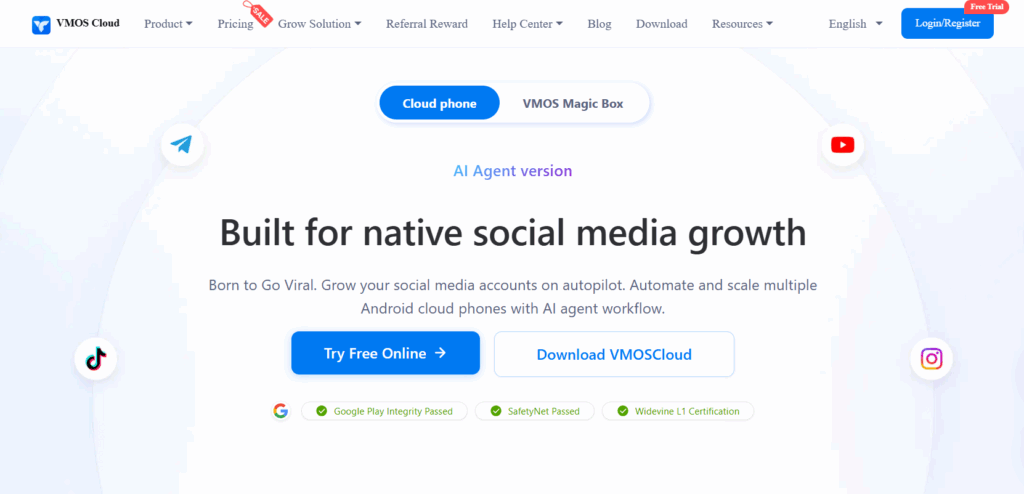
VMOS Cloud is good for Instagram operators that require remote access to Android, mobile sessions that are always online, and bulk device management for app-based work. It’s strength is running cloud Android environments for social media activity, account warmup, and light automation. It’s not going to provide a deeply structured system for identity control and long-term account governance.
👉 Best for: Social media operators, small teams, Instagram app workflows, and active Android sessions.
👉 Fact: VMOS Cloud offers cloud Android phones, multi-account operation, AI-powered tasks and grouped device management. But it’s not yet a full-blown Instagram account management platform for teams that require deeper identity separation, proxy discipline and scalable account oversight.
👉 Check out this comparison page to see how VMOS Cloud vs Multilogin in 2026 – and select the right solution for your needs.
8. MEmuPlay Cloud Phone
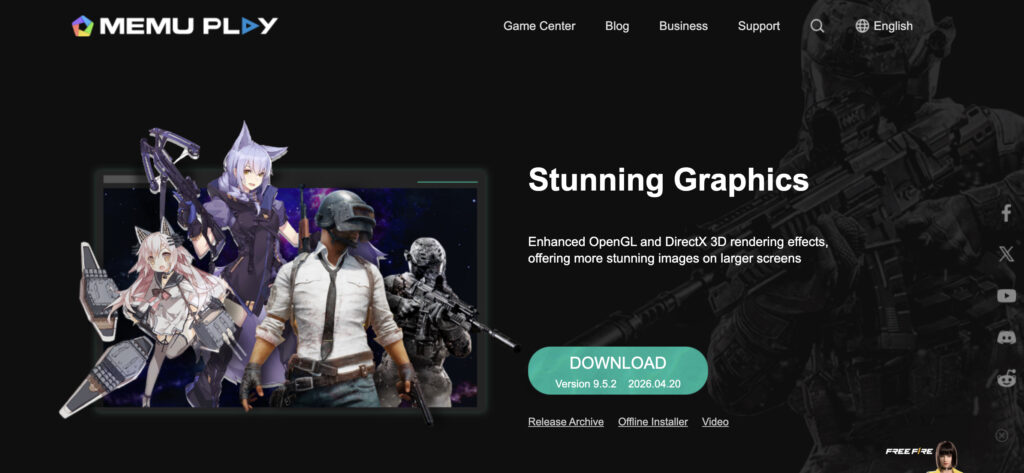
MEmuPlay Cloud Phone is a practical mid-range option for simple Instagram workflows, especially when users need basic Android access, app running, and low-volume account switching. It is more stable than many cheap emulator tools, but it is still emulator-based at its core. That makes it less suitable for sensitive Instagram operations where device trust, identity separation, and long-term account safety matter.
👉 Best for: Basic Instagram app use and lightweight mobile workflows.
👉 Fact: MEmuPlay supports Android app sessions but it is more for gaming and general emulator use rather than for managing Instagram accounts. MEmuPlay is not the best for multi-accounting.
👉 Read this comparison page to see how MEmuPlay Cloud Phone and Multilogin compare in 2026 – and choose the right solution for your needs.
9. BlueStacks Cloud Phone
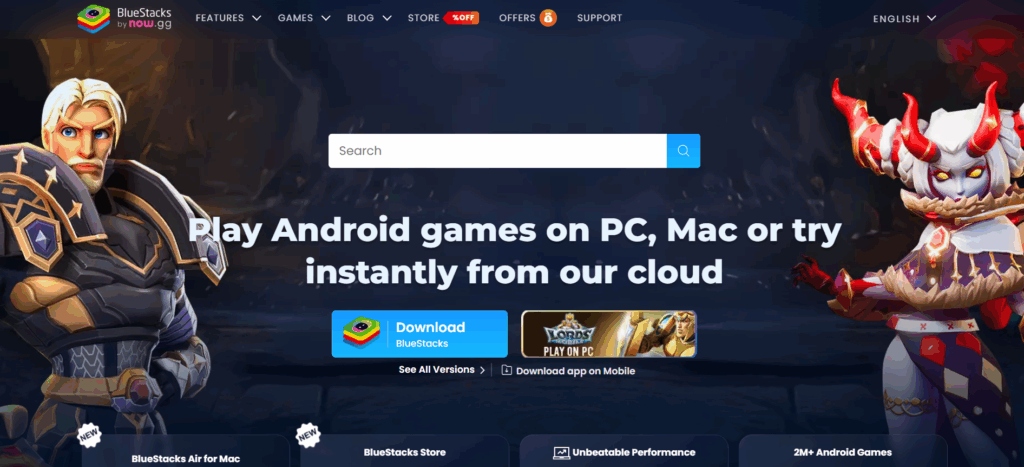
BlueStacks Cloud Phone is best understood as a polished Android emulator, not a serious Instagram multi-account management tool. It can support app testing, gaming, and basic multi-instance use, but Instagram operations require stronger identity separation than BlueStacks was built for. Its popularity also makes its emulator environment more recognizable, which can be risky for accounts that need long-term stability.
👉 Best for: Gaming, app testing, and casual Instagram app access.
👉 Fact: BlueStacks is a gaming-centric Android emulator. It’s not an Instagram account management platform. There’s no marketer-grade identity setup, no team control layer.
👉 Read this comparison page to see how BlueStacks Cloud Phone and Multilogin compare in 2026 – and choose the right solution for your needs.
10. FlashID
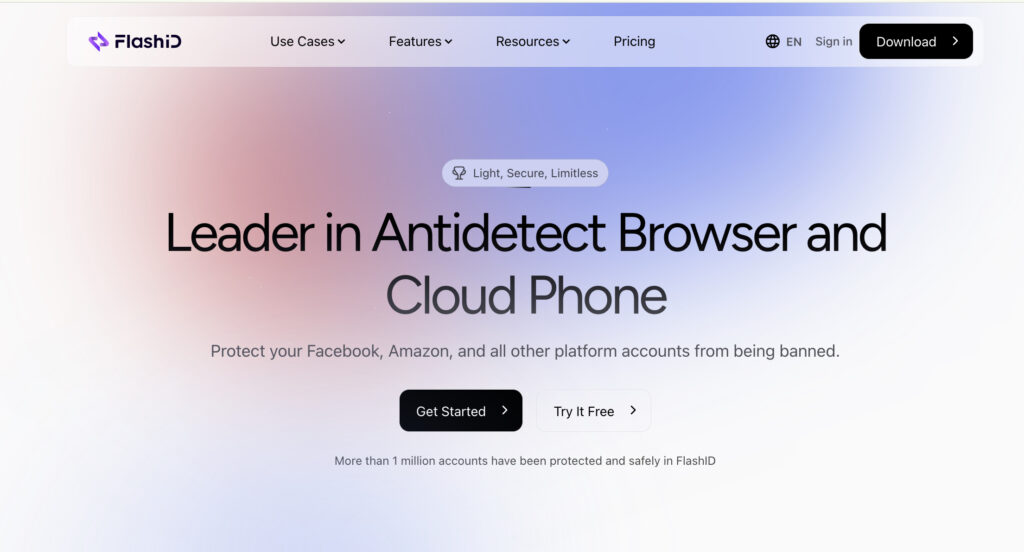
FlashID is a relatively new antidetect browser that specializes in browser profiles, basic fingerprint setup, and early-stage multiaccount workflows. It could be for users who want to mess around with Instagram web profiles, try out basic browser-based setups, or manage a handful of accounts manually. However, since FlashID is relatively new and does not have Android cloud phones, it is less suitable for Instagram teams that rely on mobile native actions, app sessions and long term account stability.
👉 Best for: Users who browse Instagram profiles in a browser and do manual account workflows at a small scale.
👉 Fact: FlashID remains an early-stage browser profile tool, not a mature Instagram account management platform. FlashID doesn’t have Android cloud phone support.
👉 Compare FlashID and Multilogin 2026 – Discover the best solution for your business.
Cloud phones are not magic shields
Cloud phones can make Instagram multi-accounting cleaner, but they are not magic shields. A VPN may help change your network routing, but it does not organize your devices, sessions, app storage, browser fingerprints, or team behavior. If multiple people keep logging in and out of different accounts without a clear system, the risk is still there.
The same goes for using more phones. More devices do not automatically mean safer accounts. In fact, more unmanaged devices often create more mistakes: mixed logins, reused proxies, forgotten sessions, and inconsistent account activity. What matters is not the number of phones, but how well each account environment is separated and controlled.
Automation is another common trap. Many users think automation equals growth, but bad automation can quickly create repetitive behavior that looks unnatural. Instagram warns users against spam and artificial engagement, so any automated workflow should be used carefully and only where it supports legitimate account management.
Price is also not the only factor. Cheap cloud phones can work for simple access, but agencies and serious multi-account teams usually need more than that. They need control, logs, isolation, stable workflows, and repeatable processes.
How to use Multilogin cloud phones for Instagram multi-accounting
For social media managers, agencies and growth teams, the struggle of switching between multiple Instagram accounts without checkpoints, unusual login alerts or account linking is a huge pain point.
- Create your account for Multilogin and select a plan with cloud phones.
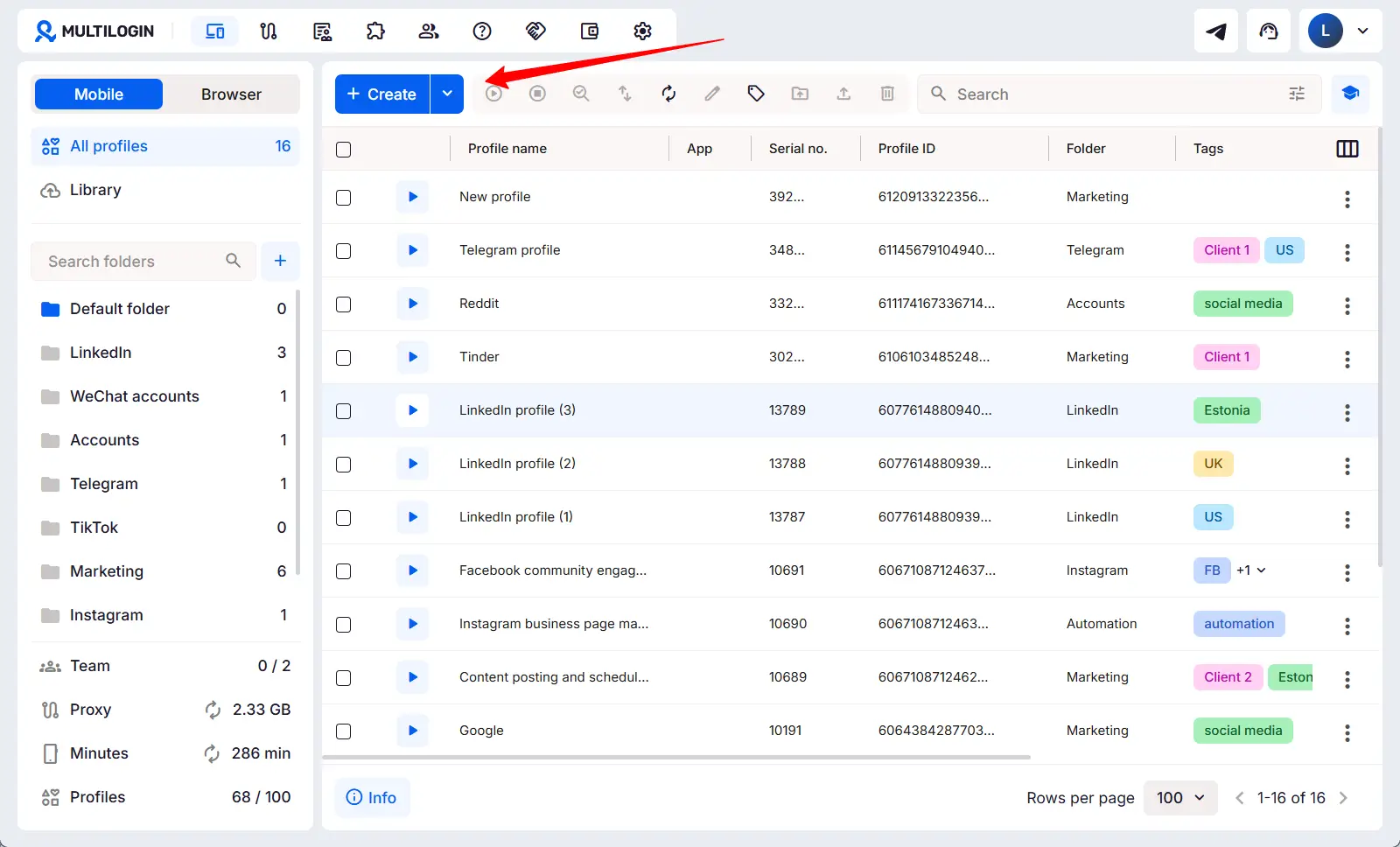
- Start the mobile environment in the Multilogin desktop app. Multilogin creates a unique Android device environment, with a unique fingerprint for each profile.
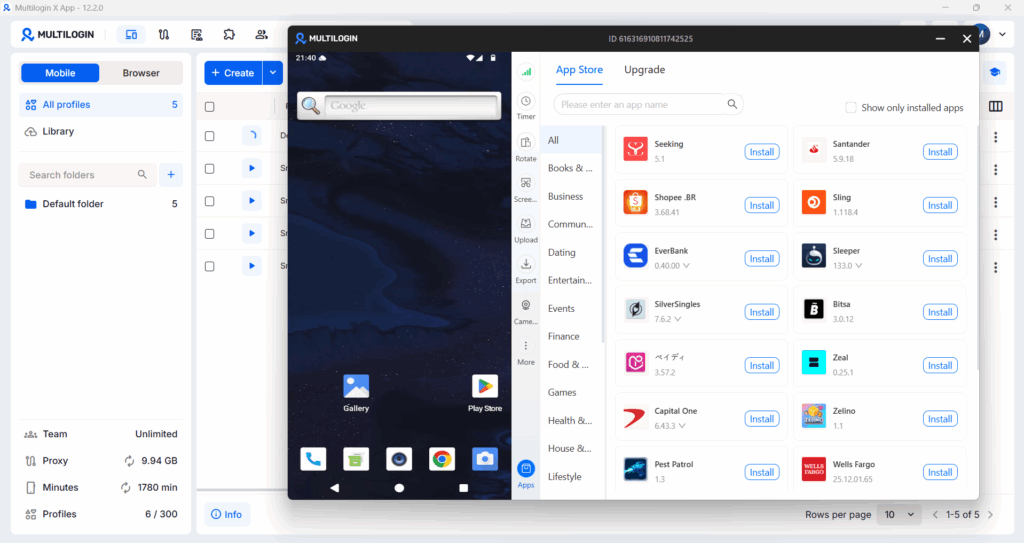
-
Set up a new cloud phone profile and then install Instagram from the Google Play store.
-
Log into a dedicated Instagram account for each cloud phone.
-
For the first few days, take natural actions to warm up the account. Browse the feed, watch stories, like posts and don’t go too high volume too early.
-
To log into another Instagram account, open another cloud phone profile in Multilogin. Each cloud phone has its own login session, cache, app data, and device environment. Repeat this for every Instagram account you manage.
👉 That’s the real multi-accounting of Instagram, with cloud phones. Don’t need to log out and log in again – Each Instagram account is running in its own Android environment, as if it were on a different physical phone.
👉 Interested in managing multiple social media accounts across TikTok, Instagram, Facebook, YouTube, and more? Read this guide: How to Successfully Manage Multiple Social Media Accounts as One.
Best Tools and Apps to Manage Multiple Social Media Accounts Across Platforms
Instagram is often just one part of a bigger workflow. Most social media teams and agencies are running accounts across Instagram, TikTok, Facebook, LinkedIn, YouTube, X, and more — often with multiple accounts per platform. That creates a different problem than single-platform management, and it calls for a different category of tools.
There are two types of tools that answer this question, and confusing them leads to gaps in your setup.
Scheduling and content management tools handle what you post: content calendars, approvals, publishing queues, analytics, and inbox management. They’re built around content workflows and team collaboration on campaigns.
Account isolation and access tools handle who the platform thinks is posting: device identity, browser fingerprint, IP address, session separation, and proxy assignment. They’re built for teams managing several separate account identities, not just content.
Most teams need both. The right combination depends on your volume, platform mix, and whether your accounts need to stay technically separate.
Scheduling and Content Tools for Managing Multiple Social Media Accounts
These tools are best when your priority is content output, approvals, and analytics across platforms.
| Tool | Best for | Why it’s useful |
|---|---|---|
| Buffer | Simple scheduling | Easy content calendar, clean UI, supports Facebook, Instagram, TikTok, LinkedIn, Threads, Bluesky, YouTube Shorts, Pinterest, Google Business, Mastodon, and X |
| Hootsuite | Larger teams / all-in-one management | Strong for scheduling, content creation, analytics, listening, and integrations. Works with 150+ apps and major social networks |
| Sprout Social | Premium analytics + inbox | Good for brands that need reporting, engagement, social CRM, and team workflows. Supports Facebook, Instagram, LinkedIn, X, TikTok, Threads, Pinterest, and YouTube |
| Metricool | Analytics and reporting | Strong choice for planning, measuring, and managing social media plus ad content from one dashboard |
| Agorapulse | Social inbox management | Useful for teams that handle lots of comments, messages, replies, and approvals. Supports Facebook, Instagram, Threads, X, LinkedIn, YouTube, Pinterest, Google Business, and TikTok |
| Later | Creators and visual content | Good for Instagram, TikTok, Pinterest, and creator/influencer workflows. Social Set includes Instagram, Facebook, TikTok, Pinterest, LinkedIn, YouTube, Threads, and Snapchat |
| SocialPilot | Agencies on a budget | Built for agencies and brands that need scheduling, client accounts, and team workflows without enterprise-level pricing |
| Zoho Social | Small businesses using Zoho | Works well if your team already uses Zoho. Supports X, Instagram, Facebook, Google Business, LinkedIn, YouTube, Pinterest, Mastodon, and TikTok |
| Sendible | Agencies and client reporting | Good for managing several client brands, approval workflows, and reporting. Supports major platforms and integrations like Canva and Google Analytics |
| Meta Business Suite | Facebook + Instagram only | Free and practical for managing Facebook, Instagram, and Messenger in one place |
| Canva Content Planner | Design-first scheduling | Best when your workflow starts with visuals. Design and schedule to Facebook, Instagram, X, LinkedIn, and TikTok |
Read more: Best social media management tools | Best social media automation tools
Account Isolation Tools for Managing Multiple Separate Social Media Identities
Scheduling tools don’t solve everything. If you’re managing accounts that need to stay technically separate — different clients, different brand personas, multiple ad accounts — you also need tools that handle device identity, session isolation, and proxy assignment.
This is where Multilogin fits, and it’s a different category entirely from Buffer or Hootsuite.
On mobile, Multilogin Cloud Phones give each social media account its own real Android device environment: separate IMEI, Android ID, app cache, device model, and carrier data. Each Cloud Phone runs independently, so Instagram, TikTok, Facebook, and other apps see a completely different device for each account. This matters because mobile platforms collect hardware-level signals that browser-based tools can’t replicate or mask.
On desktop, Multilogin browser profiles handle web-based workflows — Facebook Ads Manager, LinkedIn, YouTube Studio, Twitter/X — with each profile carrying its own browser fingerprint, cookies, and proxy assignment. Accounts managed through different profiles have no shared signals that could link them together.
The combination covers both layers: what you post (your content workflow) and who the platform thinks is posting (your account identity). For teams managing multiple client accounts or running several brand identities across platforms, getting both layers right is what keeps accounts stable long-term.
| Tool | Best for | Why it’s useful |
|---|---|---|
| Multilogin Cloud Phones | Multi-account access on mobile apps | Real Android device environments per account. Each Cloud Phone has its own device identity, proxy, app data, and session. No shared signals between accounts |
| Multilogin Browser Profiles | Multi-account access on desktop/web | Unique browser fingerprint per profile, full session isolation, proxy assignment, team access without credential sharing |
👉 How to manage multiple social media accounts with Multilogin | Social media management with Cloud Phones
Which Tool Do You Actually Need to Manage Multiple Social Media Accounts?
The answer depends on what’s causing the problem in your current workflow.
If the problem is content output — you’re missing posts, struggling to approve content across a team, or losing track of what’s scheduled where — a scheduling tool like Buffer, Hootsuite, or Sprout Social solves it.
If the problem is account safety — accounts keep getting flagged, linked, or restricted because they share a device, IP, or login session — a scheduling tool won’t fix it. You need account isolation at the device and network level. That’s what Multilogin Cloud Phones and browser profiles are built for.
If the problem is both, you need both. Most serious social media automation setups pair a scheduling tool for content workflows with Multilogin for account isolation — each one handling the layer the other can’t.
A quick way to diagnose which gap you have: if your accounts are being flagged or linked despite clean content practices, the issue is almost certainly device or session overlap, not your posting schedule. Start with isolation first, then build the content workflow on top of a stable foundation.