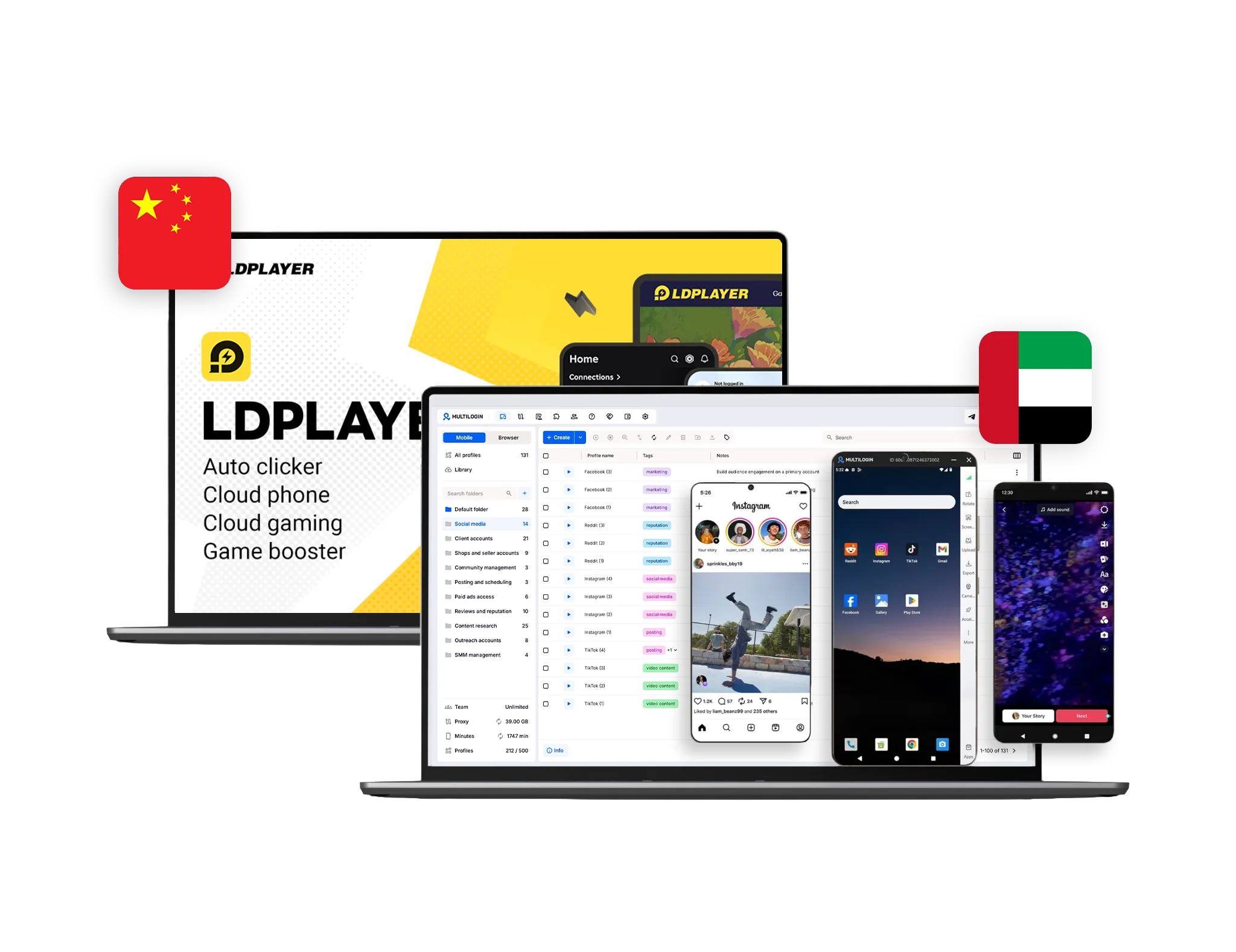
Multilogin vs LDPlayer: What is the difference?
LDPlayer is a local Android emulator designed primarily for running mobile games and apps on a Windows computer. It uses the user’s CPU, memory, graphics card, and storage. Its multi-instance manager lets users create, clone, launch, and synchronize several emulator instances, although the number that can run depends on the computer’s resources.
LDCloud is a separate cloud-phone service within the same wider product ecosystem. It runs Android environments on remote servers and is focused mainly on cloud gaming, long-running app sessions, multi-instance use, and synchronized device control.
Multilogin is an Android cloud phone platform for social media marketers, agencies, creators, and teams managing multiple accounts. It combines real Android devices in the cloud with isolated browser profiles, premium proxy traffic, automation, and team tools in one dashboard.
This means the comparison depends on what you need:
- Choose LDPlayer for local Android gaming or app use on a Windows PC.
- Choose LDCloud for cloud-hosted gaming and continuous Android app execution.
- Choose Multilogin for organised social media and multi-account workflows across native Android apps and websites.
Multilogin vs LDPlayer: Android environments
Multilogin cloud phones are real Android devices hosted in the cloud on ARM hardware. Each phone maintains its own Android operating system, apps, files, login state, storage, device settings, and session history. Android versions 10 through 16 are available.
Users control each cloud phone from their computer through a live screen. Apps can be installed through the built-in repository or uploaded as APK files.
LDPlayer works differently. It creates a virtual Android environment on a Windows computer. The emulator is suitable for gaming, app access, testing, and local multi-instance use, but its performance depends on the computer’s processor, RAM, graphics hardware, and available storage. LDPlayer recommends stronger hardware when users need higher performance or several concurrent instances.
LDCloud moves the Android environment to remote servers. Its official packages currently include Android 10, 12, 14, and 15 across several hardware tiers and server locations. The service is built primarily around cloud gaming, continuous uptime, and running several games or apps at once.
Best for Android use: LDPlayer is suitable for local Android gaming. LDCloud supports remote, always-on app execution. Multilogin is designed for persistent social media and account-management workflows.
Multilogin vs LDPlayer: Social media management
LDPlayer can run Android social media apps on a Windows computer. Users can create several emulator instances and log in to different app accounts.
However, LDPlayer is primarily a gaming emulator. Its tools are designed around app performance, keyboard controls, macros, gaming accounts, and synchronized emulator actions rather than structured social media operations.
Multilogin is designed around social profiles. A dedicated cloud phone can be assigned to each TikTok, Instagram, Facebook, Reddit, YouTube, or other mobile account.
Each phone keeps its own:
- Installed apps
- App data and cache
- Login sessions
- Uploaded media
- Android settings
- Device identity
- Proxy configuration
- Session history
Social media teams can organise profiles by client, platform, region, campaign, or account status. They can also use browser profiles for analytics, advertising dashboards, account administration, and other web-based work.
For more context, see the comparison of the best cloud phones for Instagram.
Best for social media: LDPlayer can open social apps, but Multilogin provides the account organisation, locations, persistent environments, browser profiles, and team controls needed for ongoing social media workflows.
Multilogin vs LDPlayer: Browser profiles
LDPlayer and LDCloud focus on Android applications. Users can open a mobile browser inside an Android instance, but neither product provides the same dedicated desktop browser-profile system as Multilogin.
Multilogin combines cloud phones with isolated browser profiles for web-based accounts.
Each browser profile maintains separate:
- Cookies
- Browser cache
- Local storage
- Login sessions
- Proxy settings
- Device and location parameters
- Notes, tags, and start URLs
This allows a social media team to use native apps through cloud phones and web dashboards through browser profiles without maintaining two separate platforms.
For example, a team could publish and engage through the Instagram Android app while using an isolated browser profile for Meta Business Suite, analytics, advertising, or client reporting.
Best for mobile and web coverage: LDPlayer and LDCloud are focused on Android. Multilogin covers native mobile apps and desktop websites from the same dashboard.
Multilogin vs LDPlayer: Proxy management
LDPlayer does not include a built-in residential proxy network. Network settings must be configured separately through the operating system, an Android app, or an external proxy service.
LDCloud provides server locations across countries including the United States, Singapore, South Korea, Thailand, the Netherlands, Taiwan, and Hong Kong. These server options are useful for cloud gaming performance, but they are not the same as an integrated residential proxy system with country and city selection for individual profiles.
Multilogin includes premium residential proxy traffic in its free and paid plans. Users can select locations across more than 150 countries and 1,400 cities and assign them directly to cloud phones or browser profiles.
Third-party HTTP, HTTPS, and SOCKS5 proxies are also supported.
Keeping profiles and proxy settings within one platform reduces the need to purchase, configure, and troubleshoot a separate service for each environment.
Best for proxy convenience: LDPlayer users can configure external network tools. Multilogin provides built-in location selection and proxy traffic for both mobile and browser workflows.
Multilogin vs LDPlayer: Multi-instance management
LDPlayer provides a capable local multi-instance manager. Users can create new Android instances, clone existing ones, back up and restore data, arrange windows, start several instances in batches, and synchronize clicks, typing, and other actions across them.
The practical limit depends on the computer’s available CPU, RAM, graphics memory, and storage. Running many local emulator instances can require significant hardware resources.
LDCloud also supports multiple remote devices, synchronized operation, device sharing, and transfers between users. Its official site describes no fixed upper limit on the number of cloud phones that can be attached to one account, although every additional device requires its own package.
Multilogin manages cloud phones and browser profiles together. Users can:
- Create profiles in bulk
- Clone profile settings
- Assign proxies
- Organise profiles with folders and tags
- Start and stop environments
- Search and filter profiles
- Share selected profiles with teammates
- Manage mobile and web workflows together
Because cloud phones run remotely, their performance does not depend on how many emulator instances the user’s computer can support.
Best for multi-instance use: LDPlayer provides strong local emulator controls. Multilogin is better suited to account portfolios that combine Android apps, web platforms, proxies, and team access.
Multilogin vs LDPlayer: Automation
LDPlayer includes tools such as macros, an operation recorder, multi-instance controls, and synchronization. Actions performed in one main instance can be repeated across several matching emulator instances. These tools are particularly useful for gaming tasks and repetitive app interactions.
LDCloud also provides synchronized operation across multiple cloud phones.
Multilogin supports automation across both mobile and browser environments. Users can reduce repetitive work involving:
- Profile creation and cloning
- Proxy assignment
- Profile launching and stopping
- Bulk profile operations
- Browser actions
- Cloud-phone actions
- App and file management
- Repeatable social media workflows
Available options include browser and mobile automation, ADB, Postman, Selenium, Puppeteer, Playwright, API access, and AI Quick Actions.
Users can begin with manual profile management and bulk controls, then introduce more advanced workflows when needed.
Best for automation: LDPlayer provides useful local macros and synchronized emulator controls. Multilogin supports broader workflows across Android cloud phones and browser profiles.
Multilogin vs LDPlayer: Team collaboration
LDCloud allows users to share or transfer cloud phones. This can be useful when friends or colleagues need access to the same remote device.
Multilogin provides structured workspace collaboration for agencies and businesses. Features include:
- Shared mobile and browser profiles
- Role-based permissions
- Profile and folder assignment
- Tags and notes
- Session control
- Team seats on eligible plans
- Unlimited team seats on Business plans
This allows a business to control which people can create, edit, start, or manage specific profiles without sharing access to the entire workspace.
Teams managing accounts across several locations can also use Multilogin’s guidance for cloud-based phone workflows for remote teams.
Best for teams: LDCloud supports device sharing and transfers. Multilogin provides more detailed access controls for ongoing agency and business workflows.
Multilogin vs LDPlayer: Device performance
LDPlayer runs locally. Performance therefore depends on the user’s computer.
Its official recommended specifications for LDPlayer 9 include a modern Intel processor, 16 GB or more of RAM, significant free disk space, and a dedicated graphics card. Users running several instances may need to reduce frame rates and disable audio to lower resource consumption.
LDCloud removes much of that local resource requirement by running the device remotely. Users select from hardware packages with different CPU, RAM, storage, Android version, and server-location options.
Multilogin cloud phones also run remotely. Users control the Android environment through the Multilogin interface while app execution happens in the cloud.
The local computer is still needed to view and control the device, but it does not need to emulate every Android phone using its own processor and memory.
Best for lighter local hardware use: Multilogin and LDCloud run Android remotely. LDPlayer may require a stronger computer as the number of local instances increases.
Multilogin vs LDPlayer: Customer support
LDPlayer provides documentation, blog guides, troubleshooting articles, social media support, and community resources. LDCloud provides a multilingual website, FAQs, community channels, and purchasing support.
Multilogin provides 24/7 support through live chat and email in:
- English
- Russian
- Chinese
- Vietnamese
- Portuguese
Users also receive access to the Multilogin knowledge base, Academy, setup guides, tutorials, and automation documentation.
Best for support: Both ecosystems provide documentation and direct support options. Multilogin publishes clearer around-the-clock availability for account-management customers.
Multilogin vs LDPlayer pricing
LDPlayer is free to download and use as a local Android emulator. Users supply the computer hardware, storage, electricity, and internet connection required to run it.
LDCloud uses separate cloud-phone packages. Pricing varies according to the selected device tier, server, Android version, subscription duration, and available promotions. The official package page lists several device configurations rather than one universal cloud-phone price.
Multilogin offers a free plan with no time limit.
The free plan includes:
- Five cloud mobile and browser profiles
- 200 MB of premium proxy traffic as a one-time bonus
- 30 cloud-phone minutes as a one-time bonus
- Access to customer support and the knowledge base
- No credit card needed
Paid plans start at $7.08/month and add more profiles, monthly premium proxy traffic, mobile minutes, quick cloning, bulk operations, automation options, and team features.
Review the current Multilogin pricing to compare profile limits and included usage.
Best for getting started: LDPlayer is free for local Android emulation. Multilogin’s free plan lets users test cloud phones, browser profiles, and built-in proxy traffic without a credit card.
What Multilogin offers beyond LDPlayer
Real Android cloud phones for social media
Run native Android apps on remote ARM hardware without relying on a desktop emulator or maintaining physical phones.
Mobile and browser profiles in one dashboard
Use cloud phones for native applications and browser profiles for web dashboards, analytics, advertising platforms, and account administration.
Built-in premium proxy traffic
Assign country and city locations directly to each cloud phone or browser profile.
Persistent social profile environments
Retain apps, media, login states, app data, cookies, and profile settings between sessions.
Account organisation tools
Use folders, tags, notes, search, filters, and profile assignment to organise work by account, client, campaign, or location.
Browser and Android automation
Reduce repetitive work across websites and native Android apps without depending only on synchronized emulator clicks.
Team permissions
Share selected profiles and control what each team member is allowed to access or manage.
Free plan
Test mobile profiles, browser profiles, proxy traffic, and customer support without entering payment details.
Who should choose Multilogin?
Multilogin is a better fit for:
- Social media marketers
- Agencies managing client accounts
- Creators operating several social profiles
- Teams combining native apps and web dashboards
- Users who need built-in proxy locations
- Businesses that need profile permissions and sharing
- Teams using mobile and browser automation
- Users who do not want performance tied to local emulator hardware
- People who want a free cloud-phone and browser-profile entry point
It is especially useful when multi-account management involves TikTok, Instagram, Facebook, Reddit, YouTube, e-commerce platforms, advertising dashboards, and other mobile-and-web combinations.
Who should choose LDPlayer or LDCloud?
LDPlayer may be the better choice for users who:
- Want to play Android games on a Windows PC
- Need a free local Android emulator
- Have a computer powerful enough to run multiple instances
- Want macros, keyboard controls, and synchronized gaming actions
- Do not need built-in proxy traffic or browser profiles
LDCloud may suit users who:
- Want 24/7 cloud gaming
- Need apps to continue running after closing the local device
- Want to run several games at once
- Need synchronized cloud-phone controls
- Want to share or transfer gaming devices
- Do not require a full social media and browser-profile workspace
Final verdict: Multilogin or LDPlayer?
LDPlayer is a strong Android emulator for gaming and local app execution. It offers multi-instance management, synchronization, macros, keyboard mapping, and other tools designed around running Android software on a Windows PC.
LDCloud extends that ecosystem with remote Android devices, continuous uptime, multiple hardware tiers, synchronized operations, and device sharing. Its primary focus remains cloud gaming and long-running app execution.
Multilogin is built for a different workflow. It combines:
- Real Android cloud phones
- Isolated browser profiles
- Premium residential proxy traffic
- Country and city location selection
- Persistent app and browser sessions
- Mobile and browser automation
- Profile organisation
- Team permissions
- 24/7 multilingual support
- A free plan with no credit card
Choose LDPlayer when the goal is to run Android games or apps locally.
Choose LDCloud when the goal is to keep games or Android apps running remotely.
Choose Multilogin when the goal is to manage multiple social media or business accounts across native Android apps and websites from one dashboard.
No emulator, cloud phone, or multi-account platform can guarantee that an account will never be reviewed or restricted. Account results also depend on platform rules, account history, content, access patterns, and user behaviour.
Start free with five cloud mobile and browser profiles.