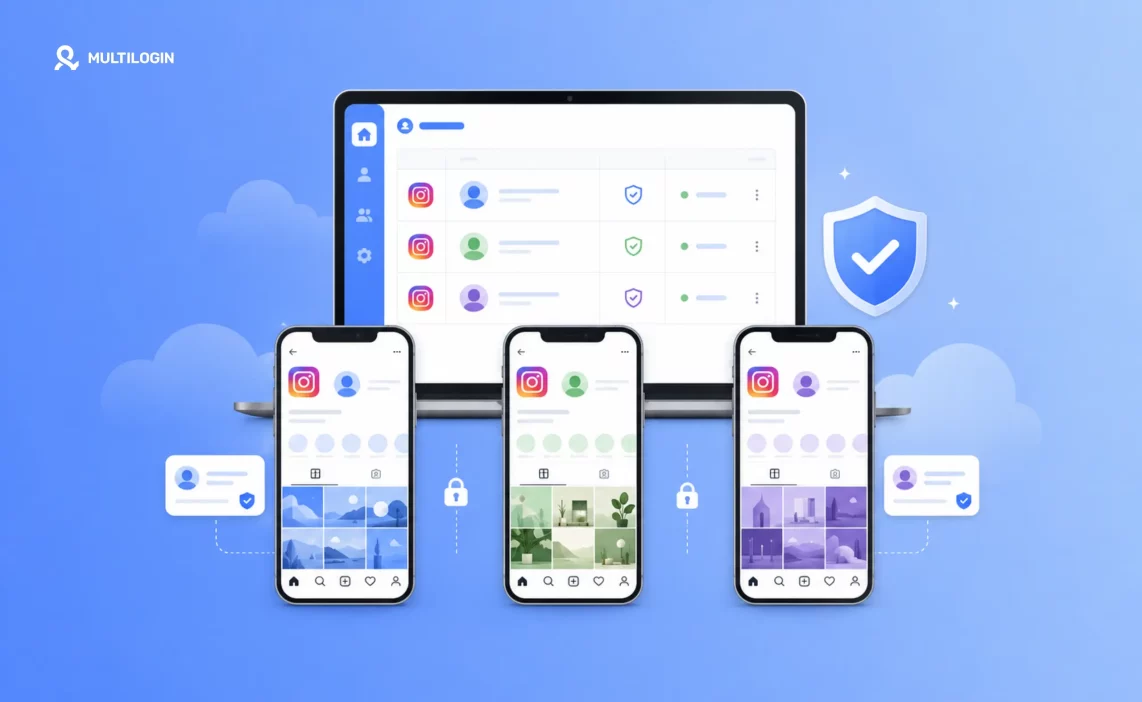

Most Instagram accounts already have leads sitting in them. Every comment asking “how much?”, every Story reply, every DM that starts with “is this still available?” is a person raising their hand. The problem isn’t reach. It’s that most of those signals get missed, answered a day late, or sent to a bio link that loses half the people who click it.
This guide covers what actually turns Instagram engagement into leads: content that earns comments, a profile that holds up once someone checks it, and fast, qualified follow-up. It also covers the point most guides skip: once that system is converting well, one account runs into a daily ceiling on DMs, follows, and comments.
Growing past that means managing multiple profiles instead of pushing one account harder, which is where Multilogin comes in, giving each account its own cloud phone so growth doesn’t put the rest of your accounts at risk.
Here’s what Instagram lead generation actually looks like right now
Instagram’s DM open rate runs around 88 to 90 percent, compared to roughly 20 percent for email, according to Kwikzy. Instance puts the share of businesses reporting a positive return from Instagram lead generation at around 62 percent for 2024, without factoring in paid ads. Response time carries a lot of that outcome: AdSpyder’s data shows replying within five to fifteen minutes of first contact is one of the strongest predictors of whether someone converts, and replient.ai notes that most people now expect a reply within 24 hours as a baseline.
None of that happens by default. It only shows up for accounts set up to catch the interest already sitting in their comments and DMs, which is what the rest of this guide covers, starting with the content that gets people to comment in the first place.
The content that generates leads is built for comments, not views
This is the first step, because it’s what a stranger sees before they ever reach your profile. For years, the goal of Instagram content was reach: more views, more followers, more impressions. That metric doesn’t translate into leads on its own. Someone can watch a Reel start to finish and still forget you existed thirty seconds later if nothing in it asked them to do something. Growing your Instagram reach still matters, but reach without a reason to comment just produces more silent viewers.
Comments and DMs work differently. They require the viewer to stop and act, which means whoever comments or messages you has already crossed a line that a passive viewer hasn’t. That single action is also useful to Instagram itself: a post that gets a lot of comments reads as engaging content, and the algorithm tends to push it to more people who haven’t seen it yet. So the content that generates leads isn’t necessarily the content that gets the most views. It’s the content built to make someone stop and respond.
A few things that reliably get comments:
- A specific hook in the first two seconds. State the problem or the result right away. “Here’s how I filled 12 client slots in a week” beats a slow intro every time.
- A direct call to action. “Comment GUIDE and I’ll send you the template” gets more replies than “let me know what you think.”
- Plain, keyword-rich captions. Hashtags matter less than they used to. Instagram’s current algorithm relies more on the words in your caption and how often people share the post. Write the caption the way you’d write a search query.
- Carousels for step-by-step offers, Reels for reach. Carousels tend to hold attention longer when you’re walking through a framework or a before-and-after, which helps saves and shares as well as comments.
A lead magnet decides whether a comment turns into a real lead
Everything up to this point gets someone to comment or message you. What they get in return decides whether that turns into an actual lead or just a one-off reply. A weak lead magnet, something vague or generic, gets acknowledged and forgotten. A good one gives the person a reason to keep talking to you, because it already proved you’re useful before you asked for anything back.
What tends to work well on Instagram specifically comes down to format as much as content. People are reacting mid-scroll, not sitting down to research, so the offer has to feel like something they can use immediately rather than something they’ll get to later:
- A short checklist or template, one to three pages, solving one specific problem
- A discount code or limited-time offer, best for e-commerce
- A free short consultation or audit, best for services and B2B
- Early access to a waitlist, launch, or live session
Keep it short enough to read in under five minutes. Instagram leads are captured mid-scroll, not during a research session, so anything that feels like homework gets abandoned.
If you’re managing multiple profiles and need more lead generation
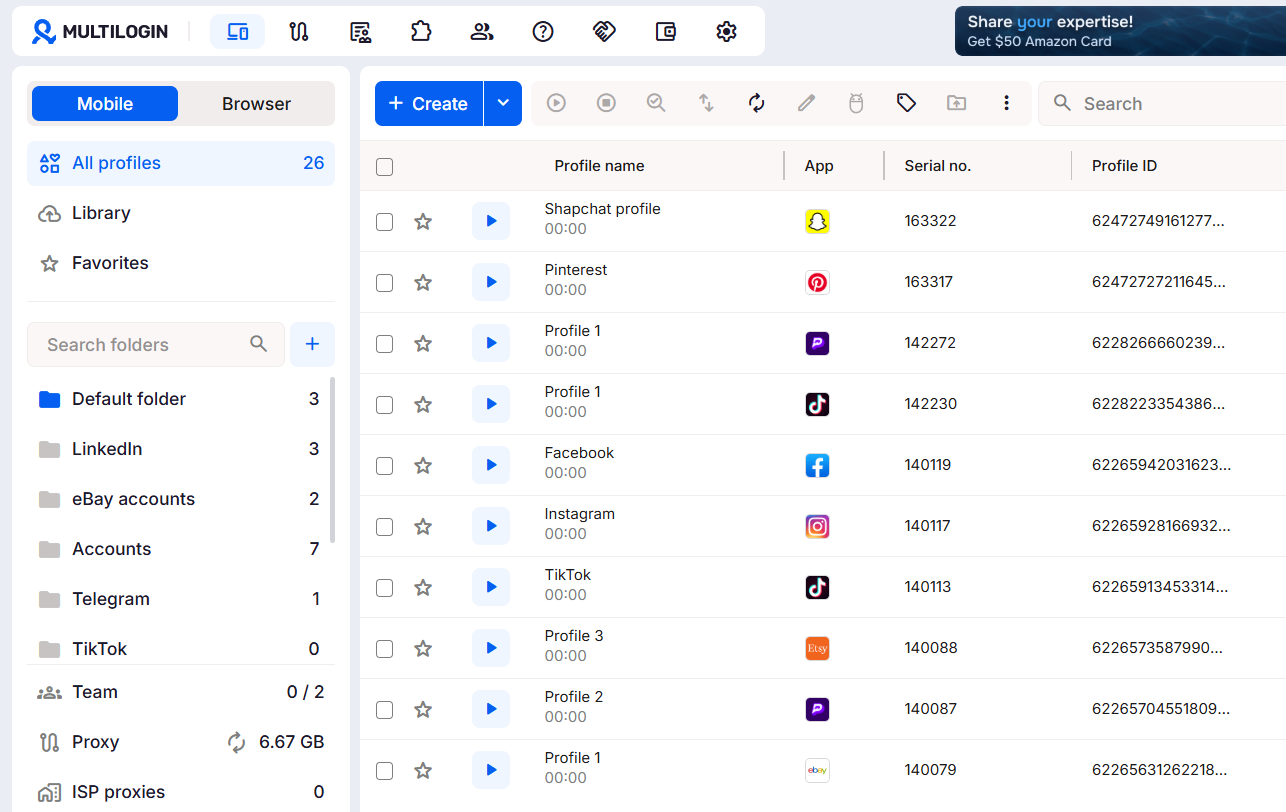
Multilogin is a multi-account management platform built around cloud phones, browser profiles, and built-in proxies. A cloud phone is a cloud-based Android setup you open from any computer. Each one has its own apps, storage, and settings, separate from every other cloud phone or profile you run.
For Instagram, this means you can run a second or third account with the same offer and content style, without those accounts sharing device history or an IP address with each other.
Here’s how to set up a dedicated cloud phone for an Instagram account
First, check the plans on the pricing page and select the one that suits your needs. You can also try the paid trial for just $2 for 3 days to test everything. Starter plans begin at $7.08/month when billed annually.
After creating your account, download the Multilogin app to your device.
Step 1: Create a new cloud phone in Multilogin
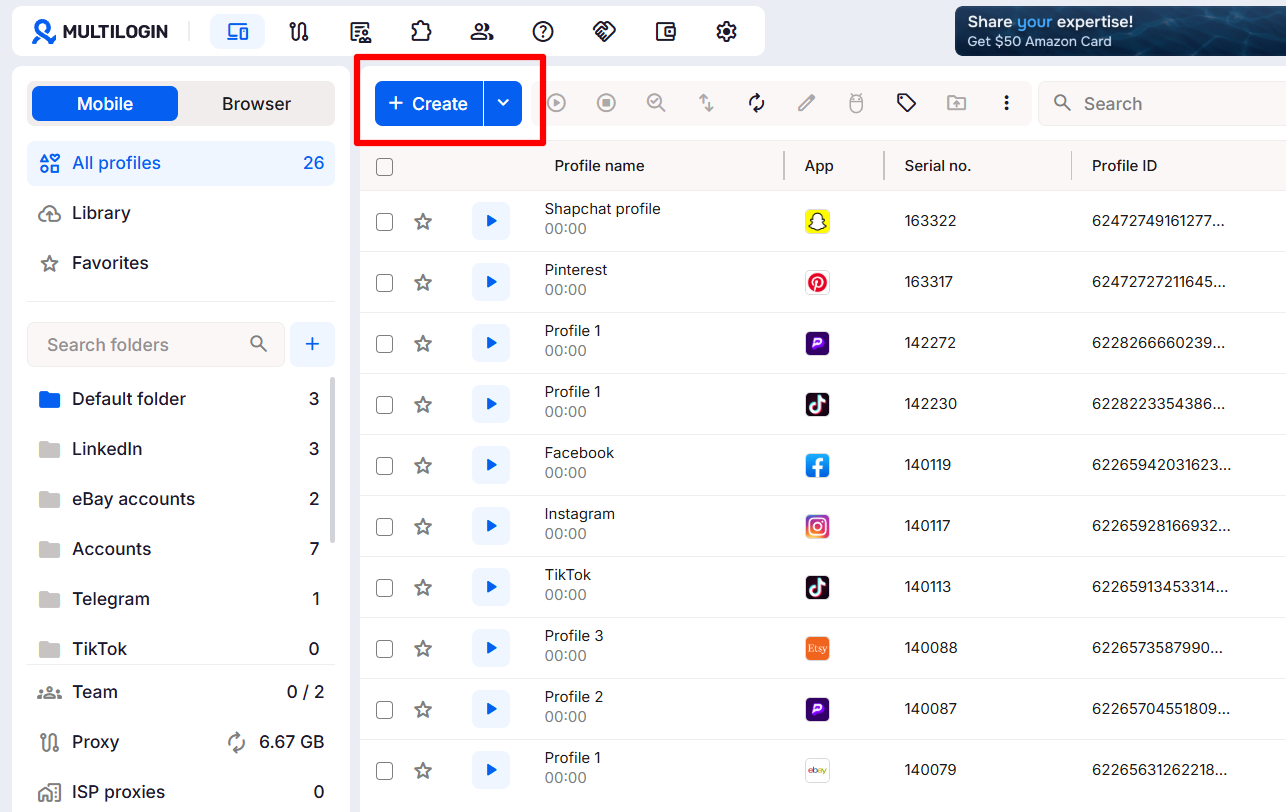
Click create from your dashboard, After that, fill the name, tags and notes, and also you can select a use case tyo attach the icon yo your ptofiole to make navigation more easi visually between yoiur profiles
Step 2: Select a location for your profile
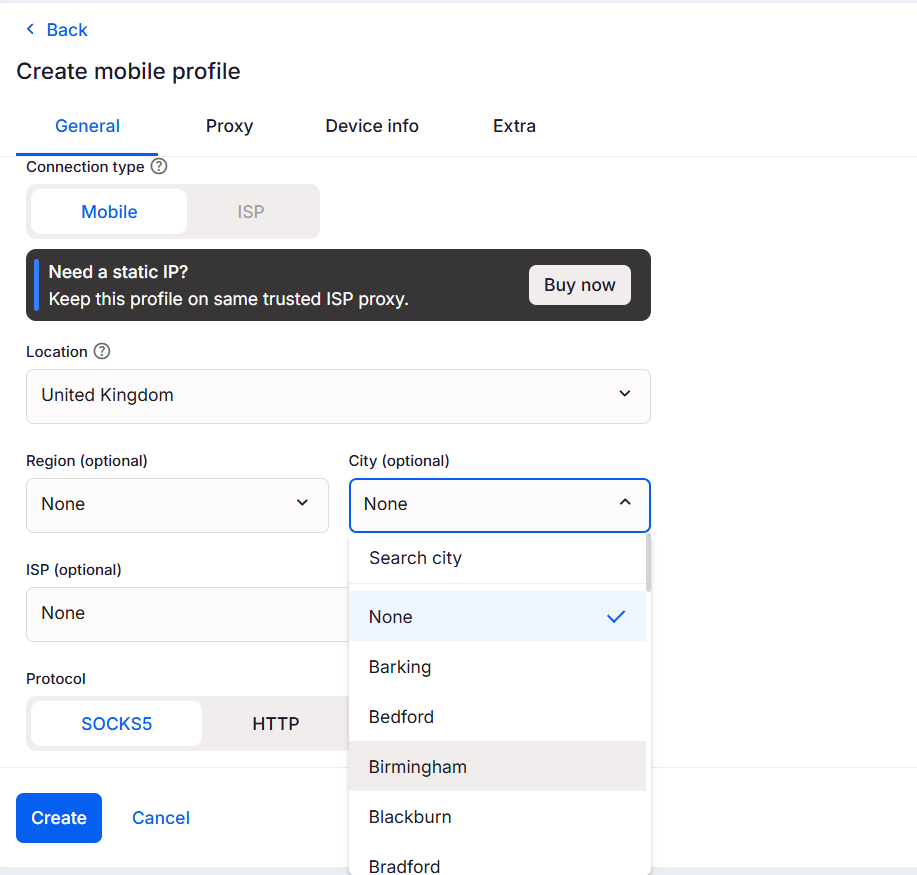
Select a mobile proxy for your cloud phone. You can choose from more than 150 locations to target any market in the world.
Step 3: Specify your device settings
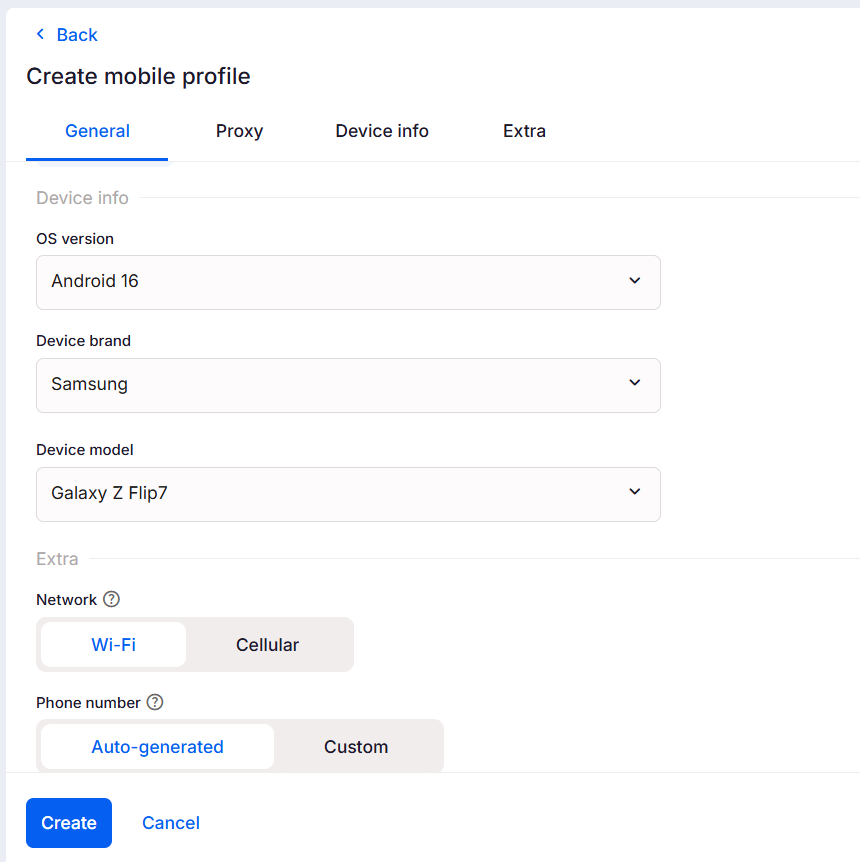
Multilogin allows you to customize your mobile profile settings. Select your device brand and Android version. After that, click Create to save your profile.
Step 4: Launch your mobile profile and install Instagram
Open your profile by clicking the Play icon on your dashboard. On the right side of the screen, you’ll see the App Store shortcut. Click it.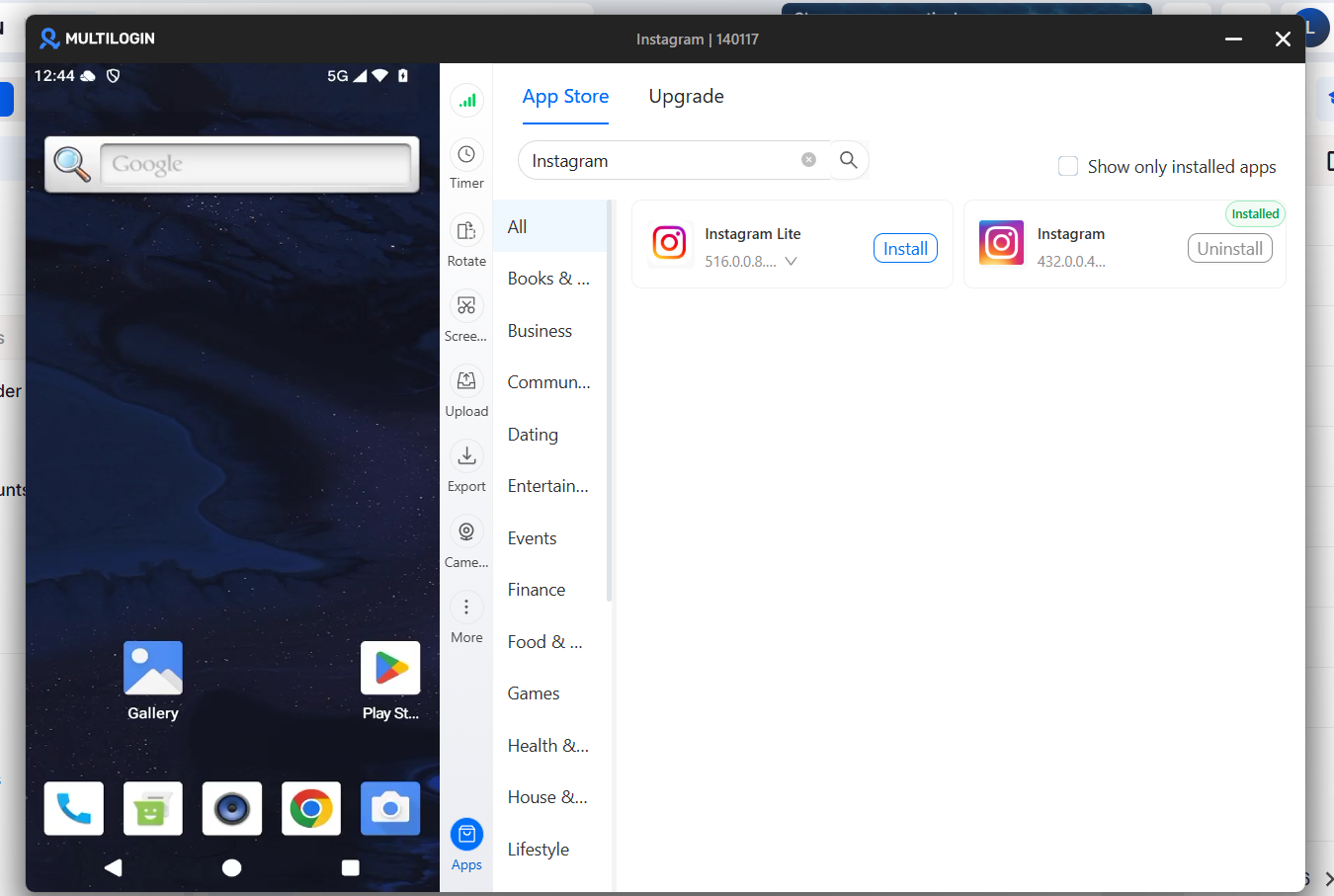
Search for Instagram and click Install. Once the installation is complete, you’ll find the app on your home screen.
Step 5: Log in or sign up inside that cloud phone only
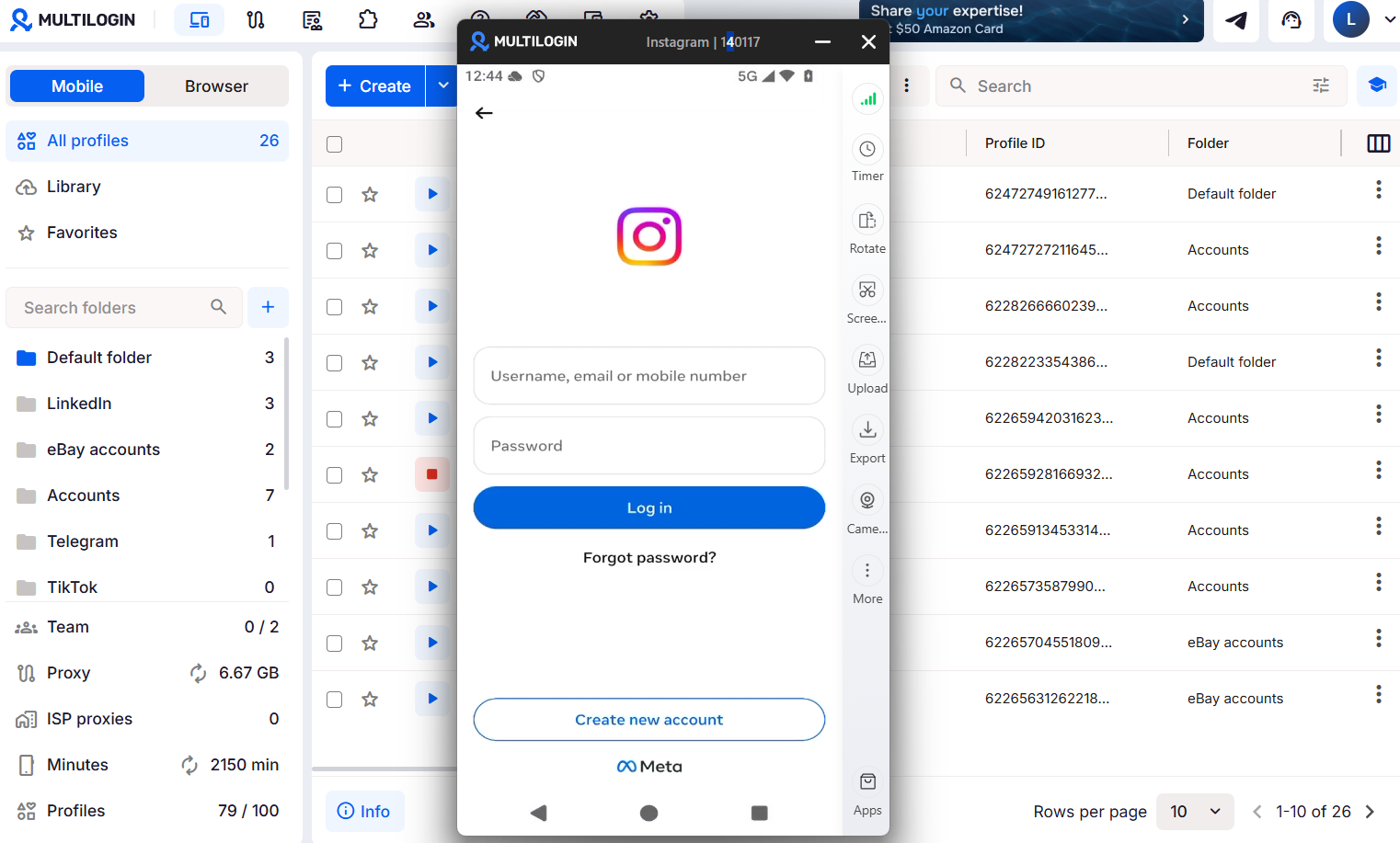
Create or log into the Instagram account you’re running, and keep it inside this one cloud phone. Don’t log other accounts into the same profile.
Step 6: Repeat per account as you grow
Once one account is set up and running, repeat the process for each additional account, offer, or team member. The same steps apply if you’re joining TikTok Marketplace with more than one seller account instead of Instagram.
Before people comment, make your profile capture-ready
Once your content gets attention, the next thing that happens is predictable: the person taps your profile before commenting or messaging you. If your bio doesn’t say who you help and what to do next, you lose them right there, before the conversation even starts.
A bio that works usually has three parts:
- A one-line statement of who you help and with what
- A clear next step, such as “DM me for pricing” or “comment ‘GUIDE’ for the free checklist”
- One link, not a stack of five, pointing to a page built around a single offer
Highlights matter too. New visitors check them before they check your latest post. Use one Highlight for proof (results, testimonials, before-and-afters) and one for your current offer, so anyone arriving from a Reel has something to act on right away. If you’re managing this alongside ad accounts and pages, the same profile runs through Meta Business Manager once you’re operating more than one account.
Response speed determines how many comments turn into leads
Once comments and DMs start coming in, speed decides how many turn into leads. Replying within five to fifteen minutes of first contact makes a real difference in whether someone becomes a customer, and most people now expect a reply within 24 hours as a baseline.
A few habits keep response time down without much extra work:
- Set up saved replies for your most common questions, like pricing or availability, so you’re not retyping the same answer every time. Instagram’s built-in quick replies feature does this without any outside tool.
- Move public comments to DM. Reply to the comment to keep the thread visible, then send the actual details in a DM. This keeps pricing and offers out of the comment section.
- Check DMs on a schedule. A few dedicated windows a day catch most leads within an hour, which is enough to beat the drop-off that happens after that.
Before you treat someone as a real lead, qualify them first
A comment or a DM reply isn’t a qualified lead yet. It’s someone showing interest. Before spending time on a full pitch, ask one or two questions to see if they’re a fit: budget range, timeline, or what brought them to you.
Depth matters more than one fast reply. An analysis of more than 370,000 sales conversations found that the ones averaging around 11 messages per qualified lead converted best, while conversations under four messages rarely qualified anyone. One good reply opens the conversation. It doesn’t close it.
Why one Instagram account can’t carry growing lead volume on its own
Instagram limits how many DMs, follows, and comments a single account can send per day. Once an account hits that limit, growth stops there too, no matter how good the offer or content is.
This becomes a real problem once a working idea needs to grow past one account:
- Scaling a proven offer. If one account’s content and lead magnet are converting well, the fastest way to grow is running the same formula on more accounts, not pushing one account past its daily limit.
- Testing offers separately. Running two different lead magnets through one account mixes the data, making it hard to tell which one is actually working.
- Team members handling outreach. Agencies and sales teams often need more than one person replying to comments and DMs, which means more than one account logged in from different locations.
- Local or multi-market businesses. Location-specific offers usually do better from accounts that read as local to each audience, rather than one account serving every market.
Running these accounts from the same phone or browser links them together in Instagram’s records. If one gets restricted, the others often get flagged too. A cloud phone gives each account its own separate setup, so growth doesn’t put your other accounts at risk.
This isn’t specific to Instagram, either. The same setup applies to running multiple Reddit accounts without them getting linked together.
Common mistakes to avoid when generating leads on Instagram
Most of what breaks Instagram lead generation isn’t a big, obvious error. It’s a handful of small habits that undo the work already covered in this guide, usually without the person noticing until leads stop converting:
- Sending traffic to a bio link instead of a DM. Every extra step between “interested” and “captured” loses people.
- Using a vague call to action. “Check out my services” gets ignored. “Comment PRICE for a quote” gets acted on.
- Treating one reply as the whole conversation. A single message delivers value. It doesn’t qualify or convert on its own.
- Copying the exact same message across every account. Beyond the risk of linking accounts, identical replies read as generic and convert worse than messages written for that account’s audience.
- Running several accounts from one device. This is what links accounts together and puts the whole operation at risk when one account gets flagged.