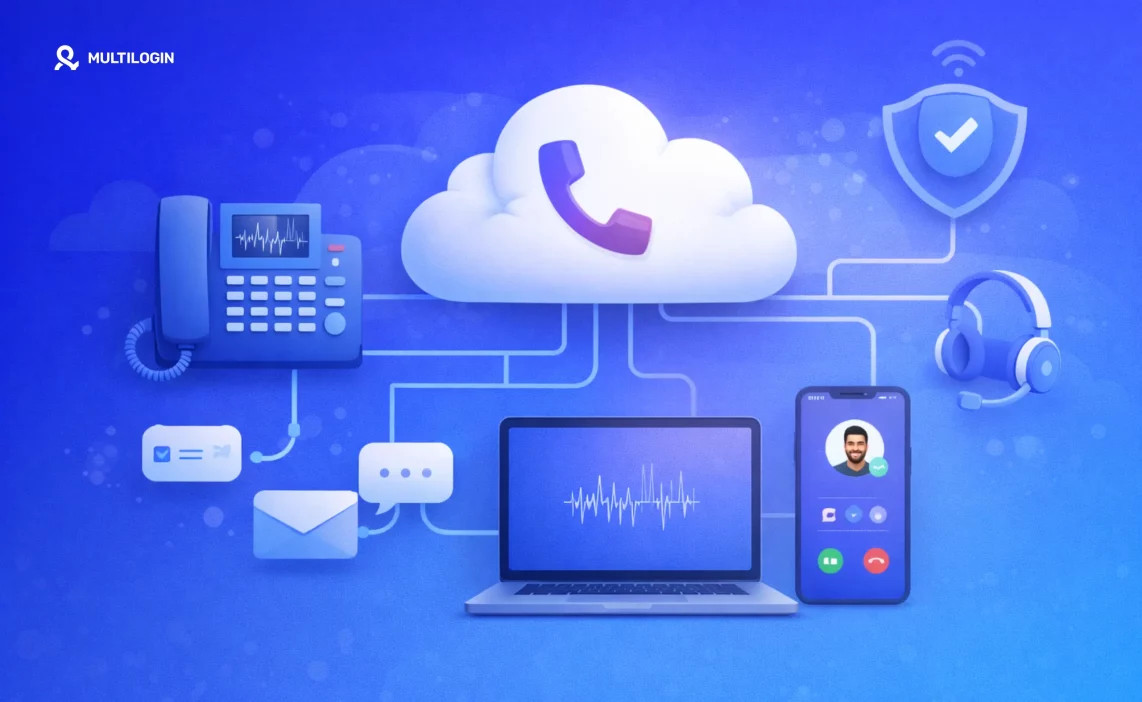

The term “phone system” used to mean a dusty box in a server room with a physical phone on every desk. Not anymore. These days, it means software, access, and operational control—all delivered through the internet.
For modern teams managing multiple accounts, the challenge isn’t just making calls. It’s about getting reliable phone numbers and maintaining clean, separate environments for every business purpose. Whether you’re handling customer support, sales operations, account verification, or multi-region campaigns, your phone system needs to do more than connect calls—it needs to protect your accounts.
This guide breaks down the real architecture of a cloud based phone system, with a focus on how teams can use Multilogin’s cloud phones for managing multiple social media accounts and business accounts. You’ll learn how calls travel through the cloud, where technologies like VoIP and cloud PBX fit in, and how to manage phone numbers as secure digital assets instead of liabilities.
A Cleaner Way to Manage Multiple Accounts
Multilogin’s cloud phones solve a problem that most multi-account teams face: how do you scale operations without juggling dozens of physical devices—a challenge that cloud asset management was designed to address in distributed, software-driven environments.
The traditional approach—buying burner phones or maintaining a phone farm—is expensive, inefficient, and risky. You end up with a pile of hardware that needs charging, SIM cards that expire, and devices that platforms can still link together through network signals and device fingerprinting.
Multilogin’s cloud phones give you a better option. You run and manage multiple cloud phone profiles directly from the Multilogin desktop application. Each cloud phone operates as a real, independent mobile device with its own identity—no physical hardware required.
This matters for social media managers, digital marketers, and e-commerce professionals who handle accounts on platforms like Facebook, Instagram, and Amazon. Using a distinct cloud phone for each account prevents platforms from linking them, which dramatically reduces the risk of suspensions or bans that happen when you use a single device for multiple logins.
The Technology Behind Secure Multi-Accounting
Multilogin’s cloud phones aren’t emulators pretending to be phones. They’re complete Android operating systems hosted in the cloud. Each cloud phone has its own unique hardware identifiers, storage, and network signals. When you use a cloud phone, the platform you’re accessing sees a genuine, consistent device—exactly what platforms expect to see over time.
Here’s how this technology protects your multi-account operations:
- Persistent and Isolated Environments: Each cloud phone is a persistent environment. Your apps, settings, and data stay intact between sessions, just like a physical phone. This consistency is critical for avoiding detection through platforms that monitor for sudden device changes or suspicious patterns.
- Unique Device Identity: Every cloud phone has a unique digital fingerprint. Platforms can’t recognize that multiple accounts are being managed from the same source, which protects your accounts from being flagged or linked together.
- Centralized Management: You manage hundreds of accounts from a single, user-friendly interface. This streamlines your workflow and lets you set up and manage accounts in a predictable, repeatable way—no more switching between physical devices or losing track of which phone goes with which account.
Benefit for Multi-Accounting | How Multilogin Cloud Phones Deliver |
Account Security | Each account is isolated in its own cloud phone, preventing cross-contamination and browser fingerprinting detection. |
Operational Efficiency | Manage all accounts from a single dashboard without physical devices or mobile antidetect browser complications. |
Scalability | Create new cloud phones instantly as your business grows and you need to manage more accounts. |
Reduced Risk | The unique and persistent identity of each cloud phone minimizes account suspension risk. |
When you combine Multilogin’s cloud phone technology with antidetect browsers, you can confidently scale your multi-account operations knowing each account operates in a secure, isolated environment.
What is a cloud based phone system?
A cloud based phone system is a communications solution hosted through a third-party provider and delivered over the internet.
Instead of owning and managing phone system hardware, you pay a monthly fee to a provider who handles all the hardware, software, and infrastructure. This lets you make and receive calls from any internet-connected device—desk phones, computers, smartphones, or in Multilogin’s case, virtualized Android environments.
As we’ve seen with Multilogin’s cloud phones, this concept extends beyond basic calling to create secure, isolated mobile environments for multi-account management and verification workflows.
Cloud phone system vs “just VoIP”
People often use “VoIP” and “cloud phone system” interchangeably, but they’re not the same thing.
VoIP, or Voice over Internet Protocol, is the underlying technology that converts your voice into digital signals and sends it over the internet. It’s the transport method—the pipes that carry your calls.
A cloud phone system is the complete architecture that uses VoIP to provide a full suite of communication features. It includes the routing intelligence (the cloud PBX), management dashboards, and integrations that turn basic internet calls into a powerful operational tool. Multilogin’s cloud phone technology builds on this foundation to offer enhanced security and multi-account management capabilities that go beyond traditional business phone systems.
Cloud phone system vs cloud PBX vs UCaaS
To clear up the terminology, here’s how these terms relate:
- Cloud PBX (Private Branch Exchange) is the digital switchboard of your phone system. It routes incoming calls to the right person or department, manages extensions, and handles call forwarding.
- Cloud Phone System is the entire solution built around the cloud PBX. It includes the PBX, user-facing apps (softphones), and administrative tools.
- UCaaS (Unified Communications as a Service) is a broader concept that bundles a cloud phone system with other communication tools like video conferencing, instant messaging, and file sharing into a single unified platform.
How a cloud based phone system works (step-by-step)
Understanding how a cloud based phone system works helps you appreciate its reliability and security. The process breaks down into five steps, from the moment a number is created to when a call connects.
Step 1: Numbers are provisioned and managed in software
With a cloud phone system, phone numbers aren’t tied to physical lines anymore. They’re digital assets you can provision, assign, and manage entirely through a software dashboard.
You can instantly get new local, toll-free, or international numbers and assign them to specific users, teams, or automated workflows. This gives you complete control over your business’s identity and reach. In Multilogin’s cloud phones, this software-based management extends to the entire mobile environment, not just the phone number—which is why teams can create multiple accounts safely and at scale.
Step 2: Call signaling sets up the connection (SIP)
When you make a call, the system uses a protocol called SIP (Session Initiation Protocol) to set up the connection. SIP acts as the traffic cop for your calls. It sends messages between devices to negotiate the terms of the call—availability, media type (voice or video), and routing information.
This signaling process happens in milliseconds and is what makes the phone ring on the other end. For teams managing operations across different regions, understanding SIP helps explain why residential proxies and geolocation spoofing matter for maintaining consistent regional identities.
Step 3: Voice travels as encrypted media streams (RTP/SRTP)
Once the call is established, your voice converts into digital data packets. These packets travel over the internet using RTP (Real-time Transport Protocol). For security, SRTP (Secure Real-time Transport Protocol) encrypts these packets.
This encryption ensures your conversations can’t be intercepted through unauthorized parties, protecting sensitive business communications. The same principle applies to Multilogin’s approach to secure browsing—every layer of communication is protected to prevent detection and interception.
Step 4: The PBX/routing layer decides where calls go
The cloud PBX is the brain of the operation. When a call comes in, the PBX decides where it should go based on the rules you’ve set. It can direct calls to an auto attendant, place them in a call queue for the next available agent, or send them directly to a specific person’s extension.
This intelligent routing ensures every call is handled efficiently. Teams running multi-account operations need this same kind of intelligent routing for their digital identities—which is exactly what Multilogin’s profile management system provides.
Step 5: Users connect via endpoints
The call connects to the user’s chosen endpoint—a VoIP desk phone, softphone application on a computer, mobile app on a smartphone, or dashboard within a web browser.
The system lives in the cloud, so users can connect from anywhere, on any device, and get the same consistent experience. With Multilogin’s cloud phones, the endpoint is a virtualized Android environment accessible from a desktop application, providing a secure and controlled connection point that platforms see as a legitimate mobile device.
What “cloud phone” means (and why teams care)
The term “cloud phone” represents more than a technical shift. It’s about creating controlled, secure, and separate phone environments for every operational need.
Cloud phone = a controlled phone environment, not just a number
A cloud phone isn’t just a phone number. It’s a complete, isolated environment that separates work-related phone activity from personal devices and networks.
This matters for teams that need to maintain distinct identities for different clients, regions, or business functions. A marketing agency can use separate cloud phones for each client campaign to avoid cross-contamination of data and ensure brand integrity. When combined with antidetect browsers, teams achieve complete digital fingerprint separation for maximum operational security.
When cloud phones matter most
Cloud phones become essential in several key scenarios:
Verification-heavy operations: Many online platforms require phone verification to create accounts. Using personal phone numbers isn’t scalable and mixes personal and business identities. Cloud phones provide a clean, dedicated number for each verification, reducing the risk of being flagged or blocked. This is critical for teams managing multiple social media accounts or running large-scale airdrop farming operations.
Multi-account workflows: Social media managers, e-commerce sellers, and digital marketers often manage multiple accounts on the same platform. Using the same phone number across these accounts leads to linking and suspension.
Cloud phones let each account have its own unique phone number, maintaining separation and reducing risk. Teams managing multiple Discord accounts or multiple Telegram accounts particularly benefit from this isolation.
Distributed teams: When team members are spread across different locations, they can’t share a single physical device. Cloud phones let them access the same business phone system from anywhere, ensuring consistent communication and a professional appearance.
Some teams use controlled cloud phone environments to ensure every team member has access to the right phone numbers and communication tools, no matter where they are—similar to how session management works for browser profiles.
Cloud based phone system vs on-premise phone systems
The differences between a cloud based phone system and a traditional on-premise PBX impact everything from cost and maintenance to scalability and business continuity.
Deployment and maintenance
An on-premise PBX requires you to purchase and install a physical server box at your office. This involves significant upfront capital expenditure and the need for a dedicated, climate-controlled space. You’re also responsible for all ongoing maintenance, repairs, and upgrades, which often requires specialized IT staff.
A cloud based phone system eliminates all of this. There’s no hardware to install, and your provider handles all maintenance and upgrades. This frees up your IT team to focus on more strategic initiatives.
The virtualized nature of Multilogin’s cloud phones takes this further through removing the need for any physical phone hardware at all—just like how virtual browsers eliminate the need for separate physical computers.
Scaling teams and regions
With an on-premise system, adding new users or expanding to a new office is a major project. It often involves running new wiring, purchasing additional hardware, and complex configuration. This can be slow and expensive.
A cloud based system is built for scalability. You add or remove users and phone numbers with a few clicks in an online dashboard. This makes it easy to adapt to changing business needs, whether you’re hiring employees or opening an office in a new country. Teams using proxy management understand this same principle—the ability to scale operations quickly without infrastructure bottlenecks.
Business continuity
An on-premise PBX is a single point of failure. If your office loses power, has an internet outage, or experiences a natural disaster, your phone system goes down with it. This can be devastating for a business.
A cloud based phone system is hosted in redundant, geographically distributed data centers. If one data center goes down, your service automatically switches to another one. This built-in redundancy ensures your business can continue to communicate even if your office is inaccessible—similar to how IP rotation provides continuity for data operations.
Cloud VoIP explained in plain English
At the heart of every cloud phone system is VoIP. While it sounds technical, the concept is simple—it’s what lets you make phone calls over the internet instead of traditional phone lines.
How VoIP works (the “packet” explanation)
When you speak into your phone or microphone, your voice is an analog signal. VoIP converts this analog signal into digital data packets. These packets are sent over the internet to the person you’re calling, where they’re reassembled back into an analog signal so the other person can hear your voice.
Think of it like sending a picture piece by piece through the mail and having it put back together at the other end, only it happens almost instantly. This same packet-based approach is why web scraping and automated data collection can happen so quickly—data breaks into small pieces that travel efficiently.
Where quality problems come from
VoIP calls travel over the internet, so they can sometimes experience quality issues. The most common culprits are:
- Jitter: Data packets arrive out of order, causing distorted or garbled sound.
- Latency: The delay between when you speak and when the other person hears you. High latency leads to awkward pauses and people talking over each other.
- Packet loss: Some data packets get lost in transit, resulting in dropped words or parts of the conversation.
What teams do to keep quality stable
A reliable, high-speed internet connection is the most important factor for stable VoIP quality. Many businesses also use Quality of Service (QoS) settings on their network to prioritize voice traffic over other types of data. This ensures calls get the bandwidth they need to be clear and consistent.
Choosing a reputable cloud phone system provider with a robust and resilient network is also key. Teams running operations through residential proxies should pay special attention to proxy server quality for optimal call performance—just like how proxy quality affects web scraping success rates.
Security and compliance basics (what people miss)
Security is a top concern for any business, and your phone system is no exception. Cloud based phone systems offer robust security features, but it’s important to understand what they are and how they work.
Encryption that actually matters (TLS + SRTP)
As mentioned earlier, TLS (Transport Layer Security) and SRTP (Secure Real-time Transport Protocol) are the two most important encryption protocols for a cloud phone system. TLS encrypts the signaling messages that set up the call, while SRTP encrypts the actual voice media.
Together, they provide end-to-end encryption that protects your calls from eavesdropping. These protocols work alongside TLS fingerprinting protection measures to ensure your communications remain secure and your digital identity stays consistent.
Common threats
Even with encryption, there are other threats to be aware of:
- Call interception: A third party tries to listen in on your calls. SRTP helps prevent this, similar to how WebRTC leak protection prevents IP address exposure.
- Toll fraud: Attackers gain unauthorized access to your phone system and use it to make expensive international calls, leaving you with a massive bill.
- Account takeover: An attacker gains control of a user’s account and uses it to impersonate them or access sensitive information. The isolated environments provided through Multilogin’s cloud phones are specifically designed to mitigate this risk.
Access control for teams
To protect against these threats, strong access controls are essential. This includes using strong, unique passwords for all user accounts, enabling two-factor authentication, and implementing role-based access control.
Role-based access control lets you give users access only to the features and information they need to do their jobs. This separation of environments is a core security principle that helps minimize the risk of a security breach. Organizations should implement browser isolation techniques and understand session management best practices to maintain security across all communication channels.
Real team workflows
The real power of a cloud based phone system is how it adapts to the specific workflows of different teams.
Support teams
For support teams, a cloud phone system provides a shared inbox for calls and messages, making it easy for team members to collaborate on customer issues. Calls can be handed off to another agent, and recordings can be used for training and quality assurance.
This same collaborative approach works for teams managing multiple customer service accounts across different platforms—each team member can access the accounts they need without sharing credentials or risking cross-contamination.
Sales teams
Sales teams can use regional phone numbers to establish a local presence in different markets, which significantly increases answer rates. They can track call outcomes and integrate their phone system with their CRM to get a complete picture of customer interactions.
Teams operating in specific regions benefit from location-specific solutions like USA proxy, UK proxy, or Canada proxy to maintain consistent regional presence—the same principle applies to cloud phones with regional numbers.
Ops + verification-heavy teams
For operations and verification-heavy teams, the ability to create and manage multiple, isolated phone environments is a game-changer. This is where solutions like Multilogin’s cloud phones truly shine.
These teams can provide a fresh, clean phone environment for each verification or account, which lets them operate at scale without the constant fear of being flagged or banned. Whether you’re farming crypto airdrops, managing multiple e-commerce accounts, or running affiliate marketing campaigns, cloud phones provide the infrastructure for sustainable growth.
What to look for when choosing a cloud based phone system
With so many providers to choose from, it can be hard to know where to start. Here’s a checklist of must-have features and questions to ask vendors to help you make the right choice.
Must-have checklist
- Reliability and uptime: Look for a provider with a guaranteed uptime of at least 99.99%.
- SMS support: If your team communicates with customers via text, make sure the provider offers robust SMS features.
- Number management and portability: You should be able to easily add new numbers and port your existing numbers to the new system.
- Access controls: The system should offer granular, role-based access controls to protect your security.
- Multi-account capabilities: For teams managing multiple online identities, consider specialized solutions that offer integrated antidetect browser and cloud phone technologies.
Questions to ask vendors
- Is your system a VoIP-only solution or a full cloud PBX architecture?
- How do you secure signaling and media? (Look for TLS and SRTP)
- What kind of reporting and logging is available?
- Do you offer features for managing multiple accounts and digital identities?
- How do you handle device fingerprinting and ensure each environment appears unique?
Stop fighting blocks one by one — run clean isolated sessions
Frequently Asked Questions About How a cloud based phone system work
A cloud based phone system works through converting your voice into digital data packets and sending them over the internet. It uses a cloud PBX to route calls and a suite of software applications to provide a wide range of communication features. The entire system is hosted in the cloud, so you can access it from any internet-connected device.
A cloud phone system is a business phone system that is hosted in the cloud and delivered to you over the internet. It allows you to make and receive calls from any internet-connected device without requiring physical phone lines or on-premise hardware.
No. VoIP is the technology that powers the calls through converting voice to digital data, while a cloud phone system is the complete architecture that provides a full suite of business communication features. Think of VoIP as the engine and the cloud phone system as the entire car.
A cloud PBX is the digital switchboard of your phone system. It’s an essential component that routes calls and manages your phone system’s features like call forwarding, extensions, and voicemail. If you want a business phone system with these capabilities, you need a cloud PBX.
A cloud phone number is a virtual phone number that is not tied to a physical phone line. It can be instantly provisioned and managed through a software dashboard, making it easy to scale your operations without hardware limitations.
Yes, reputable cloud phone systems are very secure. They use encryption protocols like TLS and SRTP to protect your calls from eavesdropping and offer a range of access control features to protect your system from unauthorized access. For enhanced security, especially for multi-account management, solutions like Multilogin’s cloud phones provide an additional layer of protection through device fingerprinting isolation and persistent device identities.
Conclusion
A cloud based phone system is more than just a way to make calls. It’s a powerful tool that can improve your team’s communication, streamline workflows, and enhance security.
Understanding how these systems work—and exploring advanced solutions like Multilogin’s cloud phones—helps you make an informed decision and choose a solution that helps your business thrive.
For teams requiring advanced online anonymity and digital privacy, combining cloud phone systems with privacy browsers and proper fingerprint masking creates a comprehensive operational security framework.
Ready to scale your multi-account operations with cloud phones that actually protect your accounts? Explore Multilogin’s cloud phone solution and see how professional teams manage hundreds of accounts without the risk.

