



Discover why teams choose Multilogin

Multilogin vs. Sessionbox

sessionbox vs multilogin
Multilogin logo representing the Estonian-origin platform for advanced multi-account management and anonymity.
sessionbox logo
Cloud phones in Multilogin Icon

Cloud phones

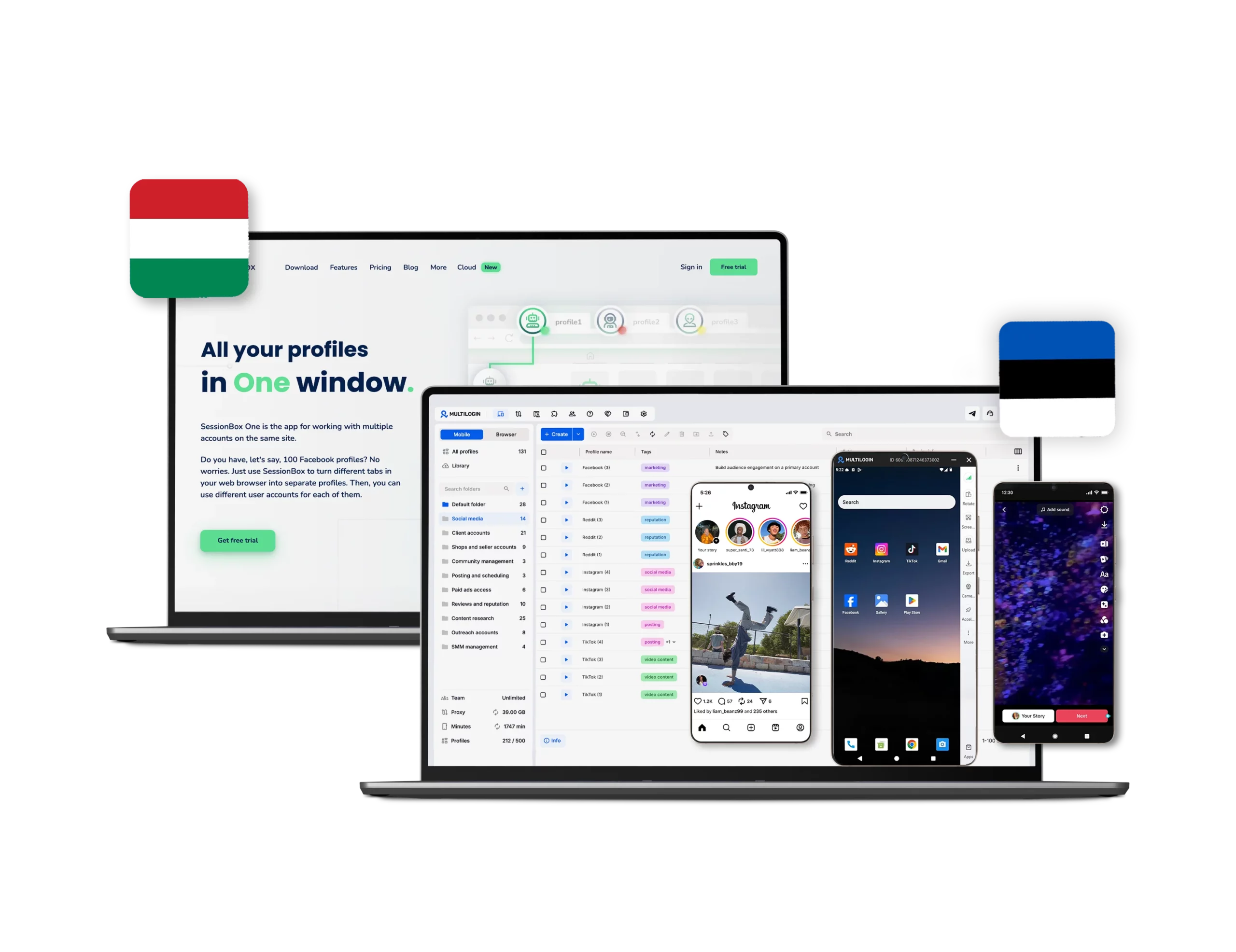
Multilogin provides cloud phones for access to mobile apps and social media management. Each device has unique parameters to prevent cross-linking between accounts and enables natural, organic posting across multiple accounts without physical devices.


There are no cloud phones, no Android devices, no native app support in any Sessionbox plan.

Built-in proxies

Multilogin offers built-in residential proxies with access to over 5 million IPs across 150+ countries.

Multilogin includes premium residential proxy traffic in every plan from 1 GB on Pro 10 up to 10 GB on Business. Traffic rolls over monthly with an active subscription. No third-party proxy account needed.

Multilogin also supports third-party proxies, allowing users to integrate their preferred proxy services.

SessionBox does not offer built-in proxies. Users must manually configure third-party proxies, adding complexity to the proxy setup process.

web automation

Web automation

Multilogin supports full integration with Selenium, Puppeteer, Playwright, and Postman. REST API included from Pro 10 upwards, with rate limits up to 100 RPM. Automate profile creation, cloud phone launches, and account workflows.

SessionBox supports basic automation through its local API and can be integrated with Selenium. However, it lacks native support for Playwright and Puppeteer, limiting its capabilities for complex automation tasks.

Browser fingerprinting customization

Multilogin runs on the Mimic browser core (Chromium-based), with real device fingerprints tested daily against 50+ detection sites. You get advanced control over canvas, WebGL, audio context, fonts, timezone, and geolocation — auto-matched to your proxy. For mobile, Cloud Phones use genuine Android hardware parameters (IMEI, Android ID, MAC) instead of spoofed values.

SessionBox offers basic fingerprint protection by creating distinct, isolated profiles in a single browser. However, it lacks the depth of customization found in Multilogin. ​

Data privacy & security

Data privacy & security

Multilogin as a European-based company, Multilogin complies with GDPR regulations, ensuring your data is deleted three months after your subscription ends. It offers top-tier security by hashing passwords to ensure they aren’t stored or transmitted as plain text. It uses AES encryption for account data and encrypts sessions before cloud storage.

SessionBox collects minimal personal data and encrypts sensitive session information locally using AES-256 and RSA 2048-bit encryption. It acknowledges GDPR rights, allowing users to request data deletion via email. However, it does not specify automatic data deletion timelines.

Browser core & antidetect updates​

Browser core & updates

Multilogin provides regular updates every 2 to 4 weeks after official releases. The focus is on cloud phone performance, browser profile stability, security, and compatibility with automation tools. Guided by user feedback, these updates help improve reliability across mobile and web workflows.

SessionBox updates less frequently and focuses more on improving the user experience and fixing bugs, which may not be as proactive in addressing new detection techniques. ​

Multilogin vs x browser pricing: Multilogin is cheaper

Pricing

Multilogin offers a Free Plan, allowing users to explore the platform before upgrading. Pricing is simple, transparent, and flexible for individuals and teams, with paid plans starting from $7.08. Plans include cloud phones, browser profiles, built-in proxies, and tools for managing mobile and web workflows in one platform. Try Multilogin for free and upgrade when you need more resources.

Sessionbox offers a 7-day free trial with limited features. Paid plans start at $4.99/month (Hobby) when billed annually, or $12.99/month on monthly billing.

Sessionbox does not include proxy traffic.

Does not support native Android apps at any tier.

What Multilogin offers that Sessionbox doesn't

24/7 customer support in 5 languages

Daily testing on 50+ website

Built-in residential and mobile proxies

Real device fingerprints

Avoids detection with pre-farmed cookies

Desktop app for Windows, macOS, and Linux

Persistent app data and session continuity

Sessionbox user or new to the game?

Discover Multilogin, a reliable alternative to Sessionbox

Multilogin vs. Sessionbox recap chart

Find out why Multilogin is the preferred alternative to Sessionbox

Multilogin logo representing the Estonian-origin platform for advanced multi-account management and anonymity. sessionbox logo
Platform maturity
Launched in 2015, more mature and stable platform
Launched in 2013
Country of origin

Estonia Flag Estonia


Round icon of the Hungarian flag, representing Kameleo's country of origin.Hungary

 
Platform compatibility
macOS, Windows, Linux
macOS, Windows
Android Cloud Phones
Yes, real devices (Android 10–15)
No
Mobile app marketplace
Built-in store + APK upload
No
Security
High security
High security
Quick profile creation
Yes
Yes

Frequent updates

Frequent and detailed updates
Regular updates
Built-in proxies
Yes
No
Custom browser fingerprint generation
Yes
Yes
Account password protection
Yes
Yes
Support
24/7 Live Support, supports 5 languages
Available, can be slow
Knowledge center
Yes
Yes
Profile warmup with pre-farmed cookies
Yes
No
Real-time external IP change detection
Yes
No
Market position
Beginner-friendly and scalable for businesses and teams of any size
Suitable for small to medium-sized businesses

Award winning multiple account management platform

High Performer
Momentum leader
Best support
Momentum leader

Why people love Multilogin

Nino Latif

The best service for great ideas and big minds!
Always here for their clients, always ready to help out. I am using the service for 3-4-5 months now and brought me lots of great things 🙂 Hope to grow it on a larger scale and continue using the service ...
Nick H.

Nick Horvath

Marketing agency

Efficient Account Management and Outstanding Support with Multilogin
Multilogin has been an excellent tool for managing multiple accounts efficiently. The setup was quick, and I was able to start using it right away with no learning curve. The interface feels just like Chrome, making it easy to navigate and work without interruption. Performance has been smooth, and browsing feels natural and responsive.
Sagar Chandra R

Sagar C.

Social Media Marketing

Effortless Multi-Account Management with Multilogin
I use Multilogin to manage multiple social media accounts safely and efficiently. It keeps each account in a separate digital profile, preventing blocks and saving time. I love the account isolation and friendly interface, which makes managing multiple profiles fast, secure, and easy. The initial setup was straightforward and easy.
Hamza Arif

Hamza Arif

E-commerce Manager

Perfect browser for work, worth the money!
My overall experience with Multilogin has been excellent. I really like its intuitive dashboard, reliable customer support, and competitive pricing. It has become an essential part of my e-commerce business, and I highly recommend it to anyone looking for a dependable solution.

Nino L.

Marketing Agent, Small-Business

Started using Multilogin in August/September 2021. Been using it for a couple of years now and I am very satisfied overall. They are always looking and finding ways to improve their app and make it easier...
Nathan Green

Nathan Green

Digital Marketing Specialist

Great Tool with Even Better Support
I've been using Multilogin for a while now, and I’m genuinely impressed with both the product and the support behind it. Their customer support is outstanding — always quick to respond, super helpful, and ready to assist with any issues or questions you have. You really feel like you're being taken care of.

George M.

Co-Founder, Small-Business

Quite Likely The Best Privacy Browser Out There!

There are quite a few things I like about Multilogin. My favorite, most definitively, is the teams feature allowing you to easily share specific browser profiles with different team members...

Watch the Multilogin Demo

Learn how Multilogin can boost your business. Check the video below to see its full capabilities in a short demo video.

See more comparisons

Multilogin vs. Sessionbox: Detailed Comparison for 2026

Sessionbox and Multilogin may both appear in searches for multi-account management tools, but they are built for very different types of users.

Sessionbox is primarily a browser extension designed to separate login sessions inside Chrome and other supported browsers. It helps users open multiple accounts by keeping cookies and local storage separate between tabs or sessions. For simple use cases, such as accessing several email accounts or switching between a few customer dashboards, this can be convenient.

Multilogin takes a broader approach. It is positioned as a cloud phone platform for users and teams that need to manage mobile accounts, native Android applications, browser-based workflows, proxies, and persistent sessions from one centralized workspace.

The key difference is that Sessionbox focuses mainly on browser session separation, while Multilogin supports complete mobile environments through Android cloud phones. This makes Multilogin more suitable for social media managers, agencies, e-commerce teams, affiliate marketers, and other professionals whose workflows depend heavily on mobile apps.

Multilogin also offers a Free Plan, allowing users to explore the platform and test its cloud phone workflows before deciding whether they need additional resources.

Sessionbox Is Designed for Browser Sessions, Not Mobile Workflows

Sessionbox works by creating separate browser sessions. Each session can maintain its own cookies, local storage, and login state, which allows users to access several accounts on the same website without repeatedly signing in and out.

This setup can work well for lightweight browser activity. A freelancer managing two Gmail accounts, for example, may only need separate browser tabs. Similarly, a user handling a small number of SaaS accounts may find that Sessionbox provides enough separation for everyday tasks.

However, Sessionbox remains dependent on the browser running on the user’s computer. It does not provide native Android environments, dedicated mobile devices, persistent app installations, or centralized mobile account management.

That limitation becomes important when the workflow involves platforms such as TikTok, Instagram, Reddit, Telegram, Facebook, or other services where native mobile apps are central to account activity.

Many social media workflows are not limited to websites. Posting, engagement, direct messaging, account warm-up, application settings, push notifications, and device-based features often happen inside Android applications. A browser extension cannot fully support these workflows because it operates only within the desktop browser layer.

Multilogin addresses this gap through Android cloud phones. Instead of limiting users to isolated browser tabs, it provides remote mobile environments that can run native Android apps in the cloud.

How Multilogin Cloud Phones Support Mobile Account Management

Multilogin cloud phones are designed to give each account its own persistent Android environment. Users can access these environments remotely without relying on a personal smartphone or running multiple Android emulators on a local computer.

Each cloud phone can maintain its own applications, app data, login sessions, cache, device settings, and network configuration. This allows users to return to the same mobile environment without rebuilding it every time.

For teams managing social media accounts, this persistence is especially valuable. An Instagram or TikTok account can remain logged in on the same cloud phone, with its application data and session history preserved between uses.

Multilogin cloud phones also support a range of smartphone brands, device models, and Android versions. This gives users more flexibility when setting up environments for different mobile workflows.

Another important advantage is that cloud phones do not depend on the performance of the user’s local computer. Running several Android emulators locally can consume large amounts of CPU, RAM, storage, and graphics resources. As more instances are added, the computer may become slow or unstable.

Cloud phones move that resource demand to remote infrastructure. Users can scale mobile account operations without continuously upgrading their personal hardware.

Sessionbox does not offer this type of mobile environment. It can separate website logins, but it cannot run native Android applications or preserve app-based sessions.

Multilogin vs Sessionbox for Social Media Management

For basic browser access, Sessionbox can be a practical tool. It allows users to open multiple web accounts in separate sessions and reduces the need to switch between browsers or clear cookies manually.

For professional social media management, however, the requirements are usually more complex.

Teams may need to manage accounts across desktop websites and native mobile apps. They may also need stable sessions, consistent proxy assignments, team access, persistent environments, and centralized control over multiple accounts.

Sessionbox covers only part of this process. It separates browser sessions, but mobile apps must still be managed using personal phones, local emulators, or unrelated third-party services. This can result in fragmented workflows where browser activity, mobile activity, proxies, and account access are spread across different tools.

Multilogin provides a more unified setup. Its cloud phones allow users to manage native Android apps remotely, while browser profiles can support web-based workflows within the same platform.

This reduces the need to maintain separate systems for mobile and desktop activity. Teams can organize accounts more clearly, assign environments to specific users, and keep mobile sessions available even when different team members need access.

For agencies managing client accounts, this centralized structure can also make onboarding and handovers easier. An account environment does not need to remain tied to one employee’s personal phone or laptop.

Proxies and Network Management

Sessionbox focuses on session separation rather than full infrastructure management. Users who need proxies generally have to source, configure, and maintain them separately.

This may be manageable for a small number of accounts, but it becomes more difficult as operations grow. Each account may require its own location, network settings, or proxy assignment. Manual configuration increases the chance of mistakes, inconsistent setups, or accidental reuse of the wrong network connection.

Multilogin provides built-in proxy support alongside its cloud phone and browser workflows. This helps users manage network settings without relying entirely on separate external tools.

A cloud phone can be paired with an appropriate proxy, making it easier to maintain a consistent environment for each account. Teams can manage mobile devices, proxy settings, and account access from the same workspace.

This does not mean every workflow becomes automatic, but it significantly reduces the number of disconnected tools required to manage accounts at scale.

For users comparing Sessionbox vs Multilogin, this is an important distinction. Sessionbox is primarily a browser utility. Multilogin is designed as a broader infrastructure platform for mobile and web account management.

Team Collaboration and Centralized Access

Sessionbox can help individuals organize browser logins, but it is not primarily built as a complete team operations platform.

When several people need access to multiple accounts, browser extensions can create practical challenges. Sessions may remain tied to a specific browser installation, device, or user setup. Sharing access may require additional coordination, exported data, shared credentials, or duplicated environments.

Multilogin is better suited to structured team workflows. Cloud phones and account environments can be organized within a centralized dashboard, making it easier for teams to manage access and maintain continuity.

Because cloud phones are hosted remotely, they are not tied to one physical computer. A team member can access the assigned environment without needing the original employee’s laptop or personal phone.

This is especially useful when teams work across different offices, countries, or time zones. Persistent cloud environments allow account operations to continue even when responsibilities move from one person to another.

Centralized management also helps reduce operational confusion. Instead of asking which employee has a particular login, device, proxy, or app session, teams can manage those resources inside the same system.

Is Multilogin a Better Sessionbox Alternative?

The answer depends on the complexity of the workflow.

Sessionbox may be enough for users who only need to keep several browser logins open at the same time. It is lightweight, familiar, and easy to install. For casual tasks involving a small number of web accounts, it can be a reasonable choice.

Multilogin is the stronger Sessionbox alternative for users who need mobile account management, native Android apps, persistent sessions, proxies, team collaboration, and scalable infrastructure.

Its main advantage is not simply that it separates browser sessions. It gives each mobile account access to a dedicated cloud phone environment that can remain available over time.

This makes Multilogin more suitable for professional workflows involving social media, e-commerce, affiliate marketing, client account management, and mobile-first platforms.

Users do not need to rely on local emulators or maintain several physical smartphones. They can access Android cloud phones remotely and manage mobile workflows from a centralized platform.

Getting Started with Multilogin for Free

👉 Multilogin offers a Free Plan, which gives users an opportunity to explore the platform before upgrading.

This is useful for anyone comparing Multilogin vs Sessionbox and trying to understand whether cloud phones are necessary for their workflow. Instead of committing to a paid setup immediately, users can test how remote Android environments fit into their daily account management process.

FAQ: Multilogin vs. Sessionbox

Sessionbox is a browser extension that lets you isolate cookies and local storage between tabs in Chrome, Firefox, or Edge. Each session acts like a small container. It does not change your browser fingerprint, so platforms can still link accounts through fingerprint signals.

The Sessionbox extension is generally safe for casual multi-login use (two Gmail accounts, basic session separation). For professional multi-accounting — where account bans are a real cost — extension-based tools cannot match the isolation that platforms like Multilogin provide through dedicated browser cores and Cloud Phones.

The most powerful Sessionbox alternative is Multilogin. It provides antidetect-grade browser fingerprinting, real Android Cloud Phones for mobile accounts, built-in residential proxies, Selenium/Puppeteer/Playwright automation, and 24/7 support in 5 languages. Other alternatives include Incogniton, GoLogin, and Kameleo — but only Multilogin combines browser and real mobile devices in one platform.

You install the Sessionbox extension from the Chrome Web Store. Once installed, you create new sessions and manage multiple logins. That said, if you plan to manage more than a handful of accounts — especially on platforms like Instagram, TikTok, or Facebook — a dedicated antidetect browser + Cloud Phones setup like Multilogin is far more reliable.

Yes. Sessionbox has a Firefox extension with similar functionality to its Chrome version. It isolates cookies per tab but does not modify the browser fingerprint.

Sessionbox is available from the Chrome Web Store, the Firefox Add-ons store, the Edge Add-ons store, or the official sessionbox.io website.

Install the extension, create a new session for each account, assign a proxy if needed, and log in. Each session keeps its own cookies. For scale and real account isolation, see Multilogin’s approach below.

Multilogin. It replaces the tab-level isolation of Sessionbox with full environment-level isolation — each account gets its own browser profile or Cloud Phone, with matched proxies and persistent sessions.

No. Sessionbox is a browser-only tool. It cannot run native Android or iOS apps. Multilogin’s Cloud Phones run real Android devices (versions 10–15) where you install apps from the built-in store or upload APKs — so you can post, engage, and warm up accounts inside the actual Instagram, TikTok, or Reddit app.

Each social media account runs on its own dedicated Android Cloud Phone with unique hardware identifiers (IMEI, Android ID, MAC), a unique SIM and network, and a matched GPS location. App data, cache, and logins persist between sessions, which mirrors how a real person uses their phone. This is the difference between a Sessionbox-style container and a real device environment.

Telegram
We’re checking this platform.
Please fill your email to see the result.

Thank you! We’ve received your request.
Please check your email for the results.

Multilogin works with amazon.com