


Discover Multilogin now and get 50% off your first month!

Multilogin vs. Maskfog

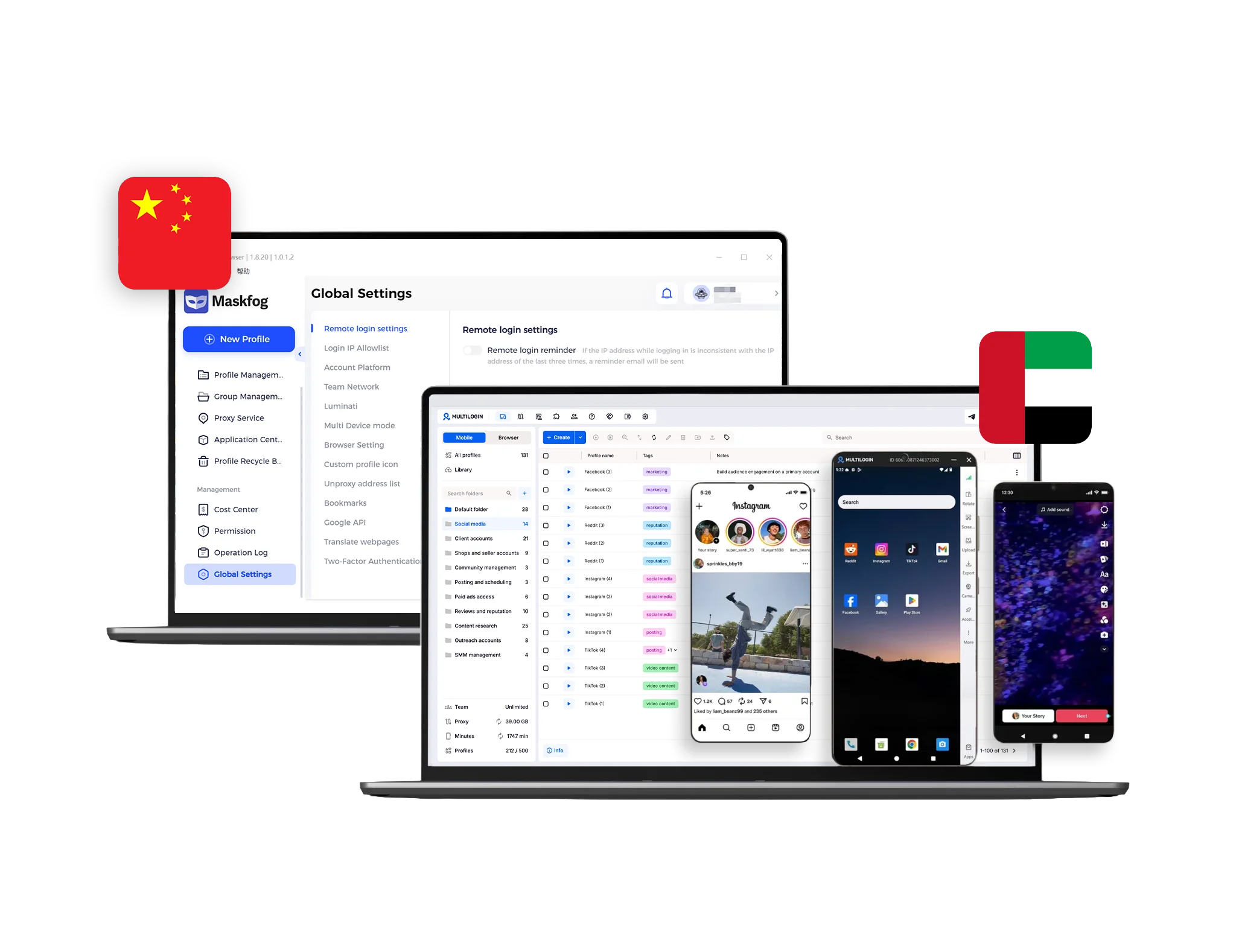
Maskfog browser interface compared with Multilogin, showing proxy settings and workspace views with country flags.
Multilogin logo representing the Estonian-origin platform for advanced multi-account management and anonymity.
Maskfog logo
Cloud phones in Multilogin Icon

Cloud phones

Multilogin offers cloud phones that run as real Android devices, with control over the brand, model, IMEI, and Android version. Apps like TikTok, Instagram, Reddit, and Snapchat can be installed in one click through the built-in App Marketplace. Real device signals help accounts appear more natural, improving organic growth in platform algorithms.

Maskfog does not offer cloud phones, native Android environments, or any way to run real mobile apps. The platform is desktop browser-only, with no mobile operation supported.

Icon of a proxy symbol representing proxy features and integration capabilities in the comparison.

Built-in proxies

Multilogin provides built-in proxies out of the box, with 30M+ IPs and 150 locations to choose from. Bandwidth carries over from one month to the next. Proxies are managed from the profile creation screen in one click. Multilogin also supports third-party providers.

Maskfog does not bundle proxies into the browser. Their official proxies are sold separately Proxy traffic is an extra cost on top of the browser itself, and setup is handled per profile rather than at the plan level.

Usability and user interface_blue icon

Web automation

Multilogin makes it possible to automate hundreds of profiles at the same time, including simple actions like posting and likes. Selenium, Playwright, Puppeteer, and Postman all plug in directly, so existing scripts work out of the box.

Maskfog does not support popular automation frameworks like Selenium or Puppeteer, and does not offer a full API. Users are limited to basic batch tasks and command-line options, which makes larger automation workflows hard to build without bringing in extra tools.

Icon representing browser fingerprinting technology and anti-detection features in the comparison.

Fingerprinting customization

Multilogin runs on the Mimic browser, with 55+ fingerprint parameters users can fine-tune themselves. Canvas, WebGL, AudioContext, fonts, timezone, geolocation, language, and user agent are all open for adjustment. Multilogin is also tested daily on 80+ detection sites.

Maskfog provides only basic fingerprint control, including user agent, timezone, language, fonts, screen resolution, and WebRTC. However, it has limited deeper customization, which can make profiles less reliable on stricter platforms.

Browser flexibility icon blue

Browser flexibility

Multilogin gives users access to browser profiles and cloud phones from the same dashboard. The desktop app runs on Windows, macOS, and Linux, so users can manage both web and mobile work from one place without switching tools.

Maskfog does not offer native Android environments. Users are locked into a single Chromium-based browser, with no fallback when sites flag profiles, and no way to handle mobile workflows from inside the platform.

Data privacy & security

Multilogin is fully GDPR-compliant and based in the European Union. We encrypt sensitive data, hash passwords, and automatically delete your browser profiles three months after cancellation. Your data is safely stored and protected from both external threats and internal misuse. This ensures strong privacy whether you’re working solo or with a team.

Maskfog stores browser profiles locally on your computer. While this reduces exposure to the cloud, it also limits access across devices. The platform encrypts local files but doesn’t clearly state compliance with data protection standards like GDPR. There’s also no public policy about data retention after account cancellation, so long-term privacy practices are unclear.

Icon symbolizing teamwork, designed as interconnected puzzle pieces representing collaboration and unity.

Teamwork

Multilogin makes team collaboration easy from day one. Profiles and workspaces can be shared in a few clicks, role-based permissions keep access clear, and cloud sync keeps everyone working from the latest version. New team members are easy to onboard and ready to work right away.

Maskfog does not offer the same depth of team management. The platform lacks granular permission controls, which makes it harder to organize daily work as a team grows.

Icon symbolizing customer support services, highlighting availability and assistance in the comparison.

Customer support

Multilogin gives users 24/7 expert support in five languages: English, Vietnamese, Russian, Chinese, and Portuguese. The support team uses the product daily and tests it across 80+ platforms, so answers come fast and from real experience. The Multilogin Academy also gives users free, practical guides on running multiple accounts across different platforms, so users can learn at their own pace.

Maskfog does not offer 24/7 live support or multilingual help. Help comes through email only, and the documentation stays thin, which leaves users without much guidance when issues come up mid-workflow.

Icon representing pricing or cost information, typically symbolized by a dollar sign or price tag.

Pricing & Plans

Multilogin starts with a 3-day trial for €1.99, with 60 mobile minutes and 200MB of residential proxy traffic already inside. Plans start at €5.85 per month when billed annually. Cloud phones, residential proxies, and browser profiles all come together in one package.

Maskfog charges per proxy rather than per plan. Their Pro proxies start at $4.99, and automation is not included in the plan tiers. Cloud phones and any mobile workflows are not included in the platform, so users need to look for extra tools.

What Multilogin offers that Maskfog doesn't

Cloud phones for social media management

Profile warmup with Cookie Robot

Residential and mobile proxies

Daily testing on 80+ websites

Automation framework support

Passes all browser fingerprint checkers

Assisted onboarding​

Easy team collaboration and onboarding

What Multilogin offers that MaskFog doesn't

Explore Multilogin, a smarter alternative to MaskFog.

Multilogin vs. Maskfog recap chart

Find out why Multilogin is the preferred MaskFog alternative

Multilogin logo representing the Estonian-origin platform for advanced multi-account management and anonymity. Maskfog logo
Cloud phones
Yes
No
Platform compatibility
macOS, Windows, Linux
Windows only
Security
High security
Local encryption only; no GDPR or audit transparency

Mobile App Marketplace

Yes
No
Quick profile creation
Yes
No
Account password protection
Yes
Yes
Frequent updates
Frequent and detailed updates
Regular updates
Built-in proxies at no additional cost
Yes
No
Browser fingerprint customization
Yes
Partial
Account password protection
Yes
Yes
Knowledge center
Yes
Yes
Suits well for team management
Yes
No
Trial
Yes
No
Support
24/7 Live Support, supports 5 languages
Telegram and email support only
Market Position
Flexible, beginner-friendly, and ideal for individuals and small teams — scalable as you grow
Geared toward technical users and large teams, less suited for newbees or small groups

Manage Unlimited Mobile and & Web Accounts

Multilogin comes with built-in residential proxies to make multi-accounting, web scraping and web automation easier than ever. No extra setup, no third-party services—just undetectable browsing at no additional cost.
  • 3-day access to Multilogin

  • 5 cloud or local profiles

  • 200 MB proxy traffic included

  • 3-day access to Multilogin

  • 5 cloud or local profiles

  • 200 MB proxy traffic included

Why people love Multilogin

Nino Latif

The best service for great ideas and big minds!
Always here for their clients, always ready to help out. I am using the service for 3-4-5 months now and brought me lots of great things 🙂 Hope to grow it on a larger scale and continue using the service ...
Nick H.

Nick Horvath

Marketing agency

Efficient Account Management and Outstanding Support with Multilogin
Multilogin has been an excellent tool for managing multiple accounts efficiently. The setup was quick, and I was able to start using it right away with no learning curve. The interface feels just like Chrome, making it easy to navigate and work without interruption. Performance has been smooth, and browsing feels natural and responsive.
Sagar Chandra R

Sagar C.

Social Media Marketing

Effortless Multi-Account Management with Multilogin
I use Multilogin to manage multiple social media accounts safely and efficiently. It keeps each account in a separate digital profile, preventing blocks and saving time. I love the account isolation and friendly interface, which makes managing multiple profiles fast, secure, and easy. The initial setup was straightforward and easy.
Hamza Arif

Hamza Arif

E-commerce Manager

Perfect browser for work, worth the money!
My overall experience with Multilogin has been excellent. I really like its intuitive dashboard, reliable customer support, and competitive pricing. It has become an essential part of my e-commerce business, and I highly recommend it to anyone looking for a dependable solution.

Nino L.

Marketing Agent, Small-Business

Started using Multilogin in August/September 2021. Been using it for a couple of years now and I am very satisfied overall. They are always looking and finding ways to improve their app and make it easier...
Nathan Green

Nathan Green

Digital Marketing Specialist

Great Tool with Even Better Support
I've been using Multilogin for a while now, and I’m genuinely impressed with both the product and the support behind it. Their customer support is outstanding — always quick to respond, super helpful, and ready to assist with any issues or questions you have. You really feel like you're being taken care of.

George M.

Co-Founder, Small-Business

Quite Likely The Best Privacy Browser Out There!

There are quite a few things I like about Multilogin. My favorite, most definitively, is the teams feature allowing you to easily share specific browser profiles with different team members...

Award winning multiple account management platform

High Performer
Momentum leader
Best support
Momentum leader

How to use your Multilogin coupon for 50% off?

Step 1

Copy the promo code to enter it at checkout.

Promocode copied!
MASKSWITCH
Step 2

Choose your plan and apply the copied promocode and get 50% off for your first month.

The 50% discount applies only to new users and is valid for monthly subscription plans.

See more comparisons

Adspower logo featured on the Multilogin comparison page, representing the browser's branding and identity.

Compare with

Compare with

Compare with

Incogniton logo displayed on the Multilogin comparison page, linking to its detailed comparison with Multilogin.

Compare with

Octobrowser logo

Compare with

Linken Sphere логотип

Compare with

Compare with

Showcasing the Kameleo logo, representing the antidetect browser for multi-account management and online privacy.

Compare with

DICloak logo, representing the antidetect browser for multi-account management and online privacy.

Compare with

MoreLogin logo displayed on the Multilogin comparison page, representing the browser's brand in the comparison with Multilogin.

Compare with

Compare with

Undetectable logo

Compare with

The official logo of NST Browser, showcased in a detailed comparison with Multilogin and VMLogin for antidetect browser features.

Compare with

Ghostbrowser logo, representing the brand in the antidetect browser comparison.

Compare with

VMLogin logo, representing the antidetect browser solution, featured in a comparison with Multilogin.

Compare with

Hidemyacc logo

Watch the Multilogin Demo

Learn how Multilogin can boost your business. Check the video below to see its full capabilities in a short demo video.

Multilogin vs Maskfog: Which antidetect browser to choose in 2025? 

Managing multiple online accounts in 2025 takes more than just separate browser profiles. You need strong fingerprint protection, built-in proxies, and support for automation. 

Maskfog is popular for its one-time license and quick setup. But if you’re running more accounts, working with a team, or scaling your operation, it quickly starts to feel limited. 

Let’s see how it compares to Multilogin. 

Maskfog fingerprinting: Presets are not enough 

Maskfog lets you change basic fingerprint settings like user agent, screen resolution, timezone, WebRTC, and WebGL. But most options are limited to presets or random values. You don’t get deep manual control, and fingerprints aren’t matched to your proxy setup — which can raise red flags on strict platforms. 

Multilogin gives you full control over 20+ fingerprint parameters. Each profile is carefully synced with your proxy to look like a real, unique user. This makes it much harder to detect, especially when managing accounts on platforms like Facebook, TikTok, or Google. 

Proxy setup: Manual configuration slows you down 

Maskfog doesn’t include any built-in proxies. You’ll need to buy them separately and enter proxy settings manually for each profile. It supports SOCKS5, HTTP, and HTTPS, but offers no tools for filtering IP quality, testing performance, or using sticky sessions. 

Using third-party proxies adds friction at every step: 

  • You have to search for reliable providers and compare prices 
  • Proxies need to be manually tested and replaced if they fail 
  • There’s no built-in rotation or session management 
  • Each time you scale, you spend more time configuring and verifying proxies 

Multilogin simplifies everything. You get access to over 30 million residential IPs in 150+ countries, with 1 GB/month included in every plan. Sticky sessions, auto-rotation, and IP filtering are built in. Proxies can be assigned to profiles in one click — no switching tools or copying proxy strings. 

Team collaboration: Not built for shared workflows 

Multilogin
Built for collaboration from day one. Even newbees and small teams can:

  • Share browser profiles securely
  • Set role-based permissions
  • Sync sessions in the cloud for seamless teamwork
  • Track user activity for transparency

Whether you’re a solo operator with an assistant or a growing team, Multilogin keeps workflows smooth, organized, and scalable.

For advanced team setups, here’s how to manage multiple LinkedIn accounts effectively using tools like Multilogin to streamline workflows.

Maskfrog
Not designed for shared workflows. Roles are limited to basic admin/member settings, with no cloud sync, no shared sessions, and no cross-device access. Profiles stay tied to one machine, making collaboration clunky or unworkable for small teams.

Pricing: Fixed cost, no flexibility 

Maskfog is sold as a one-time license for $30 per device. It might seem affordable at first, but this pricing model has no flexibility. You can’t upgrade, switch devices easily, or scale usage across your team. There’s also no free trial, so you pay upfront without knowing if it fits your workflow. 

Multilogin, on the other hand, offers flexible subscription plans starting at €1.99 for a 3-day trial. Regular plans begin at €9/month and include 1 GB of residential proxy traffic, profile sync, automation tools, and full fingerprint control. You only pay for what you need — and scale as you grow. 

Why Multilogin is the better Maskfog alternative in 2025 

If you’re managing more than just a few accounts or working as part of a team, Maskfog’s limitations quickly become a problem. No automation, no built-in proxies, no session sharing — it’s not built for growth. 

Multilogin solves all of that in one platform. You get: 

  • Powerful fingerprint customization with 20+ editable parameters 
  • Built-in proxy system with 30M+ residential IPs and sticky sessions 
  • Native support for Selenium, Puppeteer, and Playwright 
  • Secure cloud sync and team collaboration with role-based access 
  • Regular updates, GDPR compliance, and real customer support 

If you’re looking to manage accounts at scale — without hacks, delays, or manual work — Multilogin is the more complete, future-proof choice. 


Final verdict: Local solo tool vs platform built for scale 

Maskfog works for basic use cases. It’s a local browser with randomized fingerprints and a one-time license — ideal for users who need a quick setup on a single device. But it lacks the tools required for secure, large-scale account management. 

Multilogin is built for teams and professionals who need reliability, automation, and control. It combines strong fingerprint customization, built-in proxies, cloud syncing, and API access in one platform. For multi-account workflows that need to grow safely, Multilogin is the better long-term solution. 

You can also enhance privacy by learning how to prevent WebRTC leaks, a key factor in maintaining anonymity during account operations.

FAQ

Maskfog is a desktop browser built to create isolated browser environments with basic fingerprint customization. It is mostly used by single users like dropshippers or affiliate marketers who do not need automation or team features. The Maskfog browser keeps things simple, but it falls short on the tools needed for scaling, mobile work, or deeper customization.

For users running social media or growing operations, Multilogin works as a stronger Maskfog alternative, with real Android cloud phones, residential proxies, and team features built in.

Yes. Multilogin is built to be beginner-friendly, with a clean dashboard, fast setup, and cloud phones, proxies, and browser profiles already included from day one. The 3-day trial costs €1.99 and gives users a full feel for the platform before committing, with mobile minutes and residential proxy traffic ready to use. Maskfog can be quicker to install at first, but new users hit the limits fast once they need mobile work, automation, or proper team features.

Maskfog ties access to the device, and there is no centralized license management built in for moving setups across machines. That makes it harder to run a clean workflow across a desktop, a laptop, or a team. Multilogin uses cloud sync across devices, so profiles, cloud phones, and proxies stay available wherever a user logs in.

No, the Maskfog browser does not support real Android cloud phones or native mobile apps. It is desktop-only, with no way to run TikTok, Instagram, or Reddit inside their actual apps.

Multilogin includes real Android cloud phones in every plan, with full control over device brand, model, IMEI, and Android version. The built-in App Marketplace lets users install apps in one click, and each cloud phone runs as a separate device, so accounts can grow on the algorithm.

Maskfog does receive updates, but there is no public changelog or fixed release schedule. Updates happen through the internal server when the browser launches, which makes it hard for users to track what changed. 

Multilogin pushes updates every two to four weeks, with each release driven by user feedback and daily testing on 50+ detection sites.

Setting up a Maskfog proxy means buying IPs separately, configuring each one through SOCKS5, HTTP, or HTTPS, and tracking usage outside the browser. There is no built-in IP filtering, no rotation, and no session management at the plan level. 

Multilogin includes residential and mobile proxy traffic in every plan, with 30M+ IPs across 150+ countries, sticky sessions of up to 24 hours, and bandwidth that rolls over month to month.

Multilogin is the strongest Maskfog alternative for social media work. The platform brings together real Android cloud phones, browser profiles, residential and mobile proxies, and automation support in one app. Each cloud phone runs as a separate device with its own brand, model, IMEI, and Android version, which lets accounts on TikTok, Instagram, Reddit, and Snapchat grow on the algorithm without device farms or extra tools.

Yes, but the experience changes platform to platform. A custom Maskfog IP setup based on third-party providers can usually be reused, but each browser has its own setup process. Multilogin supports third-party proxies through one-click import, and every plan also includes residential and mobile proxy traffic out of the box, so users do not have to bring outside IPs unless they want to.

Maskfog uses a basic Administrator, Manager, Member structure, but lacks granular permission controls, which makes it harder to organize daily work once a team grows. Multilogin gives teams role-based permissions, secure cloud sync, easy onboarding for new members, and one dashboard for both browser profiles and cloud phones, so growing teams stay organized from the first user.

Thank you! We’ve received your request.
Please check your email for the results.
We’re checking this platform.
Please fill your email to see the result.

Multilogin works with amazon.com