







Cloud phones with
built-in proxies
Residential and mobile proxies
Included in every plan, no separate proxy bill
One IP per account
Each cloud phone gets its own IP and matched location
Cellular or Wi-Fi
Pair the right proxy with the right connection
Sign in to multiple accounts using USA proxies
Create and manage multiple accounts from one device—no bans, no CAPTCHAs.
- Built-in USA proxies make each profile look like a real U.S. user
- Avoid detection on marketplaces, social media, and platforms
- Stay compliant and scale operations smoothly
Longer Sessions with USA Proxies in Multilogin
Multilogin’s built-in USA proxies let you run longer, uninterrupted sessions—no setup required.
- 24-hour sticky IPs included by default
- Keep sessions stable without re-logins or bans
- Avoid detection while managing multiple U.S. accounts
- No need to configure external proxy tools—everything’s built in
Bypass geo-blocks with USA proxies
Access U.S.-only content and avoid anti-bot detection—no extra tools needed.
- Use Multilogin’s built-in U.S. proxy network
- Target any U.S. city or region with precision
- 95%+ clean IPs for low block and CAPTCHA rates
- Perfect for localized research, scraping, and testing
Import third-party proxies
Prefer your own provider? Multilogin supports third-party proxy integration.
- Add external proxies in just a few clicks
- Combine with built-in profiles and automation
- Flexible setup for custom workflows
What is a cloud phone?
A cloud phone is a remotely hosted Android device that you can access over the internet. Multilogin cloud phones run on real Android devices, letting you manage multiple accounts with separate app data, login sessions, and IP addresses.
Why use proxies and a browser from the same provider?
Using built-in proxies and browser profiles from the same provider just makes sense.
- Better privacy with tightly integrated systems
- Lower detection risk across all sessions
- One setup, one support team, zero extra tools
Everything works together—right out of the box.
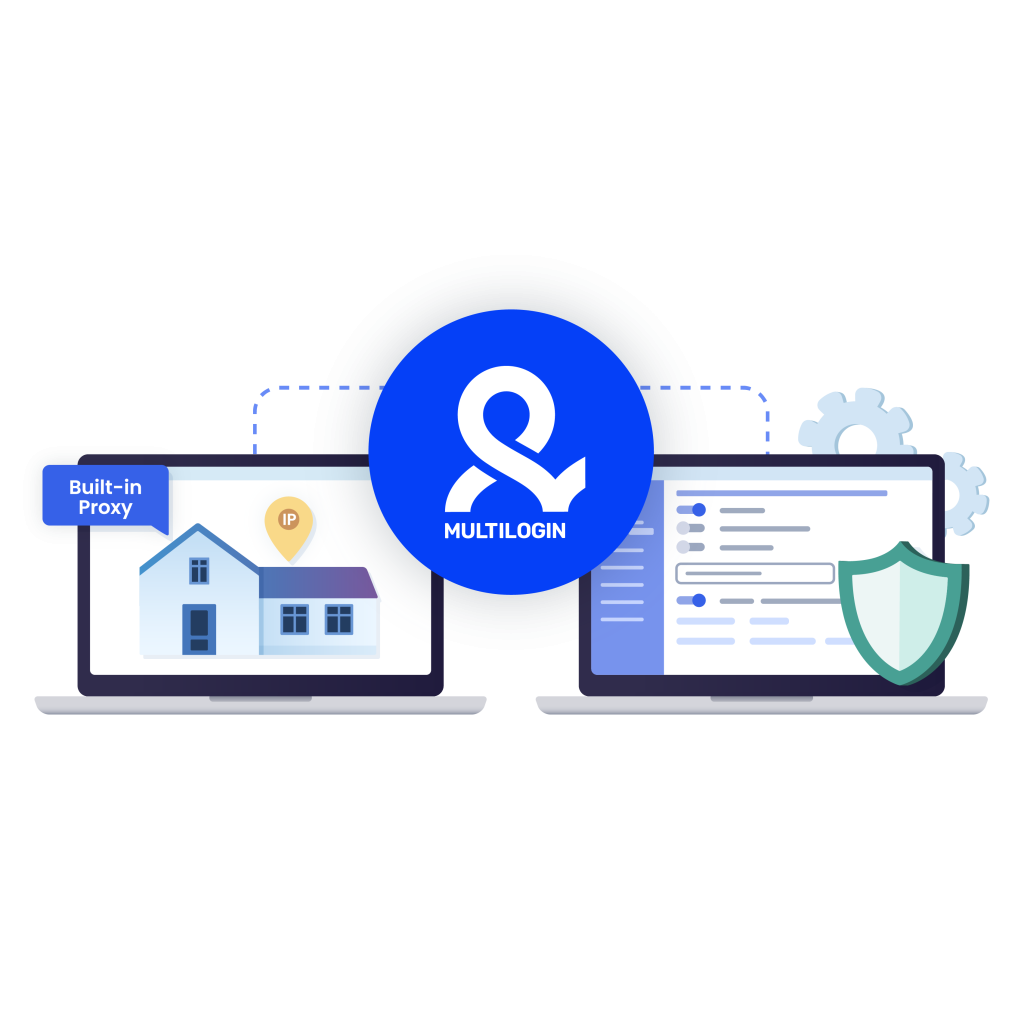
Run accounts without getting blocked
Use Multilogin built-in US Proxies
Multilogin features for creating multiple accounts
More proxy and cloud phone bundles
- Ad spy proxies & antidetect browser
- Antidetect browser & proxies for Ad verification
- Reddit proxy
- Canada proxy
- Chicago proxy
- China proxy
- Denmark proxy
- Egypt proxy
- Gmail proxy
- Greece proxy
- Hong Kong proxy
- Hungarian proxy
- Indonesia proxy
- Iran proxy
- Irish proxy
- ISP proxies
- Israel proxy
- Italy proxy
- Japan proxy
- Korea proxy
- LinkedIn proxy
- London proxy
- Los Angeles proxy
- France proxy
- India proxy
- Mexico proxy
- Netherlands proxy
- New York Proxy
- New Zealand proxy
- Oman proxy
- Online shopping proxies & cloud phone
- Poland Proxy
- Portugal proxy
- Proxies for market research & cloud phone
- Proxies for price monitoring & cloud phone
- Proxy Romania
- Rank tracker proxies & cloud phone
- Saudi Arabia proxy
- SEO proxies & antidetect browser
- SERP analysis with proxies & antidetect
- Singapore proxy
- Sneaker proxies & antidetect browser
- SOCKS5 proxy & multi-account browser
- Spain proxy
- Sweden proxy
- Switzerland proxy
- Telegram proxy
- Thailand proxy
- Tinder proxy & antidetect bundle
- Turkey Proxy & Multi-Account Browser in One Platform
- France proxy
- UK proxy
- Ukraine proxy
- Web Scraping Proxies & Multi-Account Browser
- Tiktok proxy
- WhatsApp proxy & cloud phone bundle
The award-winning platform for social media growth













How to start using Multilogin
Start collecting data effortlessly with the industry-leading cloud phone.
Sign up
Register using a verified email address.
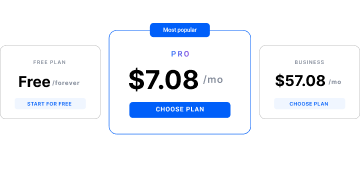
Choose your plan
Select from various subscription plans tailored to your business needs.
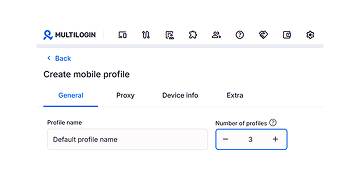
Run your multiple accounts
Set up and manage multiple accounts using separate browser profiles, all from one secure platform.
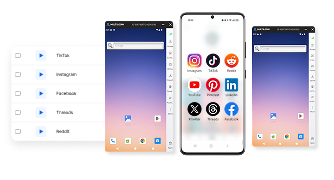
Watch the Multilogin Demo
See how to run multiple accounts in just 2 minutes.
Watch the demo below and discover how Multilogin can streamline your workflow.
USA proxy and cloud phone: How do they work together?
A USA proxy and cloud phone combination allows you to run native Android apps on a remotely hosted device using a US-based IP address. This setup is useful for managing multiple social media accounts, e-commerce stores and regional marketing operations.
Multilogin combines cloud Android phones running on real devices with isolated browser profiles, built-in residential and mobile proxies, and mobile minutes. Each cloud phone keeps its own app data, login history, IP and location settings between sessions.
You can manage mobile and web-based accounts from one dashboard without maintaining multiple physical phones or purchasing a separate proxy service for standard workflows.
What is a USA mobile proxy?
A USA mobile proxy routes internet traffic through IP addresses associated with US mobile carriers. Unlike residential proxies that use home internet connections, mobile proxies use mobile network IPs.
USA mobile proxies are particularly relevant for native Android app workflows, including social media management, mobile app testing and regional market research.
Multilogin offers several built-in proxy types for different account management needs.
| Proxy type | How it works | Suitable for |
|---|---|---|
| USA mobile proxy | Routes traffic through US mobile carrier IPs | Native Android apps and mobile workflows |
| USA residential proxy | Uses IPs associated with residential internet connections | Social media, e-commerce and browser-based tasks |
| USA ISP proxy | Provides a static IP during the purchased period | Long-term account management and consistent IP requirements |
The right proxy depends on your workflow, location requirements, traffic consumption and whether you need a rotating or static IP address.
What should you consider before buying a USA proxy?
When buying a USA proxy, compare connection reliability, geographic coverage, session duration, compatibility and total cost. A low price alone does not make a proxy suitable for long-term account management.
| Selection criteria | What to check |
|---|---|
| US location coverage | Whether your required state or city is available |
| Connection performance | Latency, speed and connection stability |
| IP persistence | Whether sticky sessions or static IPs are supported |
| Compatibility | Support for cloud phones, browser profiles and required protocols |
| Pricing | Included traffic, additional charges and static IP costs |
| Customer support | Availability of technical assistance |
Multilogin includes residential and mobile proxy traffic in its plans. You can also purchase additional proxy traffic, use ISP proxies where available or connect a compatible third-party proxy.
Consider testing the connection with your actual workflow before purchasing a larger proxy package.
How to set up a USA proxy with a cloud phone
You can connect a USA proxy to a Multilogin cloud phone directly from the profile creation settings. There is no need to configure a separate proxy application inside Android.
Follow these steps:
- Create a new cloud Android phone in Multilogin.
- Select your preferred Android device and version.
- Open the proxy settings and select Multilogin or a custom proxy.
- Choose the United States as your proxy location.
- Select the appropriate proxy type and network connection.
- Check the proxy connection and save your profile.
- Launch the cloud phone and sign in to your account.
Follow the detailed guide on creating Android cloud phones for additional setup instructions.
How to use USA proxies and cloud phones for multiple account management
USA proxies and cloud phones help users organize multiple accounts that serve different US markets, brands, stores or clients. Each account can run in a separate environment with its own app data, login history and IP settings.
Common use cases include:
- Social media management: Manage multiple TikTok, Instagram, Facebook or X accounts with distinct audiences and content strategies.
- E-commerce: Manage seller accounts, product listings, orders and customer communications across different stores.
- Regional marketing: Review localized content, advertising placements and customer experiences in US markets.
- App testing: Test how Android apps display content and features for users connecting from the United States.
For mobile-first workflows, use one cloud phone per account. For web-based tasks, such as marketplace dashboards and reporting, use isolated browser profiles.
Always follow the relevant platform policies. For instance, X’s Authenticity policy allows multiple accounts for distinct purposes but prohibits coordinated activity that artificially increases engagement.
Can e-commerce sellers use dedicated USA proxies with cloud phones?
Yes. E-commerce sellers can combine US proxies with cloud phones to manage multiple authorized seller accounts, stores and product lines from separate environments.
With Multilogin cloud phones for eBay, sellers can manage native Android app workflows while using browser profiles for web-based seller tasks.
For example, a seller managing five eBay stores can use five cloud phones, each with its own app data, login history and assigned proxy. This provides a structured way to manage daily operations without maintaining five physical devices.
However, eBay’s multiple accounts policy requires every account to meet its platform standards. Multiple accounts must not be used to avoid selling limits or restrictions.
Using USA proxies for automation and SEO operations
USA proxies can support authorized automation, regional SEO research and market analysis by providing access through US-based IP addresses.
Common applications include monitoring product prices, reviewing regional search results, testing localized website content and checking advertising placements.
Multilogin supports mobile automation through API and ADB access, while browser-based workflows can use Selenium, Playwright and Puppeteer.
Cloud phones are suitable for native Android app tasks, while browser profiles are more practical for web-based research and automation. Automated activities must comply with the relevant website’s terms and API requirements.
A US proxy alone does not guarantee accurate search rankings. Search results can also vary based on language, location settings, personalization and device type.
Can you get a USA proxy and cloud phone with a static IP?
Yes. Multilogin supports static ISP proxies that can be assigned to cloud phones and browser profiles.
Unlike rotating residential and mobile proxies, ISP proxies maintain the same IP address throughout their active 30-day period and include unlimited proxy traffic.
ISP proxies are purchased separately on eligible plans, while residential and mobile proxy traffic is included in every Multilogin plan.
Static IPs are particularly useful for established account workflows that require a consistent connection over time.
How does USA proxy rotation work?
USA proxy rotation changes the public IP address used by a connection. Different rotation options serve different tasks, from regional testing to persistent account sessions.
| Connection type | IP behavior | Suitable for |
|---|---|---|
| Rotating proxy | Changes IP based on configured rotation settings | Authorized regional research and testing |
| Sticky proxy | Retains the same IP while it remains available | Regular mobile and browser sessions |
| Static ISP proxy | Retains the same IP throughout its active period | Long-term account management |
Multilogin’s sticky residential and mobile proxies can retain an IP for an average of around 24 hours when configured to keep it for as long as possible. The actual duration depends on IP availability.
For ongoing account management, choose connection settings that match the account’s legitimate operational requirements rather than changing IP addresses unnecessarily.
How reliable is a USA proxy and cloud phone setup?
The reliability of a USA proxy and cloud phone setup depends on proxy availability, connection speed, latency, device performance and the user’s internet connection.
A reliable solution should provide clear proxy settings, persistent app data, transparent pricing, consistent device access and technical support.
Multilogin combines cloud Android phones, browser profiles, built-in proxies and mobile minutes in one platform. It also supports third-party proxies for users who have specific connection requirements.
Before expanding your setup, test the proxy connection, app performance and traffic consumption with your actual account management workflow.
Can you use a USA proxy and cloud phone for account verification?
A USA proxy provides a US-based IP address, but it does not provide a US phone number or replace identity verification.
Multilogin cloud phones cannot receive SMS messages or phone calls. If an app requires SMS verification, you need a separate phone number accepted by that platform. You can receive the verification code externally and enter it into the app running on your cloud phone.
A proxy and cloud phone cannot guarantee successful verification or replace platform security requirements.
Conclusion
A USA proxy and cloud phone combination provides a practical way to manage multiple social media accounts, e-commerce stores and regional workflows using US-based IP addresses.
Multilogin brings together cloud Android phones running on real devices, isolated browser profiles, residential and mobile proxies, and mobile minutes. Static ISP proxies are also available for eligible users who require consistent IP addresses.
You can start with the Multilogin free plan to evaluate the platform before expanding your account management setup.
USA Proxies FAQ
What does US proxy mean?
USA proxies function as intermediary servers that act as a gateway between you and the internet. When you use a USA proxy, your web traffic is routed through this server, hiding your real IP address and making it seem as though you are browsing from within the United States. This allows you to access geo-restricted content and adds a layer of protection by keeping your real IP address hidden, reducing the risk of cyber threats and online tracking.
In Multilogin, USA proxies enhance your ability to manage multiple accounts by providing each profile with a unique, US-based IP address. This helps you avoid detection while interacting with US-based websites and services, ensuring access and anonymity.
How to get an USA proxy?
You can get US proxies directly through Multilogin. The platform provides access to a large pool of residential IPs — over 30 million IPs worldwide, with extensive US coverage and state-level targeting. Multilogin’s built-in proxy options support sticky sessions and easy assignment to profiles, so you don’t need to buy or configure third-party proxies separately.
If you need volume, specific states, or custom routing, check out our plans to choose the right US residential proxy plan and set it up inside the app.
How to use US proxy in Chrome?
To use a US proxy in Chrome, you normally need to configure it manually each time you browse. However, with Multilogin, you can streamline this process — simply assign a US proxy to your browser profile, and every session you open through Multilogin will automatically use that proxy.
If you prefer to set it up directly in Chrome, you can also add your US proxy details in Chrome’s system settings under “Network” or “Proxy.”
What is a US proxy address?
A US proxy address is an IP address based in the United States that acts as an intermediary between your device and the websites you visit. When you use a US proxy, your real IP is hidden, and sites see the US-based IP instead — making it appear as if you’re browsing from the U.S.
Are proxies illegal in the US?
No, proxies are not illegal in the U.S. — they’re completely legal tools when used for legitimate purposes such as privacy protection, cybersecurity, ad verification, or managing multiple business accounts.
However, using proxies for illegal activities (like hacking, fraud, or unauthorized data scraping) is against the law. In short: proxies themselves are legal, but how you use them determines whether your actions comply with U.S. regulations.
How to use built-in US proxies in Multilogin?
- Create a new profile. Enter the name, select the OS and storage type.
In the Proxy tab, select Multilogin to use built-in proxies. - Choose United States and specify the region and city (e.g., use California proxies).
- Enter other important details such as protocol, session duration (sticky sessions), and any Advanced settings.
- Save the profile and launch it. Test the IP by visiting a site like WhatIsMyIP.com to confirm the proxy is active.
How do I import an US proxy in Multilogin?
You need to enter the proxy details (IP address, port, and any necessary authentication) into your browser. After that, your internet traffic will route through the proxy, masking your real IP and displaying a US-based one. Follow these steps:
- Open your browser profile within the Multilogin dashboard.
- Enter your USA proxy details (IP, port, username, and password).
- Save your settings, and your browser profile will now operate with a US-based IP, giving you the privacy and regional access you need.
Can I use free United States proxies?
Free USA proxies may come with limitations like slower speeds, less security, and reduced reliability. Additionally, free proxies are less stable. As a result, websites can easily detect and block them.
For critical tasks, premium proxy servers are a better option for consistent performance and security. Multilogin offers built-in USA proxies at no additional cost, providing a more reliable alternative to free proxies.
Why should I choose USA proxies?
A proxy server in usa are perfect for anyone looking to run ad campaigns, conduct market research, or access US-restricted content. They allow you to appear as a local user, improving the accuracy of your operations.
In Multilogin, USA proxy servers help you manage multiple US-based accounts from a single device without risking bans or account bans for suspicious activity. You can switch between accounts, assigning each a unique US-based IP.
What are the benefits of using residential USA proxies?
Residential USA proxies come from real devices located in the United States, making them much harder to detect and block compared to data center proxies. They provide higher legitimacy and provides a reliable access to US-based services without the risk of account flags for non-residential traffic. This is particularly important when dealing with sensitive accounts or websites that enforce strict IP address checks.
Multilogin provides residential USA proxies and ensures that each account behaves like a real user based in the US.
Where can I buy USA proxies?
You can buy USA proxies from various providers, including Oxylabs, Proxy-Seller, and Smartproxy. These services offer a range of options, from residential to data center proxies, allowing you to choose the best fit for your needs. Free lists may provide a limited number of proxies that often have slower speeds and less reliability.
If you’re looking for a reliable proxy server USA option, Multilogin offers built-in access without needing to configure external servers.
Once you purchase them, you can integrate these proxies into Multilogin by adding the proxy details into your browser profile settings. Multilogin offers a more convenient option by providing built-in USA proxy servers at no extra cost. These proxies are ready to use and eliminate the need to purchase or configure external proxies.
Does Multilogin provide proxy EEUU?
Yes, Multilogin includes built-in proxy EEUU (U.S. residential and mobile IPs) in every subscription plan. These proxies support all 50 U.S. states and help you stay undetected while managing multiple accounts or accessing geo-restricted content.