






Managing social media without a checklist is how client accounts get missed, posting schedules fall apart, and platform restrictions catch you off guard. A checklist does not make social media management mechanical. It makes the repeatable parts automatic so your attention goes where it actually matters: strategy, creative decisions, and the client conversations that keep relationships intact.
This guide covers the complete social media management workflow for 2026: daily tasks, weekly tasks, monthly tasks, account setup requirements, and the account safety checks that most checklists skip entirely. It is built for agencies, freelancers, and in-house teams managing multiple social media profiles across multiple clients and platforms.
Work through each section in order the first time. After that, adapt it to your specific platforms and client mix. The goal is a system that runs without you having to remember what comes next.
Before you start: account setup checklist
Every new client account or social profile needs a proper setup before any content goes live. Skipping this step means building on an unstable foundation, and fixing it later costs more time than doing it once at the start.
Profile completeness
- Profile photo and cover image uploaded at correct platform dimensions
- Bio or description written and optimised with relevant keywords
- Website link, contact details, and CTA button configured
- Username consistent across platforms where possible
- Business account or creator account enabled where applicable
- Platform-specific features activated: Instagram professional dashboard, TikTok Business Account, LinkedIn Company Page admin access
Access and credentials
- Login credentials stored securely in a password manager
- Two-factor authentication enabled on every account
- Backup codes saved and stored separately from the main credentials
- Team access granted through platform-native team features where available, not by sharing login credentials
- Agency access set up correctly in Meta Business Suite for Facebook and Instagram accounts
Account isolation for multi-client management
- Each client’s mobile-first profiles (TikTok, Instagram, WhatsApp) assigned to a dedicated cloud phone profile with its own device identity and IP
- Each client’s web-first profiles (LinkedIn, Reddit, YouTube) assigned to a dedicated browser profile with its own isolated session
- Proxy confirmed and active for each profile before any account activity begins
- Profiles tested with a real session before client content goes live
This isolation step is the one most social media management checklists leave out. Running multiple client profiles from the same browser session or the same phone is the most common cause of account flags and restrictions. Each profile needs its own isolated environment from day one. See how to manage social media accounts for multiple clients for the full setup process.
Tracking and measurement setup
- Analytics baseline recorded: follower count, average reach, average engagement rate
- Reporting template built and shared with client
- Goal metrics agreed and documented: what does success look like at 30, 60, and 90 days
- UTM parameters set up for any links that drive traffic to a website
Daily social media management checklist
Daily tasks should take no more than one to two hours for a standard client roster. If daily tasks regularly run longer than that, something in the workflow needs systemising, not more time.
Community management
- Respond to all comments on posts published in the last 24 to 48 hours
- Reply to DMs and message requests across all managed platforms
- Address any negative comments, complaints, or sensitive mentions before they escalate
- Like and respond to comments on Stories and Reels where engagement is happening
- Check tagged posts and mentions and engage where appropriate
The first 60 minutes after publishing a post are the most important for engagement. If you can respond to early comments within that window, platform algorithms treat it as a signal of an active, high-quality account. How to grow on social media covers why early engagement matters and how to build it into your daily rhythm without burning out.
Content publishing
- Confirm scheduled posts have published correctly on all platforms
- Check that images, videos, and links are rendering correctly on each platform
- Verify that any time-sensitive content (promotions, events, announcements) is live when it needs to be
- Note any posts that underperformed overnight for follow-up in the weekly review
Trend monitoring
- Check platform-native trending topics and sounds on TikTok and Instagram
- Review industry news for anything that might require a reactive post or content update
- Flag relevant trends to clients if they need approval before reactive content goes live
Quick performance check
- Check reach and impressions on posts from the previous day
- Note anything that is significantly over or under-performing relative to baseline
- Record anything unusual for the weekly review
Weekly social media management checklist
Weekly tasks are where strategy meets execution. This is where you look at what the previous week produced and decide what the next week needs to do differently. Most social media managers batch these tasks into one focused session, usually at the start or end of the working week.
Content creation and scheduling
- Review the content calendar for the coming week and confirm all content is ready to schedule
- Write or finalise captions for all posts scheduled in the next seven days
- Brief designers or videographers on any assets needed for the following week
- Resize and format all images and videos for each platform’s current specifications
- Schedule all content through your social media management software for the coming week
- Review and approve any content created by other team members or AI tools
- Confirm that Stories, Reels, and short-form video content are planned separately from feed posts
Posting time matters more than most managers account for. Check the best time to post on TikTok, Facebook, and X/Twitter for platform-specific timing guidance. These are not universal rules but starting points you refine against your own account data over time.
Weekly performance review
- Pull reach, impressions, engagement rate, and follower change for the week across all platforms
- Identify the top-performing post and the weakest-performing post for each platform
- Note any patterns: did video outperform static? Did a specific topic or format drive more saves?
- Compare current week against the previous week and against the baseline you set at onboarding
- Flag anything significant for the client update or internal team review
Content calendar maintenance
- Update the content calendar with performance notes from the previous week
- Confirm content pillars are being represented in the mix and adjust if one is being over or underused
- Check for upcoming events, campaigns, or seasonal moments in the next two to four weeks that need content planned now
- Review whether content repurposing opportunities exist from this week’s top performers
Account health check
- Check all managed profiles for any platform notifications, policy warnings, or restriction notices
- Confirm all scheduled posts published correctly and flag any failures
- Review any comments or messages that came in over the weekend and were not addressed
- Check that all cloud phone profiles and browser profiles are running cleanly with active, confirmed proxies
Client communication
- Send a brief weekly update to each client: what published, what performed well, what is scheduled for next week
- Flag any content that needs client approval before it can be scheduled
- Raise any issues, risks, or opportunities that need a decision from the client’s side
Monthly social media management checklist
Monthly tasks are the strategic layer that most daily and weekly work feeds into. This is where you zoom out, assess whether the overall direction is working, and make the adjustments that shape the next month’s content.
Monthly analytics report
- Pull full-month data across all platforms: reach, impressions, engagement rate, follower growth, link clicks, and any platform-specific metrics relevant to the client’s goals
- Compare against the previous month and against the baseline set at onboarding
- Identify the top three performing pieces of content for the month and document why they worked
- Identify the three weakest pieces and document what they have in common
- Note any correlation between posting frequency, posting time, content format, and performance
- Calculate cost per result if paid social is running alongside organic content
Native platform analytics are free and accurate for their own platform. For cross-platform reporting and formal client decks, Sprout Social is the strongest option at agency scale. For a comparison of what is available at different price points, see the full best social media management tools guide.
Strategy review and content planning
- Review whether the current content pillars are producing results and adjust the mix if needed
- Plan the next month’s content calendar based on performance data, upcoming campaigns, and seasonal moments
- Review content pillar balance: are all pillars represented? Is any pillar consistently underperforming?
- Identify formats that are working and plan to produce more of them next month
- Research competitor activity and platform changes that might affect strategy
- Review social media SEO performance: are profile keywords, hashtags, and descriptions still aligned with how the audience searches?
Client reporting and account review
- Prepare and deliver the monthly report with data, insights, and recommendations
- Schedule a monthly review call or async update depending on the client’s preference
- Present strategy recommendations for the coming month based on what the data shows
- Confirm goal metrics are still aligned with the client’s business objectives
- Document any changes to scope, strategy direction, or platform priorities agreed on the call
Account infrastructure review
- Audit all managed profiles for any new platform policy changes that affect content rules or account features
- Review all cloud phone and browser profiles for any flagging, restrictions, or performance issues
- Confirm proxies are still active and correctly assigned to each profile
- Check that account warm-up profiles are progressing on schedule. See how to warm up accounts and how to warm up an Instagram account for reference
- Review team access and permissions across all managed accounts and remove any stale access
- Back up any profile data, content archives, or cookie exports that need to be preserved
Platform-specific checklist additions
The core daily, weekly, and monthly tasks above apply across all platforms. Each platform also has specific requirements that belong in the workflow.
Instagram checklist additions
- Stories published at least three to five times per week to maintain consistent reach
- Reels published at least twice per week with a strong hook in the first two seconds
- Hashtag strategy reviewed monthly against current reach data
- Profile link-in-bio updated whenever a campaign or promotion goes live
- Collab posts and partnership content reviewed for correct tagging and credit
- Each client account running on its own dedicated cloud phone profile to prevent cross-account linking. See managing multiple Instagram accounts for the full workflow
For growing Instagram Reels engagement, the checklist items that move the needle most are hook strength in the first two seconds, watch-through rate, and shares rather than likes. Review these metrics specifically in weekly performance checks.
TikTok checklist additions
- At least three to five videos published per week to maintain algorithmic momentum
- Trending sounds checked daily and incorporated where they fit the content naturally
- Video hooks reviewed: the first one to three seconds must stop the scroll
- Comments replied to within the first hour after publishing where possible
- Each TikTok account running on its own cloud phone profile with cellular network type selected. See how to run multiple TikTok accounts without bans
- TikTok Creator Studio analytics reviewed weekly for watch time and traffic source data
LinkedIn checklist additions
- Three to five posts per week for company pages, daily for personal profiles in growth mode
- Native document posts (carousels) planned at least twice per month for high-reach potential
- Connection requests and InMail follow-ups reviewed weekly for lead generation profiles
- Each LinkedIn account running in its own isolated browser profile. See managing multiple LinkedIn accounts
Reddit checklist additions
- Account karma and post history reviewed monthly to ensure accounts are building trust naturally
- Community rules checked before any post goes live in a new subreddit
- Each Reddit account in its own browser profile with its own persistent session and IP. See managing multiple Reddit accounts
- Post-to-comment ratio reviewed: accounts that only post without engaging in discussions get flagged quickly
YouTube checklist additions
- Thumbnail reviewed for click-through rate potential before every video goes live
- Video description and timestamps updated for search optimisation
- End screens and cards updated to reflect current promoted content
- Comments reviewed and responded to within 48 hours of publishing
- Shorts published at least twice per week if the channel is in growth phase
Account safety checklist: the section most managers skip
Account safety is not a one-time setup task. It is an ongoing operational discipline that belongs in every social media manager’s weekly and monthly routine. Most platform restrictions and bans are not random. They follow a pattern that proper infrastructure prevents.
Weekly account safety checks
- Review all managed profiles for any new restriction notices, reduced reach warnings, or policy emails from platforms
- Confirm all cloud phone profiles have active, correctly configured proxies before each session
- Check that no profile is sharing a device identity or IP with another profile
- Review posting behaviour across accounts: are any accounts posting at unusually high volume that might trigger detection?
- Check that content is not being posted identically across multiple accounts simultaneously
What platforms actually detect
Understanding what triggers platform detection systems helps you build a checklist that prevents restrictions rather than reacting to them after the fact.
Mobile-first platforms like TikTok, Instagram, and Facebook check device sensor signals including accelerometer data, tap timing, and hardware identifiers. No browser tool can produce these signals. This is why running Instagram and TikTok accounts inside browser profiles or emulators produces a different risk profile than running them on real Android devices. Each profile needs its own cloud phone with genuine ARM hardware.
Platforms also track behavioural patterns: session length, posting times, content similarity across accounts, and cross-platform activity. Changing a device identity alone is not enough. The behaviour inside the session also needs to look natural. This is why account warm-up is part of the account safety checklist, not just a nice-to-have.
Monthly account safety audit
- Full audit of all managed profiles for any active restrictions, reduced distribution, or shadow restrictions
- Review of all cloud phone and browser profile configurations: device brands, OS versions, proxy assignments
- Confirm no two profiles share any identifying information across device identity, IP address, or session data
- Review content posting patterns for any accounts that are posting at unnaturally high frequency
- Check that all new accounts are in warm-up phase and not being pushed to full posting volume immediately
- Review team access: who has access to which profiles and through which method
- Document any accounts that have received warnings and log the steps taken in response
For a full breakdown of how to set up isolated environments for multiple client profiles, see the guides to best cloud phones for Instagram, best cloud phones for TikTok, and best cloud phones for social media managers.
How Multilogin fits into the social media management checklist
The account setup, weekly safety check, and monthly audit sections of this checklist all assume you have proper profile isolation in place. For agencies and freelancers managing more than two or three client profiles on mobile-first platforms, that means a dedicated cloud phone for each profile, not a shared phone or browser session.
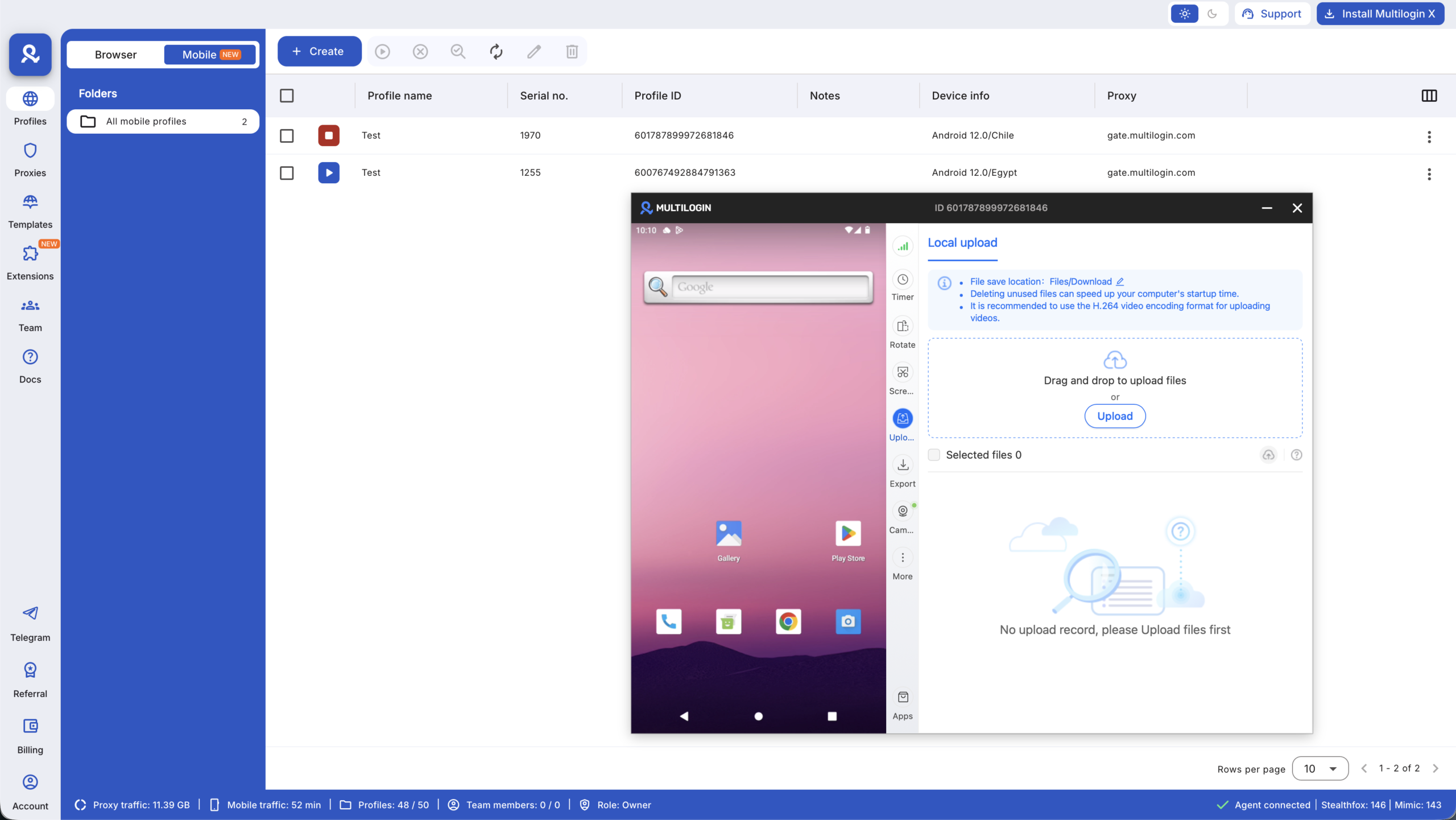
Multilogin is a cloud phone platform built for social media marketers. Each social profile gets its own real Android device in the cloud with its own device identity, its own IP via built-in residential proxies, and its own persistent session history. Nothing crosses over from one profile to another. That isolation is what the account safety sections of this checklist depend on.
The dashboard puts every cloud phone and browser profile in one place, organised by tags and folders, with notes and labels that survive across sessions. It is the infrastructure layer underneath the workflow checklist: the thing that makes running twenty client profiles from one dashboard operationally safe rather than operationally reckless.
For a direct comparison of how this differs from physical phone farms and browser-only setups, see cloud phone farm vs physical phone farm. For the platform-specific case for cloud phones, see cloud phones vs other isolation methods.
Multilogin pricing for social media managers and agencies
Multilogin offers a permanent free plan with no time limit and no credit card required. The free plan includes 5 social profiles (cloud phone and browser combined), 200 MB of premium proxy traffic one-time, and 30 minutes of cloud phone usage on one profile one-time. No API access and no team seats on the free tier.
Paid plans start from $7.08 per month on annual billing for Pro 10, which includes 10 profiles, 60 mobile minutes per month, 1 GB of proxy traffic per month, quick cloning, bulk operations, and automation API access. Pro 50 and Pro 100 scale profile counts and bonuses for larger client rosters. Business plans from $57.08 per month annually cover 300+ profiles with unlimited team seats and advanced team management.
Cloud phone usage beyond plan bonuses is billed at $0.0073 per minute, with unused minutes rolling over. Additional proxy traffic is $3.50 per GB, also with rollover. Full pricing at multilogin.com/pricing.
Social media management checklist: tools to support each section
The checklist above works as a system, not a list of individual tasks. These are the tools that make each section run reliably.
- Scheduling and publishing:Buffer for clean scheduling with a solid free tier. Hootsuite for full agency workflows with approval steps. Planable for collaborative content review before publishing. SocialBee for category-based scheduling and content recycling. For a comparison of how these tools stack up, see Buffer vs Hootsuite.
- Analytics and reporting: Native platform analytics for day-to-day checks. Sprout Social for formal client reports and social listening at agency scale. Meta Business Suite for Facebook and Instagram management in one place.
- Content creation: Canva for design templates and carousels. CapCut for short-form video editing. Claude for social media managers for caption drafting, content ideation, and strategy work. Best AI tools for social media marketing covers the full toolkit.
- Account safety and infrastructure:Multilogin cloud phones for mobile-first platform isolation. Browser profiles within the same Multilogin dashboard for web-first platforms. Password managers for secure credential storage across all client accounts.




