


Create multiple Gmail accounts
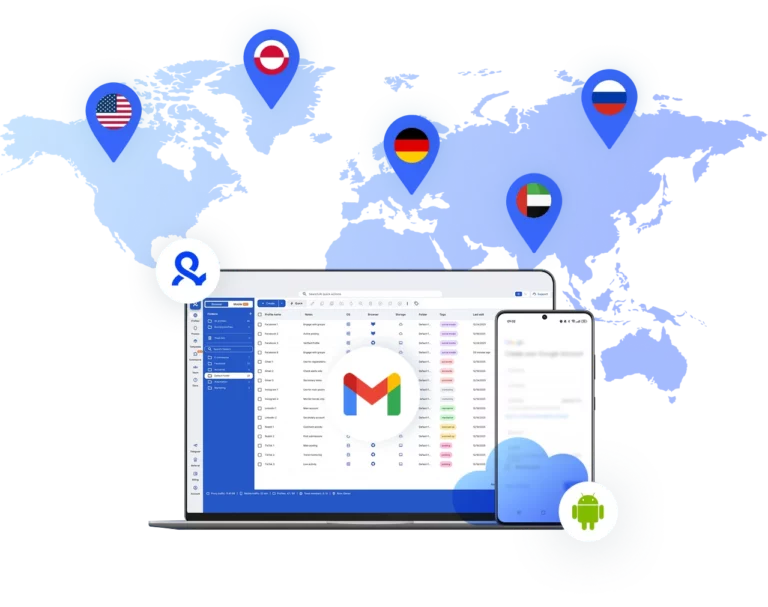
Access multiple Gmail accounts across web and mobile with Multilogin’s browser profiles and real android cloud phones.
Each profile behaves like a genuine device, keeping your accounts safe from bans as you scale.
Manage multiple Gmail accounts
Run multiple Gmail profiles from a single dashboard with Multilogin. Switch between isolated accounts without the risk of detection.
Access Gmail accounts with persistent sessions and cloud syncing
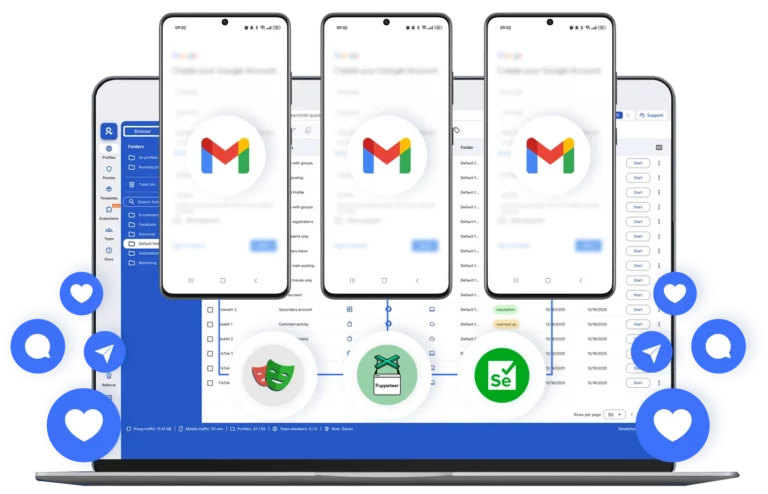
Control multiple Gmail profiles with Multilogin’s cloud-based sessions that store cookies, tokens, and local storage. Log in once and retain access without repeated verification, even across devices, ensuring smooth, password-free management.
Run as many Gmail Accounts as you need
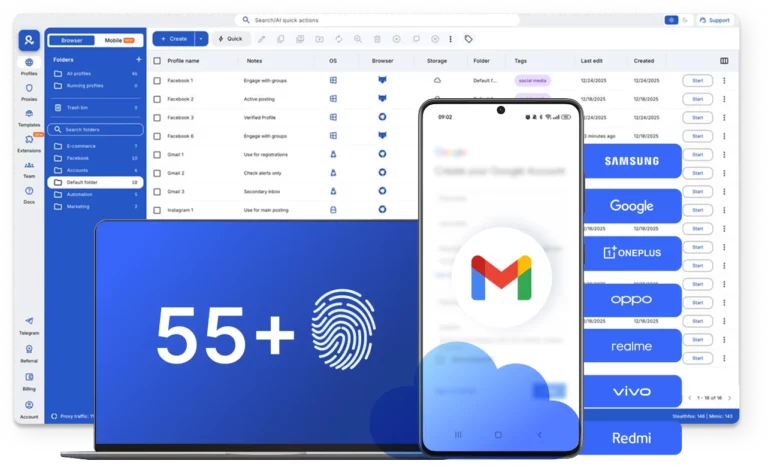
Elevate your performance. With just one click, set up proxies and easily clone, transfer, or export your browser profiles, ready for running multiple Gmail user profiles.
Share multiple Gmail accounts with your team
Multilogin is perfect for collaboration within your team. Specify permissions for each team member to manage accounts. You can easily pause and resume browser sessions at any time.

Avoid Gmail account restrictions with built-in proxies
Multilogin offers residential proxies in over 150 countries with a 95% clean IP record. It helps you manage multiple profiles while reducing the risk of detection and account blocks.
Grow your social media accounts with Multilogin cloud phones
-
Unlimited time
-
Mobile and browser profiles included
-
Free built-in proxies & mobile minutes
-
Unlimited time
-
Mobile and browser profiles included
-
Free built-in proxies & mobile minutes
What is a cloud phone?
A cloud phone is a real Android device hosted in the cloud. Each cloud phone runs as an independent device, with its own operating system, hardware parameters, storage, and network signals. It also allows you to install and run mobile apps just like on any physical Android device.

Why choose cloud phones in Multilogin?
Multilogin is a beginner-friendly platform with cloud Android phones, built specifically for social media marketing. Each cloud phone is unique, automatically generates a phone number, and connects to built-in proxies.
With Multilogin, you can create and manage your social media accounts from the start without any other tools or physical devices.

Ready to try Multilogin?
Get browser profiles and real Android Cloud Phones in one platform.
Multilogin features for creating multiple Gmail accounts
Advanced anti-fingerprinting technology
Our anti-fingerprinting tech bypasses multi-account and automated browser detection by creating unique browser fingerprints with 55+ customizable parameters.
Built-in residential proxy integration
Residential IPs are included by default. 150+ countries and 1,400+ cities with daily quality testing. No separate proxy subscriptions needed: everything works out of the box.
Mimic and Stealthfox browsers
Choose between Mimic (Chromium) or Stealthfox (Firefox) browsers. Each provides a different digital identity, fully optimized to bypass detection on any platform.
Team collaboration made simple
Collaborate on browser profiles and easily share passwords, cookies, and session progress with team members. Manage access with role-based permissions for secure teamwork.
Cloud storage and sync
Use cloud browser profiles to sync data across multiple devices or VPS instances. Access your Gmail accounts from anywhere without losing session data or having to log in repeatedly.
Multilogin 2-in-1: Browser + Cloud Phones
Anti-detect browser profiles and cloud phones in one ecosystem. Manage web-based Gmail and mobile Gmail app from one dashboard with full control.
Real Android cloud phones
Run genuine cloud-hosted Android devices (versions 10–15) with real IMEI and system-level digital fingerprints. Install Gmail and other apps through the built-in store or APK uploads—full app compatibility guaranteed.
Features that make managing Gmail accounts easier

Bypass bot detection
Our anti-fingerprinting tech bypasses multi-account and automated browser detection by masking unique browser fingerprints.

Support for all proxy types
Every plan includes integrated proxies with traffic; supports HTTP/HTTPS/SOCKS5. Unused traffic rolls over to the next month.
Build custom automations with API
Automate repetitive tasks with Selenium, Playwright, Puppeteer, or Postman while staying undetected by anti-bot algorithms.

Auto-match fingerprints
Automatically adjust browser fingerprints to match proxy locations, supporting all types for enhanced security.
Related solutions you might like
Try Multilogin and run Telegram accounts the right way
Run them in browser profiles or on cloud phones with the native Android app — all from one platform.
Multilogin competitive advantages
Fast and intuitive interface
Everything at your fingertips: drag-and-drop, hotkeys, and smooth multitasking without losing speed.
Browser built for multi-accounting
Advanced engine effectively avoids multi-account detection by creating unique browser fingerprints.
Created for team collaboration
Proxies included in every plan
24/7 support in 5 languages
How to start using Multilogin
Start collecting data effortlessly with the industry leading browser.

Sign up
Register using a verified email address.

Choose your plan
Select from various subscription plans tailored to your business needs.

Download Multilogin agent
Available for Windows, Mac, and Linux.

Access the Multilogin dashboard
Start creating and managing cloud phones and browser profiles.

Run multiple Gmail accounts
Set up and manage multiple Gmail accounts using separate browser profiles and cloud phones, all from one secure platform.
Why people love Multilogin

Ha D.
Social Media Marketing Retail

Nino Latif

Stanislav K.
Marketing Manager

Elen S.
Marketing Manager

Hamza Arif
E-commerce Manager


Nick Horvath
Marketing agency
The award-winning platform for social media growth













Watch the Multilogin Demo
Introduction to managing multiple Gmail accounts
In today’s fast-paced digital world, juggling multiple Gmail accounts has become the norm rather than the exception.
Whether you’re separating personal emails from work correspondence, managing different business projects, or running multiple ventures, having several Gmail accounts makes perfect sense.
The tricky part? Keeping them all organized without pulling your hair out or triggering Google’s detection systems.
The need for multiple Gmail accounts
Having multiple Gmail accounts can help you keep personal, work, and project-related emails separate. It can also be beneficial for running multiple businesses or for organizing different facets of your life online. While managing multiple Gmail accounts can become a challenge, it is possible to do so efficiently with the right strategies in place.
Need a Gmail account without a phone number?
By the way, if you’re looking to create Gmail accounts without phone verification, we’ve got you covered. Check out our step-by-step guide on creating Gmail accounts without a mobile number to streamline your account setup process.
With Multilogin’s combined power of browsers and cloud phones, managing multiple Gmail accounts becomes straightforward—whether you’re on desktop or mobile, personal or professional, one account or a hundred.
Taking it mobile with Cloud Phones
Now, what if you need to manage Gmail accounts on mobile apps too? That’s where Multilogin Cloud Phones change the game entirely.
Here’s what makes them different: these aren’t emulators or simulators pretending to be phones. They’re real cloud-hosted Android devices running genuine Android OS (versions 10 through 15, including the latest Android 14 and 15). Each one comes with authentic hardware identifiers: IMEI, Android ID, MAC addresses. Platforms like Gmail see them as legitimate mobile devices because they are.
Running multiple Gmail accounts on your MacBook Pro
For MacBook Pro users, managing multiple Gmail accounts is just as simple. Multilogin is compatible with macOS, allowing users to create browser profiles for each account and keep them separated, even on the same device. This helps you avoid data overlap and ensures that your accounts remain undetectable.
Multilogin allows you to run multiple Gmail accounts on your MacBook Pro without interference, making it an excellent solution for users who need to manage several profiles without constantly switching between them.
Monitoring and switching between multiple Gmail accounts
Keeping track of multiple Gmail accounts is critical to avoid missing important emails. By using a tool like Multilogin, you can manage all your accounts simultaneously. You can keep all profiles open and monitor emails across various accounts without the hassle of logging in and out.
Additionally, organizing your accounts into specific browser profiles allows you to stay on top of your emails while maintaining the privacy and security of each account.
Common mistakes people make when managing multiple Gmail accounts
Managing several Gmail accounts efficiently can be tricky, and users often make a few common mistakes that can lead to account issues. Here are some of the most frequent errors:
- Not Isolating Accounts Properly
One of the biggest mistakes people make is failing to fully isolate each account. Running multiple accounts on the same browser without using different profiles can lead to Google detecting that the accounts are linked, resulting in potential bans or restrictions. Always use separate browser profiles to keep accounts secure. - Using the Same IP Address for All Accounts
Sharing the same IP address across multiple Gmail accounts can make it easy for Google to link them. To avoid this, use proxies or different devices to assign unique IP addresses to each profile. This helps ensure that Google can’t trace the accounts back to a single source. - Ignoring Account Verification Procedures
While some users try to avoid phone verification when creating Gmail accounts, skipping this step can trigger security flags. Google may perceive this as suspicious behavior and limit access to your accounts. Stick to Gmail’s verification process to avoid unnecessary restrictions. - Failing to Log Out or Switch Profiles Regularly
Many users forget to log out of their Gmail accounts or switch between profiles when accessing different accounts. This can cause session conflicts, leading to account linking or even the accidental exposure of personal information. Always be sure to switch profiles or use a tool that allows easy access to multiple accounts at once. - Overloading Accounts with Too Many Tasks
It’s tempting to use your Gmail accounts for multiple purposes, but this can lead to clutter and confusion. Instead, focus each account on a specific purpose (e.g., one for personal, one for work, etc.) and use tools to keep everything organized.
Why Gmail bans happen and how Multilogin prevents them
Gmail account creation bans typically result from:
- Reusing the same IP or device fingerprint for multiple accounts
- Inconsistent geolocation data or rapid signup activity
- Failing to simulate human behavior during the signup process
- Google detecting automated tools or browser anomalies
- Suspicious login behavior shortly after account creation
Multilogin prevents bans by:
- Creating unique browser environments for each Gmail account
- Assigning individual proxies per account to simulate real users
- Saving sessions to preserve trust signals like cookies and device IDs
- Mimicking human interaction, from form-filling to timing patterns
- Allowing controlled automation, using Multilogin’s API for responsible account creation flows
Create multiple Gmail accounts FAQ
Yes, you can have multiple Gmail accounts. Google allows users to create and manage more than one profile. This is useful for managing personal and professional emails separately or handling multiple accounts for various purposes.
Access multiple Gmail accounts with ease on a single device with Multilogin. Additionally, isolate each account to grow your reach without risking account bans. Furthermore, Multilogin helps you manage all accounts seamlessly, ensuring each operates independently, thus reducing the risk of detection and restriction.
If you want to create multiple Gmail accounts, simply go to the Gmail sign-up page and fill out the required details, such as your name, username, and password. After completing one account, log out and repeat the process to create additional accounts.
Using Multilogin antidetect browser can help you to avoid detection and reduce the risk of account bans. Here’s how you can create multiple Gmail accounts with Multilogin:
- Open Multilogin and create a new browser profile.
- Launch the profile and navigate to Gmail’s sign-up page.
- Fill in the required information to create a new Gmail user profile.
- Repeat the process for additional profiles, ensuring each one is in a separate browser profile.
This way, you isolate each account and run separate sessions, which helps in managing them effectively.
Managing multiple Gmail accounts is crucial for maintaining organization and security. Using different browsers that allow you to isolate each account is important to reduce the risk of Google linking your accounts.
Multilogin’s interface allows you to keep each Gmail account in a distinct browser profile. This means you can:
- Switch between accounts quickly: No need to log out; simply open the desired profile.
- Maintain session integrity: Each profile retains its cookies and session data.
- Organize your workflow: Label and categorize profiles to keep track of different profiles for personal, business, or project use. No need to log out; simply open the desired profile.
Yes, you can run multiple Gmail accounts on your MacBook Pro. Efficiently managing all your Gmail user profiles will help you avoid overlapping data.
Multilogin is compatible with macOS, including MacBook Pro models. You can install Multilogin on your Mac and manage multiple Gmail user profiles by creating separate browser profiles for each account.
Creating multiple Gmail accounts without phone verification can be challenging, as Google often prompts for phone number verification to ensure account security and prevent spam. There are some strategies you can try:
- Use Different Devices and IP Addresses
- Try Alternate Email Verification
- Avoid Rapid Creation
Creating accounts without verification could lead to restrictions or suspension of the accounts if Google suspects abuse. Always comply with Google’s terms of service to avoid any potential risks.
Monitoring your multiple Gmail accounts simultaneously is essential to streamline your workflow. You can use multiple browsers to regularly check your profiles. They keep accounts separate and avoid session conflicts.
You can open multiple browser profiles at the same time to monitor different Gmail user profiles with Multilogin. This is particularly useful for users who need to keep track of emails across various accounts without missing important communications.
Platforms may link accounts based on shared data such as IP addresses, cookies, browser fingerprints, or login behaviors. Here’s how you can prevent account linking:
- Regularly Clear Cookies and Cache
- Use Separate IP Addresses
- Use anti-detect browsers to create isolated environments
Multilogin uses advanced browser fingerprinting techniques to ensure each browser profile has a unique fingerprint. As a result, this minimizes the chances of platforms detecting that users manage multiple profiles from the same device, therefore reducing the risk of account linkage.
There is no strict limit to the number of Gmail accounts you can manage, as Gmail allows users to create and use multiple accounts. However, effectively managing many accounts requires careful attention to avoid potential issues such as account linking or access restrictions.
Multilogin does not impose an inherent limit on the number of browser profiles you can create. However, your subscription plan may have specific limits. It’s important to use the service responsibly and comply with Gmail’s terms of service.
Yes, you can access your Gmail accounts from multiple devices, including smartphones, tablets, laptops, and desktop computers.
Multilogin offers cloud synchronization, allowing you to access your browser profiles from different devices. Simply log into your Multilogin account on the new device, and your profiles will be available.
